
Introduction
Mobile SEO has rapidly become a decisive factor for digital success, with search data showing a clear shift: over 63% of Google searches in the United States now originate from smartphones, according to Statista’s 2023 report. As devices, user habits, and search engine algorithms evolve, optimizing for mobile isn’t optional—it’s essential for visibility and growth in every competitive industry.
The expectations of smartphone users are strikingly high. A report by Google highlighted that 53% of mobile visitors abandon a site if it takes longer than three seconds to load. With competitors only a swipe away, businesses risk significant traffic and revenue losses if their mobile experiences fall short. Fast, intuitive interfaces are not just a perk but a ranking factor in Google’s mobile-first indexing approach.
This resource distills the most impactful mobile SEO best practices for those who create or manage online content. Whether you oversee content for a local business, manage campaigns at an SEO agency, or plan strategy for a nationwide brand, these insights are tailored to help your team address today’s mobile-centric reality and stand out in the crowded digital landscape.
The five strategies featured were selected for their proven effectiveness, direct ties to search rankings, and relevance to real-world business needs. Practical recommendations and illustrative examples from brands like Walmart and The New York Times offer clear pathways to mobile SEO success—not just theory, but approaches that deliver measurable improvement on actual mobile traffic and engagement metrics.
Responsive Web Design
Overview
Responsive web design is crucial for ensuring a seamless user experience across all devices. By automatically adjusting layouts to a device’s screen size, brands can keep users engaged whether they browse on smartphones, tablets, or desktops. With mobile users generating over 54% of global web traffic (Statista, 2024), adapting to mobile behaviors no longer feels optional—it’s a competitive necessity.
For example, The Guardian’s website uses a responsive approach, displaying high-resolution images and reorganizing content blocks for each screen size. This adaptability ensures readers can access articles comfortably, whether on a laptop at work or a mobile device during a commute.
Key Details
Implementing responsive web design relies heavily on CSS media queries that restructure grids and layouts to accommodate different devices. Tools like Bootstrap and Foundation help streamline this by offering responsive grid systems and predefined breakpoints.
Not only do responsive sites allow for flexible layouts, but Google also recommends this methodology over maintaining separate mobile URLs. For instance, UXPin’s Responsive Design guide highlights that companies like Slack and Dropbox maintain a single codebase, which reduces maintenance and ensures consistent experiences for all users.
What Makes It Special
Responsive web design is Google’s preferred mobile configuration. Unlike separate mobile sites, this approach eliminates duplicate content and minimizes the risk of fragmented authority signals—addressing key SEO concerns.
An excellent real-world scenario: Etsy transitioned from m-dot (m.etsy.com) to a fully responsive architecture, boosting organic sessions by 10% within months and simplifying their SEO approach. Maintaining a single site allows for unified content updates and ensures technical signals like canonical tags and structured data remain intact.
Considerations
Responsive design does require an initial investment, both in planning and development. However, these upfront costs are offset by future savings in site maintenance and SEO campaigns.
Adidas, for example, invested resources in rebuilding its global site with mobile-responsive principles, resulting in improved Core Web Vitals scores and higher mobile conversion rates. Prioritizing responsiveness from the start can prevent expensive redesigns as user behaviors shift.
Best For
Responsive design suits businesses that value streamlined site management and mobile-friendly SEO. For example, B2B SaaS providers like Asana benefit from this setup, since they need one URL per page—simplifying analytics, security, and content governance.
This approach is also popular among agile marketing teams, enabling them to update campaigns or landing pages efficiently without duplicating work for different device versions.
Additional Info
To maximize outcomes, responsive layouts should work hand-in-hand with mobile-focused content strategy and intuitive navigation. Best practices outlined by UXPin underscore the value of combining scalable fonts, adaptive images (via srcset), and touch-friendly navigation for optimal results. American Airlines serves as a leading example, leveraging these elements to streamline the booking process on any device.
PageSpeed Insights Optimization
Overview
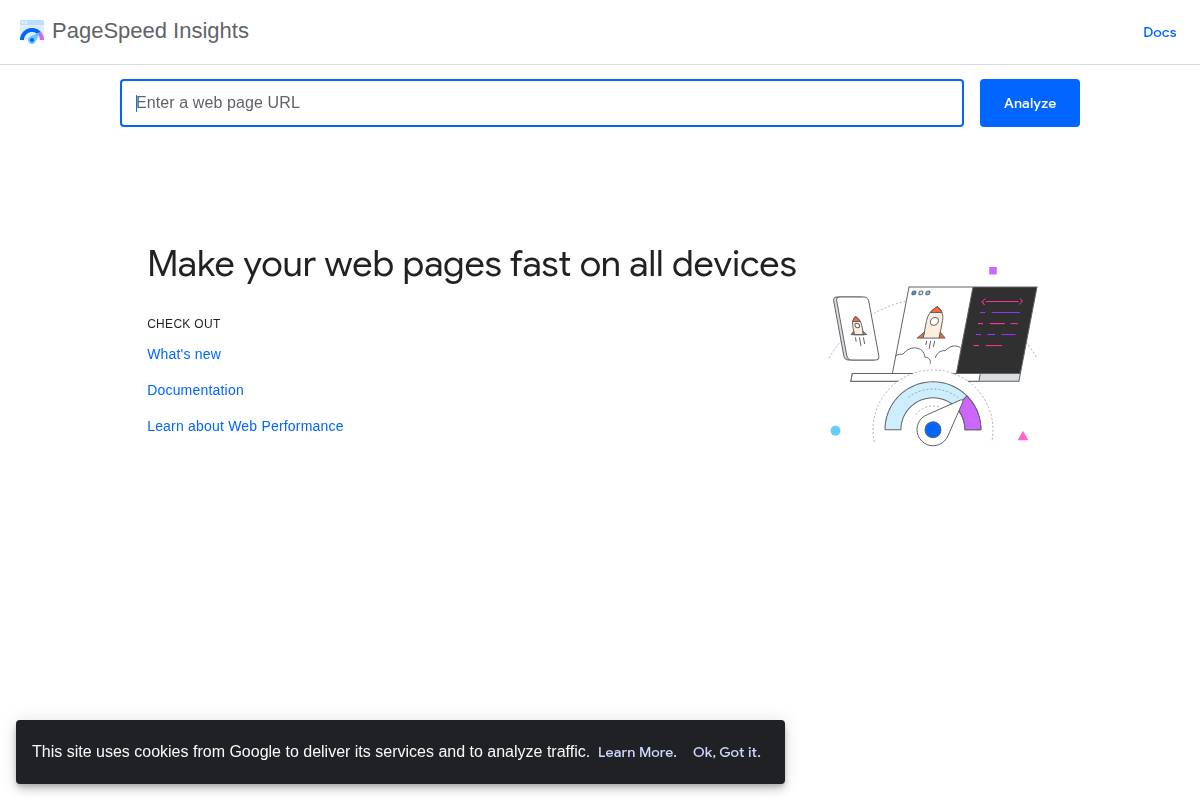
Optimizing your site’s speed and performance directly impacts user satisfaction and search engine rankings. Google’s PageSpeed Insights is a free tool that analyzes your website and delivers a comprehensive report on performance issues, with a particular focus on loading efficiency for mobile users.
For instance, after implementing PageSpeed Insights recommendations, Bloomberg reduced its mobile loading time by over one second, leading to a 10% increase in daily mobile visitors. Such real-world improvements showcase the value of actionable insights for businesses aiming to lower bounce rates and increase engagement.
Key Details
PageSpeed Insights evaluates critical performance signals known as Core Web Vitals—these include loading (Largest Contentful Paint), interactivity (First Input Delay), and visual stability (Cumulative Layout Shift). Accurate measurement of these factors helps prioritize fixes that matter for real users.
The tool provides targeted recommendations for mobile, such as compressing images or deferring offscreen JavaScript. Spotify, for example, cut their mobile homepage load time by 43% by minifying CSS and optimizing server response times, demonstrating the measurable gains possible with disciplined optimization.
Prompt load times not only foster higher search rankings, they also contribute to upgrades in user experience. Walmart observed a 2% increase in conversion rates for every one-second improvement in page load time, validating the business value of speed improvements.
What Makes It Special
Few tools bridge the gap between granular technical diagnostics and plain-language recommendations as well as PageSpeed Insights. Its reporting makes it possible to target issues like unoptimized images or bloated JavaScript—without requiring expert interpretation.
By acting on these suggestions, companies can enhance mobile SEO outcomes. The New York Times, for instance, saw marked speed gains just by switching to modern image formats recommended by the tool.
Considerations
It’s important to understand that some optimization steps recommended by PageSpeed Insights, such as code refactoring or server-side adjustments, might go beyond the skills of typical marketing teams. Collaborating with developers ensures that technical solutions are implemented effectively.
Also, performance bottlenecks can re-emerge as you update your site. Regularly monitoring your site with PageSpeed Insights—especially after content or design changes—will help sustain high performance over time.
Best For
PageSpeed Insights especially benefits agencies managing portfolios of client sites, allowing them to standardize audits and track performance trends at scale. For example, digital agency Distilled uses the tool as a staple in their ongoing technical SEO checks for dozens of enterprise clients.
It’s equally ideal for dedicated marketing or web teams aiming to build a culture of continuous SEO improvement, as its reports facilitate ongoing benchmarking and progress tracking.
Additional Info
Improving site speed isn’t just a technical checkbox. Google reported that mobile sites loading in five seconds or less see session lengths that are 70% longer than slower-loading peers.
Faster sites also tend to convert better—Retailer AutoAnything improved its mobile conversion rate by 12-13% after cutting load times in half, reinforcing the tangible value of performance tuning for growth-focused businesses.
Reference:
PageSpeed Insights
Accelerated Mobile Pages (AMP)
Overview
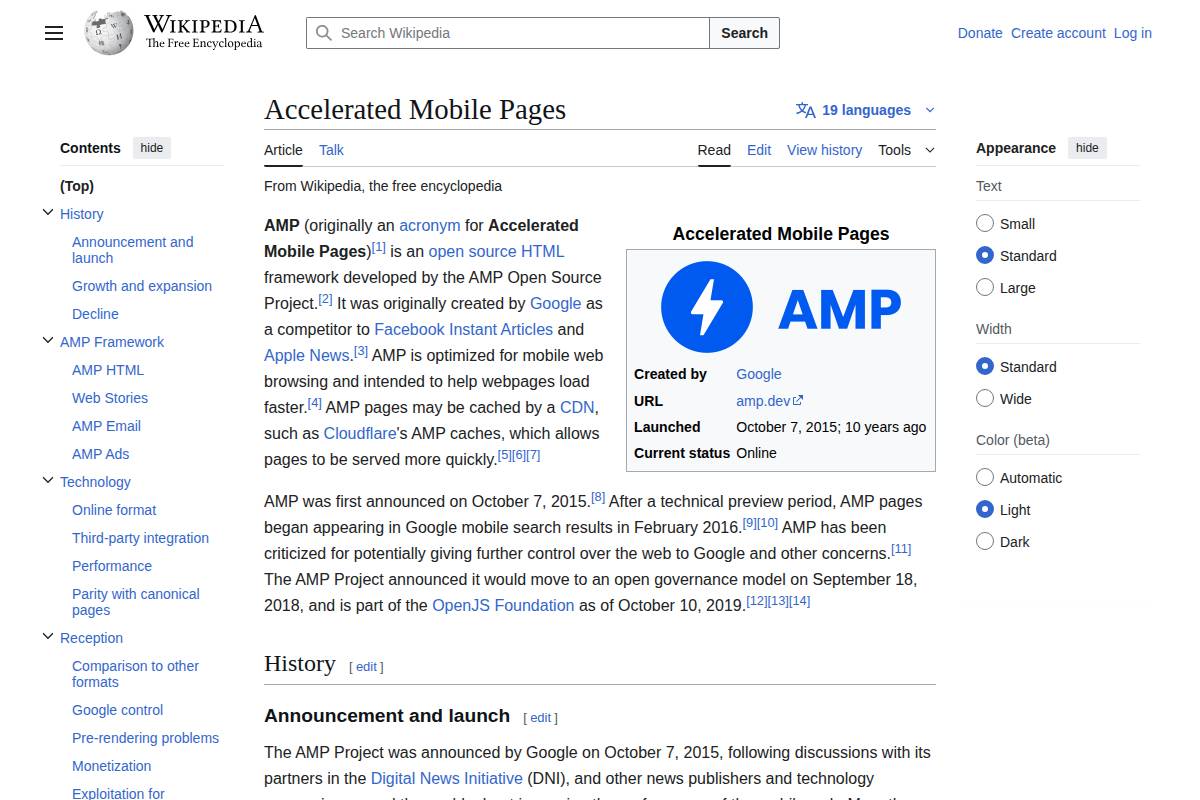
Accelerated Mobile Pages (AMP) is an open-source framework developed to enable the creation of fast-loading and smooth mobile web experiences. AMP simplifies page elements by using stripped-down HTML and imposing limitations on CSS and JavaScript, ensuring faster load times and streamlined functionality across mobile devices.
By minimizing the reliance on resource-heavy scripts, AMP tackles one of the primary hurdles to mobile performance—slow load speeds—while also facilitating higher engagement and reduced bounce rates for publishers. The Definitive Guide to Accelerated Mobile Pages (AMP) emphasizes how AMP’s approach allows publishers to cater effectively to the growing mobile-first audience.
Key Details
Google spearheaded the AMP initiative in 2016 with the goal of making the mobile web lightning-fast and visually stable. The project gained early traction among prominent U.S. publishers seeking to improve mobile experience for their readers.
- The Washington Post was among the first major news outlets to implement AMP, achieving a 23% year-over-year increase in mobile search users after deployment.
- AMP-enabled pages often receive preferential treatment in Google’s mobile Top Stories carousels, leading to increased visibility and higher click-through rates for timely content.
- With support from companies such as Vox Media and BuzzFeed, AMP is now a common standard across major American news sites.
What Makes It Special
AMP was designed with an emphasis on speed and readability, creating optimized layouts ideal for content-heavy websites. By reducing render-blocking resources and streamlining page structure, AMP pages load in fractions of a second, translating into better user satisfaction and engagement metrics.
For instance, CNBC reported a 22% rise in return visits to AMP pages, citing the streamlined reading experience and almost instantaneous loading times as major contributing factors. The platform’s focus on mobile performance makes it especially compelling in competitive, content-driven verticals such as news, blogs, and media.
Considerations
Adopting AMP does come with trade-offs, particularly regarding the degree of creative and technical flexibility available to web designers and developers. The restricted use of custom JavaScript and certain CSS rules ensures speed but can limit branding options and advanced features.
Nevertheless, for businesses prioritizing performance and discoverability, these limitations are often outweighed by AMP’s proven benefits, notably in mobile search prominence and user retention. Publications like The Guardian have found that sacrificing some creative freedom is a worthwhile exchange for their targeted mobile growth objectives.
Best For
AMP is particularly well-suited to publishers whose success depends on rapid delivery of timely content. Newsrooms and media organizations with high volumes of articles—such as USA Today and The Atlantic—can realize notable improvements in organic traffic and mobile engagement with AMP.
For content teams aiming for broader reach, especially among mobile users, AMP serves as a valuable tool to increase impressions and stay competitive in search-driven environments. Many publishers cite dramatic surges in mobile visibility after optimizing their sites with AMP templates.
Additional Info
While AMP was once considered a critical gateway to Top Stories placement, Google now emphasizes Core Web Vitals as part of its ranking criteria. As detailed in The Definitive Guide to Accelerated Mobile Pages (AMP), AMP remains one of several effective approaches to optimizing page load times, user experience, and search performance.
Businesses focused on digital growth should consider AMP alongside other options such as server-side rendering, responsive design, and performance audits to deliver the fastest, most reliable mobile experiences possible.
Reference:
Accelerated Mobile Pages
Mobile-Friendly Pop-Ups and Interstitials

Overview
Integrating pop-ups and interstitials into mobile websites is a common tactic to capture leads or promote offers. However, these elements can easily become disruptive if not handled carefully—potentially frustrating users and negatively affecting your organic search rankings.
Designing non-intrusive, mobile-optimized pop-ups is crucial. For instance, the fashion retailer ASOS saw a notable increase in newsletter subscriptions by adopting subtle, context-aware pop-ups on mobile without impairing site navigation. This approach shows that improved mobile conversions do not have to come at the expense of usability or SEO.
Key Details
Google’s guidelines are explicit: intrusive interstitials or pop-ups that hinder access to a page’s primary content can lead to search ranking penalties. These rules target overlays that obscure main content, especially those shown immediately after landing or during navigation. Adhering to these standards is vital for sustained organic visibility.
Effective mobile-friendly pop-ups are small, easily dismissible, and appear contextually—such as after a user has scrolled a certain percentage of the page. Tools like OptinMonster and HubSpot enable marketers to set precise triggers and conditions for mobile pop-ups. The travel platform Booking.com successfully uses these kinds of tools to serve users targeted recommendations, achieving higher conversions while maintaining a streamlined mobile experience.
What Makes It Special
Striking a balance between engagement and compliance with search engine guidelines is not only possible—it’s increasingly necessary. Brands that manage this equilibrium build trust with mobile users, collect more leads or sales, and avoid costly SEO penalties.
Research from Sumo found that the top 10% of converting pop-ups garnered conversion rates above 9.3%. Yet, these high performers all prioritized seamless user experience and prompt dismissibility—demonstrating the business value of compliance and careful design.
Considerations
Variation in screen sizes and user interaction across devices means a pop-up that looks perfect on an iPhone 15 may overwhelm a Samsung Galaxy A13. Performing comprehensive, device-specific UX testing is crucial to ensure interstitials remain non-intrusive everywhere.
It’s also important to measure how different pop-up designs affect user engagement and bounce rates. A/B testing, as practiced by lead generation platforms like Unbounce, reveals which approaches resonate without driving mobile visitors away.
Best For
Mobile-friendly pop-ups offer particular value for two types of businesses:
- Ecommerce brands: Brands like Nordstrom use targeted exit-intent pop-ups to reduce cart abandonment on mobile checkout pages.
- Businesses collecting leads: Companies running webinars or offering lead magnets (e.g., Salesforce for B2B resources) benefit from pop-ups that prompt newsletter signups or content downloads on smartphones and tablets.
Additional Info
Maintaining SEO performance requires attention to best practices specific to mobile pop-ups. Always consult Google’s official guidelines for mobile interstitials to ensure compliance, and monitor analytics closely for any shifts in bounce rate or organic mobile traffic after implementing new overlays.
Reference:
The Impact of Popups, Overlays, and Interstitials on SEO
Mobile Schema Markup
Overview
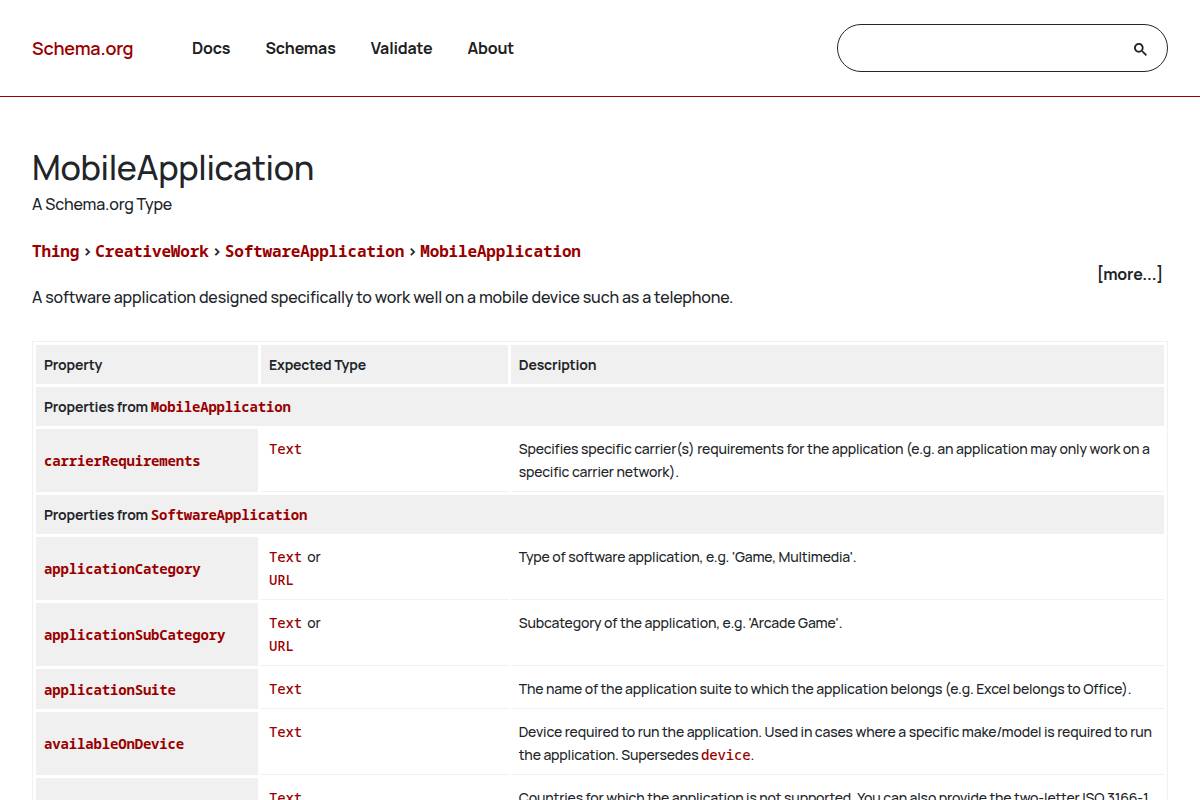
Optimizing for mobile search results involves more than responsive design; it extends to how content is structured for search engines. Mobile schema markup leverages structured data formats—such as JSON-LD and microdata—to communicate specific details about your site to platforms like Google. This enables your content to be displayed in enhanced formats, including mobile-friendly FAQs, product reviews, and how-to lists, making it far more likely to capture user attention on mobile SERPs.
For example, TripAdvisor utilizes schema markup to display hotel ratings and reviews directly on its mobile search snippets, giving potential guests immediate, valuable information before even clicking through.
Key Details
Implementing mobile schema can take several forms, but JSON-LD (JavaScript Object Notation for Linked Data) is the most widely recommended by Google due to its ease of use and lack of interference with page layout. It allows search engines to understand the context of your content without altering visible elements. Alternatively, microdata may be embedded within HTML tags but is less flexible for complex websites.
Integrating schema markup helps sites become eligible for rich results and featured snippets, both of which can increase organic visibility. Google’s support site claims that properly marked-up events, products, and local business listings are more likely to appear as rich cards on mobile, as seen when Home Depot includes schema to showcase in-stock products with ratings and pickup availability in mobile search results.
Schema is especially impactful for establishing trust and relevance in verticals like local business directories (Yelp), event aggregators (Eventbrite), and ecommerce platforms (Best Buy), where structured data powers richer, more interactive search listings.
What Makes It Special
Effective use of schema markup can transform standard mobile listings into highly visible, interactive entries that drive engagement. Data from Search Engine Land reports that rich results can boost a site’s organic mobile click-through rate by up to 30% compared to standard blue link results. Enhanced snippets—such as star ratings, FAQ dropdowns, or product availability indicators—serve as visual cues that help your brand stand out in crowded search results.
As an example, Sephora saw a significant uptick in mobile traffic after implementing product and review schema, allowing their cosmetics listings to show star ratings and review counts immediately within Google’s mobile results.
Considerations
Accurate implementation is critical: Google’s Rich Results Test should be used to validate schema markup and avoid errors. Incorrect or spammy structured data can result in search penalties or loss of enhanced display features. Overusing unnecessary schema types may not offer any additional value and could dilute your site’s ranking signals.
For instance, Lowe’s experienced setbacks when misconfigured product schema created duplicate listings, ultimately requiring a large-scale audit to restore proper SERP display. Regular monitoring and technical audits are essential to maintain compliance and effectiveness as search algorithms evolve.
Best For
Mobile schema markup delivers the greatest impact for organizations focused on gaining local visibility or enriching branded SERP appearances. This includes small-to-medium local retailers looking to display opening hours, address, and reviews directly in mobile searches, as well as larger brands competing for top product or event placements.
Restaurants such as Olive Garden leverage local business schema to display directions, ratings, and wait times—all from a mobile search—making them more accessible to potential customers.
Additional Info
Ensuring that schema markup is an ongoing part of your technical SEO review cycle maximizes its value. Leading SEO workflow platforms like SEMrush and Ahrefs recommend pairing schema audits with regular crawl diagnostics, which can help catch issues early and ensure your site remains optimized for both desktop and mobile search.
Consistent reviews, combined with competitor analysis, provide the strategic edge needed to adapt schema usage as search engine requirements change. This comprehensive approach supports robust, mobile-friendly SEO results for content-driven businesses and digital agencies alike.
Reference:
MobileApplication – Schema.org Type
How to Choose the Right One
Deciding on the optimal mobile SEO strategy for your website requires a methodical approach. Each site has unique needs, influenced by its audience, goals, and current performance. A well-informed decision begins by assessing where your website stands in terms of mobile-friendliness and speed before considering design frameworks and technical enhancements.
Evaluate with Google Search Console and PageSpeed Insights
Begin by analyzing your website’s mobile performance using Google Search Console and PageSpeed Insights. These tools highlight technical issues such as slow-loading pages, unresponsive elements, or mobile usability errors. For example, Shopify reports utilizing PageSpeed Insights to identify image-heavy pages that slow down mobile load times, allowing merchants to optimize those elements and improve conversion rates.
Use the Core Web Vitals report within Search Console to uncover precise metrics like Largest Contentful Paint (LCP) and Cumulative Layout Shift (CLS). Tracking these helps pinpoint if poor load speeds or visual instability might be harming your mobile user experience.
Responsive Web Design as a Foundation
Responsive web design adapts layouts to various screen sizes, offering an optimal viewing experience. This approach is ideal for businesses launching or updating their mobile SEO strategies because it requires managing only one codebase. The site for Starbucks is a prime example: it delivers a seamless experience across devices, which has contributed to a significant increase in mobile orders since adopting a responsive design.
Responsive design remains the recommended starting point because it meets mobile-first indexing requirements and simplifies ongoing maintenance compared to separate mobile domains.
AMP and Schema Markup for Speed and Visibility
Content-driven platforms, such as news publishers or blogs, often need advanced solutions for maximum speed and enhanced search visibility. Implementing Accelerated Mobile Pages (AMP) can substantially reduce load times. The Washington Post, after launching AMP, reported reducing average mobile load times to under 400 milliseconds and saw a 23% increase in returning mobile users.
Schema markup helps search engines understand your content’s structure, making rich snippets possible in mobile search results. For example, Food Network’s recipe pages leverage schema to show ratings, preparation times, and calorie counts directly in search, leading to higher click-through rates.
Interstitials/Pop-ups for Conversion—Stay Compliant
Some operations rely on pop-ups for gathering leads or showcasing promotions. It’s critical to balance these conversion tactics with Google’s mobile-friendly guidelines, which penalize intrusive interstitials. HubSpot increased its lead capture rates by switching to timed pop-ups and ensuring users could quickly dismiss them, maintaining both a positive user experience and compliance.
Compliance can be verified using Google’s Mobile-Friendly Test, which spots elements potentially blocking key content on smaller screens.
Ongoing Analytics Review and Tactical Adjustments
Continuous improvement is necessary to sustain strong mobile performance. Use analytics platforms like Google Analytics 4 to monitor metrics such as mobile bounce rate, average session duration, and goal conversion rates. After launching a responsive redesign, NPR tracked a 20% decrease in bounce rate and a 30% increase in session duration from mobile traffic, demonstrating the tangible value of iterative optimization.
Revisit performance reports regularly and refine your mobile SEO tactics as user behavior and technology evolve. This commitment to data-driven iteration ensures your site remains competitive and user-friendly on mobile devices.
FAQ
Q: What is mobile SEO and why does it matter?
Mobile SEO involves optimizing web content and site structure to provide an excellent user experience for those accessing your site through smartphones and tablets. This is increasingly crucial as mobile traffic makes up a significant portion of overall web visits in the United States. In fact, Statista reported that as of Q2 2023, nearly 58% of all web traffic in the US originated from mobile devices.
Google gives preference to mobile-friendly websites through its mobile-first indexing, which means your site’s mobile version is considered the primary one. Failing to prioritize mobile SEO can result in lower rankings and missed opportunities, especially for e-commerce businesses like Target or Walmart, which see a majority of their shoppers browsing deals on their phones.
Q: How can I test if my website is mobile-friendly?
Assessing mobile usability doesn’t require technical expertise. Google offers free tools designed specifically for this purpose. The Google Mobile-Friendly Test analyzes individual URLs and gives clear feedback on any layout or usability issues.
For a broader evaluation, Google PageSpeed Insights not only examines responsiveness but also provides detailed recommendations to boost site speed—a key ranking factor. For example, Moz improved their mobile engagement metrics after implementing these insights by streamlining images and reducing above-the-fold scripts.
Q: Do I need a separate mobile website for SEO?
Managing multiple site versions creates technical headaches and often negatively impacts SEO. Today, Google explicitly recommends responsive design. This approach enables your site to serve the same content from a single URL, automatically scaling layout and elements based on the user’s device.
Brands like The New York Times and Amazon use responsive design to ensure consistency and efficient crawling by search engines. This eliminates the maintenance of mobile subdomains or dynamic serving, creating a seamless user experience on every device.
Q: What are common mistakes to avoid in SEO mobile optimization?
Effectively optimizing for mobile requires attention to more than just screen size. Slow-loading pages can frustrate users and increase bounce rates—Google cites that 53% of mobile users abandon sites after three seconds.
- Intrusive pop-ups that obscure content can trigger ranking penalties. For instance, Forbes saw improved engagement after removing excessive interstitials from its mobile site.
- Neglecting structured data means search engines may not interpret your content correctly, reducing visibility in mobile-rich results.
- Poor touch navigation, such as tiny buttons or links clustered too closely, can undermine usability, as seen when eBay redesigned its checkout process for finger-friendly navigation in 2020.
Q: How often should I review my mobile SEO strategy?
Mobile SEO is not a one-time task. Algorithms and user expectations evolve, so regular strategy reviews are essential. A quarterly or semi-annual checkup—every 3–6 months—is a good baseline to stay ahead, ensuring your site stays compliant with shifting best practices and algorithm changes.
For example, after Google’s March 2024 core update, many digital agencies, including Distilled and Portent, revisited mobile UX and re-validated their technical SEO implementations to maintain rankings. This proactive approach helps ensure sites remain discoverable and accessible across all devices.