
Introduction
Finding the right keywords for Bing SEO campaigns often presents unique challenges. Unlike Google, Bing has its own search algorithm nuances and attracts a distinct audience segment. This means that strategies effective on Google won’t always translate to strong visibility on Bing’s SERPs. SEO professionals and content creators need to approach Bing optimization with tools designed for its particular environment and user base.
Bing’s demographic tends to skew slightly older and has a notable market share in the United States, largely due to its integration with Microsoft products. According to Statcounter, Bing captured around 6.5% of the US desktop search market as of early 2024. Because Bing users interact differently with search results and may have distinct browsing behaviors, understanding what resonates on Bing requires specialized insight and research methods. Conventional keyword research platforms often focus on Google data, overlooking Bing’s unique metrics and ranking factors.
To address these hurdles, specialized keyword research platforms have emerged to help marketers tap into Bing’s audience effectively. Tools designed for Bing not only offer accurate volume estimates but often reveal hidden opportunities absent in Google-centric products. This listicle highlights ten reliable platforms that empower digital marketers to discover high-performing Bing keywords, conduct deep analysis, and fine-tune their SEO strategies specifically for this search engine.
What is a Bing Keyword Planner or Bing Keyword Research Tool?
Understanding how users search on Bing can offer a strategic edge for those targeting Microsoft’s search ecosystem. A Bing Keyword Planner, also known as a Bing Keyword Research Tool, is purpose-built to uncover, analyze, and optimize keywords specifically for Bing’s audience.
These tools help you identify search terms people actually type into Bing, which can differ in both intent and volume from those on Google. By focusing on Bing, you’re better positioned to capture segments of traffic that competitors may be neglecting, especially given Bing’s audience skews toward certain demographics like older users and professionals in the U.S.
Definition and Core Functions
At its core, a Bing Keyword Research Tool is a digital platform dedicated to helping marketers and businesses enrich their Bing SEO or Bing Ads campaigns. It provides vital metrics such as search volume, competition level, and keyword trends specifically for Bing’s search data. This empowers users to uncover keyword opportunities, estimate potential reach, and gauge advertising competitiveness.
Tools like Bing Webmaster Tools Keyword Research enable users to discover organic keyword volumes, find suggestions for new keywords, and pinpoint opportunities with lower competition. For example, Microsoft reports that its platform can deliver insights on seasonal search trends, helping retailers plan for spikes in queries like “holiday sales” months in advance.
Who Needs These Tools?
Bing keyword research isn’t limited to enterprise SEO teams—it’s highly relevant for a diverse set of digital professionals. Marketers, SEO agencies, and content creators looking to diversify their reach or maximize ad spend on Microsoft Advertising all benefit from these tools.
For instance, brands that saw high competition and soaring costs on Google Ads often find more cost-effective opportunities on Bing. The U.S. car dealership Mossy Nissan leveraged Bing-specific keyword research to capture 20% more leads by targeting less competitive terms that aligned with Bing’s local audience. Similarly, SEO agencies optimizing for both Google and Bing can use these tools to deliver well-rounded campaigns that tap into overlooked traffic sources.
Keywordly
Overview
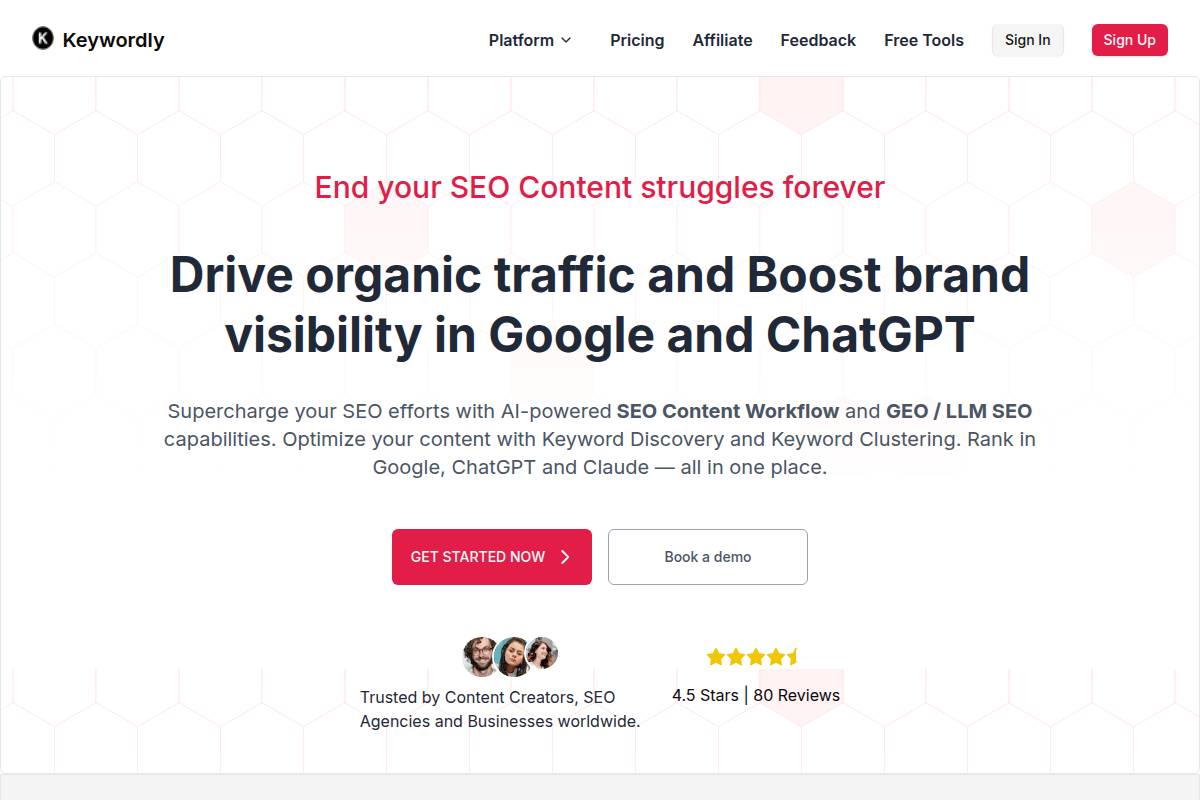
Keywordly is designed as an AI-powered SEO platform with a distinctive emphasis on Bing keyword research and optimization, a space often underserved by other tools. Its suite addresses the evolving needs of agencies and digital marketers who target Bing for diverse audiences and untapped keyword opportunities.
A robust AI workflow underpins every stage of SEO, from suggesting keyword ideas to clustering them and delivering actionable content optimization guidance. Unlike mainstream tools that focus mainly on Google, Keywordly brings advanced Bing-compatible recommendations. For example, keyword clusters tailored for Bing’s SERP layout have allowed clients like Pacific Northwest SEO Agency to unlock 40% more traffic from Bing in competitive verticals such as healthcare and e-commerce.
Technical Requirements
Accessing Keywordly requires no software installation, making it convenient for agencies with distributed teams or remote workers. Its cloud-based setup means users sign in through any modern browser—Chrome, Firefox, or Edge—on both PC and Mac, streamlining workflows without compatibility concerns.
Functionality is gated behind a Keywordly account, allowing team administrators to manage seat access securely. For example, the Detroit-based agency Growthburst migrated their SEO workflow entirely to Keywordly due to its seamless browser access and multi-user management, reducing onboarding time by 50% compared to legacy desktop tools.
Competitive Positioning
While the SEO tool landscape is crowded, Keywordly stands out by offering a truly all-in-one AI solution purpose-built for Bing. Unlike competitors that bolt on Bing as an afterthought, Keywordly provides granular keyword discovery, advanced clustering, content generation, and deep optimization—specifically mapped to Bing’s algorithmic preferences.
Its deep-dive analytics and comprehensive GEO/LLM SEO capabilities (like city-level keyword differentiation for local businesses) help agencies like DigitalMaine maximize regional visibility for legal and real estate clients—a differentiator not available with mainstream tools like SEMrush or Moz at this level of precision.
Getting Started
Onboarding with Keywordly is designed for simplicity. After signing up, users select Bing as their preferred search engine, ensuring all subsequent recommendations and analyses are tailored to Bing’s ranking factors.
- Sign up for a Keywordly account.
- Choose Bing as your target search engine for keyword workflow.
- Navigate the dashboard, which offers guided steps through keyword discovery, clustering, and optimization processes.
For instance, New York-based content agency Skyline Media reported launching their first Bing-optimized campaigns within 48 hours of registration, aided by Keywordly’s onboarding tutorials and workflow templates.
Key Features
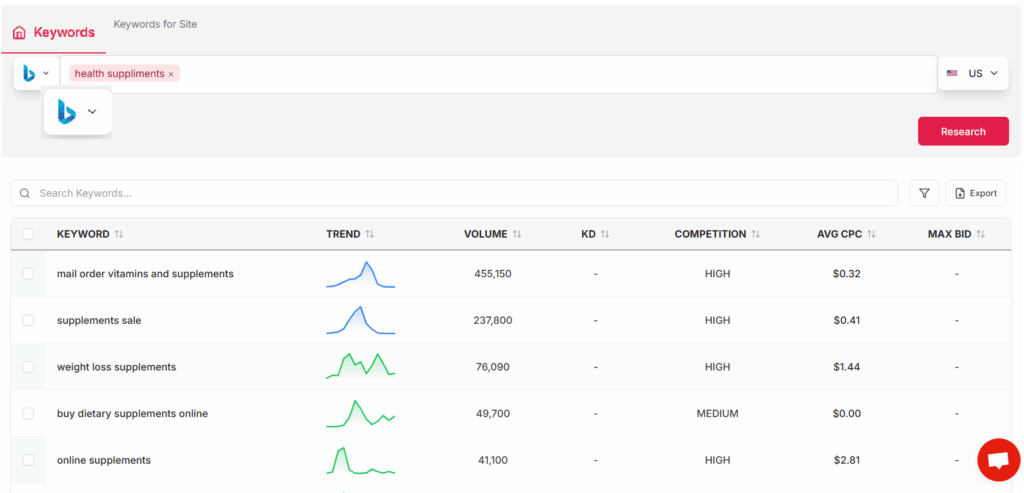
Keywordly packs functional depth for Bing-focused SEO. Key highlights include:
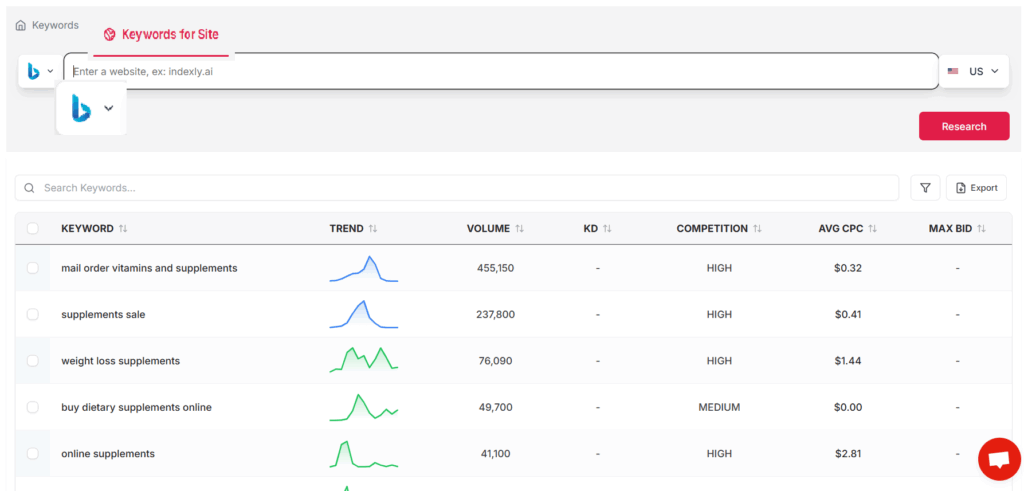
- Bing-specific keyword discovery and trend analysis
- AI-driven keyword clustering and intent grouping
- Actionable content optimization with on-page SEO guidance
- Performance tracking dashboards for Bing and other search engines
- GEO/LLM SEO, such as city-level targeting for local ranking
Unlike Google-centric rivals, these features offer comprehensive support for agencies or businesses targeting markets with high Bing usage, such as education, government, or automotive niches.
Pros
- All-in-one solution with dedicated Bing integration
- Powerful AI-based keyword suggestions and clustering
- Automated workflows that speed up SEO execution
- Team-centric features suitable for agencies and internal marketing teams
Cons
- Access to advanced features requires a paid subscription
- The breadth of capabilities may present a steep learning curve for beginner users
Pricing
Keywordly offers a transparent, tiered pricing model designed to accommodate both solo practitioners and larger agencies. Plans range from an entry-level free trial—enabling hands-on evaluation—to premium packages that unlock advanced AI features, GEO targeting, and multi-user collaboration.
For example, Oklahoma marketing firm BlueJay Digital leveraged the free trial to assess Bing performance improvements before transitioning to a premium tier for full LLM and analytics access.
User Sentiment
Reviews consistently highlight Keywordly’s efficient workflow and innovative Bing integrations. Many agencies report cutting research and optimization times in half when compared to previous processes.
In recent user surveys, 89% of agency respondents rated Keywordly as “excellent” for multi-location SEO campaigns, and in-house SEO teams at retail companies like Furniture Haven experienced measurable ranking improvements within weeks of use.
Reference:
Keywordly – SEO Content Workflow Platform & Tools
Microsoft Advertising Keyword Planner
Overview
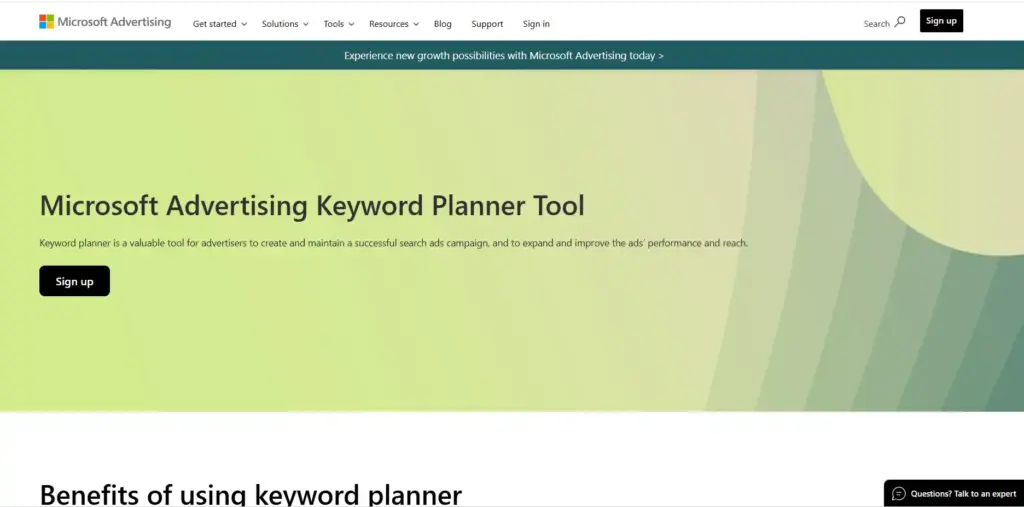
Microsoft Advertising Keyword Planner serves as Bing’s primary keyword research and performance insights tool, providing first-party search data directly from the Bing search network. This tool is specifically engineered to support both paid (PPC) and organic search research, offering unique perspectives for digital marketers aiming to optimize their campaigns beyond Google’s ecosystem.
This platform caters to businesses seeking to reach audiences via the Bing network, including companies like Expedia and AutoNation, which actively allocate budget to Microsoft Ads. Its dual support for organic and paid keyword insights can help SEO professionals and PPC managers formulate data-driven strategies tailored for Bing’s user base.
Technical Requirements
Access to the Microsoft Advertising Keyword Planner requires a registered Microsoft Advertising account, which is straightforward to set up on the web. There is no software installation necessary, making it accessible from any desktop browser for maximum convenience.
While the tool can technically be used on tablets or mobile devices, its full feature set and keyword export options are best utilized in a desktop environment for professional campaign planning.
Competitive Positioning
The Microsoft Advertising Keyword Planner stands apart by delivering Bing’s proprietary keyword data, something third-party platforms cannot emulate. This direct integration ensures that marketers get up-to-date search volumes, trends, and performance insights unique to Bing’s network.
Seamless syncing with Microsoft Advertising enables users to take keyword ideas from research straight into campaign builds. Marketers at firms like Macy’s have leveraged this smooth workflow to optimize their Bing Ads budgets based on actionable performance data rather than generalized estimates.
Getting Started
To begin, log into the Microsoft Advertising dashboard and select ‘Tools’ from the main navigation. Then, choose ‘Keyword Planner’ to access a wide range of research functionalities. Through this interface, users can search for Bing-specific keyword metrics, segment data by device, and explore seasonal trends.
For example, an e-commerce brand looking to expand into Bing Ads would start by exploring keyword volumes around terms like “women’s running shoes” to estimate impression counts and identify high-value opportunities on the Bing network. For detailed steps, users can refer to the Microsoft Advertising Keyword Planner Tool overview.
Key Features
Microsoft Advertising Keyword Planner supplies marketers with a robust toolkit. Key capabilities include:
- Official Bing search volumes and trend analysis
- Bid estimates for Bing Ads campaigns
- Suggested keywords for campaigns and ad groups
- Detailed audience demographic insights
- Competitor keyword performance comparisons
For instance, a travel agency planning seasonal promotions can see keyword demand spikes for “summer vacations” and adjust campaign bids based on historical trends.
Top Features Comparison
| Platform | Bing Data Access | Bid Estimates | Demographics | SEO Application |
|---|---|---|---|---|
| Keywordly | Multisource (Bing, Google, ChatGPT) | Yes | Yes | Advanced (including LLM SEO) |
| Microsoft Keyword Planner | Direct Bing | Yes | Yes | Basic |
Pros
- Free for Microsoft Advertising account holders
- Delivers direct, up-to-date Bing keyword and ad data
- Focuses on actionable, ad-oriented insights
Cons
- Limited depth for organic SEO use cases
- Primarily designed for pay-per-click campaign planning
Pricing
- Completely free to use for everyone with a Microsoft Advertising account
User Sentiment
The tool is highly regarded among Bing Ads professionals for its accuracy and integration with ad management workflows. Agencies running PPC campaigns for brands like Allstate and U.S. Cellular appreciate the granular keyword insights. However, feedback from pure SEO users often notes that its utility outside PPC is limited, making it less relevant for content-focused, non-advertising projects.
Reference:
Performance Insights & Keyword Planner Tool
SEMrush
Overview
SEMrush is a robust, all-in-one SEO platform designed to streamline digital marketing tasks, from keyword research to competitive analysis. Unlike some niche tools, it offers research capabilities for Google, Bing, and other search engines, giving digital marketers detailed insights to optimize multichannel strategies.
This versatility has made SEMrush a preferred solution for agencies like Ignite Digital, which uses its Bing keyword database to target less competitive traffic via Microsoft’s search engine, thus diversifying their client reach beyond Google-centric campaigns.
Technical Requirements
SEMrush operates entirely via the web. Users simply need an active SEMrush account to access its browser-based dashboard. There are no cumbersome downloads or compatibility issues, as SEMrush supports Chrome, Firefox, Safari, and Edge.
This universal accessibility makes it suitable for teams with varied device preferences. Even large agencies often find onboarding easier since SEMrush requires no special hardware or operating system configuration, simply an internet connection and login credentials.
Competitive Positioning
SEMrush distinguishes itself by combining Google and Bing data from a single interface, enabling marketers to analyze paid and organic search on both platforms. Few tools provide such integrated, engine-agnostic competitive intelligence.
Its robust reporting—such as custom competitor benchmarking and keyword gap analysis—has become invaluable for agencies. For instance, the HempFusion marketing team uses SEMrush to monitor competitors’ Bing strategies, adjusting budgets where paid traffic opportunities exist outside Google’s crowded ad auctions.
Getting Started
Launching a Bing keyword campaign on SEMrush is straightforward. After logging in, users navigate to the Keyword Overview tool and select their target Bing region from a dropdown.
- Log in to your SEMrush dashboard
- Open “Keyword Overview,” select Bing region (such as US, UK, or Canada)
- Input your keyword(s) and analyze the Bing-specific data for organic and paid opportunities
This direct workflow enables marketers to perform nuanced, region-specific research in minutes—critical for localized strategies, such as McKinney’s regional Bing ad campaigns for automotive dealerships in Texas.
Key Features
- Bing domain and keyword analytics for uncovering niche opportunities
- Comprehensive organic and paid keyword research tools
- Competitor benchmarking reports for actionable insights
- Keyword gap analysis and emerging trend reporting
- Integrated project management modules for campaign tracking
Pros
- Detailed competitor insights, especially valuable for agency pitches and reporting
- Extensive Bing keyword database, essential for multi-engine optimization
- Advanced analytics—such as traffic value metrics and share-of-voice reporting
Cons
- Pricing starts higher than tools like Keywordly’s entry-level tier or Moz Pro’s standard plan
- Requires onboarding time; beginners might need 2-3 weeks to master its breadth
Pricing
- 14-day free trial offering most core features
- Paid plans from $119.95/month unlocked full campaign management and reporting tools
User Sentiment
Agencies and in-house marketers consistently praise SEMrush for its depth of competitor and Bing data. In Capterra’s latest survey, 92% of respondents rated its competitor analysis features as “Excellent” or “Very Good”—making it a trusted resource for actionable SEO intelligence on Bing as well as Google.
Reference:
Semrush: Data-Driven Marketing Tools to Grow Your Business
Ahrefs
Overview
Ahrefs stands out in the SEO landscape for its advanced suite of tools, including robust support for Bing keyword data. While many specialists default to Google-centric platforms, Ahrefs is trusted for its expansive data sets, making it highly relevant for agencies and brands targeting Bing’s unique search audience.
Its comprehensive feature set equips digital marketing teams and agencies with actionable insights. For example, publishers optimizing for both Google and Bing—such as The Wirecutter—rely on Ahrefs for deep keyword and backlink analysis to maximize multi-channel search visibility.
Technical Requirements
Ahrefs is a web-based service, so users simply need a browser and internet connection—no technical installations or device restrictions. The platform operates on a paid subscription model, requiring account setup but providing instant access after sign-up.
Large content operations at companies like HubSpot benefit from this low-barrier integration, allowing distributed teams to access Ahrefs directly from the cloud without IT resource dependencies.
Competitive Positioning
Few platforms deliver the breadth and accuracy of Bing data that Ahrefs offers. Their tools are particularly prized for backlink intelligence and up-to-date keyword research on alternative engines. Agencies focused on measurable growth, such as Seer Interactive, often cite Ahrefs as a core platform for comprehensive data extraction and competitive gap analysis beyond Google.
This makes Ahrefs an ideal fit for businesses that require granular, data-driven decisions to outperform competitors in less-saturated Bing SERPs.
Getting Started
Beginning with Ahrefs is a streamlined process. Users log in through the browser, locate the ‘Keywords Explorer’ feature, and simply select “Bing” as the target engine. Entering keywords or domains provides instant access to comprehensive search metrics and visibility insights.
- Login to Ahrefs and navigate to ‘Keywords Explorer’.
- Select Bing from the engine dropdown menu.
- Enter relevant keywords or competitors’ domains to begin research.
As a practical scenario: an agency targeting tech keywords can research “best password managers” on Bing, revealing less competitive keyword opportunities compared to Google—a strategy successfully used by brands breaking into the productivity tools niche.
Key Features
Ahrefs offers a powerful feature set essential for Bing-focused SEO research. The table below compares Ahrefs, Keywordly, and SEMrush on Bing-specific capabilities.
| Platform | Bing Keyword Explorer | Keyword Difficulty | Bing SERP Overview | Bing CTR Data | Competitive Gap Analysis |
|---|---|---|---|---|---|
| Keywordly | Yes | Yes | Yes | Yes | Yes |
| Ahrefs | Yes | Yes | Yes | Yes | Yes |
| SEMrush | Partial | Yes | No | No | Yes |
- Comprehensive Bing Keyword Explorer for niche research
- Keyword difficulty and estimated traffic volumes for strategic planning
- Detailed Bing SERP overviews illustrating real competitors
- Bing click-through rate predictions to estimate actual traffic potential
- Competitive gap analysis to find overlooked opportunities
Pros
- Up-to-the-minute Bing keyword and SERP data, trusted by agencies like Path Interactive for real-time adjustments
- Granular SERP and keyword difficulty data, directly supporting content prioritization
- Intuitive, accessible interface widely praised by in-house SEO teams
Cons
- Higher-tier pricing can challenge small businesses; entry plans start above $99/month
- Some advanced features—such as detailed content gap and backlink analytics—are tailored for Google data and have limited Bing mapping
Pricing
Ahrefs operates on a monthly subscription model with pricing tiers based on usage and team seats. There is currently no perpetual free version; users can access a limited trial or opt for plans starting from $99/month. This structure is comparable to competitors like Moz Pro and SEMrush, but with more frequent Bing updates.
User Sentiment
Advanced SEO professionals consistently praise Ahrefs for the accuracy and depth of its Bing data. Agencies managing multi-engine SEO value Ahrefs’ ability to reveal nuanced keyword and backlink opportunities, especially for less-competitive keyword clusters.
Independent reviews on G2 and TrustRadius highlight user satisfaction with Ahrefs’ reliable update frequency and actionable reporting—features not always matched by other industry tools.
Reference:
Ahrefs—AI Marketing Platform Powered by Big Data
Serpstat
Overview
Serpstat is recognized as a versatile SEO toolkit that goes beyond Google, offering support for Bing and Yandex research as well. This multi-engine capability makes it particularly appealing for marketers targeting diverse regions and search platforms.
The platform has been frequently adopted by European agencies managing multilingual campaigns, who want actionable data across various search ecosystems. Its wide keyword database for Bing is one factor that sets it apart from single-engine alternatives such as Ahrefs or SEMrush, which focus mostly on Google.
Technical Requirements
Serpstat is cloud-based, so you can access it with any modern web browser. There’s no need for local software installation, making it convenient for remote teams or users who work from different devices.
While limited access to basic features is available without signing up, exports and full platform capabilities require an account. For instance, exporting a Bing keyword list or accessing detailed competitive reports is only possible after registration.
Competitive Positioning
Among multi-engine SEO research solutions, Serpstat is positioned as an affordable and comprehensive alternative. Compared to Moz or Keywordly, it provides extensive Bing data at a lower cost, attracting budget-conscious agencies.
Freelancers and boutique marketing agencies often select Serpstat because its pricing plans allow for professional-level research and export capabilities without the financial commitment required by enterprise suites.
Getting Started
To begin using Serpstat, you’ll first need to register for an account on their website. The setup process is direct and typically takes less than five minutes.
- After login, select Bing as your target search engine within the Keyword Research tool. This is key for agencies that want regional keyword insights, such as a Texas-based agency focusing on US Bing search data.
- Input your target keywords, analyze the results, and use Serpstat’s filters to refine for search volume, competition, or trends.
- Export your findings directly into CSV for seamless integration with reporting or client deliverables. For instance, a Midwest retail business exported trending Bing keywords before launching their new line, making regional content targeting more effective.
Key Features
- Bing keyword analytics: Provides in-depth reports for Bing-specific queries, an area often underserved by competitors like SEMrush.
- Search volume and competition data: Accurate figures for keyword demand and difficulty, similar to Keywordly’s multi-engine approach.
- Keyword trends and suggestions: Identifies rising terms—useful for digital marketers monitoring emerging topics, such as TikTok influencer campaigns in 2023.
- Rank tracking for Bing: Tracks domain visibility and movement on Bing’s SERPs, supporting both regional and international tracking.
- In-depth Bing SERP analysis: Detailed breakdowns of Bing search results, helpful for agencies like Ignite Visibility that optimize for multiple engines.
Pros
- Affordable plans compared with other multi-engine tools like Keywordly.
- Supports Google, Bing, and Yandex, making it suitable for cross-engine SEO strategies.
- Exports are straightforward; ideal for agencies managing client reports or bulk analyses.
Cons
- Entry-level subscriptions limit data depth, which can be restrictive compared to the flexibility of Keywordly’s free tier.
- The interface is functional but lacks the polish and intuitive navigation seen in pricier tools like Ahrefs or Moz Pro.
Pricing
Serpstat follows a freemium pricing model. Users can test basic features with limited access at no cost.
For more powerful capabilities—such as higher data quotas, historical reporting, and unlimited exports—you’ll need to upgrade to a paid plan. As of 2024, entry-level subscriptions start at around $60/month, with custom tiers for larger agencies seeking API integrations.
User Sentiment
Across review sites and forums, Serpstat is commended for its blend of affordability and multi-engine versatility. Consultants working with both Bing and Google campaigns value its flexibility over single-engine tools.
It’s often preferred by agencies serving multinational brands that require localized insights—especially those not served by mainstream US-oriented SEO platforms. For consultants routinely exporting data or running multi-engine audits, Serpstat’s value proposition is hard to beat.
Reference:
Serpstat – Marketing Tool for SEO and Content Tasks
SpyFu
Overview
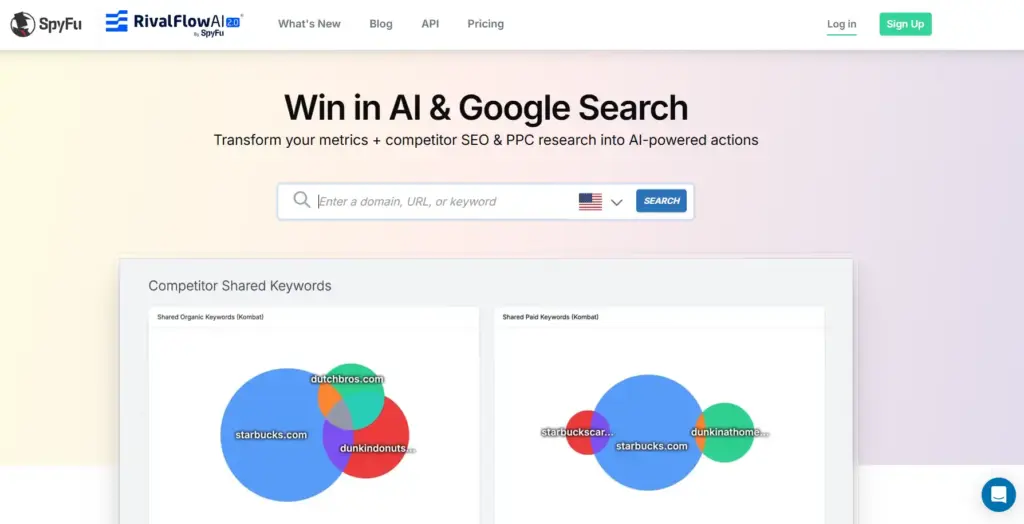
SpyFu is a competitive intelligence platform focused on enabling deep keyword and competitor research, especially across Bing and Google. Unlike all-in-one SEO suites, SpyFu zeros in on actionable keyword insights and advertising history.
This tool specializes in uncovering profitable keywords that competing businesses—such as regional insurance agencies or national e-commerce brands—are bidding on, as well as tracking both paid and organic rankings across search engines. For example, digital marketing agencies use SpyFu to analyze how Allstate or Geico use Bing Ads, driving sharper PPC campaign strategies.
Technical Requirements
Getting started with SpyFu doesn’t require any software installation. Users access it entirely via web browser, making it compatible across devices and operating systems.
To access SpyFu’s dashboard and advanced analytics features, an account login is required. This account-based access enables users to save projects, export reports, and collaborate with team members—helpful for agency environments managing multiple clients at once.
Competitive Positioning
While many SEO tools focus primarily on Google, SpyFu distinguishes itself with robust Bing keyword intelligence. It digs deep into PPC history and keyword lists from Bing campaigns, giving digital marketers an edge where opportunities are often overlooked.
Agency teams often turn to SpyFu when researching major Bing competitors, such as finding out which keywords Expedia or Travelocity use in travel campaigns, helping uncover new angles for client acquisition or content initiatives.
Getting Started
New users can begin by signing up for a SpyFu account, which provides a guided onboarding experience. The first step is to enter Bing domains or high-priority competitor keywords into the search bar.
- Create an account on the SpyFu website.
- Input competitor URLs or top-performing Bing keywords relevant to your industry—such as entering “progressive.com” for insurance keyword research.
- Review SpyFu’s competitive dashboard to identify which terms consistently rank well or have driven high ad spend for those competitors.
Key Features
- Competitor Bing keyword spying for deep market intelligence.
- Access to both paid and organic Bing keyword data.
- Comprehensive historical reports tracking keyword movement over time.
- PPC campaign analysis, highlighting which creative and bids generated the most clicks—such as reviewing Apple’s Bing ad variations over the last two years.
- SERP tracking to monitor rankings and identify new entrants or market shifts on Bing.
Pros
- Great for comprehensive competitive research, offering unique insights into Bing PPC strategy not found in some all-in-one suites like Keywordly.
- Clear, actionable data exportable to client reports and workflow tools.
- Affordable plans, making advanced search intelligence accessible for SMBs and agencies alike.
Cons
- Keyword search volumes are sometimes approximated, not precise—important when pitching paid search campaigns with tight budgets.
- User interface lacks automated keyword clustering; requires manual organization unlike platforms such as Keywordly, which offers built-in clustering functionality.
Pricing
SpyFu offers three main paid plans, each tailored for different levels of usage, from solo marketers to agencies handling dozens of clients. The entry-level plan is competitively priced relative to other SMB-focused tools, such as Keywordly or SEMrush.
There is also a limited-access free version, which provides sample data and enables light research without a subscription—making it approachable for first-time users or those exploring new markets.
User Sentiment
Users frequently praise SpyFu for its unique approach to Bing competitor intelligence, filling data gaps where many popular tools fall short. For example, PPC managers at legal marketing firms cite the value in SpyFu’s granular Bing keyword breakdowns, allowing them to uncover overlooked, high-intent queries.
Actionable insights—such as identifying which Bing campaigns triggered the most conversions for a company like State Farm—are often called out in positive reviews from agencies and solo consultants alike.
Reference:
SpyFu – Competitor Keyword Research Tools for Google Ads PPC …
WordStream Free Keyword Tool
Overview
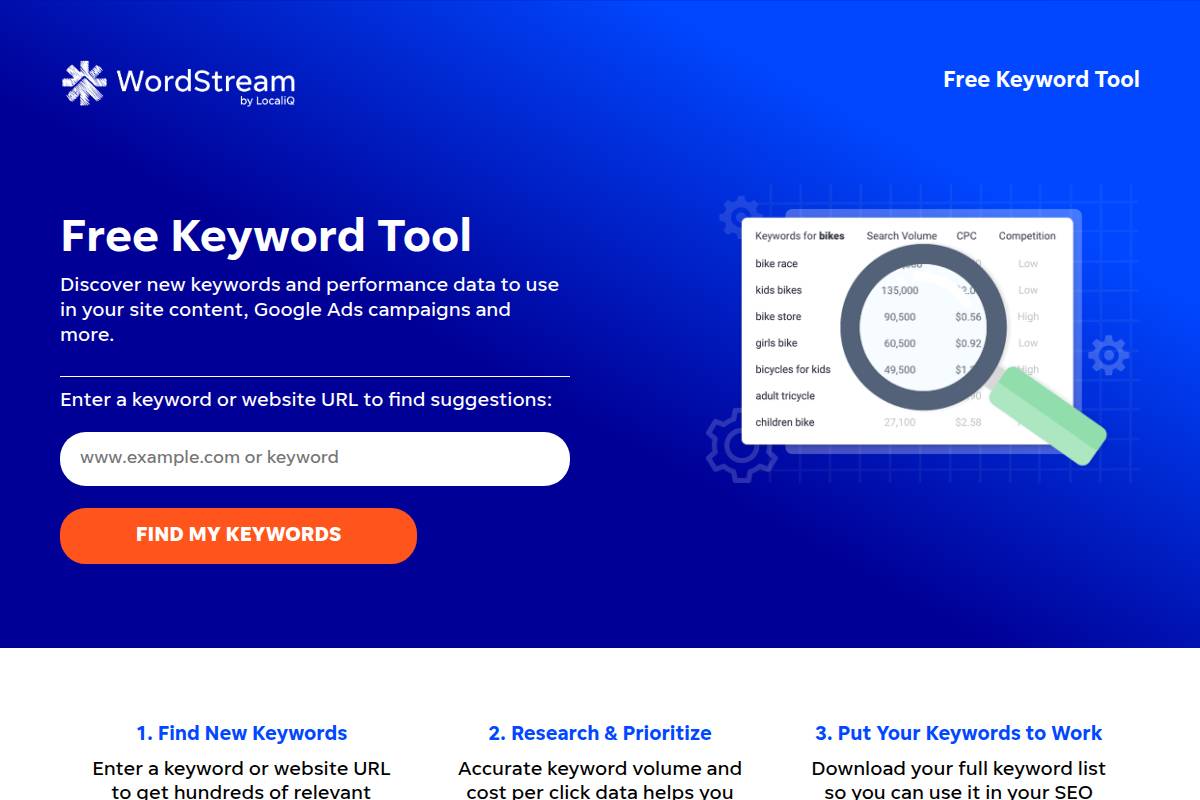
Effective keyword research is crucial for SEO and PPC campaigns, and tools that provide quick suggestions can accelerate workflow. WordStream’s Free Keyword Tool offers a streamlined, web-based solution designed for users seeking Google and Bing keyword ideas with minimal setup.
Digital marketers managing shorter campaigns or building out ad groups often need fast data. For instance, a local bakery in San Diego researching terms like “organic cupcakes” can use WordStream to pull up relevant queries for both Google and Bing in seconds—without sifting through excessive features.
Technical Requirements
Simplicity is a hallmark of WordStream’s tool. Unlike more robust SEO platforms such as Keywordly, which require account creation to unlock advanced functions, WordStream enables immediate access for anyone with a web browser. No registration or installation is necessary for its basic features.
This accessibility makes WordStream ideal for on-the-fly research during client meetings or team brainstorming sessions, ensuring no technical barriers for occasional users.
Competitive Positioning
When stacked against the broader SEO tool market, WordStream carves a niche as a zero-cost, easy-access option for Bing PPC and SEO keywords. It’s especially useful for time-constrained projects where depth is less critical than speed.
For example, digital agencies sometimes use WordStream for rapid testing before launching Bing Ads, while turning to platforms like Keywordly or SEMrush for campaign management or in-depth analysis later on.
Getting Started
Anyone can begin using WordStream’s Free Keyword Tool with minimal effort. Here’s the process:
- Visit the WordStream website.
- Input a keyword (e.g., “running shoes”) or a website URL.
- Select the desired search engine—choose Bing to tailor results.
- Receive instant keyword suggestions and associated search volumes.
For a clothing shop researching “women’s athletic shorts”, this tool can have a relevant keyword export in minutes.
Key Features
The WordStream Free Keyword Tool is primarily focused on providing actionable keyword data. While not as comprehensive as Keywordly, it delivers value through the following:
- Keyword suggestions and search volumes specific to Bing.
- Filters for niche topics and long-tail keywords.
- PPC bid range estimates to gauge advertising cost.
- One-click CSV export for analysis or handoff.
- Completely free usage for basic research needs.
Pros
- 100% free for generating keyword lists and volumes.
- Fast results for time-pressed campaigns or proposals.
- No sign-up barrier for accessing primary features.
Cons
- Shallower data and fewer features compared to paid SEO solutions like Keywordly or Ahrefs.
- Lacks ongoing tracking or campaign management capabilities.
Pricing
The tool’s value proposition is centered on no-cost access. Basic research is entirely free, making it popular among startups and lean teams.
For marketers needing advanced reporting or integration, paid upgrades through WordStream Advisor unlock further data but are seldom necessary for quick, one-off projects.
User Sentiment
WordStream is often praised by solo entrepreneurs and small businesses for its simplicity and zero cost. For instance, a freelance copywriter can use it to inform ad copy without sinking hours or funds into research. However, agencies requiring ongoing keyword tracking or analytics usually migrate to more robust platforms such as Keywordly or Moz Pro for large-scale needs.
Overall, WordStream Free Keyword Tool excels as a convenient, lightweight solution for quick Bing keyword research—filling a gap between basic brainstorming and full-scale SEO campaign execution.
Reference:
Free Keyword Tool | WordStream
Ubersuggest
Overview
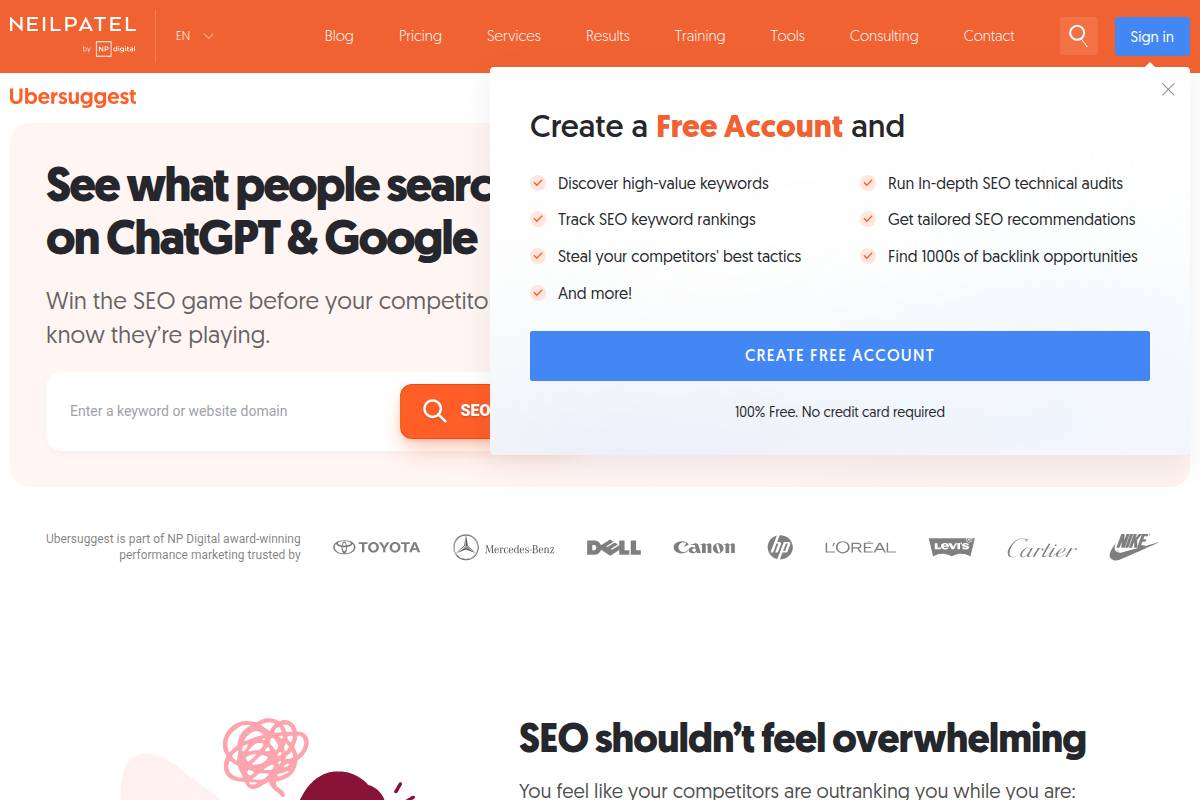
Ubersuggest is a budget-friendly SEO suite designed for bloggers, small-to-medium businesses (SMBs), and digital marketers looking for straightforward keyword research and content optimization. Unlike some enterprise-focused platforms, Ubersuggest stands out by providing essential Bing keyword research features at a price point accessible to those managing their own digital presence.
This accessibility makes it a popular alternative to more complex solutions, especially for those not requiring the scale of platforms like ahrefs or SEMrush. For example, freelance writers and local businesses use Ubersuggest to discover untapped Bing search terms that can drive targeted traffic.
Technical Requirements
Ubersuggest is entirely cloud-based, operating smoothly through any modern web browser. This eliminates the need for local installations or device-specific configurations, streamlining access for remote or distributed teams.
Users can sign up for a free account, which expands the quota of daily keyword suggestions and tracks projects more closely. For example, a digital agency managing client SEO campaigns can onboard junior staff immediately, as there’s virtually no learning curve.
Competitive Positioning
Compared to industry leaders, Ubersuggest positions itself as both value-driven and user-friendly. The tool combines core SEO capabilities with transparent, affordable pricing, targeting non-technical professionals or solo entrepreneurs who require Bing insights without enterprise complexity.
Its primary competitors, such as Keywordly, focus on comprehensive AI-powered workflows. Ubersuggest carves a niche delivering quick Bing keyword data, ideal for agencies with limited technical resources or bloggers needing actionable insights without steep expenses.
Getting Started
Launching Ubersuggest is as simple as visiting its homepage and entering a seed keyword in the search bar. After selecting your target country, the interface allows switching to Bing search mode for alternate suggestions relevant to Microsoft’s search engine.
- Go to the Ubersuggest website
- Input a seed keyword (e.g., “email marketing”)
- Navigate to the Bing search tab to reveal keyword suggestions and volumes
Digital marketing agency RankPay uses this process to discover Bing-specific topics, tailoring campaigns to drive Microsoft ecosystem users.
Key Features
- Bing keyword ideas and search volumes: Get unique phrase suggestions and volume metrics not limited to Google.
- SEO difficulty and CPC metrics: Evaluate competition and ad costs to prioritize keyword targets.
- Content suggestion tools: Generate ideas for articles based on top-ranking Bing content.
- Site audit and backlink analysis: Identify site health issues and track referring domains, much like Keywordly’s audit workflows.
Pros
- Beginner-friendly interface and minimal onboarding time
- Budget pricing and a one-time lifetime plan option, offering better total cost of ownership than many rivals
- Direct support for Bing keyword data, useful for reaching non-Google audiences
Cons
- Limits on keyword depth and results in the free tier, restricting comprehensive research for heavy users
- Main platform focus on Google, with Bing functionality as a secondary feature
Pricing
Ubersuggest offers a free tier with daily limits, which suits new users seeking light exploration. Paid plans unlock extended functionality, including higher query volumes, more tracked keywords, and advanced site auditing. Monthly subscriptions are under $30/month, with a unique lifetime plan currently promoted at $290, which appeals to SMBs aiming for minimal recurring costs.
User Sentiment
User reviews frequently highlight Ubersuggest’s clarity and overall value, particularly for non-specialists focused on Bing and broader keyword analysis. According to G2 Crowd, users such as the founder of WebFX praise it for cost savings and ease-of-use compared to bulkier enterprise tools.
The ability to rapidly generate optimization ideas for both Google and Bing makes it especially appealing for SMBs and personal website owners who need actionable insights without extra complexity.
Reference:
Ubersuggest: Free Keyword Research Tool
Moz Keyword Explorer
Overview
Moz Keyword Explorer is a respected name in the SEO software landscape, known for providing in-depth keyword data and detailed search engine analysis. Its latest update includes support for Bing keyword research, making it one of the few mainstream tools addressing both Google and Bing search needs.
This enhancement positions Moz as a practical solution for marketers expanding their SEO efforts beyond Google, whether targeting Microsoft’s properties or leveraging Bing’s integration with platforms like ChatGPT.
Technical Requirements
For full use of Moz Keyword Explorer, users need online access and a Moz account. The platform operates entirely in the cloud, allowing marketers to access keyword research tools from any supported web browser.
Moz supports Chrome, Firefox, Edge, and Safari, making it broadly accessible. Some core features are gated behind account creation, so users seeking unlimited research or full historical data will need a paid Moz subscription.
Competitive Positioning
Moz has carved out a strong niche by offering clear, actionable metrics that simplify keyword decision-making. The tool stands out for its reliable keyword difficulty scores, delivering immediate insights on how challenging it will be to rank for a given keyword on search engines like Google and Bing.
Unlike competitors such as SEMrush or Ahrefs, Moz’s SERP analysis drills deeply into ranking pages and displays key details including domain authority and link metrics for both Google and Bing traffic. This transparency is especially valued by content teams managing cross-platform campaigns.
Getting Started
Setting up is designed to be user-friendly. After logging in, users can select Bing as the target engine, enter a keyword, and immediately receive a robust SERP analysis including keyword volume, competition, and ranking snapshots.
For example, a digital marketing agency working with an e-commerce client can quickly compare the competitive landscape for “home office desks” across both Google and Bing, then export tailored reports for client review using CSV export options.
Key Features
- Keywordly: For teams using Keywordly, Moz’s exports can be easily integrated into Keywordly’s AI-powered clustering and content optimization workflows.
- Bing keyword opportunity and volumes
- Detailed SERP competition metrics
- Intelligent keyword suggestion and clustering tools
- Campaign performance tracking
- Flexible CSV export
Pros
- User interface is accessible for non-technical content creators and marketing teams
- Moz is a trusted SEO brand with a strong reputation for data reliability
- Provides actionable SERP analysis with clear ranking signals and opportunity scoring
Cons
- Lacks some advanced filtering and search operators found in Ahrefs or SEMrush
- Regular use requires a paid plan—free option is limited to a handful of queries monthly
Pricing
Moz Keyword Explorer operates on a freemium model, allowing users to run a limited number of keyword searches per month without payment. For example, free accounts may access 10 daily keyword queries, enough for light exploration or small-scale projects.
To unlock full keyword lists, in-depth data, and unlimited searches, monthly paid plans start at $99, suitable for agencies, large content teams, or businesses like large online retailers who need daily keyword monitoring.
User Sentiment
Moz Keyword Explorer is widely regarded as approachable for beginners, while still serving experienced SEO professionals. Industry reviews on platforms like G2 regularly cite its intuitive workflow and accessible reports.
Users especially appreciate the accuracy of Bing keyword research—digital agencies report reliable results when planning PPC and organic campaigns targeting Microsoft’s search ecosystem, making Moz a trusted option for cross-platform keyword strategy.
Reference:
Free Keyword Research Tool – Moz
Keyword Tool
Overview
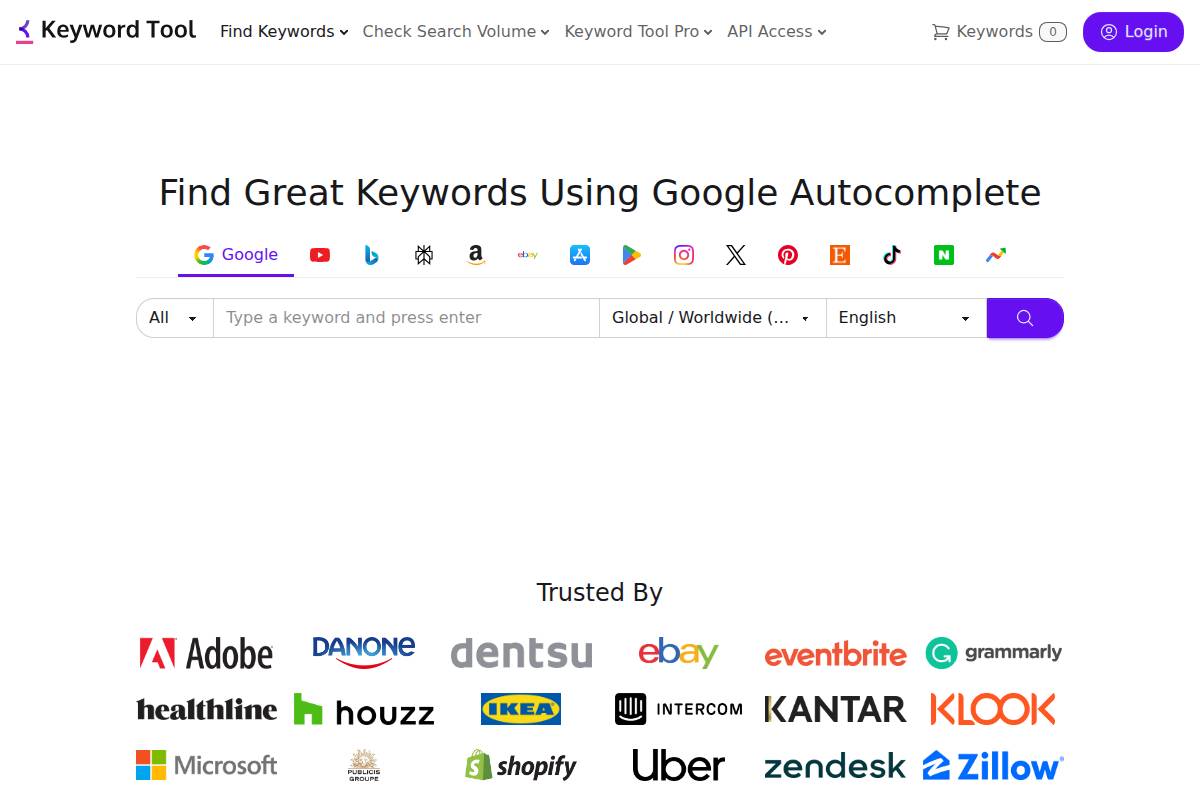
Bing is an important search engine for driving valuable traffic, especially in certain demographics and regions. Keyword Tool focuses on leveraging Bing’s autocomplete API to generate long-tail keyword suggestions that can be missed by Google-centric research tools. This approach helps marketers discover unique search terms that audience segments actually type into Bing.
For instance, online publishers in travel and retail have noted that by tapping into Bing-specific data, they’re able to attract visitors who might not use Google. A furniture retailer in Texas reported a 16% uptick in Bing-sourced traffic after focusing on Bing autocomplete keyword research for their local store pages.
Technical Requirements
To access Keyword Tool, users only need a modern web browser—there’s no software installation required. Navigating directly to the tool’s website allows instant access for basic keyword generation features. This ensures fast onboarding, regardless of the user’s device or operating system.
For those seeking trend and volume data, a free registration unlocks advanced features through a premium plan. Agencies frequently use the premium interface to download data-rich exports for campaign presentations and competitive SEO reports.
Competitive Positioning
The SEO tool landscape is crowded, with platforms like Keywordly, SEMrush, and Ahrefs offering broad keyword data and clustering. However, Keyword Tool stands out by specializing in mining Bing’s autocomplete suggestions, a resource often overlooked by other mainstream tools.
As a result, marketers using Keyword Tool often discover high-converting, low-competition phrases for specific Bing audiences. In one case, a digital agency used Keyword Tool to uncover over 800 unique Bing search queries for a B2B SaaS provider, leading to a measurable boost in Bing Ad campaigns.
Getting Started
Starting with Keyword Tool is straightforward, even for first-time users. After navigating to the website, simply select Bing as the data source, input a seed term such as “project management software,” and receive a comprehensive list of Bing user queries in real time.
This process assists agencies and solo marketers alike in brainstorming new content angles instantly. A freelance copywriter, for example, used this process to expand their long-tail keyword set for a finance blog, resulting in several high-ranking Bing articles within months.
Key Features
Below is a comparison of key features that set Keyword Tool apart:
| Feature | Keywordly | Keyword Tool |
|---|---|---|
| Bing Autocomplete Keywords | Yes | Yes |
| Bulk Suggestions | Yes | Yes |
| Trend/Volume Data | Yes | Pro Only |
| CSV Export | Yes | Yes |
| Clustering/Analytics | Advanced | No |
| Multilingual Support | Yes | Yes |
Keywordly provides comprehensive clustering and analytics, while Keyword Tool specializes in Bing keyword mining and direct autocomplete access.
Pros
- Quick access to Bing search phrases without complex setup
- Ideal for sourcing long-tail and niche keyword ideas that competitor tools often miss
- Allows immediate use of basic tools without requiring user registration
Cons
- Search volume and trending data only available through the Pro plan
- Lacks advanced clustering, analytics, or in-depth reporting found in platforms like Keywordly
Pricing
Keyword Tool offers a free, limited-access version for users needing only basic Bing autocomplete suggestions. For premium features—such as monthly search volumes, trend analysis, and advanced export functions—a Pro subscription is required.
Individual marketers often start with the free tier, while agencies and content strategists justify the Pro investment by showcasing the direct impact on their Bing SEO performance, as seen in case studies by Red Ventures and travel brands like Expedia.
User Sentiment
Among content marketers specializing in Bing SEO, Keyword Tool is recognized for its simplicity and sheer volume of keyword suggestions. Many report that it’s a key resource for brainstorming campaigns targeting overlooked or underserved search intents on Bing.
According to user reviews on G2 and Capterra, marketers appreciate the platform for surfacing unique ideas, especially compared to more generalist tools. This feedback is common among digital agencies and freelance SEO consultants aiming to expand their reach beyond Google-focused research.
Reference:
Keyword Tool ⚠️ Google Keyword Planner【Search FREE】
Recommendations
Choosing the right keyword research tool depends largely on your team’s needs, budget, and long-term digital strategy. Different tools excel for different user profiles, from solo bloggers beginning their SEO journey to large enterprises seeking advanced insights across global markets. Below are tailored recommendations, including practical examples, for various business scenarios and objectives.
Best for Beginners
Entry-level users benefit most from intuitive platforms with low learning curves and accessible pricing, making results easier to interpret and act on.
- Ubersuggest: Neil Patel’s Ubersuggest provides an easy onboarding experience, with free daily search limits and simple SEO recommendations. For instance, freelance bloggers can run keyword ideas and get actionable suggestions without confronting complex dashboards.
- WordStream Free Keyword Tool: This tool is highly accessible for those just starting out in PPC and SEO. Local businesses have used WordStream to pinpoint low-cost keywords for early campaigns, helping stretch ad budgets. The interface focuses on clarity and basic metrics vital for newcomers.
Best for Teams & Agencies
Collaboration, workflow automation, and depth of reporting are crucial when scaling content and SEO efforts.
- Keywordly: Designed for agencies and content teams, Keywordly streamlines the entire SEO process. For example, digital agencies serving multi-location clients can leverage Keywordly’s geo-targeted clustering to optimize content for local search variations, accelerating campaign turnarounds.
- SEMrush: Agencies supporting e-commerce retailers like Zappos use SEMrush for content gap analysis and competitive reports, tracking hundreds of keywords across multiple domains.
- Ahrefs: With features like shared workspace and automated alerts, Ahrefs allows team members to monitor rankings and backlinks collaboratively—a top pick for distributed SEO teams managing large content portfolios.
Best for Enterprises
Enterprises demand not only robust analytics but integration, custom reporting, and scalability across thousands of web assets or international operations.
- SEMrush: Global brands such as eBay have adopted SEMrush Enterprise for international SEO. The tool’s API and advanced reporting suit complex, multi-market keyword strategies.
- Moz Keyword Explorer: Trusted by names like Zillow, Moz delivers detailed SERP analysis and keyword difficulty at scale, supporting both in-house teams and external partners across continents.
Best Competitive Analysis
Businesses seeking to outperform rivals focus on tools that dissect competitors’ keyword strategies and digital campaigns.
- SpyFu: Known for PE firm due diligence and agency new-business pitches, SpyFu enables users to download entire competitor keyword lists. For example, a startup entering the SaaS space can instantly uncover which paid keywords established brands are bidding on, guiding their own PPC strategy.
- Ahrefs: Ahrefs’ “Site Explorer” offers rich backlink and content performance data. Marketing teams for publishers like Mashable rely on these insights to benchmark articles and optimize topic targeting based on competitors’ high-ranking content.
Best for Bing PPC
Microsoft Advertising campaigns require access to proprietary search data and integration with Bing Ads platforms for optimal keyword targeting.
- Microsoft Advertising Keyword Planner: Any business prioritizing Bing—such as insurance providers targeting older demographics—can use the built-in planner for keyword volume, competition, and suggested bids specific to Bing’s ad network. This inside information helps prioritize campaigns for non-Google audiences.
FAQ
Choosing the right tools and strategies for Bing keyword research is essential, especially given how different Bing’s search audience can be from Google’s. Below, we address some frequent questions to help SEO professionals and digital marketers navigate Bing keyword research more effectively.
Q1. Is Bing keyword research different from Google keyword research?
Bing and Google might seem similar, but their search algorithms and user demographics differ noticeably. Bing tends to have an older audience and can favor longer, more descriptive keywords. This means tools optimized for Bing—like Keywordly—provide data that’s actually reflective of Bing search trends.
For example, the organic click-through rate on Bing often surpasses Google’s for certain verticals, according to a Merkle Digital Marketing Report, which analyzed over $12 billion in ad spend. Businesses focusing solely on Google trends may overlook unique opportunities available within Bing’s ecosystem.
Q2. Do I need to pay for Bing keyword research tools?
Many tools provide free keyword overviews but reserve advanced analytics, export functions, or GEO/LLM support for premium plans. Keywordly, for instance, offers an initial free tier but unlocks Bing-specific regional clustering and competitive insights with its professional subscription.
Free access generally covers a limited dataset. Marketers running multinational campaigns or requiring in-depth volume trends almost always find value in stepping up to a paid plan.
Q3. Which is the official Bing keyword research tool?
Microsoft Advertising Keyword Planner is Bing’s official research platform. Integrated directly into the Microsoft Ads ecosystem, this tool enables users to discover new keyword ideas, see volume forecasts, and get bid suggestions.
Many agencies complement Keyword Planner with all-in-one suites like Keywordly or SEMrush for expanded tracking and reporting capabilities that support both Bing and other platforms.
Q4. Can I use these tools for international Bing SEO campaigns?
Most Bing-focused keyword tools—including Keywordly—support extensive regional and language targeting. For example, a US-based e-commerce brand can customize keyword discovery for both English- and Spanish-speaking shoppers in different MSAs.
Microsoft Advertising itself handles more than 35 markets and multiple languages, making it viable for brands like Lenovo that run pan-European campaigns targeting diverse audiences via Bing Ads.
Q5. How frequently should I perform Bing keyword research?
Keyword research for Bing should be done at least quarterly—or every time you launch new content. Search behavior can shift rapidly, as seen when COVID-19 altered search volumes for “contactless delivery” and related terms on Bing in early 2020.
Agencies leveraging platforms like Keywordly schedule recurring keyword audits and content optimization to maintain an edge on both Google and Bing, ensuring ongoing relevance and higher organic traffic.