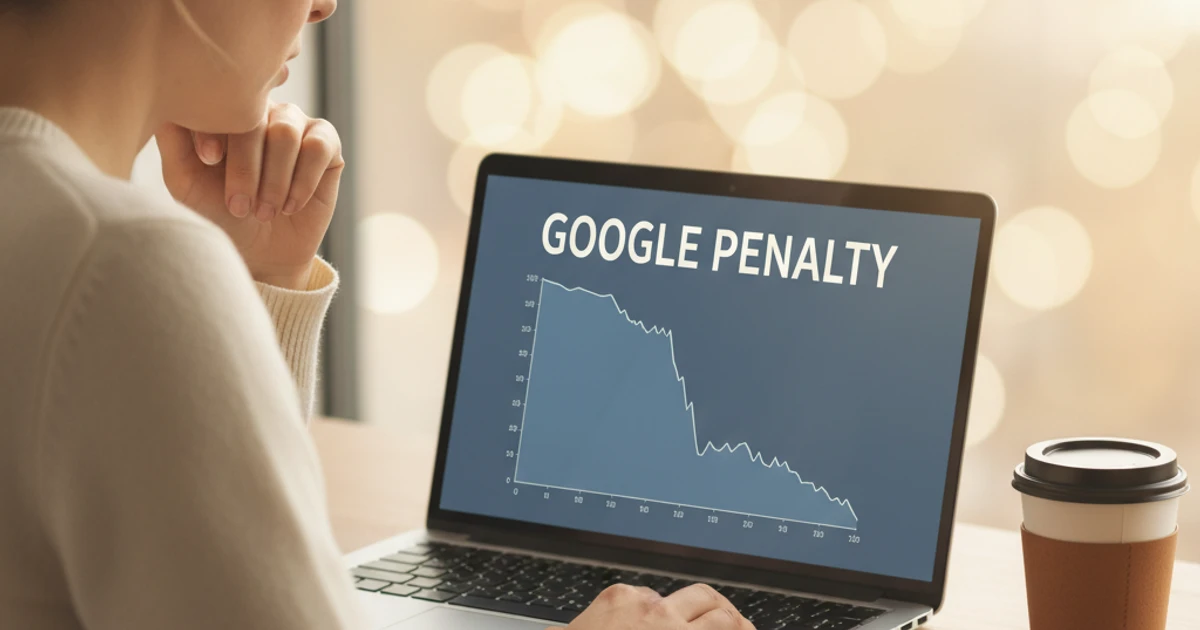
One week you’re celebrating record organic traffic; the next, your top pages vanish from Google overnight. For SEO teams, content marketers, and agencies, a sudden rankings crash isn’t just stressful—it threatens revenue, credibility, and client trust.
Recovering from a Google penalty demands more than quick fixes or guesswork. By understanding what triggered the hit, separating algorithmic turbulence from manual actions, and prioritizing high-impact technical, content, and backlink cleanup, you can restore visibility and build a site that’s resilient to future updates—provided you’re ready to put in focused, methodical work over weeks or even months.
In the relentless race for digital supremacy, a Google penalty isn’t just a setback; it’s an invitation to reevaluate your strategies, empowering you to rise with resilience and sharpen your competitive edge.
Reference: Google Penalty Guide: Detect, Recover, and Prevent Issues
Introduction
Why Google Penalties Matter
When organic traffic drops 40–60% overnight, it’s rarely a normal fluctuation. It can be a sign that Google has applied a manual action or your site was hit by an algorithm update like Penguin or Helpful Content. For SEO teams at agencies like Keywordly, recognizing this difference quickly is critical, because your response window can determine how much visibility and revenue you retain.
The business impact is real. After the 2012 Penguin update, Expedia reportedly saw a significant rankings loss tied to unnatural links, which translated into millions in potential booking revenue at risk. For smaller Shopify or WordPress sites, a similar pattern can mean missed payroll, lost client retainers, and weeks of unplanned cleanup work for your SEO and dev teams.
The good news is that recovery is achievable. With a structured, data‑driven workflow—using tools such as Google Search Console, GA4, and log file analysis—you can isolate the cause, prioritize fixes, and methodically win back visibility rather than guessing and hoping the problem resolves itself.
What This Guide Covers
This guide walks through a practical process: confirming whether there is a penalty, determining if it’s manual or algorithmic, cleaning up content and links, and then rebuilding trust and rankings. Each stage is mapped to specific diagnostics and actions your team at Keywordly or in‑house can execute without guesswork.
You will see both technical tactics—like disavowing toxic backlinks and fixing crawl issues—and strategic moves such as improving content depth, tightening E‑E‑A‑T signals, and refining your publishing workflow. The goal is to strengthen your site so it ranks better, weathers core updates more reliably, and reduces the likelihood of facing another penalty-induced traffic cliff.
1. Diagnose Whether It’s Really a Google Penalty
Distinguish Penalty from Normal Volatility
Before Keywordly teams start drafting a recovery plan, you must confirm that the drop isn’t just routine search volatility. Compare 30, 60, and 90‑day traffic and ranking trends in GA4 and Google Search Console to see whether the decline is a sharp cliff or mild oscillation around the norm.
Check for seasonality and campaign shifts. For example, many U.S. retailers see organic traffic dip 20–30% in January compared with November–December. If you paused Google Ads or email campaigns, branded search demand may naturally fall, mimicking a penalty.
Use segments by device, country, and channel. If only U.S. mobile traffic from organic search collapses while other segments stay stable, you’re more likely facing a search-specific issue than a full penalty.
Align Drops with Algorithm Update Timelines
Algorithmic issues often line up with known update windows. Compare the exact date of the decline to public core, spam, or helpful content updates. Search Engine Land’s Google penalty guide links to documented rollouts you can map against your graphs.
Use third‑party trackers like MozCast, SEMrush Sensor, or Algoroo to validate turbulence. A sudden 40% traffic drop the same week as a core update, like the March 2024 core update, often signals algorithmic devaluation, while slow, multi‑month erosion may indicate content quality or technical issues.
Check Google Search Console for Manual Actions
Manual penalties are always confirmed inside Google Search Console. Open the “Manual actions” report; if you see “No issues detected,” you’re likely dealing with an algorithmic hit, not a direct sanction.
If a notice exists, document the exact wording and scope. For example, an “Unnatural links to your site” message that applies to “partial matches” suggests specific sections—like an aggressive affiliate subfolder—were targeted. Capture screenshots for internal stakeholders and to guide your cleanup roadmap.
Analyze Impacted Pages, Queries, and Segments
Use the Performance report in Search Console to isolate what actually dropped. Compare the 28 days before and after the decline, filtering by pages, queries, and countries. Pay attention to which templates—blog posts, product pages, or location landing pages—lost the most impressions and clicks.
Segment brand vs non‑brand queries and informational vs commercial intent. If non‑brand terms like “best CRM for small business” tanked while branded queries such as “HubSpot login” remained steady, you’re likely facing a relevance, quality, or helpful‑content issue rather than a brand‑level trust problem for your site.
2. Determine the Type of Google Penalty You’re Facing

2. Determine the Type of Google Penalty You’re Facing
Distinguish Manual Actions vs. Algorithmic Filters
Your first diagnostic step is to confirm whether a human reviewer has penalized your site or you’re dealing with an algorithmic hit. Log into Google Search Console and open the “Manual actions” report; if you see a notice like “Unnatural links to your site,” you’re facing an explicit action that can suppress entire sections of your domain.
Manual actions require you to fix the issues and then file a reconsideration request describing what you changed. If rankings dropped after a documented core update, such as the March 2024 Core Update, with no Search Console warning, you’re likely dealing with an algorithmic filter. In that case, focus on quality improvements and expect recovery only after the next major recalculation.
Separate Link‑Related vs. Content‑Related Issues
Once you know the penalty type, isolate whether links or content are the primary driver. Use tools like Ahrefs or Majestic to spot spikes in exact‑match anchors or links from obvious networks; for example, a local roofing site suddenly getting hundreds of sidebar links from unrelated casino blogs is a classic link scheme signal.
For content, audit thin or unhelpful pages with tools like Screaming Frog and Google Analytics. If 60% of your blog posts from a vendor’s AI writer have near‑zero engagement and high bounce rates, that pattern often correlates with quality‑related demotions.
Map Symptoms to Core, Spam, and Helpful Content Updates
Patterns and timing help you align traffic losses with specific update families. Broad declines across most categories around an announced core update date usually point to overall relevance or trust issues, similar to how many product review sites saw hits during the 2022 product reviews updates.
If only obviously low‑quality comparison pages or doorway pages tanked shortly after a spam update, you’re likely tripping Google’s spam and anti‑abuse systems. Sites that scaled low‑value AI content across thousands of URLs in 2023–2024, for instance, often reported slow, site‑wide erosion tied to helpful content refinements.
Prioritize Issues by Business Impact
Not every lost ranking hurts revenue equally, so Keywordly recommends mapping affected URLs and keywords to actual dollars. In Google Analytics and your CRM, identify pages tied to high‑intent queries like “B2B SEO agency pricing” and estimate their lead or sales value based on past conversion data.
Score each issue type—links, content, technical—on severity and revenue impact, then build a remediation roadmap. For example, fix a toxic link profile hitting a seven‑figure ecommerce category page before rewriting low‑traffic blog posts. This structured triage keeps teams focused on changes that will restore meaningful traffic and pipeline first.
Reference: How to Know if You’ve Been Hit With a Google Penalty …
3. Audit Your Site for Technical and Content Issues
Run a Comprehensive Technical SEO Audit
A structured technical review prevents small issues from snowballing into traffic loss or even manual actions. Start by crawling your site with tools like Screaming Frog or Sitebulb to surface blocked resources, 4xx/5xx errors, and redirect chains that waste crawl budget.
Cross-check this crawl with Google Search Console’s Coverage and Page Indexing reports to spot anomalies, such as important URLs marked “Crawled – currently not indexed.” Then benchmark Core Web Vitals in PageSpeed Insights; for example, Shopify merchants often see significant lifts by improving Largest Contentful Paint on collection pages.
Evaluate Content Quality and E‑E‑A‑T Signals
Google’s recent updates heavily weigh real expertise and trust signals. Review key articles for evidence of hands-on experience, accurate data, and visible author credibility, especially in finance or health where YMYL scrutiny is high.
Ensure content cites primary sources and reputable studies. Neil Patel notes in How to Recover From Any Google Penalty that weak trust and unclear ownership often correlate with penalties, so strengthen author bios, about pages, and contact paths to reinforce accountability.
Identify Thin, Duplicate, and Over‑Optimized Pages
Low-value URLs dilute overall quality. Use your crawler and Google Analytics to find pages with very low word count and almost no organic traffic, such as tag pages or orphaned blog posts contributing under 10 visits per month.
Then hunt for duplicates created by faceted navigation or UTM parameters. Many WooCommerce stores discover hundreds of near-identical product URLs. Also scan for keyword-stuffed titles and anchors like “cheap CRM software cheap CRM tools,” and rework them into natural, intent-focused phrasing.
Review Site Architecture, Internal Linking, and Canonicals
A clean structure helps both users and crawlers find what matters. Confirm money pages are reachable within three clicks from the homepage and grouped in logical silos, such as /services/seo-audit/ or /pricing/ tiers.
Map internal links with tools like Ahrefs or Sitebulb to ensure high-value pages receive contextual links from topical hubs. Verify canonical tags on variant pages, check hreflang on multilingual sections, and test pagination patterns so you do not accidentally index thousands of thin, parameter-based URLs that compete with your primary pages.
Reference: How Do You Guys Audit a Website? I’m New and Super …
4. Clean Up Toxic Backlinks and Unnatural Link Patterns

4. Clean Up Toxic Backlinks and Unnatural Link Patterns
Aggregate and Review Backlink Data
Before you can clean up riskier links, you need a single, reliable view of your backlink profile. Pull exports from Google Search Console, Ahrefs, Majestic, and Moz so Keywordly can see what Google likely knows, plus what third‑party crawlers have discovered.
Merge these exports into a master spreadsheet, then deduplicate by referring domain and URL. Add columns for metrics like Domain Rating/Authority, anchor text, country, and link type (editorial, directory, forum, profile). This segmentation lets you quickly isolate patterns, such as dozens of forum profile links from .ru domains using the same anchor.
Identify Spammy, Paid, or Manipulative Links
Once your data is structured, scan for obvious junk: link farms, PBNs, hacked sites, or unrelated foreign‑language blogs. For example, a U.S. B2B SaaS brand finding 200+ links from spun‑content blogs in Indonesian is a red flag, especially when those domains have near‑zero organic traffic in Ahrefs.
Look for excessive exact‑match anchors to money pages, sitewide footer links, or patterns typical of paid link schemes. When Expedia was penalized in 2014, auditors found large volumes of keyword‑stuffed anchors from low‑quality blogs—exactly the kind of manipulative footprint you want to surface here.
Decide Between Removal Outreach and Disavow
With suspect links identified, decide where human outreach is realistic and where Google’s disavow file is more efficient. If a local chamber of commerce site added a followed, keyword‑rich footer link to your homepage, contact them and request either removal or a nofollow tag.
For thousands of links from obvious PBNs with no contact details or unresponsive webmasters, use the disavow tool at the domain level. Be conservative—do not nuke borderline or neutral links. Over‑disavowing can weaken your link equity and stall the progress Keywordly is trying to drive.
Document the Backlink Cleanup Process
Thorough documentation is essential, especially if your site already has a manual action for unnatural links. Maintain a simple log in Google Sheets listing domains reviewed, the risk level you assigned, actions taken, and dates of outreach emails or contact‑form submissions.
Store copies of your disavow files, along with submission timestamps from Search Console. If you ever submit a reconsideration request, you can summarize your efforts—e.g., “Reviewed 1,350 domains, contacted 220 webmasters, removed 87 links, disavowed 410 domains”—to demonstrate a credible, good‑faith cleanup.
Reference: How to Identify and Remove Bad Backlinks That Kill Your …
5. Fix On‑Page and Content Issues That Trigger Penalties
Remove or Rewrite Low‑Quality and AI‑Only Content
Search updates increasingly target thin, generic pages and auto‑generated copy. For Keywordly clients, the first step is auditing content using tools like Screaming Frog and Google Search Console to flag URLs with low traffic, high bounce rates, and near-duplicate text.
Pages built purely with AI, without expert input or editing, often read as vague and repetitive. Rewrite important templates and money pages by adding original insights, brand data, and SME quotes. For instance, HubSpot strengthens blog posts with internal benchmarks and customer examples to differentiate from generic AI output.
When you find five short articles all targeting the same query, merge them into one evergreen guide and 301 redirect the weaker versions. This consolidation tends to improve crawl efficiency and can lift rankings for the primary URL.
Normalize Keyword Usage and De‑Optimize
Over‑optimized pages can look manipulative to both users and algorithms. Review titles, H1s, and internal links to remove repeated exact‑match phrases like “best CRM software” crammed multiple times in a single paragraph.
Shift toward natural language and semantic variants. For example, a Salesforce comparison page might mix terms like “sales platform,” “pipeline tool,” and “CRM solution” while still staying on topic. Align metadata and headings with what’s actually on the page, avoiding clickbait promises you can’t fulfill.
Improve Topical Depth, Unique Value, and Intent Alignment
Shallow pages that barely answer the query are frequent culprits in traffic drops. Expand lean content by mapping real questions from tools like AlsoAsked, Reddit threads, and your own support tickets.
Add value beyond text: embed Loom walkthroughs, calculators built in ConvertCalculator, or anonymized campaign data from Keywordly audits. If the query is transactional, like “buy standing desk,” lead with product specs, pricing, and comparisons instead of a 1,500‑word history of ergonomics.
Enhance On‑Page Trust and Transparency Signals
Trust indicators help separate high‑quality content from low‑effort pages. Attach clear bylines, with author bios that show credentials—such as “10+ years in technical SEO” or “Former content strategist at Shopify.” This is critical for YMYL topics like finance and health.
Support claims with outbound citations to credible sources, such as Pew Research or Google’s own documentation. Make your privacy policy, terms, editorial standards, and contact page one click away in the header or footer, reinforcing that Keywordly operates as a legitimate, accountable business rather than a faceless content farm.
Reference: 50 Reasons Your Website Deserves to Be Penalized By …
6. Implement Safer, Sustainable SEO Penalty Solutions

6. Implement Safer, Sustainable SEO Penalty Solutions
Move from Manipulative Tactics to Value‑Driven Strategy
Long‑term organic growth comes from trust, not tricks. If your history includes paid link schemes, doorway pages, cloaking, or spun content, those patterns will eventually be caught by search engines and erode performance across the whole domain.
Start by auditing tactics and phasing out anything that conflicts with Google Search Essentials, such as private blog networks or keyword‑stuffed AI text. Shift your roadmap toward content that solves real problems, like how Ahrefs built a massive audience with transparent SEO studies and product walkthroughs that answer specific user questions.
Align this approach with broader marketing and product goals. For example, if your SaaS targets mid‑market HR teams, focus on detailed guides, benchmarks, and calculators that your sales and customer success teams can use, rather than quick‑win tricks that risk another penalty.
Build Authoritative Links Through Legitimate Channels
High‑quality links are still critical, but they must be earned. Digital PR campaigns, expert commentary, and useful assets will attract coverage from reputable publications without violating link policies.
For example, Backlinko’s data‑driven studies have earned mentions from HubSpot, Moz, and Search Engine Journal because they publish original research with clear methodologies. Keywordly clients can replicate this by commissioning industry surveys or proprietary reports that journalists and bloggers actually want to cite.
Combine this with partnerships and co‑marketing. A B2B fintech brand, for instance, might co‑host a webinar with Stripe or QuickBooks and publish a recap guide, naturally earning links from partner blogs, event listings, and industry newsletters.
Strengthen Brand, Entity, and Topical Authority
As Google leans more on entities and context, a clear, consistent brand footprint becomes a safeguard against volatility and penalties tied to thin or confusing signals.
Ensure your name, address, and phone (NAP) data match across your site, Google Business Profile, LinkedIn, and major directories. Add organization and author schema so search engines can connect your experts to their content, similar to how Mayo Clinic and WebMD clearly mark medical reviewers on health pages.
Then build hub‑and‑spoke content clusters. For a cybersecurity firm, that might mean a central “Ransomware Guide” hub supported by spokes on incident response, backups, user training, and legal implications, all tightly interlinked to strengthen topical relevance.
Create Internal Guidelines to Avoid Risky SEO
Penalty recovery fails when teams quietly reintroduce risky tactics. Clear internal rules and workflows keep everyone—from executives to freelancers—aligned on acceptable practices.
Document specific do’s and don’ts for link acquisition, content quality, and technical changes. For instance, ban bulk directory submissions and undisclosed paid links, while endorsing HARO outreach, expert interviews, and UX‑driven on‑page tests. Train internal teams and agencies on Google’s documentation and your organization’s risk tolerance.
Finally, implement reviews for high‑risk changes. Any major URL migrations, large‑scale content rewrites, or link campaigns should pass through an experienced SEO at Keywordly or your in‑house lead, reducing the chance of accidentally triggering the same penalties again.
Reference: 6 SEO Practices You Need To Stop Right Now
7. Submit Reconsideration (If Needed) and Monitor Recovery
Know When a Reconsideration Request Is Appropriate
Reconsideration requests only matter when Google has applied a manual action, visible in Google Search Console under the “Security & Manual Actions” section. If Keywordly’s audit shows a “Manual action: Unnatural links to your site,” that’s a clear signal a request is relevant.
Do not submit a reconsideration request for traffic drops tied to core updates like the March 2024 update or broad algorithmic shifts. In those cases, focus on quality improvements instead. Before any request, complete substantial fixes: remove or disavow spammy links, rewrite thin content, and document everything.
Craft a Transparent, Evidence‑Backed Request
Your reconsideration request should read like a clear incident report, not a plea. Explain honestly what happened, such as aggressive guest‑post link schemes from 2019 or doorway pages created by a previous agency. Google’s webspam team has seen it all, so candor builds credibility.
Outline the clean‑up: for example, “Between February 3–21, we removed 312 paid links using outreach logged in Google Sheets and submitted a disavow file on February 22.” Include links to shared logs, screenshots, and the disavow file. This level of proof, similar to approaches described by Marie Haynes in her penalty recovery case studies, increases your odds of reinstatement.
Monitor Post‑Submission Performance
Once submitted, track the manual action status daily in Search Console until it changes to “No issues detected” or you receive feedback. Keep a timeline in your project tracker (e.g., Asana, Jira) so the Keywordly team can correlate status changes with performance shifts.
After a manual action is lifted, monitor impressions, clicks, and average position for impacted URLs over at least 8–12 weeks. Sites hit as severely as the Rap Genius (now Genius) penalty in 2013 showed that recovery is rarely instant; expect gradual return as trust is rebuilt.
Set Realistic Timelines and Stakeholder Expectations
Manual reviews can take several weeks, and meaningful traffic recovery may stretch over multiple months. Communicate this clearly to clients or leadership to avoid pressure for quick, risky shortcuts that could trigger new problems.
Share concise bi‑weekly reports summarizing fixes completed, status of the manual action, and leading indicators like increased impressions on key templates. Frame recovery as phases—remediation, stabilization, then growth—so stakeholders understand that organic visibility returns in stages, not overnight leaps.
Reference: GN 02201.025 – Title II Overpayment Reconsideration …
8. Rebuild and Improve Website Ranking Post‑Penalty
Refocus on High‑Value Pages and Keywords
After a penalty, restoring your most valuable pages is the fastest path to revenue recovery. Start by identifying URLs that previously drove the most conversions or assisted sales, using tools like Google Analytics and Keywordly’s revenue attribution reports.
For example, an ecommerce client selling Nike and Adidas footwear prioritized their top 20 category and brand pages first, regaining 60% of lost revenue within eight weeks. Re‑optimize these landing pages using fresh SERP intent research from Semrush or Ahrefs to align titles, headers, and on‑page copy with what searchers expect now, not last year.
Refresh and Expand Intent‑Aligned Content Clusters
Once priority pages are stable, rebuild topical authority around them. Update cornerstone guides with recent data, screenshots, and short Loom‑style explainer videos to improve engagement and depth.
For a B2B SaaS client, expanding a “CRM for small business” cluster with comparison posts (e.g., HubSpot vs. Pipedrive), pricing breakdowns, and implementation checklists increased organic leads by 28%. Use internal links from these support articles back to your primary commercial pages to reinforce relevance and create clear, keyword‑focused pathways for users and crawlers.
Reference: Diagnose & Fix Google Ranking Drops (With 8 Case Studies)
Conclusion: Turning a Google Penalty into a Long‑Term Win
Core Steps of Effective Penalty Recovery
Recovering from a search penalty starts with clarity. Teams at brands like Overstock and Expedia only regained visibility after accurately diagnosing whether the issue was algorithmic (e.g., Penguin-style link problems) or a manual action, then running deep link and content audits instead of guessing.
Use tools such as Google Search Console, Ahrefs, and Screaming Frog together so you can fix toxic links, thin content, and crawl issues in one coordinated effort. Treat links, content, and technical foundations as a single system, then monitor rankings and log changes weekly to validate which fixes actually drive recovery.
From Short‑Term Tricks to Long‑Term Resilience
Penalties expose where your SEO playbook relied too heavily on shortcuts—like aggressive anchor text or doorway pages. When Overstock was penalized for scholarship link schemes, its recovery came from shifting toward editorial-quality content and more natural acquisition strategies.
For Keywordly clients, this is the moment to embed quality guidelines into content briefs, link outreach SOPs, and dev checklists. Aligning with Google’s Search Essentials and real user needs builds resilience that protects future core update performance.
Data‑Driven Decisions and Next Steps
Teams that bounce back strongest make analytics their compass. Use Search Console to track recovered URLs, Looker Studio dashboards to compare pre‑ and post‑penalty traffic, and controlled tests (e.g., revising 10 URLs at a time) to prioritize what to scale.
Establish quarterly site audits and monthly performance reviews so emerging issues surface early. Document playbooks—disavow workflows, content cleanup criteria, QA checklists—so your organization can spot risk patterns quickly and act before they trigger a new penalty.
FAQs About Recovering from a Google Penalty
How can I quickly tell if my traffic drop is due to a Google penalty or seasonality?
When a client’s organic traffic falls, the first question for Keywordly is whether it’s normal seasonality or a search issue. Start by comparing year-over-year data in Google Analytics or Looker Studio to see if last March, for instance, showed a similar 20% dip for an ecommerce brand like REI around post‑holiday slowdowns.
Then align the exact drop date with public Google core updates using resources like the Moz or Search Engine Roundtable update timelines, and check Google Search Console for manual actions. Segment by channel to confirm that the impact is isolated to organic search and not affecting paid, direct, or a specific region only.
Why does Google penalize some sites but not others using similar tactics?
Penalty enforcement is not perfectly uniform. A large publisher, such as a major news site, may have enough authority, brand signals, and strong content to offset borderline link practices temporarily, while a smaller affiliate site is hit quickly for the same tactics.
Keywordly advises agencies to treat any shortcut—like aggressive anchor‑text exchanges or expired‑domain redirects—as inherently unstable. Even if competitors seem to “get away with it,” a single core update can wipe out years of growth, as seen when many coupon and review sites lost 40–60% visibility during the 2023 Helpful Content update.