Author: Nasleen

  • Top 7 AI Content Optimization Tools to Boost SEO

    Top 7 AI Content Optimization Tools to Boost SEO

    Introduction

    AI content optimization has shifted from a nice-to-have experiment to a core part of how serious brands compete for organic visibility. Search is more fragmented across Google, ChatGPT-style assistants, and niche discovery platforms, and each expects content that is deeply relevant, structured, and technically sound.

    Teams that rely only on manual research or intuition struggle to keep pace. Even experienced SEO pros now lean on AI tools to turn raw search data, SERP analysis, and competitive gaps into clear, repeatable content decisions.

    Why AI Content Optimization Matters in 2026

    Brands face pressure to publish more, faster, while still ranking for complex intents like comparison, troubleshooting, and “best for me” queries. Keywordly, for example, lets you generate briefs, outlines, and on-page optimization suggestions from a single keyword set, so a small content team can ship dozens of high-quality articles each month without sacrificing depth.

    HubSpot’s State of Marketing report has repeatedly shown that companies publishing 16+ blog posts per month get over 3.5x more traffic than those publishing less than four. Without AI-assisted workflows, hitting that volume with consistent quality and SEO rigor is difficult.

    Common performance and strategy challenges

    Many teams publish regularly yet see content that fails to rank, or traffic plateaus around the same few legacy pages. A B2B SaaS company might push out weekly blogs but discover in Google Search Console that 80% of impressions come from fewer than 10 URLs.

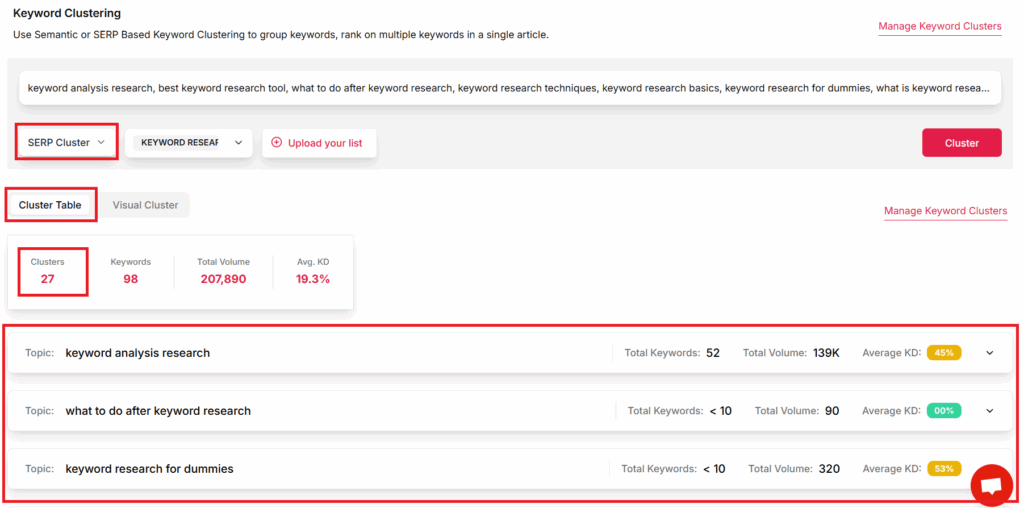
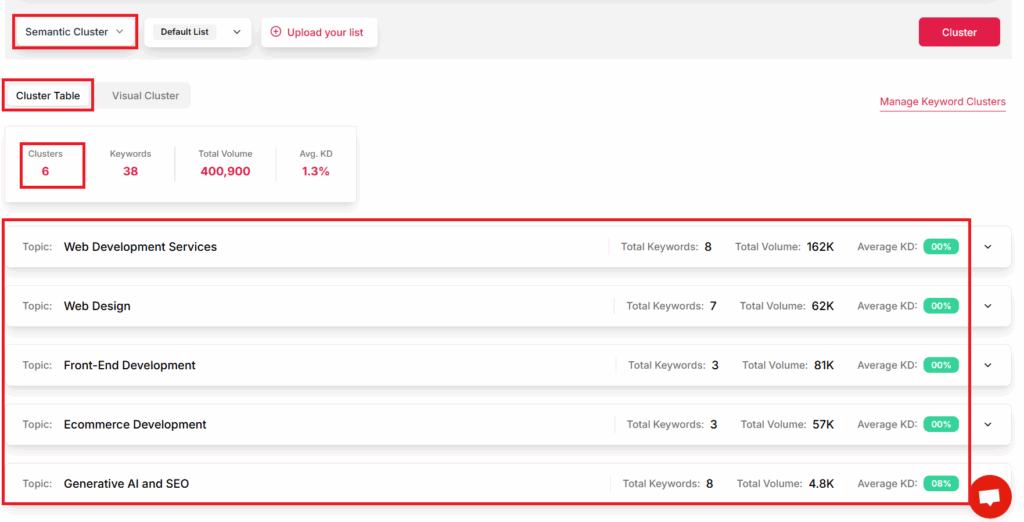
    This usually traces back to weak topical mapping, mismatched search intent, and thin on-page optimization. Keywordly addresses this by clustering keywords into topics, mapping them to search intent, and flagging where you lack supporting content, so your blog works as a connected ecosystem instead of isolated posts.

    From guesswork to data-driven optimization

    Without AI assistance, decisions about headings, internal links, and semantically related terms often rely on guesswork. Teams may target broad keywords like “CRM software” without realizing long-tail variants such as “CRM for small medical practices” convert better and face weaker competition.

    AI content optimization platforms parse SERPs, analyze competitor pages, and surface entities, questions, and subtopics you should cover. In Keywordly, on-page reports show missing entities, thin sections, and readability issues, turning abstract SEO best practices into specific edits that writers can apply in minutes.

    AI tools as the bridge between creation and results

    AI content optimization tools now sit at the center of a full SEO workflow: research, planning, drafting, editing, publishing, and auditing. Keywordly, for instance, combines keyword research, automatic brief creation, AI-assisted drafting, and performance tracking in one environment, so marketers can trace each article from idea to traffic and conversions.

    This guide explains what AI SEO content optimization tools do, who benefits from them, and reviews 10 leading platforms that help you research, generate, optimize, and audit content at scale, with Keywordly positioned as the primary option for teams seeking an end-to-end AI-driven workflow.

    What Are AI Content Optimization Tools?

    AI content optimization tools help writers and SEO teams create content that aligns with how people search and how algorithms evaluate pages. Instead of guessing which keywords, headings, or topics to include, these platforms analyze live search results, user intent, and on-page elements to guide each draft.

    Modern AI SEO tools like those highlighted in Top 7 AI SEO Tools to Improve Your Rankings in 2026 boost rankings by automating research and optimization. Platforms such as Keywordly take this further by supporting workflows for both Google and AI assistants like ChatGPT.

    Definition and Core Capabilities

    AI content optimization tools, including AI SEO content optimization tools, combine machine learning, natural language processing, and large language models to upgrade how content is planned and edited. Instead of simple keyword density checks, they examine SERPs, competing pages, and user behavior signals to suggest specific, data-backed changes.

    Keywordly, for example, pulls real-time SERP intelligence to recommend target keywords, ideal heading structure, and topical depth for each article. A B2B SaaS blog might start with a 1,200-word draft; Keywordly can show it needs sections on pricing comparisons and integrations because those topics appear on every top-10 result.

    Key Optimization Areas and Keywordly’s Role

    Core capabilities now go far beyond basic on-page checks. Leading tools optimize for keyword coverage, semantic relevance, internal linking, and readability so content satisfies both human readers and ranking systems. Many platforms, including those in the best AI SEO tools for 2026 roundup, also support structured data and intent classification.

    Keywordly’s content optimization module lets you paste a draft, then surfaces missing entities, related questions, and internal link opportunities from your own URL pool. Agencies use this to standardize long-form content; for instance, a healthcare agency optimizing 50 condition pages can ensure every page includes symptoms, treatments, insurance info, and FAQs aligned with target queries.

    Who Needs These Tools?

    AI content optimization tools are most valuable for teams publishing regularly and competing on challenging keywords. They turn manual, spreadsheet-heavy workflows into guided checklists that non-technical writers can follow, which is crucial when multiple stakeholders touch each article.

    From content marketers to solo bloggers, the common goal is consistent SEO performance. These tools help maintain quality at scale, prove ROI, and close topical gaps across the entire customer journey, from top-of-funnel explainer posts to bottom-of-funnel comparison pages.

    Use Cases Across Teams and Keywordly’s Fit

    Content marketers and SEO professionals use Keywordly to create briefs, outlines, and optimized drafts in one workspace. A mid-market ecommerce brand might build a topical map for “running shoes,” then let writers work through auto-generated article briefs that include target keywords, internal link suggestions, and word-count guidance for each subtopic.

    Agencies and growth-focused businesses rely on tools like Keywordly to connect content to revenue. By tying optimized articles to performance tracking dashboards, a B2B agency can show that 20 briefs produced with Keywordly led to a 35% organic traffic lift in three months, while a blogger can see which three posts generated 70% of affiliate clicks and prioritize similar topics.

    Keywordly

    Keywordly

    Keywordly

    Overview

    Keywordly is built for teams that treat SEO as a strategic, measurable growth channel rather than a side task. It connects keyword research, topical mapping, AI-assisted drafting, optimization, and performance tracking so content teams work from the same data and priorities.

    A content manager could plan a pillar topic like “B2B lead generation,” generate briefs for supporting articles, draft with AI, and optimize each piece in one workspace. This reduces context switching between tools such as Ahrefs, Google Docs, and separate on-page SEO editors.

    Technical Requirements

    Keywordly is cloud-based, making it accessible on all major browsers like Chrome, Firefox, and Safari. This compatibility ensures that remote teams or freelancers can access the suite from virtually anywhere.

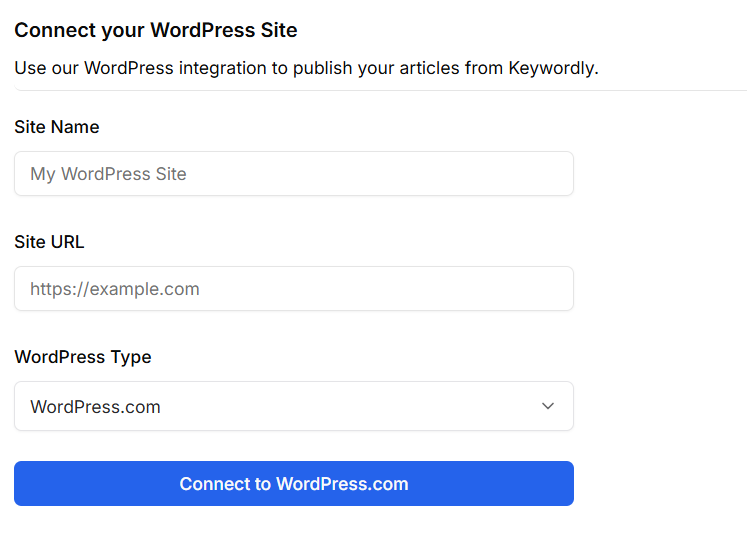
    Direct integration bridges to Chrome, Google Docs, and WordPress, so users can manage workflows within their preferred environments. API and plugin support allow digital teams to sync Keywordly with enterprise CMS—enabling large content operations similar to those at HubSpot or Shopify.

    Competitive Positioning

    Unlike many SEO tools that address only fragments of the content lifecycle, Keywordly provides a truly start-to-finish workflow. For instance, SEMrush and Ahrefs excel at research, while Surfer SEO focuses on on-page optimization—but rarely do they cover planning, writing, and publishing in one seamless flow.

    Keywordly’s deep AI integration means content teams can plan, generate, audit, and publish—all from a unified interface. Publishing to multiple sites and formats directly sets it apart for agencies managing client portfolios.

    Getting Started

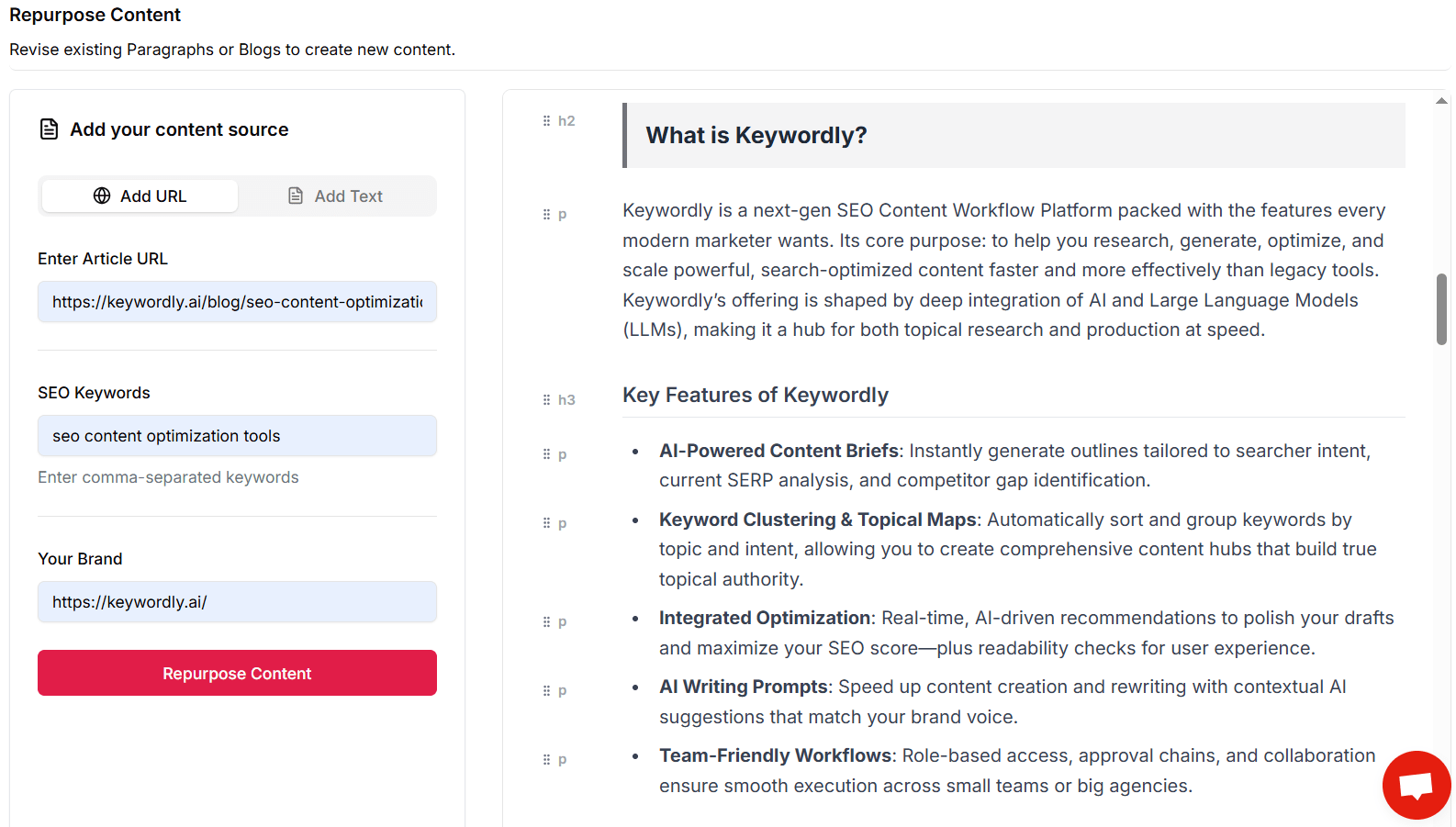
    New users begin with a free trial, providing ample opportunity to test core capabilities before committing. The initial setup involves connecting your website or desired content source for smooth data import.

    A typical onboarding process starts with comprehensive keyword research—Keywordly’s AI then generates content outlines and drafts. Users can quickly move from idea validation to on-page optimization, reducing campaign launch cycles.

    Key Features: AI SEO Content Optimization Tool
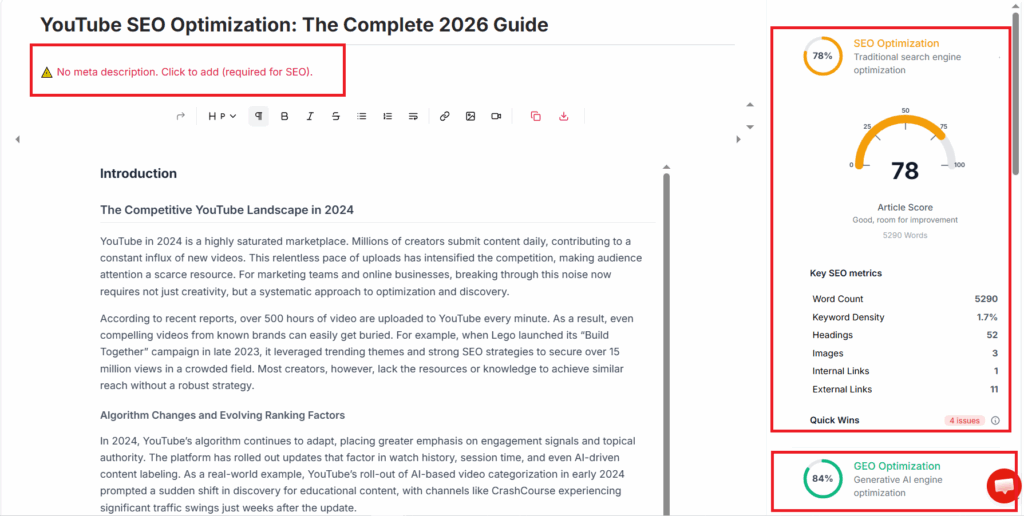
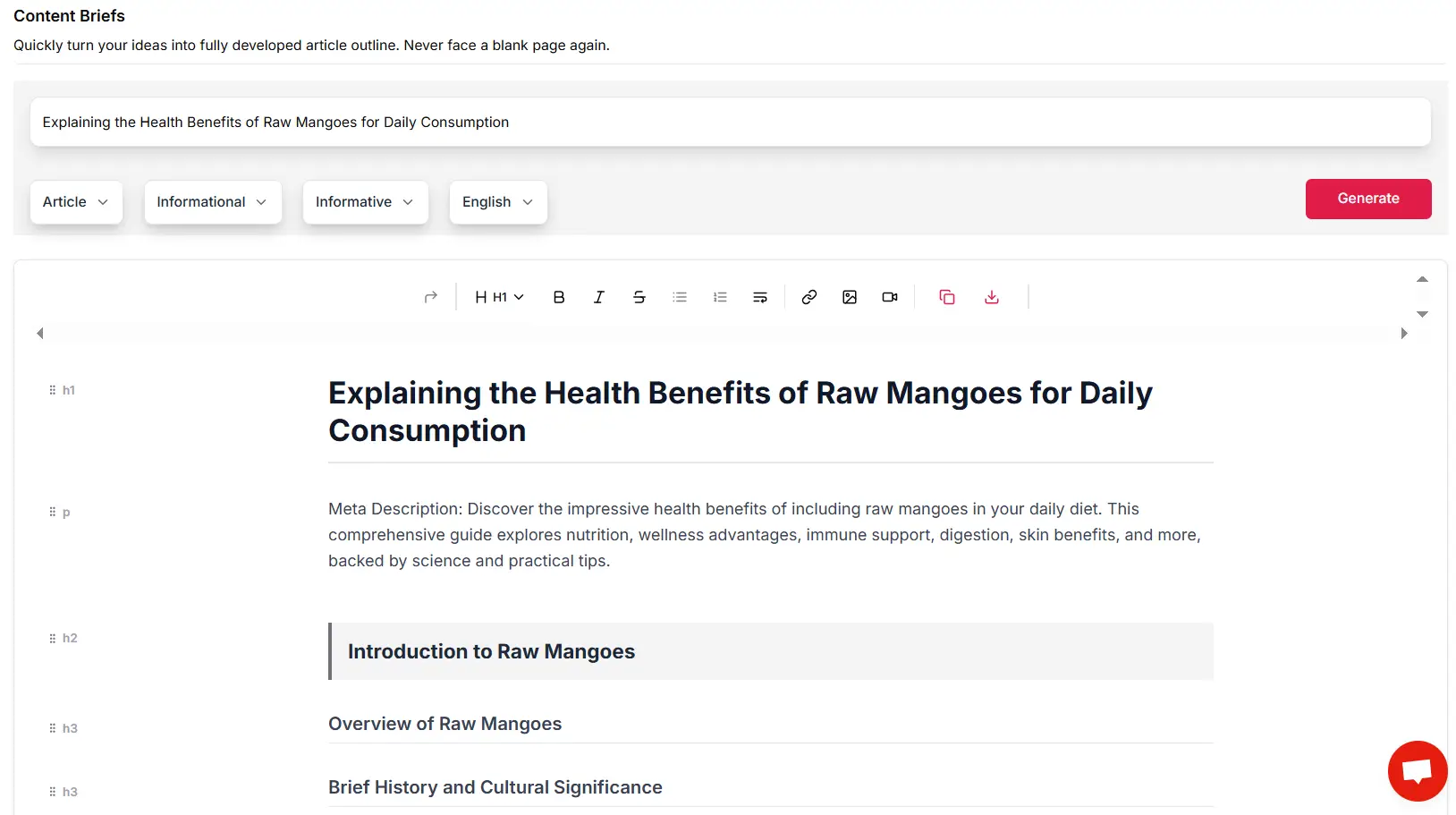
    keywordly - seo optimization
    Keywordly – SEO Content Optimization Tool
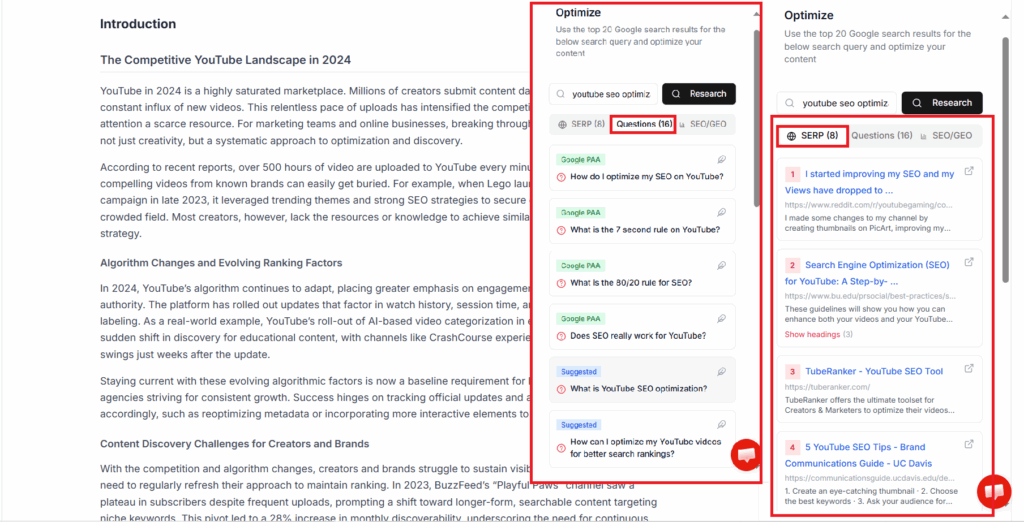
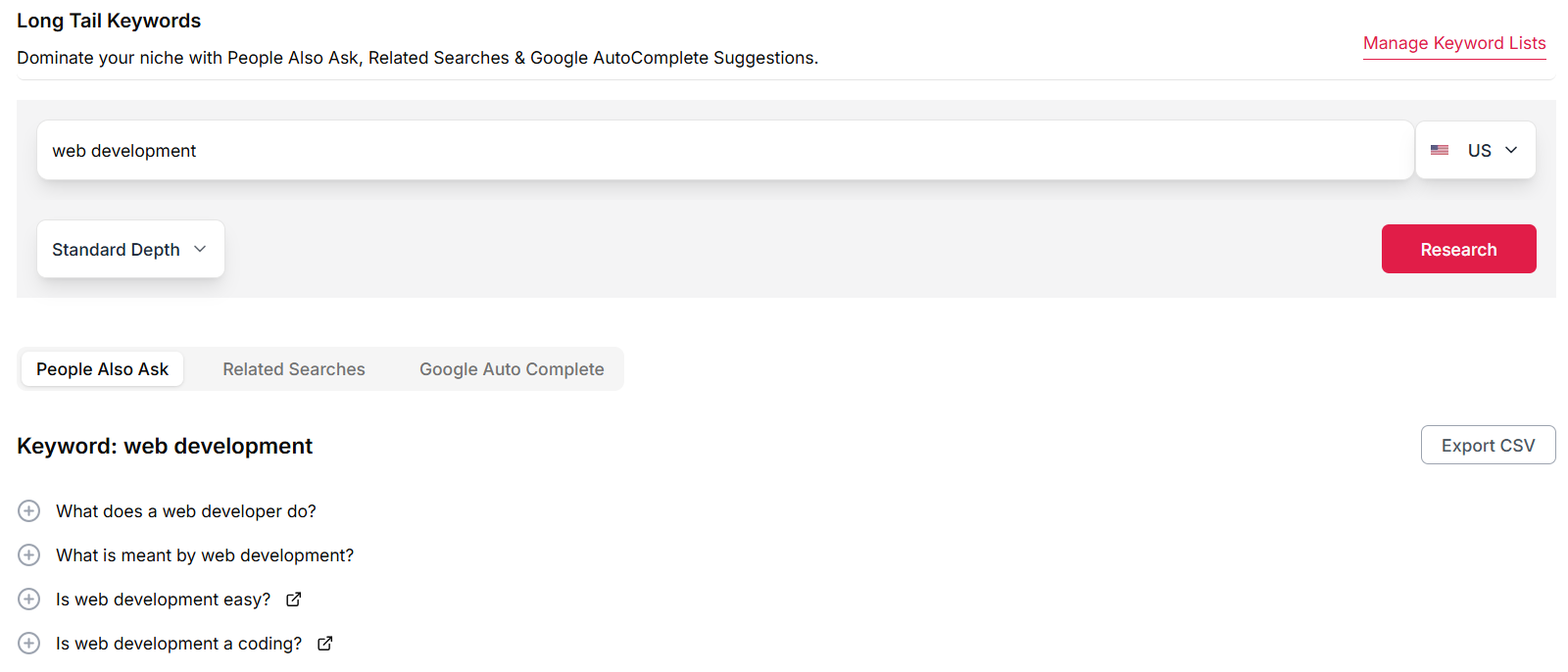
    seo content optimization - serp research
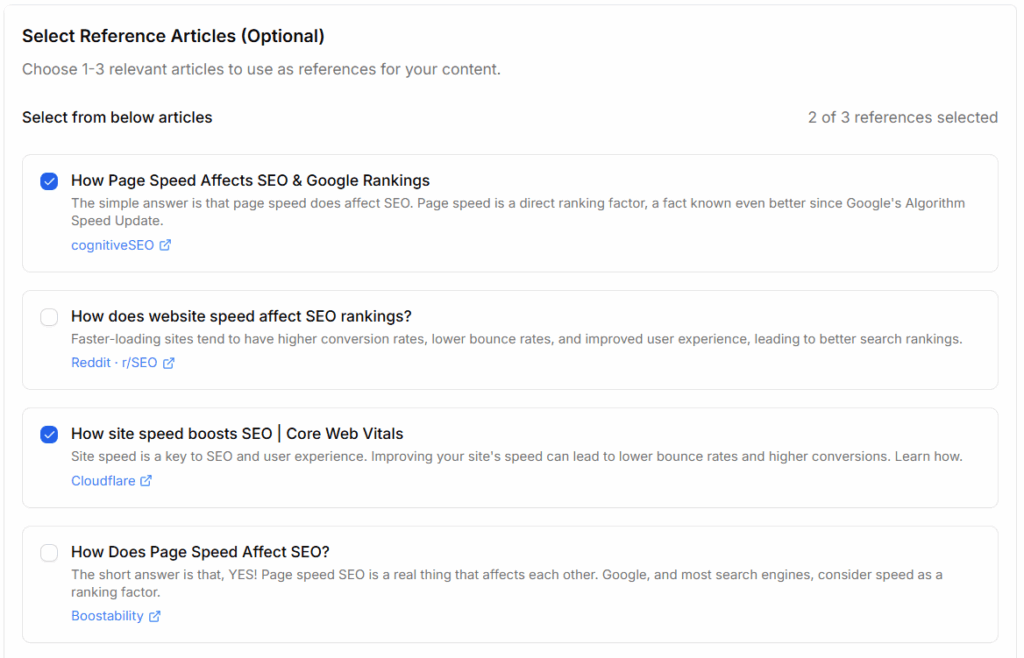
    Keywordly – SEO Content Optimization Tool – SERP & Questions Features

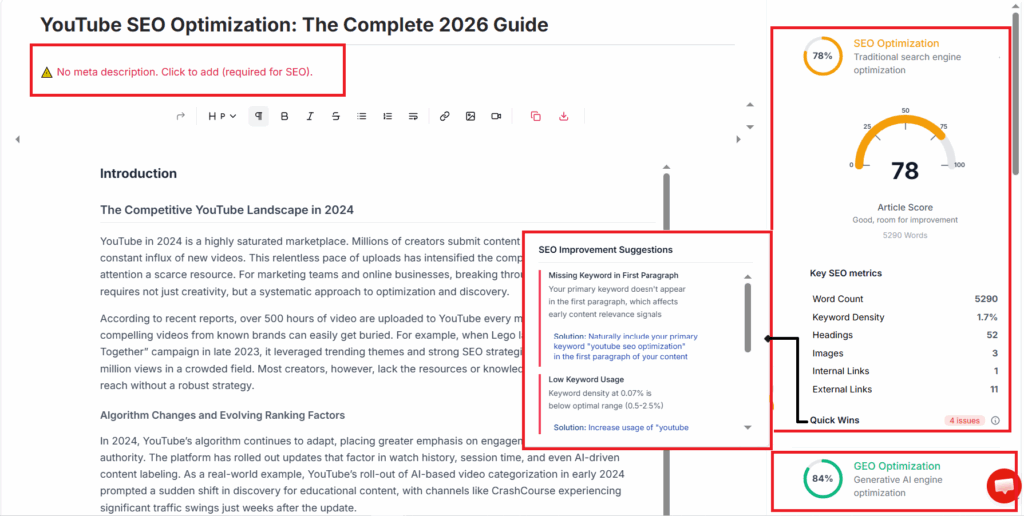
    Keywordly’s optimization workspace is where most day-to-day SEO value is realized. Drafts are scored across on-page SEO, semantic coverage, readability, and structure so writers can see exactly what to refine before publishing.

    For example, a SaaS blog targeting “customer retention software” can paste a draft into Keywordly, receive a score, and get suggestions to strengthen entities like “churn rate,” “NPS,” and “customer lifetime value,” similar to what power users appreciate in tools like Clearscope or Surfer, but within a broader workflow.

    Reference: Keywordly – SEO Content Workflow Platform & Tools

    Features

    • Real-time optimization scores for headings, internal links, and keyword placement
    • Semantic coverage prompts based on live SERP and competitor analysis
    • Readability and structure checks aligned with audience and intent
    • Auto-blogging templates that still respect topic maps and on-page rules

    Pros
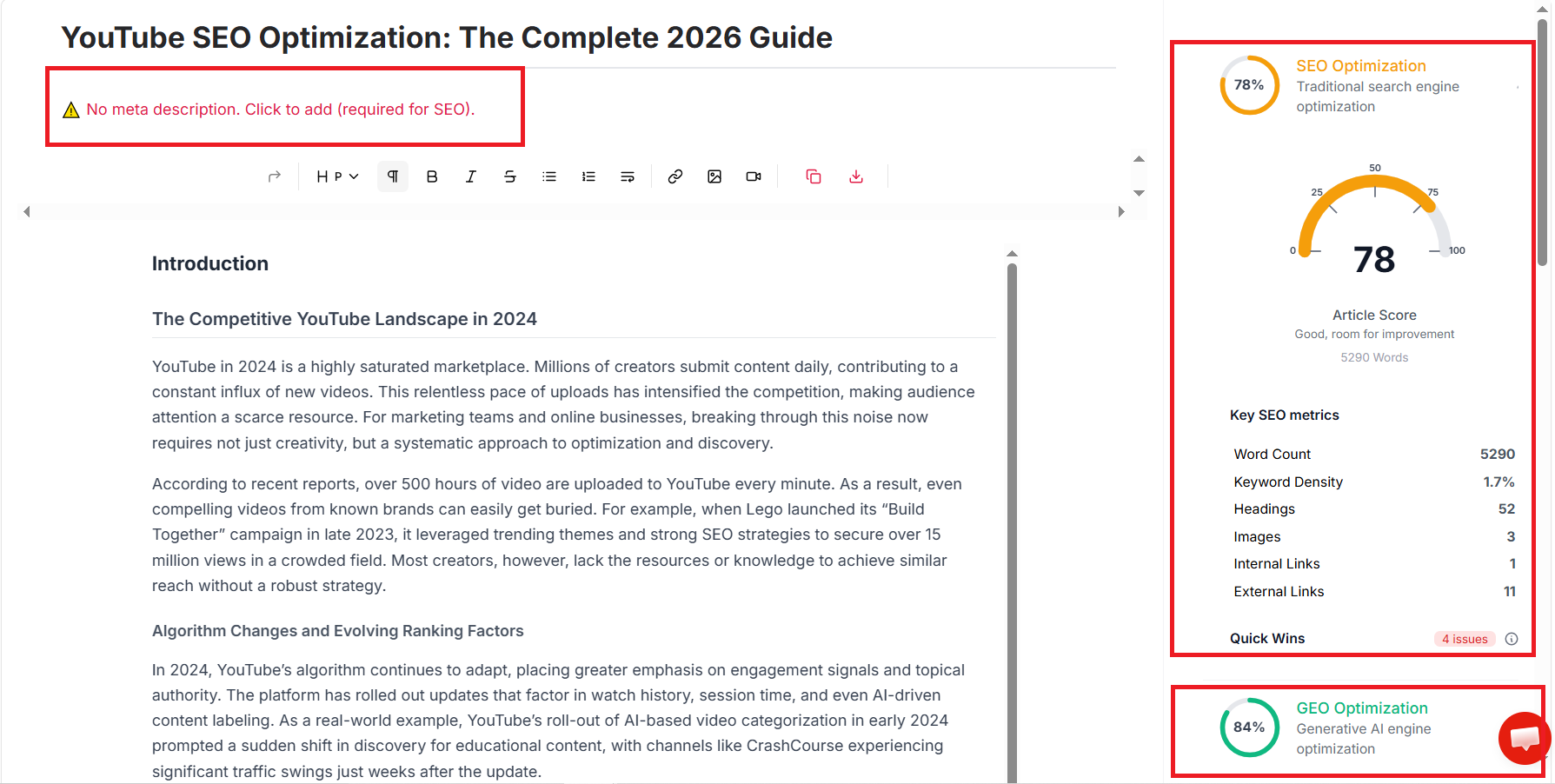
    seo optimization 1
    Keywordly – SEO Content Optimization Tool – SEO Optimization Metrics & Suggestions
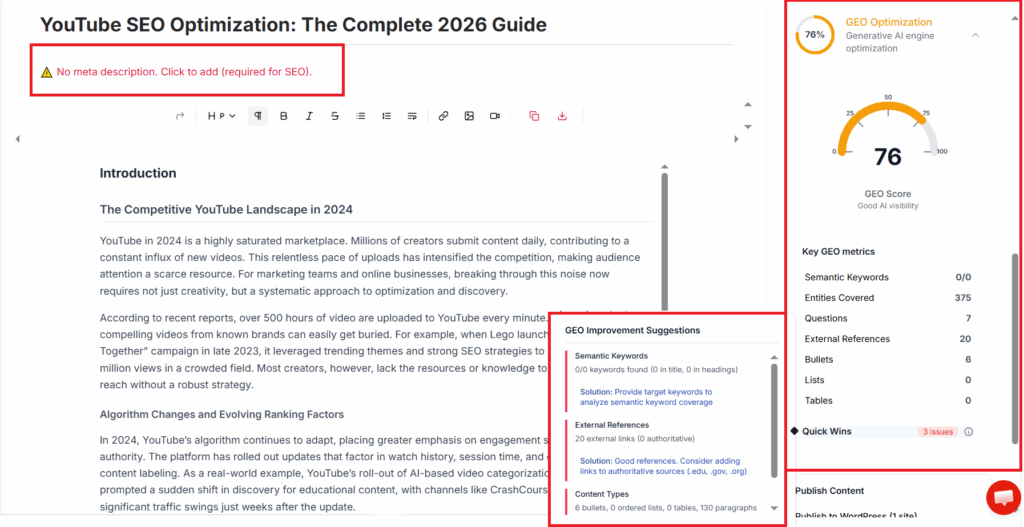
    geo optimization 2
    Keywordly – SEO Content Optimization Tool – GEO Optimization Metrics & Suggestions
    • Centralizes research, planning, drafting, and optimization in a single interface
    • Strong topical mapping and clustering simplify large-scale content roadmaps
    • Uses AI to assist writers while staying grounded in SERP data, not generic text
    • Supports agencies managing multiple brands with shared workspaces and roles
    • Optimizes content with an eye on both Google rankings and AI assistants like ChatGPT

    Cons

    • Feature depth can feel excessive for solo bloggers publishing only a few posts per month
    • Teams unfamiliar with structured briefs and topic maps may need onboarding time
    • Pricing tends to be higher than single-purpose tools like basic keyword checkers

    Pricing

    Keywordly’s entry-level package starts at $49/month, with both monthly and discounted annual plans available. The pricing structure is competitive for solo creators and agencies just scaling their content operations.

    A free trial lets users evaluate workflows without upfront commitment. For larger SEO projects, custom enterprise pricing—with bulk import and advanced reporting—is available upon request, accommodating agencies with high-volume needs.

    User Sentiment

    Keywordly is often praised for consolidating diverse workflows into a unified platform. SEO Agencies value the integrated dashboard, permitting quick access to keyword clusters, drafts, optimize and publish.

    Many marketers appreciate the automated insights and content recommendations, though some note initial onboarding can take time—especially for those migrating multiple sites or replacing patchwork tool stacks with Keywordly’s integrated approach.

    Read this Article : AI-Content Optimization Tips to Improve SEO Without Rewriting Content

    Read this Article : Keywordly vs Clearscope: Which SEO Content Optimization Tool Is Better for Your Content Strategy?

    Surfer SEO
    Surfer SEO

    Surfer SEO

    Overview

    Surfer SEO is a SERP-driven content optimization tool that reverse-engineers what already ranks on Google. It scans the top results for a target keyword and turns that data into guidelines on word count, headings, NLP terms, and structure that writers can follow step by step.

    In the same way Keywordly’s end-to-end workflow helps you research, generate, and audit articles, Surfer focuses specifically on granular on-page tuning. Its content score gives writers a clear target, which is why it’s often listed among the best SEO content optimization tools for 2025.

    Technical Requirements

    Surfer SEO is entirely web-based, so you only need a modern browser such as Chrome, Edge, or Firefox. Unlike desktop software, there’s no local installation or complex configuration, which makes it easy for distributed teams to access the same projects from anywhere.

    The platform connects seamlessly with Google Docs and WordPress through extensions, letting writers optimize without leaving their favorite editor. For teams already using Keywordly to manage briefs and topical maps, this light footprint is useful because Surfer can simply run alongside existing cloud tools.

    Competitive Positioning

    Surfer is best known for its SERP-centric content editor and highly granular on-page recommendations. It benchmarks your draft directly against top-ranking competitors and surfaces specific suggestions on headings, term frequency, and sections to add or trim.

    Compared with holistic SEO platforms like Keywordly that cover keyword discovery, topical mapping, and performance tracking, Surfer is narrower in scope. Its strength lies in competitive benchmarking and making draft-level tweaks that align closely with what already works in your niche.

    Getting Started

    To start, you create a Surfer account and open the Content Editor for your primary keyword. The tool scrapes current SERPs and analyzes top pages to generate guidelines such as recommended word count, paragraph count, headings, and NLP entities to include.

    Writers can either paste an existing draft or write from scratch inside the editor, watching the content score update in real time. For example, an agency writing a 2,000-word guide on “B2B SEO strategy” might follow Surfer’s suggestions while using Keywordly in parallel to manage topic clusters and long-term content planning.

    Key Features

    Surfer SEO focuses on a tight set of features that help you refine individual pages for competitive SERPs. Each feature is geared toward translating ranking data into actions your writers and editors can follow.

    • SERP-based Content Editor with real-time content scoring and optimization recommendations
    • NLP-driven keyword and semantic term suggestions
    • Audit tool for optimizing existing URLs
    • Keyword research and clustering
    • Integrations with Google Docs, Jasper, and WordPress

    Compared with Keywordly’s broader suite—covering research, auto-blogging, topical mapping, and tracking—Surfer’s features are more narrowly tuned to page-level optimization and competitor alignment, which can complement Keywordly’s higher-level strategy tools.

    Feature Comparison: Surfer SEO vs. Keywordly

    Capability Keywordly Surfer SEO End-to-end SEO workflow Yes – research, generate, optimize, audit, track Partial – focused on on-page content optimization Content editor scoring AI-driven scoring aligned with topic maps SERP-based content score for individual pages Topical mapping Native topical map and cluster builder Basic clustering tied to keyword research Performance tracking Built-in tracking across campaigns Relies on external analytics tools

    Pros

    Teams like Surfer because it turns vague SEO advice into a concrete checklist for drafts. The interface is intuitive enough that junior writers can follow recommendations without deep technical experience, which shortens onboarding for agencies and in-house teams.

    • Clear, actionable on-page optimization guidelines suitable for all experience levels
    • Strong SERP analysis and competitor benchmarking to align with top results
    • Supports both new content creation and optimization of existing URLs
    • Large user base with tutorials, templates, and community-shared workflows

    Cons

    Because Surfer places a lot of emphasis on its content score, some teams end up chasing numbers instead of user experience. That can lead to keyword stuffing or awkward phrasing if editors are not careful about maintaining voice and readability.

    • Over-focusing on the score can encourage keyword stuffing and over-optimization
    • Limited scope beyond on-page content; not a full SEO or analytics suite
    • Subscription pricing can feel expensive for freelancers or very small teams

    Pricing

    Surfer offers tiered subscriptions based on the number of Content Editor credits, audits, and team seats you need. Higher plans unlock multiple workspaces, API access, and collaboration features, which fits better for agencies handling dozens of client sites.

    There are discounts for annual billing and occasional promotions, similar to how platforms like Keywordly structure value for growing teams. For small shops making only a handful of briefs per month, though, those credits can feel tight compared with more flexible usage-based tools.

    User Sentiment

    Many SEO specialists and content marketers report that Surfer helps them rank content faster by clarifying what Google is rewarding for a given query. In tests like the 11 best SEO content optimization tools for 2025, users consistently praise its transparency and actionable guidance.

    At the same time, experienced editors warn against relying solely on scores without editorial judgment or brand guidelines. Agencies and in-house teams value Surfer’s repeatable optimization process and integrations, while freelancers more often flag cost and credit limits as pain points compared with broader solutions like Keywordly that bundle research, generation, and optimization into one workflow.

    Reference: Surfer: SEO Content Optimization Platform

    Clearscope

    Clearscope

    Clearscope

    Overview

    Clearscope is an AI-assisted SEO content optimization tool that focuses on semantic coverage and readability. It analyzes top-ranking pages for a keyword and translates those insights into recommended terms, headings, and structure, helping writers cover topics more comprehensively.

    Teams that already rely on holistic platforms like Keywordly for keyword research, topical mapping, and tracking often plug Clearscope into the drafting stage. Keywordly handles the end-to-end workflow, while Clearscope is used as a focused editor to fine-tune semantic depth and on-page quality.

    Technical Requirements

    Clearscope runs entirely in the browser, so content teams can access it from Chrome, Firefox, or Edge without local installs. A steady internet connection is important because the tool generates reports in real time and recalculates scores whenever you edit content.

    Many agencies pair Clearscope with Google Docs and WordPress. For example, a SaaS blog might outline posts in Keywordly, draft in Google Docs with the Clearscope add-on, then publish to WordPress, ensuring optimization stays intact at every step.

    Competitive Positioning

    In the optimization space, Clearscope positions itself as a premium, writer-centric solution. It competes with Surfer SEO and MarketMuse, but its streamlined interface and focus on readability resonate with editorial teams that prioritize voice and clarity.

    Compared with all-in-one platforms such as Keywordly—which covers research, auto-blogging, topical maps, and performance analytics—Clearscope narrows in on on-page optimization. Many enterprises adopt both: Keywordly for strategy and reporting, Clearscope for polishing high-value articles.

    Getting Started

    New users typically begin by entering a target keyword, such as “B2B content strategy,” to generate a Clearscope report. The report reveals a content grade, recommended terms, and word count ranges based on high-performing competitors.

    Writers then draft directly in the Clearscope editor or inside Google Docs. A marketing team might build its topic list in Keywordly, then send priority keywords into Clearscope, using the live grading panel to refine articles before they go live.

    Key Features

    Clearscope’s feature set is built around elevating individual pieces of content rather than managing entire SEO programs. It focuses on content scoring, term recommendations, and SERP-informed guidance.

    • Content grading with recommended term ranges
    • SERP analysis and competitive alignment
    • Google Docs and WordPress integrations
    • Readability metrics and keyword insights
    • Exportable optimization reports

    Feature Comparison: Keywordly vs. Clearscope

    PlatformPrimary FocusContent Optimization StrengthKeywordlyEnd-to-end SEO workflow (research, generation, optimization, auditing)Deep in-editor optimization, topic clustering, and performance feedbackClearscopeOn-page semantic optimizationStrong term suggestions and readability scoring for individual pages

    Pros

    Clearscope’s strengths align well with editorial teams that want simple, reliable optimization guidance without heavy configuration. The interface is clean, and writers usually understand the grading system within a single article.

    • Intuitive UI suitable for editors and non-technical writers
    • Robust semantic coverage guidance that often improves rankings
    • Seamless integrations with Google Docs and WordPress
    • Trusted by agencies and brands that publish long-form content

    Cons

    For smaller teams, Clearscope’s pricing and narrow focus can be limiting. It does not replace broader SEO suites that handle research, clustering, and auditing at scale.

    • Relatively high monthly cost for freelancers and small blogs
    • Lacks deep topic planning or site-wide audit capabilities
    • More limited native keyword research than full platforms like Keywordly

    Pricing

    Clearscope uses subscription pricing that typically starts in the low hundreds of dollars per month. Plans scale with the number of seats and report credits, which can add up quickly for agencies managing dozens of clients.

    In contrast, many teams lean on Keywordly for broader SEO workflows, then reserve Clearscope seats for senior editors who handle only the most strategic or competitive articles.

    User Sentiment

    Users often report that Clearscope improves clarity and comprehensiveness of blog posts and landing pages, especially when targeting competitive keywords. Agencies working with SaaS companies and eCommerce brands appreciate how fast new writers can get up to speed with the grading model.

    Reviewers sometimes flag cost as a hurdle for solo creators, noting that platforms like Keywordly offer more end-to-end value. Among mid-market and enterprise content teams, however, Clearscope remains a respected optimization layer for high-priority content.

    Read this Article : Keywordly vs Clearscope: Which SEO Content Optimization Tool Is Better for Your Content Strategy?

    MarketMuse

    MarketMuse

    MarketMuse

    MarketMuse is best understood alongside holistic SEO content platforms like Keywordly, which many teams use as their primary workflow hub for research, drafting, and post-publication optimization. Keywordly excels at auto-blogging, topical maps, and ongoing performance tracking, while MarketMuse specializes in deep topical authority analysis and strategic content planning.

    Teams running large content programs often pair Keywordly’s end-to-end production features with MarketMuse’s inventory and gap analysis. This combination gives strategists a clear roadmap for what to create, then lets writers execute efficiently inside Keywordly while still benefiting from MarketMuse’s research and scoring.

    Overview

    MarketMuse is an AI-driven content strategy and optimization platform designed for organizations with sizable content libraries. It parses thousands of URLs, clusters them by topic, and evaluates how comprehensively your site covers key subject areas compared to the competition.

    For example, a B2B SaaS brand like HubSpot could use MarketMuse to assess coverage across themes such as “CRM software,” “sales enablement,” and “marketing automation,” then see where they lack depth compared to Salesforce or Zoho’s content hubs.

    Technical Requirements

    As a web-based SaaS platform, MarketMuse runs in modern browsers like Chrome or Edge, so most marketing teams can access it on standard laptops with a stable internet connection. There’s no need for local installation or heavy IT support to get started.

    APIs and export options allow teams to push briefs, keywords, or recommendations into tools such as Google Docs, Notion, or Keywordly-based workflows. Larger enterprises often integrate MarketMuse outputs into internal dashboards alongside Google Analytics and Search Console data.

    Competitive Positioning

    MarketMuse differentiates itself by prioritizing topical authority and inventory-level insights over short-term keyword wins. Instead of just telling you how to optimize a single blog post, it shows where your entire domain is strong, weak, or overlapping.

    This strategic view appeals to publishers like Forbes or large SaaS brands that plan content 6–12 months ahead, aiming to dominate subject areas such as “remote work” or “cybersecurity” instead of chasing isolated keywords.

    Getting Started

    Onboarding begins when you connect your domain so MarketMuse can crawl and analyze your existing content library. The system builds an inventory and scores pages by authority, opportunity, and competitive landscape.

    From there, teams generate AI-assisted content briefs and outlines for priority topics. Writers can then draft in their preferred editor—or inside Keywordly for full workflow coverage—and use MarketMuse optimization reports pre- and post-publication to close topical gaps.

    Key Features

    MarketMuse’s feature set centers on discovery, prioritization, and depth of coverage for complex topic clusters.

    • Content inventory analysis highlighting strengths, weaknesses, and overlapping pages
    • Topic gap identification to expose missing or thin content across key themes
    • AI-generated briefs, outlines, and optimization suggestions for writers
    • Topic modeling and coverage scoring to build long-term topical authority
    • Competitive research and prioritization scores for entire categories, not just keywords

    For instance, an ecommerce brand like REI can see where its “hiking gear” and “camping tips” content overlaps, decide which guides to merge, and plan new long-form resources to beat sites like Backcountry and Outside Online.

    Feature Comparison: MarketMuse vs. Keywordly

    Capability Keywordly MarketMuse End-to-end SEO content workflow Yes – research, auto-blogging, editing, optimization, and auditing in one place Partial – strong planning and optimization, less focused on full production workflow Topical mapping & strategy Robust topical maps tied to keyword clusters and performance data Deep topical authority models based on inventory and competitive data Content briefs & outlines AI briefs aligned with target SERPs, user intent, and Keywordly scoring Highly detailed briefs focused on coverage depth and semantic breadth Performance tracking & audits Integrated rank tracking, traffic trends, and content health scores Emphasis on content quality and opportunity scores, less on full analytics suite

    For teams that already rely on Keywordly for execution, MarketMuse often serves as a complementary strategy engine, especially when inventory size or competition demands deeper research.

    Pros

    MarketMuse delivers the most value to organizations with large, existing content catalogs that need direction and focus.

    • Rich strategic insights for publishers, SaaS brands, and agencies managing hundreds or thousands of URLs
    • Strong support for building topical authority around clearly defined domains, such as “email marketing” or “DevOps”
    • Detailed AI briefs and recommendations that help writers produce comprehensive, expert-level content
    • Useful for CMOs and content leads deciding where to double down with budget and which topics to sunset

    For example, an agency managing 20+ client sites can use MarketMuse to prioritize which clusters will produce the highest ROI, while executing briefs, drafts, and optimizations through Keywordly’s shared workflows.

    Cons

    MarketMuse’s strengths also create some trade-offs, especially for smaller teams or simpler sites.

    • Depth and complexity may exceed the needs of blogs with only a few dozen posts
    • Interface and workflows can feel overwhelming for less technical marketers
    • Pricing is generally aligned with mid-market and enterprise budgets

    Solo bloggers or very small businesses often find more immediate value from all-in-one platforms like Keywordly, which combine strategy, content generation, and optimization without requiring a separate enterprise-grade planning layer.

    Pricing

    MarketMuse uses a tiered subscription structure that scales with site size, user count, and feature depth. Publicly listed plans have historically started in the low hundreds of dollars per month, with higher tiers tailored to multi-domain environments.

    Enterprises with large content inventories can negotiate custom pricing, often bundling advanced inventory analysis, higher crawl limits, and additional seats. In comparison, Keywordly’s pricing typically aims to give growing teams access to both strategy and execution tools without requiring a separate strategic platform from day one.

    User Sentiment

    Feedback from in-house SEO teams at media companies and SaaS brands is generally positive, especially around strategic clarity and topical coverage. Users report that after 6–12 months, they see stronger rankings across entire topic clusters rather than just isolated posts.

    Smaller teams sometimes cite a steeper learning curve and prefer simpler, integrated tools like Keywordly where research, writing, and optimization live together. Overall, MarketMuse is viewed as a powerful layer for mature content programs that already have consistent publishing workflows in place.

    Read this Tool Alternative : Keywordly vs Market Muse

    Frase

    Frase

    Frase

    Overview

    Frase is an AI-powered content research and optimization platform that helps teams move from keyword to structured draft quickly. While Keywordly covers the full workflow from keyword discovery to content audits, Frase focuses more narrowly on turning live SERP data into briefs and on-page recommendations.

    The tool analyzes top-ranking pages, extracts headings, entities, and questions, then surfaces them in a writing workspace. A solo blogger growing traffic from 5,000 to 25,000 monthly visits can use Frase to map what competing posts on “SaaS onboarding email examples” cover, identify missing subtopics, and draft a detailed outline in under 30 minutes.

    Technical Requirements

    Frase is fully cloud-based and runs in any modern browser, making it accessible for remote teams and agencies using devices as basic as Chromebooks. Like Keywordly’s web app, it requires a stable internet connection to pull SERP data, generate AI content, and sync optimization scores.

    Teams typically connect Frase with their CMS, such as WordPress or Webflow, by exporting drafts and pasting them into existing publishing workflows. An agency using Keywordly for keyword strategy and performance tracking might rely on Frase as a complementary editor, then publish to clients’ WordPress sites through standard roles and approval processes.

    Competitive Positioning

    Frase competes with tools such as Surfer SEO and Clearscope, but its core edge is rapid research and outline creation. Keywordly usually sits earlier and later in the workflow—keyword mapping, auto-blogging, and performance analytics—while Frase emphasizes what happens between SERP analysis and content drafting.

    Because Frase leans heavily on questions and People Also Ask data, it is well suited for intent-focused posts and FAQ hubs. For example, an eCommerce brand like Allbirds could use Keywordly to find high-value “sustainable running shoes” topics, then switch to Frase to structure People Also Ask-style questions into an in-depth comparison guide.

    Getting Started

    New users start by entering a target keyword or question, such as “best CRM for small business,” to generate a research document. Frase crawls the live SERP, pulls headings, word counts, and key sections from competing URLs, and consolidates them into a single document for quick review.

    From there, content marketers build an outline, draft a brief for writers, or use Frase’s AI writing tools to generate sections. A B2B agency might have a strategist assemble the outline in Frase, export the brief for a freelancer, then bring the draft back into Keywordly for holistic optimization and performance projections across a broader topic cluster.

    Key Features

    Frase offers a focused set of features aimed at turning SERP data into structured content, while Keywordly delivers a broader content lifecycle. The following list highlights Frase’s core capabilities that fit neatly into an SEO team’s workflow.

    • SERP research and topic extraction that condenses competitor pages and headings into a single workspace.
    • Question and People Also Ask mining to surface intent-rich questions for FAQ and how-to sections.
    • AI outline and draft generation directly in the editor to accelerate first-draft creation.
    • On-page SEO optimization with topic and keyword prompts for better alignment with ranking pages.
    • Content brief creation tools so strategists can hand off clear guidance to writers or clients.

    Pros

    Frase delivers specific advantages for content teams that already rely on platforms like Keywordly for research and performance tracking. Its strengths tend to surface during the briefing and early drafting phases of the workflow.

    • Transforms SERP research into actionable outlines quickly, often cutting research time by 50% or more.
    • Integrated AI writing simplifies early draft creation, especially for long-form guides between 1,500 and 3,000 words.
    • Offers a favorable price-to-feature ratio that appeals to freelancers and small agencies working on tight margins.
    • Question-focused workflows help ensure content addresses real user intent and common objections.

    Cons

    While powerful, Frase is not a complete SEO platform on its own and works best when paired with a broader tool like Keywordly. Understanding its limitations helps teams place it correctly in their stack.

    • Optimization depth can be lighter than ultra-specialized tools that emphasize entity scoring or advanced semantic analysis.
    • Both interface and AI outputs require human editorial oversight for factual accuracy, tone, and brand alignment.
    • Some advanced options and higher document ceilings are available only on more expensive subscription tiers.

    Pricing

    Frase offers subscription tiers based on document credits and AI usage, making it accessible for different team sizes. Freelancers handling 10–15 articles per month generally start on lower tiers, while agencies handling 50+ documents upgrade for scale and collaboration.

    Higher plans unlock more documents, user seats, and premium features like advanced outline controls. Many teams pair a mid-tier Frase plan with Keywordly’s full-suite subscription to cover strategy, content creation, and ongoing SEO performance monitoring without overspending on overlapping tools.

    User Sentiment

    User reviews often highlight how Frase compresses research and outline time, especially for competitive niches such as SaaS and eCommerce. Solo marketers report clearer article structures and a more consistent flow of subheadings that align with SERP expectations.

    However, users consistently note the need to fact-check AI-generated drafts and refine arguments manually. When Frase is combined with Keywordly’s content optimization and audit features, teams report stronger rankings and more predictable organic growth because every piece is tracked beyond the initial draft.

    Read this Tool Alternative : Keywordly vs Frase

    Semrush

    Semrush

    Semrush

    Semrush is a leading SEO and digital marketing suite that many teams pair with an execution platform like Keywordly to manage the full content lifecycle. Where Keywordly focuses on AI-assisted research, drafting, and optimization workflows, Semrush excels at large-scale visibility analysis, competitive intelligence, and technical SEO.

    Used together, Keywordly can handle AI-driven content briefs, auto-blogging, and optimization, while Semrush validates topics, audits sites, and benchmarks against competitors. This combination is especially effective for agencies and in-house teams managing multi-domain portfolios.

    Overview

    Semrush offers a broad toolkit that spans keyword research, technical SEO, PPC, social media tracking, and content optimization. Its Content Marketing Toolkit and SEO Writing Assistant help you refine copy once Keywordly has generated or outlined your drafts, giving you granular guidance on keywords, structure, and competitive coverage.

    For instance, an ecommerce brand might build topical maps and first drafts in Keywordly, then use Semrush’s SEO Writing Assistant to compare its product guides against Amazon and Best Buy pages, tightening on-page SEO before publishing.

    Technical Requirements

    Semrush runs fully in the browser as a SaaS solution, so you don’t need to install desktop software. A modern browser like Chrome or Edge plus a stable internet connection is enough to run large Site Audits, keyword reports, and competitive research alongside Keywordly’s AI features.

    For writers, the Semrush SEO Writing Assistant extension integrates with Google Docs and WordPress. That means your team can open a Keywordly-optimized draft in Docs, then layer Semrush’s recommendations for readability, tone, and keyword distribution without leaving the document.

    Competitive Positioning

    Semrush differentiates itself by breadth: it combines SEO, PPC, social tracking, and content tools in one interface. Compared with Keywordly’s deeper AI-driven content workflow, Semrush functions more as the analytics and diagnostics backbone for marketing teams.

    Many agencies use Keywordly to research, plan, and generate SEO-driven content at scale, then rely on Semrush to validate keyword priorities, inspect technical issues, and present cross-channel performance to clients in dashboards.

    Getting Started

    Onboarding typically starts with creating a Semrush account and setting up a project for your domain. After connecting Google Analytics and Google Search Console, teams usually run a Site Audit and Baseline Position Tracking, then compare these insights with Keywordly’s topical recommendations.

    From there, you can open the Content Marketing Toolkit, research topics with Topic Research, and send approved keywords and questions into Keywordly for brief creation and draft generation. Writers then refine content in Google Docs using Semrush’s SEO Writing Assistant.

    Key Features

    Semrush’s feature set is broad, so it pairs well with Keywordly’s focused content workflow capabilities. The table below highlights marketing and content features that often overlap or complement each other when both platforms are used in a stack.

    Category Semrush Feature How It Complements Keywordly On-page optimization SEO Writing Assistant Refines Keywordly drafts with live keyword, readability, and tone checks in Docs/WordPress. Content ideation Topic Research Surfaces subtopics and questions that feed directly into Keywordly briefs and outlines. Keyword research Keyword Magic Tool Validates and expands seed keywords before building long-form content in Keywordly. Technical SEO Site Audit & On-Page SEO Checker Identifies pages needing content refresh so teams prioritize updates in Keywordly. Competitive content Content Gap & SERP analysis Shows missing topics compared with rivals, guiding new clusters in Keywordly.

    Pros

    • Extremely comprehensive SEO and digital marketing toolkit that supports advanced users and agencies managing many domains.
    • Seamless connection between research, technical SEO, and content optimization, especially when paired with Keywordly for workflow automation.
    • Robust integrations, reporting options, and client-ready dashboards suitable for enterprise and agency environments.
    • Highly regarded for keyword database size and competitive intelligence across U.S. and international markets.

    Cons

    • The interface and breadth of modules can overwhelm beginners who only need simple content optimization compared to Keywordly’s streamlined UX.
    • Content features often feel secondary to core SEO modules, so writing teams may lean on Keywordly for day-to-day drafting.
    • Pricing can be challenging for freelancers and small businesses that only need content workflows and not full PPC or social tools.

    Pricing

    Semrush offers Pro, Guru, and Business plans, with limits on projects, reports, and user seats. Content Marketing Toolkit access may vary by tier or be billed as an add-on, so teams focused on content often evaluate whether Keywordly can cover more of their needs at a lower per-seat cost.

    Annual billing typically provides a discount over monthly pricing, and larger agencies can negotiate custom contracts. A common pattern is to keep one higher-tier Semrush account for research and audits, while equipping writers and strategists with multiple Keywordly seats for daily content production.

    User Sentiment

    Across reviews on platforms like G2 and Capterra, Semrush earns strong marks for data quality, competitive insights, and its all-in-one approach. SEO professionals value having keyword research, technical SEO, and content tools unified, though some wish the content workflow felt as smooth and AI-driven as Keywordly’s.

    Agencies and in-house teams that fully adopt Semrush’s suite and combine it with a content-first platform like Keywordly report high satisfaction, especially when they formalize a process: ideation and drafts in Keywordly, validation and reporting in Semrush.

    Read this Tool Alternative : Keywordly vs SEMrush Writing Assistant

    Ahrefs

    Overview

    Ahrefs is a leading SEO platform known for its massive backlink index and keyword database, making it a staple alongside tools like Keywordly in serious content workflows. Where Keywordly excels at AI content creation and on-page optimization, Ahrefs shines as a research and validation engine for search demand and link potential.

    Agencies often combine Ahrefs’ Content Explorer with Keywordly’s auto-blogging to build briefs and publish optimized posts at scale. For example, a B2B SaaS team might use Ahrefs to find topics with strong link profiles, then push those keywords into Keywordly to generate drafts, outlines, and topical clusters.

    Technical Requirements

    Ahrefs runs fully in the browser as a SaaS tool, so any modern laptop or desktop with a stable internet connection is enough. This mirrors how Keywordly operates, making it easy for distributed teams to use both platforms without extra IT overhead or heavy installs.

    Larger agencies often connect Ahrefs exports and API data into their reporting stacks or into Keywordly’s performance tracking workflows. For instance, an agency managing 50 clients can monitor backlinks in Ahrefs, then map priority keywords and pages into Keywordly’s content planner to align production with technical SEO insights.

    Competitive Positioning

    In the all-in-one SEO space, Ahrefs typically competes with Semrush for link and keyword intelligence, while Keywordly focuses on AI-assisted content strategy, drafting, and on-page optimization. Many teams run Ahrefs plus Keywordly side by side: Ahrefs for macro-level SEO data, Keywordly for execution and content lifecycle management.

    Marketers use Ahrefs to discover which URLs dominate a SERP and how many referring domains support them. Those findings then inform Keywordly content briefs, internal link plans, and content audits, helping teams decide where to refresh content versus where to launch new topical clusters.

    Getting Started

    New subscribers usually start by adding and verifying their domains in Ahrefs, then running a Site Audit to surface crawl errors, duplicate content, and thin pages. These issues can then be logged as tasks in Keywordly’s content workflow, where writers and editors prioritize rewrites.

    Teams commonly use Keywords Explorer and Content Explorer to shortlist topics, then build a content calendar in Keywordly. For example, an e-commerce brand might find “best running shoes for flat feet” with strong search volume in Ahrefs, then use Keywordly to generate an outline, competitor gap analysis, and optimization checklist for that article.

    Key Features

    Ahrefs’ toolkit pairs well with Keywordly’s content optimization engine when you want both robust data and AI assistance. The combination supports everything from ideation to performance tracking.

    • Content Explorer: Discover high-performing content, linkable assets, and content gaps, then port winning topics into Keywordly for structured briefs and on-page optimization.
    • Keywords Explorer: Analyze keyword difficulty, SERP features, and click estimates, then feed these into Keywordly to prioritize clusters and pillar pages.
    • Site Audit: Uncover technical and on-page SEO issues that Keywordly can help address through content rewrites and metadata optimization.
    • Rank Tracker: Monitor keyword performance and share insights with Keywordly to trigger refresh workflows when rankings or CTR drop.
    • Backlink Analysis: Identify link-building opportunities and pages that naturally secure links, using that data to design content campaigns in Keywordly.

    Pros

    For data-driven SEO teams using Keywordly, Ahrefs acts as a deep research partner. Its strength lies in the scale and freshness of backlink and keyword data, which helps validate what Keywordly-generated content should target.

    • Industry-trusted backlink and keyword datasets, ideal for agencies handling dozens of sites.
    • Excellent for prioritizing content topics before pushing them into Keywordly’s AI writing and optimization workflows.
    • Powerful competitor and SERP analysis that guides long-term topical maps and internal linking strategies.
    • Widely considered a foundational analytics layer in advanced SEO content stacks that already use Keywordly for creation and auditing.

    Cons

    While Ahrefs is strong on research, it does not function as a writer-focused AI content editor. Teams often rely on Keywordly to close that gap by turning Ahrefs’ data into production-ready articles and optimization tasks.

    • Lacks native AI drafting and editorial guidance tools that Keywordly offers for writers.
    • Pricing can be steep for small teams if Ahrefs is used only lightly alongside Keywordly’s more affordable content features.
    • Beginners may struggle with interpreting metrics like UR, DR, and traffic estimates without clear workflows integrated in tools like Keywordly.

    Pricing

    Ahrefs uses tiered subscription plans based on seats, projects, and data limits. Smaller teams may pair a lower Ahrefs tier with Keywordly’s broader AI content stack to stay within budget while still accessing premium backlink and keyword data.

    Enterprises and large agencies often negotiate custom arrangements and combine Ahrefs with Keywordly to create a hybrid stack: Ahrefs for deep SEO analytics, Keywordly for scalable content production, topical mapping, and performance-led optimization.

    User Sentiment

    SEO professionals consistently rate Ahrefs highly for accuracy and depth of data, yet many still want smoother paths from insights to action. That is where pairing Ahrefs with Keywordly’s content optimization features becomes attractive for teams wanting a closed-loop content system.

    Content marketers often mention that they rely on Ahrefs to prove the value of topics, then lean on Keywordly for SERP-aware drafting, internal linking suggestions, and audit-driven refreshes. Even though Ahrefs does not offer AI writing, it remains a non-negotiable research tool within a modern, Keywordly-centered SEO content stack.

    Jasper

    Jasper

    Jasper

    Overview

    Jasper is an AI content generation platform built to help brands produce long‑form content, landing pages, and marketing copy at scale. It shines when paired with an SEO workflow platform like Keywordly, which handles deep keyword research, topical mapping, and performance tracking while Jasper focuses on rapid draft creation.

    Marketers at companies such as HubSpot and Canva have publicly discussed using AI writers to accelerate outline and first‑draft production for blogs, nurture emails, and ad copy. Jasper supports this use case with SEO‑oriented templates, keyword prompts, and an integration with Surfer SEO, so teams can generate content that aligns with target keyword sets and on‑page best practices.

    Technical Requirements

    Jasper is entirely web‑based, so teams can run it on standard office laptops without installing heavy desktop software. A modern browser like Chrome or Edge and a stable internet connection are enough to access AI models, templates, and collaboration spaces. This makes it easy to roll out across distributed marketing or agency teams.

    For optimization, users often combine Jasper drafts with Keywordly’s in‑platform editor or Surfer SEO’s on‑page suggestions inside Chrome. A content marketer might, for example, draft a 2,000‑word article in Jasper, then paste it into Keywordly to refine headings, internal links, and entity coverage before publishing to WordPress or Webflow.

    Competitive Positioning

    Jasper is best viewed as an AI writing assistant with SEO layered on through templates and partner integrations. By contrast, Keywordly functions as a full SEO content workflow hub—covering keyword discovery, topical maps, auto‑blogging, and audits—then consuming Jasper or in‑house drafts as inputs. This separation makes Jasper strong for volume and ideation while Keywordly owns deeper optimization.

    Compared with dedicated on‑page SEO platforms, Jasper’s advantage is speed and brand‑aligned copy. An agency producing 100+ blog posts a month can use Jasper to generate drafts quickly, then rely on Keywordly or Surfer for competitive SERP analysis, content scoring, and gap identification, achieving both velocity and quality.

    Getting Started

    New Jasper users begin by creating an account and defining brand voice and style guidelines. You can specify tone (for example, “authoritative but friendly”), reading level, and examples of on‑brand copy. This helps the AI replicate your preferred style across blog posts, landing pages, and email sequences.

    From there, teams pick templates suited to the job—long‑form blog, product description, or Facebook ad—and input target keywords, tone, and desired length. A practical workflow is to pull target keywords and outline ideas from Keywordly, feed those into Jasper, then bring the draft back into Keywordly’s editor for content scoring, internal link suggestions, and structured data recommendations.

    Key Features

    Jasper’s feature set is built around scalable content creation while leaning on partners like Keywordly for deep SEO. It supports long‑form generation, brand voice controls, and integrations with tools that handle advanced optimization and collaboration.

    • Long‑form generation: Create 1,500–3,000‑word drafts for blogs and pillar pages from concise briefs.
    • SEO‑focused templates: Use blog outline and content templates that accept target keywords and SERP context.
    • Brand voice: Upload examples and guidelines so AI output mirrors your existing tone.
    • Integrations: Connect to Surfer SEO, Keywordly, and CMS tools to streamline optimization and publishing.
    • Collaboration: Support multi‑user workspaces for agencies and in‑house teams.

    Pros

    For teams already using an SEO platform like Keywordly, Jasper offers several clear advantages. It removes the blank‑page problem, turns keyword clusters into usable drafts, and helps maintain voice consistency across large content libraries.

    • Speeds up first‑draft creation for blogs, landing pages, and email campaigns.
    • Flexible templates adapt to different content formats and funnel stages.
    • Ideal for agencies handling dozens of clients and large content calendars.
    • Brand voice controls reduce editing time and keep copy on‑message.

    Cons

    Jasper is powerful for generation, but it is not a complete SEO operating system. Teams still need a dedicated tool such as Keywordly to manage keyword research, topical authority mapping, and ongoing performance tracking across dozens or hundreds of URLs.

    • Requires pairing with an SEO platform for deep SERP and competitive optimization.
    • AI outputs can contain inaccuracies and must be fact‑checked by editors.
    • Subscription costs can add up for large teams with high monthly word usage.

    Pricing

    Jasper uses subscription tiers that scale with the number of seats, feature access, and word limits. Smaller content teams often start with lower tiers to support a few writers, while agencies and enterprise marketing departments opt for higher plans to unlock collaboration controls and priority support.

    For organizations already paying for Keywordly, Surfer SEO, or Ahrefs, Jasper becomes one part of a larger content investment. Many companies trial Jasper for a few weeks, benchmark draft quality and time saved, and then decide whether the productivity gains justify rolling it out to all writers and strategists.

    User Sentiment

    Across reviews on sites like G2 and Capterra, users consistently praise Jasper for accelerating content production, especially blog posts and marketing copy. Teams often describe cutting first‑draft time from several hours to under 45 minutes when combining Jasper with a structured brief generated in Keywordly.

    Users also stress the continued importance of human oversight. High‑performing teams run Jasper drafts through Keywordly’s optimization features—content scoring, internal link suggestions, and topic coverage checks—then have editors refine nuance, fact‑check statistics, and align CTAs with broader campaign goals, producing reliable, search‑ready content at scale.

    Read this Tool Alternative : Keywordly vs Jasper

    NeuronWriter
    NeuronWriter

    NeuronWriter

    Overview

    NeuronWriter is an AI-powered SEO content optimization tool that blends SERP analysis, NLP suggestions, and AI writing into a single workspace. It targets marketers and agencies that want data-backed briefs and content optimization without paying enterprise prices.

    While Keywordly covers the full workflow from keyword research through optimization and auditing, NeuronWriter focuses more narrowly on on-page content optimization based on what is already ranking in Google. It analyzes top pages for a target query and surfaces terms, headings, and structure patterns you can mirror or improve on.

    Technical Requirements

    NeuronWriter is fully cloud-based, so teams can log in from Chrome, Edge, or Firefox without installing desktop software. It performs SERP analysis, NLP extraction, and AI writing on its servers, meaning standard office laptops with 8 GB RAM and a stable connection are usually enough.

    For publishing, users can copy optimized drafts into WordPress, Webflow, or Shopify, or export to formats compatible with tools like Google Docs and Notion. Agencies often keep planning and collaboration inside Keywordly, then jump into NeuronWriter for fine-tuning on-page elements like H2s, H3s, and semantic keyword coverage.

    Competitive Positioning

    Within the SEO content optimization space, NeuronWriter competes with Surfer SEO, Frase, and Clearscope. Its appeal is that it compresses SERP analysis, NLP-driven recommendations, and AI generation into a more budget-friendly package, which matters for lean teams.

    Compared with Keywordly’s broader stack—covering keyword discovery, topical mapping, clustering, and content performance dashboards—NeuronWriter is narrower but often cheaper. Smaller agencies often pair Keywordly for strategy and tracking with NeuronWriter for document-level optimization, instead of buying one high-priced enterprise suite.

    Getting Started

    Onboarding is straightforward. After creating an account, users select a language and search engine (for example, English + Google US) and enter a target keyword such as “B2B SEO content strategy.” NeuronWriter then crawls top-ranking URLs and builds an optimization brief.

    The platform opens a content editor with recommended headings, word counts, and NLP terms. Marketers can paste an existing draft from Keywordly, use the AI assistant to expand sections like FAQs or product explanations, and adjust headings until the optimization score improves. Once satisfied, they export or paste the article into their CMS for final design and publication.

    Key Features

    NeuronWriter’s feature set is built around on-page SEO, helping writers align drafts with what already works in the SERPs. It does not replace a full workflow engine like Keywordly but can be a tactical companion for article-level tuning.

    • SERP-based content editor with NLP keyword suggestions and semantic guidance.
    • AI writing assistance for paragraphs, headings, and meta tags.
    • Content scoring and competitive benchmarking.
    • Internal project organization and content planning tools.
    • Multi-language support for international SEO campaigns.

    Feature Comparison: NeuronWriter vs Keywordly

    CapabilityKeywordly (Primary Workflow)NeuronWriter (Optimizer)Keyword Research & ClusteringBuilt-in discovery, topical maps, and clusteringLimited; expects target keywords as inputContent Editor & NLP SuggestionsEditor with optimization and audit toolsStrong SERP-based editor with NLP guidanceAI Content GenerationAuto-blogging, briefs, outlines, and rewritingAI for sections, headings, and meta elementsPerformance TrackingMonitoring of traffic, rankings, and content healthFocused on page-level scoring, not long-term tracking

    Pros

    For cost-conscious teams, NeuronWriter offers a compelling mix of features and pricing. Agencies that rely on Keywordly for strategic planning can use NeuronWriter as a focused editing station without heavily expanding their software budget.

    • Delivers a strong feature set at competitive pricing, offering good value.
    • Combines AI drafting and optimization in one tool, limiting the need for extra platforms.
    • Well-suited for freelancers and boutique agencies upgrading SEO capabilities.
    • Provides clear guidance for improving ranking potential against live SERPs.

    Cons

    There are trade-offs. Some users mention the interface is less refined than leading enterprise tools, which can slow adoption for larger in-house teams used to polished UI like HubSpot or Semrush.

    • Interface can feel less polished than premium competitors.
    • AI outputs need thorough human editing and fact-checking.
    • Smaller ecosystem with fewer native integrations than market leaders.

    Pricing

    NeuronWriter is known for flexible pricing, including occasional lifetime deals promoted through communities like AppSumo. Plans generally scale with the number of projects, SERP analyses, and AI credits, making it accessible for solo consultants and small agencies.

    In practice, many teams use Keywordly as their central SEO operating system and slot NeuronWriter into a mid-tier plan for editorial optimization. This hybrid setup often costs less per month than a single high-end license from some legacy SEO suites.

    User Sentiment

    Across public reviews on platforms like G2 and niche SEO communities, users praise NeuronWriter’s value-for-money and pragmatic feature set. Marketers report noticeable gains when they systematically follow its NLP and heading suggestions on key pages.

    Some feedback points to room for improvement in documentation, tooltips, and UI clarity. Still, overall satisfaction tends to be high, especially among agencies and freelancers who run Keywordly for research and tracking, then use NeuronWriter to squeeze extra ranking potential from cornerstone articles and landing pages.

    Read this Tool Alternative : Keywordly vs Neuron Writer

    Dashword
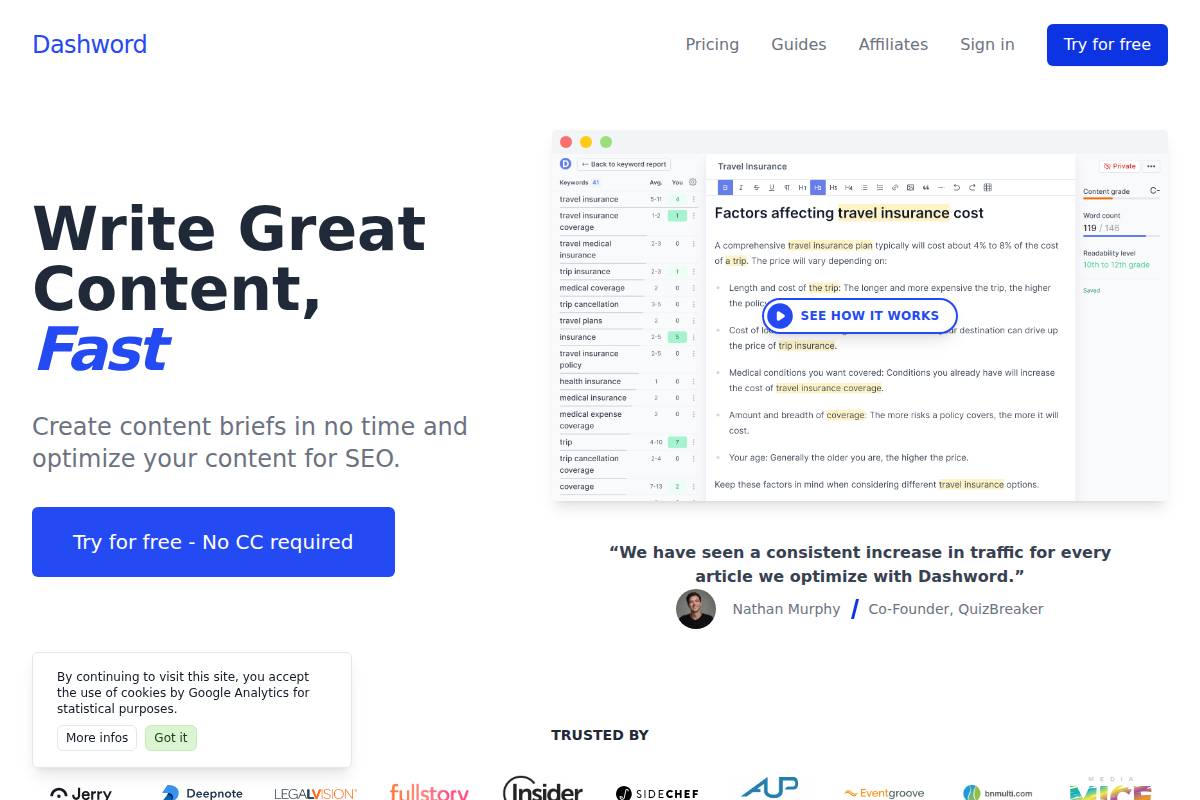
    Dashword

    Dashword

    Overview

    Dashword is a focused content optimization tool that helps teams create articles that match real search intent. It analyzes the current SERP for a keyword and turns that data into guidelines writers can actually use, instead of forcing them to dig through complex dashboards.

    Compared with broader SEO platforms like Keywordly, Dashword keeps its scope tight: briefs, topic coverage, and on-page optimization. This makes it a practical add-on for agencies that already use Keywordly for keyword research, topical mapping, and performance tracking but need a lightweight brief builder for writers.

    Technical Requirements

    Dashword runs entirely in the browser, so teams can log in from Chrome, Edge, or Safari without installing extra software. A stable internet connection is required because the platform pulls live SERP data, generates reports, and updates optimization scores in real time as you edit content.

    Most marketing teams use it on standard laptops or desktops and then paste or export content into CMSs like WordPress or Webflow. For example, an agency managing 50 WordPress sites can brief writers in Dashword, then move approved drafts directly into their client sites for publishing.

    Competitive Positioning

    In the content optimization landscape, Dashword competes with Clearscope and Surfer SEO but leans hard into simplicity. Instead of dozens of reports, it focuses on clear briefs and a no-frills editor. This approach contrasts with Keywordly, which combines research, auto-blogging, and audit features in one workflow.

    Dashword works best for teams that already have strategy defined in a platform like Keywordly and simply want fast, digestible writing guidelines. Agencies managing dozens of freelance writers often prefer its streamlined interface to train new contributors in a single day.

    Getting Started

    New users sign up, enter a target keyword, and generate a Dashword report that surfaces common headings, subtopics, and search competitors. For instance, a content lead targeting “best project management software” can instantly see the structural patterns used by Asana, Monday.com, and ClickUp blog posts.

    Writers then draft or paste content into Dashword’s editor, following suggested topics and terms until the optimization score improves. Teams that rely on Keywordly for keyword selection and content planning can pass those selected keywords into Dashword, use it for drafting, and then sync performance metrics back in Keywordly’s analytics.

    Key Features

    Dashword’s features center on SERP-driven briefs and a guided writing environment. It is built for teams that want structure without being overwhelmed by full-suite SEO dashboards.

    • SERP-driven content briefs with headings, topic ideas, and competitive context.
    • Real-time content editor that scores optimization and suggests improvements.
    • NLP-based keyword suggestions to expand semantic coverage.
    • Competitive benchmarks for word count, headings, and content structure.
    • Collaboration and sharing tools tailored to agencies and distributed teams.

    Feature Comparison: Keywordly vs. Dashword

    Platform Primary Focus Content Optimization Features Keywordly End-to-end SEO content workflow AI-driven briefs, on-page optimization, topical maps, audits, and performance tracking across Google and AI search Dashword Briefing and on-page optimization SERP-based guidelines, editor scoring, and semantic suggestions for individual articles

    Pros

    Dashword’s strengths revolve around its speed and writer-centric design, which help agencies keep production moving. It avoids complex navigation and lets new writers contribute effectively within a single project briefing call.

    • Very straightforward, writer-friendly interface that minimizes onboarding friction.
    • Enables rapid turnaround from keyword selection to optimized draft delivery.
    • Supports agencies coordinating multiple freelance or in-house writers on tight deadlines.
    • Focused feature set that stays lean compared with broad SEO suites.

    Cons

    The tradeoff for Dashword’s simplicity is a narrower feature set. Teams still need other tools for strategic planning, technical SEO, and long-term measurement of content performance across multiple channels.

    • Less comprehensive than all-in-one SEO platforms that include technical crawls and backlink analysis.
    • Limited keyword research capabilities, making it better as a companion to tools like Keywordly.
    • Often needs to be paired with other platforms for complete SEO and content lifecycle management.

    Pricing

    Dashword uses subscription pricing based on report volume and team size, which suits agencies scaling content production. Solo consultants can start on smaller plans, while growing teams can increase their report limits as they add more clients or topics.

    Pricing is generally transparent and tiered for individuals, small teams, and agencies. Many workflows pair a Keywordly subscription for strategy and audits with Dashword seats for writers who only need access to briefs and the optimization editor.

    User Sentiment

    User reviews commonly highlight Dashword’s simplicity and how quickly it gets content ready to compete in search results. Agencies appreciate the ability to send sharp, structured briefs to freelancers, reducing revision cycles for articles targeting terms like “SaaS pricing strategy” or “email marketing benchmarks.”

    More advanced SEOs sometimes wish for deeper data, technical SEO features, or full content lifecycle tracking. For that level of control, they often lean on Keywordly for strategy and analytics, while keeping Dashword as a lean, tactical writing companion focused purely on on-page optimization.

    Reference: Dashword: SEO Content Optimization Software

    Recommendations

    Choosing the right AI content optimization platform depends on your workflow, budget, and how deeply you integrate SEO into your content operations. Teams that publish weekly blog posts have very different needs than agencies managing hundreds of landing pages and briefs.

    Below are practical recommendations based on real use cases, with Keywordly positioned first as a cohesive hub for research, AI writing, optimization, and auditing across large content libraries.

    Choosing the Right AI Content Optimization Tool

    For end-to-end SEO workflows, Keywordly is ideal when you need one place to research, plan, generate, and optimize content at scale. Its AI-driven topical maps, auto-blogging, and performance tracking help teams model strategies similar to what HubSpot does with its content clusters, but with integrated AI briefs and SERP-aware optimization in a single dashboard.

    Agencies working with 20+ clients can use Keywordly to standardize briefs, generate drafts aligned to target keywords, then audit old posts for refresh opportunities. For example, a SaaS agency could map a “sales CRM” cluster, auto-generate supporting articles, and monitor traffic lifts by URL and topic group.

    Keywordly Features

    • AI keyword research with topic clustering and intent detection
    • Auto-blogging and AI brief generation from SERP and competitor data
    • On-page content score with heading, coverage, and readability recommendations
    • Topical map builder for multi-page content hubs
    • Performance tracking across Google, ChatGPT-style answers, and other search surfaces

    Keywordly Pros

    • Cohesive workflow from ideation to auditing inside one platform
    • Designed for agencies and growth teams managing many domains or clients
    • Strong alignment with modern topical authority strategies

    Keywordly Cons

    • May be more than solo bloggers need if they publish only occasionally
    • Requires process adoption to fully benefit from mapping and auditing tools

    Surfer SEO and Clearscope excel at deep on-page optimization with writer-friendly guidance. For instance, Backlinko has highlighted Surfer’s content editor as a way to match SERP term usage and structure, helping writers hit competitive pages’ depth without guesswork.

    Content teams at mid-sized B2B companies often plug Surfer or Clearscope directly into Google Docs, giving freelancers clear term frequencies and headings. This reduces revisions and helps non-SEO writers produce content that competes with brands like HubSpot or Mailchimp on information-rich topics.

    MarketMuse is built for strategic topical authority and enterprise-scale content libraries. Large publishers and SaaS brands use it to identify content gaps across thousands of URLs, similar to how enterprise teams at IBM or Adobe evaluate knowledge-base coverage and product documentation.

    If you manage 1,000+ articles, MarketMuse’s inventory and gap analysis help prioritize which pages to refresh, merge, or expand. Its strength lies in long-term planning and content scoring, not just single-article optimization.

    For teams wanting broad SEO capabilities with strong content modules, Semrush and Ahrefs are leading all-in-one suites. Semrush’s SEO Writing Assistant and Topic Research are popular among agencies running content and link-building from one place, while Ahrefs is often favored for backlink analysis and keyword difficulty accuracy.

    A 2023 Authority Hacker survey showed many affiliate publishers rely on Ahrefs for keyword vetting, then pair it with a content editor like Surfer or Keywordly’s AI briefs. This combo balances research depth with practical guidance for writers.

    For budget-conscious teams, Frase and NeuronWriter combine SERP research with AI drafting. Smaller blogs and indie creators often use Frase to reverse-engineer Google’s top 20 results, then generate outlines and partial drafts that they manually refine.

    These tools work well if you’re comfortable editing AI output heavily and don’t yet need full-funnel reporting or advanced topical mapping. They’re frequently chosen by niche site builders who manage under 200 posts but want to publish faster.

    Jasper fits high-volume AI-assisted writing, especially for marketing teams creating product descriptions, ads, and blog posts at scale. E-commerce brands with thousands of SKUs use Jasper to standardize on-brand copy, then plug into SEO tools for optimization.

    Its strength is flexible AI templates and brand voice control, making it a good companion to Keywordly when you need heavy creative production plus structured SEO workflows.

    Dashword focuses on simple, fast briefs for agencies and writers. It’s often used when account managers must ship dozens of briefs weekly and need clear word-count targets, headings, and term suggestions without teaching every freelancer advanced SEO.

    For boutique content agencies, Dashword offers a lean alternative to heavier platforms—though for deeper strategy, auditing, and integrated performance tracking, Keywordly provides a more comprehensive command center.

    When content is fully optimized, rankings follow—but more importantly, so do qualified clicks, engagement, and conversions.

    Read this Article : How to Pick the Right AI Content Optimization Tool

    Read this Article : What Is On-Page SEO Optimization? A Comprehensive Guide

    FAQ

    1. What are AI content optimization tools and how do they help SEO?

    AI content optimization tools use algorithms to compare your draft against pages that already rank on Google. They look at keyword patterns, headings, semantic terms, and search intent so your content can compete for the same queries.

    Keywordly goes deeper by mapping topics, clustering keywords, and generating SEO briefs that show target intent, recommended headings, and supporting subtopics. For example, a SaaS blog targeting “customer onboarding software” can see must-cover questions, ideal word count, and entities competitors consistently mention.

    2. Do I still need an SEO specialist if I use AI SEO content optimization tools?

    AI tools accelerate research, but human strategy keeps efforts aligned with revenue goals. An SEO specialist decides which opportunities matter, how to structure internal links, and where content should support product-led growth.

    With Keywordly, an SEO lead might use topical maps to prioritize clusters like “AI content optimization” or “programmatic SEO,” then assign briefs to writers. They still review for brand voice, E-E-A-T, and conversion paths, especially for high-intent pages such as pricing, comparison, and alternatives content.

    3. Can these tools guarantee first-page rankings on Google?

    No platform can control ranking outcomes because Google weighs backlinks, page experience, crawlability, and competition. Even well-optimized content can underperform if the site is slow or lacks authority in a niche.

    Keywordly improves your odds by aligning content with real search intent and filling topical gaps across a cluster. For instance, a DTC skincare brand might publish 8–10 articles around “retinol routine” using Keywordly’s briefs, then track impressions and click-through in its performance dashboard to refine pages over time.

    4. Which content optimization tools are best for small businesses or solo bloggers?

    Smaller teams often need an affordable tool that covers research, writing, and optimization without forcing them into a complex tech stack. A focused platform can help a one-person content team produce more, faster.

    • Keywordly – Best for end-to-end SEO workflows with auto-blogging and topical mapping.
    • Frase, NeuronWriter, Dashword – Good for content briefs and on-page optimization.
    • Semrush – Strong choice if you want broader SEO features such as backlink analysis.

    Keywordly: Features, Pros and Cons

    • Features
      • AI blog generation with SEO briefs and outline suggestions.
      • Topical maps and keyword clustering for whole-site strategy.
      • Content audits that flag thin, outdated, or overlapping pages.
    • Pros
      • Designed for agencies and in-house teams managing multiple sites.
      • Aligns content with visibility on Google and AI assistants like ChatGPT.
    • Cons
      • More robust than simple editors, so it has a slightly steeper learning curve.

    5. How do AI content optimization tools integrate with existing workflows and CMSs?

    Most content teams write in Google Docs or inside their CMS, so integration matters. Tools like Keywordly, Surfer, Clearscope, and Semrush provide extensions, in-editor scoring, or exports that slot into existing processes.

    For example, a WordPress agency can build briefs in Keywordly, export or copy them into Docs, then paste final drafts into WordPress while preserving structure. Connecting Google Search Console lets teams monitor how optimized pages perform, then schedule refreshes for declining URLs based on real query data.

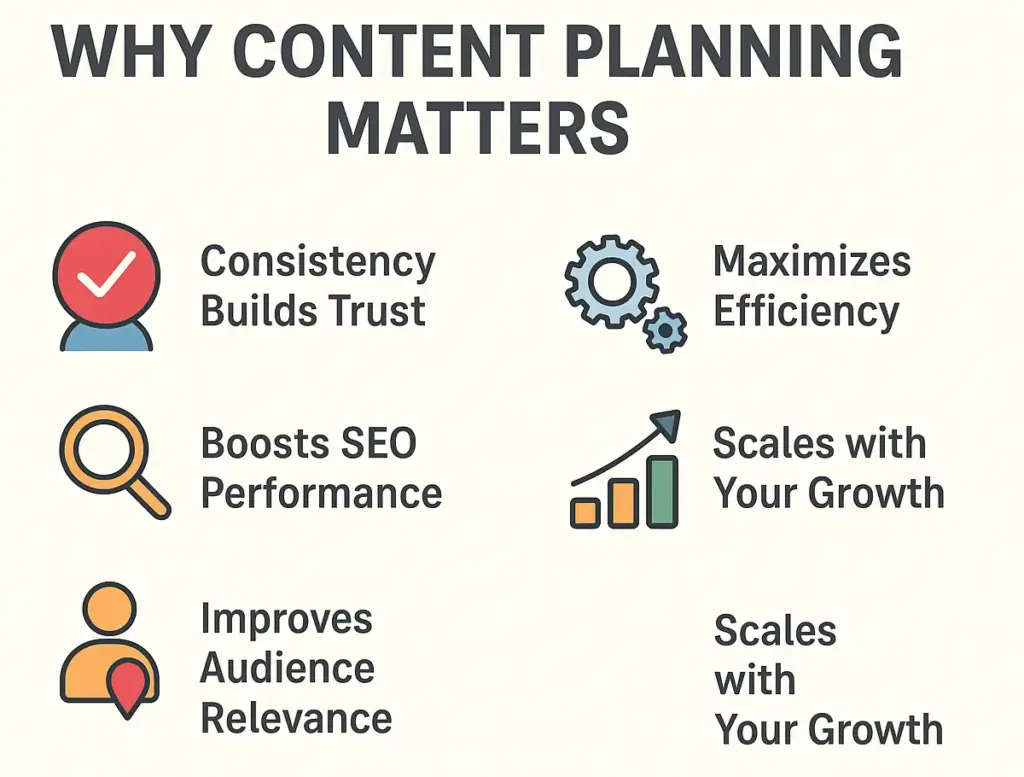
  • What Is a Content Plan and How to Create One: A Step-by-Step Guide

    What Is a Content Plan and How to Create One: A Step-by-Step Guide

    Learn what a content plan is, why it’s crucial for your blog, and how to create one step-by-step.

    Introduction: Turning Blog Chaos into Clarity

    Ever found yourself staring at a blank content calendar, unsure what to publish next?
    You’re not alone — most bloggers start with enthusiasm, but without a plan, ideas run dry, deadlines slip, and consistency fades.

    That’s where a content plan comes in.

    According to Semrush’s 2024 State of Content Marketing Report, 84% of top-performing marketers say having a documented content plan was key to their success. It’s the difference between random posting and building a blog that compounds traffic and authority over time.

    In this guide, you’ll learn:

    • What a content plan really means (and how it differs from “strategy”),
    • Why every blog — big or small — needs one,
    • A step-by-step framework to build your own,
    • Tools and templates to simplify the process.

    Let’s turn that chaos into a repeatable system.

    What Is a Content Plan (and How It Differs from Strategy)

    If you’ve ever wondered whether you need a content strategy, a content plan, or a content calendar — you’re not alone.
    These terms are often used interchangeably, but they play very different roles in your content marketing ecosystem.

    Let’s break them down clearly.


    1. Content Strategy: The “Why” and “Who” Behind Your Content

    Your content strategy is the high-level foundation of everything you publish.
    It defines the purpose, audience, and value proposition behind your content efforts.

    Think of it as your north star — guiding every piece you create to serve a clear business goal.

    Key elements of a strong content strategy include:

    • Purpose: Why are you creating this content? (e.g., build authority, drive leads, educate audience)
    • Audience Persona: Who are you writing for? (e.g., small business owners, SaaS marketers, freelancers)
    • Brand Voice and Positioning: How do you want to sound and be perceived?
    • Business Goals: What outcomes do you expect? (traffic growth, brand awareness, conversions)
    • Content Pillars: What key themes will your content revolve around?

    Example:

    A marketing agency’s content strategy might aim to position itself as a thought leader in “SEO automation,” targeting marketing managers looking for scalable content solutions.

    In short, your strategy defines direction — it’s your “why” and “who.”


    2. Content Plan: The “What,” “When,” and “How”

    Once your strategy is set, your content plan turns it into an actionable roadmap.
    It’s where ideas become deliverables — specific topics, keywords, formats, and publishing timelines.

    Your content plan focuses on execution — the day-to-day and week-to-week details of what will be created, how it will be written, and when it will go live.

    A good content plan includes:

    • List of blog topics and target keywords
    • Content types (e.g., how-to guides, listicles, tutorials, case studies)
    • Publishing cadence (e.g., 2 posts per week)
    • Writers, reviewers, and designers assigned
    • SEO checklist and optimization guidelines
    • Internal linking map (how new content connects to existing posts)

    Think of your content plan as the tactical blueprint for achieving the vision set by your strategy.


    Example:

    If your strategy is to build topical authority in “AI content tools,” your plan will include specific topics like “AI content planner tools,” “how AI helps automate keyword research,” and “best practices for AI-assisted blogging.”


    3. Editorial Calendar: The “When” and “Who’s Doing What”

    Your editorial calendar is the operational layer — it brings accountability and structure to your plan.
    It’s not about what to write, but when to write and who’s responsible.

    This is where deadlines, workflow stages, and publishing schedules live.

    A well-structured editorial calendar shows:

    • Publishing dates for each blog
    • Status (idea, drafting, in review, published)
    • Assigned author/editor
    • Target keyword or goal for each post
    • Update and repurpose schedule

    Example:

    A content calendar might show that “How to Build a Blog Content Plan” is scheduled for January 10, written by Nasleen, reviewed by January 7, and promoted via newsletter on January 12.


    Putting It All Together

    Here’s how they work together in your content ecosystem:

    LayerFocusExample QuestionOutcome
    Content StrategyDirection“Why are we publishing content, and who is it for?”Vision & goals
    Content PlanExecution“What topics and keywords should we cover next?”Tactical roadmap
    Editorial CalendarScheduling“When and who will create and publish it?”Workflow & accountability

    In simple terms:

    Your strategy defines your vision,
    your plan defines your roadmap,
    and your calendar ensures it actually happens.


    Why Every Blog Needs a Content Plan

    why content planning matterss keywordly

    Blogging without a plan is like driving without a map — you may move, but not toward the right destination.

    Here’s why a content plan matters more than ever:

    1. Builds Consistency & Trust

    Publishing regularly trains both readers and search engines to expect your content.


    According to Ahrefs, blogs that post consistently for 6+ months see 68% more organic traffic than irregular publishers.

    2. Improves SEO and Topical Authority

    Structured topic coverage helps Google understand your expertise — this is known as topical authority.
    Your plan ensures every supporting post strengthens your main keyword cluster.

    3. Saves Time & Mental Bandwidth

    A clear roadmap reduces decision fatigue. You always know the next topic, deadline, and format.

    4. Enables Data-Driven Growth

    With measurable KPIs tied to your plan, you can track what content truly moves the needle.


    As per Content Marketing Institute (CMI), marketers with clear goals are 377% more likely to achieve positive ROI.

    Step-by-Step: How to Create a Blog Content Plan

    This section covers the exact framework to go from “no plan” to a well-oiled content machine.

    Step 1: Set Clear Goals and Success Metrics

    Start by defining what you want your blog to achieve.

    Your goals may include:

    • Increasing organic traffic by 50% in six months
    • Ranking in the top 3 for specific informational keywords
    • Growing your email subscribers through blog CTAs

    Use the SMART framework (Specific, Measurable, Achievable, Relevant, Time-bound).


    Example:

    “Publish 20 SEO-optimized blog posts in Q1, aiming for 10k monthly organic visits and 100 backlinks.”

    Why this matters: Without measurable KPIs, you can’t improve or allocate resources wisely.


    Step 2: Define Your Blog Audience and Search Intent

    Who are you writing for — and what do they need?

    • Identify reader personas (e.g., small business owners, SEO beginners, bloggers).
    • Map their search intent:
      • Informational: “What is a content plan?”
      • Navigational: “Best content planner tools.”
      • Transactional: “Buy SEO content planner.”


    Example: Search “content planning for blogs” → related queries include:

    • “How to organize blog ideas”
    • “Content plan template for WordPress”
    • “How to plan blog posts for SEO”

    Each of these can become a supporting article in your topical cluster.


    Step 3: Conduct Keyword and Topic Research

    Your blog content plan should be built on data-backed keyword clusters, not intuition.

    Keywordly.ai — auto-generate topical maps and keyword clusters for your niche.

    Example keyword cluster for “Content Plan”:

    Pillar TopicSupporting TopicsIntent
    What is a content planContent strategy vs content planInformational
    Blog content planning examplesInformational
    Tools for blog content planningTransactional
    How to measure blog performanceAnalytical

    Ahrefs emphasizes that “topic clusters help search engines understand your site’s depth and relevance within a niche.”

    Document this in a simple spreadsheet — with columns for keyword, search volume, intent, and blog URL.

    Step 4: Audit Existing Blog Content (Find Gaps & Opportunities)

    Before creating new content, analyze what’s already on your site.

    • Identify overlapping or underperforming posts.
    • Spot topics you haven’t covered yet.
    • Refresh posts that already rank on page 2 (low-hanging fruit).

    HubSpot (2024) found that updating existing blogs can boost traffic by 106% compared to new articles.

    Create a “Content Refresh List” — pages that need updates, better internal links, or improved keyword targeting.

    Step 5: Map Your Blog Topics into a Content Calendar

    Your plan now needs a timeline.

    Decide on:

    • Frequency: e.g., 1–2 blogs per week
    • Theme cadence: e.g., Week 1 (strategy), Week 2 (tools), Week 3 (case study)
    • Format mix: tutorials, guides, listicles, opinion pieces

    CoSchedule found that marketers who document their content calendars are 414% more likely to report success.

    Step 6: Create a Clear Workflow and Assign Roles

    A content plan is only as strong as the process behind it.

    Define each stage:

    1. Ideation → topic research
    2. Drafting → writing and SEO optimization
    3. Review → editorial + fact check
    4. Publish → upload, internal links, meta tags
    5. Promote → email + backlinks outreach

    Tip: Use checklists for each post (title tag, keyword density, internal links, alt text, CTA).

    Step 7: Optimize Every Blog Post for SEO and Readability

    A blog content plan without optimization is just busywork.

    Run each post through a pre-publish checklist:
    ✅ Keyword in title, H1, and first 100 words
    ✅ Meta description ≤ 160 characters
    ✅ Proper internal/external linking
    ✅ Image compression + alt text
    ✅ Readability score above 60 (Flesch test)
    ✅ Schema (FAQ / HowTo where relevant)

    According to Backlinko, proper on-page optimization can improve rankings by up to 32%.

    Bonus: Link new posts to older related ones to reinforce topical relevance.

    Step 8: Measure, Review, and Update Your Plan Regularly

    Your first content plan isn’t your last — it evolves.

    Monthly or quarterly, review metrics like:

    • Organic traffic per post
    • Bounce rate & time on page
    • Keyword ranking movement
    • Conversions or email signups

    Orbit Media’s 2024 Blogger Survey reports that bloggers who track performance are 2.5x more likely to see strong results.

    Refine what’s working. Drop what’s not. Add new opportunities as your authority grows.

    Common Mistakes to Avoid in Blog Content Planning

    1. Publishing random topics without linking to a core goal.
    2. Ignoring search intent — writing what you want, not what users need.
    3. Skipping updates — outdated posts waste authority.
    4. Overplanning but under-executing — “perfect plan syndrome.”
    5. No distribution plan — content doesn’t promote itself.

    Keep a simple rule: Plan 60%, Execute 30%, Optimize 10%.

    Final Thoughts: From Random Posts to a Purpose-Driven Blog

    A solid content plan doesn’t stifle creativity — it channels it.
    It ensures your blog grows in traffic, authority, and trust with every article.

    Let’s recap:

    • A content strategy defines your vision.
    • A content plan turns that vision into a repeatable workflow.
    • A calendar keeps you accountable.

    Start small — plan one month of content, measure, iterate, and expand.

    “Strategy without execution is a wish list.
    A content plan turns your ideas into momentum.”

    So, if you’re ready to move from chaos to clarity — start your first blog content plan today, or let Keywordly.ai do the heavy lifting for you.

    Let Keywordly.ai Help You Get There Faster

    If you’re ready to stop guessing and start scaling, Keywordly.ai can simplify the heavy lifting:

    • It analyzes search intent and SERP data to find the best blog topics for your niche.
    • It creates topic clusters, outlines, and article drafts in minutes.
    • It helps you plan, optimize, and publish — all in one workflow.

    So whether you’re a solo blogger or part of a content team, you can go from strategy to published content without friction.

    Your readers — and Google — reward consistency.
    And consistency starts with a plan.

    Build your first blog content plan today.
    Let Keywordly.ai turn your blog chaos into clarity, structure, and sustainable growth.

    FAQs

    1. What is a content plan in blogging?

    A content plan is a structured roadmap that outlines what topics you’ll cover on your blog, when you’ll publish them, and how they align with your SEO and business goals.
    It helps you stay consistent, organized, and strategic — so every post contributes to your overall blog growth instead of being created randomly.

    2. How is a content plan different from a content strategy?

    A content strategy defines your long-term vision — why you create content and who it’s for.
    A content plan, on the other hand, focuses on execution — what topics to write, how often to publish, and which keywords to target.
    In short: strategy is your why, while planning is your how.

    3. Why do bloggers need a content plan?

    Because consistency is key to building topical authority and improving SEO rankings. A clear plan saves time, prevents burnout, and ensures every blog post supports measurable outcomes.

    4. What should be included in a blog content plan?

    A good content plan includes:

    • Blog topics and target keywords
    • Search intent mapping
    • Publishing frequency and deadlines
    • Assigned writers/editors
    • Optimization checklist and internal linking plan
    • Metrics to track performance

    Using tools like Keywordly.ai, you can even generate topic clusters, outlines, and SEO briefs and write articles in a single workflow.

    5. How often should I update my content plan?

    Ideally, review and update your content plan every quarter.
    Analyze what worked — which topics ranked, which didn’t — and adjust based on performance data.
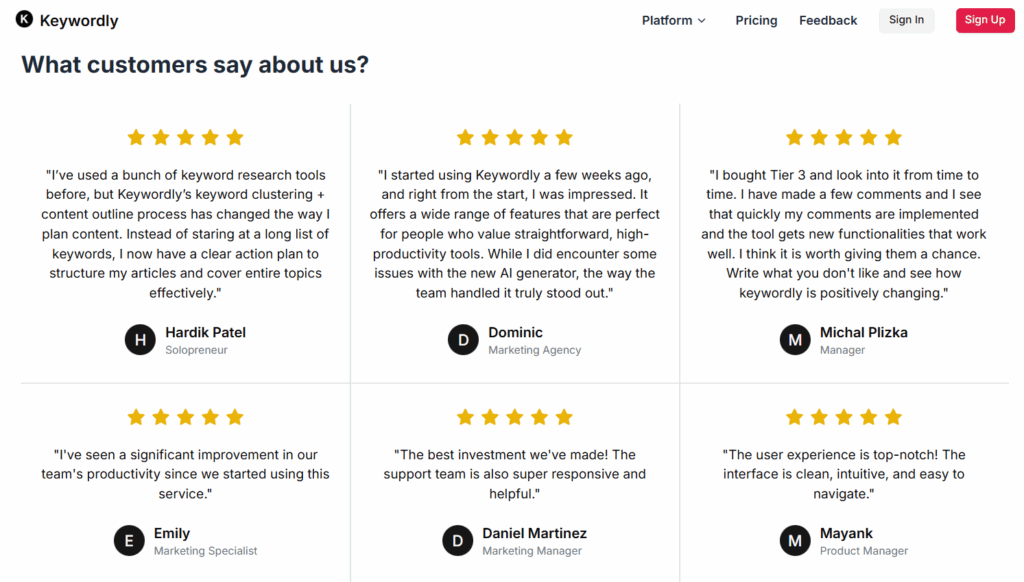
    Refreshing your plan ensures your blog stays aligned with changing algorithms, audience needs, and keyword trends.

  • What Are SEO Topical Maps? A Beginner’s Guide to Building Topical Authority

    What Are SEO Topical Maps? A Beginner’s Guide to Building Topical Authority

    Discover What Are SEO topical maps, how to boost your rankings by organizing content into powerful topic clusters. Understand topical authority and start mapping your niche.

    If you’ve been learning SEO lately, you’ve probably come across the phrase “topical authority.” It’s one of the most talked-about concepts in modern search optimization — and topical maps are at the heart of it.

    According to a survey, 88% of SEOs believe that topical authority is “very important to their SEO strategy.The same survey shows 98% of SEOs rated keyword clustering (a key step of forming topic clusters) as being between “medium and high” value in their content strategy.

    According to Semrush, search engine updates like Google Hummingbird (2013) and the “Helpful Content” updates (2022-2024) reflect how Google increasingly rewards depth, semantic context, expertise, and topical authority.

    This shows why topical map is important in SEO.

    But what exactly is a topical map? How does it help your website rank higher? And how can you start building one even if you’re brand-new to SEO?

    Let’s break it all down step-by-step.

    What Is a Topical Map in SEO?

    A topical map is a visual representation of how your website’s topics and subtopics connect.
    Think of it as a mind map for your website’s content. Instead of a flat list of keywords, you organize ideas around themes that naturally connect.


    Example:
    If your website is about fitness, your topical map might look like this:

    • Core Topic: Fitness
      • Subtopic 1: Nutrition
      • Subtopic 2: Workouts
      • Subtopic 3: Recovery
      • Subtopic 4: Supplements

    Each of these subtopics would have smaller content clusters — like “meal plans,” “HIIT routines,” or “protein types.” Together, they form a structured web of content that tells Google: “This website covers fitness comprehensively.”


    Keyword List vs. Topical Map

    ApproachFocusLimitation
    Keyword ListTargets isolated keywords like “best workouts,” “healthy meals,” “protein shakes.”Lacks context — search engines can’t see how these pieces connect.
    Topical MapGroups related topics under a single theme (fitness → nutrition → workouts).Builds a clear hierarchy and content depth.

    A topical map helps you plan not just what to write, but why and how each piece strengthens your niche authority.

    Why Topical Maps Matter for SEO in 2025

    why topical map matter for seo

    Search has evolved beyond keyword matching. Google now understands topics, entities, and context through advanced natural language processing (NLP).

    That means the way your website is structured — and how deeply you cover a subject — can influence your rankings just as much as traditional SEO signals.

    Here’s why topical maps matter more than ever:

    1. Google Rewards Topical Depth

    The E-E-A-T framework (Experience, Expertise, Authoritativeness, and Trust) emphasizes depth of knowledge. A site that covers an entire topic ecosystem demonstrates higher expertise than one that publishes scattered articles.

    2. Improved Crawlability and Context

    When your pages are internally linked in logical clusters, Google’s crawler easily discovers related content and understands the relationships between them. This boosts both crawl efficiency and contextual understanding.

    3. Broader Keyword Coverage

    A single blog can rank for dozens of long-tail queries when it’s part of a structured cluster. The more context you provide, the wider your semantic reach.

    4. Sustainable Authority Building

    Over time, your topical map acts like a foundation. Each new article strengthens an existing cluster rather than standing alone — creating a snowball effect of credibility.


    Example:

    • Site A: Publishes random articles on SEO, design, AI, and business.
    • Site B: Focuses on “SEO Content Strategy” and builds interlinked posts around keyword research, clustering, topical maps, and optimization.

    Guess which site Google sees as more authoritative?
    Site B — because it builds depth, not breadth.


    Key Components of a Topical Map

    A strong topical map isn’t just a diagram — it’s a strategic content framework. Here are its key building blocks:

    1. Core Topic:
      The main subject your website (or section) revolves around.
      → Example: SEO for small businesses.
    2. Subtopics:
      Supporting areas that expand the core theme.
      → Example: keyword research, content strategy, link building, analytics.
    3. Content Clusters:
      Groups of articles linked to a pillar post that explains the overarching topic.
      → Pillar: Complete Guide to Keyword Research
      → Supporting posts: How to Find Low-Competition Keywords, Tools for Keyword Clustering, etc.
    4. Internal Links:
      Connect every subtopic to its pillar and other related articles. This helps both users and crawlers navigate your site.
    5. User Intent Mapping:
      Align each piece with its search intent — awareness, consideration, or decision — so your site caters to users across all stages of the funnel.

    How Topical Maps Differ from Keyword Research

    Many beginners confuse topical mapping with keyword research. While they overlap, their goals differ.

    AspectKeyword ResearchTopical Mapping
    ApproachKeyword-firstTopic-first
    FocusFind individual high-volume keywordsBuild a full content ecosystem
    GoalOptimize pages for search termsEstablish subject-matter authority
    OutcomeIsolated content piecesInterconnected knowledge framework

    Keyword research shows what people search for.
    Topical mapping shows how those searches connect.

    You still need both — keyword research helps you optimize, while topical maps help you strategize.

    How Topical Maps Build Topical Authority

    topical cluster image

    Topical authority happens when Google recognizes your site as a go-to source for a specific subject.

    Here’s how topical maps accelerate that process:

    1. Depth → Authority → Rankings
      Covering every relevant angle of a topic signals that your site owns the conversation. Google rewards this with better visibility.
    2. Knowledge Graph Alignment
      Google’s Knowledge Graph connects entities (topics, people, brands, etc.) semantically. A strong topical map mirrors that structure, helping your content fit into Google’s understanding of the web.
    3. Contextual Relevance Across Pages
      When multiple articles interlink naturally around one theme, Google interprets the context more accurately and trusts your expertise.

    Example:
    A site covering “Sustainable Fashion” with in-depth articles on eco-friendly fabrics, ethical manufacturing, circular fashion, slow fashion brands, and sustainable shopping guides will build far stronger topical authority than another site that publishes five random fashion posts like “Summer Outfit Ideas” or “Celebrity Street Style.”


    Simple Steps to Start Building a Topical Map (Even Without Tools)

    Common Mistakes Beginners Make

    Even experienced SEOs make these errors when first mapping topics:

    1. Starting Too Broad
      Trying to cover everything (e.g., “Digital Marketing”) instead of focusing on a specific niche (e.g., “SEO for Agencies”).

    2. Creating Content Before Mapping
      Publishing random articles without structure leads to content overlap and weak authority signals.
    3. Neglecting Internal Linking
      Without strong internal connections, your topical clusters can’t communicate their hierarchy to Google.
    4. Not Updating the Map
      Topics evolve. Revisiting and refining your topical map ensures ongoing relevance.

    Final Thoughts — Laying the Groundwork for Authority

    Topical maps are no longer optional — they’re the blueprint of modern SEO.
    They help Google understand your site, improve user experience, and most importantly, build the kind of topical authority that drives lasting organic growth.

    By now, you know:

    • What topical maps are
    • Why they matter for SEO
    • How they differ from keyword lists
    • How to start building one today

    ✅ Once you’ve grasped these fundamentals, the next step is learning how to create and scale topical maps efficiently — especially using AI-powered tools.

    FAQs

    1. What is a topical map in SEO?
    A topical map is a structured layout of interconnected topics and keywords that represent your site’s subject expertise. It helps search engines understand your content depth and relationships, improving topical authority and rankings.

    2. Why is a topical map important for SEO strategy?
    Topical maps help organize your content around themes instead of isolated keywords. This improves internal linking, prevents keyword cannibalization, and boosts visibility across multiple related search intents.

    3. How do I create a topical map manually?
    Manually, you can start by identifying a core topic, researching related subtopics through Google Autocomplete, People Also Ask, and competitor blogs, and then mapping them using spreadsheets or mind-mapping tools. However, this process can be time-consuming and complex to scale.

    4. How does Keywordly.ai simplify topical map creation?
    Keywordly.ai automates the entire process — from discovering topic clusters to organizing them. Its AI engine analyzes live SERP data, groups related keywords, and generates a visual topical hierarchy ready for content planning.

  • How to Create a Topical Map for SEO

    How to Create a Topical Map for SEO

    Build your SEO topical map in minutes — not hours. Learn how to create a topical map for SEO in 3 simple steps, also learn how Keywordly.ai automates SEO topical maps.

    What You’ll Learn in This Guide

    If you already understand what a topical map is, this guide takes you one step further — into how to actually build one that drives topical authority and rankings.

    By the end, you’ll learn how to:

    • How to create a topical map for SEO in three simple steps.
    • Structure your content around search intent and hierarchy
    • Build authority faster with AI-generated topical clusters
    • Automate your SEO topical map without manual effort
    • Turn data chaos into a clear, scalable SEO content workflow

    Read this blog What Are SEO Topical Maps? A Beginner’s Guide to Building Topical Authority

    Step 1 — Define Your Core Topic & Business Goals

    people also ask

    Every strong topical map begins with one thing — clarity.
    Your core topic should reflect both what your brand offers and what your audience actively searches for. This core will act as the “pillar” around which all your subtopics and clusters are built.

    Let’s say you run a SaaS platform for project management.
    Your broad theme might be “team productivity.”
    From there, your goal is to branch out into supporting areas like remote collaboration tools, task automation, time tracking, and workflow optimization — all connected but distinct enough to form their own clusters.

    How It’s Done Manually

    Traditionally, defining your topical map foundation requires hours of manual research across multiple tools and platforms.
    Here’s how a typical manual process looks:

    1. Brainstorm Core Offerings & Audience Problems
      Start with your product or service — list 5–10 main areas that represent what you solve.
      Example: “team productivity,” “project scheduling,” “task management,” “workflow automation,” etc.
    2. Research Related Topics on Google
      Use Google Autocomplete and “People Also Ask” to explore what users are searching around your core theme.
      For instance, typing team productivity might reveal:
      • “Best project management tools for startups”
      • “Automation tips for busy teams”
    3. Check Competitor Blogs & Tools
      Visit top-ranking competitors and analyze how they structure their blog topics and resources. Identify which clusters or pillar pages they focus on.
    4. Cluster Keywords Manually
      After gathering dozens or hundreds of keywords, use spreadsheets to group them by similarity or intent — often involving tedious sorting, labeling, and cleaning up duplicates.
    5. Prioritize Based on Search Volume & Relevance
      Manually check keyword volumes in tools like Keywordly, Semrush, or Google Keyword Planner, then decide which clusters deserve pillar status.

    This process works — but it’s slow, repetitive, and prone to gaps, especially as new trends or queries emerge.

    Step 2 — Find Subtopics and Clusters

    keywords list for clusters

    Once you’ve defined your core topic, the next step is to expand it into keyword clusters and subtopics the building blocks of your topical map.

    Each cluster represents a closely related group of search intents that connect back to your main topic. Together, they help you build topical depth and ensure your site covers every angle your audience cares about.

    For example, if your core topic is “team productivity”, your goal is to discover all the relevant conversations people are having around it, from project management and workflow tools to motivation and communication methods.

    How It’s Done Manually

    Traditionally, finding subtopics means digging through multiple research tools and SERPs to uncover what users are actually searching for.
    Here’s how marketers usually do it manually:

    1. Start with Google Autocomplete
      Type your main keyword (e.g., team productivity) into Google and look at the suggested completions:
      • “team productivity tools”
      • “how to improve team productivity remotely”
      • “tips for managing team productivity”
    2. These suggestions hint at natural subtopics users are actively exploring.
    3. Explore “People Also Ask” Boxes
      Scroll through the “People Also Ask” section to capture related questions:
      • “What are the best ways to measure team productivity?”
      • “How can automation improve team efficiency?”
      • “What causes low productivity at work?”
    4. Each question can be turned into a blog post or supporting article under your main cluster.
    5. Check Competitor Content and Blog Structures
      Visit top-ranking sites like Asana, ClickUp, or Monday.com, and analyze their content hierarchy.
      Note how they organize topics like:
      • Task automation
      • Remote work management
      • Team collaboration tools
      • Productivity metrics and KPIs
    6. Use Keyword Tools to Expand
      Enter your main keyword into platforms like Ahrefs, Semrush, or Keywordly.ai to find related terms, synonyms, and long-tail variations. Export them all and start grouping them in a spreadsheet.
    7. Cluster Keywords Manually
      Go line by line through your list — grouping similar phrases and tagging each with an intent label like “informational,” “comparison,” or “commercial.”
      This can take several hours and often results in overlaps or inconsistencies, especially for large datasets.

    While this method gives you a sense of control, it’s slow, repetitive, and limited by human pattern recognition. You may end up missing hidden semantic relationships or underestimating new keyword trends.

    Step 3 — Build Your Pillar and Supporting Content Plan

    topical map- pilar & subtopics

    Now that you’ve identified your core topic and keyword clusters, the next step is to turn them into a structured content hierarchy.
    This hierarchy forms the backbone of your topical authority — telling search engines that your website isn’t just publishing random posts, but offering a comprehensive, interconnected knowledge base on your topic.

    Understanding the Content Hierarchy

    Think of your website’s content like a pyramid:

    • Pillar Page (Top): A broad, high-level overview of your main topic — “The Ultimate Guide to Team Productivity.”
    • Cluster Articles (Middle): In-depth pieces that cover specific subtopics — e.g., “How to Automate Repetitive Project Tasks.”
    • Sub-Cluster Articles (Bottom): Supporting blogs that go even deeper — “5 Ways to Integrate Time Management with Asana” or “Automating Weekly Reports with Zapier.”

    Each layer links naturally to the next.
    Your pillar links to all relevant clusters, and those clusters link back up — forming a circular web of internal relevance that Google loves.

    This structure helps search engines understand:

    • Which pages are most authoritative
    • How your topics interrelate
    • Why your site deserves to rank for the broader theme

    In short: a strong internal linking architecture = stronger topical authority.

    How It’s Done Manually

    Traditionally, building this structure involves several manual steps:

    1. Identify Which Articles Serve as Pillars
      You’d review your keyword list and manually decide which broad topics deserve a “pillar” treatment. For example, “team productivity” becomes your main hub.
    2. Group Supporting Articles Around Each Pillar
      Using spreadsheets or Notion, you’d assign each keyword cluster to its pillar.
      Example:
      • Pillar: Team Productivity
        • Cluster: Remote Collaboration
        • Cluster: Task Automation
    3. Map Internal Links Manually
      For each article, you’d have to decide where to link internally — from the cluster article to the pillar, and between related posts. This often leads to missed opportunities or inconsistent linking patterns.
    4. Track Progress
      You might use spreadsheets or Trello boards to keep track of which articles are drafted, linked, or published — a process that quickly becomes overwhelming as your content library grows.

    While this manual approach gives you full control, it’s time-intensive, difficult to scale, and often lacks visual clarity.

    How Keywordly.ai Simplifies This Entire Process

    With Keywordly.ai, you can skip the manual research and jump straight into strategy.
    Here’s how it transforms the process:

    1. Enter Your service or Product Focus
      Simply input your niche (e.g., team productivity, CRM software, customer retention tools).
    2. AI-Powered Topic Discovery
      Keywordly instantly scans live search data, SERP results, and semantic relationships to uncover hundreds of related topics under keyword clusters — all grouped by topical relevance.
    1. Automatic Content Hierarchy Generation
      Once your clusters are built, Keywordly instantly suggests which ones should act as pillars, supporting articles, or sub-clusters — based on keyword breadth, intent, and topical weight.
    2. Visual Topic Mapping
      Instead of sorting rows in a spreadsheet, you get an interactive map showing how your core topic connects to subtopics, supporting articles, and content gaps.
    3.  Easy to Assign Topics to Funnel Stages
      • You can easily categorize which topic comes as Awareness, Consideration, or Decision stage. This helps align content with your buyer journey — for example:
      • Awareness: “How to Improve Team Productivity Remotely”
      • Consideration: “Best Time Management Tools for Remote Teams”
      • Decision: “Why Businesses Choose Your Tool for Team Productivity”.
    4. Auto-Generated Article Outlines & Content Creation
      • Keywordly goes beyond keyword clustering — it generates detailed, SEO-optimized article outlines for each topic, including headings, talking points, and suggested internal links. You can also generate full-length articles directly inside the platform.
    5. One-Click Publishing
      • Once your article is ready, Keywordly allows you to publish it straight to your connected CMS (like WordPress), turning your topical map into live, optimized content instantly.
    6. In short: Keywordly doesn’t just organize topics — it helps you research, plan, create, and publish content that builds authority from day one.
    cluster visualisation

    Common Pitfalls to Avoid

    • Building clusters that are too broad or vague
    • Ignoring search intent segmentation
    • Skipping the audit step before expansion
    • Overlapping clusters that cause keyword cannibalization

    Final Thoughts — From Chaos to Clarity with Keywordly.ai

    If you’ve ever tried to build a topical map manually, you already know how overwhelming it can feel, hundreds of keywords in spreadsheets, duplicate ideas across tabs, and no clear sense of what connects where.

    You spend hours researching, sorting, and grouping, only to realize your content plan still has gaps, overlaps, or cannibalized topics.
    And just when you think you’ve got it all figured out, search intent shifts, new trends emerge, and your map becomes outdated.

    That’s the problem most marketers face:
    you’re not short on data — you’re short on clarity and direction.

    Keywordly.ai turns the chaos of scattered keyword research into a streamlined, content strategy. No more juggling tools, tabs, or spreadsheets — you get one intelligent platform that does it all. Discover high-potential topics and keyword clusters in seconds, organize them into clear hierarchies and visualize your entire content ecosystem with ease. As your site grows, Keywordly.ai continuously refines your topical map using live ranking data and emerging trends — keeping your authority fresh and focused.

    👉 Ready to turn your content chaos into clarity? Try Keywordly.ai and build your first topical map today.

    FAQs

    1. What is a topical map in SEO?
    A topical map is a structured layout of interconnected topics and keywords that represent your site’s subject expertise. It helps search engines understand your content depth and relationships, improving topical authority and rankings.

    2. Why is a topical map important for SEO strategy?
    Topical maps help organize your content around themes instead of isolated keywords. This improves internal linking, prevents keyword cannibalization, and boosts visibility across multiple related search intents.

    3. How do I create a topical map manually?
    Manually, you can start by identifying a core topic, researching related subtopics through Google Autocomplete, People Also Ask, and competitor blogs, and then mapping them using spreadsheets or mind-mapping tools. However, this process can be time-consuming and complex to scale.

    4. How does Keywordly.ai simplify topical map creation?
    Keywordly.ai automates the entire process — from discovering topic clusters to organizing them. Its AI engine analyzes live SERP data, groups related keywords, and generates a visual topical hierarchy ready for content planning.

  • Best 5 Tools for SEO Topical Map (2026)

    Best 5 Tools for SEO Topical Map (2026)

    Discover the best tools for SEO topical map in 2026. Compare features, pricing, and workflows — and see why Keywordly.ai is the all-in-one solution to build topical authority faster.

    Introduction

    Google’s algorithms have evolved far beyond simple keyword matching. Today, topical authority is what separates average websites from true category leaders.

    Instead of asking, “Which keywords should I target?” modern SEOs now ask, “Which topics should I own?”

    That shift in mindset has made topical mapping a non-negotiable part of SEO strategy.

    A topical map is essentially a content architecture blueprint — a visual or structured representation of all the core topics, subtopics, and entities that define your website’s authority within a niche.

    For example:

    • Core TopicSEO Automation
      • Subtopic 1AI Content Briefs
      • Subtopic 2Topical Authority Tools
      • Subtopic 3SERP Analysis Techniques

    Each subtopic becomes a content cluster, and through strategic internal linking, Google begins to recognize your site’s depth and expertise.

    By creating a topical map, you can:

    • ✅ Cluster related keywords into coherent topic groups
    • ✅ Understand search intent and entity relationships
    • ✅ Build content silos that strengthen authority
    • ✅ Avoid keyword cannibalization and thin content

    If your SEO strategy still relies on random keyword spreadsheets, you’re missing the structural blueprint Google rewards — a topical map that organizes, validates, and scales your entire content plan.

    In this guide, we’ll explore the Top 5 Topical Mapping Tools for SEO in 2025, compare their strengths and limitations, and show why Keywordly.ai is the only all-in-one platform that takes you from map → brief → AI draft → publish in one unified workflow.

    “Topical maps turn disconnected keyword lists into strategic content blueprints that guide every piece you publish — and that’s how you build authority in search, not just random pages.”

    Read this Article : What Are SEO Topical Maps? A Beginner’s Guide to Building Topical Authority

    What to Look for in a Topical Mapping Tool


    “Topical mapping isn’t just about keywords — it’s about semantic authority and signaling comprehensive topic coverage to search engines.”

    Not all tools are created equal. Before choosing, check if your platform can:

    FeatureWhy It Matters
    Semantic ClusteringGroups keywords by meaning, not just syntax.
    SERP ValidationReflects real Google intent, not AI guesses.
    Workflow IntegrationConnects mapping to briefs, drafts, and CMS.
    Governance & QAPrevents duplicate content and thin clusters.
    Ease of UseEnables collaboration across SEO + content.

    Most tools solve one of these; Keywordly.ai solves them all.

    Comparison Table: Topical Mapping Tools at a Glance


    “The teams that outrank competitors don’t just pick keywords — they cluster them into topic hierarchies that signal authority to search engines and AI assistants alike.”

    ToolFree PlanPaid Starting PriceProsConsBest For
    Keywordly.ai$49/moMap → brief → draft → publishPaid for full featuresAgencies & scaling teams
    SEO.ai$49/moFast ideation, AI clustersNo maps/workflowSolo SEOs, small teams
    TopicalMap.ai$49/moVisual mapping, entity focusNo AI briefs, no workflowVisual planners
    Thruuu$49/moSERP-based clusteringManual export, no draftingExperienced SEOs
    Search Atlas$99/moEnterprise analytics & mapsComplex, expensiveEnterprise SEO teams

    Only Keywordly.ai checks every box — from mapping → execution → publishing.

    Here’s our curated list of the best tools for topical map , from AI-driven ideators to end-to-end SEO workflow platforms.

    🥇 1. Keywordly.ai — Best All-in-One Topical Mapping & SEO Workflow Tool


    keywordly.ai

    If you’re looking for a complete SEO workflow, Keywordly.ai is the standout choice.

    Unlike standalone mappers, Keywordly.ai connects every stage:

    1. Builds SERP-validated topical maps
    2. Generates AI-powered content briefs
    3. Drafts optimized content inside briefs
    4. Runs QA checks for consistency
    5. Publishes directly to CMS (WordPress, Webflow, etc.)

    Key Features

    cluster visualisation
    • AI Clustering with SERP Context: Understands topic intent, not just keyword overlap.
    • Smart Briefs: Automatically generates outlines with search intent, headings, FAQs.
    • Governance Engine: Detects cannibalization and content gaps.
    • CMS Integration: Publish with one click → no more copy-paste chaos.
    • Topical Cluster Formats in Keywordly.ai
      • Keywordly.ai allows users to visualize clusters in two complementary formats for better clarity and actionability:
      • Visual Map Format
    • Table Format
      • Converts clusters into a structured table for operational use.
      • Columns include: Topic/Cluster Name
      • Subtopics
      • Target Keywords
      • Priority/Status

    Pros

    • End-to-end SEO workflow (Map → Brief → Draft → Publish)
    • Built-in AI content assistant
    • Reduces manual QA with automated checks
    • Great for agencies & growing content teams

    Cons

    • Requires paid plan for full automation
    • Might feel advanced for hobby bloggers

    Best For: Agencies, in-house SEO teams, and content operations scaling from 10 → 100+ pages/month.

    Compared to Others

    While most tools visualize, Keywordly.ai operationalizes — turning topic clusters into ready-to-publish content pipelines. Explore how Keywordly.ai automates topical authority workflows here

    Pricing:

    • Solo: $14/month — keyword research, clustering, AI article generation, CMS publishing, and topical maps.
    • Team: $39/month — includes all Solo features + brand voice setup, AI rewriting & repurposing and many more.
    • Business: $79/month — includes all Team features + brand visibility, LLM content optimization, and many more.

    Read this Article : How to Create a Topical Map for SEO

    2. SEO.ai — AI-Powered Topic & Keyword Ideation


    seo.oi tool

    SEO.ai is a great tool for early-stage ideation and AI-assisted keyword clustering. It helps identify related topics, synonyms, and entities — ideal for brainstorming content pillars.

    Pros

    • Fast topic discovery
    • AI-based entity clustering
    • Built-in writing assistant

    Cons

    • No visual maps
    • Limited workflow integration

    Best For: Solo SEOs or small teams needing quick topic inspiration.

    What SEO.ai missed:

    • SEO.ai: Great for ideation.
    • Keywordly.ai: Adds briefs, drafting, and publishing → true end-to-end.

    Pricing:

    • Starter: $49/month — basic topic clustering and AI suggestions
    • Pro: $99/month — unlimited keywords, AI content generation
    • Enterprise: Custom pricing

    3. TopicalMap.ai — Visual Topic Mapper


    topicalmap tool

    TopicalMap.ai focuses on visualizing topic relationships — great for SEOs who want a bird’s-eye view of content silos.

    Pros

    • Clean, intuitive interface
    • Visual representation of clusters
    • Helps spot topical gaps

    Cons

    • No AI brief generation
    • No SERP validation
    • Lacks workflow or publishing tools

    Best For: Strategists and SEOs who like to manually plan their content silos.

    What TopicalMap.ai missed:

    • TopicalMap.ai: Visual planning only.
    • Keywordly.ai: Visual + execution-ready maps with AI briefs + content workflow.

    Pricing:

    • Free Plan: Limited maps and basic clusters
    • Pro Plan: $49/month — advanced entity mapping, more clusters
    • Enterprise: Custom pricing

    4. Thruuu — SERP-Based Intent & Topic Clustering


    thruu tool

    Thruuu is a powerful SERP analysis tool that reverse-engineers Google’s top results to show intent-based clustering.

    Pros

    • Accurate SERP-driven topic grouping
    • Avoids keyword cannibalization
    • Great for content audits

    Cons

    • Manual export and interpretation
    • No brief or AI integration

    Best For: Experienced SEOs validating clusters before content creation.

    What Thruuu missed:

    • Thruuu: Great for SERP data.
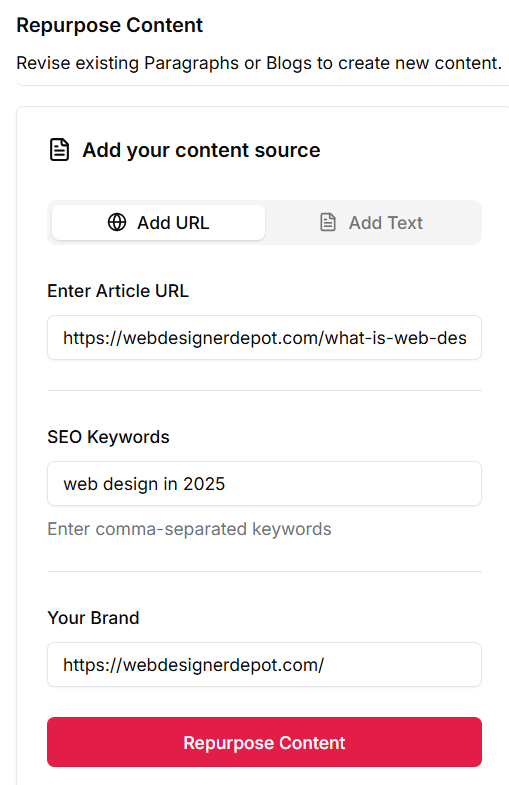
    • Keywordly.ai: Uses SERP validation and automates execution (briefs, writing, publishing).

    Pricing:

    • Free Plan: Limited queries per month
    • Pro Plan: $49/month — full SERP-based clustering, data exports
    • Enterprise: Custom pricing

    5. Search Atlas (by LinkGraph) — Enterprise SEO Suite


    search atlas tool

    Search Atlas is a comprehensive SEO platform that includes topical map building within its suite.

    Pros

    • Advanced topical map builder
    • Enterprise analytics & backlink tools
    • Robust data insights
    • Cons
    • Steeper learning curve
    • Expensive for small teams
    • No integrated publishing workflow

    Best For: Agencies and enterprise teams managing large-scale SEO campaigns.

    What Search Atlas missed

    • Search Atlas: Powerful but siloed.
    • Keywordly.ai: Lightweight, unified, and faster to implement.

    Pricing:

    • Starter: $99/month — limited maps & SEO tools
    • Pro: $199/month — full map builder + backlink & content insights
    • Enterprise: Custom pricing

    Why Keywordly.ai Is the Smart Choice


    Let’s get real — most tools stop at mapping. You’re left exporting CSVs, creating briefs manually, and managing writers separately.

    Keywordly.ai eliminates that fragmentation.

    Here’s how:

    Full SEO Content Lifecycle

    1. Topical Mapping: AI + SERP-backed clusters.
    2. Brief Generation: Search intent, headings, keywords auto-filled.
    3. AI Drafting: Content created inside the brief.
    4. Governance Engine: QA checks, duplication alerts.
    5. CMS Sync: Publish directly to your site.

    No exporting. No spreadsheets. No chaos.

    Time & ROI Benefits

    “A fast-built topical map reveals gaps and opportunities in hours — not weeks — saving time and helping you publish with confidence and direction.”

    • Save 40%+ production time per article.
    • Reduce tool costs by consolidating mapping, writing, and publishing.
    • Increase SERP alignment with real-time validation.
    • Improve team collaboration under one platform.

    How Keywordly.ai Replace 5 Tools at once:

    FunctionTypical ToolReplaced by Keywordly.ai
    Keyword ResearchSEO.ai
    SERP AnalysisThruuu
    Topic ClusteringTopicalMap.ai
    Brief CreationMarketMuse / Clearscope
    CMS PublishingManual

    🚀 From research to publish — Keywordly.ai powers the entire SEO workflow.

    📘 See how Keywordly.ai compares to top alternatives:

    “Manual spreadsheets can’t compete with tools that generate SEO topical maps automatically — structured clusters and subtopics reveal content gaps you’d never spot by eyeballing keyword lists.”

    Conclusion: From Map to Authority — The Future of SEO Is Connected


    Building topical authority isn’t about finding keywords — it’s about owning topics.

    The right tool turns strategy into action.

    Most tools help you plan. Only one helps you execute.

    Keywordly.ai brings your entire SEO content workflow under one roof:

    • Map topics
    • Generate briefs
    • Draft optimized content
    • Validate SERP intent
    • Publish directly

    “When you map content holistically — covering main topics, subtopics, and intent — Google sees your site as an authority, and rankings follow.”

    Ready to scale your SEO content faster and smarter?

    FAQs

    1. What is a topical map in SEO?

    A topical map organizes related topics and entities, helping you build topical authority and improve SEO rankings.

    2. Which tool offers full workflow integration?

    Only Keywordly.ai connects mapping, briefing, AI drafting, QA, and CMS publishing.

    3. Do topical maps improve SEO rankings?

    Yes. They help Google understand your expertise and site architecture, improving topical authority.

    4. Can I automate topical mapping with AI?

    Yes — Keywordly.ai’s AI + SERP-backed mapping ensures accuracy and context.

  • 6 Steps To Audit Your Automated Content Production Platform for Efficiency And Quality

    6 Steps To Audit Your Automated Content Production Platform for Efficiency And Quality

    6 steps to Audit your Automated Content Production Platform for maximum efficiency and quality.

    Introduction

    In many content teams, automation is already happening — scheduled posts, keyword tools, AI writers — but it’s rarely orchestrated as a cohesive system. What you end up with is a patchwork of tools, handoffs, delays, and gaps in quality.

    That’s why auditing your automated content production workflow is a critical step. A proper audit helps you:

    • Surface inefficiencies you didn’t know were draining time and quality
    • Measure what matters in your pipeline (not just “published articles”)
    • Spot weak points where human oversight or integration is missing
    • Decide whether to rebuild or fill gaps with a unified tool like Keywordly.ai

    This article walks you through a step-by-step audit checklist — across research, briefs, drafting, editing, visuals, publishing, distribution, and performance tracking. For each stage, we’ll propose what to test, what metrics to watch, common pitfalls, and how a solution like Keywordly.ai fits in.

    You can treat this as a self-assessment guide or hand it to your team to run a “workflow health check.”

    “Automated content production isn’t about replacing writers — it’s about building repeatable systems that scale without sacrificing quality.”

    Step 1: Audit Your Research & Ideation Process

    The research and ideation stage is the foundation of your entire content production workflow. If your topics are misaligned with audience intent or poorly prioritized, every downstream step — drafting, optimization, publishing — will suffer. A proper audit at this stage ensures you’re targeting the right opportunities efficiently and consistently.

    What to Check

    1. Keyword Clustering / Topic Mapping
      • Are you grouping related keywords into clusters that can guide pillar and cluster content?
      • Or are you still doing this manually in spreadsheets, which can be time-consuming and error-prone?
    2. Competitor Gap Analysis
      • Are you identifying the topics your competitors rank for but you don’t?
      • This can reveal high-potential opportunities for content creation.

    3. Intent Mapping
      • Are you aligning topic discovery with search intent?
        • Informational: “What is automated content production?”
        • Transactional: “Best automated content production platform”
        • Navigational: “Keywordly.ai login / features”
      • Misclassifying intent can lead to content that doesn’t satisfy user queries or fails to convert.
    4. Backlog Refresh System
      • Do you have a structured process for refreshing your topic backlog?
      • Trends evolve, and new search opportunities appear continuously. Without a refresh system, your content strategy risks becoming outdated.

    5. Key Indicators
    MetricManual TargetHealthy Automated Target
    Time spent per topic cluster>2–3 hours manual<30 minutes via automated clustering

    Common Pitfalls

    • Relying on a single keyword tool: You may miss opportunities or misinterpret search intent if you only use one source. Multiple data points and SERP analysis are critical.
    • Letting topic ideas pile up without prioritization: A long list of topics is useless if you don’t have a way to rank them by traffic potential, difficulty, or business value.
    • No intent mapping: Without clearly defined intent for each topic, content may fail to satisfy users, hurting SEO performance and conversions.
    • Backlog not refreshed: Topics stagnate, trends are missed, and competitors may overtake your authority in key areas.

    Where Keywordly.ai Helps

    Keywordly – Visual Keyword Clustering

    Keywordly.ai auto-clusters keywords, builds topical maps, and surfaces search gaps — turning a laborious spreadsheet exercise into a few clicks. That means your research output is structured, prioritized, and ready to feed briefs. Instead of spending hours manually grouping terms and guessing intent, you get clear clusters aligned with search demand. The platform also highlights opportunities your competitors rank for but you don’t, ensuring you never miss high-value content gaps. With these insights flowing directly into your planning process, you can move from ideation to execution in a fraction of the time.

    cluster mapping 2
    Keywordly Topical Map Generator

    “The difference between automation that scales and automation that fails lies in the quality control layer.”

    Step 2: Audit Your Content Briefs & Planning

    A well-structured content brief is the bridge between research and writing. Without clear guidance, even the best writers or AI tools can produce content that misses the mark — off-topic, poorly optimized, or inconsistent with brand voice. Auditing your content briefs ensures consistency, efficiency, and alignment with SEO and business goals.

    What to Check

    1. Standardization Across Writers/Teams
      • Are briefs consistent, or does each writer receive a different format?
      • Standardization ensures every article follows the same structure, tone, and SEO focus.
      • Example: Two writers covering “automated content production tools” should receive briefs with identical keyword focus, headings, and target audience, even if the writing style differs.
    2. Content Elements Included in Briefs
      • Do briefs include the following essential elements?
        • Target keywords and secondary keywords
        • Suggested headings (H2, H3)
        • Recommended word count ranges
        • Must-include references or sources
        • Optional: meta description suggestions, internal links, tone guidance
      • These elements prevent guesswork and reduce revision cycles.
    3. Dynamic Updates Based on SERP Changes
      • Are briefs updated automatically when search engine results change?
      • Without updates, your content can quickly fall behind competitors or fail to capture high-intent opportunities.

    4. Task Automation
      • Are tasks automatically created in your CMS, project management tool, or assignment system?
      • Automation reduces manual handoffs, delays, and lost tasks.

    5. Key Indicators
    MetricManual TargetHealthy Automated Target
    Time to create a brief>1 hour per brief<15 minutes via automation
    Brief adoption rate by writers<80% skip or override>95% consistent use
    Revisions due to missing contextFrequent (3+ per article)Rare

    Common Pitfalls

    • Overly Loose Briefs: When writers are left to interpret the brief too freely, the content can drift from the intended SEO or business objectives.
    • Manual SEO Context: Relying on copy-pasting keywords and links manually increases errors and inconsistencies.
    • No Update Mechanism: Briefs that don’t adapt to changing search intent or new competitive insights result in outdated or underperforming content.

    Where Keywordly.ai Helps

    content brief generation
    Keywordly Content Outline / Brief

    Keywordly.ai can generate SEO-aware, structured briefs automatically — including headings, keyword suggestions, and competitive references — with minimal manual intervention. Each brief is dynamically updated as SERPs evolve, so your writers always work with the latest insights. Tone of voice, and compliance notes can also be embedded, ensuring consistency across large teams. By standardizing briefs at scale, you eliminate guesswork and speed up production without sacrificing quality or search performance.

    content workflow A
    Keywordly SEO Content Workflow

    “High-performing automated content is not fully automated — it’s intelligently supervised.”

    Step 3: Audit Your Drafting & AI Integration

    The drafting stage is where your research and briefs come to life. With AI tools, you can cut drafting time in half — but only if they’re properly integrated into your workflow. Otherwise, you risk producing content that is off-topic, factually incorrect, or inconsistent with your brand.

    This stage of your audit ensures that your AI doesn’t just generate words but produces usable, brand-aligned drafts that minimize rework.

    What to Check

    • AI Integration
      • Are your AI tools embedded directly into your brief or CMS environment?
      • Or are writers copying and pasting between tools, creating delays and version-control issues?
      • Tip: Platforms like Keywordly.ai integrate drafting directly within briefs, ensuring no context is lost.
    • Context Awareness
      • Do AI drafts automatically pull in required keywords, tone guidelines, and section structures from briefs?
      • If not, writers waste time re-feeding instructions or manually restructuring drafts.
    • Brand Voice & Compliance
      • Is your brand voice enforced through predefined rules?

    • Fact-Checking & Citations
      • Are fact-check mechanisms or citation prompts embedded into your drafting process?
      • AI can introduce “hallucinations,” so early detection saves major editorial effort.
    • Fallback Process
      • If an AI draft is poor, do you have a system for quick human rewrites?
      • Without a fallback, bad drafts stall production and frustrate writers.

    Key Indicators

    MetricManual Target Healthy Automated Target
    Draft reuse rate>50% of drafts require major rewrites<25% need significant edits
    Turnaround time (brief → draft)>2 days<1 day for standard content
    % drafts flagged for issues>30%<10%

    Tracking these metrics shows whether your AI is a productivity boost — or a hidden bottleneck.

    Common Pitfalls

    • AI disconnected from briefs → leading to off-target, generic drafts.
    • Overtrusting AI outputs → publishing without review risks factual errors and SEO penalties.
    • No compliance enforcement → exposing your brand to reputational or legal risks.

    Where Keywordly.ai Helps

    CONTENT GENERATION
    Keywordly Content Generation

    In a unified platform, AI drafting can sit directly inside the brief, pulling from the same keyword clusters, headings, and structural context. This ensures drafts are aligned from the start, reducing misalignment, revisions, and wasted effort. Writers and editors spend less time correcting off-target content, while AI outputs become immediately usable, consistent, and on-brand. By centralizing drafting and brief context, your team can accelerate content production without sacrificing quality or SEO performance.

    “Automation accelerates production, but optimization drives performance.”

    Read this Article : 8 Mistakes to Avoid with AI Automated Content Creation

    Read this Article : 5 Proven SEO Content Automation Strategies to Boost Rankings 

    Step 4: Audit Editing, SEO, & Quality Assurance

    Even the best research, briefs, and drafts can fail if the final checks aren’t thorough. Editing and QA ensure that every piece of content is polished, optimized, and compliant before it goes live. This stage is where quality meets performance — transforming a “good enough” draft into content that ranks, converts, and builds trust.

    An audit here helps you uncover whether your process is efficient and systematic, or whether valuable content is leaking through the cracks.

    What to Check

    1. On-Page SEO Validation
      • Are essential SEO elements checked automatically, such as:
        • Meta titles & descriptions
        • Heading structure (H1, H2, H3)
        • Alt text for images
        • Internal/external links
      • Manual optimization wastes time and increases the risk of missed elements.
    2. Final QA Checklist
      • Is there a structured QA process before publishing that covers:
        • Factual accuracy
        • Tone & voice alignment
        • Compliance (industry, legal, regulatory)
      • Without this, inconsistent content slips through and undermines trust.
    3. Ongoing Content Audits
      • Are you auditing older content for freshness, broken links, or SEO decay?
      • Content that isn’t maintained gradually loses rankings and traffic.
    4. Key Indicators
    MetricManual Target Healthy Automated Target
    Average number of major edits per article>10<5
    Articles published missing meta tags/alt text>5%0–1%
    Time spent in QA per article≥1 full day<3 hours
    Content decay rate (traffic drop in 6 months)>30%<10%

    Common Pitfalls

    • Manual SEO Adjustments
      • If your team manually adds meta tags, alt text, or headings for each article, you’re wasting time and risking inconsistency.
    • Ad Hoc QA
      • Without a defined QA process, quality checks vary by person, leading to inconsistent standards and overlooked errors.

    Where Keywordly.ai Helps

    faq section
    Keywordly – FAQs in Content Generation

    By embedding SEO suggestions and integrating the content workflow, much of the optimization happens upfront, before a draft even reaches the editor. Keywordly.ai automatically checks for keyword usage, heading structure, meta information, and reducing the manual QA burden. Its built-in quality checks catch tone inconsistencies, factual gaps, and formatting errors early in the process, ensuring content is polished and ready to publish. This streamlines production, minimizes revisions, and keeps content aligned with both SEO and brand standards.

    Step 5: Audit Visuals & Repurposing

    Strong visuals don’t just make your content look polished — they significantly improve engagement, shareability, and comprehension. Articles without visuals underperform in both SEO and social reach. Beyond the initial hero image, visuals are your bridge to repurposing: each blog post can fuel multiple social snippets, infographics, or slides.

    An audit here reveals whether visuals are a bottleneck, an afterthought, or an integrated, scalable asset pipeline.

    What to Check

    1. Visual Asset Creation
      • Are hero images, infographics, and social visuals auto-generated using templates, or are they manually designed each time?
      • Automation ensures speed and consistency, while manual-only workflows slow the pipeline.
    2. Content Repurposing
      • Do you have a systematic process for revitalizing older blog posts into fresh, high-value formats? For example:
      • Updating posts with new visuals like infographics or comparison charts
      • Automated repurposing doesn’t just extend the life of outdated posts — it multiplies their ROI by giving them new reach, relevance, and distribution across multiple channels.
    3. Workflow Integration
      • Are visuals integrated into the article timeline (i.e., delivered alongside the draft), or added as an afterthought post-publication?
      • Integrated workflows ensure every article launches fully optimized for both SEO and distribution.
    4. Key Indicators
    MetricManual Target Healthy Automaed Target
    % of articles without visuals> 10%< 2%
    Time to produce visuals per article> 1 hour (manual design)< 15 minutes (template/automation)

    “Automated content production works best when speed, scale, and consistency matter more than originality.”

    Common Pitfalls

    • Treating visuals as an afterthought
      • Content goes live without images or with generic stock photos → low engagement and missed SEO opportunities.
    • Manual Redesign for Every Asset
      • Designers (or writers) spend hours resizing and reformatting visuals instead of focusing on strategy.

    Where Keywordly.ai Helps

    When a content platform supports linking visual generation (AI or template) inside the article workflow and generates variants automatically, you avoid the manual bottleneck. Keywordly.ai can integrate or trigger visuals & repurposing steps as part of the content pipeline.

    repourpose content-min

    Step 6: Audit Publishing Flow

    Even the best content strategy falls flat if publishing and distribution are slow, inconsistent, or fragmented. This is the stage where your workflow either scales seamlessly or grinds to a halt with manual copy-paste, forgotten channels, or formatting errors.

    Auditing this step helps you uncover where bottlenecks are hiding — whether that’s CMS lag, missing social posts, or breakdowns in multi-channel distribution. Optimizing here ensures every approved article moves swiftly and consistently into the hands of your audience.

    What to Check

    1. CMS Publishing
      • Is content pushed directly from your workflow into the CMS via an API or integration, or are teams manually copying drafts?
      • Automated publishing eliminates human error and reduces turnaround time.
    2. Monitoring & Confirmation
      • Is there an automated check to confirm formatting, images, and metadata went live correctly?
      • Publishing errors left unnoticed (like missing meta descriptions, broken links, or formatting issues) hurt performance and credibility.

    Metrics / Indicators

    MetricManual Target Healthy Automated Target
    Time from “approved” to “live”> 1 day (manual lag)< 1 hour
    Publishing errors (broken formatting, missing images)FrequentRare (automated QA catches early)

    Common Pitfalls

    • Content stuck in “draft” state
      • Manual handoffs delay publishing, and sometimes approved pieces never actually go live.
    • No monitoring system
      • Content goes live with missing visuals, broken formatting, or incorrect metadata — damaging both SEO and brand trust.

    Where Keywordly.ai Helps

    cms

    With native CMS integrations or publishing APIs, you can move seamlessly from final draft to live publication with a single click. There’s no need for copy-pasting, manual formatting, or juggling multiple platforms, which eliminates errors and saves valuable time. This end-to-end automation transforms publishing from a bottleneck into a smooth, efficient step in your content workflow.

    Conclusion & Next Steps

    An effective automated content production system doesn’t mean removing humans — it means optimizing what humans do best and automating the rest. Running this audit can uncover hidden drags, inconsistent practices, and poor integration that reduce velocity and quality.

    Once you identify weak spots (say, briefs are still manual, or publication is fragmented), your choice is either to build custom integrations or adopt a unified platform. That’s where Keywordly.ai can play a role — consolidating topic maps, brief generation, AI-assisted drafting, optimization and publishing. — into a single workflow.

    Best Practices for High-Quality Automated Content

    • Always apply human edit pass before publishing
    • Keep paragraphs short (< 100 words) for readability
    • Add entity associations (brand + topic + context)
    • Use schema markup (FAQ, Article, HowTo)
    • Include visuals to break up automated text

    Ready to Supercharge Your Automated Content Production?
    Stop wasting hours on manual research, briefs, drafting, and publishing. With Keywordly.ai, you can streamline your entire content workflow — from ideation to publishing — all in one platform.

    “Teams that treat automated content production as a strategic system — not a shortcut — consistently outperform those chasing volume alone.”

    Read this Article : AI-Content Optimization Tips to Improve SEO Without Rewriting Content

    Read this Article : 10 Best AEO Tools for Content Optimization — How to Rank in AI Answers

      FAQs

      1. What is automated content production?
      Automated content production uses AI and workflow automation to handle research, drafting, optimization, and publishing, reducing manual effort while maintaining quality.

      2. Can Keywordly.ai fully replace human writers?
      No. Keywordly.ai enhances human workflows by automating repetitive tasks and providing SEO and structure guidance. Human expertise is still essential for creativity, compliance, and nuanced messaging.

      3. Will using AI affect my SEO rankings?
      When used correctly, AI can improve rankings by ensuring consistent keyword usage, optimized structure, and timely content updates. Avoid low-quality or spammy AI outputs to stay compliant with Google guidelines.

      4. Is automated content SEO-friendly?
      It can be, with proper human editing, optimization, and review workflows.

      5. How do I maintain quality with automation?
      Apply review passes, structure content for intent, and use semantic optimization.

    • SEO Content Automation : 5 Proven Strategies to Improve Ranking and Save Time

      SEO Content Automation : 5 Proven Strategies to Improve Ranking and Save Time

      Learn proven SEO content automation workflow strategies to save hours, increase rankings, and scale content production without quality loss also find how Keywordly.ai helps.

      Introduction:

      What Is SEO Content Automation?

      SEO content automation is the process of using software and AI-driven workflows to automate SEO tasks such as keyword discovery, content generation, optimization, publishing and performance tracking. Unlike basic automation, content automation for SEO focuses on aligning content with search intent, SERP patterns, and ranking signals—not just speed.

      Many marketers ask: what is SEO automation, and can SEO be automated without losing control? The answer is yes—when automation is guided by search intent, SERP data, and human oversight. In simple terms, SEO content automation helps teams scale faster without compromising quality.

      “SEO automation delivers real value only when content is optimized using live SERP data, intent signals, and continuous scoring—not just automated writing.”

      Why SEO Content Automation Is No Longer Optional

      SEO used to be simpler. Ten years ago, you could rank with a few blog posts, some backlinks, and decent on-page optimization. Today, the game is completely different. Search is more competitive, Google updates are more frequent, and creating high-quality, search-optimized content at scale has become the single biggest bottleneck for marketing teams.

      The problem? Traditional SEO workflows are slow, manual, and fragmented:

      • Keyword research spread across spreadsheets.
      • Writers struggling with vague briefs.
      • Content updates forgotten until traffic tanks.
      • Reporting stitched together from 3–5 different tools.

      That’s why SEO content automation is taking off. By automating repetitive tasks—like keyword clustering, content briefs, optimization scoring, and performance tracking—you can focus on strategy, not busywork.

      But here’s the catch: most automation tools are either too generic (AI writers that churn out fluff) or too narrow (single-purpose SEO assistants).

      This is where Keywordly.ai comes in. Unlike AI copycats or one-trick SEO tools, Keywordly.ai is built to automate the entire SEO content lifecycle: from keyword research → brief creation → optimization → performance monitoring.

      In this guide, we’ll cover 5 proven SEO content automation strategies—and show you exactly how Keywordly.ai helps you implement them better than anyone else.

      By the end, you’ll know not only what to automate, but also why Keywordly.ai is the fastest path to scaling content that ranks and converts.

      According to HubSpot, automation saves marketing teams hundreds of hours per year.

      “SEO content automation works best when every article is optimized against what already ranks—so teams publish with confidence, not guesswork.”

      What Is SEO Content Automation (and Why It Matters Now)?

      Search engine optimization (SEO) is built on repetitive, data-heavy tasks. Every successful SEO campaign requires keyword research, content creation, optimization, and ongoing monitoring. The problem? Most of these processes are still done manually, which slows teams down and makes scaling almost impossible.

      SEO content automation means using AI and specialized tools to handle these repetitive tasks at scale—freeing up time for strategy, creativity, and high-level decision-making. Instead of spending days in spreadsheets, automation tools deliver actionable insights, optimized workflows, and real-time reporting in minutes.

      Now imagine multiplying those manual tasks across hundreds of blog posts, landing pages, and guides. Without automation, scaling content marketing is like rowing a boat with one paddle—you’ll move, but slowly, and not in the direction you want.

      Automation flips the equation. Instead of working harder, you work smarter. This isn’t about replacing human marketers—it’s about removing the repetitive bottlenecks so your team can focus on what matters: strategy, storytelling, and creativity.

      Best for: Teams looking to automate SEO workflows such as keyword clustering, SEO brief creation, and SEO automated content generation—all from a single dashboard.

      👉 That’s where Keywordly.ai comes in. Unlike SurferSEO or Jasper, it automates the entire SEO content lifecycle—keyword clustering, brief and content generation, optimization, internal linking, publishing and performance tracking.

      5 Ways Marketing Automation Impacts SEO

      • Faster Keyword Research & Clustering
        Marketing automation accelerates keyword discovery, enabling SEO teams to identify high-intent opportunities at scale.
      • Consistent SEO Content Production
        With content automation SEO, teams can publish regularly without gaps that hurt rankings.
      • Improved On-Page Optimization Accuracy
        Automation tools ensure keyword placement, headings, and internal links follow SEO best practices.
      • Scalable Content Updates & Planning
        SEO automation makes it easier to refresh old content when rankings drop or SERPs change.
      • Publishing & Performance Tracking
        Integerated publishing and automated analytics help teams connect content efforts directly to traffic and ranking improvements.

      “Marketing automation impacts SEO most when content decisions are backed by ranking data—not assumptions—making automation a growth lever, not a risk.”

      How SEO Content Automation Works in Practice

      A typical SEO content automation workflow looks like this:

      1. Discover and cluster keywords automatically
      2. Generate SEO briefs and outlines
      3. Use AI for content writing and Image hunting
      4. Optimize content for SEO / GEO while using live SERP data
      5. Publish and monitor performance automatically

      This workflow allows teams to automate SEO tasks while maintaining editorial and strategic control.

      Strategy 1: Automate Keyword & Topical Research

      The Problem: Manual Clustering Wastes Hours and Creates Duplicate Content

      Keyword research is the foundation of SEO. Without it, you’re guessing what your audience is searching for. But while pulling keywords from tools like Ahrefs, SEMrush, or Google Keyword Planner is straightforward, the real challenge comes afterward:

      👉 How do you organize thousands of keywords into usable content clusters and topics?

      Most marketers dump their keyword lists into Excel or Google Sheets, then spend hours trying to:

      • Group similar queries together.
      • Separate informational vs. commercial intent.
      • Decide which keywords should be their own article and which should be combined.

      This isn’t just tedious—it’s risky. Manual clustering often leads to:

      • Duplicate content (two blogs targeting nearly identical keywords).
      • Missed opportunities (ignoring long-tail or semantically related terms).
      • Weak topical authority (scattered, unfocused articles instead of interconnected clusters).

      As Backlinko explains, building topical clusters isn’t just good practice—it’s now essential for ranking in competitive niches. Google rewards websites that show comprehensive coverage of a topic, not those that publish random, disconnected articles.

      The reality: Clustering even 5,000 keywords manually can take 20+ hours. And that’s before you even start writing.

      The Keywordly.ai Solution: Instant Keyword Clustering + Topical Maps

      SERP cluster table
      Keywordly – SERP Keyword Clustering
      semantic keyword clustering - cluster table
      Keywordly – Semantic Keyword Clustering

      Keywordly.ai eliminates the bottleneck by automating the entire keyword research process. Here’s how it works:

      1. Upload Your Keywords
        • Import keywords directly from any CSV or build a list of keywords from Keywordly’s keyword research tool.
      2. Automated Clustering by Semantic Similarity
        • AI groups keywords not just by exact match, but by meaning and intent.
        • This makes it easier to decide whether the cluster should become a blog post, a landing page, or a product comparison.
      3. Topical Map Creation
        • Instead of a flat keyword list, you get a visual content roadmap.
        • Pillar topics (broad, high-volume clusters) are connected to subtopics (long-tail clusters).
        • This ensures your site builds topical authority—exactly what Google’s algorithms now reward.
      4. Content Roadmap Generation
        • Keywordly.ai doesn’t just cluster; it recommends a publishing order so you can systematically cover your niche.
      cluster mapping 2
      Keywordly – Topical Map Generator

      Why This Matters

      • Efficiency: What used to take 20+ hours in spreadsheets is done in under 10 minutes.
      • Clarity: No more guesswork on what to write or publish first.
      • Authority: Topical maps make it easy to cover entire themes, not just random keywords—critical for ranking in 2025’s competitive SEO landscape.

      According to Ahrefs, clustering improves your chances of ranking by helping you target keyword families instead of chasing single terms. That means more coverage, better rankings, and higher organic traffic.

      Strategy 2: Generate Smart Content Briefs Instantly

      The Problem: Vague Briefs = Inconsistent Writing & Endless Revisions

      One of the most overlooked yet critical parts of SEO content creation is the content brief.

      A content brief is essentially the blueprint for an article or landing page—it tells writers what to cover, which keywords to use, and how the piece should be structured. But here’s the reality for most teams:

      • Briefs are vague or incomplete.
      • Writers produce content that misses the mark.
      • Editors spend hours sending revisions back and forth.
      • The final draft often lacks SEO optimization because no one thought about semantic terms, competitor gaps, or searcher intent upfront.

      This is a scalability killer. If you’re producing one blog a month, you can afford back-and-forth revisions. But if your content strategy calls for 10, 20, or even 50+ articles per month, vague briefs will:

      • Waste dozens of hours.
      • Frustrate writers.
      • Produce inconsistent quality.
      • Delay publishing (and delay results).

      According to the Content Marketing Institute, detailed briefs are essential to scaling content marketing operations. Without them, you’re flying blind.

      The Keywordly.ai Solution: AI-Powered Smart Briefs

      people also ask
      Keywordly – PPA, Longtail Keywords

      Keywordly.ai eliminates the guesswork with automated, data-driven content briefs. Instead of starting with a blank page or generic outline, the platform creates briefs that are:

      1. Keyword-Rich (Without Stuffing)
        • Each brief includes primary keywords plus a list of semantic variations (LSI terms) that Google expects to see in high-ranking content.
        • Example: If your target keyword is “content automation tools,” your brief will also include terms like workflow automation, AI content generator, automated publishing systems.
      2. Competitor-Driven Outlines
        • Keywordly.ai scans the top-ranking pages for your target keyword.
        • It pulls common H2/H3 structures and identifies gaps competitors missed.
        • Writers now get a ready-made outline designed to beat what’s already ranking.
      3. People Also Ask (PAA) Insights
        • Briefs automatically include Google PAA questions related to your keyword.
        • Writers can answer these questions directly, increasing chances of capturing featured snippets.
      4. Forum & Community Data (Reddit, Quora, etc.)
        • Instead of relying only on SEO tools, Keywordly.ai briefs also include real audience questions from Reddit, Quora, and niche forums.
        • This ensures your content speaks to actual search intent, not just keywords.
      5. Readability & Structure Guidelines
        • Word count recommendations based on competitors.
        • Suggested tone (informative, persuasive, conversational, etc.).
        • Internal linking suggestions to strengthen your content hub.
      content brief
      Keywordly’s – Content Brief Generation

      Why Smart Briefs Matter

      A great brief bridges the gap between SEO strategy and content execution. Here’s what you get with smart briefs:

      • Consistency: Writers across your team produce content with the same level of depth and optimization.
      • Speed: Keywordly.ai reduces briefing time by up to 70%. What used to take hours of research now happens in minutes.
      • SEO-Alignment: Every article is structured to rank—covering target keywords, semantic terms, and audience FAQs.
      • Scalability: You can go from producing 2–3 blogs a month to 20+ without sacrificing quality.

      Think of it this way: Without a blueprint, builders can’t construct a stable house. Without a strong brief, writers can’t build content that ranks.

      “The most effective SEO content automation platforms don’t stop at generation—they guide optimization, scoring, and publishing in one connected workflow.”

      Read this Article : 8 Mistakes to Avoid with AI Automated Content Creation

      Read this Article : 6 Steps To Audit Your Automated Content Production Platform for Efficiency And Quality

      Strategy 3: Create AI-Assisted Drafts Without Sacrificing Quality

      The Problem: Generic AI Writers = Low-Quality, Non-Ranking Content

      AI writing tools have exploded in popularity. From free Chrome extensions to enterprise-grade platforms, marketers are experimenting with AI to speed up content creation. But there’s a catch:

      • Most AI writers produce generic, cookie-cutter drafts.
      • The content often lacks depth, originality, and SEO alignment.
      • Without the right guardrails, AI drafts risk being plagiarized, factually inaccurate, or too thin to rank.

      Google’s stance is clear: AI content isn’t banned, but it must meet E-E-A-T standards (Experience, Expertise, Authoritativeness, Trustworthiness). Generic AI text that fails to demonstrate these qualities won’t perform well in search.

      Worse, teams that rely on raw AI output without human oversight often end up:

      • Publishing duplicate content that doesn’t differentiate them.
      • Failing to capture searcher intent because AI misses nuance.
      • Spending extra editing hours fixing weak drafts—canceling out any time saved.

      As Search Engine Journal points out, AI-assisted + human-edited content consistently outperforms AI-only drafts. The future of SEO writing isn’t about replacing writers—it’s about augmenting them with smarter tools.

      The Keywordly.ai Solution: SEO-Rich Drafts Built for Humans + Search Engines

      Keywordly – SERP Reference Feature

      Keywordly.ai bridges the gap between AI speed and human quality. Instead of churning out robotic text, the platform generates SEO-rich, structured drafts that writers and editors can easily refine.

      Here’s how:

      1. E-E-A-T-Optimized Drafts
        • Content is generated with a focus on Google’s Quality Rater Guidelines.
        • Drafts are designed to highlight experience (real-world examples), expertise (accurate info), authority (trusted sources), and trust (fact-checking + citations).

      2. Semantic Keyword Integration
        • Drafts automatically include semantic terms, related phrases, and context words that Google expects in top-ranking content.

      3. Human-First Collaboration
        • Unlike black-box AI writers, Keywordly.ai is built for human editing.
        • Writers get a well-structured draft (headings, keyword placement, FAQs) so they can focus on insights and adding brand voice.

      Why This Matters

      • Speed: Writers get a solid first draft 2× faster, so they can spend time refining instead of starting from scratch.
      • Consistency: Every draft follows a repeatable structure, so teams can scale without sacrificing quality.
      • SEO Alignment: Drafts are optimized for rankings right from the start.
      • Risk Reduction: Built-in plagiarism checks and fact references reduce chances of publishing thin or duplicate content.

      Strategy 4: Optimize On-Page Content at Scale

      The Problem: Missed Keywords and Poor Structure Kill Rankings

      Even the best-written content can fail to rank if on-page SEO is weak. Many marketers focus solely on creating new articles but neglect crucial on-page factors such as:

      • Keyword coverage: Articles often miss secondary or semantically related keywords that Google expects to see.
      • Heading structure: Improper use of H2s, H3s, and H4s reduces readability and weakens topic signals.
      • Content gaps: Competitors may cover topics your article misses, leaving your content incomplete.
      • Optimization metrics: Without scoring, it’s difficult to know whether a page is truly ready to rank.

      According to Search Engine Journal, even small on-page optimization errors can cause articles to underperform, resulting in lost traffic, clicks, and conversions.

      Manually checking each article against competitors—especially at scale—is nearly impossible. Teams often end up:

      • Spending hours tweaking content.
      • Publishing pages that rank poorly.
      • Missing opportunities to capture featured snippets, related keywords, or semantic topics.

      The Keywordly.ai Solution: Automated On-Page SEO/ GEO Optimization

      keywordly - seo optimization
      Keywordly – SEO/ GEO Content Optimization

      Keywordly.ai makes on-page SEO scalable by combining content scoring, competitor gap analysis, semantic keyword suggestions, and heading optimization in a single platform.

      1. Semantic Keyword Suggestions
        • The platform identifies primary and secondary keywords, including latent semantic indexing (LSI) terms, that search engines expect in high-ranking content.
        • This ensures your content covers the topic comprehensively rather than repeating the same keyword unnaturally.

      2. Heading Structure Optimization
        • DraftsKeywordly.ai analyzes competitor pages and suggests H1, H2, and H3 structures that improve readability and topical relevance.
        • Proper headings also help Google understand content hierarchy and context, increasing chances of ranking in PAA boxes and featured snippets.

      3. Content Gap Analysis
        • It goes further by integrating topical clustering, ensuring each page reinforces pillar content and strengthens internal linking..
        • The system identifies content gaps compared to top-ranking competitors, allowing you to update or expand sections for better rankings
      4. Automated Recommendations
        • Keywordly.ai doesn’t just flag problems—it provides actionable fixes, such as adding missing keywords, rewriting headings, or including FAQs.
        • Recommendations are prioritized based on SEO impact, so you know which changes will drive results fastest.

      Real-World Results

      What Customers and Marketers using Keywordly.ai have reported:

      what customers say about us

      Strategy 5: Detect Content Decay Before Traffic Drops

      The Problem: Content Loses Rankings Over Time

      SEO is not a “set it and forget it” strategy. Even your best-performing content can lose visibility gradually due to:

      • Algorithm updates: Google constantly tweaks ranking signals, which can push formerly high-ranking content down the SERPs.
      • Competitor activity: Newer, optimized content from competitors can outrank your pages.
      • Outdated information: Statistics, examples, and product recommendations become stale, reducing perceived value.
      • Keyword cannibalization: As you publish more content, older pages may compete with each other for the same keywords.

      Most marketers don’t notice content decay until organic traffic drops significantly. By the time they catch it, reclaiming lost rankings requires:

      • Extensive audits of hundreds of pages.
      • Manual identification of outdated content.
      • Time-consuming content refreshes or rewrites.

      According to Research, 30–40% of blog posts experience content decay within 12 months. This is a huge issue for marketers who rely on evergreen content to drive consistent traffic and leads.

      In short, ignoring content decay is like leaving money on the table—traffic slips silently, conversions drop, and your ROI suffers.

      The Keywordly.ai Solution: Refresh Old Content Without Losing Brand Voice

      repourpose content-min

      Keywordly.ai doesn’t just identify decaying content—it transforms it into a refreshed, high-performing article while keeping your brand’s unique voice intact.

      Here’s how it works:

      1. Analyze Existing Content
        • Keywordly.ai evaluates the current article for traffic trends, ranking performance, keyword coverage, and content gaps.
        • It identifies which sections need updates, additions, or restructuring while retaining your original messaging and style.
      2. Generate a Refresh Blueprint
        • Instead of rewriting from scratch, Keywordly.ai creates a data-driven refresh brief that highlights exactly what to update:
          • Outdated statistics or examples.
          • Missing subtopics or FAQs.
          • Opportunities for semantic keyword integration.
        • This ensures the content evolves to meet current search intent without sounding generic.
      3. Maintain Brand Voice
        • Keywordly.ai preserves the original tone, phrasing, and personality of your content.
        • Writers can enhance and expand the draft, but the refreshed piece still feels like your brand wrote it, keeping consistency across all articles.
      4. Seamless Publishing
        • Once refreshed, the article is optimized for SEO—headings, keywords, internal links, and metadata—so it can reclaim or surpass its previous ranking.
        • The end result is a new, authoritative article that drives traffic while maintaining the familiarity and trust your audience expects.

      With Keywordly.ai, old content is no longer a liability. It becomes a high-value asset—updated, optimized, and fully aligned with both your SEO strategy and brand identity.

      repurpose with brand voice

      Conclusion: Scale Your SEO Smarter, Not Harder

      Manual SEO workflows are no longer viable in today’s competitive digital landscape. Tasks like keyword clustering, content brief creation, drafting, on-page optimization, and performance tracking are time-consuming, repetitive, and prone to human error. Relying solely on manual processes slows down your team, introduces inconsistencies, and limits your ability to scale.

      By applying these 5 proven SEO content automation strategies—from automated keyword research to detecting and refreshing decayed content—you can:

      • Save hours, even days, of manual work every week.
      • Improve content quality and relevance by leveraging AI insights and competitor analysis.
      • Boost organic traffic and engagement by ensuring every piece of content is optimized for both search engines and users.
      • Maintain brand consistency even while refreshing older content to meet current trends and search intent.

      These strategies don’t just help you work faster—they help your entire SEO workflow become smarter and more strategic, allowing your team to focus on creativity, strategy, and growth instead of tedious manual tasks.

      The results speak for themselves: companies that implement automation see higher rankings, more clicks, and measurable ROI—all without needing to hire additional staff.

      If you’re ready to scale SEO efficiently, maintain content quality, and maximize your organic traffic, Keywordly.ai is the all-in-one solution that empowers your team to achieve this at speed.

      When implemented correctly, SEO automation and SEO content automation don’t replace strategy—they enhance it, allowing teams to scale content that ranks, converts, and stays search-ready.

      Why Keywordly.ai is Better than Jasper.ai in SEO content automation

      Case Studies: Proof It Works – See how Keywordly’s workflow helped in increasing traffic by 110%

      FAQs

      What is SEO automation?

      SEO automation is the use of tools and AI to streamline repetitive SEO tasks, helping teams scale faster and focus on strategy rather than manual execution.

      Can SEO be automated?

      Yes, many parts of SEO can be automated, including keyword research, content optimization, audits, and reporting. However, strategy and quality control should remain human-led.

      Is SEO automation safe?

      Yes. SEO automation is safe when focused on quality and compliance with search engine guidelines. Tools like Keywordly.ai help you optimize content without engaging in black-hat tactics, ensuring your pages align with Google’s standards. (Google Search Central)

      How is Keywordly.ai different from traditional AI writers?

      Unlike basic AI writing tools that generate text, Keywordly.ai automates the entire SEO workflow. It handles keyword clustering, content brief creation, on-page optimization, and performance tracking—helping your team work smarter and faster.

      Can I automate everything in my SEO workflow?

      Yes. With Keywordly.ai, you can automate keyword research, content briefs, drafting, on-page optimization, internal linking, and performance monitoring. This allows you to scale content creation without losing control or quality.

      Will Google penalize me for using automation?

      No, as long as your content provides real value to users. Following Google’s Helpful Content Update, automation that assists in research, optimization, and efficiency is allowed—penalties only occur if content is low-quality, spammy, or purely AI-generated without human oversight.

      Does Keywordly.ai integrate with my CMS?

      Yes. Keywordly.ai seamlessly integrates with popular CMS platforms, including WordPress, allowing you to push optimized content directly to your site without manual export or formatting.