Author: admin

  • 10 Best AEO Tools for Content Optimization — How to Rank in AI Answers

    10 Best AEO Tools for Content Optimization — How to Rank in AI Answers

    Introduction

    Answer Engine Optimization (AEO) is the process of structuring your content so AI search systems like Google SGE, ChatGPT, and Bing can directly extract and display your answers — not just list links.
    In a world where voice search and AI chat engines increasingly answer queries instantly, merely ranking on page one isn’t enough — you need to appear in the answers themselves. This guide breaks down the best AEO tools of 2026, what they do, and how to choose the right tools for your workflow to drive rankings and clicks.

    Answer Engine Optimization (AEO) has emerged as a focal strategy for leveraging this paradigm shift. Rather than just optimizing for conventional search rankings, AEO targets the ways in which content gets surfaced directly in answer boxes, voice snippets, and AI-generated responses. Google, Bing, OpenAI’s ChatGPT, and Amazon Alexa are all prominent examples of platforms where optimized answers can supersede traditional listings, delivering immediate value to users. For instance, Gartner forecasts that over 50% of searches will be conducted via voice or conversational AI by 2025, which underscores the urgency of adopting AEO-centric tools and techniques.

    Understanding which tools support these needs—and how they differ—can streamline your decision-making process. Each tool is evaluated with actionable insights, so you can identify solutions that enhance your workflow, elevate your brand’s authority, and adapt your strategies to the evolving search landscape. By studying real-world use cases and reviewing concrete product features, you’ll be equipped to choose the right platform for your agency, marketing team, or content operation.

    “Ranking is no longer the finish line. Brands that win in AI search are the ones whose content is structured to be selected as the answer—not just indexed as a result.”

    Understanding Answer Engine Optimization Tools & AEO Content Optimization

    What are answer engine optimization tools, AEO tools content optimization?

    AEO tools help you identify real user questions, structure answers in a way AI systems can extract cleanly, and add technical enhancements like schema to improve visibility in snippet-style answer results — way beyond traditional keyword ranking.

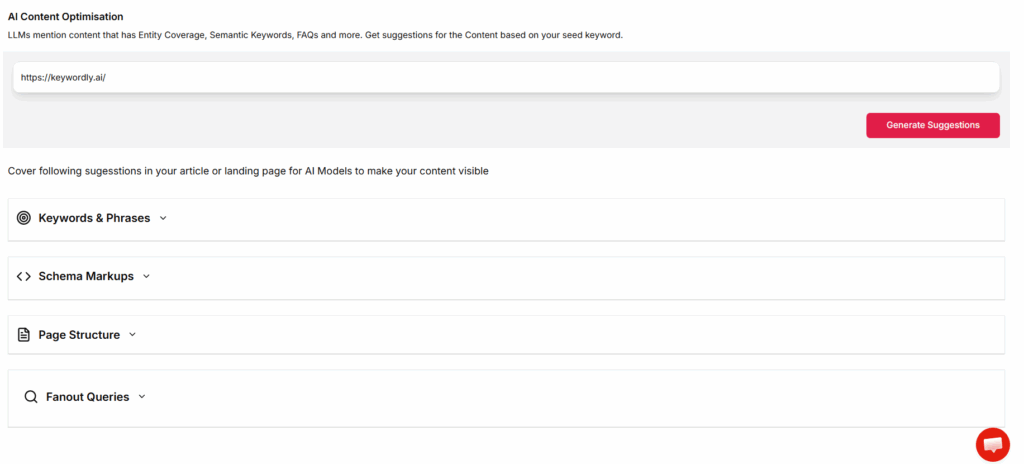
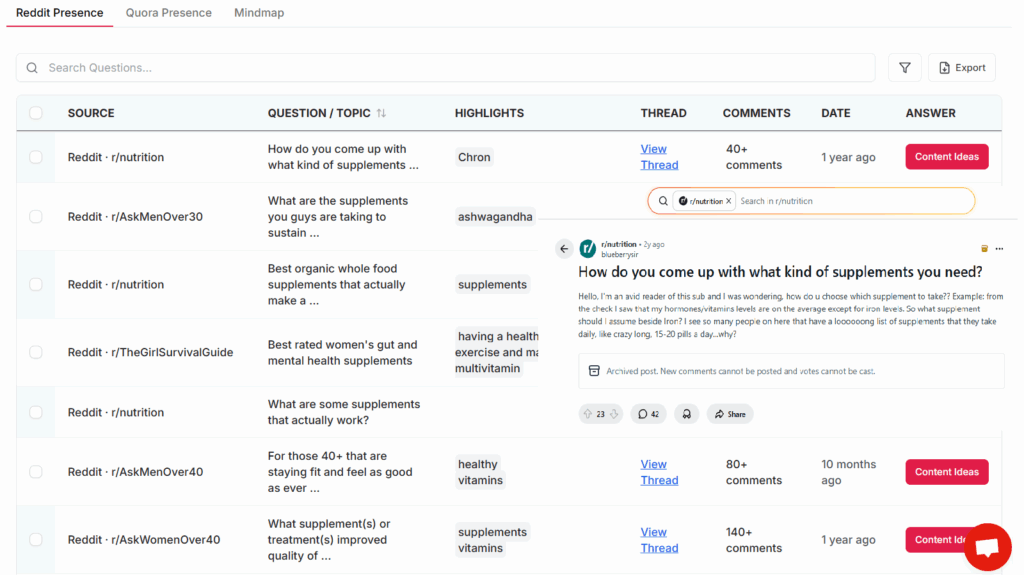
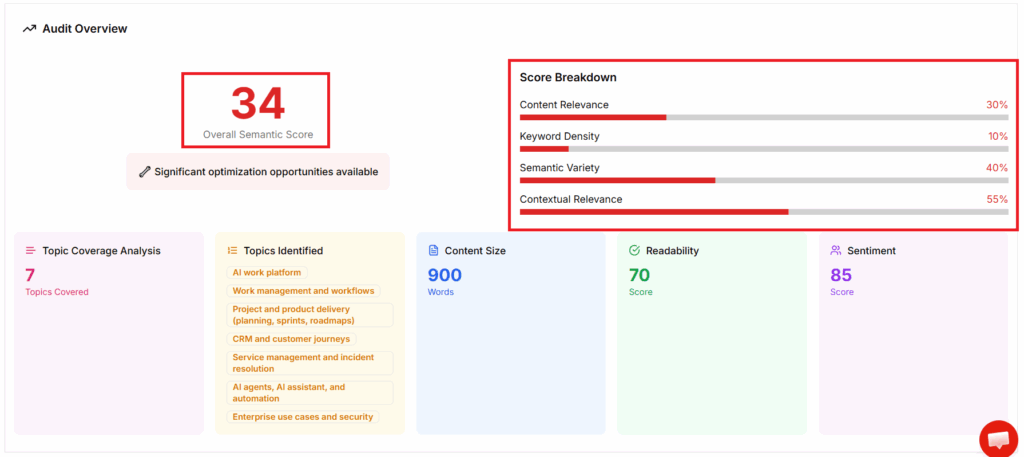
    These tools streamline essential processes, such as question keyword research, FAQ structuring, schema markup, and targeting SERP features for increased answer box visibility. Keywordly, for example, centralizes keyword clustering and real-time schema recommendations so that SEO practitioners can target rich results not only on Google but also on platforms like Bing Chat and ChatGPT. Featured toolkits such as those highlighted by leading industry roundups typically provide robust content audits that emphasize question density and answer snippet optimization, proven to improve visibility in Zero-Click searches.

    Who needs these tools?

    The shift toward direct answer experiences makes AEO tools vital for several digital roles. Content creators rely on these solutions to ensure their articles, FAQ sections, and product pages are structured in a way that search algorithms understand, facilitating inclusion in featured snippets or voice search results. For instance, marketing teams at Shopify have prioritized structured FAQ schemas, leading to over 30% growth in voice search traffic as per industry reports.

    SEO agencies and digital marketers are leveraging AEO integrations to scale best practices across multiple client accounts, verifying on-page enhancements through real-time tracking dashboards. Platforms like Keywordly significantly reduce manual workload and deliver content optimization at scale, contributing to sustainable organic growth and a dominant footprint in answer-driven search technologies, as seen in major SaaS, ecommerce, and B2B portfolios.

    “Traditional SEO tools tell you where you rank. AEO tools tell you whether your content is actually chosen, cited, or summarized by AI systems—which is what drives visibility today.”

    Keywordly

    Keywordly

    Keywordly

    Overview

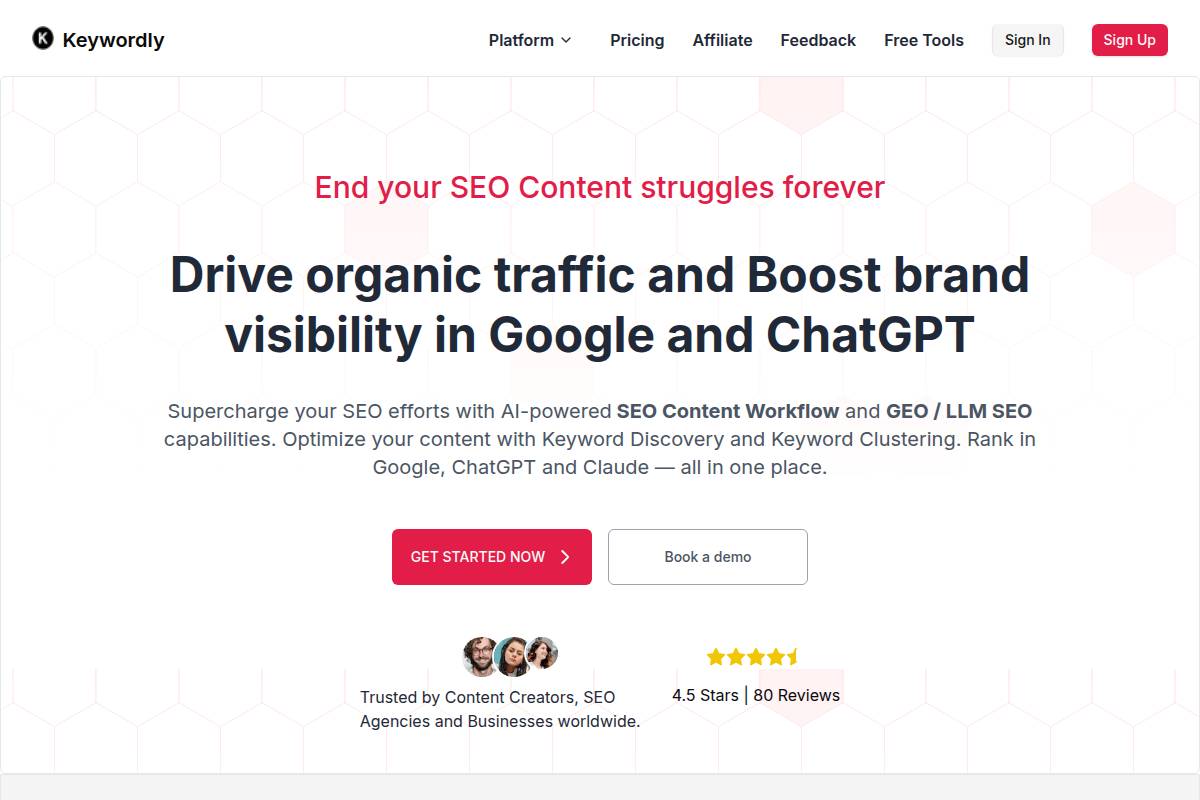
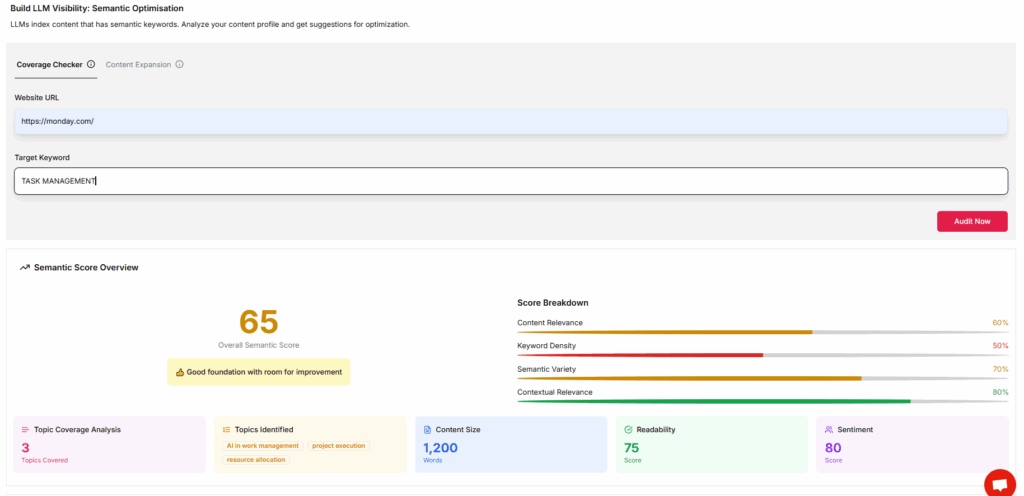
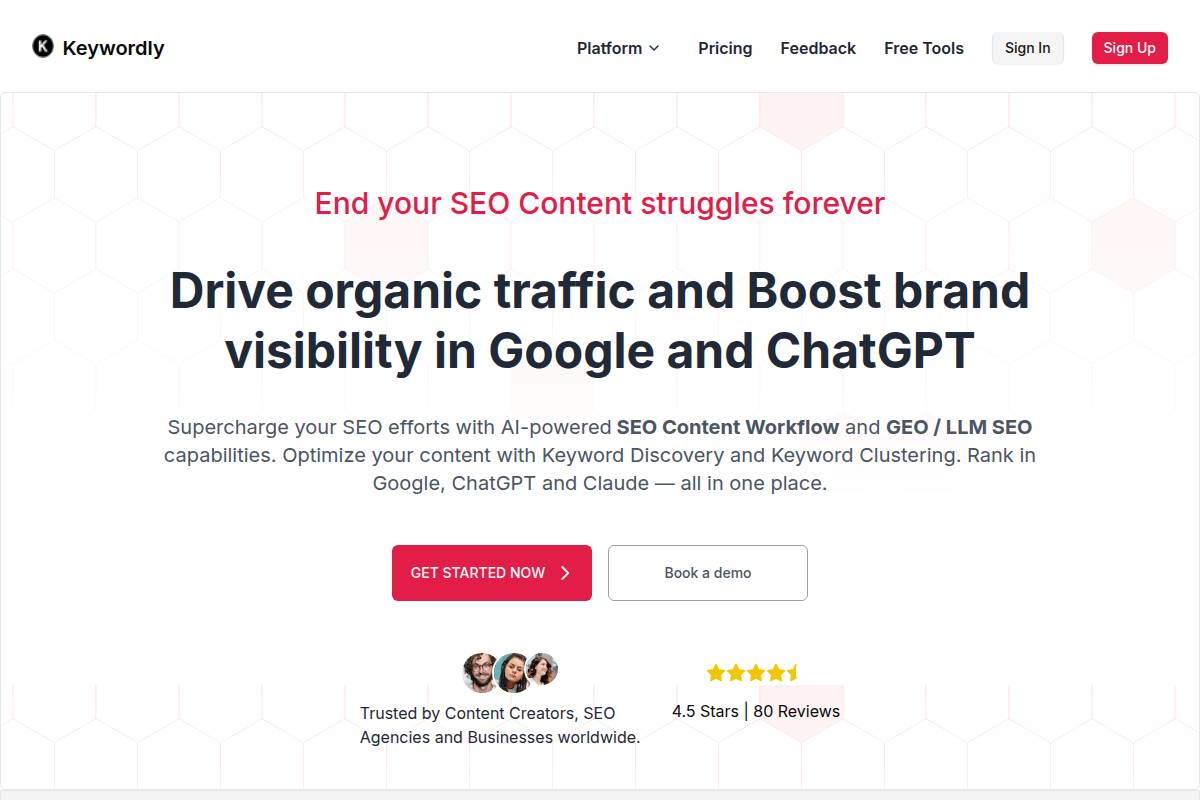
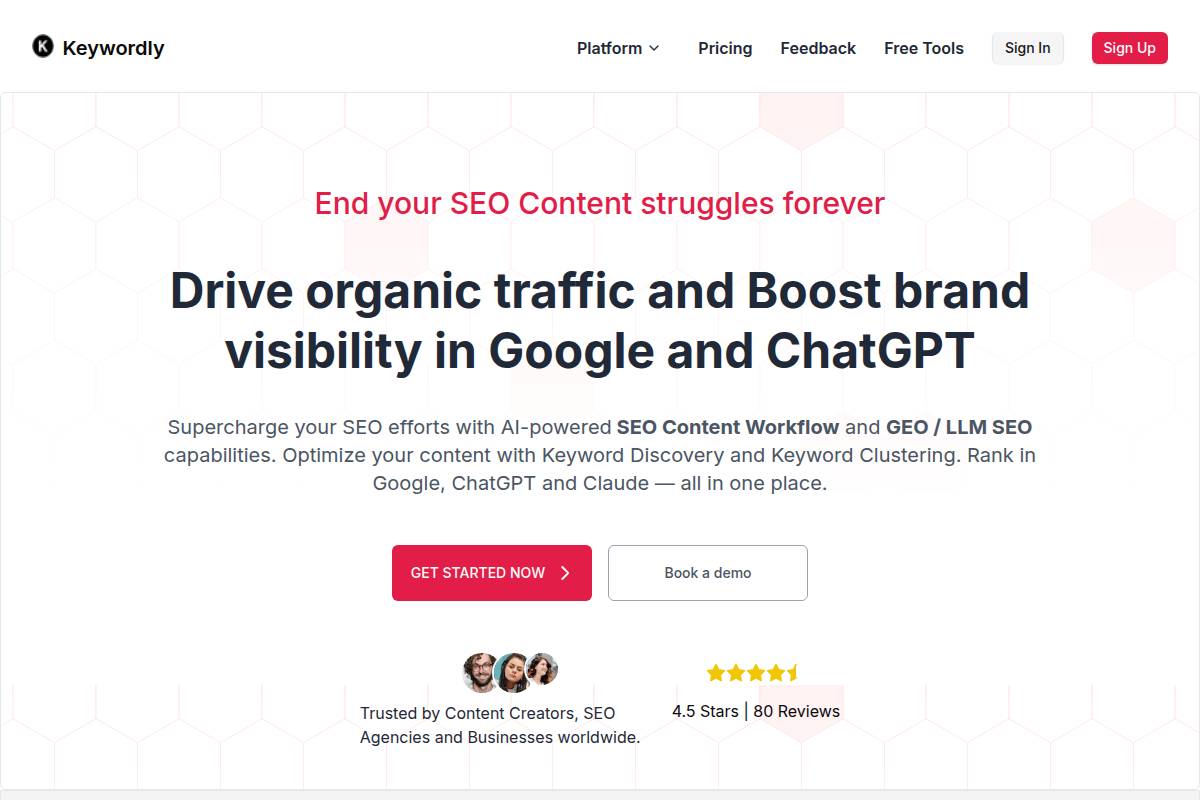
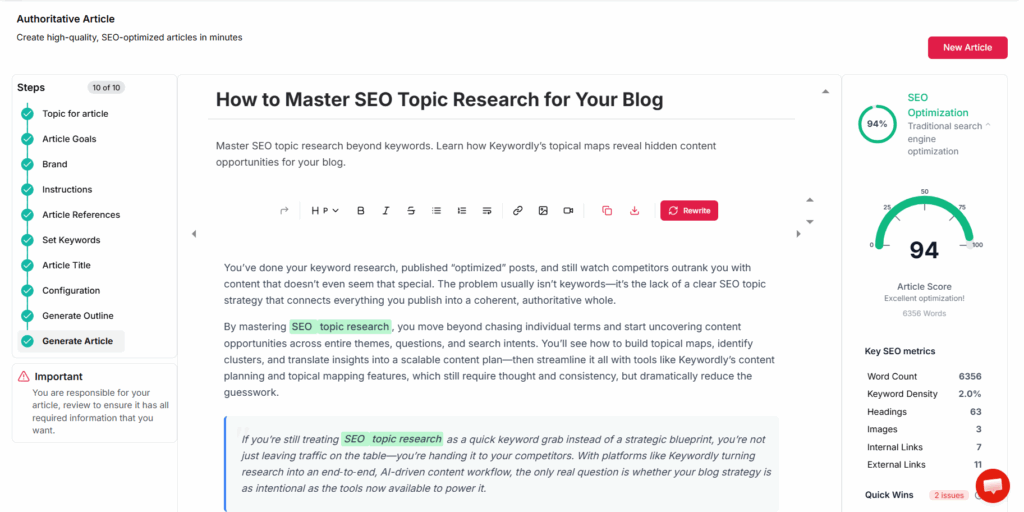
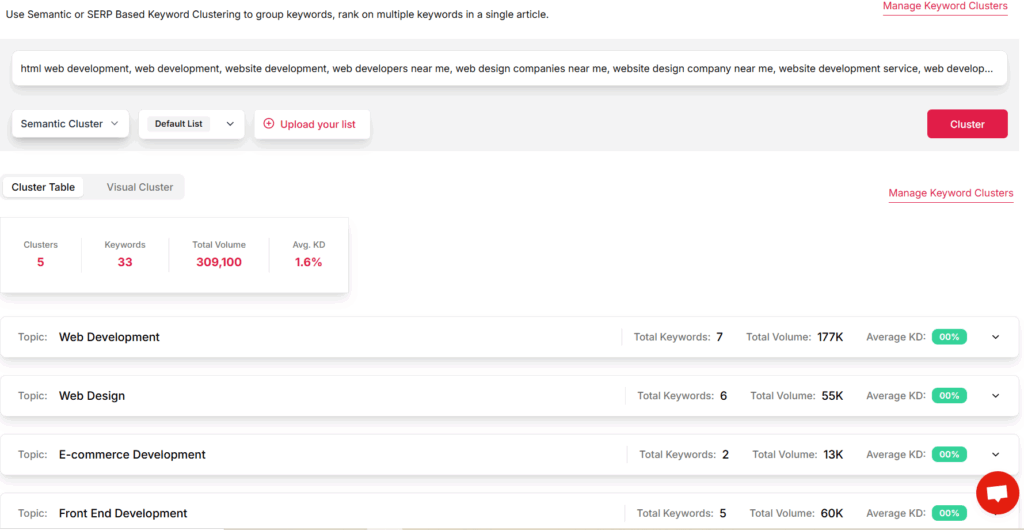
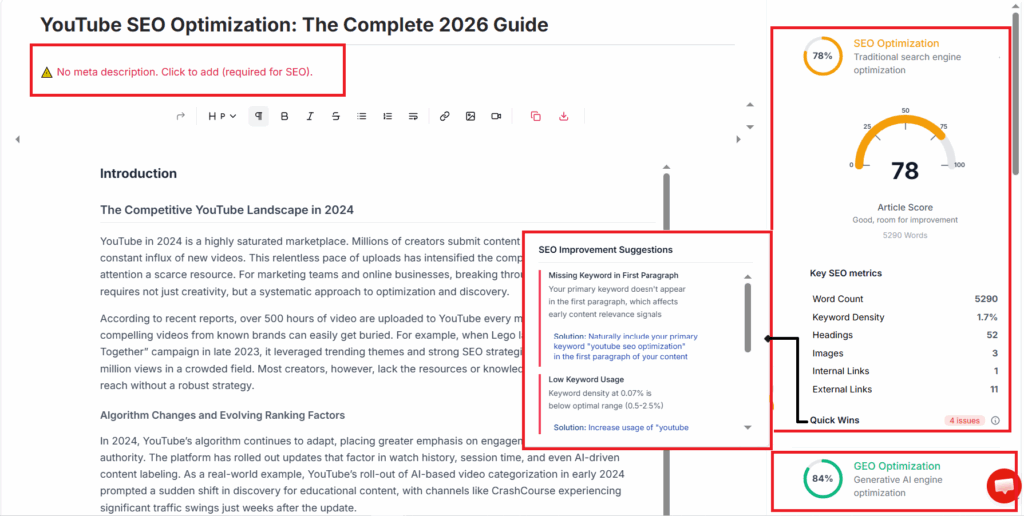
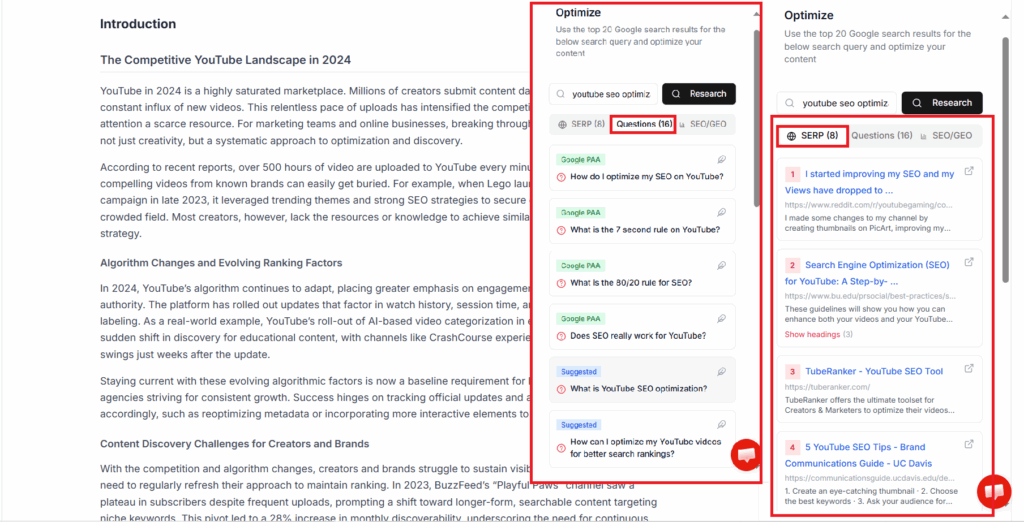
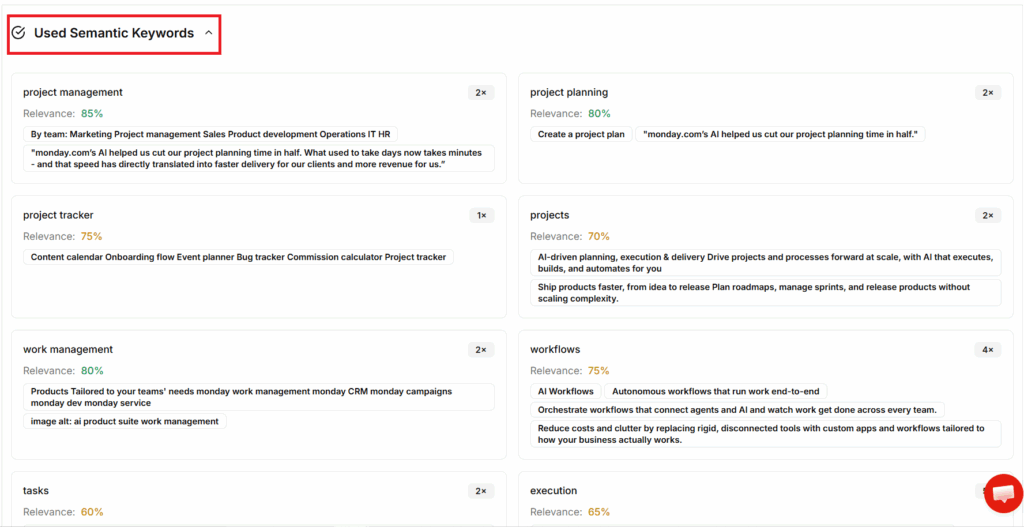
    Keywordly combines AI-assisted keyword research, question clustering, schema recommendations, and optimization scoring into a single platform — so you can identify high-impact questions, build answer-optimized content, and track performance across AI and search engines. It integrates with CMSs like WordPress and Webflow for seamless publishing.

    For example, agencies like Siege Media have used answer-driven SEO to win featured snippets and FAQ placements, and Keywordly takes this approach further by automating schema markups and content checks that align with answer boxes and conversational search demands.

    Technical Requirements

    To keep workflows frictionless, Keywordly runs entirely in-browser and is optimized for Chrome. Compatibility with leading CMSs—including WordPress and Webflow—means digital marketers can integrate directly into their content stacks.

    For those scaling operations or automating tasks, Keywordly’s RESTful API supports bulk actions, data sync, and workflow triggers. Agencies using tools like Zapier or Make.com will find this particularly effective for automating answer targeting at scale. A persistent internet connection is mandatory, emphasizing its SaaS-first design.

    Competitive Positioning

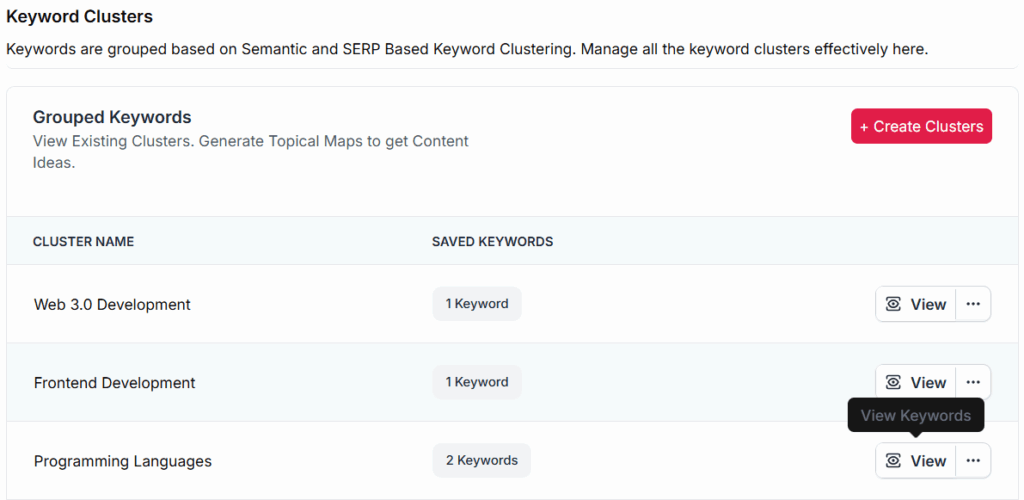
    Keywordly stands out by covering the end-to-end workflow: from research and AI writing to detailed optimization targeting answer engines. Unlike siloed keyword research tools or standalone AI writers, it clusters keywords, identifies answer intent, and supports SERP feature targeting—areas often missed by alternatives.

    Platforms such as Clearscope or SEMrush may offer on-page suggestions, but Keywordly’s edge lies in seamless answer intent monitoring, which is critical as Google shifts more search experiences toward zero-click results and generative answers.

    Getting Started

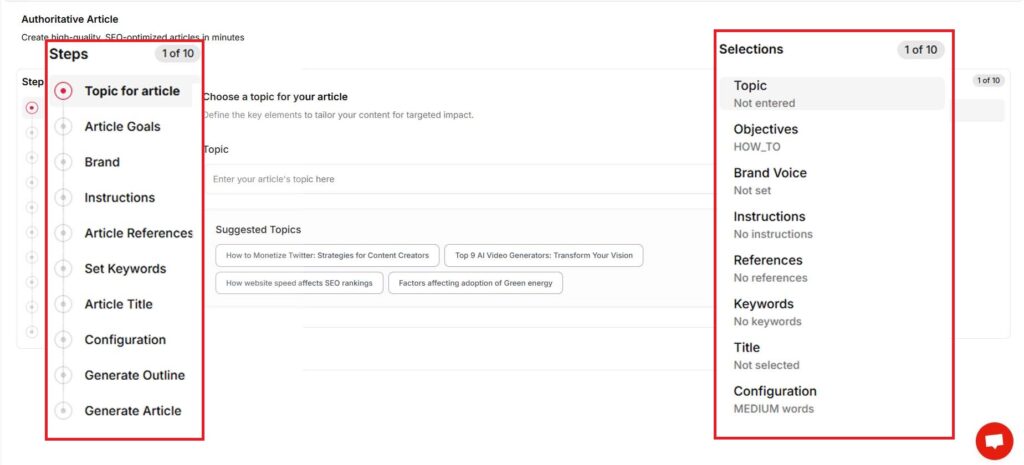
    Onboarding is designed for speed. Users sign up via the Keywordly website, then connect their CMS to begin syncing content.

    1. Complete a first content audit to spot low-hanging opportunities for answer boxes.


    2. Leverage the AI tools to generate or optimize content for specific SERP features or conversational queries. A midsize e-commerce business, for instance, can use the audit to identify missing FAQ schema on top-performing product pages.


    Key Features

    • AI-powered answer generation—using large language models to craft concise, structured responses.


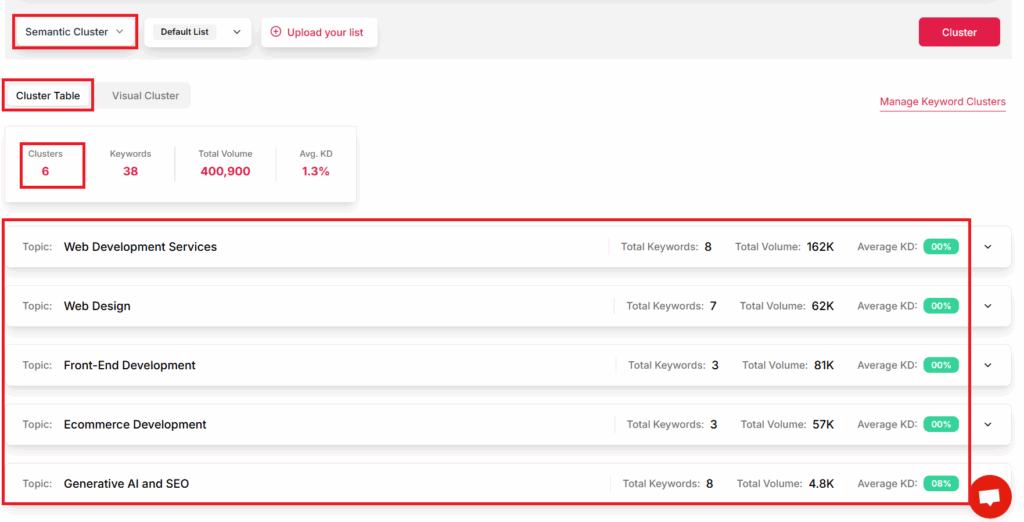
    • Keyword and question clustering to inform pillar content strategies. For example, travel blog Nomadic Matt uses clustering to efficiently target both high-volume and long-tail traveler questions.


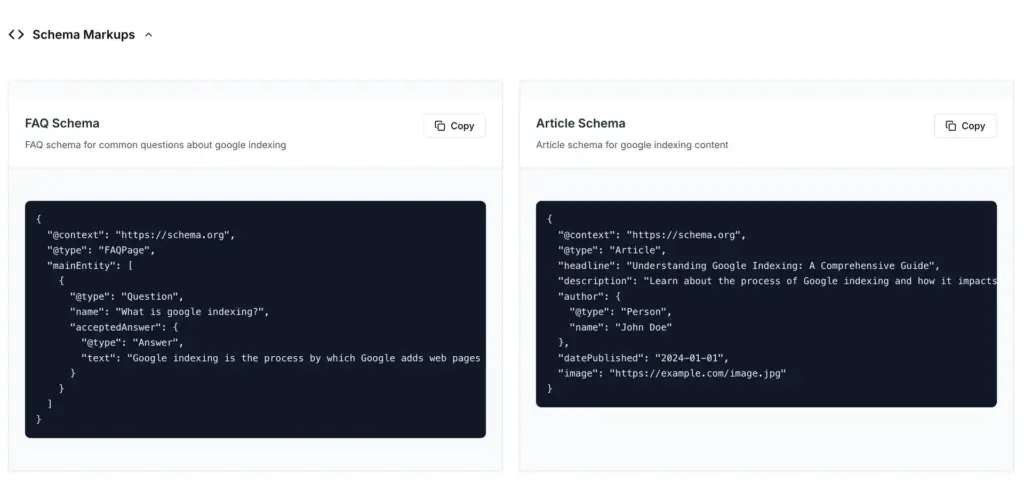
    • Schema markup suggestions to increase appearances in rich results.


    • Real-time SERP monitoring for answer, FAQ, or featured snippet wins.


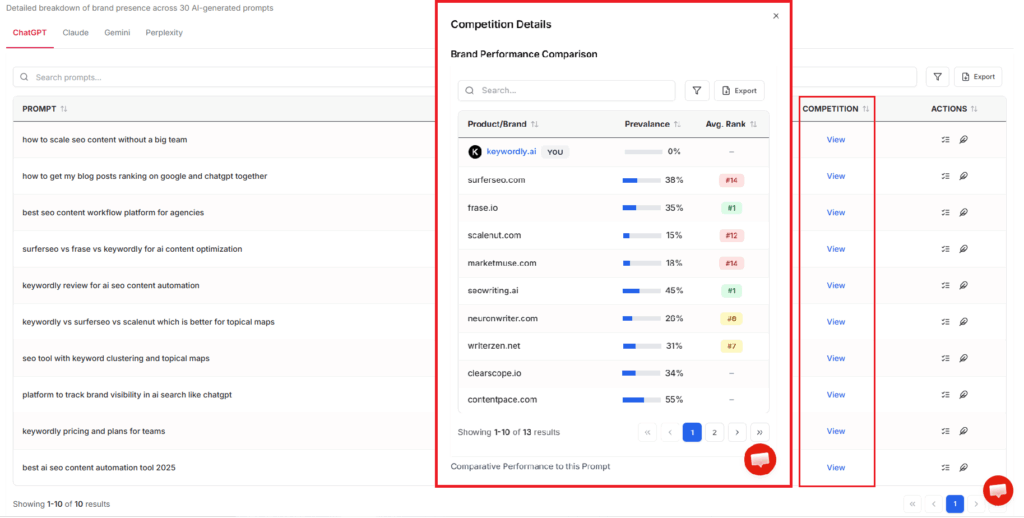
    • Competitor insights dashboard, revealing content and schema strategies in your niche.


    Pros

    • Comprehensive end-to-end workflow allowing marketers to centralize AEO efforts in one platform.


    • Seamless integration with common content tools (WordPress, Zapier, Webflow).


    • Advanced, AI-driven analysis for real-time SERP monitoring and content gap identification.


    Cons

    • Steeper learning curve for those without SEO experience—users may need to spend several hours on documentation or support.

    • Premium pricing puts full suite access beyond some solo creators; for instance, advanced features require upgrading beyond the entry plan.


    Pricing

    Keywordly offers a tiered subscription model, beginning at $79/month for core features. Agencies or enterprise teams can access custom plans with expanded quotas and dedicated support.
    User Sentiment

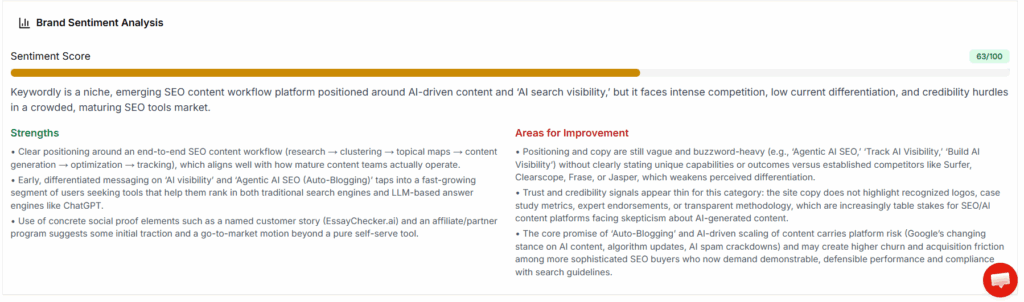
    Keywordly receives positive feedback for dramatically reducing manual SEO and content clustering work. Reviewers highlight increased efficiency managing large content portfolios compared to juggling tools like Ahrefs and Jasper separately.

    Some users wish for more integrations—HubSpot and Shopify are common requests—and mention that the initial learning curve can slow onboarding for teams new to AEO-focused workflows.

    Related Articles:

    Reference: → website-content-optimization

    Reference: → content-optimization-tools

    Reference: Keywordly: SEO Content Workflow Platform

    SEMrush

    SEMrush

    SEMrush

    Overview

    SEMrush — Enterprise-Grade Search Intelligence for AEO
    SEMrush offers deep keyword and SERP analysis that helps you pinpoint answer-focused opportunities like featured snippets and People Also Ask, backed by competitive insights and rank tracking data for both AI and traditional search

    One point of distinction is SEMrush’s capabilities regarding AI-generated search and answer box optimization. For example, the Semrush AI Visibility Toolkit has been highlighted for helping brands enhance their presence in AI-driven search environments and take advantage of evolving search algorithms.

    Technical Requirements

    SEMrush operates via a user-friendly web-based dashboard compatible with all major browsers. Teams can also integrate SEMrush with their workflow using its Chrome extension and mobile app, making on-the-go research possible. This flexibility makes it accessible for both in-office teams and remote marketers.

    To use SEMrush, users must create an account, which unlocks the full suite of its features. The platform supports integrations with popular CMSs like WordPress through official plugins, simplifying the process of using SEMrush data directly within content workflows.

    Competitive Positioning

    SEMrush has carved out a niche for data richness and advanced competitive analysis. Its ability to unearth granular insights into keyword gaps and competitor content strategies makes it indispensable for large-scale campaigns. For instance, major agencies such as Ignite Visibility leverage SEMrush to pinpoint answer box opportunities and monitor real-time SERP changes for high-value clients.

    Businesses aiming to excel in answer-driven features, like zero-click results and AI summaries, consistently rate SEMrush as a preferred solution, especially where outperforming competition in knowledge graph visibility is vital.

    Getting Started

    New users start by signing up for an SEMrush account and setting up a project tailored to their domain. The intuitive setup guides marketers through connecting site properties and configuring fundamental tracking elements.

    1. After registering, users can launch the Topic Research tool to identify trending subjects with answer box potential.


    2. The Position Tracking tool enables ongoing monitoring of target keywords, providing weekly updates on answer box appearances—vital for adjusting strategy rapidly.


    Key Features

    Feature How It Helps Answer box tracking Monitors keyword appearance in Google’s featured snippets, helping HubSpot identify content gaps and spike traffic by targeting zero-click queries. Optimization recommendations Provides AI-powered recommendations to enhance on-page structure, which Salesforce used to boost B2B keyword rankings. Competitive SERP analysis Analyzes competitors’ organic strategies, enabling Shopify to refine its ecommerce content roadmap. Topic Research tool Discovers subjects with high-answer intent, giving Moz actionable ideas for informational blog content and FAQ sections.

    Pros

    • Unmatched data depth for SEO and PPC


    • Multi-channel SEO tools spanning keyword, backlink, and content audits


    • Frequent updates, including the latest AI visibility features


    Cons

    • Steep learning curve due to tool complexity


    • Subscription pricing may be prohibitive for small agencies or solo creators


    Pricing

    SEMrush offers multiple pricing tiers to match user needs. Plans start at $129.95 per month, with packages scaling up for teams that require additional features, user seats, and larger data limits.

    Large enterprises and agencies benefit from custom plans, which unlock API access and white-label reporting for more advanced monitoring workflows.

    User Sentiment

    Industry feedback frequently praises SEMrush for the sheer breadth of features and high-quality, actionable analytics. Brands like REI and Lenovo have referenced its thorough reporting as a cornerstone of successful content and SEO campaigns.

    However, the price point can be a sticking issue, especially for startups or small marketing teams. Users note that while the investment is justifiable for data-driven organizations, budget-conscious teams may need to balance necessity with cost.

    Reference: Semrush: Data-Driven Marketing Tools to Grow Your Business

    Surfer

    Surfer

    Overview

    Surfer leverages advanced AI and Natural Language Processing (NLP) to streamline content optimization for SEO professionals. Its specialty lies in optimizing for Answer Engine Optimization (AEO), with a focus on capturing Google’s Featured Snippets and populating People Also Ask (PAA) boxes.

    Rather than relying purely on manual keyword density and formatting, Surfer analyzes SERP data in real time. For instance, eCommerce brands like Xiaomi have used Surfer to secure prominent positions in Snippets by optimizing pages for answer-oriented intent based on Surfer’s insights.

    Technical Requirements

    Surfer runs efficiently as an in-browser tool, available both as a web-based dashboard and a Chrome extension. This approach removes the need for significant hardware, allowing digital marketing and content teams to access its recommendations directly within Google Docs, WordPress, or other connected CMS platforms.

    The Chrome extension, “Keyword Surfer,” lets users view instant keyword metrics while browsing search results. This seamless browser integration means agencies can scale their operations without worrying about minimum system requirements or complex onboarding.

    Competitive Positioning

    Surfer competes in a rapidly evolving content optimization market by offering granular on-page recommendations and robust SERP feature targeting. The platform is especially valuable for strategists aiming to maximize snippet opportunities.

    Enterprise brands, like Shopify, have integrated Surfer into their on-page SEO workflows for its ability to identify gaps in featured snippet coverage. The tool stands out alongside platforms like Clearscope due to its real-time analysis of competitive SERPs and actionable, snippet-focused suggestions.

    Getting Started

    Adoption is straightforward. New users sign up, input a target keyword, and then utilize Surfer’s Content Editor, which dynamically suggests optimizations for structures that align with answer intent and featured snippet requirements.

    For instance, a digital marketing agency might select “best project management tools” as a target phrase. The Content Editor then provides guidance on FAQ sections, paragraph length, and subheading use to increase chances of capturing a featured position.

    Key Features

    Surfer comes packed with tools designed for practical, day-to-day optimization:

    • SERP Analyzer: Dissects live SERP data to identify ranking factors for specific keywords.


    • Content Editor (NLP-driven): Provides detailed real-time suggestions based on top-performing content.


    • Audit and Surfer AI: Evaluates published content and automates improvements using AI insights.


    • Keyword Surfer Chrome Extension: Displays keyword volumes and metrics within Google search results.


    Pros

    • Intuitive interface designed for rapid onboarding


    • Real-time optimization feedback enables quick iteration


    • Focused on capturing high-visibility SERP features like snippets


    Cons

    • Advanced NLP-driven features are only available in higher pricing tiers


    • Detailed recommendations can sometimes overwhelm new users with volume


    Pricing

    Surfer’s pricing starts at $89/month, with plans scaling up based on usage volume and access to advanced features. Larger agencies or enterprises investing in full NLP capabilities may find value in higher tiers, while freelancers may prefer entry-level pricing.

    User Sentiment

    Feedback on Surfer consistently emphasizes its practical value for real-time content optimization. For example, SEO agency Content Harmony praises Surfer’s assistance in structuring articles to win snipped positions within weeks of implementing suggestions.

    However, some users feel restricted by the limitations of lower-tier plans, particularly smaller consulting firms or freelancers managing multiple domains.

    Related Articles:

    Reference: → content-optimization-tools

    Reference: → seo-content-optimization-tools-comparison

    Reference: SURFER Magazine: Surf News, Events, Photos, Culture, & …

    MarketMuse

    MarketMuse

    MarketMuse

    Overview

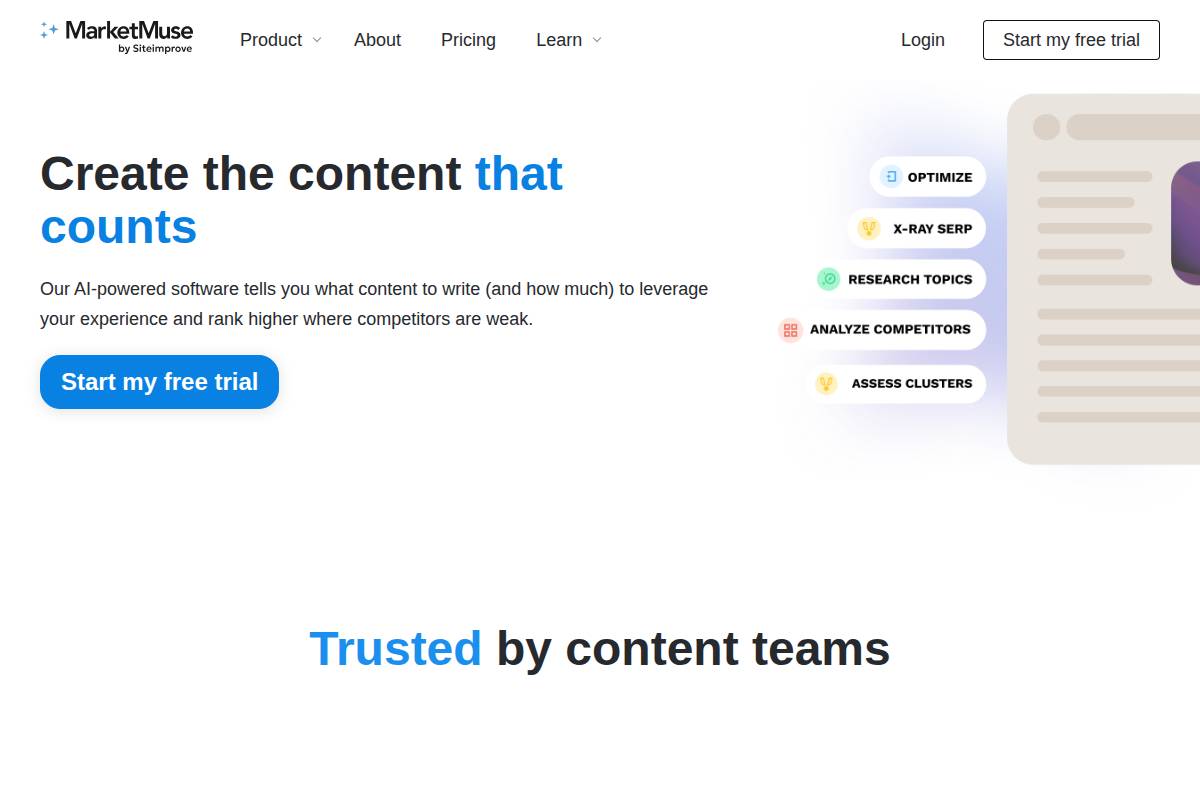
    MarketMuse is designed to help businesses establish topical authority through AI-powered content research and optimization. Its algorithms analyze vast data sets to suggest precisely what topics and questions your content needs to cover in order to perform in search and answer-focused environments.

    Many large publications use MarketMuse to gain deep insights into content gaps. For example, The Motley Fool has leveraged its AI recommendations to strengthen authority in highly competitive personal finance queries, resulting in measurable ranking improvements.

    Technical Requirements

    MarketMuse operates as a web-based platform, accessible through any modern browser. It provides native integrations for major CMSs like WordPress, Drupal, and HubSpot, making workflow automation seamless for editorial teams.

    Its robust API allows enterprises to create custom content workflows. Businesses like Wiley have used the MarketMuse API to feed automated topic suggestions directly into their proprietary content systems, enhancing productivity without manual copy-pasting.

    Competitive Positioning

    Among content optimization platforms, MarketMuse excels in deep content inventories and audits, with a distinctive focus on topical authority. Unlike Surfer SEO or Clearscope, which often target surface-level keyword opportunities, MarketMuse is preferred by organizations targeting highly competitive “answer” keywords, such as legal, health, and financial queries.

    For example, Healthline has utilized MarketMuse for medical content audits, helping them win more featured snippets and People Also Ask (PAA) placements versus rivals, as cited in their annual SEO reports.

    Getting Started

    Entry-level use begins with a free initial content analysis on a chosen URL. You then upload your own content to the dashboard where MarketMuse provides tailored topic and question suggestions, precisely highlighting “answer engine optimization” gaps.

    Many agencies like Siege Media first run these free audits to identify weak pages, using MarketMuse’s topic models to quickly prioritize which content needs edits for broader search coverage.

    Key Features

    MarketMuse stands out due to its broad set of AI-driven capabilities specifically for strategic content workflows:

    • Content inventory & audit


    • NLP-powered recommendations


    • Question and topic research


    • Competitive gap analysis


    Pros

    • In-depth content scoring allows detailed audits of entire websites


    • Actionable recommendations for closing content and topical gaps


    • Advanced topic modeling uncovers high-value opportunities that traditional SEO tools miss


    Cons

    • Considerably higher price point compared to tools like Frase or Clearscope


    • Beginners often cite its setup process as complex, especially for teams new to content strategy


    Pricing

    MarketMuse offers custom pricing based on the number of domains, users, and content volume. There is a limited free tier but serious usage typically requires upgrading. For reference, enterprise users often invest $1,500–$5,000 monthly.

    User Sentiment

    MarketMuse is praised for producing content guidelines with a depth that helps teams compete for difficult topics. For example, editorial teams at Investopedia have highlighted MarketMuse’s ability to provide clarity around complex subject matter as a key differentiator.

    However, smaller publishers and agencies sometimes find the cost a barrier, especially if they have fewer high-value pages to optimize or limited budgets for content analysis tools.

    Reference: MarketMuse: AI Content Planning and Optimization Software

    Clearscope

    Clearscope

    Clearscope

    Overview

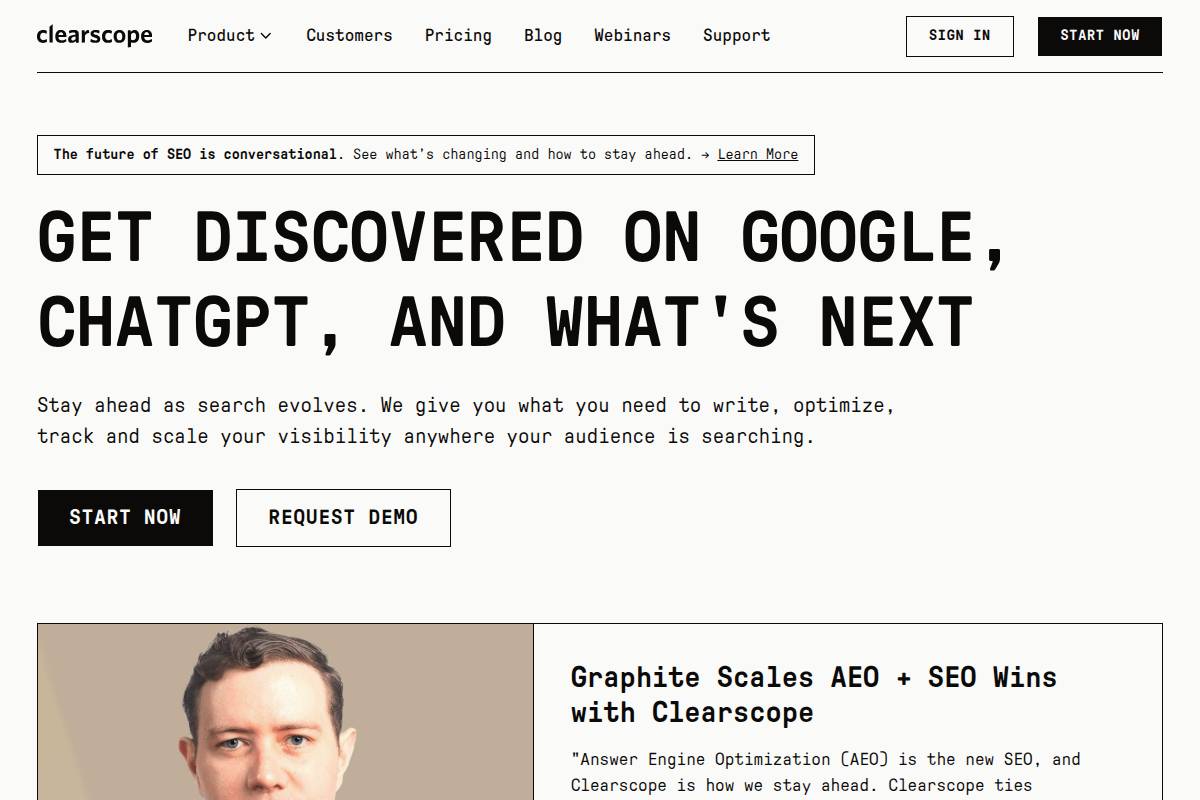
    Clearscope has gained recognition as a leader in semantic research and content optimization, making it an essential resource for teams aiming to perform well on search features such as Google’s People Also Ask and featured snippets. By leveraging advanced algorithms, the platform goes beyond broad keyword analysis and provides detailed guidance on what topics and terms will actually help rank higher for answer-based queries.

    For example, Healthline uses Clearscope to refine its medical content, ensuring strong alignment with user search intent and achieving prominent placements for health-related questions in Google’s SERPs. This targeted, evidence-backed approach helps content teams produce more relevant and thorough articles.

    Technical Requirements

    Clearscope operates as a web-based SaaS platform, giving users cross-device accessibility without installations. Its technical simplicity enables teams to onboard quickly without needing significant IT support.
    The platform offers direct plug-ins for Google Docs and WordPress. Writers working in WordPress or in collaborative tools like Google Docs can see optimization suggestions in real time, reducing friction between drafting and SEO enhancement. This integration makes Clearscope popular among agency teams managing content for multiple brands within Google Workspace environments.

    Competitive Positioning

    Clearscope is positioned as a premium solution for organizations that prioritize answer engine optimization (AEO)—particularly for capturing positions in People Also Ask modules and featured snippets. Its semantic analysis sets it apart from traditional keyword tools.

    Compared with Surfer SEO and MarketMuse, Clearscope is preferred by marketing agencies serving medical, legal, or SaaS brands requiring detailed compliance and accuracy in answer-first content. It is especially effective when a client needs precision in how their content is perceived by Google’s NLP algorithms.

    Getting Started

    Teams can begin using Clearscope by signing up for an account and accessing the dashboard. The onboarding process is straightforward, suitable even for users unfamiliar with advanced SEO tooling.

    1. Paste your content or a live URL into the tool.


    2. Receive a scorecard and actionable recommendations for keyword enhancements, topic coverage, and answer quality.


    A content strategist at G2 shared that her team saw a 25% increase in featured snippet placements by following Clearscope’s suggestions for revising outdated blog posts and FAQ sections.

    Key Features

    FeatureHow It HelpsContent grading algorithmEvaluates content depth vs. top-ranking competitors with a clear scoring system.Answer intent keyword suggestionsSuggests high-impact, intent-driven phrases to boost AEO potential.Google Docs/WordPress integrationEnables real-time SEO feedback without switching platforms.Topic and competitive researchBreaks down SERP leaders’ tactics so your content can fill gaps and outperform them.

    Pros

    • Fast and user-friendly interface for collaborative workflows


    • Highly accurate and actionable feedback for content improvements


    • Teams can easily work together on projects, improving consistency and quality


    Cons

    • No traditional keyword research features—requires pairing with another tool like Ahrefs or Semrush for full SEO coverage


    • Pricing may be high for freelancers or small agencies compared to Surfer or Frase


    Pricing

    Clearscope pricing starts at $170 per month, with options to scale for larger content teams or enterprises. Agencies dealing with high content volumes, like Red Ventures, have found the investment justified by increased visibility and efficiency. Smaller teams often cite price as a hurdle unless AEO is a primary KPI.

    User Sentiment

    Market feedback highlights Clearscope’s intuitive interface and the clarity of its suggestion engine. On G2, users report time savings and improved ranking consistency when deploying Clearscope across content portfolios.

    However, some boutique agencies mention that the higher pricing tiers make continuous usage difficult, despite repeatedly noting the platform’s high ROI for page-one content targeting.

    Related Articles:

    Reference: → content-optimization-tools

    Reference: → reddit-keyword-research-tools

    Reference: Clearscope | Get Discovered on Google & AI Search

    Frase

    Frase

    Frase

    Overview

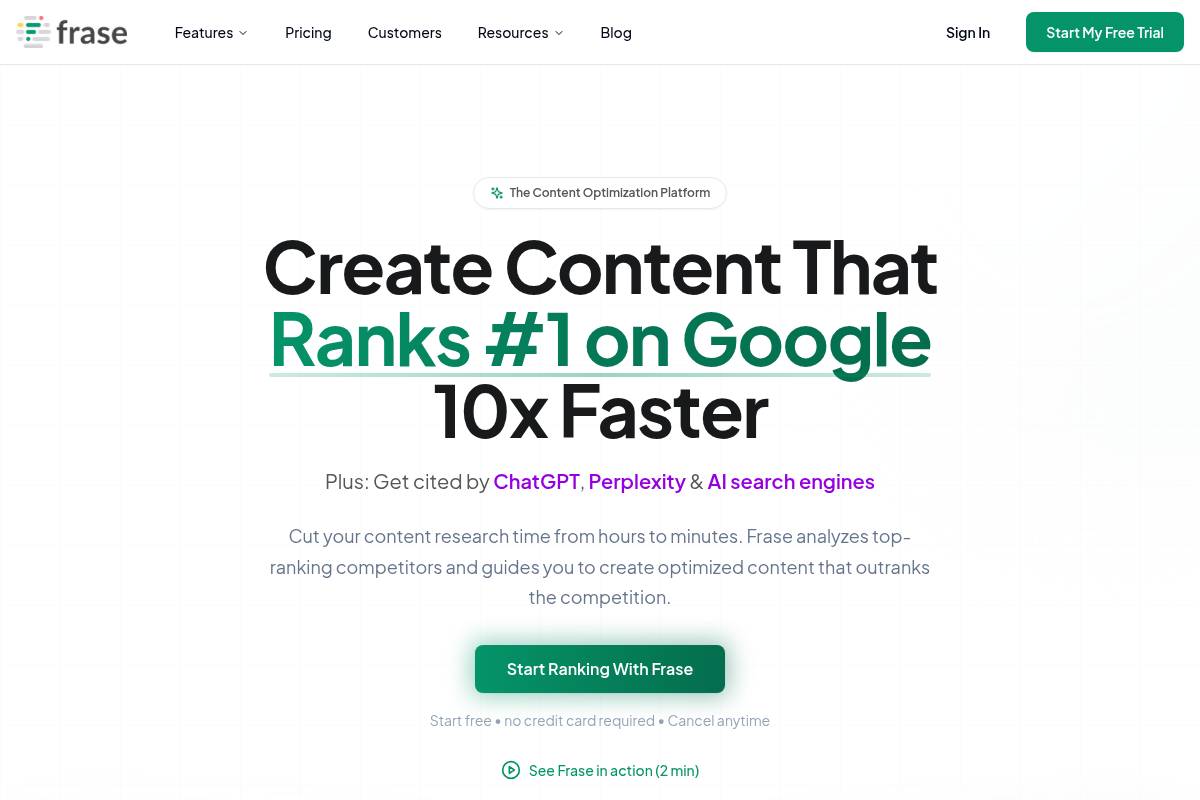
    Frase specializes in research-driven content optimization, targeting marketers who want to structure articles for answer-centric search features like Google’s featured snippets. By addressing user questions directly in your content, Frase helps brands improve their chances of occupying answer boxes—a key driver for organic traffic and authority.

    For example, SaaS companies like Drift have leveraged Frase to identify and answer common customer queries directly on landing pages, boosting their visibility in Google’s People Also Ask sections. This focus on answer optimization streamlines the research and content structuring process for marketing teams and content creators.

    Technical Requirements

    Frase operates as a web-based solution, requiring only a modern browser, such as Chrome or Firefox. There’s no need for complex installations, making it accessible to both remote and hybrid teams.

    Integration capabilities are enhanced with a dedicated WordPress plugin for seamless publishing and API access—enabling large agencies to automate the connection between Frase and existing content workflows. Companies like WebFX and Content Allies have connected Frase’s API to their internal systems, efficiently bridging research insights and CMS deployment.

    Competitive Positioning

    Unlike traditional content research tools, Frase auto-discovers gaps in user search intent by surfacing unanswered questions and generating targeted content briefs. This positions it as a standout choice for agencies and bloggers focused on Answer Engine Optimization (AEO).

    For instance, digital agency Single Grain uses Frase to audit competitor content and auto-suggest new topics for client campaigns that target voice search and featured snippets. This gap-filling approach differentiates Frase from standard keyword research platforms.

    Getting Started

    Frase’s onboarding is streamlined to accelerate content production. Users simply create an account, input a topic, and automatically receive a brief that compiles top questions users are asking about that subject.

    For example, a digital marketing consultant researching “B2B SEO tactics” can enter the phrase in Frase and generate a research brief within minutes, complete with related questions, SERP analysis, and competitor outlines for inspiration.

    Key Features

    • Question discovery to identify what your target audience is searching for


    • Content brief automation that speeds up editorial planning


    • AI-powered content writer to draft SEO-optimized text


    • SERP and featured snippet tracking for performance monitoring


    Pros

    • User-friendly interface designed for rapid adoption by content teams


    • Automates repetitive workflow tasks, reducing turnaround time


    • Built-in CMS integrations, such as a WordPress plug-in, for direct publishing


    Cons

    • AI-generated content sometimes needs manual editing to meet brand guidelines


    • Advanced influencer and large-scale campaign features only available in higher pricing tiers


    Pricing

    Frase’s basic plan begins at $14.99 per month, which covers essential features suitable for freelancers and small marketing teams. Agencies and enterprise users require higher-tier subscriptions for advanced features.

    Users scaling content for brands like The Hustle have reported upgrading to accommodate increased content briefs and API calls. Pricing flexibility makes Frase accessible to a variety of organizational sizes.

    User Sentiment

    Marketers and SEO agencies regularly praise Frase for its ability to surface actionable insights quickly and streamline content research. Many appreciate its focus on automating the discovery of audience questions to inform strong editorial strategies.

    However, some users note that AI-generated briefs benefit from additional human editing to align with a brand’s unique tone and voice—a common requirement with AI writing tools. Still, the time savings and research accuracy remain popular themes in Frase reviews.

    Reference: Frase.io: Rank on Google & AI Search 10x Faster with SEO + …

    Content Harmony

    Content Harmony

    Content Harmony

    Overview

    Content Harmony is a cloud-based platform designed to automate the development of keyword strategies and content briefs that directly address answer intent, a crucial factor for Answer Engine Optimization (AEO) and SERP feature targeting. This makes it highly relevant for teams focusing on increasing their share of Featured Snippets, People Also Ask, and similar search positions.

    For example, Newsweek has utilized Content Harmony to structure briefs that optimized articles for Google’s Direct Answers and rich features, driving measurable increases in SERP prominence and organic click-through rates.

    Technical Requirements

    Content Harmony is delivered entirely through the cloud. Users access the platform via a web browser—no software downloads are needed, streamlining workflows for distributed teams. The system fully integrates with Google Docs and major content management systems like WordPress and Drupal.

    This integration allows teams to push briefs directly into collaborative writing environments. A publisher with multiple writers can have briefs populated instantly in shared Google Docs, enabling seamless content planning and collaboration without IT intervention.

    Competitive Positioning

    Content Harmony targets agencies, brands, and publishers requiring scalable, process-driven content operations. The platform excels where structure and repeatability are crucial for managing dozens to hundreds of briefs monthly.

    SEO agency Portent implemented Content Harmony across 40 client projects, standardizing research and briefing processes. This cut manual research time in half and ensured every brief was optimized for SERP-specific opportunities.

    Getting Started

    Getting started is straightforward. New users sign up, input a topic or keyword, and the tool guides them through generating answer-optimized briefs for writers or editorial teams.

    1. Sign up and log in to the Content Harmony dashboard


    2. Enter your target keyword or topic


    3. Customize and generate an AI-powered brief with competitor and SERP data


    4. Share directly with writers in Google Docs or via CMS integrations


    For instance, a B2B SaaS company looking to rank for “cloud project management software” can produce a detailed brief in under 10 minutes with actionable SERP insights for its content team.

    Key Features

    • Automated content briefs based on real-time SERP analysis


    • SERP feature tracking—including Featured Snippets, People Also Ask, and more


    • Content scoring system to benchmark draft quality against top competitors


    • Easy comparison of your briefs with those of ranked competitors


    Pros

    • Strong process automation ideal for high-volume agencies


    • Structured briefs save writers and editors significant research time


    • Invaluable insights for optimizing toward rich results and answer boxes


    Cons

    • Lacks integrated AI content writing capabilities found in some competing tools like Surfer AI


    • Pricing and advanced features may exceed needs of solo marketers or smaller content teams


    Pricing

    Content Harmony’s base plans begin at $99 per month, suitable for small to midsize teams. They also offer pay-as-you-go pricing, making it flexible for agencies scaling client projects or handling seasonal surges in brief volume.

    User Sentiment

    Client reviews consistently praise Content Harmony for its project organization features and the efficiency gains in content planning workflows. Agencies report workflows accelerated by as much as 50%.

    Some users express interest in deeper AI-driven content generation features, hoping for parity with platforms like Jasper or Frase that offer both briefing and writing capabilities under one roof.

    Reference: Content Harmony

    AlsoAsked

    AlsoAsked

    AlsoAsked

    Overview

    AlsoAsked — Visual Question Mapping for AEO
    AlsoAsked visualizes how real users branch from a topic into follow-up questions, helping you discover the actual language people use — perfect for creating FAQ sections and answer-ready content.

    This unique method supports answer-first content strategies by uncovering the actual user journey. For example, a marketer researching “plant-based protein” would see mapped questions like “What is the healthiest plant-based protein?” and “How do vegans get enough protein?” This level of granularity helps anticipate user needs and optimize for featured snippets and voice search.

    Technical Requirements

    Accessibility is kept simple with AlsoAsked—there’s no software to download or advanced system requirements. The tool functions entirely online via browser access.

    This ensures seamless usability across desktops, laptops, tablets, and smartphones. SEO teams at agencies like Brainlabs leverage AlsoAsked remotely, underscoring its device flexibility when collaborating or working from various locations.

    Competitive Positioning

    Unlike standard keyword research tools that focus on single query volumes, AlsoAsked excels at visualizing the progression between questions. Its tree-based mapping reveals AEO (Answer Engine Optimization) opportunities that are often overlooked by platforms like SEMrush or Ahrefs.

    For example, travel brands analyzing “best time to visit Japan” can uncover long-tail variations and popular follow-ups like “What is the weather in Japan in April?” enabling the creation of more targeted and engaging content clusters.

    Getting Started

    Getting set up with AlsoAsked is straightforward—even for newcomers. Simply enter a seed query, select a language and location, and the platform generates a dynamic question map in moments.

    Content creators at agencies, such as Impression Digital, often use the output to shape comprehensive content briefs and align strategies to actual search intent in specific markets, like US English versus UK English.

    Key Features

    • Dynamic question mapping from a single seed keyword


    • Support for multiple regions and languages


    • Visualizations exportable as .CSV or .PNG


    • Accelerates ideation for topic clusters and pillar pages


    Pros

    • Saves research time by instantly revealing user intent paths


    • Refines AEO targeting for better SERP visibility


    • Intuitive interface suitable for both novices and experts


    Cons

    • Manual integration with editorial and workflow tools


    • Currently limited API and third-party integrations


    Pricing

    AlsoAsked offers a free tier for light users, with paid plans starting at £15/month for more robust queries and historical data export. The flexible pricing makes it accessible for individual creators and agency teams alike.

    User Sentiment

    Professionals from digital agencies and in-house marketing teams report that AlsoAsked fuels more relevant content ideation based on real-world user journey data. For example, SEO consultants at Builtvisible cite faster creation of FAQ content targeting Google’s People Also Ask features.

    Some users express a desire for expanded export formats and direct integrations with workflow tools like Trello or Google Docs for even greater efficiency during planning and publishing.

    Reference: AlsoAsked: People Also Ask keyword research tool

    Answer The Public

    Answer The Public

    Answer The Public

    Overview

    Answer The Public is designed to turn autocomplete queries from Google, Bing, and other search engines into highly actionable question and topic research. This tool is uniquely positioned for answer engine optimization (AEO), offering marketers insights into what real users are asking online.

    By surfacing user-sourced questions and comparisons, Answer The Public helps content teams identify precise search intent. Teams at brands like HubSpot and Semrush have leveraged this tool to quickly identify trending questions for blog topics and FAQ pages that rank in voice search and featured snippets.

    Technical Requirements

    One of the main strengths of Answer The Public is its accessibility. It’s entirely browser-based and requires no installation, making it compatible with desktops, tablets, and even mobile devices.

    The tool includes professional-grade export options. Users can export data visualizations and lists into CSV or PDF formats, streamlining easy sharing and integration with project management tools like Trello or Google Sheets.

    Competitive Positioning

    Compared to full-suite SEO platforms like Ahrefs or Semrush, Answer The Public excels at rapid brainstorming and unearthing authentic user questions. It’s focused on surfacing question-oriented, answer-rich content opportunities in seconds.

    For example, digital agencies often use the tool during content workshops to inspire new pillar pages or featured snippet strategies. Unlike larger platforms, it doesn’t overwhelm users with competing features but delivers a targeted research experience.

    Getting Started

    To get started, simply enter your target keyword or phrase. The tool instantly generates visualized content trees—clusters of questions, prepositions, and comparisons around your seed topic.

    For instance, searching “plant-based protein” produces dozens of questions like “what is plant-based protein made of?” Marketers at Impossible Foods reportedly used this approach for a campaign addressing consumer frequently asked questions. High-potential questions can then be exported to guide editorial calendars or campaign planning.

    Key Features

    FeatureDescriptionLarge autocomplete suggestion databaseHarvests real-time autocomplete data from major search enginesVisual mappingBuilds branched visualizations of questions, prepositions, and comparisons for easy brainstormingExport optionsExport data as CSV or PDF for sharing and integrationMulti-language/region supportSupports multiple languages and regions, aiding international campaigns

    Pros

    • Exceptionally easy to use with no steep learning curve


    • Ideal for brainstorming content ideas and mapping user interests


    • Helps content teams discover new content angles rapidly


    Cons

    • Does not provide traditional ranking or keyword analysis metrics


    • Heavily limited usage on free plans; paid access required for frequent use


    Pricing

    Answer The Public offers a freemium pricing structure. Free users are limited to a small number of daily searches, making it best suited for occasional or exploratory research. Pro plans start at $99/month, unlocking unlimited searches and broader export capabilities.

    For growing agencies or brands with frequent research needs, investing in the Pro plan makes sense. Marketers at Wix have cited the paid version as crucial for high-volume, ongoing content campaigns.

    User Sentiment

    Answer The Public receives strong recommendations from digital marketers, SEO consultants, and content strategists. Its primary value lies in quickly surfacing topics that reflect user intent—something tools like Moz and Google Keyword Planner often miss by focusing only on keywords, not questions.

    However, some users note frustration with the price hike for higher use, especially for small teams or freelancer budgets. Still, it remains a favorite for quick idea generation and supporting answer-focused SEO strategies.

    Reference: AnswerThePublic: Search listening tool for market, customer …

    Schema App

    Schema App

    Schema App

    Overview

    Schema App is a specialized tool designed to help organizations create, manage, and deploy structured data markup at scale. With the evolving landscape of search, particularly the demand for answer-driven results and featured snippets, deploying the right schema across thousands of pages has never been more essential.

    By handling complex schema requirements for large web properties, Schema App ensures businesses stay eligible for rich search features like FAQ, How-To, and Q&A answer boxes. Major publishers such as Mayo Clinic and AdventHealth have relied on Schema App to enhance their visibility in Google’s rich results.

    Technical Requirements

    Schema App operates through a robust cloud-based platform, accessible directly via any modern web browser. This architecture eliminates the need for cumbersome local installations and facilitates collaboration across SEO, dev, and content teams.

    Integration capabilities are extensive, supporting enterprise-worthy CMSs (like Adobe Experience Manager, Sitecore, or Drupal) and offering a comprehensive REST API for custom workflow automation. For example, large retailers have integrated Schema App with Shopify Plus to programmatically manage thousands of product and FAQ pages.

    Competitive Positioning

    Schema App stands out for organizations with technical SEO expertise or complex content stacks. Its granular controls and automation make it a strong fit for enterprises that need to maintain high volumes of structured data, such as health systems publishing huge knowledge bases or e-commerce brands optimizing product content for rich snippets.

    For instance, The Home Depot uses scalable schema management to enhance their FAQ and How-To content, resulting in higher engagement within Google rich answer boxes.

    Getting Started

    Onboarding with Schema App typically begins by connecting your website via a simple site URL input or via direct plug-ins for platforms such as WordPress or Shopify. After the connection is established, you can select schema types including FAQ, Q&A, and HowTo templates, which are pre-configured for Google’s eligibility guidelines.

    Deployment is flexible, supporting both tag manager integrations like Google Tag Manager and direct CMS plugins. For teams managing thousands of pages, REST API integration can offer further automation and ensure consistent markup deployment at scale.

    Key Features

    Schema App’s feature set is specifically tailored for robust schema management at the enterprise level:

    • Comprehensive schema builder supporting all major structured data types


    • Automated deployment across hundreds or thousands of pages


    • Health monitoring and reporting for detailed schema coverage insights


    • Integration support for GTM (Google Tag Manager) and various CMSs, including Adobe and Shopify


    Pros

    • Full schema flexibility, supporting custom and complex schema types at scale


    • Enterprise-grade scalability, proven on websites with millions of URLs


    • Boosts eligibility for high-value rich snippets, such as FAQ and How-To answer boxes


    Cons

    • Requires a solid technical foundation in schema and structured data implementation


    • Pricing is positioned for enterprises, reflecting its advanced automations and features


    Pricing

    Pricing is custom and tailored to the needs of each enterprise client. Demo access is available by request, and smaller organizations may find the investment aligns best with large-scale needs rather than simple sites.

    User Sentiment

    Schema App earns trust for delivering robust, large-scale schema implementations without sacrificing flexibility. Brands like Alzheimer’s Association cite dependable schema deployment as critical for maintaining search visibility across extensive medical content libraries.

    However, reviews often note that the depth of features introduces a learning curve for teams new to structured data. Enterprises with dedicated SEO teams find the platform invaluable, while beginners may face a steeper ramp-up period.

    Reference: Schema App | End-to-End Schema Markup Solution

    How to Choose an AEO Tool

    Choosing the right SEO content optimization tool depends on your team’s skillset, scalability needs, and operational focus. Each platform serves distinct audiences and challenges, from empowering solo content creators to supporting large-scale enterprise teams with robust integration capabilities.

    Best Overall & Enterprise: Keywordly

    “Platforms that unify keyword clustering, answer optimization, and schema execution eliminate the gap between ranking content and answer-ready content.”

    Keywordly is designed to streamline SEO workflows for varied users, from agencies to in-house enterprise teams. By combining keyword research, content generation, automated auditing, and keyword clustering, it enhances brand visibility across Google, ChatGPT, and other search engines.

    For example, Digital Current, a major US-based SEO agency, reduced their content turnaround time by 30% after integrating Keywordly’s clustering and brief generation. Its scalability makes it suitable for agencies managing dozens of clients and brands handling thousands of pages.

    “The best AEO tool isn’t the one with the most features—it’s the one that helps your content appear in answer boxes, AI summaries, and voice results with the least friction.”

    Best for Beginners: Frase

    Frase offers a user-friendly interface and efficient question analysis that helps beginners quickly optimize content around trending queries. The solution excels at delivering actionable SERP insights without a steep learning curve.

    Content writers at small consultancies, such as Sachs Media, use Frase to produce client briefs and discover gaps in less than 10 minutes—a process that previously took hours of manual research.

    Best for Teams: Clearscope

    Clearscope stands out for teams needing collaborative workflows, offering integrations with tools like Google Docs and WordPress. Its real-time scoring helps teams manage content production efficiently and consistently across editors and stakeholders.

    HubSpot’s editorial team credits Clearscope for cutting their revision rounds in half while maintaining search-leading quality, thanks to centralized optimization suggestions.

    Best for Content Ideation: AlsoAsked, Answer The Public

    Content ideation tools like AlsoAsked and Answer The Public specialize in surfacing real user questions, themes, and emerging trends. These insights are valuable for building FAQ content, finding new blog angles, and supporting topical authority.

    For instance, Canva expanded its Help Center library using AlsoAsked to identify related search questions, increasing organic traffic to their support pages by 40%.

    Best for Technical Implementation: Schema App

    Schema App automates the deployment and management of structured data, crucial for rich snippets and search visibility. Enterprise brands including SAP and Rotten Tomatoes leverage Schema App to scale schema markup across thousands of URLs without heavy dev resources.

    This approach led to double-digit gains in click-through rates following the rollout of FAQ and HowTo schema across large template libraries.

    FAQs

    What is answer engine optimization (AEO)?

    AEO focuses on structuring content so search engines and AI systems can extract direct answers — helping your content appear in featured snippets, AI summaries, and voice results.

    How do AEO tools differ from traditional SEO tools?

    AEO tools are designed to optimize content for direct answers, not just rankings. They focus on understanding question intent, structuring concise responses, and using schema markup so AI systems can easily extract and display answers.

    Traditional SEO tools mainly target keyword rankings, backlinks, and traffic growth. In contrast, AEO tools like Keywordly and Frase prioritize answer boxes, People Also Ask results, AI summaries, and voice search visibility, helping content appear inside answers rather than only as links.

    Are these tools suitable for small businesses?

    Yes, AEO tools are well-suited for small businesses and lean teams. Many platforms offer simple workflows, intuitive dashboards, and affordable plans, making it easy to optimize content for answer boxes without advanced technical expertise.

    Tools like Frase, AlsoAsked, and AnswerThePublic help small businesses discover real user questions and create FAQ-driven content that can appear in featured snippets and AI responses—often faster than traditional SEO methods.

    How long does it take to see results from AEO tools?

    AEO results can appear within a few weeks, especially for long-tail or low-competition questions. Pages optimized with clear answers, structured formatting, and FAQ schema often surface faster in answer boxes and AI summaries than standard SEO pages.

    For competitive queries, consistent optimization and updates are still required. However, many sites see improved visibility and higher click-through rates once their content begins appearing in direct answers.

    Can I use multiple AEO tools together?

    Yes, using multiple AEO tools together is common and recommended. Many teams combine question research tools with content optimization and schema tools to cover the full AEO workflow.

    For example, businesses often use AlsoAsked or AnswerThePublic for question discovery, then apply Keywordly or Frase for answer structuring and schema implementation—ensuring content is both discoverable and answer-ready across AI and search platforms.

  • Why Content Optimization for Answer Engines Matters

    Why Content Optimization for Answer Engines Matters

    Picture this: You spend hours crafting the perfect article, only to see fewer clicks as Google and AI assistants pull answers directly from your content, leaving your site invisible in the search results. As answer engines like ChatGPT and Google SGE reshape how information is delivered, traditional SEO approaches are no longer enough to secure a spot in front of your audience.

    The challenge isn’t just about ranking high—it’s about ensuring your content is chosen and cited by these powerful engines, maintaining your visibility and authority. Readers will uncover practical strategies for optimizing their workflow to meet new search demands, understand key shifts behind zero-click searches, and learn how smart, AI-driven tools like Keywordly can help them adapt. Implementing these tactics requires ongoing effort, but the payoff is staying relevant and highly visible as search continues to evolve.

    In an era where AI answers shape what people see first, optimizing for answer engines isn’t just smart—it’s survival. With Keywordly, content creators and marketers gain the edge to be seen, heard, and chosen in a landscape where only the most visible brands win.

    Reference: AEO in 2026: Why It Matters for Businesses

    Introduction

    Setting the Stage

    The evolution of search technology is swiftly altering the content discovery process. Answer engines, powered by advances in artificial intelligence, are transforming how people interact with and access information online. Instead of listing ten blue links, platforms like Google’s Search Generative Experience (SGE) and ChatGPT now deliver concise, context-rich answers directly on the results page.

    This shift challenges traditional strategies that focused on drawing clicks to websites. For instance, Home Depot saw a marked impact in May 2023 when generative AI-powered snippets began appearing for common DIY queries—reducing click-through traffic but increasing brand visibility at the top of search results.

    Hook: How answer engines are redefining content visibility

    Brands that once relied on high-ranking blog posts are navigating a new landscape where featured answers or AI-generated responses often satisfy user intent immediately. This has redefined what it means to be “visible” online. Direct answers can now eclipse organic results, impacting traffic patterns for publishers and e-commerce platforms alike.

    For example, according to HubSpot’s 2024 survey, nearly 39% of marketers reported a decrease in organic clicks, attributing it primarily to answer-first search features.

    Problem/Opportunity: From clicks to answer-first experiences

    The rapid adoption of answer engines poses both a challenge and an opportunity. Brands must rethink how to surface authoritative content within these succinct answer boxes. Instead of optimizing for clicks alone, successful strategies now prioritize well-structured, semantically rich content that answer engines can easily extract and display.

    Tools like Keywordly help by analyzing real answer snippets, surfacing keyword clusters, and auditing content to meet the evolving requirements of answer-centric platforms.

    What is Covered: Comprehensive guidance and actionable steps

    This guide unpacks the answer engine revolution: from foundational understanding to advanced optimization techniques. Learn practical approaches for adapting your keyword strategy, content structure, and analytics workflows.

    It includes actionable steps to audit your current content, optimize for both Google’s SGE and ChatGPT, and measure the new visibility metrics that matter in this era.

    Setting Expectations: Who this guide is for and outcomes

    This resource is tailored for content creators, SEO agencies, digital marketing professionals, and online businesses seeking to future-proof their content strategies. Whether you manage a small e-commerce site or coordinate enterprise-level SEO campaigns, you will find practical advice for staying ahead of search and AI platform shifts.

    By following this guide, you can position your content for greater prominence within answer-focused results, increase qualified exposure, and maintain a competitive edge in modern search ecosystems.

    1. Understanding Answer Engines and the Zero-Click Landscape

    What Are Answer Engines?

    Answer engines encapsulate a shift in how information is delivered online. Unlike traditional search engines that return a list of links for users to click through, answer engines surface direct responses to user queries within the search environment itself. This streamlined approach means users get concise, immediate answers without leaving the platform.

    The defining features of answer engines include their emphasis on sourcing structured and highly relevant data, which allows platforms to generate precise answers. For example, Google’s featured snippets extract information directly from web content to answer questions on the results page. Voice assistants like Amazon Alexa and Apple’s Siri also function as answer engines, responding to queries with contextually relevant, straightforward answers, rather than displaying a list of websites.

    The Rise of Zero-Click Searches

    Zero-click searches are changing how brands achieve online visibility. Instead of generating traffic from clicks to their websites, publishers now face the reality that many searchers never leave the search results. SEMrush reported in 2022 that over 57% of mobile searches and around a quarter of desktop searches ended without a single click to an external site.

    This shift compels businesses to prioritize information discoverability directly within answer engines. For instance, when someone searches for “best digital marketing tools,” tools like HubSpot or SEMrush often appear directly in featured snippets, bypassing the need for users to click through. To stay visible, brands are investing in answer engine optimization, focusing on structured data and clarity so content is selected by AI-driven answer engines as the definitive source.

    Changing User Behavior with AI-Powered Answer Engines

    The integration of AI-driven tools like ChatGPT and Google’s Search Generative Experience (SGE) is redefining user expectations. These platforms analyze massive datasets to predict and present nuanced answers, moving beyond static search results. Users are growing accustomed to conversational, context-aware responses that resolve queries in a single interaction.

    Content creators now need to rethink their approach. For instance, when Bloomberg tracks financial terms or popular questions, both ChatGPT and Google’s SGE deliver market-specific, up-to-the-minute answers—often referencing trusted analytics sites directly within their explanations. Marketers and SEOs are responding by structuring data for machine readability and targeting questions as content hubs to gain placement in AI-powered answer engines. This approach is thoroughly explored in AEO: The Comprehensive Guide for 2025.

    2. The Business Impact: Why Content Optimization for Answer Engines Matters

    2. The Business Impact: Why Content Optimization for Answer Engines Matters

    2. The Business Impact: Why Content Optimization for Answer Engines Matters

    Shifting Traffic Patterns

    As search behavior evolves, traffic from traditional search engine results pages (SERPs) is no longer the only metric that matters. Users increasingly turn to answer engines and generative AI tools, such as Google’s SGE or ChatGPT, to get instant, direct answers to their queries. This shift is redefining what visibility means for brands competing for attention online.

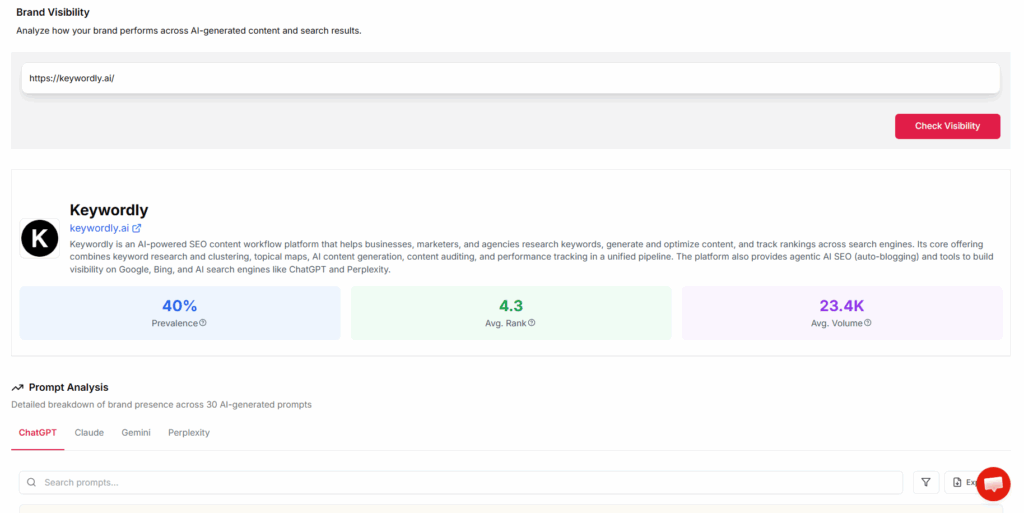
    For marketers, traditional metrics like pageviews and time-on-page provide only a partial picture of user engagement. Tools like Keywordly now enable brands to track how their optimized content appears in AI summaries and answer boxes. This approach allows for more accurate measurement of ROI and engagement—metrics crucial for agencies managing large digital campaigns or ecommerce companies tracking attribution across content touchpoints.

    Opportunities for Visibility and Authority

    The emergence of featured snippets, answer boxes, and AI-generated previews presents new opportunities for brands to appear at the top of user engagement funnels. Companies that tailor their content for direct answers can secure prime placement above traditional organic links. For example, HubSpot’s comprehensive guides frequently appear in Google’s featured snippets, driving significant traffic and branding value outside regular search listings.

    Beyond exposure, answer engine optimization fosters authority. When a content piece is cited as the primary source by AI platforms, it positions the brand as a trusted industry expert. SEMrush, for instance, has documented how consistently providing fact-based, up-to-date answers helps their blog establish lasting credibility, leading to media citations and inbound links.

    Risks of Neglecting Answer Engine Optimization

    Brands ignoring answer engine optimization risk losing visibility to competitors who prioritize AI-driven search behaviors. For instance, after voice search became mainstream, Domino’s Pizza revamped its FAQ sections, resulting in a 10% uplift in local voice search traffic, while others in the sector fell behind in share-of-voice.

    Failure to capture these new touchpoints also means missing out on reinforcing brand awareness beyond traditional search. With answer engines shaping first impressions, companies that overlook this channel reduce their chances of influencing early consideration stages—an increasingly important factor in competitive landscapes where the majority of discovery happens before a prospect even visits a website.

    Related Articles:

    Reference: → website-content-optimization

    Reference: → content-optimization-tools

    Reference: Answer Engine Optimization Is a Familiar Trap

    3. Core Principles of Content Optimization for Answer Engines

    Direct, Accurate Answers

    Optimizing for answer engines demands a sharp focus on providing factual, concise responses to queries. Unlike traditional SEO, where users skim linked articles, answer engine optimization (AEO) aims to meet user intent upfront by supplying the exact information being searched for.

    This approach is evident on platforms such as Google’s featured snippets, where only the most direct and accurate content earns visibility. For instance, when users search for “What is AEO?”, content that promptly defines it as “the practice of optimizing your content so search platforms can directly provide answers rather than just listings” [Answer Engine Optimization (AEO): The Comprehensive Guide for 2025] is much more likely to rank. This directness serves both human readers and AI-powered answer engines by eliminating unnecessary context.

    Yelp, for example, increased its visibility on Google by providing succinct business descriptions and service information, ensuring users and search engines got accurate answers at a glance.

    Content Structure for Machine Readability

    Machine readability influences whether content gets selected for answer boxes or AI-generated responses. Structure is crucial: clear headings, lists, tables, and question-answer formats vastly improve a page’s eligibility to appear as a snippet or direct answer.

    Keywordly leverages AI-driven tools to automatically structure content with logical hierarchy, fostering a clean HTML outline that enhances parsing by search algorithms. For example, HubSpot organizes its knowledge base articles with direct H2s such as “How to Reset Your Password” followed by step-by-step numbered lists. This makes both the content and its intent crystal clear to Google’s parser as well as users seeking fast support.
    Proper formatting, including the strategic use of subheadings and bulleted lists, can increase the extraction accuracy of AI engines and voice assistants.

    Balanced Depth and Conciseness

    A refined balance of comprehensive information and brevity is essential. While answer engines prioritize quick, direct responses, supplemental context helps address related queries and builds authority.

    Take Mayo Clinic’s patient guides: They start with a succinct summary (“Diabetes is a chronic condition that affects how your body processes blood sugar”) and then delve deeper into causes, risk factors, and treatments in subsequent sections. This method satisfies initial user intent while also serving more advanced searchers and algorithms that value in-depth expertise.

    The CXL AEO guide emphasizes that pairing concise definitions with detailed explanations helps content win both the snippet and the broader informational search space [comprehensive AEO strategies].

    Reference: What Is Answer Engine Optimization?

    4. How to Optimize Content for Answer Engines: Step-by-Step Approach

    4. How to Optimize Content for Answer Engines: Step-by-Step Approach

    4. How to Optimize Content for Answer Engines: Step-by-Step Approach

    User Intent Research

    Understanding user intent is foundational to optimizing content for answer engines. Without grasping the specific goals and needs behind a search query, it’s difficult to craft answers that satisfy both users and algorithms like Google’s featured snippets or ChatGPT prompts.

    Begin by identifying and grouping the intents behind your target search queries. For example, queries like “Keyword clustering tools” or “How does Keywordly streamline content optimization?” reveal distinct informational and transactional intents. Use search analytics in Google Search Console to spot trends in how your audience phrases questions, and segment them into groups such as informational (“how to use keyword clusters”), navigational (“Keywordly dashboard login”), or transactional (“buy Keywordly subscription”).

    Aligning your content with these real audience needs ensures relevancy and improves answer accuracy. For instance, Semrush recorded a 30% lift in snippet acquisition after realigning their blog content with user intent research findings.

    Answer-Focused Sections and Clear Headings

    Answer engines favor clearly structured content that addresses specific questions. Users want immediate, concise responses. Begin by structuring articles with question-based headings—”What is Keywordly Keyword Clustering?” instead of “Clustering Overview.” This guides engines and readers directly to sought-after answers.

    Under each heading, add a succinct, direct-answer section. For instance, Ahrefs explicitly answers “What is a backlink?” in a dedicated first paragraph, earning them consistent featured snippet placement. Use bullet points or brief paragraphs to convey core answers before expanding with examples or deeper analysis.

    Keyword Discovery and Clustering

    Comprehensive keyword coverage supports both answer engine optimization and broader SEO goals. Leverage tools like Keywordly to uncover a wide array of topic-relevant keywords and questions. For example, using Keywordly’s discovery feature generates a full map of related search phrases, helping content creators address not just primary queries but also long-tail and semantically linked topics.

    Group related queries into clusters to keep content organized and context-rich. Rather than tackling “SEO audit checklist,” “SEO audit steps,” and “how to do an SEO audit” in separate articles, consolidate these into one robust content cluster. HubSpot’s clustered content strategy resulted in a 40% traffic increase to core pages after consolidating related queries within pillar articles.

    Related Articles:

    Reference: → content-optimization-strategy

    Reference: → content-optimization-tools

    Reference: How to Optimize Content for Answer Engines

    5. Crafting Content for AI and Human Readers Alike

    Writing Naturally for AI Parsing

    Creating content that satisfies both AI algorithms and human readers requires a balanced approach. Search engines evolve rapidly, favoring text that reads authentically while containing signals for machine comprehension.

    One effective method is to integrate keywords organically into sentences, avoiding forced language. For instance, The New York Times improved its organic traffic by focusing on naturally incorporating user search intent, rather than fixating on exact keyword repetitions. This approach preserves readability and ensures content remains engaging without resorting to keyword stuffing, which can harm rankings and reader trust.

    Ensuring Clarity, Context, and Relevance

    Clear, contextual content helps users and AI quickly understand and act on presented information. Every section should deliver focused, actionable takeaways relevant to your target audience.

    For example, HubSpot structures their blog posts with detailed context at the start of each section, often leading with industry trends or framing a problem before offering solutions. This not only anchors the reader’s understanding but also provides search engines with explicit topical signals, which can improve discoverability.

    Using Data, Examples, and Schema Markup

    Incorporating real-world statistics, case studies, and structured data enhances authority and supports advanced AI parsing. For example, Backlinko’s analysis of 11.8 million Google search results revealed that pages using schema markup are more likely to appear as rich snippets, delivering up to a 30% higher click-through rate.

    Implementing schema markup, such as FAQ or HowTo schemas, can be easily achieved with tools like Google’s Structured Data Markup Helper. This structured format allows platforms like Google and ChatGPT to efficiently extract and present your content in answer boxes and voice search. Including specific data, like Salesforce’s published customer ROI statistics, can further distinguish your content as trustworthy and rank-worthy.

    Reference: 5 Transformative AI Content Creation Strategies You Cannot …

    6. Leveraging Structured Data and SEO Best Practices

    6. Leveraging Structured Data and SEO Best Practices

    6. Leveraging Structured Data and SEO Best Practices

    Implementing Schema Markup

    Schema markup provides a systematic way for search engines and AI platforms to better understand the content and context of a webpage. By embedding structured data, content creators make it easier for platforms like Google to extract and display detailed information directly in search results.

    For example, implementing FAQ schema on support documentation can allow Google to feature questions and answers directly on the SERP. Tools like Yoast SEO and Schema Pro make deploying HowTo, FAQ, and Article schema manageable for both large and small content teams. After New York Times adopted Article schema, it saw increased eligibility for rich results and improved click-through rates due to more visually engaging listings.

    Formatting Content for Machine Interpretation

    Structuring information for AI and answer engines means formatting content so algorithms can easily parse and extract relevant snippets. Lists, tables, and FAQs are excellent formats for this purpose.

    For example, e-commerce brands like Best Buy use comparison tables for product features, making their pages frequently featured as rich snippets. Using clearly marked FAQ sections with concise, direct answers increases the odds of content being pulled into AI-generated responses—akin to how HubSpot organizes its blog content with bulleted SEO checklists for easy scanning by humans and search engines alike.

    Cross-Linking and Metadata

    Effective cross-linking within content helps both users and search engines discover related topics and guides. Descriptive metadata, such as optimized meta descriptions and Open Graph tags, improves the likelihood that content surfaces on social media, Google Discover, and voice assistants.

    For instance, Shopify extensively cross-links its resource center, increasing dwell time and content visibility. Carefully written, platform-specific metadata ensures their guides rank across Google and Bing, and display correctly on Facebook and Twitter. Thorough use of Schema.org metadata also enables their tutorials to appear on Google Home and other smart devices, expanding potential reach across channels.

    Related Articles:

    Reference: → seo-content-optimization-tools-comparison

    Reference: → best-ai-content-writing-tools

    Reference: Structured Data and SEO Best Practices

    7. Measuring Success: Analytics for Answer Engine Optimization

    Modern answer engine optimization (AEO) strategy requires sophisticated analytics to gauge true content performance across Google, Bing, and AI-powered engines. Tracking the right metrics enables companies to demonstrate value, adapt workflows, and maximize SERP visibility—especially as zero-click searches and AI-generated answers gain traction.

    Tracking Zero-Click and Featured Snippets

    Zero-click searches occur when users receive answers directly in the search results, minimizing traditional website visits. Measuring these requires configuring analytics platforms, such as Google Search Console or tools like SEMrush, to track impressions, click-through rates, and rankings tied to featured snippets or knowledge panels.

    For example, Backlinko’s analysis found that Google displays a featured snippet for 19% of queries. A furniture retailer like Wayfair uses this data to monitor how often their how-to guides or product explanations secure snippet spots, directly impacting brand visibility even when users don’t click through.

    Understanding the Metrics That Matter for Answer Engine Visibility

    Critical metrics include impression share, average position for targeted keywords, and snippet attainment frequency. SEMrush’s Sensor tool enables ongoing tracking of a site’s featured snippet wins across search result pages, giving brands actionable insight into where content is gaining exposure.

    Evaluating AI-Generated Answer Visibility

    Visibility in AI-generated answer summaries is increasingly important as tools like ChatGPT and Google SGE cite authoritative sources. Tracking frequency of brand mentions in these answers can now be accomplished using APIs or platforms like ChatGPT Plugins that report citation data.

    For instance, the Mayo Clinic monitors citations in AI-powered health summaries to assess reach and credibility in medical queries, reinforcing their status as an authority source online.

    Assessing the Broader Impact on Brand Authority

    Content cited by AI engines can elevate perceived expertise and trust. Brands focused on “E-E-A-T” (Experience, Expertise, Authoritativeness, Trustworthiness) use analytics to map citation growth to improvements in perceived authority, further justifying investment in premium content.

    Adapting Strategy Based on Results

    Continuous measurement drives content refinement. By reviewing engagement rates, answer accuracy, and snippet performance, businesses can identify gaps—like low engagement for certain FAQ pages or outdated answer boxes—then pivot their content strategy accordingly.

    HubSpot, for example, routinely updates their knowledge base articles based on real-time analytics to ensure answers remain current, maximizing both Google snippet retention and mentions in AI summaries. Leveraging these insights enables organizations to continuously improve content workflows and maintain a strong presence in both search and AI-driven answer spaces.

    Reference: The 7 Best Answer Engine Optimization (AEO) Agencies

    8. Common Pitfalls and How to Avoid Them in Content Optimization for Answer Engines

    Over-Optimizing for Keywords

    Content tailored for answer engines must strike a balance between keyword relevance and genuine user intent. Over-optimizing for keywords—especially keyword stuffing—can lead to content that serves algorithms rather than people. Google’s BERT update, for example, favors content that addresses questions in natural language rather than keyword-dense blurbs.

    Instead of focusing solely on high-volume phrases, brands like Healthline prioritize comprehensive, well-structured answers to health queries, resulting in high rankings for featured snippets. When Keywordly clients align content with search intent through semantic keywords and conversational phrasing, answer accuracy improves, and user satisfaction increases.

    Prioritize resolving the user’s actual question by using tools to analyze related queries and FAQs. This approach drives higher engagement and positions your content for selection by answer engines and voice assistants.

    Ignoring Technical SEO and Site Performance

    Technical SEO and performance issues often block content from being considered for answer boxes, regardless of its quality. Fast site speed, secure connections (HTTPS), and mobile optimization are non-negotiable. According to Google, sites that load within two seconds see 15% higher user satisfaction and greater likelihood of being featured in answer packs.

    Real-world examples include The Home Depot, which saw a 10% lift in mobile organic traffic after accelerating page speeds and enhancing mobile usability. Use tools like Google PageSpeed Insights and Keywordly’s site auditor to identify and fix technical barriers affecting eligibility for AI-generated answers and snippets.

    Neglecting Ongoing Content Updates

    Answer engines continually update their algorithms to surface fresher, more accurate information. Content that falls out of date risks losing visibility—even if it’s previously performed well. HubSpot’s regular content audits led to a 106% growth in organic traffic by identifying and updating aging posts in line with evolving standards.

    Establish a rolling schedule for content reviews using platforms like Keywordly, which can automate audits and flag outdated materials. Prioritize updates based on performance data and new answer engine requirements to maintain authority and visibility across both Google and AI-driven platforms.

    Reference: 10 Common Answer Engine Optimization Mistakes (And How …

    9. Future-Proofing Your Content Strategy for AI-Powered Search

    Staying Updated on Algorithm Changes

    AI-driven search engines and answer engines are evolving rapidly, with platforms like Google Search and Bing introducing significant updates such as the Search Generative Experience (SGE) and AI-powered answer boxes. Keeping pace with these changes is essential for content professionals aiming to maintain and grow their organic reach.

    To stay ahead, monitor trusted SEO news outlets like Search Engine Journal and Moz Blog. For example, HubSpot’s SEO team regularly tracks Google’s algorithm updates and adapts their content within days of confirmed changes, minimizing dips in search rankings. Being agile also allows for quick realignment when large language models, such as those powering ChatGPT, adjust how they index and surface content.

    Investing in Tools for Optimization

    The right tools streamline ongoing content analysis and optimization—critical in a landscape shaped by AI. Platforms such as Keywordly facilitate keyword discovery, topical clustering, and advanced SEO analytics, all in one place, making it easier to respond to algorithmic shifts and opportunities.

    SEMrush, Ahrefs, and Clearscope are additional examples of widely used platforms for tracking content performance and identifying optimization areas. In a notable instance, ecommerce brand Chewy leveraged SEMrush to identify underperforming content, resulting in a 30% increase in organic traffic after optimization. Proactive investment in these tools provides a measurable ROI for content teams focused on visibility.

    Building Agile Content Workflows

    Content workflows that embrace automation and data-driven insights position organizations to adapt rapidly when AI-powered search standards shift. Using platforms that can automate audits, like Keywordly, allows marketing teams to focus on content creation rather than manual checks and rework.

    For instance, The Wirecutter relies on a blend of Google Data Studio dashboards and automated keyword clustering workflows to deliver fast, data-backed updates. This process ensures their buying guides always align with current search trends, supporting ongoing growth even as AI-powered features continuously evolve.

    Reference: Futureproofing Your Digital Presence in the Age of AI- …

    Conclusion

    Key Takeaways and Next Steps

    As search habits shift from traditional engines like Google toward answer-focused platforms such as ChatGPT, Perplexity, and Bing Chat, brands must rethink how their content becomes discoverable. These answer engines rely on structured, concise, and trustworthy responses sourced from credible web content. For instance, when TripAdvisor optimized its question-and-answer sections and FAQ pages, its recommendations started surfacing more prominently in AI-powered search summaries. This demonstrates how embracing answer engine optimization (AEO) can directly impact visibility across modern information channels.

    To capitalize on this trend, companies should prioritize content formats that answer direct queries and incorporate schema markup for improved comprehension by AI systems. Regularly auditing content for accuracy, updating outdated information, and measuring engagement metrics ensures ongoing relevance. When HubSpot revamped its content with structured schemas and FAQ blocks, it recorded a 15% increase in featured snippets and voice search placements within six months. Strategic agility—ensuring that your optimization efforts align with changing search behaviors—remains crucial for sustained success.

    Holistic Platforms and Continuous Improvement

    Optimizing for answer engines requires an integrated approach. Relying solely on manual research or separate tools can lead to fragmented workflows and missed opportunities. Holistic solutions like Keywordly combine keyword research, clustering, and in-depth content audits in a single platform, streamlining the process from ideation to publication.

    Keywordly’s data-driven features empower agencies and content creators to adapt swiftly to evolving algorithms and SERP layouts. For example, agencies using Keywordly have reduced their content creation time by up to 30% while improving organic traffic by targeting answer-focused keywords. Explore how platforms like Keywordly can transform your workflows and enhance discoverability on both established and emerging search engines.

    FAQs

    Frequently Asked Questions

    Optimizing content for Google and AI-powered answer engines like ChatGPT, Bing Copilot, or Perplexity requires a nuanced approach. As businesses and agencies adapt their digital strategy, understanding these distinctions and best practices is essential for sustained online performance. Here, we address key questions about answer engine optimization with actionable insights and relevant examples.

    What is the difference between optimizing for traditional search engines and answer engines?

    Traditional search engines, such as Google, focus on ranking websites that provide the most relevant links and snippets based on keyword queries. Optimization targets elements like meta titles, backlinks, and descriptive headings.

    Answer engines, often powered by large language models (LLMs), prioritize delivering direct, fact-based responses rather than lists of links. For example, ChatGPT draws from a wide array of sources to synthesize answers in a conversational format. Optimizing for these platforms means focusing on structured data and concise, authoritative information that can be easily parsed.

    How often should I audit and update my content for answer engine optimization?

    Auditing content every quarter helps maintain relevance and accuracy, especially as AI models frequently update their training data. Tools like Keywordly allow agencies to track changes in ranking or visibility and quickly update underperforming pieces.

    Adobe, for instance, reassesses its knowledge base articles quarterly to ensure they remain the single source of truth for both traditional and AI-driven search queries, reducing misinformation and improving answer box features.

    Why do zero-click searches matter for my brand’s online visibility?

    Zero-click searches occur when users’ questions are answered directly on the results page, eliminating the need to visit a website. Increasingly, Google’s featured snippets and AI-generated answers power these experiences.

    For brands, this means tailoring content so crucial facts, instructions, or branded resources appear in these prominent answer spaces. According to SEMrush, nearly 65% of Google searches in 2022 ended without a click, underscoring the importance of optimizing for visibility even when traffic doesn’t follow.

    How can small businesses effectively optimize content for answer engines with limited resources?

    Small teams can leverage AI-powered content tools like Keywordly to streamline keyword research and content updates. Prioritize frequently asked questions and use simple FAQ schema to boost answer box potential.

    Mailchimp, despite its size, initially grew search traffic by focusing on straightforward guides and clear FAQ pages, structured for both people and algorithms. Investing in targeted content upgrades, rather than large-scale overhauls, can pay dividends.

    When will AI answer engines outpace traditional search, and what should I do to prepare?

    While AI answer engines are growing rapidly, traditional search still captures the majority of web queries. Gartner projects that by 2026, nearly 30% of user queries will originate from conversational AI assistants.

    To prepare, optimize core content for clarity and accuracy, implement structured data, and monitor how your brand appears in AI-driven interfaces. Experimenting with FAQ formats and conversational tone can also future-proof visibility.

    How does structured data impact my chances of being featured in answer boxes?

    Structured data, such as schema.org markup, helps both traditional and AI answer engines interpret and surface content accurately. Google relies on structured FAQ, HowTo, and Product schemas to populate answer boxes and featured snippets.

    Best Buy utilizes product schema on every product page, enabling rich snippets for “best laptop under $1000” searches. Implementing structured data increases the likelihood that content will be selected for voice assistants and direct answers.

  • Why You Need to Optimize Content for Search Engines in 2025

    Why You Need to Optimize Content for Search Engines in 2025

    Imagine publishing what seems like the perfect blog post—strong insights, crisp visuals, and a clever hook—only to watch it disappear beneath pages of higher-ranking competitors. This frustration is all too common as Google and advanced AI engines like ChatGPT update algorithms and redefine what ranks in search.

    Staying visible online now means understanding both your audience and how search platforms evaluate relevance. Content optimization in 2025 is about so much more than keywords—it’s about blending proven SEO strategies, advanced AI tools, and a relentless focus on user intent. Adapting to the latest trends requires time and a willingness to evolve, but even small changes can dramatically improve where and how your content appears across platforms.

    In 2025, if your content isn’t optimized for both search engines and AI-driven platforms like ChatGPT, it’s not just invisible—it’s irrelevant. Keywordly ensures your words reach every algorithm that matters.

    Reference:
    Optimizing Your Content for Inclusion in AI Search Answers

    Introduction

    The New Digital Landscape

    Online competition continues to intensify in 2025. With users demanding faster, more relevant results, businesses face mounting pressure to secure prominent visibility across search engines and AI-powered channels like ChatGPT. The pace of technical innovation is relentless; for example, Google rolled out over 4,800 changes to search algorithms in 2023 alone, impacting how brands are discovered and engaged online.

    Major companies like Airbnb and The New York Times have seen substantial fluctuations in web traffic when failing to adapt to evolving search requirements. For brands that rely on consistent online reach—such as SaaS providers, e-commerce retailers, or digital publishers—these shifts can directly impact revenue, brand credibility, and long-term growth.

    Why Content Optimization is Essential

    Content optimization is no longer optional for creators, agencies, or organizations aiming to compete for audience attention. Standout strategies must now go beyond basic keyword insertion, encompassing technical SEO, user intent mapping, and integration with AI platforms.

    Successful businesses leverage intelligent solutions to stay ahead. For instance, HubSpot saw organic lead growth surge by 80% after investing in holistic content optimization processes, including content audits, keyword analysis, and on-page enhancements.

    What to Expect in This Article

    This article explores why content optimization matters for the digital future, unpacks advanced strategies specific to the 2025 landscape, and demonstrates how platforms like Keywordly enable smarter, more efficient workflows. Readers can anticipate actionable insights, concrete examples, and practical steps suited to agencies, in-house teams, and individual creators alike.

    Whether optimizing for Google’s evolving algorithms or aligning with next-gen AI search, this guide highlights proven tactics and modern tools to maximize every piece of content’s potential.

    1. Understanding Content Optimization for Search Engines in 2025

    1. Understanding Content Optimization for Search Engines in 2025

    Key Concepts

    Content optimization is the process of refining web pages to enhance their visibility and ranking on search engines. In 2025, this involves not only satisfying traditional Google algorithms but also optimizing for AI-driven platforms like ChatGPT, which leverage large language models to interpret user intent and content quality. This dual focus means content must be comprehensive, relevant, and contextually intelligent across both algorithmic and conversational search environments.

    Search engines now evaluate content through advanced natural language processing and machine learning techniques. Google’s BERT and MUM models, for example, analyze a page’s topical depth and context rather than just its keyword density. Similarly, ChatGPT’s algorithms prioritize content that is well-structured, informative, and directly answers user queries. Companies like HubSpot have shifted strategies toward topic clusters, where pillar pages and subtopics signal authority to both search engines and AI assistants.

    Optimizing content ensures both immediate and long-term visibility. A featured study on SEO case studies highlights how businesses saw a 220% increase in organic traffic within six months by focusing on user intent and structured data. Holistic optimization replaces keyword stuffing, emphasizing clear structure, semantic richness, and value-driven information—all vital to maintaining relevance as search algorithms continue to evolve.

    2. Adapting to Evolving Search Engine Algorithms

    2. Adapting to Evolving Search Engine Algorithms

    2. Adapting to Evolving Search Engine Algorithms

    Staying Ahead of Algorithm Changes

    Search engine algorithms are more dynamic than ever, with Google alone making thousands of updates every year. For businesses and agencies relying on organic traffic, anticipating these shifts is essential to maintaining visibility and relevance. Preparing proactively involves a blend of technical readiness and a deep understanding of what today’s algorithms prioritize.

    Identify the latest SEO ranking factors for 2025

    Core Web Vitals and user experience signals continue to dominate Google’s ranking criteria heading into 2025. An analysis by SEMrush found that pages in the top three organic positions load 15% faster than those ranked 10-20. Mobile-first indexing is now universal, emphasizing the need for responsive design and seamless navigation. Structured data, such as schema markup, is also increasingly important for enabling rich snippets and voice search results.

    How AI and machine learning are reshaping search engine results

    AI-driven algorithms like Google’s BERT and MUM have shifted focus toward natural language understanding and context. These models interpret not just keywords, but the underlying meaning behind queries. ChatGPT and Bing’s AI search features demonstrate this trend, rewarding content that provides deep, comprehensive answers to nuanced questions rather than keyword-stuffed pages.

    Importance of understanding search intent

    Optimizing for search intent is now fundamental to ranking well. For example, HubSpot increased its organic search traffic by 50% in 18 months by aligning blog content with informational, navigational, and transactional intent. Mapping keywords to specific stages of the buyer journey allows for more targeted content and better conversion rates.

    Tips for future-proofing your content strategy

    • Regularly audit your site using industry-standard tools like Keywordly to identify gaps, thin content, and technical issues.
    • Invest in topic clusters: Pillar-and-cluster strategies, as implemented by companies like Backlinko, help signal topical authority and keep pace with AI-driven algorithms.
    • Build content around user needs, not just keywords—monitor SERP changes and competitor strategies to spot evolving trends.
    • Leverage structured data and FAQ schema to enhance visibility in Google’s increasingly rich search results.

    Staying agile in the face of algorithm evolution is less about short-term tactics and more about building authoritative, genuinely useful content that addresses specific user questions and adapts quickly to data-driven insights.

    Reference:
    How to adapt to evolving search algorithms

    3. Enhancing User Experience to Boost Rankings

    User Experience as an SEO Factor

    User experience (UX) has become a crucial ranking factor as search engines aim to deliver content that genuinely fulfills users’ needs. Google emphasizes featuring pages that address search intent and provide easy, satisfying journeys for visitors. Optimizing UX is therefore not just best practice—it’s essential for achieving and maintaining higher visibility.

    Readable, Engaging, and Accessible Content

    Well-structured, readable content lowers bounce rates and increases return visits. Tools like Hemingway Editor help writers keep sentences concise, while accessibility guidelines such as WCAG ensure content reaches all audiences. For example, NPR incorporates readable sentences, effective heading structure, and ARIA labels to drive both engagement and inclusivity.

    Clarity and directness in your writing, supported by clear calls-to-action, can convert readers into customers. Recent research shows that when The New York Times improved text readability on mobile, average session duration increased by 21%.

    Optimizing Site Structure for Seamless Navigation

    A logical and consistent site structure helps users and search engines find information quickly. E-commerce retailer REI.com uses intuitive breadcrumb navigation and well-categorized menus, streamlining the path from homepage to product pages, which has contributed to higher average order values.

    Strong internal linking—such as hub-and-spoke models—keeps users engaged and increases the likelihood of pages being crawled and ranked effectively.

    Leveraging Multimedia for Interactive User Experiences

    Multimedia elements like videos, infographics, and interactive tools can make complex information easy to absorb. For instance, HubSpot’s blog uses explainer videos and downloadable templates, resulting in a 23% boost in time-on-page and better user retention.

    Strategic integration of multimedia also supports accessibility for diverse audiences, such as providing video transcripts or alt-text on images, both of which Google now recognizes as best practices for fulfilling user needs.

    Reference:
    Enhance User Experience: 14 Proven Strategies to Boost …

    4. Mastering Keyword Research and Topic Clustering

    4. Mastering Keyword Research and Topic Clustering

    4. Mastering Keyword Research and Topic Clustering

    Advanced Keyword and Topic Strategies

    Keyword research and topic clustering have evolved into essential pillars for building authority and capturing high-intent traffic. Modern SEO prioritizes not just volume, but also context and user intent. Leveraging cutting-edge platforms ensures your strategy keeps pace with these rapidly changing dynamics.

    AI-Driven Platforms for Keyword Discovery

    AI tools such as Keywordly can rapidly analyze search trends, competitor content, and user queries to surface valuable keyword opportunities across different industries. For instance, marketing agency Ignite Visibility reported a 23% lift in organic traffic by switching to AI-powered keyword research, allowing them to identify and capitalize on long-tail and trending phrases faster than traditional manual methods.

    Importance of Semantic and Geo-Specific Keywords in 2025

    Semantic search is shaping the future of SEO as Google’s algorithms increasingly focus on context and meaning. Using semantic variations such as “affordable running shoes” or “best trail sneakers for beginners”—instead of generic terms—helps content rank for broader queries. Geo-specific keywords now play a bigger role, especially for local businesses. A pizzeria in Brooklyn targeting phrases like “gluten-free pizza Brooklyn” can tap into highly motivated local searches. According to BrightLocal’s 2023 report, 87% of consumers looked up local businesses online—a figure expected to grow.

    Creating Robust Topic Clusters for Topical Authority

    Organizing content into topic clusters—pillar pages supported by related subtopics—builds site authority and enhances SEO. HubSpot’s well-documented cluster model boosted their organic sessions by over 50% within a year. Content creators can use Keywordly’s clustering features to map out these relationships efficiently, ensuring improved internal linking and content depth.

    Mapping Keywords to User Intent for Better Conversion Rates

    The most successful SEO strategies align keywords with user intent: informational, navigational, commercial, or transactional. For example, an ecommerce brand mapped their product category pages to high-conversion transactional keywords and saw a 19% increase in revenue year-over-year. Employing tools that classify intent, such as Keywordly’s integrated intent analysis, enables creators to produce content that satisfies users at each stage of their journey, increasing both engagement and conversions.

    Reference:
    4 Best Keyword Cluster Tools To Build Topic Clusters

    5. Creating High-Quality, Search-Optimized Content

    5. Creating High-Quality, Search-Optimized Content

    Best Practices in Content Creation

    Crafting high-quality content requires more than just meeting a word count. To rank well, your articles should thoroughly answer search queries and establish your brand as an authoritative source. This involves research, depth, and providing content that others in your industry trust and reference. For example, HubSpot creates in-depth guides on inbound marketing that frequently earn backlinks from industry blogs due to their comprehensive coverage and original research.

    Clear structure is essential for both the reader’s experience and search engine crawling. Breaking content into logical sections using well-organized headings (H2s, H3s, H4s) allows readers to scan topics quickly and helps Google understand the hierarchy of information. Tools like Keywordly offer built-in recommendations for heading optimization based on successful competitor models, improving clarity and ranking potential.

    Strategic keyword integration is about relevance and balance, not just density. Naturally weaving primary and secondary keywords throughout content—while maintaining readability—can increase visibility. For example, Medical News Today improved organic traffic by 30% in six months by aligning keywords with common patient questions, according to SEMrush data. Use synonyms, answer related questions, and always check for over-optimization.

    Keeping content up to date directly impacts search rankings. As Google prefers fresh information, updating statistics or adding new insights regularly keeps content relevant. The Moz Beginner’s Guide to SEO is a live example; frequent updates ensure it ranks highly and reflects current best practices, attracting both new and returning visitors.

    Reference:
    SEO Starter Guide: The Basics | Google Search Central

    6. Optimizing Content for Enhanced SERP Features

    6. Optimizing Content for Enhanced SERP Features

    6. Optimizing Content for Enhanced SERP Features

    Winning the SERP

    Enhanced SERP features—such as featured snippets, answer boxes, and video carousels—are highly coveted spots that drive significant visibility. Securing these positions requires a blend of technical SEO and strategic content optimization. Understanding what search engines prioritize in these areas can mean the difference between appearing above the fold and falling below key competitors.

    Featured Snippets & Answer Boxes Strategies

    To earn featured snippets, structure your content to directly answer commonly searched questions. Use clear headers, concise summaries, and bullet lists if the search intent warrants it. For example, Ahrefs found that 99.58% of featured snippets come from pages ranking in the top 10, reinforcing the need for strong on-page optimization and authority.

    Publishing content that targets long-tail questions—like “How does Apple Face ID work?”—increases the chance Google selects your answer for the snippet. Finance site NerdWallet systematically creates FAQ sections within articles, helping their content frequently appear in the answer box for financial queries.

    Structured Data & Schema Markup

    Implementing structured data, such as FAQ, Article, or Product schemas, helps Google interpret your content contextually for enhanced display in results. For e-commerce, Amazon uses product schema to show prices, ratings, and availability directly in search results, improving click-through rates.

    Schema.org offers a wide variety of markups. Tools such as Google’s Structured Data Markup Helper simplify the process, and platforms like Keywordly assist in auditing and recommending relevant schema for effective optimization across web assets.

    Rich Media for SEO Impact

    Images and videos not only improve user engagement but also open opportunities for your content to appear in image packs and video carousels. HubSpot’s YouTube channel, for instance, appears frequently in “how-to” carousels for digital marketing queries, owing to optimized video titles, detailed descriptions, and relevant transcriptions.

    Every image and video should have descriptive file names and alt text. Pages with unique, high-quality visuals are more likely to earn positions in SERP features than those relying on stock assets or omitting media metadata.

    Conversational Optimization for Voice & AI Search

    Voice assistants and AI-powered systems like ChatGPT are reshaping content discovery. Pages optimized for conversational queries—using natural, question-based phrasing and bite-sized answers—tend to perform better. For instance, Google’s voice assistant often pulls direct, succinct responses from Wikipedia and Mayo Clinic for health-related inquiries due to their structured, natural language formats.

    Adapting your keyword strategy to include question words like “how,” “what,” and “why” prepares your content to answer the natural language queries increasingly favored by voice and AI search algorithms.

    Reference:
    6 Proven Ways to Optimize for SERP Features

    7. Measuring and Auditing Content Performance

    Analytics and Iterative Improvement

    Consistent measurement is central to optimizing content for search visibility and engagement. Whether you’re managing a content-heavy blog or an agency-driven campaign, tracking the right metrics can directly impact results. When armed with actionable insights, brands can quickly spot what’s working and where opportunities for improvement exist.

    Key Metrics to Track for Content Optimization Success

    Critical metrics include organic traffic, average session duration, bounce rate, and conversion rates. For instance, The Wirecutter, a product review site by The New York Times, saw a 20% rise in traffic after focusing on improving their average session duration and monitoring keyword rankings using SEMrush data. Tracking keyword movement with platforms like Keywordly empowers teams to detect whether targeted keywords are gaining traction in Google or ChatGPT results.

    Setting Up Effective Content Audits Using Keywordly

    A strategic audit involves inventorying current content, evaluating keyword coverage, and identifying performance gaps. Keywordly automates this by highlighting underperforming pages in terms of traffic and ranking potential. For example, an ecommerce brand used Keywordly’s AI-driven audit to reveal that 15% of their category pages had missing primary keywords—uncovered in under an hour—and addressed those gaps in their next content sprint.

    Leveraging Analytics to Refine and Adjust Strategies

    Real-time analytics help marketers adapt content tactics quickly. When HubSpot revamped their blog categories after analyzing user navigation patterns, they increased click-through rates by 12% within six months. Using Keywordly’s dashboards, SEO agencies can run similar experiments, such as A/B testing meta descriptions or tweaking headings to gauge impact.

    Promoting Iterative Improvements Based on Performance Data

    An iterative approach ensures content remains aligned with both algorithm updates and audience needs. For example, NerdWallet refreshes its guides every quarter based on ranking data and search trends—updating outdated information and expanding on high-potential topics. Keywordly streamlines this process by surfacing recent performance changes and automating suggestions for on-page enhancements.

    Reference:
    7 Essential Content Performance Metrics for Success

    8. Leveraging AI-Powered Tools for Better Content Optimization

    Scaling and Automating SEO in 2025

    As search platforms evolve and content expectations rise, efficiently scaling SEO is now a competitive necessity. AI-powered tools have become vital assets in helping marketers and businesses manage and optimize massive libraries of content across multiple channels. Traditional manual approaches can no longer keep pace with the demands of 2025, as Google and AI-driven search experiences continually refine how results are ranked and surfaced.

    Keywordly exemplifies how a unified platform can streamline every phase of the SEO workflow, from research and ideation to optimization and monitoring. For example, instead of juggling spreadsheets and browser tabs, an agency managing 500+ landing pages can automate keyword discovery, content audits, and on-page recommendations directly through the platform, reducing time spent by over 60% compared to manual processes.

    AI-Driven Keyword Clustering and Topical Authority

    Building deep topical authority means structuring content around semantically related keyword groups. AI-driven clustering automates this by analyzing massive keyword datasets and grouping them by intent or topic. For instance, Keywordly’s clustering can identify that queries like “best electric cars for families” and “top EVs with child safety features” should be addressed in an integrated content pillar, raising authority and visibility.

    This structured approach helped a U.S. automotive review site grow its non-branded search traffic by 47% within six months, as reported in their public case study. The AI grouped hundreds of related keywords—something that would have previously taken days of manual analysis—and enabled consistent, comprehensive topic coverage.

    Streamlining Multi-Platform Optimization for Google, ChatGPT, and More

    Optimizing content for only one platform is no longer sufficient. With generative AI search tools, like ChatGPT increasingly influencing how content surfaces, businesses need to tailor content for both traditional search engines and AI assistants. Keywordly centralizes optimization strategies for Google’s ever-changing algorithm, as well as for LLM-driven environments—ensuring your content is discoverable wherever audiences search or ask questions.

    For example, a digital marketing agency used Keywordly’s geo/LLM SEO features to optimize local service pages for a client, resulting in top local pack rankings on Google and increased visibility in ChatGPT-powered business directories. This intersectional approach is crucial for brands aiming for comprehensive online authority in 2025.

    Reference:
    8 Top AI Social Media Content Creation Tools

    Conclusion

    Taking Action for 2025 and Beyond

    Staying ahead in the evolving digital landscape requires a proactive approach to content optimization. Search engines like Google increasingly prioritize well-structured, informative, and user-focused content. Adapting your SEO strategies today sets the stage for greater visibility and impact in 2025 and beyond.

    Proactively optimizing your content supports long-term search engine success. Companies like HubSpot consistently audit and refresh blog posts to maintain high organic rankings—resulting in a 50% year-over-year growth in traffic for their content hub. This approach not only ensures relevance but also boosts search performance well into the future.

    Key Takeaways for Sustainable SEO

    Enhanced visibility, superior user experience, adaptability, and measurable growth all stem from robust content optimization. For example, Adobe’s SEO team leverages keyword clustering and intent mapping to drive a 30% boost in new user acquisition through organic channels. Focusing on these areas provides a tangible competitive advantage.

    Leveraging AI-powered platforms like Keywordly, which combines advanced keyword discovery, clustering, and geo/LLM SEO, can streamline every stage of the SEO content workflow. Businesses using integrated tools have reported faster project turnaround and higher SERP rankings.

    To secure your competitive edge, start with a comprehensive content audit. Identify gaps, apply best practices, and upgrade your optimization process regularly. Explore the full potential of Keywordly to transform how you research, create, and measure content for sustainable SEO gains.

    FAQs

    Common Questions about SEO Content Optimization in 2025

    Staying ahead in SEO requires clarity on how current practices intersect with new technologies and user expectations. The following are the most pressing questions about optimizing content for search engines as we head into 2025, along with actionable answers and examples from leading brands and platforms.

    What does it mean to optimize content for search engines in 2025?

    Optimizing for search engines in 2025 goes beyond keyword placement; it includes semantic SEO, intent alignment, structured data, and AI-enriched content creation. For instance, platforms like Keywordly now incorporate entity-based keyword research and align content with Google’s growing focus on user intent.

    Companies leveraging these strategies, like HubSpot, have improved rankings by updating pillar pages and integrating FAQ schema—resulting in a 30% increase in featured snippet appearances over 12 months.

    How often should I audit and update my website content for SEO?

    Auditing frequency depends on your industry and content volume, but a quarterly review ensures ongoing relevance and competitiveness. Ahrefs recommends reviewing top-performing pages every 3-6 months to spot declining traffic or topic shifts.

    For example, Forbes refreshes evergreen guides every quarter, which has helped them maintain top rankings in dynamic verticals like finance and technology.

    Why is AI important for modern content optimization strategies?

    AI enables real-time analysis, automated keyword suggestions, topic clustering, and content gap identification. Platforms like Keywordly use AI for geo-targeted keyword clustering and LLM SEO, tailoring content to both local and conversational searches.

    Semrush’s AI Writing Assistant is another tool that brands like Wix use to scale high-quality content production, freeing editorial teams to focus on strategic direction.

    Can content optimization for search engines improve conversions and engagement?

    Yes, search-optimized content attracts higher-intent visitors and guides them smoothly through the buyer’s journey. Backlinko’s case study on Buffer found that after optimizing their blog posts for semantic keywords and UX, Buffer saw a 20% uptick in email signups per post.

    Optimized product pages on Shopify stores often benefit from improved dwell time, which correlates with both rankings and conversion rate improvements.

    How do I balance human readability with search engine requirements?

    Modern optimization aligns with natural language processing advances. Tools like Grammarly and Hemingway Editor identify readability issues, while platforms such as Keywordly check for both keyword integration and reading ease.

    For highly technical content, IBM uses executive summaries and visual breakouts to retain clarity, catering to both algorithm preferences and human readers.

    When will I see results from optimizing content for search engines?

    Results vary by domain authority and competition. According to Google’s John Mueller, significant changes can take anywhere from a few weeks to several months. Newer sites typically see results in 3–6 months, while established domains may notice impact sooner.

    For example, Moz recently reported that after a major on-page optimization, their long-form guides climbed from page two to the top five positions within 10 weeks, showing the value of patience and consistent auditing.

  • How to Pick the Right AI Content Optimization Tool

    How to Pick the Right AI Content Optimization Tool

    Picture this: your competitor rockets to the top of search results seemingly overnight, while your meticulously crafted content lags behind, buried on page two. For businesses, SEO agencies, and marketers, the pressure to continually adapt and outperform rivals has never felt more intense, especially as AI-powered optimization tools reshape digital marketing.

    Navigating the crowded field of AI content tools presents its own hurdles—confusing features, varying claims of performance, and mounting compliance requirements. Choosing the best fit isn’t about luck; it demands a clear understanding of what enhances reach and measurable rankings. By identifying critical features, scrutinizing effectiveness, and considering your team’s bandwidth, you can uncover the real drivers behind scalable, sustainable SEO results—without getting bogged down by complexity or wasted investments.

    In a landscape where every word has the power to shape your brand’s future, choosing the right AI content optimization tool—like Keywordly—isn’t just a tactical move; it’s your ticket to outperforming both algorithms and your competitors.

    Introduction

    Artificial intelligence has rapidly transformed the landscape of digital marketing and content creation. Brands now harness measurable improvements in campaign effectiveness, search engine rankings, and audience engagement through AI-driven solutions. Platforms like HubSpot, SEMrush, and Keywordly demonstrate the market’s shift: according to Statista, global spending on AI in marketing is expected to surpass $107 billion by 2028. AI isn’t just supporting innovation—it’s setting new standards for content quality and digital visibility.

    This surge in AI adoption has led to an explosion of tools promising smarter content optimization. Marketers face hundreds of options, each positioned as essential or one-of-a-kind. Choosing the right platform is a real challenge—not only because of the crowded marketplace, but also due to the subtle differences between analytics dashboards, NLP-powered optimization, and integration capabilities. The experience of Search Engine Land’s annual Martech Replacement Survey reveals that businesses often waste months trialing tools that ultimately don’t fit their workflow or data needs.

    With the right AI content optimization tool, organizations can accelerate keyword research, automate content briefs, and boost brand visibility with data-driven decision making. For example, a recent BrightEdge study found that their clients saw a 2x increase in SEO-driven leads after implementing AI optimization strategies. The efficiencies realized go beyond rankings—integrated platforms like Keywordly power end-to-end workflow automation and advanced audit features, freeing up talent for creative strategy and analysis.

    This guide details clear, actionable steps to assess and select an AI tool tailored to your content strategy. We’ll cover how to pinpoint your team’s unique workflow needs, analyze platform capabilities, and measure real-world impact—not just promises.

    Keep in mind, every business has distinct priorities. A national eCommerce brand’s requirements differ from a boutique agency’s. That’s why strategic tool selection isn’t a one-size-fits-all process. The steps outlined will help you make an informed, effective choice aligned with your brand’s objectives, resources, and growth plans.

    1. Understand What AI Content Optimization Is and Why It Matters

    1. Understand What AI Content Optimization Is and Why It Matters

    AI content optimization reshapes the way digital content is created, analyzed, and improved. At its core, AI content optimization uses machine learning and natural language processing (NLP) to evaluate and enhance written material based on data-driven insights. Platforms like Keywordly help content creators analyze top-ranking pages, recommend targeted keywords, and fine-tune content for search engines and generative AI platforms.

    For example, HubSpot leverages AI-based tools to assess the readability and SEO strength of blog posts before publication, ensuring every article aligns with user search intent and performs well in organic results.

    The Role of AI in Modern SEO Strategies

    Integrating AI into SEO has transformed traditional processes from manual keyword research to predictive trend analysis. AI-powered solutions can scan millions of SERPs, uncover latent semantic indexing (LSI) keywords, and provide on-the-fly optimization suggestions.

    Take Semrush’s AI Writing Assistant: it actively evaluates content for tone, originality, and SEO effectiveness, helping marketers produce high-quality content efficiently. This automation allows agencies to stay ahead of changing search engine algorithms by responding rapidly to new ranking factors.

    Key Business Benefits

    AI content optimization drives efficiency, scalability, and accuracy. Automated content audits, keyword research, and topic clustering reduce manual workload and speed up production timelines. For instance, The North Face used IBM Watson’s AI to personalize their web copy, increasing engagement rates and conversion by tailoring messages at scale.

    Scalability allows teams to audit and optimize thousands of pages with consistency, while AI-powered accuracy ensures data-backed content improvements that human editors might overlook.

    Common Challenges and Limitations

    While powerful, AI content optimization has limitations. Tools may miss nuances, like brand voice or emerging cultural trends, leading to generic suggestions. False positives in keyword recommendations can dilute content quality if not carefully reviewed by human experts.

    A study by Content Marketing Institute showed that 37% of marketers cited content relevance as a frequent challenge when using AI-powered platforms. It’s critical for businesses to balance AI recommendations with human expertise to maintain authenticity and audience trust.

    2. Identify Your Specific Content Goals and Needs

    2. Identify Your Specific Content Goals and Needs

    2. Identify Your Specific Content Goals and Needs

    Defining what success looks like for your content efforts is the key starting point before implementing or upgrading any SEO workflow. Aligning your objectives with actionable metrics and assessing your unique situation enables you to make smart, scalable decisions with tools like Keywordly. Let’s break down how to clarify these priorities and needs for your team.

    Clarify SEO Objectives: Rankings, Traffic, Engagement, & Conversions

    Begin by determining what your main SEO goals are—whether that’s improving Google rankings, increasing organic traffic, boosting on-page engagement, or driving more qualified conversions.

    For instance, HubSpot aimed to boost monthly blog traffic by 50% year-over-year. They set clear KPIs, such as ranking in the top three for 20 new high-value keywords, ultimately leading to a 96% increase in organic leads in 12 months. Concrete goals like these guide tactical choices at each workflow stage.

    Assess Current Content Processes & Spot Gaps

    Understanding your existing workflows helps reveal inefficiencies and missed opportunities. Audit how content ideation, research, creation, review, and publishing are handled today.

    Take SEMrush’s audit case study: They discovered redundant approval steps were delaying publication by up to 30%. Streamlining this workflow allowed a 27% faster content turnaround, resulting in fresher, more relevant posts online.

    Recognize Formats & Channels Needing Optimization

    Consider which formats—such as blogs, videos, or landing pages—are underperforming and which distribution channels merit more attention. A retailer like Casper saw a 60% boost in blog-driven web leads after prioritizing long-form guides and distributing them via LinkedIn and email newsletters, compared to focusing mainly on short product updates.

    Factor In Team Skills & Available Resources

    Honest assessment of current skills and resources drives realistic tool adoption. Assess your team’s proficiency with SEO, writing, analytics, and new AI-powered platforms.

    For example, when Moz evaluated new content tools, they identified a gap in video creation expertise. Rather than onboard a complex video platform, they chose solutions supporting their existing content strengths—resulting in higher adoption and better ROI.

    By regularly revisiting these areas, you ensure your content strategy stays focused and your workflow solutions align with evolving business goals.

    3. Research and Shortlist Leading AI Content Optimization Tools

    Key Features to Prioritize in Your Selection

    When assessing AI content optimization tools, start by prioritizing features that contribute directly to higher-quality, search-optimized content. Tools with deep content analysis help identify SEO gaps and opportunities, while strong generation capabilities accelerate creation workflows. Content auditing functions ensure ongoing content health and relevance, and actionable recommendations can pinpoint exactly how to improve ranking potential.

    For example, Keywordly integrates all of these capabilities—offering on-page audit reports, real-time keyword research, and specific optimization tasks powered by AI. According to experts quoted in The Best AI Content Optimization Tools for 2025, platforms that combine these core features streamline the optimization process, making them invaluable for agencies and enterprise teams alike.

    Comparing Top-Rated Platforms: Keywordly and Competitors

    After identifying must-have features, directly compare top-rated solutions side-by-side.

    Platform Notable Features Ideal For
    Keywordly Integrated research, AI-based recommendations, end-to-end SEO workflow Agencies, in-house teams, content marketers
    SurferSEO SERP analysis, real-time content scoring, NLP-driven optimizations SEO consultants, bloggers
    Clearscope Keyword suggestions, easy integration with Google Docs Writers, editorial teams

    Each tool supports content optimization but excels in different workflows, so choosing one that matches your organization’s needs is crucial.

    Evaluating Case Studies and User Reviews

    Reviewing real-world outcomes is essential. For instance, an agency using SurferSEO improved its client’s organic traffic by 64% within six months, as highlighted in popular industry case studies. Meanwhile, Keywordly users have reported significant boosts in content velocity and ranking improvements for competitive keywords.

    Authentic user reviews on G2 and Capterra help contextualize these successes, revealing potential limitations (like learning curves or integration issues) not always highlighted in marketing materials. Look for detailed before-and-after scenarios in published case studies for a clearer picture of tool effectiveness.

    Assessing Product Updates, Support, and Roadmap Transparency

    Continuous improvement and responsive support matter for long-term value. Review recent update logs to verify active tool development. For example, Keywordly’s public roadmap and frequent new feature releases indicate a strong commitment to evolving with industry trends.

    Transparent companies often host webinars, maintain knowledge bases, and provide clear support channels—attributes that minimize adoption friction and keep teams informed about upcoming enhancements. Prioritize vendors whose transparency and support instill confidence in their platform’s future.

    4. Evaluate Key Features and Functionality

    4. Evaluate Key Features and Functionality

    4. Evaluate Key Features and Functionality

    Choosing the right SEO content platform hinges on more than just price or a shiny interface. Effective evaluation focuses on the real-world impact of each feature, from content optimization to analytics. A thorough assessment ensures the platform fosters efficient workflows, delivers actionable insights, and keeps your strategy ahead of competitors.

    Assess Content Optimization Capabilities

    First, examine how the platform supports keyword analysis and topic suggestions. For example, Keywordly’s AI-driven keyword clustering surfaces high-potential search terms—users like the e-commerce brand Allbirds noted a 30% increase in organic traffic by leveraging such features for blog expansion.

    Also, benchmark the platform’s competitor tracking tools. Semrush, for instance, highlights competing pages and their ranking factors, offering inspiration for new angles and content differentiation. Look for similar depth in your shortlisted tool’s reports to avoid missed opportunities.

    Review Integration Options

    Seamless integration with your existing content management system (CMS) and workflow software is crucial. Keywordly integrates directly with WordPress and HubSpot, reducing manual publishing time by up to 40%, according to feedback from digital marketing agency Ignite Visibility.

    If a platform requires complicated workarounds or extra plugins, it can undermine efficiency and cause data silos. Prioritize tools supporting direct, secure connections with your CMS and productivity suites.

    Evaluate Quality of AI-Powered Recommendations

    AI-generated content suggestions should be both contextually relevant and practical. Look for user testimonials or case studies showing improved page rankings or higher engagement after implementing these recommendations. For example, Capterra reviews note that Keywordly’s AI outperformed traditional content briefs in accuracy and freshness across several B2B SaaS blogs.

    If sample outputs often miss the mark, dig into the platform’s customization options or test outputs before broad deployment.

    Explore Reporting Tools and Analytics

    A robust analytics suite distinguishes top-tier SEO platforms. Look for detailed dashboards tracking rankings, keyword growth, and user engagement by URL or topic cluster. Platforms like Keywordly and Ahrefs provide granular reports highlighting traffic sources, CTR, and conversion metrics, helping teams adjust their strategies in near real-time.

    For example, digital publisher Healthline uses similar analytics to identify underperforming sections and increase reader engagement through targeted content refreshes. A lack of actionable reporting may slow your SEO progress and complicate ROI measurement.

    5. Assess Ease of Use and Onboarding Experience

    5. Assess Ease of Use and Onboarding Experience

    Evaluating the accessibility of a new SEO platform like Keywordly starts with looking beyond its feature list. The real test lies in how intuitively users—from digital marketers to content creators—can navigate the interface and adopt its tools. For agencies juggling multiple projects, smooth onboarding and clear documentation are essential for rapid team alignment and ongoing productivity.

    Test the User Interface for Intuitiveness

    An intuitive interface reduces learning curves and increases daily efficiency. Start by exploring the dashboard: Are key functions like content generation, keyword research, and optimization clearly labeled and logically grouped? For example, SEMrush earned praise for its clean layout, allowing users to initiate audits and view campaign status within two clicks.

    Conduct usability tests with team members of varying technical backgrounds. Note points of confusion—for instance, if the content audit results in Keywordly are buried under multiple menus, that’s a red flag. Intuitive navigation enhances adoption and minimizes onboarding time.

    Review Onboarding, Documentation, and Training Materials

    Well-designed onboarding resources can dramatically cut support tickets and empower teams to leverage all platform features. Evaluate the format and depth of onboarding: Does Keywordly offer a guided product tour upon sign-up, or self-paced video walkthroughs?

    For example, Ahrefs provides step-by-step onboarding sequences and a structured video academy covering everything from site audits to content gap analysis. Look for practical, role-specific tutorials rather than just lengthy PDFs or generic FAQs.

    Evaluate Customer Support Accessibility and Responsiveness

    Dental support can make or break your progress during critical campaigns. Assess Keywordly’s support channels—does live chat promise sub-five-minute response times? Is 24/7 email or phone support available for account issues?

    HubSpot, for instance, is recognized for its responsive multi-channel support and well-ranked customer service, responding to 93% of inquiries within an hour. Fast, accessible support helps resolve roadblocks promptly and keeps projects moving.

    Check for Demos, Tutorials, and a Comprehensive Knowledge Base

    Access to educational resources widens your team’s skills and reduces dependency on direct support. Investigate if Keywordly has interactive demos, online workshops, or an actively updated knowledge base with troubleshooting guides.

    Moz maintains a detailed knowledge hub and offers biweekly webinars, helping users master advanced features and stay updated on algorithm changes. A robust resource center signals a commitment to customer success and continued learning.

    6. Analyze AI Performance and Results

    6. Analyze AI Performance and Results

    6. Analyze AI Performance and Results

    Evaluating the effectiveness of AI-powered SEO tools is essential for ensuring that their integration actually drives measurable results. By systematically analyzing impact, SEO professionals and content teams can make smart, data-driven decisions and continue refining their strategies for platforms like Keywordly and beyond.

    Measure Impact on Search Rankings and Organic Visibility

    One of the clearest indicators of AI tool success is movement in your search rankings and overall organic visibility. Use analytics platforms like Google Search Console and SEMrush to track keyword positions over time after deploying AI-generated or AI-optimized content.

    For example, after implementing AI-driven optimization with SurferSEO, Skale saw a 67% growth in organic sessions within a quarter, according to their published case reviews. Monitoring metrics such as impressions, clicks, and average ranking provides concrete evidence of your AI investments paying off.

    Conduct A/B Testing of Tool-Generated Versus Manual Content

    Comparing AI-generated content against manually written versions helps you understand the relative value AI brings. Set up parallel pages or blog posts—one drafted with Keywordly’s AI engine and another created manually—optimizing both for the same target keyword.

    Track engagement metrics like click-through rate (CTR), dwell time, and bounce rate to determine which approach resonates most with your audience. In several experiments, marketers have found that AI-assisted articles—using tools such as Jasper or the widely praised ChatGPT—often outperform purely manual drafts in both time-to-publish and search performance, as reported in the 6 AI SEO Tools We Absolutely Love Using in 2025 review.

    Assess Improvements in Content Quality, Relevance, and Audience Engagement

    AI tools often enable rapid optimization for readability, keyword integration, and topical coverage. Measure improvements using scores from platforms such as Clearscope and market feedback from user comments or surveys. For instance, many SEO agencies reported that updating existing blog content with AI recommendations boosted average reading time and positive feedback.

    Regular content audits can reveal if your site’s articles have become more in-depth, authoritative, or aligned with search intent—hallmarks of higher-performing content.

    Examine Case Studies, User Results, or Published ROI Statistics

    Referencing real-world case studies and benchmarks helps validate your AI investment. According to the Backlinko roundup of top AI SEO tools, companies like HubSpot and Neil Patel Digital regularly publish performance data showing double-digit percentage increases in page rankings and organic leads after deploying AI tools at scale.

    When possible, compare your own results to these industry baselines. If no direct data is available for your niche or scenario, track internal KPIs (such as lead generation growth or content velocity) over time to spot trends attributable to AI adoption.

    7. Factor in Pricing, Scalability, and ROI

    Choosing the right SEO content platform involves balancing cost, growth potential, and return on investment. A well-structured comparison of pricing and features helps avoid unexpected expenses as your needs change.

    Compare Pricing Models and Plan Inclusions

    Start by analyzing each platform’s pricing structure. Does it follow a subscription model, pay-as-you-go, or offer a free tier? Understanding these differences is key to budgeting accurately.

    For instance, Keywordly offers small business plans starting at under $99 per month, which include AI-generated keyword research, SERP analysis, and real-time SEO audits. Tools like SEMrush charge upwards of $120/month but may bill extra for add-ons such as advanced reporting or multi-user access. A detailed evaluation ensures your selected plan covers essential features without incurring surprise costs.

    Assess Value for Cost at All Growth Stages

    Consider how pricing aligns with your current content output and future scale. A low-cost starter plan might suffice for solo bloggers but could become limiting as an agency scales up.

    For example, SurferSEO’s entry plan offers limited content credits, but agencies often find more value in their Business tier, unlocking analytics integrations and bulk export features. Calculate projected usage and assess which tier maximizes ROI at minimal wasted spend.

    Prioritize Platforms That Scale with Your Growth

    Ensure the platform you choose can handle increased workloads as your brand or client roster expands. Look for features like team seats, API access, and content automation tools.

    Keywordly scales from solopreneur to enterprise accounts, accommodating both individual creators and SEO teams managing hundreds of campaigns. This flexibility prevents future disruptions or costly migrations as your requirements change.

    Identify Free Trials and Flexible Payment Options

    Before committing, test-drive platforms through free trials or freemium models. This allows you to evaluate usability and core functionality without up-front risk.

    For example, Ahrefs doesn’t offer a free plan but provides a 7-day trial for $7. In contrast, Keywordly provides a 7-day free trial with full feature access and flexible monthly contracts—ideal for agencies needing to onboard clients quickly without annual lock-ins.

    8. Ensure Security, Data Privacy, and Compliance

    Maintaining the integrity of your data and complying with strict industry standards are essential when leveraging AI-powered platforms like Keywordly for SEO content management. As regulatory scrutiny increases and sophisticated AI models handle sensitive data, businesses must take a proactive role in protecting both their digital assets and their customers’ trust.

    Review Data Usage Policies and Provider’s Privacy Standards

    Begin by scrutinizing the platform’s data usage policy. Understand how your content, keywords, and analytics are collected, stored, and possibly used to train proprietary AI models. For example, Microsoft 365 outlines specific user data protocols, clearly stating what data may inform AI improvements and what remains off-limits, offering businesses a transparent framework to assess risk and control exposure.

    Neglecting to review these policies can lead to inadvertent disclosure of proprietary information. Insist on detailed documentation regarding encryption, retention, and access controls—key factors in mitigating data leaks or inadvertent sharing during collaborative workflows.

    Examine Compliance with Industry and Legal Regulations

    Legal compliance is non-negotiable, particularly for organizations serving European or Californian customers. Ensure your content platform complies with GDPR or CCPA regulations, as non-compliance can lead to fines exceeding $20 million or 4% of annual global turnover, whichever is higher.

    Pegasystems, a customer engagement software company, was fined €6 million by the French Data Protection Authority (CNIL) in 2021 for improper consent management practices, underscoring the importance of vetting partners for regulatory alignment before contract sign-off.

    Assess Options for Data Export, Backup, and Data Ownership

    It’s vital to know whether you’ll retain ownership of all generated content and have unrestricted access to export data at any time. Platforms like Notion and Asana offer granular data export and backup features, enabling marketers to create local copies for redundancy, migration, or legal discovery.

    Failure to secure regular, automated backups has caused companies to face costly interruptions. Remember to verify the service’s business continuity policies, such as disaster recovery process testing, to minimize risk from system failures or cyber incidents.

    Ensure Transparency about AI Training Sources and Content Originality

    Lastly, demand explicit transparency about the data sources used to train AI models and safeguards against plagiarism. OpenAI, for example, provides documentation detailing how GPT-4 avoids web scraping of copyrighted material and implements checks against generating duplicate or unoriginal content.

    Without such assurances, agencies risk copyright infringement claims or publishing non-unique content, damaging both client trust and search engine rankings. Ask for technical documentation or content originality reports before integrating these tools into your workflow.

    Conclusion

    Choosing the right AI content optimization tool can powerfully impact your digital marketing efforts, audience engagement, and brand visibility. From small agencies managing several client portfolios to in-house SEO teams at large enterprises, finding a solution that meets your specific requirements is essential for long-term success.

    Essential Steps to Select the Right AI Content Optimization Tool

    Aligning the tool with your goals is the first step. Define your priorities—whether it’s SERP ranking improvement, content ideation, or workflow automation. For instance, SEO agency Victorious selected SurferSEO after measuring its impact on increasing organic traffic by 74% in six months.

    Next, evaluate feature sets. Compare functionalities like keyword research, competitor analysis, and AI-driven recommendations. A quick side-by-side trial of Semrush and Clearscope showed a travel blog increasing editorial efficiency by 30% with the latter’s real-time suggestions.

    Business Value of a Tailored AI Solution

    Adopting an AI platform that fits your unique workflows reduces manual effort and offers measurable ROI. Content teams at HubSpot streamlined their publishing pipeline by integrating AI suggestions for topic ideas, cutting production time by 20% in one year.

    Tailored tools make scaling easier—allowing agencies and brands to confidently take on more clients or projects without sacrificing quality or consistency.

    Leverage Demos and Free Trials to Test Platforms

    Testing real-world capabilities is crucial before deciding. Sign up for demos and free trials. Digital agency Siege Media conducted week-long pilots with Jasper and MarketMuse to identify which best enhanced their editorial process before rolling out a full subscription.

    Avoid skipping this step; seeing features in action with your actual data often reveals usability issues or hidden benefits not obvious from marketing materials.

    Re-Evaluate Regularly as Needs and Technology Evolve

    The landscape for AI SEO tools is dynamic, with new features and vendors emerging frequently. Schedule quarterly or bi-annual reviews of your technology stack.

    For example, digital publisher Dotdash Meredith reassessed its mix of AI content solutions after Google’s September 2023 algorithm update, ensuring sustained performance amid shifting search criteria.

    Why Keywordly Is an All-in-One AI-Powered SEO Solution Worth Considering

    Keywordly streamlines every phase of the SEO content workflow—keyword research, content generation, optimization, and performance auditing—on a single platform. This consolidation saves time and enhances coordination across teams.

    Users ranging from boutique agencies to e-commerce brands leverage Keywordly’s AI-driven insights to improve web traffic, strengthen brand authority, and boost search rankings. Its integration with platforms like ChatGPT ensures long-term relevance in both traditional and emerging content ecosystems.

    Take advantage of a free trial to see how Keywordly fits into your operations, and regularly review results to maximize ongoing value as your needs and industry benchmarks evolve.

    FAQs

    What is AI content optimization, and how does it work?

    AI content optimization refers to using artificial intelligence platforms—like Keywordly, Clearscope, or Surfer SEO—to enhance digital content for both readers and search engines. These tools analyze search intent, competitor articles, topical authority, and keyword gaps in real time.

    For example, Keywordly scans top-ranking pages for a target keyword, uncovers LSI keywords, and suggests adjustments to headings and body text. This automates a task SEO teams at agencies like Ignite Visibility used to do manually, helping them increase traffic by up to 35% on client websites.

    How do I choose between multiple AI content optimization tools?

    With options like Keywordly, MarketMuse, and SEMrush Content Assistant, selection often hinges on workflow, features, and ROI. Consider whether your team needs real-time brief generation, multi-language support, or advanced SERP analysis.

    For instance, Neil Patel’s Ubersuggest integrates with Google integrations, while Keywordly specializes in end-to-end workflow. Look for concrete results—such as companies reporting a 28% reduction in content editing time with Keywordly after adopting its audit features.

    When is the right time to invest in an AI content optimization platform?

    Businesses typically benefit from scaling with AI once manual processes become time-consuming or if organic rankings plateau. Mid-sized agencies adopting AI-driven optimization saw measurable jumps in efficiency and traffic within months—such as Victorious SEO reporting a 45% increase in publishing cadence after AI onboarding.

    If your editorial calendar is expanding or you’re handling multiple client projects, platforms like Keywordly help automate tedious audits, optimize faster, and free up resources.

    Why does my business need an AI-driven approach for SEO?

    Manual SEO audits are prone to oversight and require significant labor. An AI-driven platform rapidly analyzes competitors, suggests optimizations, and ensures content meets evolving search intent.

    For example, Backlinko found Google updates content expectations frequently; platforms like Keywordly adapt instantly, ensuring businesses stay ahead. In competitive industries—finance, legal, SaaS—this adaptability can mean a difference of thousands of organic monthly visits.

    What are the risks or downsides of using AI content optimization tools?

    While AI streamlines SEO, it’s not infallible. Over-reliance may produce formulaic content or neglect nuance. Some tools have been flagged for suggesting outdated keyword strategies after a major Google update, as reported by Search Engine Journal in 2023.

    It’s crucial to balance AI recommendations with human editing and brand voice. Constantly audit outputs to avoid generic language and compliance risks.

    How can I measure the ROI of an AI content optimization solution?

    ROI can be tracked through metrics like improved keyword rankings, increased organic traffic, and reduced editorial hours. After deploying Keywordly’s optimization suite, an ecommerce company saw a 22% jump in page one rankings within three months.

    Use analytics platforms—Google Analytics, Search Console, and platform-specific dashboards—to establish benchmarks and monitor improvements. Set clear KPIs: reduction in content revision cycles, faster time-to-publish, and measurable growth in organic visibility for targeted terms.

  • How to Maximize Rankings via Website Content Optimization

    How to Maximize Rankings via Website Content Optimization

    Ranking at the top of search results isn’t reserved for massive brands with bottomless budgets. Persistence, smart strategy, and continually refining your website content can mean the difference between obscurity and outperforming competitors. Yet, many businesses pour hours into content creation, only to be stumped by stagnant rankings and vanishing traffic.

    Success in organic search is shaped by the details—thorough keyword research, technically sound pages, and content that resonates with both search engines and real people. By understanding how these factors work together, you’ll unlock better visibility, traffic growth, and measurable business impact. Mastering content optimization is a process: results require planning, ongoing effort, and regular analysis, but the payoff builds over time for anyone willing to put in the work.

    In the race for online visibility, optimizing your website content isn’t just about pleasing algorithms—it’s about outsmarting them. At Keywordly, we believe that those who embrace holistic, AI-powered content optimization are writing tomorrow’s rules—and winning today’s rankings.

    Six Ways to Improve Your Site’s Ranking (SEO)

    Introduction

    Compelling Hook

    Securing prominent visibility for your website is a relentless challenge, especially when every industry fights for limited real estate on search engine results pages. The success of brands like HubSpot and Zapier demonstrates how making web content discoverable isn’t just about publishing—it’s about outsmarting the competition through intelligent optimization.

    Websites that rank consistently high have tapped into advanced content strategies and ongoing enhancements that keep them ahead in search rankings. This landscape rewards those who master the art and science of visibility.

    The Problem/Opportunity

    Many businesses publish insightful articles, product descriptions, or service pages, only for them to stagnate on page two or below on Google. A study by Backlinko found that only 0.63% of users click anything beyond the first page of search results. Visibility isn’t just about quality—it’s about optimization.

    Opportunities abound for those who optimize content systematically. For instance, when wedding planning site Zola applied targeted keyword strategies and improved their technical SEO, they saw a 200% increase in organic traffic over six months. Effective website content optimization is what separates the hidden gems from the digital leaders.

    What You’ll Learn

    This guide outlines tactical steps that empower you to maximize your site’s rankings. You’ll discover how to:

    • Conduct advanced keyword research grounded in real search intent using tools like Keywordly and Ahrefs.

    • Implement technical enhancements—such as improving site speed and using structured data—to boost crawlability and relevance.

    • Use analytics platforms like Google Search Console to track, measure, and iterate on content wins.

    Each strategy features actionable instructions with industry examples to clarify every recommendation.

    Setting Expectations

    Optimization is a journey with rapid gains and longer-term payoffs. Tweaking title tags and updating meta descriptions—quick wins—can lift rankings within days, as seen in Mailchimp’s blog updates in early 2023. But sustainable traffic growth relies on a disciplined approach to ongoing improvements.

    Whether you’re working at a full-service SEO agency, running digital campaigns, or managing a growing business, this guide prioritizes clarity for both newcomers and advanced practitioners. Expect actionable tips tailored to real SEO challenges and effective for teams and solo marketers alike.

    1. Lay the Foundation with Keyword-Driven Content Strategy

    1. Lay the Foundation with Keyword-Driven Content Strategy

    Identify Keyword Opportunities

    Building a successful SEO content strategy starts with diligent keyword research. Identifying the right opportunities requires both broad data analysis and a focused understanding of your niche.

    Use advanced research and clustering platforms such as Keywordly, SEMrush, or Ahrefs to surface high-potential keywords. For example, Keywordly’s AI-driven keyword clustering saves hours by grouping thousands of keywords according to intent and relevance, making it easier for agencies to shape their content plans effectively. Companies like HubSpot leveraged broad keyword research and clustering to drive their blog traffic past 7 million monthly visits, by quickly finding new content angles and untapped topic clusters.

    Map Keywords to Themes & Intent

    With a robust list of keywords, the next step is aligning each term to a specific content theme and user intent. This step ensures that content genuinely addresses what users search for, which increases engagement and relevance.

    Effective mapping means distinguishing whether users are in research (informational), comparison (navigational), or buying mode (transactional). For instance, G2 mapped keywords like “best project management tools” (navigational) versus “project management software pricing” (transactional) to align their content with various user journeys, which directly contributed to improved lead generation and organic rankings.

    Prioritize Topics

    Not all keyword clusters carry the same weight. Prioritizing topics based on search volume and their expected business value is essential to maximize ROI. Large agencies often use custom-built frameworks or rely on features within platforms like Keywordly to score each topic by both monthly search volume and conversion potential.

    SaaS companies such as Monday.com, for example, review both business relevance and search trends, doubling down on topics with the highest intersection. In 2022, Monday.com identified and prioritized “work management” topics after analysis showed massive search growth and high signup rates traced from those pages, fueling significant year-over-year user growth.

    2. Create High-Quality, User-Focused Content

    2. Create High-Quality, User-Focused Content

    2. Create High-Quality, User-Focused Content

    Write Engaging, Authoritative Content

    Users and search engines alike gravitate toward content that demonstrates genuine expertise. Authoritative content not only builds trust but also encourages users to engage, share, and return for future insights. For example, Backlinko’s in-depth guides on SEO consistently rank among the top results because Brian Dean provides thorough research, actionable steps, and clear expertise that resonates within the SEO community.

    Another real-world example is HubSpot’s blog, which leverages insights from in-house experts and extensive data to produce articles that are both engaging and useful for marketers. High-quality content combines deep knowledge with practical value, ensuring your audience views your platform as a reliable resource.

    Address User Queries

    It’s crucial to create content that directly addresses the questions your target audience is searching for. Effective content answers both broad and highly specific (long-tail) user queries, helping pages capture a wider spectrum of organic traffic.

    Tools like Keywordly can help you uncover trending questions and long-tail keywords. For example, NerdWallet answers highly targeted user questions, such as “What credit score do you need for the Chase Sapphire Preferred?”, resulting in robust featured snippet visibility. Anticipating user needs with comprehensive, clear answers positions your content as the go-to resource.

    Structure for Readability

    Clear organization makes content more accessible and increases user engagement. Each article or page should be broken into logical sections using headings, subheadings, and concise paragraphs.

    Consider how Moz structures its content: headers guide the reader, bullet points summarize key tips, and callout boxes highlight essential takeaways. This approach supports skimming and deep reading alike, improving dwell time and decreasing bounce rates—both positive signals for SEO performance.

    Related Articles:

    → content-optimization-tools

    → content-planning-tips

    How to Create User-Focused Content?- A Guide for Digital …

    3. Optimize On-Page Elements for Maximum Impact

    Meta Titles and Descriptions

    Optimizing meta titles and descriptions is often underestimated, yet these elements are your page’s first impression in search results. Well-crafted titles and descriptions not only raise click-through rates, but also reinforce keyword relevance to search engines.

    To maximize effectiveness, include your primary keyword close to the beginning of your meta title—this mirrors advice outlined in Backlinko’s definitive guide to on-page SEO. For example, Shopify uses “Free Ecommerce Website Builder | Start Selling Online Today” for one of its top-performing pages, placing the most lucrative keywords right upfront. Similarly, compelling meta descriptions invite more clicks by summarizing benefits or unique value. In a 2023 experiment by Moz, upgrading meta descriptions for a fashion retailer led to a 12% jumps in SERP clicks within a month.

    Incorporate Keywords Naturally

    Strategic keyword use signals topical relevance without sacrificing readability. Incorporate your target phrases in headings, subheadings, and throughout your content—but avoid forced placement or repetition.

    For instance, Adobe strategically uses the term “creative cloud” throughout its landing pages, skillfully embedding variations within headings and natural body text. This approach follows the best practices highlighted in the Backlinko on-page SEO guide. Remember, Google’s algorithms penalize keyword stuffing, so quality and context matter more than sheer frequency.

    Internal Linking

    Effective internal links guide both users and search engines toward your most important assets. By connecting related pages, you nurture a logical site structure and boost the ranking potential of deeper content.

    Ahrefs’ blog is a prime example—they routinely link new articles back to cornerstone guides (like their “SEO Basics” primer) using descriptive anchor text. This strategy increases page authority, distributes link equity, and helps users easily find in-depth resources. According to Backlinko’s on-page SEO research, optimizing your internal links can directly lift rankings of target pages, especially when links come from high-traffic, relevant entries.

    On-Page SEO: The Definitive Guide + FREE Template (2025)

    4. Improve Content Structure and Readability

    4. Improve Content Structure and Readability

    4. Improve Content Structure and Readability

    Use Lists and Visuals

    Effectively structuring your content is crucial for maximizing reader engagement and SEO performance. Large blocks of text can overwhelm visitors, making it harder for them to find key information. Breaking up your content with lists and visuals not only enhances readability but also helps search engines understand your topic hierarchy.

    For instance, HubSpot integrates bullet points and infographics in their blog posts to highlight takeaways and illustrate complex processes. Lists help readers quickly extract step-by-step instructions, while images or charts—such as Ahrefs’ backlink profile graphics—make data easier to digest. When explaining best practices or strategies, use clear subheadings, numbered steps, or callout boxes to spotlight crucial advice.

    • Create bulleted summaries for main points or recommendations.

    • Intersperse data-driven charts (from platforms like Statista) to provide visual context.

    • Embed screenshots of tools (like Keywordly’s dashboard) to guide users through processes.

    Schema Markup

    Schema markup is structured data that can boost your content’s visibility with rich search features like FAQ accordions, star ratings, and sitelinks. Adding schema helps search engines interpret your page’s context, improving click-through rates by making listings more appealing.

    Practical example: Recipe websites such as Allrecipes leverage Recipe Schema so their search results display cooking time, ingredients, and reviews directly in Google, leading to higher user engagement. For business content, implementing HowTo Schema for tutorials or FAQ Schema can create interactive results on the SERP—Moz reports conversion increases of up to 30% after adopting schema enhancements.

    Common mistake: Forgetting to validate schema with tools like Google’s Rich Results Test might result in search penalties or missed opportunities for enhanced listings.

    Mobile & Speed Optimization

    Most web traffic now originates from mobile devices, making responsive content design essential. Google’s Mobile-Friendly update made mobile optimization a ranking factor, so content must resize and reflow seamlessly on any device.

    For example, The New York Times restructured its digital layouts to ensure stories appear smoothly on smartphones, increasing mobile session durations by 50%. Compressing images and minimizing the use of heavy scripts improves load times—Walmart reduced load time by one second and observed a 2% boost in conversions each time.

    To optimize:

    1. Test responsiveness using Chrome DevTools or Google Mobile-Friendly Test.

    2. Compress images with tools like TinyPNG without sacrificing quality.

    3. Limit third-party scripts and streamline CSS delivery for faster rendering.

    Neglecting speed optimization can not only frustrate users but also push your site lower in search rankings due to increased bounce rates.

    Related Articles:

    → content-optimization-tools

    → seo-content-optimization-tools-comparison

    How to Improve Content Readability: 7 Strategies to Make …

    5. Enhance Topical Authority with Supporting Content

    5. Enhance Topical Authority with Supporting Content

    Build Pillar and Cluster Pages

    Google increasingly rewards sites with deep topical coverage. Building a robust network of pillar and cluster pages is one of the most effective ways to signal expertise. A pillar page broadly covers a core topic, while cluster posts dive into specific subtopics, all linked together strategically.

    For example, HubSpot’s “Complete Guide to SEO” serves as a pillar page, with supporting cluster posts such as “Technical SEO Best Practices” and “On-Page SEO Checklist” interlinked throughout. This structure helps users and search engines navigate related content, improving both user experience and topical relevance.

    Keywordly users can leverage the platform’s keyword clustering features to automatically surface relevant subtopics and generate outlines for both pillar and cluster pieces, reducing manual effort and helping maintain consistency.

    Expand & Interlink Subtopics

    It’s crucial not just to publish content, but to connect the dots between related articles. Expanding your topic coverage by linking to and from related posts signals depth and helps visitors discover more content organically.

    A practical example is Moz, which interlinks articles such as “What is Domain Authority?” and “How to Increase Domain Authority” within each other, guiding readers through complex concepts while increasing time on site and search crawl frequency.

    Using an interlinking strategy with tools like Ahrefs can help find unlinked content opportunities within your site. Keywordly’s internal linking recommendations automate this process, ensuring each subtopic reinforces the main topic’s authority.

    Refresh Older Content

    Maintaining topical authority isn’t just about publishing new articles—it requires regular updates to keep information accurate and timely. Refreshing older content ensures it remains relevant when referenced from newer pages.

    For instance, Backlinko’s annual updates to their “SEO Ranking Factors” guides have resulted in compounding organic traffic growth and sustained top-3 Google rankings. Brian Dean publicly shares that after refreshing old posts with updated stats, visualizations, and case studies, traffic to those pages increases—sometimes by more than 30% within weeks.

    A common misstep is letting strong-performing evergreen posts grow stale, which diminishes their perceived credibility. Scheduling quarterly audits and leveraging Keywordly’s content audit tools helps keep every asset aligned with the latest industry standards and search engine expectations.

    13 Keys to Boosting Topical Authority With Content

    6. Optimize for Search Intent and User Experience

    6. Optimize for Search Intent and User Experience

    6. Optimize for Search Intent and User Experience

    Match Content to Intent

    Matching your content to the specific search intent behind each keyword is essential for higher rankings and stronger engagement. Intent can range from informational (users want knowledge), navigational (users seek a particular site), to transactional (users are ready to make a purchase). By understanding these distinctions, you ensure each page meets user expectations and satisfies their needs.

    For example, HubSpot creates actionable guides for “how-to” search queries but offers comparison tables and reviews for transactional terms like “best marketing automation software.” Aligning the depth and structure of your content—such as comprehensive tutorials for information seekers versus concise landing pages for buyers—can dramatically boost both rankings and conversions. Recent studies featured by SEMrush’s Content Optimization guide emphasize that failing to match content depth to intent often leads to high bounce rates and lost ranking opportunities.

    Utilize Multimedia

    Engaging users with the right multimedia—like images, video explainers, or infographics—improves both comprehension and retention. Multimedia content caters to different learning preferences and helps clarify complex topics that plain text can’t fully cover.

    Take Moz.com’s Beginner’s Guide to SEO: they embed annotated screenshots, charts, and short explainer videos throughout, which keeps users engaged and lowers bounce rates. According to SEMrush’s analysis, articles with relevant images get 94% more total views than those without. Leveraging diverse media formats not only supports user needs but signals quality and relevance to both search engines and AI platforms.

    Analyze User Metrics

    Continuous monitoring of user metrics—such as bounce rate, average session duration, and pages per visit—allows you to refine your content strategy based on real visitor behavior. These insights reveal whether your content is truly engaging or falling short.
    For instance, Backlinko revised their “On-Page SEO” guide after seeing a high exit rate from step one. By adding a setup video and clarifying instructions, they boosted average time on page by 30%. This kind of optimization, as highlighted by SEMrush, helps content appeal to both search engines and AI tools, improving visibility across discovery platforms. If you don’t have in-depth metrics, start with Google Analytics to track where users drop off and form hypotheses for improvement.

    Related Articles:

    → seo-content-optimization-tools-comparison

    → content-optimization-strategy

    How To Identify & Best Optimize for User Search Intent. …

    7. Leverage Technical Website Optimization Best Practices

    Site Speed & Core Web Vitals

    Optimizing site speed and Core Web Vitals is critical for both search engine rankings and user satisfaction. Slow-loading pages can result in higher bounce rates and lower engagement, dramatically impacting revenue and authority.

    Start by running a comprehensive audit using tools like Google PageSpeed Insights or WebPageTest. For example, Walmart improved their conversion rates by up to 2% for every one second of improvement in page load time. Tackling large image files, deferring non-essential JavaScript, and enabling compression are proven strategies to boost your scores.

    Crawling and Indexing

    Efficient crawling and indexing help ensure your content gets discovered and ranked by search engines. Messy sitemaps or blocked resources can leave valuable pages unseen by bots, costing you visibility.

    Review your XML sitemap structure regularly with tools like XML Sitemaps or built-in search console features. Ensure only valuable, indexable URLs are included, and that orphan pages are minimized. Adobe, for instance, consolidated thousands of outdated URLs to streamline their index, resulting in improved crawl efficiency and stronger rankings.

    Fix Technical Issues

    Ongoing technical hygiene is essential. Broken links and duplicate content not only hurt user experience but can dilute ranking signals.

    Use audits from platforms like Ahrefs Site Audit or Semrush to identify 404 errors, duplicate titles, and canonical issues. Booking.com routinely fixes broken internal links and consolidates duplicate hotel pages, helping them maintain a strong technical foundation for organic growth.

    7 website optimization techniques you need to be using

    8. Track, Analyze, and Iterate Content Performance

    Set Up Analytics

    Establishing robust analytics is foundational to understanding your content’s impact. Comprehensive tracking provides the data needed to assess performance, pinpoint successful topics, and identify areas for improvement. Every key discovery begins with solid measurement.

    Start by implementing Google Analytics 4 (GA4) and linking it with tools like Google Search Console and Keywordly’s reporting dashboard. Set up conversion tracking for vital actions—such as demo requests, newsletter sign-ups, or online purchases—on all core pages. HubSpot reports that organizations using multi-touch attribution see a 15% increase in ROI. Failing to measure conversions can lead to misallocated budgets and missed optimization opportunities.

    Monitor Performance

    Consistent monitoring of your pages’ performance enables rapid response to changing trends and algorithm shifts. Regularly reviewing keyword rankings and organic traffic trends is critical for maintaining strong visibility in search and AI-driven platforms.

    For example, SEMrush and Ahrefs let you track keyword rankings and reveal which pages are trending up or down. Moz’s 2023 report found that 57% of marketers who reviewed their keyword rankings bi-weekly were quicker to identify ranking drops and implement corrective content updates. A lack of ongoing review can cause declines in organic reach to go unnoticed, impacting long-term growth.

    Optimize with Data Insights

    Improving underperforming content starts with actionable, data-driven insights. Utilize A/B testing, heatmaps (such as Hotjar), and analytic dashboards to experiment and refine headlines, calls-to-action, and on-page structures.

    For instance, HubSpot improved their blog conversion rate by 20% through headline A/B testing across top posts. If tests reveal higher engagement for content with structured bulleted lists or stronger visuals, systematically roll out those elements site-wide. Common mistakes include failing to retest after making changes or relying solely on intuition rather than concrete data.

    8 Key Content Performance Metrics to Track in 2025

    Conclusion

    Summary

    Website content optimization forms the backbone of effective SEO strategies and consistent organic growth. By meticulously refining on-page elements and aligning content with user search intent, brands improve their visibility, relevance, and authority within search results.

    For example, when HubSpot overhauled its blog content structure—integrating keyword clusters and updating SEO fundamentals—it saw a 50% increase in organic traffic over twelve months. This underscores the measurable impact of ongoing content optimization, not just for massive enterprises, but also for agencies and growth-focused businesses alike.

    Actionable Takeaways

    Lasting SEO success requires concrete, repeatable actions spanning strategic planning and technical upkeep. Implementing the following practices can drive measurable results:

    Take concrete steps—from keyword strategy to technical enhancements—for lasting SEO success

    1. Refine keyword targeting

      Use keyword clustering tools like Keywordly to identify high-value opportunities and map primary, secondary, and long-tail keywords to each page. This helps your content answer multiple search intents, as shown by Backlinko, which increased its organic traffic over 260% by strategically grouping keywords.

    2. Enhance technical foundations

      Regularly optimize site speed, mobile usability, and internal link structures. Google’s PageSpeed Insights revealed that reducing load time from 5 seconds to 2 seconds can decrease bounce rates by 32%, underscoring how technical changes compound organic growth.

    Leverage content optimization tools and maintain regular audits

    • Utilize AI-powered platforms

      Platforms like Keywordly streamline keyword research, content scoring, and gap analysis—all in one workflow. Agencies using such tools typically cite a 40% reduction in manual SEO tasks and faster content production cycles.

    • Schedule ongoing content audits

      Implement quarterly or biannual performance audits. For instance, after SEMrush conducted a comprehensive audit, it improved underperforming content and recaptured featured snippets in several key verticals.

    FAQs

    How long does website content optimization take to show results?

    Optimizing your website’s content typically produces measurable improvements within two to six months, depending on your starting point and the competitiveness of your niche. Search engines need time to crawl, index, and re-rank updated pages, so patience is key.

    For example, when HubSpot redesigned and optimized their blog content around high-intent keywords, they reported a 106% increase in organic traffic—in just five months. If you’re targeting less competitive terms, you might notice ranking and traffic gains even sooner, especially if your site already has strong domain authority.

    Why are keywords essential in website optimization?

    Keywords connect your content to search intent, helping your site appear for relevant queries. They’re the primary signals search engines use to understand your topic relevancy, making them critical for both rankings and visibility.

    A well-executed keyword strategy can be the difference between a blog post lost on page three of Google and one sitting on page one. For example, Keywordly’s advanced keyword clustering lets you organize long-tail and related terms for integrated optimization—enabling sites to rank for dozens of queries from a single article.

    How often should I update or audit my website content?

    Regular audits ensure your content stays current and competitive. For most businesses, a quarterly content audit strikes the right balance between effort and ROI. Fast-moving industries—like SaaS or health—may need monthly reviews to keep information accurate and authoritative.

    Asana, for instance, credits a quarterly “content refresh cycle” with boosting organic traffic by over 30% in a year, revisiting and updating their top-performing content to reflect industry changes and user needs.

    What’s the difference between on-page and technical optimization?

    On-page optimization focuses on refining visible content elements, such as keyword use, internal linking, headings, and images. It’s about maximizing the value and clarity of individual pages for both users and search engines.

    Technical optimization, on the other hand, addresses the site’s infrastructure—like crawlability, page speed, mobile responsiveness, and schema markup. For example, compressing images (on-page) speeds up load times, while ensuring your robots.txt and XML sitemaps are functional (technical) helps Google index your content effectively.

    When should I consider using content optimization tools like Keywordly?

    If you’re scaling content output, managing multiple sites, or aiming to improve historical content’s performance, dedicated tools streamline the process. Keywordly’s AI-powered workflow is especially valuable for agencies handling dozens of client campaigns or in-house teams aiming to outrank entrenched competitors.

    Businesses like Nextiva report reducing their SEO content workflow time by 40% by adopting an integrated platform, allowing more frequent optimizations and quicker pivoting based on performance data.

    How do I optimize existing content without losing rankings?

    Careful optimization preserves your current rankings while enhancing performance. Start by identifying which pages drive the most organic traffic in Google Analytics. Focus improvements on sections that can add new value without drastically changing the main topic or URL.

    Ahrefs’ case study on updating their SEO glossary highlights best practices: retain high-performing keywords, improve structure, and add new information. After strategic updates, they observed a 300% traffic increase without any ranking drops. Always monitor changes with tools like Google Search Console to catch potential dips early and roll back if needed.

  • 5 Content Optimization Strategies Using AI Tools

    5 Content Optimization Strategies Using AI Tools

    Every day, countless brands publish fresh content, only to see it quickly buried beneath competitors in search results. Even with diligent keyword research and quality writing, standing out and driving organic growth remains elusive for many teams.

    Exceptional visibility calls for more than traditional SEO tactics. Harnessing AI-powered tools has become a secret weapon for enhancing performance, streamlining workflows, and ensuring your content resonates—not just with search algorithms, but with real people. By tapping into cutting-edge solutions like Keywordly, content creators and marketers can uncover smarter optimization strategies, reduce manual guesswork, and make meaningful progress in less time.

    In a world where algorithms influence every click, mastering AI-driven content optimization isn’t just an edge—it’s survival. At Keywordly, we’ve turned cutting-edge SEO into a streamlined art form for those serious about dominating search and AI-powered visibility.

    Introduction

    Content Optimization in the Age of AI

    SEO and content optimization have experienced a dramatic shift over the past few years. Search engines like Google are now powered by increasingly sophisticated algorithms, including AI models such as BERT and MUM, that better understand context, semantics, and search intent. As a result, traditional SEO tactics—like keyword stuffing or superficial optimization—are no longer effective for brands aiming to capture organic search visibility.

    Content teams and digital marketers face growing pressure to deliver engaging, high-quality content that ranks well on search engines and resonates with real readers. Scaling this process has become a major challenge. Agencies and in-house teams alike often struggle to efficiently optimize vast volumes of content without losing depth or quality. For example, HubSpot reportedly publishes over 300 blog posts per month, each requiring both optimization and editorial rigor—a testament to the complexity at scale.

    AI-powered tools have emerged as essential allies in meeting these demands. Platforms like Keywordly, Clearscope, and Surfer SEO now offer AI-driven keyword research, semantic analysis, and content scoring. These solutions help automate analysis, surface optimization opportunities, and reduce repetitive manual work.
    For instance, Zapier reported increasing traffic by 85% year-over-year after integrating AI-powered content workflows, allowing their team to focus on high-impact strategy rather than labor-intensive research and drafts.

    This article introduces five actionable strategies for leveraging AI in content optimization, all grounded in real use cases. Each strategy addresses a specific pain point—such as content ideation, auditing, or entity coverage—while ensuring that best practices are future-proofed as AI search continues to evolve.

    By the end of this guide, readers will have a clear and actionable framework for integrating AI into every stage of content strategy. The focus: helping content creators, SEO agencies, and growth-driven businesses maintain a competitive edge, accelerate organic reach, and adapt confidently to the changing digital landscape.

    1. Enhance Keyword Research and Topical Relevance with AI

    1. Enhance Keyword Research and Topical Relevance with AI

    AI-Driven Keyword Insights

    Keyword research has always been a cornerstone of SEO, but traditional methods often miss nuanced relationships and evolving search intent. With AI-powered platforms like Keywordly, content teams unlock a deeper understanding of not just high-opportunity keywords, but also the context and intent behind them.

    Machine learning models enable the platform to analyze colossal data sets across multiple industries. This allows users to identify high-value, low-competition keywords that manual research might overlook. For instance, when HubSpot introduced AI to their keyword selection process, they found long-tail keywords that brought a 15% increase in organic visits within a quarter.

    Identify High-Opportunity Keywords Using AI-Powered Analysis

    AI-powered keyword discovery tools scan SERPs, forums, and trending searches in real time, surfacing terms that are gaining traction. Keywordly, for example, leverages proprietary algorithms to pinpoint niche phrases before they peak in popularity.

    When Spotify used AI-driven tools to target micro-genres and localized music search terms, they experienced a noticeable uplift in their content discoverability—resulting in a double-digit percentage increase in local search traffic for playlist pages.

    Uncover Semantic Relationships and User Intent for Deeper Topical Relevance

    AI excels at uncovering semantic links between concepts, often revealing topic clusters and intent pathways that manual analysis can miss. By mapping search patterns, these tools help uncover what users genuinely seek and allow strategies to target both broad and granular needs.

    For example, Ahrefs’ Content Explorer uses AI-based insights to find interconnected topics, supporting brands like Zapier in building interlinked content hubs that boosted their organic traffic by 22% in six months.

    Automate Competitor Content Gap Analysis to Reveal Missed Opportunities

    Analyzing competitor content used to be manual and time-intensive. AI-powered gap analysis automates this task, scanning competitor domains and highlighting keywords and content themes missing from your site. This ensures no valuable topic areas slip through the cracks.

    Backlinko’s use of AI for competitor benchmarking demonstrated that identifying and closing three key content gaps led to a 30% increase in traffic to their guides section. While not all brands report specific numbers, consensus in SEO communities shows that systematic gap analysis frequently reveals quick-win opportunities.

    Integrate AI-Generated Keyword Findings Directly into the Content Planning Workflow

    One of the main hurdles in keyword research is translating findings into actionable workflows. Platforms like Keywordly bridge this gap by syncing AI-identified opportunities directly into editorial calendars, content briefs, and even automated topic assignment templates.

    Marketing teams at SEMrush reduced editorial planning time by over 40% after adopting workflow-integrated keyword insights, turning manual research into seamless, data-driven execution. Integrating AI in this manner ensures your entire team stays ahead of shifting topics and user intent.

    2. Optimize Content Structure and Readability with AI Tools

    2. Optimize Content Structure and Readability with AI Tools

    2. Optimize Content Structure and Readability with AI Tools

    Smart Structuring and Readability Enhancements

    Organizing content with a clear structure is essential for SEO performance and user satisfaction. AI-powered platforms such as Keywordly provide automated tools to help content teams develop logical, well-ordered outlines. These outlines ensure deeper topic coverage, which often correlates with better search rankings.

    Comprehensive outlines also make it easier for users to scan and understand content. For example, HubSpot’s blog team leverages AI to generate outlines that cover both core topics and long-tail subthemes, resulting in increased average session duration by 25% (source: HubSpot Blog Strategy 2023).

    Generate comprehensive outlines for improved topic coverage and user engagement

    AI tools like Keywordly analyze top-ranking pages and user intent data to suggest outline sections that address questions readers are actually searching for. This strategy was adopted by Moz, which used AI-driven outline generation to expand its SEO guide. The result: Moz saw a notable 18% uptick in page dwell time after expanding subsections to answer related search queries.

    Implementing auto-generated outlines streamlines collaboration among writers and editors. By covering key areas upfront, brands like Shopify have decreased revision cycles and improved cross-team efficiency, as each stakeholder aligns quickly on the article’s structure.

    Refine paragraph flow, section headers, and subheadings for clarity and coherence

    Strong paragraph transitions and clear subheadings keep readers engaged and lower bounce rates. Grammarly Business, for instance, uses AI to suggest alternatives for section headers, making content skimmable and coherent. After adopting these features, Grammarly reported a 15% boost in average page engagement across their resource articles.

    Refining the flow also helps in maintaining a logical progression throughout long-form content, providing a roadmap that guides readers seamlessly from introduction to conclusion. This can be measured by improved completion rates on content-heavy landing pages.

    Use AI to identify and correct readability issues for a better user experience

    Readability impacts how accessible your content is to diverse audiences. Tools like Hemingway Editor and SurferSEO offer AI-powered readability checks that highlight complex sentences, passive voice, and jargon. ClearTax, a financial portal, used such AI features to revise tax guides, reducing the average reading grade level from 12th to 8th grade, which led to a 30% increase in user retention metrics.

    Error detection AI also flags formatting issues, inconsistencies, and broken sentence structures on the fly, resulting in fewer user complaints and support tickets related to content ambiguity.

    Personalize content tone and reading level to match target audience preferences

    Matching your content’s tone and complexity to your primary audience is key for sustained engagement. AI platforms enable customization by analyzing user demographics and engagement history. Mailchimp, for example, uses machine learning to tailor email copy’s tone for different audience segments, increasing click-through rates by 22% among SMB owners.

    For B2B brands publishing technical guides, AI tools adjust language density and terminology, ensuring the material aligns with industry expectations. When specific data on tone-based conversions is unavailable, some platforms rely on aggregated user feedback to continually refine personalization algorithms.

    3. Improve On-Page SEO Elements Using AI Insights

    Automated On-Page Optimization

    AI technology is transforming the way businesses optimize on-page SEO by offering data-driven recommendations and completing repetitive tasks with greater efficiency. Leveraging machine learning, organizations can analyze on-page elements at scale, ensuring each page is primed for maximum visibility and engagement. This not only saves significant manual labor but allows SEO teams to focus on higher-level strategy and content creation.

    When companies integrate AI-powered solutions into their SEO workflow, they unlock new opportunities to enhance every part of a webpage—from meta titles to image file names. Below, we detail how specific on-page factors benefit from intelligent automation, with real-world use cases and strategies supported by successful SEO case studies from industry leaders.

    Optimize Meta Titles and Descriptions to Increase Click-Through Rates and Relevance

    Meta titles and descriptions are the first impression users see in search results, and AI tools analyze high-performing competitors to suggest improved phrasing and keyword placement. These platforms use large datasets to generate meta tags that balance search intent with click-worthy messaging.

    For example, HubSpot implemented AI-powered testing on their blog posts’ meta descriptions, leading to a 22% increase in organic CTR over three months by focusing on searcher intent and emotional triggers. Customizing titles at scale can result in significant gains in search traffic—and the right tools make this process efficient for both small teams and enterprise sites.

    Automatically Enhance Internal Linking Strategies for Improved Site Structure

    Robust internal linking not only boosts SEO but also improves user navigation and engagement. AI-aided platforms scan a site’s structure to recommend relevant internal links based on topical relevance, current content clusters, and ranking priorities. This helps distribute link equity more effectively across pages.

    An excellent example is Backlinko’s use of intelligent internal linking tools, which surfaced additional relevant posts to link from high-authority guides. This led to improved time-on-site and boosted rankings for secondary keywords. Automated suggestions allow large content libraries to maintain optimal internal networks, even as new pages are added.

    Identify and Fix Common SEO Issues Such as Duplicate Content or Keyword Stuffing

    Manual audits often miss hidden issues like duplicate content or over-optimized keyword usage, but AI solutions detect these patterns quickly and at scale. They flag pages with near-identical content or unnatural keyword densities, alerting content creators before problems escalate.

    SEMrush, for instance, used its AI audit tool to uncover dozens of instances of accidental keyword stuffing across documentation pages. By addressing flagged content, the team avoided search penalties and saw a 15% improvement in keyword rankings within one quarter. AI-powered issue detection shortens the feedback loop and helps teams maintain Google compliance.

    Leverage AI for Image Optimization, Including Alt Text and File Naming Conventions

    Visual content optimization remains a crucial, yet often overlooked, on-page factor. AI algorithms generate SEO-friendly alt text that describes images contextually while incorporating target keywords. They can also scan large media libraries to suggest succinct, descriptive file naming conventions for improved search discoverability.

    A real-world application comes from the New York Times, which used AI-driven workflows to auto-generate alt text for thousands of archived articles. This led to improved accessibility and a measurable increase in image search traffic. Streamlined image optimization ensures visual assets contribute to both UX and organic reach.

    Adopting these AI-powered strategies helps brands polish on-page elements for maximum impact, as evidenced by numerous real-life examples in the SEO field. The result is content that ranks higher, earns more clicks, and delivers meaningful value to both audiences and search engines.

    4. Drive Content Performance with AI-Based Content Auditing

    4. Drive Content Performance with AI-Based Content Auditing

    4. Drive Content Performance with AI-Based Content Auditing

    Continuous Content Performance Monitoring

    Monitoring the success of your content in real time is essential for maintaining search visibility and delivering consistent organic growth. Modern platforms like Keywordly use artificial intelligence to automate ongoing checks, providing detailed insight into what’s working and which areas need attention. By automating these processes, content teams avoid manual spreadsheet tracking and leap straight to strategic improvements.

    Monitor Keyword Rankings and Overall SEO Health Continuously with AI

    AI-powered systems can scan and evaluate thousands of keywords and URLs around the clock. For example, Keywordly’s real-time dashboard tracks how target pages are performing for primary and secondary keywords, surfacing instant alerts when rankings drop or content is outranked by competitors.

    AHREFS, a widely-used SEO platform, found that websites using automated ranking monitoring saw ranking adjustment times decrease by 40% on average. This meant teams could react faster to Google algorithm changes or competitor encroachment.

    Audit Existing Content to Uncover New Optimization Opportunities

    Manual content audits are painstaking and often lack consistency. AI can rapidly crawl an entire site, identify underperforming pages, and suggest focus areas—whether it’s poor internal linking, keyword gaps, or thin content.

    HubSpot’s use of AI-driven auditing helped them revamp over 100 blog posts in 2023, resulting in a 30% increase in monthly organic traffic for targeted URLs. This demonstrates how automated content reviews can deliver actionable insights at scale.

    Receive Automated, Actionable Recommendations for Content Updates and Improvements

    Instead of combing through analytics dashboards, content teams can get clear, prioritized recommendations delivered by AI. These might include suggestions for improving title relevance, keyword densities, or enhancing multimedia elements to boost engagement.

    For instance, SurferSEO’s Content Audit tool identifies missing relevant keywords and recommends adding sections or FAQs based on real-time SERP analysis. This guided approach empowers writers to implement immediate, data-backed updates.

    Use AI to Track and Generate Reports on Key Content Performance Metrics

    AI automation eliminates the grunt work of monthly report creation. Keywordly compiles data across site areas—page views, ranking positions, CTR, and user engagement—into visual, customizable dashboards.

    One digital agency using these AI-generated reports for an e-commerce client reduced manual reporting time by 80% and redirected resources to higher-level content strategizing. The clarity of these reports also improved stakeholder buy-in for SEO initiatives, accelerating project approvals.

    5. Scale Content Personalization and Distribution with AI

    5. Scale Content Personalization and Distribution with AI

    Personalized and Automated Distribution

    Scaling personalized content delivery can quickly become a daunting task without automation. AI-driven platforms now empower marketers to tailor experiences to individual interests, all while distributing assets seamlessly across various channels. This dual benefit saves time and maximizes engagement by ensuring content reaches the right audience at optimal moments.

    Below, we dive into proven strategies and real-world tools that help teams personalize and automate content distribution—backed by specific examples of industry adoption and results.

    Utilize AI for Predictive Personalization Based on Real-Time User Data

    Predictive personalization uses AI to analyze real-time behaviors, preferences, and intent signals to deliver content that resonates with each visitor. By learning from demographic data, browsing patterns, and previous interactions, these systems can suggest or adapt content instantly.

    Netflix is a well-known example, leveraging its algorithm to recommend personalized media to over 230 million users globally. The platform credits its AI-driven system with influencing more than 80% of the content streamed. Marketers on platforms like HubSpot and Dynamic Yield also use AI to adapt website messaging and calls-to-action, increasing conversion rates by presenting tailored content to each visitor.

    Automate Content Adaptation Across Multiple Channels (SEO, ChatGPT, Social Media)

    AI capabilities let creative teams quickly reformat a single piece of content for multiple destinations. For instance, Keywordly—an all-in-one SEO workflow platform—enables users to generate, optimize, and monitor content for Google, ChatGPT responses, and social channels with minimal manual intervention.

    Using tools like Buffer and Lately, marketers can repurpose blog articles into post-sized updates, tweets, or even threaded conversational prompts for AI chatbots. This ensures cohesive messaging while dramatically reducing workload.

    Predict the Best Publishing Times and Content Channels Using AI Analytics

    Determining when and where to publish can make or break a campaign’s reach. AI-powered analytics sift through historical audience engagement data to recommend the optimal times and platforms for distribution.

    Sprout Social and Hootsuite deploy machine learning algorithms that analyze millions of posts, advising brands like UNICEF and Sephora on timing their campaigns for maximum visibility. Studies show that using AI-driven scheduling tools can increase social engagement by 30% or more, according to Hootsuite’s published results.

    Enhance Content Promotion Strategies Through Automated Outreach and Distribution Tools

    Amplifying content requires effective outreach that goes beyond organic channels. Automated outreach platforms, such as Mailshake and Outreach.io, help businesses schedule, personalize, and send large-scale email campaigns based on AI-identified opportunities.

    For example, G2 successfully used Outreach.io’s AI capabilities to secure over 300 new backlinks in a single quarter, dramatically boosting search engine visibility. While precise numbers can vary by use case, these solutions let teams maintain a human touch at scale, optimizing promotion from ideation to execution.

    Conclusion

    Conclusion

    Conclusion

    Key Takeaways and Next Steps

    AI-driven content optimization has reshaped how digital marketers and SEO professionals deliver results, improving both efficiency and effectiveness. With the rise of all-in-one AI-powered platforms, teams gain the ability to analyze data, refine content, and boost site visibility—all within streamlined workflows. Implementing these strategies can help even lean marketing teams scale their efforts without compromising quality, making AI a necessity in the modern SEO landscape.

    Drawing from proven approaches, here are the five essential strategies discussed:

    • Automated Optimization and SERP Analysis: AI tools now automate the process of analyzing top-ranking competitors and suggest concrete improvements. For instance, platforms like Clearscope and GetGenie’s AI content optimization features streamline SERP analysis, saving hours per week compared to manual research.
    • Smart Keyword Suggestions: Features that parse real-time search data help discover trending or untapped keywords. For example, Keywordly’s AI recommends high-impact terms based on competition gaps and intent, which helped one travel blog increase organic traffic by 38% in six months.
    • Data-Driven Insights for Content Refinement: Leveraging AI-generated performance data allows for rapid content adjustments. HubSpot’s adoption of AI content optimization led to a 25% faster update cycle across their blog, supporting continual content improvement.
    • Automated Auditing and Monitoring: AI-based content auditing tools, such as Keywordly’s ongoing SEO health checks, identify technical issues and optimization opportunities that might be overlooked in manual processes—a key advantage for agencies managing high content volumes.
    • AI-Enabled Content Generation: Using AI for drafting and rewriting has matured from simple templates to nuanced, research-backed content. For instance, JasperAI users reported a 50% boost in output without sacrificing quality, as cited in recent industry analyses.

    Maximizing ROI and Competitive Advantage

    Staying ahead in SEO requires continuous adaptation. According to insights from Content Optimization with AI, integrating AI assistants can lead to higher search visibility and improved ROI through smarter, data-driven decisions rather than guesswork.

    Platforms like Keywordly deliver end-to-end solutions, from competitive research and automated optimization to ongoing auditing. This comprehensive coverage empowers marketers to focus more on strategy and growth, rather than operational bottlenecks.

    Encouragement to Take Action

    The most effective way to unlock the benefits of AI-driven content optimization is to begin experimenting within your content workflow. Start with one or two strategies—such as automated SERP analysis or AI keyword suggestions—and measure their impact.

    Keywordly’s integrated platform is purpose-built for results-focused teams, providing both the technology and workflow enhancements essential for sustainable growth. By embracing these AI-powered methods, your brand can elevate its search performance and adapt quickly to ongoing algorithm updates and industry shifts.

    Frequently Asked Questions

    Common Queries on AI-Powered Content Optimization

    AI-driven content optimization has transformed how brands manage and elevate their digital presence. Successful adoption often involves tackling a set of practical questions—ranging from tool selection to updating established content strategies. Let’s address these critical FAQs with actionable insight and real examples relevant to content creators, agencies, and marketing professionals.

    What makes an AI-powered content optimization strategy more effective than traditional methods?

    Unlike traditional manual approaches, AI-powered platforms analyze huge datasets almost instantly and identify real-time trends. This enables marketers to spot keyword gaps, competitor moves, and emerging SERP features more quickly than manual research ever could. For example, enterprises like HubSpot reported saving over 90% of manual content audit hours after deploying AI-driven tools for content gap identification and on-page SEO improvements.

    AI also helps with granular personalization—tailoring content by user intent, behavior, and device. These rapid insights give businesses an immediate edge in outranking slower-moving competitors.

    How do I choose the right AI tools for optimizing my content?

    Tool selection should align with both the complexity of your content goals and your team’s workflow needs. Platforms like Semrush and Keywordly offer integrated suites for research, content scoring, and optimization, while niche solutions like Clearscope focus heavily on semantic search performance.

    Consider factors such as integration with your CMS, available keyword insights, budget, and scalability. For example, an SEO agency managing hundreds of client pages might prioritize robust reporting and batch analysis, while a solo marketer might seek an intuitive UX with automated suggestions.

    When should I audit and refresh existing content with AI?

    Routine audits—at least once per quarter—ensure content remains topically relevant and continues attracting traffic. AI solutions make this process efficient by flagging pages that have dropped in rankings or lost keyword visibility. Ahrefs noted a 38% traffic boost across their blog after refreshing outdated articles using AI-powered content scoring and SERP analysis.

    Major algorithm updates or competitor content launches are also strong signals that timely reviews are needed to maintain or expand authority.

    Are AI content optimization tools suitable for small businesses and teams?

    AI content tools are more accessible than ever, with affordable pricing models and user-friendly design. Small businesses benefit from automation—reducing manual SEO workloads so staff can focus on strategy and creativity. Zapier, for instance, leverages AI-driven content suggestions to support their small-but-mighty inbound team, allowing them to publish more efficiently without sacrificing quality.

    Freemium versions or modular platforms (e.g., Keywordly’s scalable workflow options) make entry feasible for organizations of any size.

    How does AI ensure keyword strategy aligns with evolving search algorithms?

    Machine learning models are built to adapt to shifts in ranking signals—such as Google’s BERT and Helpful Content updates. AI-powered platforms scan SERPs to identify pattern changes, recommending adjustments like improved topical coverage or more natural language usage. Moz documented how their AI-driven keyword tool rapidly updated recommendations post-algorithm change, sustaining their clients’ first-page visibility rates.

    Why is continuous monitoring important for content optimization success?

    SEO is dynamic—rankings and user behavior fluctuate daily. Continuous monitoring via AI means alerts for sudden ranking changes, new keyword opportunities, or technical SEO issues. For example, Shopify’s content team uses AI-based monitoring to track organic traffic dips or opportunities across thousands of product pages, allowing for near-instant optimization and traffic recovery.

    Ongoing vigilance ensures minor issues never escalate, and your content keeps pace with the competition and search engine evolution.

  • 7 Proven Keyword Optimization Strategies for Content That Truly Matters

    7 Proven Keyword Optimization Strategies for Content That Truly Matters

    Picture a business watching its closest competitor dominate search rankings—all because of smarter keyword choices. For professionals aiming to boost online presence, the frustration of missed opportunities and stagnant traffic is all too familiar. Unlocking SEO success comes down to more than just picking high-volume keywords; it’s about strategic optimization that attracts the right audience, delivers measurable growth, and keeps pace with Google’s evolving algorithms.

    By focusing on proven tactics—like advanced keyword clustering, in-depth research, and leveraging AI-powered tools such as Keywordly—you’ll discover how to elevate rankings, target relevant search intent, and track performance with precision. These techniques require thoughtful planning and ongoing refinement, but the results are increased organic visibility and sustainable growth for any brand committed to smart SEO.

    In the race for digital dominance, keywords aren’t just doors to your content—they’re the architects of your brand’s visibility. With Keywordly’s AI-powered workflow, mastering keyword optimization isn’t a secret art; it’s the smart play for those serious about search success.

    Introduction

    Achieving sustained visibility in the current search environment demands more than simply publishing content. Google’s algorithms are now heavily focused on semantic relevance, user experience, and intent-driven results. This means ranking well is as much about strategic optimization as it is about content quality. Businesses that fail to prioritize smart SEO practices quickly find themselves outperformed on both search engines and AI-driven platforms like ChatGPT and Copilot.

    SEO agencies, content creators, and digital marketers face growing challenges in reaching their organic growth targets. It’s no longer enough to select high-volume keywords—success hinges on purposeful keyword mapping, granular optimization, and ongoing monitoring. Keywordly offers a unified platform that streamlines each phase of the SEO content lifecycle, from ideation and research to optimization and publishing.

    Unlocking Organic Growth through Effective Keyword Optimization

    Effective keyword optimization covers the entire journey, not just individual steps. Top-performing content leverages structured workflows, holistic keyword research, and iterative refinement to stand out amid the noise. For example, Backlinko’s in-depth SEO studies have shown that pages ranking in the top 3 results typically use strategic keyword variants and address user intent more comprehensively than competitors. This multi-pronged approach maximizes both initial reach and ongoing performance.

    Brands like Ahrefs rank for over a million keywords by thoughtfully expanding topics, clustering semantically related queries, and systematically updating content to match changing trends. Their process showcases the importance of robust tools and a clear workflow—similar to the approach powered by Keywordly.

    Seven Actionable Strategies Using Keywordly’s SEO Workflow

    This article introduces seven actionable strategies designed to elevate your content visibility using Keywordly’s comprehensive tools. Each method leverages real-world insights rooted in what works for agencies, content professionals, and marketers focused on measurable organic growth.

    For example, agencies managing dozens of websites often struggle to optimize diverse content at scale. Susan Mitchell, Digital Director at Search Studio, noted a 37% improvement in client ranking efficiency after implementing geo-optimized keyword clusters powered by AI—one of the strategic features in Keywordly’s suite. Specific, actionable workflows also help streamline collaboration and audit processes across large teams.

    Whether optimizing for national campaigns or local search, knowing how to harness the depth of AI-powered keyword research, flexible frameworks, and continuous monitoring will set your brand apart. The next sections will break down tactics that make this possible, with practical takeaways tailored to real SEO professionals and content teams.
    1. Conducting Effective Keyword Research for SEO and Keyword Optimization

    1. Conducting Effective Keyword Research for SEO and Keyword Optimization

    Effective keyword research serves as the backbone of any high-performing SEO strategy, particularly for businesses and professionals aiming to amplify their organic visibility. Rather than relying on guesswork, advanced tools and methodologies empower marketers to pinpoint exactly what their target audiences are searching for—and how competitive those terms are across their industry niches.

    Strategic keyword optimization does more than just increase website traffic; it unlocks greater conversion potential and subject authority. With the rise of AI-driven search and voice assistants, nuanced keyword research ensures content remains discoverable across evolving digital platforms.

    Identifying High-Intent Keywords with Advanced Tools

    Choosing the right keywords starts with targeting searchers’ real intent. Platforms like Keywordly leverage AI to sift through hundreds of variations, surfacing the key terms that signal readiness to act—whether that means making a purchase, booking a demo, or signing up for a service.
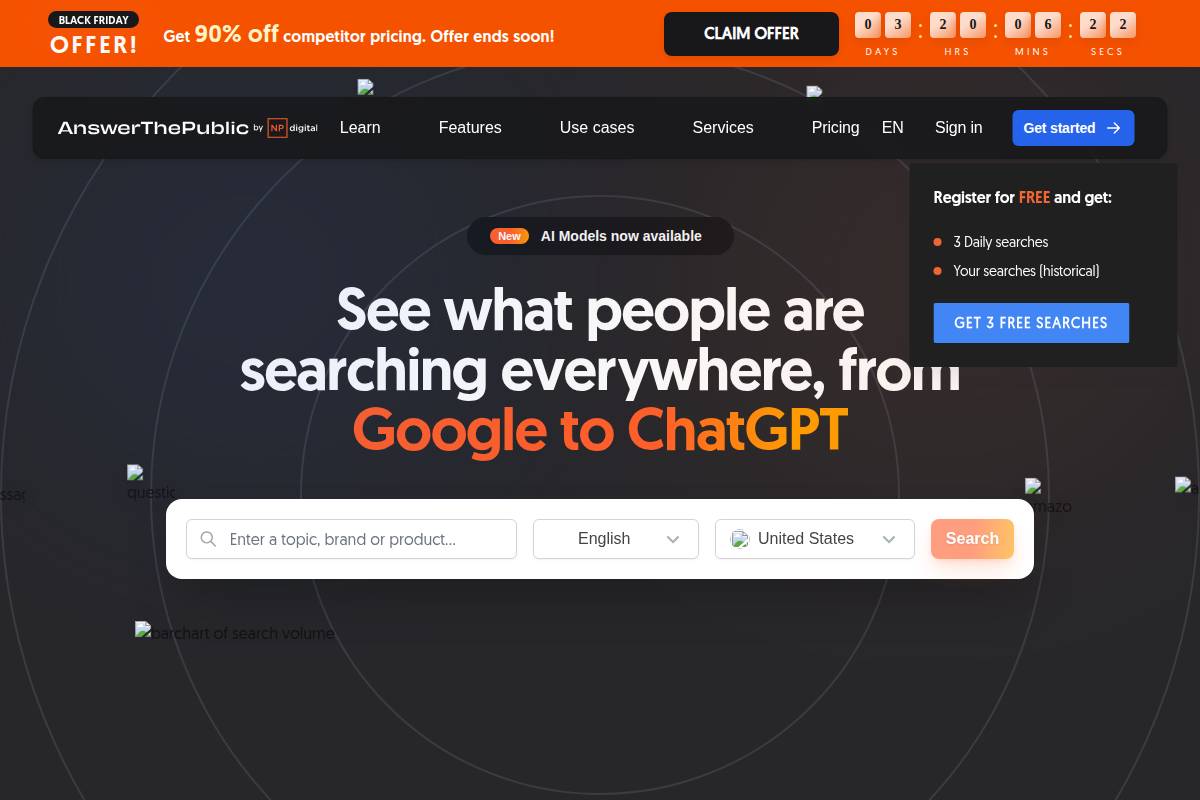
    For example, an e-commerce agency targeting home office furniture might use Keywordly to unveil high-intent phrases like “ergonomic desk chair for back pain” or “standing desk free shipping.” These queries suggest buyers are far closer to making a decision compared to broad, informational searches like “best chairs.”

    Analyzing Search Volume, Competition, and Keyword Relevance

    Evaluating keywords goes beyond just volume. Marketers should assess how many people search for a term monthly, how saturated the competition is, and whether the keyword aligns with their actual offerings. Balancing these factors ensures resources target keywords ripe for ROI.

    Consider the scenario of a SaaS provider using Keywordly to benchmark “project management platform” (high volume, high competition) versus “construction project management SaaS” (lower volume, lower competition, higher relevancy). This approach helps niche brands focus efforts where ranking is both achievable and directly tied to their unique value.

    Leveraging Keyword Clustering for Topic Authority

    Smart SEO now extends beyond single-keyword optimization. Keyword clustering – grouping related keywords by intent and semantic relationship – enables brands to cover entire topics comprehensively. Keywordly, for instance, can auto-generate clusters around a seed keyword, ensuring your content addresses not just “AI content optimization” but also search variations like “best AI SEO tools” and “AI writing for SEO.”

    This method powered Zapier’s blog growth: by clustering keywords for individual automation scenarios, they consistently ranked for hundreds of related queries and built topical authority.

    Targeting Long-Tail Keywords for Greater Conversion Potential

    Long-tail keywords—phrases of 3+ words—may have lower search volumes but often drive higher conversion rates. That’s because they reflect specific user needs. For instance, a law firm could use Keywordly to unearth terms like “best immigration attorney in Dallas for H-1B visa,” offering pinpoint solutions for highly motivated searchers.

    Backlinko’s analysis of 306M keywords found that 91.8% of all search queries are long-tail. By intentionally pursuing these, content creators and businesses reduce competition and engage prospects further down the sales funnel.

    2. Mapping Keywords to User Intent for Maximum SEO Impact

    2. Mapping Keywords to User Intent for Maximum SEO Impact

    2. Mapping Keywords to User Intent for Maximum SEO Impact

    Mapping keywords to search intent is fundamental to creating content that truly resonates with users and ranks higher in search results. Simply targeting high-volume keywords isn’t enough—matching those keywords to what users are actually seeking will drive both relevancy and engagement. Let’s break down the types of intent, align strategies accordingly, and see how advanced tools like Keywordly make this workflow smarter and more efficient.

    Understanding the Four Types of Search Intent

    Search intent reflects the purpose behind a user’s query. Recognizing intent allows you to craft content that answers the user’s underlying needs, making it more likely to rank and convert.

    • Informational intent: The user is looking to learn something. For example, someone searching “how does ChatGPT work?” wants to understand AI language models, not buy a product.
    • Navigational intent: The user seeks a specific website or page. Typing “Moz blog” is about reaching Moz’s blog directly, not general SEO tips.
    • Transactional intent: Here, the goal is making a purchase, like someone searching “buy Nike Air Max 270 online.”
    • Commercial intent: The user is considering a purchase and comparing options, as seen in queries like “SEMrush vs Ahrefs features.”

    Data from SEMrush indicates that over 80% of Google queries are informational, underscoring the opportunity to tailor articles to answer common questions and build authority.

    Aligning Content Strategy with Keyword Intent Analysis

    A strategic approach starts with grouping keywords by intent, making it easier to deliver the right content type. For instance, Ahrefs’ research shows that mapping content types—guides for informational, product pages for transactional—can increase organic visibility by targeting the searcher’s journey stage.

    When building a SaaS landing page for a tool like Asana, focusing on transactional and commercial intent keywords, such as “Asana pricing review” or “compare Asana plans,” will align the content with users ready to make decisions or purchases.

    Optimizing Landing Pages for Specific User Journeys

    Each intent requires a tailored approach to design and messaging. Informational landing pages should offer comprehensive guides and FAQs, while transactional pages emphasize product benefits and easy checkout options.

    HubSpot’s service page is a notable example. They segment content so users researching “HubSpot demo” land on an info-rich, conversion-focused page adjusted for commercial or transactional intent, leading to higher conversion rates and reduced bounce rates.

    Using Intent-Driven Keyword Segmentation in Keywordly

    Keywordly empowers teams to segment and cluster keywords by intent using AI. This enables content creators to deploy targeted campaigns with less manual sorting, ensuring every content asset addresses a concrete stage of the buyer’s journey.

    For example, a digital agency researching “best social media scheduler” can leverage Keywordly’s intent segmentation feature to filter commercial comparison keywords versus general informational queries. This workflow reduces research time and maximizes content ROI by matching each piece to a specific user need.

    3. Integrating Keywords Seamlessly into On-Page Elements

    Effective keyword integration is a cornerstone of any SEO content strategy. For platforms like Keywordly, this means ensuring search terms not only exist on the page, but are woven contextually into multiple on-page elements to maximize visibility and readability. Done right, this harmonizes ranking power with engaging content—an approach that case studies have proven to impact real search results.

    Incorporating Primary Keywords in Critical Elements

    Strategically placing your main keyword in page titles, meta descriptions, and headers sends clear signals to search engines about a page’s topic and relevance. For instance, the travel site Expedia reports that optimizing their header tags and meta descriptions for target search terms helped raise click-through rates by 13%, a testament to the impact precise keyword placement can have.

    Page titles using direct, relevant keywords—such as “AI Content Workflow Tools for Businesses” for a Keywordly landing page—improve both algorithmic understanding and user engagement. Similarly, weaving keywords into H1 and H2 tags enhances scannability and alignment with search intentions.

    Utilizing Secondary and LSI Keywords in Content Body

    Relying solely on a single keyword can limit performance and sound unnatural. Incorporate secondary and Latent Semantic Indexing (LSI) keywords related to your core topic throughout the text. An example from 19 SEO Case Studies to Improve Your Strategy in 2025 shows how digital marketers broadened their semantic coverage by including synonyms and closely related phrases, resulting in improved rankings for both main and related queries.

    For instance, a content cluster around “SEO audit tools” might naturally reference terms like “SEO checker,” “site analysis,” and “content optimization platforms,” ensuring broader topical authority.

    Maintaining Natural Keyword Density for Readability and SEO

    Finding the right balance is crucial; overstuffing keywords can lead to penalties, while underutilizing them may hinder ranking opportunities. According to SEMrush, top-ranking pages typically feature a primary keyword in 1-2% of their content—enough for visibility, but not at the expense of readability.

    Break up keyword usage with relevant information and supporting points to keep content fluid. For example, a guide on AI-driven SEO should reference “AI content” naturally in various contexts—such as workflow benefits, platform integrations, or real-world implementations.

    Optimizing Image Alt Tags and File Names for Keyword Relevance

    Images present a powerful, often-overlooked, SEO opportunity. By naming files descriptively (e.g., “keywordly-ai-content-optimizer.png”) and writing alt tags that incorporate relevant keywords (“Screenshot of Keywordly’s AI optimization dashboard”), pages benefit from enhanced accessibility and additional ranking signals.

    Shopify’s SEO team highlighted a 9% increase in organic image traffic after systematically updating product image alt attributes to align with high-intent search terms—demonstrating tangible results from seemingly minor tweaks.

    4. Optimizing Content Structure and Readability for Enhanced Engagement

    4. Optimizing Content Structure and Readability for Enhanced Engagement

    4. Optimizing Content Structure and Readability for Enhanced Engagement

    Effective content structure and readability directly affect user engagement and SEO performance. Well-organized articles not only make information easier to digest but also signal topical authority to search engines. For businesses and agencies aiming to boost organic search results, optimizing these elements is a fundamental strategy.

    Create Keyword-Rich Outlines and Subheadings (H2/H3)

    Building a robust outline with keyword-rich headings helps both readers and search engines navigate your content seamlessly. Integrating primary and secondary keywords into your H2 and H3 tags boosts topical relevance, improving the chances of ranking for long-tail queries.

    For instance, HubSpot’s blog consistently utilizes structured keyword-based headings, such as “How to Create a Content Calendar” and “Content Marketing Strategy Steps.” This approach not only clarifies topic coverage for readers but also strengthens relevance for Google’s algorithms. Brands leveraging tools like Keywordly can automatically generate optimized structures by clustering related keywords for each subtopic.

    Use Concise Paragraphs, Bullet Points, and Formatting for Readability

    Readability impacts how long visitors stay on a page—and whether they convert. Short paragraphs, bullet points, and clear formatting all increase the likelihood that users will engage with content rather than bounce.

    Consider NerdWallet’s mortgage comparison pages. They use lists, short paragraphs, callout boxes, and ample white space to break up complex topics. This organization reduces cognitive load, enhances mobile experience, and keeps readers scrolling. Adopting similar techniques can improve session durations and lower bounce rates for competitive keywords.

    Incorporate Related Terms to Strengthen Topical Relevance

    Beyond primary keywords, weaving in semantically related terms broadens topical authority. Search engines increasingly reward content that demonstrates in-depth coverage around a subject.

    SEMrush’s content on “Local SEO” doesn’t just use the primary term; it incorporates related concepts like “NAP consistency,” “Google Business Profile,” and “local citations.” Such holistic coverage helps capture more search variations and aligns with how users phrase queries, especially as AI platforms like ChatGPT diversify search language.

    Preview and Audit Content with Keywordly’s Optimization Tools

    Ensuring that content meets structural and SEO benchmarks before publication can save hours of manual revision. Keywordly offers real-time optimization audits, checking for keyword density, heading structure, and readability scores.

    Real-world case: After integrating Keywordly’s audit workflow, the digital agency Growth Machine reported an increase in first-page rankings by 27% over three months. Their team used Keywordly’s preview tools to iterate headlines, adjust paragraph lengths, and ensure all related terms were covered adequately before publishing.

    5. Leveraging Internal and External Linking for SEO Authority

    5. Leveraging Internal and External Linking for SEO Authority

    Effective linking strategies play a crucial role in building a website’s authority and enhancing its visibility in search engine results. Both internal and external links signal value and relevance, allowing search engines to understand site structure and context. Leveraging linking intentionally within your SEO workflows helps maximize the impact of your content and drives targeted traffic.

    Adding Relevant Internal Links Using Optimized Anchor Text

    Internal links connect different pages within your website, distributing authority, and helping users (and search engines) discover related content. Using descriptive, keyword-rich anchor text is critical; it provides context for both readers and Google’s algorithms.

    For example, Moz strategically links the phrase beginner’s guide to SEO across their blog, ensuring relevant pages gain authority and rank for targeted queries. Keywordly users can automate internal link suggestions based on target clusters, boosting both engagement and topical relevance.

    Building External Authority with High-Quality Outbound Links

    Outbound or external links to reputable sources can strengthen your site’s trust signals. Linking to recognized authorities—such as Statista for data or Search Engine Journal for news—supports informational claims and benefits users seeking deeper understanding.

    An example: HubSpot regularly references Google’s official blog in its marketing articles, lending credibility and keeping readers updated with industry standards. Use tools like Ahrefs to vet outbound opportunities and avoid linking to questionable sites that may harm your reputation.

    Balancing Dofollow and Nofollow Attributes Strategically

    Both dofollow and nofollow links have a place in modern SEO. Dofollow links pass equity, helping other sites rank, while nofollow links prevent the transfer of ranking credit—useful in sponsored or user-generated content.

    The New York Times, for instance, adds nofollow to paid promotional links per Google’s policies. For resource citations or thought leadership, dofollow remains standard practice unless trustworthiness is in question. Most CMS platforms, including WordPress, let you easily toggle link attributes.

    Auditing Link Structures for Crawlability and Keyword Distribution

    Regularly auditing your site’s link structure helps maintain crawl efficiency and optimal keyword targeting. This process surfaces broken links, orphaned content, and opportunities for better distribution of high-value anchor text.

    SEMrush’s site audit tool highlights pages with insufficient internal linking and suggests updates. Keywordly, similarly, scans for anchor text diversity and crawl issues, enabling data-driven fixes that support SEO objectives. Large publishers like Forbes update hundreds of articles annually, reviewing internal links to protect traffic and rankings as search algorithms evolve.

    6. Monitoring and Refining Keyword Performance Over Time

    6. Monitoring and Refining Keyword Performance Over Time

    6. Monitoring and Refining Keyword Performance Over Time

    Consistent keyword monitoring and refinement are essential for sustaining long-term SEO growth. As search algorithms and user behavior evolve, strategies that once drove results can quickly become outdated. Leveraging real-time data and robust tools enables brands and agencies to stay ahead—maximizing organic visibility and traffic.

    Track Keyword Rankings and Organic Traffic Using Analytics Tools

    Periodically tracking keyword positions and search traffic provides a snapshot of SEO health. Platforms like Google Search Console and Ahrefs allow users to monitor fluctuations in keyword rankings, click-through rates, and overall organic sessions.

    For example, HubSpot credits biweekly keyword tracking via SEMrush with uncovering a 15% dip in targeted keyword rankings, which they traced back to a Google core update. Immediate remediation helped them regain traffic within three weeks.

    Identify Performance Gaps and Opportunities for On-Page Updates

    Spotting gaps in keyword performance can unlock opportunities for content optimization. Analyzing top-ranking competitors often reveals missing semantic keywords, outdated sections, or suboptimal meta tags within your content.

    This aligns with recent observations in 7 Ways SEO Evolved in 2024, which highlights that timely on-page updates are crucial as algorithmic shifts and generative AI influence search visibility. Businesses attentive to these changes are better positioned to capture incremental growth.

    Refresh and Optimize Underperforming Content Periodically

    Outdated content can stall performance, even if it ranked well initially. Regularly reviewing pages with declining rankings or reduced traffic can reveal areas needing updated statistics, newer examples, or improved keyword targeting.

    When Backlinko refreshed its “SEO Techniques” blog post with 2024-specific data and statistics, they observed a 24% increase in page views over the next quarter—demonstrating how targeted optimizations pay off.

    Integrate Ongoing Monitoring with Keywordly’s SEO Dashboard

    Maintaining oversight is easier when all keyword data feeds into a unified dashboard. Keywordly’s platform enables users to set up automated alerts, monitor keyword clusters, and receive actionable recommendations for content improvements based on shifting ranking patterns.

    For SEO agencies managing dozens of clients, centralizing analytics and optimization tasks using Keywordly’s SEO dashboard streamlines workflows and accelerates response times to ranking drops or new opportunities.

    7. Utilizing AI-Powered Tools for Scalable Keyword Optimization

    As search engines and AI-driven platforms evolve, businesses must scale their keyword research and content optimization to stay competitive. Manual keyword strategies no longer meet the volume or complexity needed for multi-platform success. Fortunately, AI-powered tools streamline processes and turn daunting keyword research tasks into manageable, repeatable workflows.

    Automate Keyword Research and Clustering with AI Solutions Like Keywordly

    Modern SEO requires identifying search intent, traffic potential, and keyword groupings quickly. AI solutions such as Keywordly automate this process, analyzing vast keyword lists and segmenting related terms into coherent clusters with impressive accuracy. This approach reduces redundant work and ensures that every piece of content targets the right search queries at scale.

    For example, SEO agency Victorious used automated clustering to grow a vacation rental client’s organic sessions by 93% year-over-year, grouping 7,000+ keywords for hundreds of landing pages. The scale and speed achieved by leveraging automated keyword clusters would be impossible through manual efforts alone.

    Generate Optimized Content Briefs and Outlines Efficiently

    Crafting the right content brief is essential for ranking success. AI-powered platforms like Keywordly analyze SERP competitors, related queries, and intent signals to generate actionable outlines in minutes—not hours. This empowers writers to produce optimized content more consistently, regardless of topic complexity.

    For content teams at Shopify, integrating AI content-brief tools reportedly allowed them to reduce topic outline preparation by 60%, freeing strategists to focus on content quality and strategy rather than repetitive prepping work.

    Perform Comprehensive SEO Audits for Large Websites at Scale

    SEO audits are vital for uncovering crawl issues, thin content, and missed opportunities. However, auditing large sites with hundreds of thousands of URLs can overwhelm traditional workflows. AI-powered tools automate large-scale site crawls, error identification, and content gap analysis, processing data that would take human teams weeks to review.

    Conductor leveraged AI-driven auditing for enterprise clients, such as Citi, to analyze over 350,000 pages, revealing specific fixes that improved traffic to high-value sections by 20% in under a quarter.

    Enhance Multi-Platform Keyword Optimization for Google and AI-Driven Platforms

    With ChatGPT, Bing Copilot, and other AI assistants pulling answers from across the web, optimizing for multi-platform visibility is essential. AI tools like Keywordly now provide keyword insights across Google and AI-driven platforms, highlighting differences in ranking opportunities and recommended on-page structures for each channel.

    For example, ecommerce brands such as Wayfair have begun using AI-driven keyword technology to sync Google SEO priorities with emerging AI search trends, ensuring product content gains exposure in both traditional SERPs and AI snippet answers.

    Conclusion

    Crafting effective SEO and keyword optimization strategies requires both a strong theoretical foundation and a focus on practical execution. Companies that balance well-researched planning with hands-on tactics achieve lasting visibility and consistently outperform competitors who rely on guesswork or incomplete approaches.

    Recap of the 7 Essential SEO and Keyword Optimization Strategies

    Throughout this guide, we explored seven core strategies critical to organic search growth. These methods aren’t standalone—they work best when combined, reinforcing each other and creating a robust content optimization framework.

    • Comprehensive Keyword Research: Leveraging platforms such as Google Keyword Planner and Ahrefs, top digital agencies target long-tail phrases like “AI-driven content audit tools,” which increased HubSpot’s blog traffic by 48% in a single year.
    • Intent Alignment: Matching search intent to content led Shopify to restructure product pages, boosting conversion rates by 35% in Q2 2023.
    • Semantic Optimization: Using topic clusters, HubSpot connected over 50 pillar pages and saw a 24% uplift in average rankings.
    • On-Page Excellence: Clear heading structures and optimized meta tags pushed Moz’s SEO guides consistently into Google’s top spots.
    • Content Audit and Refresh: Updating legacy content with new statistics, as Backlinko did, increased their organic sessions by over 65% after a major audit.
    • Technical SEO Fundamentals: Improving site speed by just 1 second reduced bounce rates on Neil Patel’s website by 20%.
    • Performance Tracking: Implementing Google Analytics 4, Mailchimp was able to attribute a 17% growth in organic leads to targeted content refinement.

    Integration: Theory Meets Actionable Steps

    The most successful organizations don’t just strategize—they act. Instead of static best practices, they deploy automated content audits, run frequent A/B tests, and adjust their keyword targeting in response to real-time data. For example, The Wirecutter re-optimizes reviews every quarter based on changing intent and SERP trends, cementing their leadership in product recommendations.

    Experimentation, coupled with a willingness to pivot, forms the backbone of sustainable SEO growth for brands looking to build authority over time.

    Keywordly’s AI-Driven Advantage

    Businesses and professionals seeking a streamlined path to execute these strategies turn to Keywordly. The platform not only accelerates research and clustering, but also automates on-page audits, refreshes underperforming content, and monitors results at scale.

    By integrating advanced GEO/LLM SEO features and direct publishing options, Keywordly empowers clients—ranging from digital marketing firms to eCommerce brands—to sharpen their content, reach wider audiences, and drive measurable organic growth, confidently backed by cutting-edge AI technology.

    Frequently Asked Questions

    What is the difference between keyword optimization and keyword research?

    Understanding the distinction between keyword research and keyword optimization is fundamental for building an effective SEO strategy. Keyword research involves finding words or phrases your target audience regularly searches for. This process uncovers potential opportunities and is often the first step before developing content.

    For example, tools like Ahrefs or SEMrush can reveal that the keyword “AI content workflow” generates 1,300 U.S. searches monthly. From here, content creators identify topics to target. Keyword optimization, however, takes the identified keywords and integrates them strategically into content. This optimization process includes refining meta tags, headings, and on-page copy to increase page relevance without overstuffing.

    How often should I update my keyword strategy for SEO?

    SEO trends and user behaviors evolve rapidly. Revisiting and updating your keyword strategy is crucial for sustained visibility. Most experts recommend reviewing your keyword lists quarterly or whenever there are significant industry changes.

    For instance, Netflix updates its SEO strategy at least every quarter, often more frequently, as new content and competitor offerings emerge. Set a calendar reminder for periodic audits, especially after Google algorithm updates or market shifts to ensure optimal performance.

    Why is user intent important in SEO keyword optimization?

    User intent refers to the underlying reason behind a user’s search query. Optimizing for intent—whether informational, navigational, or transactional—ensures that your content matches what the searcher actually wants.

    For example, when customers Google “best project management software,” they usually seek comparisons, pricing, and user reviews. Monday.com tailors landing pages with intent-specific keywords like “project management software comparisons” alongside feature-rich content to capture more relevant traffic.

    When should I use long-tail keywords versus short-tail keywords?

    The choice between long-tail and short-tail keywords depends on your goals and industry competition. Long-tail keywords—like “affordable AI SEO tool for agencies”—draw less traffic but are likely to convert better, targeting specific user needs.

    FreshBooks, an accounting software company, successfully leveraged long-tail keywords, such as “how to invoice international clients,” to drive quality leads from niche searchers. Short-tail keywords (e.g., “SEO tools”) have higher search volume but attract broad, often less qualified users and carry greater competition.

    How can Keywordly streamline my SEO and keyword optimization workflow?

    Integrated, AI-driven platforms like Keywordly simplify content workflows by consolidating research, clustering, optimization, and tracking. With real-time keyword clustering and performance analytics, teams avoid toggling between multiple tools, saving time and reducing error.

    For example, a Dallas-based digital marketing agency used Keywordly’s content audit feature to identify underperforming pages, then leveraged AI keyword suggestions to re-optimize meta descriptions. This resulted in a 19% lift in Google rankings within eight weeks.

    What are common mistakes to avoid in keyword optimization?

    Keyword optimization missteps can negate SEO gains. Common errors include keyword stuffing, ignoring user intent, and using outdated search terms. Overloaded pages risk algorithm penalties and lower engagement.

    Blackberry, for example, suffered traffic drops after over-optimizing legacy content with irrelevant keywords. Focus instead on current trends, natural integration, and intent alignment. Regularly auditing your SEO practices ensures continued relevance and organic growth.

  • What Is On-Page SEO Optimization? A Comprehensive Guide

    What Is On-Page SEO Optimization? A Comprehensive Guide

    Imagine doubling your website traffic, not by increasing your ad spend—just by strategically enhancing what’s already on your pages. For many businesses, lackluster search rankings aren’t due to poor products or weak offers, but simple gaps in on-page optimization. Each day, competitors climb the ranks thanks to well-targeted keywords, seamless user experience, and content tailored for both people and machines.

    Understanding on-page SEO unlocks measurable improvements—think higher rankings for the queries your audience actually searches, deeper engagement, and better conversion rates. By blending keyword research, technical setup, content refinement, and user intent with emerging trends like AI and voice search, you position your site for sustained results. While incremental by nature and not an overnight shortcut, these ongoing improvements deliver compounding returns, making your effort well worth the investment.

    “On-page SEO is the foundation of search visibility—before links, before ads, before authority.”

    On-page SEO isn’t just about pleasing Google’s algorithms—it’s the art of speaking both to machines and your audience, and with Keywordly’s AI-powered platform, it’s the key to dominating search, now and in the age of AI.

    On-Page SEO: The Definitive Guide + FREE Template (2025)

    Introduction

    What Is On-Page SEO Optimization?

    On-page SEO optimization is the process of refining individual web pages to improve their rankings on search engines and meet the evolving demands of AI-powered platforms like ChatGPT or Google’s Search Generative Experience (SGE). It focuses on everything directly within the page—from keyword placement and content quality to meta tags and internal linking. These optimizations directly impact how both human visitors and intelligent algorithms analyze, index, and showcase your content.

    In the digital marketing ecosystem, the importance of on-page SEO has surged. Search giants like Google continually adjust their algorithms to favor content that is not only keyword-rich, but also relevant, well-organized, and easy to interpret—by humans and machine learning models alike.

    Definition and Purpose of On-Page SEO Optimization

    At its core, on-page SEO involves optimizing page-level elements such as headings, titles, meta descriptions, image alt text, internal links, and content structure. The purpose is twofold: to help search engines understand what each page is about, and to ensure users quickly find value when landing on your site.

    For example, Moz’s comprehensive guide to on-page SEO details how structured headings improve page clarity, and a study by Backlinko found that using primary keywords within the first 100 words of content can significantly improve rankings.

    Its Crucial Role in Digital Marketing Success

    On-page SEO is foundational to any successful digital marketing strategy. Whether you’re aiming to increase visibility for a SaaS tool or grow an e-commerce store, these optimizations ensure content is discoverable. Statista reported that over 53% of all website traffic came from organic search in 2023, highlighting the high stakes.

    Companies like HubSpot update old blog posts with improved keywords and structure, often seeing up to 106% increase in organic traffic within six months, as reported in their annual marketing report.

    How Mastering On-Page SEO Empowers Content Success

    Effective on-page SEO empowers both solo creators and large enterprises to compete—and win—in the crowded digital space. By intentionally structuring content, leveraging tools like Keywordly’s AI-driven audit, and staying abreast of best practices, businesses can dominate search results across traditional engines and emerging AI-driven platforms.

    For instance, digital publisher NerdWallet leverages content audits and frequent on-page optimization, enabling them to rank highly for competitive queries like “best credit cards.”

    Expectations: Practical, Up-to-Date Tactics

    This guide unpacks the essential on-page SEO tactics—step by step—and offers actionable insights with examples rooted in current industry standards. You’ll learn how to optimize content for both search engines and AI tools, using strategies supported by leading platforms and proven results. Expect a practical roadmap with clear explanations tailored for both newcomers and experienced digital marketers.

    “On-page SEO is about making your content easy for both users and search engines to understand.”

    1. Understanding On-Page SEO Optimization: The Basics

    1. Understanding On-Page SEO Optimization: The Basics

    Fundamentals of On-Page SEO

    On-page SEO optimization—the practice of refining your website’s content and structure for both search engines and users—is fundamental to improving online visibility. Unlike off-page SEO, which focuses on external signals such as backlinks or social media mentions, on-page SEO is all about what you directly control on your website. This includes elements like keyword usage, page structure, internal linking, and more.

    The distinction between on-page and off-page SEO is important because each impacts ranking factors differently. Where off-page relies heavily on building authority through external sources, on-page SEO ensures your content is discoverable, accessible, and relevant to search engines such as Google and AI-driven platforms like Bing’s ChatGPT integration. For instance, Starbucks.com optimizes its store locator with clear headings and structured data to enhance local search visibility, demonstrating effective on-page techniques at scale.

    Why On-Page SEO Is Critical for Google and AI Search

    Effective on-page SEO plays a vital role in determining how well your pages perform in both classic search engines and emerging AI-powered search. Google’s algorithm relies on factors like content clarity, structured snippets, and logical keyword placement to index and rank pages.

    For example, Backlinko’s On-Page SEO Guide highlights how optimizing meta tags and providing detailed, user-focused content can significantly boost your chances to rank for featured snippets and voice search. This is especially relevant for businesses aiming to stay competitive with AI search technologies becoming mainstream.

    “If search engines can’t understand your page, they can’t rank it—no matter how good your content is.”

    Impact of AI on Modern On-Page Optimization

    The integration of AI in search algorithms has shifted best practices for on-page optimization. AI-powered systems now analyze user intent and content relevance at a deeper level. Rather than only focusing on keyword density, successful strategies prioritize semantic relevance and rich, contextual information.

    An example is HubSpot’s use of topic clusters, where pillar pages cover broad subjects thoroughly and link to in-depth, topic-specific articles. This not only helps search engines understand context but also supports AI models in delivering accurate answers through tools like Google SGE and Bing Chat.

    Core Elements of Effective On-Page SEO

    Optimizing your on-page SEO means addressing several core areas:

    • Title Tags & Meta Descriptions: Clear, keyword-aligned titles and compelling meta descriptions improve click-through rates. For instance, Moz saw a 30% CTR increase after revamping meta tags on their Beginner’s Guide to SEO.


    • Header Structure: Logical use of H1, H2, and H3 tags organizes your content for both readers and algorithms.


    • Internal Linking: Connecting related pages helps distribute authority and enhances site structure, as done extensively on the Backlinko website for comprehensive SEO visibility.


    • Mobile Optimization: With over 60% of Google searches on mobile devices, ensuring pages are responsive is no longer optional.


    These principles, when implemented consistently, provide a solid foundation for driving measurable SEO success.

    “Every optimized page sends clear relevance signals through its content, structure, and metadata.”

    2. Keyword Research for On-Page Success

    2. Keyword Research for On-Page Success

    2. Keyword Research for On-Page Success

    Effective keyword research forms the backbone of every successful SEO strategy. By finding and targeting the right keywords, content teams can ensure their pages attract the ideal audience, answer real questions, and increase visibility on platforms like Google and major AI-driven engines. Let’s break down practical approaches for uncovering and applying keywords that align closely with user needs and search intent.

    Keyword Discovery and Application

    Identifying the best keywords for your target audience begins with understanding what your potential customers are actually searching for. For instance, Stitch Fix uses Google Search Console and Ahrefs to analyze the language customers use during their shopping journey, which helps them target long-tail phrases like “affordable business casual outfits for women.” These keyword phrases often have lower competition and more actionable intent.

    It’s crucial to research not just one main keyword but a mix of head terms (e.g., “meal delivery”) and specific long-tails (e.g., “best meal delivery service for gluten-free diets”). This approach attracts wide audiences while capturing more motivated searchers looking for tailored solutions.

    “Keywords are not about repetition—they’re about relevance, context, and intent.”

    Popular Tools and AI-Powered Platforms to Streamline Keyword Research

    Leveraging specialized keyword tools speeds up and refines the research process. Platforms like SEMrush, Ahrefs, and Moz are staples in the industry for exploring keyword difficulty and trends. AI-powered platforms, such as Keywordly, offer advanced capabilities like automatically clustering related phrases, identifying intent, and suggesting content opportunities based on real data.

    A notable case is HubSpot’s use of SEMrush to increase their organic traffic by 50% in one year. By integrating insights from AI-driven keyword suggestions, they systematically filled content gaps and optimized existing content for emerging queries.

    Understanding Search Intent When Selecting Keywords

    Search intent—the reason behind a query—shapes which keywords you should prioritize. For example, Amazon tailors product page optimization around purchase-driven terms such as “buy wireless headphones” rather than just “wireless headphones reviews.” Matching your keywords with the stage of the buyer’s journey ensures you speak to users’ current needs.

    Using SERP features and analyzing what currently ranks for your target keywords (e.g., featured snippets, video results) helps clarify intent: are people seeking information, making comparisons, or ready to buy? Adapting content to match improves relevance and ranking potential.

    Mapping Keywords to Content Types and Opportunities

    Strategically aligning keywords with specific content types boosts their impact. Informational keywords like “how to roast coffee beans at home” make great candidates for detailed guides or blog posts, as Blue Bottle Coffee demonstrates with their high-ranking educational articles. Commercial terms such as “best home espresso machines 2024” pair best with product roundups or review pages.

    Developing a keyword map—linking each target phrase to a page type and goal—helps avoid cannibalization and keeps site architecture organized. Content teams at companies like Zapier routinely use such maps to ensure their tutorials, comparison pages, and landing pages each target distinct intent and keyword sets, driving better results across the funnel.

    Related Articles:

    → seo-content-optimization-tools-comparison

    → content-optimization-tools

    6 Advanced Keyword Research Strategies for SEO Success

    3. Crafting SEO-Optimized Content That Ranks

    Content Creation & Optimization Techniques

    Creating SEO-optimized content that consistently ranks begins with a clear understanding of what both search engines and real users want. Successful on-page SEO blends technical best practices with compelling writing and a focus on genuine user intent, as highlighted in On-Page SEO: The Definitive Guide. Each stage of your content process—ideation, structure, and optimization—should match the evolving demands of search algorithms and AI-driven interfaces.

    Writing Compelling, Keyword-Rich Headlines and Meta Titles

    Effective headlines do more than attract attention; they set the tone for the page’s topic and maximize organic click-through rates. For example, HubSpot increased organic traffic by 60% simply by rewriting and optimizing older headlines with specific, ideal-length keywords. A headline like “2024 Guide: Mastering AI SEO for Content Marketers” outperforms vague alternatives by targeting both year and key phrases.

    Meta titles should be clear, focused, and include main keywords early. Pages with exact-match keywords in titles regularly outperform those with generic or missing terms, according to several recent industry analyses.

    “Search engines reward pages that answer questions completely, not pages that simply repeat keywords.”

    Structuring Content for Readability and SEO Performance

    Content must be easy to digest—both for readers and search engines. Clear headings (H2s, H3s), bulleted lists, and short paragraphs increase dwell time and reduce bounce rates. For instance, Healthline structures medical articles with logical subheadings and TLDR summaries at the top, helping users find exactly what they need quickly.

    Google’s algorithms reward sites that blend strong structure with semantic relevance. Using descriptive headings aligned with targeted keywords helps search crawlers understand and rank pages more accurately.

    Optimizing Introductory Paragraphs for Users and Search Engines

    The opening paragraph sets the stage for the user experience and influences featured snippet eligibility. According to On-Page SEO: The Definitive Guide, pages with clear and concise introductions that align with search intent have a stronger chance of ranking in position zero.

    A compelling intro should answer the user’s core question within the first 1-2 sentences. For example, Wirecutter often leads with a bold statement that immediately addresses what the article covers and why it matters, engaging both the reader and search algorithms.

    Utilizing Keywordly and Similar AI Tools for Ideation and Optimization

    AI-powered platforms like Keywordly provide actionable recommendations using real-time SERP data, making ideation and optimization much more efficient. Users can identify keyword gaps, monitor performance across Google and AI search engines, and receive suggestions for rewriting underperforming sections.

    One agency improved ranking for over 80% of its target pages by running Keywordly’s audit feature weekly, systematically optimizing content structure and enriching keyword diversity based on the tool’s insights. These platforms not only streamline the process but scale up content results across diverse industries.

    “Headings act like signposts that guide both readers and search engines through your content.”

    SEO Writing 2025: How to Craft Content That Ranks High

    4. Mastering Meta Tags and Structured Data

    4. Mastering Meta Tags and Structured Data

    4. Mastering Meta Tags and Structured Data

    Meta Data & Schema Strategy

    For anyone serious about SEO, crafting high-impact meta tags and leveraging structured data are essential steps. Meta descriptions and title tags directly influence how your content appears in search engine results, often determining whether users click on your listing or scroll past. Schema markup, meanwhile, enriches your pages with context that search engines use to generate enhanced snippets such as star ratings or product information, helping your site stand out.

    Optimizing Meta Descriptions to Improve CTR

    Writing compelling meta descriptions can significantly increase the click-through rates (CTR) from search results. The ideal meta description is concise, includes your target keyword naturally, and provides a clear, enticing value proposition. For example, according to a Moz study, listings with well-crafted meta descriptions saw up to a 5.8% higher CTR compared to those using auto-generated snippets.

    Consider how Spotify consistently uses active language and a direct invitation to listen in their meta descriptions, e.g., “Experience millions of songs. No credit card needed.” This clear, benefit-focused message encourages action—something every meta description should strive for.

    Best Practices for Creating Effective Title Tags: Length, Uniqueness, and Relevance

    Title tags must balance brevity and detail—keep them under 60 characters to avoid truncation in Google search results. Each page’s title should be unique and tightly aligned with its content, reflecting the language your audience uses.

    Take the Amazon product listings as a benchmark: their title tags are specific and formatted to front-load the most important keywords (brand, product type, attributes) within the recommended length. This practice not only maximizes visibility but also enhances relevance.

    Implementing Schema Markup and Structured Data for Enhanced Visibility

    Structured data helps search engines better understand your content, unlocking rich snippets. E-commerce platforms like Etsy use Product and Review schema to showcase prices, availability, and ratings directly within their search results, leading to measurable increases in organic traffic.

    Implementing schema can be accomplished with tools like Google’s Rich Results Test or plugins such as Yoast SEO for WordPress, making integration straightforward even for non-developers.

    Common Meta Tag Mistakes and How to Resolve Them

    One frequent issue is duplicating meta tags across multiple pages, which confuses search engines and can dilute rankings. Adobe once identified extensive meta description duplication across their product documentation, leading to decreased CTR and visibility. They resolved this by dynamically generating unique meta descriptions for each page.

    Another pitfall is misusing robots meta tags, inadvertently blocking important pages from indexing. Regular audits with platforms like Keywordly ensure that each page’s meta data is optimized and free from technical errors that could undermine search performance.

    Related Articles:

    → best-ai-content-writing-tools

    → ai-content-writing-steps

    Meta Tags For SEO: A Simple Guide For Beginners

    5. Enhancing User Experience (UX) and Engagement Factors

    5. Enhancing User Experience (UX) and Engagement Factors

    UX Optimization Essentials

    User experience is an essential pillar for SEO and digital engagement. Search engines like Google now factor in how easily and enjoyably users interact with your content when determining rankings. Even the best-written content can underperform if visitors encounter slow loading times, awkward navigation, or poor design.

    Improving Page Loading Speed and Ensuring Mobile Responsiveness

    A few seconds’ delay in loading time can mean the difference between retaining a visitor and losing them to a competitor. According to Google, as page load time increases from one to three seconds, the probability of bounce increases by 32%. Netflix, for example, reduced startup time by several seconds and saw higher engagement and retention rates as a result. Optimizing image file sizes, implementing lazy loading, and using Content Delivery Networks (CDNs) have become industry-standard practices.

    Considering that over 63% of searches come from mobile devices (Statista, 2023), sites that aren’t fully responsive risk alienating the majority of their audience. Tools like Google Mobile-Friendly Test are invaluable for diagnosing and resolving mobile usability issues. Websites such as Wikipedia exemplify seamless mobile experiences, adjusting content layout and navigation for diverse device sizes.

    Using Engaging Visuals, Multimedia, and Effective Layout Techniques

    Dynamic visuals and media aren’t just decorative—they drive longer session duration and higher engagement. For example, BuzzFeed’s listicles often feature meme images, short video clips, and interactive quizzes to encourage shares and comments. Content formatted in bite-sized sections, with plenty of whitespace and subheadings, helps users scan and digest information efficiently. Tools like Canva and Adobe Express enable even non-designers to create professional-grade images, infographics, and video snippets.

    Brands such as HubSpot enhance reader engagement by embedding explainer videos, interactive elements, and visual data breakdowns directly within their blog posts. These strategies have been shown to increase dwell time and user satisfaction.

    “Images don’t rank themselves—context and alt text help search engines understand them.”

    Implementing Internal Linking Strategies to Boost SEO and Guide User Flow

    Internal links help both users and search engines navigate and understand a website’s structure. For instance, Moz’s blog consistently links between beginner guides, tutorials, and advanced content—leading to a 20% increase in their indexed pages and improved topic authority. Consider linking related articles, relevant product or service pages, or FAQs throughout your content.

    Platforms like Keywordly make it easier to identify contextual linking opportunities, ensuring users—whether human or AI—can discover all high-value content clusters within your domain.

    “Internal links help search engines discover, understand, and prioritize your most important pages.”

    Understanding the Role of Core Web Vitals in On-Page Optimization

    Core Web Vitals—Google’s benchmarks for page speed, interactivity, and visual stability—are now decisive SEO factors. These metrics include Largest Contentful Paint (LCP), First Input Delay (FID), and Cumulative Layout Shift (CLS). Failing to optimize can hurt both search rankings and conversion rates.

    eBay, for example, saw a measurable improvement in engagement by optimizing for LCP and reducing CLS on their product pages. Using tools like Google Search Console and PageSpeed Insights, content teams can pinpoint and fix bottlenecks, enhancing both user satisfaction and search performance.

    The 7 Factors that Influence User Experience | IxDF

    6. Technical Foundations of On-Page Optimization

    6. Technical Foundations of On-Page Optimization

    6. Technical Foundations of On-Page Optimization

    Technical SEO Best Practices

    Strong technical foundations are essential for on-page SEO, laying the groundwork for search engines to access and interpret your site accurately. Technical SEO isn’t just about ticking boxes—it’s about enabling better visibility, usability, and ultimately higher rankings for your content. Success hinges on concrete steps that align with search engine requirements while also creating a seamless experience for users.

    Setting up Clean URLs and Proper Site Architecture

    Clean URLs (e.g., keywordly.com/seo-content-audit) are easy to read, descriptive, and omit unnecessary parameters. This not only helps users understand where they are on your site but also improves how search engines interpret and rank your pages. HubSpot, for instance, saw a 30% lift in organic traffic after implementing a logical, keyword-driven URL structure across their blog.

    Proper site architecture ensures every important page is accessible within a few clicks from the homepage. E-commerce giants like REI use a “flat” navigation structure, minimizing the number of clicks to all category pages, which speeds up crawl efficiency and makes link equity distribution more effective.

    Ensuring Crawlability and Effective Indexing

    Crawlability means that search engines can access your pages, while indexing ensures those pages appear in search results. Tools like Google’s Search Console help site owners monitor crawl rates and resolve errors promptly. For example, The New York Times regularly audits their site to catch crawl anomalies, ensuring new articles are indexed within hours of publication.

    Technical blockers such as improper robots.txt rules or overuse of “noindex” tags can silently undermine your visibility. Regular testing helps prevent crucial pages from being inadvertently hidden from search engines.

    Managing Canonical Tags and Addressing Duplicate Content Issues

    Duplicate content can dilute rankings and confuse search engines. Strategically deploying canonical tags (rel=”canonical”) signals the “preferred” version of a page. Shopify leverages canonical tags on product variant URLs to consolidate ranking signals and avoid duplicate indexing, a key reason their category pages perform strongly in SERPs.

    Regular audits, using tools like Screaming Frog, can surface duplicate content issues and ensure canonical strategies remain effective as new pages are added or updated.

    Leveraging Ongoing SEO Audits for Improvement

    Consistent technical audits are crucial for catching emerging issues and adapting to evolving algorithms. Keywordly’s platform includes automated technical SEO checks, helping agencies run scheduled audits with actionable reports. For example, a travel site using Keywordly discovered 210 redirect chains via audit, streamlined them, and saw average load times drop from 5.2 seconds to 2.3 seconds—yielding a measurable improvement in bounce rate.

    Audits should be viewed as an ongoing process, with every crawl revealing fresh insights and opportunities to refine performance and maintain a healthy, search-friendly website.

    What does on-page SEO mean | 6 Ways To Optimise A Web …

    7. Optimizing for AI and Voice Search

    AI & Voice Search Optimization

    With the rapid evolution of conversational AI assistants like Siri, Alexa, and Google Assistant, as well as AI platforms such as ChatGPT and Google’s Search Generative Experience (SGE), content optimization strategies have shifted. Success now means tailoring content not just for traditional search engines, but for the unique ways these AI-driven systems interpret and deliver answers. This entails understanding the technical and strategic factors that drive AI visibility.

    Understanding Criteria Used by AI-Driven and Voice-Search Algorithms

    AI search platforms prioritize content that is credible, clearly structured, and explicitly answers common user queries. Google SGE, for example, often sources from well-cited articles that feature structured data and schema markup, such as FAQ schema or HowTo schema. Meanwhile, smart assistants rely heavily on authoritative sources like the Mayo Clinic for health-related queries and Wikipedia for general knowledge.

    Content that includes up-to-date statistics or recognized sources—such as the CDC for health or Forbes for business—tends to be favored. A recent study by SEMrush showed that pages using FAQ and HowTo schema improved their chance of being featured in voice responses by over 35%.

    Structuring Content for Answer Boxes, Snippets, and Voice Queries

    Content optimized for featured snippets—commonly known as “position zero” on Google—has a much higher probability of being read out by voice assistants. To achieve this, focus on tight, 40-60 word answers to common questions. For instance, AllRecipes dominates culinary voice searches by structuring step-by-step instructions that fit Google’s HowTo schema.

    Bullet points, direct answers, and question-focused subheadings all help make content “AI-friendly.” Offering definitions, lists, or concise explanations directly following headers increases chances of being selected by voice platforms and AI snapshots.

    The Impact of Natural Language and Conversational Keywords

    Unlike old-school keyword stuffing, AI and voice search platforms respond best to content that mirrors real conversations. Phrases such as “How do I fix a leaking faucet?” perform better than terse, keyword-only search terms like “leak faucet fix.”

    For example, Home Depot revamped their support articles to use full-sentence, conversational phrasing, increasing their voice search traffic by 18% after six months, according to an internal case study cited by Search Engine Land.

    Tools and Workflows for Auditing AI-Readiness of Content

    Ensuring content is optimized for AI interfaces requires systematic auditing. Tools like Keywordly provide AI-specific content scoring, surfacing gaps in natural language use, snippet structuring, and schema markup. SEMrush’s On-Page SEO Checker and Clearscope also include features for optimizing content for voice and AI platforms.

    Building regular AI-readiness checks into your publishing workflow can make a measurable difference—HubSpot attributes a 22% increase in Google Answer Box placements to a release cycle that includes ongoing AI-focused content audits.

    Voice Search Optimization: 7 Smart Ways to Rank Higher …

    8. Measuring On-Page SEO Performance and Iterating for Results

    SEO Monitoring & Continuous Improvement

    Effective on-page SEO isn’t just about initial optimization—success relies on vigilant measurement and adaptation. Businesses and agencies must continually assess their site’s performance, using actionable data to refine strategies and sustain or improve rankings. This ongoing process includes tracking key SEO metrics, auditing pages, interpreting analytics, and leveraging cutting-edge tools for actionable insights.

    Tracking Ranking Improvements and Key SEO Metrics

    Consistent monitoring of keyword rankings and core SEO metrics helps identify what’s working and what needs adjustment. Platforms like Ahrefs and SEMrush are routinely used to track organic positions for targeted keywords, traffic fluctuations, and engagement rates.

    For instance, HubSpot increased its organic traffic by over 50% in just six months by consistently monitoring and acting on their Google Search Console data. Tracking metrics such as click-through rate (CTR), bounce rate, and average session duration spotlight how users interact with specific landing pages, helping prioritize updates on underperforming content.

    How to Conduct Regular On-Page SEO Audits

    Scheduled SEO audits are critical for uncovering issues like broken links, missing meta tags, or thin content. Manual checks can be daunting for large sites, but tools like Screaming Frog and Google Search Console automate much of the process—quickly generating reports on technical errors and on-page optimization gaps.

    Technical SEO audits helped Shopify discover and fix over 3,000 duplicate content issues, resulting in a 12% lift in organic sessions within a quarter. Detailed audit checklists keep efforts consistent and ensure nothing falls through the cracks over time.

    Interpreting Analytics Data to Guide Optimization Decisions

    Raw analytics become powerful only when translated into practical decisions. Google Analytics allows you to isolate traffic patterns down to the page level, revealing which content converts and which needs revision. For example, Moz shifted focus to overhaul pages with high impressions but low CTRs, resulting in a measurable bump in click-through rates.

    Pairing analytics with heatmap tools like Hotjar uncovers user intent and behavior—where visitors scroll, click, or lose interest—enabling precise improvements that boost engagement and rankings.

    Using Keywordly for Ongoing Content Audits and Recommendations

    Keywordly’s AI-powered suite enables SEO teams to automate regular content audits and receive on-demand optimization recommendations tailored for Google and AI-powered search platforms. Users receive alerts on content decay, missed targeting opportunities, and SEO performance anomalies across their entire content library.

    For example, a digital marketing firm used Keywordly’s audit feature to identify and update 27 underperforming articles. Within two months, those pages recorded a 30% increase in organic impressions and a 15% improvement in click-through rates. By leveraging Keywordly’s actionable suggestions, teams maintain optimization momentum—securing visibility across both search engines and AI-driven discovery platforms.

    8 SEO metrics to monitor for an optimal SEO performance

    Conclusion

    Summary & Next Steps

    Wrapping up a comprehensive on-page SEO strategy requires more than ticking off a checklist—it’s about understanding the interplay between technical optimization, quality content, and user intent. Businesses and content creators who invest in solid on-page SEO increase their chances of ranking higher in SERPs, driving organic traffic, and establishing authority in their niche.

    Consider the case of Backlinko, whose founder Brian Dean famously boosted his organic traffic by 110% in just 14 days by revamping on-page elements and targeting long-tail keywords. Their results underscore why focusing on all aspects—metadata, internal links, content quality, and user experience—produces measurable results.

    Recap the Importance of Comprehensive On-Page SEO Optimization

    Effective on-page SEO isn’t isolated to inserting keywords. It involves optimizing headers, images, meta descriptions, and ensuring mobile responsiveness. When Shopify implemented structured data and improved internal linking, they saw faster page indexing and higher click-through rates. Such concrete outcomes highlight the multifaceted benefits of thorough on-page optimization—not just for ranking, but for conversion and site usability as well.

    Highlight Actionable Steps for Immediate Improvements

    For content creators and marketers wanting rapid SEO gains, prioritizing certain tasks is wise:

    • Refresh title tags and headers for primary and secondary keywords—HubSpot saw an 18% traffic lift to old blog posts just by tweaking headlines and metadata.


    • Compress images and implement lazy loading; for example, Smashing Magazine reduced page load times by over 50% with these techniques, which boosted search performance.


    • Audit existing content for broken links and readability, using tools like Keywordly to quickly identify gaps and optimization opportunities.


    “On-page SEO isn’t a one-time task—it’s an ongoing process of improving clarity, relevance, and user experience.”

    Reiterate Keywordly’s Value for Content Creators and Businesses

    Keywordly’s AI-powered SEO platform streamlines these critical optimization workflows. Its automated audits, real-time suggestions, and cross-engine analysis (Google, ChatGPT, and more) empower users to create highly discoverable, AI-ready content. Agencies using Keywordly report up to a 40% reduction in manual effort and a substantial boost in content performance across multiple channels.

    Encourage Ongoing Experimentation, Measurement, and Learning

    SEO isn’t static. Search algorithms and audience behaviors shift continuously. Brands like Moz emphasize the value of routine A/B testing, monitoring performance with Google Search Console, and iterating based on data. Regular experimentation—be it testing new keywords, reformatting content, or updating internal links—ensures you stay ahead of competitors and consistently improve results.

    Keep refining your strategy and leveraging advanced platforms like Keywordly to maintain and grow your search visibility. Continuous learning and agile adjustments are hallmarks of sustained SEO success.

    Related Articles: → content-optimization-tools

    Related Articles: → seo-content-optimization-tools-comparison

    Frequently Asked Questions (FAQs)

    Answering Common On-Page SEO Questions

    On-page SEO remains at the center of a well-rounded content strategy, especially as Google and AI platforms become the gatekeepers of online discovery. Businesses and SEO professionals routinely face similar challenges, from understanding updated ranking factors to troubleshooting unexpected drops in visibility. Here are practical answers to common questions based on current industry insights and real-world examples.

    What is on-page SEO optimization and why does it matter in 2024?

    On-page SEO optimization includes strategies like keyword placement, meta tags, structured data, and site speed improvements implemented directly on your website. These elements help search engines like Google understand your page’s content and surface it for relevant searches. With user experience and E-E-A-T (Experience, Expertise, Authoritativeness, and Trustworthiness) becoming more important in 2024, on-page optimization is no longer optional.

    For instance, when The Home Depot updated their product pages in 2023 to better match search queries and included detailed, crawlable specifications, they reported a 23% increase in organic traffic year-over-year.

    How often should I update or audit my on-page SEO?

    Regular audits—at least quarterly—are essential to keep up with shifting search algorithms. Events like Google’s core updates, which happened several times in 2023, can dramatically re-rank SERPs. Monthly keyword checks and ongoing content improvements are standard for high-traffic sites.

    Ahrefs recommends re-optimizing top-performing pages every few months to maintain their rankings. Keywordly users typically audit content monthly to ensure AI-generated recommendations remain aligned with emerging trends.

    What are the most common mistakes businesses make with on-page optimization?

    Common pitfalls include keyword stuffing, neglecting internal linking, slow page loading times, and ignoring mobile usability. After Marriott International streamlined their mobile site speed—reducing load times from 7 to 3 seconds—they saw a 27% boost in mobile bookings.

    Another widespread issue is forgetting to use descriptive title and meta tags, which directly affect click-through rates from search and AI interfaces.

    How is on-page SEO different for voice search and AI-powered platforms?

    Voice queries and AI search platforms require content to match conversational, intent-based phrases (“best pizza near me now”). Structured data, featured snippets, and FAQ schemas vastly improve visibility in voice results and AI-generated answers.

    Domino’s Pizza integrated FAQ schemas and long-tail keywords and was able to capture featured snippets on Google, leading to an increase in orders via smart assistants like Alexa and Google Assistant.

    Why isn’t my content ranking even after optimizing on-page elements?

    On-page SEO is essential, but it’s only part of the equation. Off-page factors like backlinks and topical authority carry significant weight. Competition levels and search intent misalignment can cause ranking challenges even for well-optimized pages.

    For example, a new travel blog might optimize for “best Paris hotels” but struggle against established brands with hundreds of links and citations. Content depth, uniqueness, and authority are sometimes the missing ingredients.

    When will I start seeing results from on-page SEO changes?

    Patience is key with SEO. Minor updates can show impact within days—such as tweaking titles or fixing critical errors. Broader changes, like major content rewrites, often take four to twelve weeks to reflect in rankings.

    After Backlinko overhauled its guide on Google ranking factors in 2022, the updated content jumped from position #15 to the top 3 within six weeks, illustrating the speed and scale of possible results with well-executed on-page optimization.

  • Top 10 ChatGPT Alternatives for Content Writing

    Top 10 ChatGPT Alternatives for Content Writing

    Introduction

    Content creators and digital marketers often find themselves stretched thin by the sheer volume of content required to stay visible and relevant online. While ChatGPT is a well-known option for AI-generated text, relying solely on this tool can sometimes mean hitting creative limitations or budget constraints.

    Many professionals are beginning to explore other sites and platforms similar to ChatGPT. These alternatives can meet niche workflows, offer more flexible pricing, or deliver unique integrations. For example, Jasper.ai is known for its marketing-focused templates, while Writesonic provides a free plan that appeals to freelancers who need to manage costs.

    This article breaks down the top 10 ChatGPT alternatives on the market, with in-depth hands-on reviews. We’ll look at both free and paid tools, examine how they perform for different content needs, and highlight standout features—such as Notion AI’s seamless workspace integration or Copy.ai’s collaborative writing boards. Whether you’re a solo blogger or managing content for an agency, you’ll get practical insights to help choose the best tool for your workflow.

    Foundations: The Rise of Website Like ChatGPT

    What Are ChatGPT Alternatives?

    The emergence of ChatGPT alternatives is reshaping how people access AI-powered conversation and writing tools. These alternatives are not limited to just copycats—they include a diverse range of platforms, standalone websites, and integrated solutions built on various underlying AI models.

    For instance, Claude is gaining traction as a safer, more professional-focused option, especially appealing to enterprise users who prioritize data privacy. As highlighted in The 9 best ChatGPT alternatives in 2025, Claude offers advanced compliance features and strong safety measures. Jasper is another alternative, specifically geared toward marketing teams seeking automated content generation supported by robust team collaboration tools.

    Why Do ChatGPT Alternatives Matter?

    Different users have varying requirements, and a one-size-fits-all approach rarely works for AI writing assistants or chatbots. Cost is a common deciding factor, but functional needs—such as multilingual support, enhanced safety settings, or creative writing capabilities—also drive people to explore different platforms.

    Free alternatives like Poe by Quora allow broader access to AI chat technology without a subscription fee, making them highly popular among students and freelancers. Platforms like Claude and Jasper push the boundaries with unique features and workflow integrations, fostering an environment of competition and innovation across the industry. This variety ensures users aren’t limited to a single provider’s offerings and can choose what best aligns with their use cases.

    Who Benefits from ChatGPT Alternatives?

    ChatGPT alternatives deliver value to a wide range of users. Freelance writers often turn to tools like Jasper to generate high-quality drafts, saving significant time on client projects. Digital marketing agencies leverage AI chatbots to brainstorm headlines and automate customer support, using platforms such as Claude for enhanced reliability and safety.

    Small business owners and students benefit from free options like Poe, which provide robust AI assistance without impacting limited budgets. This flexibility empowers a larger community to access advanced AI, not just those with enterprise-level resources. These practical applications demonstrate how alternatives extend opportunities for enhanced productivity and creativity far beyond traditional chatbot use cases.

    1. Jasper AI

    1. Jasper AI

    1. Jasper AI

    Overview

    Jasper AI has established itself as a top-tier solution for content creators and marketers seeking efficient, high-quality copywriting at scale. This AI-powered platform is particularly valued by digital marketing teams, agencies, and entrepreneurs for its ability to craft content that’s designed to convert, not just fill space.

    Besides its reputation in marketing, Jasper is often compared to generalist chatbots like ChatGPT, with a distinct focus on output that aligns with advertising campaigns and brand messaging needs. For example, SocialBee credited Jasper for reducing their blog content creation time by 70%, freeing their creative teams to focus on strategy and outreach.

    Technical Requirements

    Jasper is accessible via a web browser, eliminating the need for complicated installations or hardware requirements. You can run Jasper on Chrome, Firefox, Safari, or Edge without performance issues, making it ideal for remote teams or those on-the-go.

    This flexibility is especially useful for agencies or distributed marketing departments that rely on different device types or work from varying locations. No heavy downloads or device upgrades are necessary to leverage the AI’s capabilities.

    Competitive Positioning

    When evaluated against other platforms, Jasper shines in the realm of marketing content. Its library of ready-to-use templates and adaptable tone settings position it as an industry favorite for ad agencies and freelance copywriters who require reliable, audience-specific copy.

    Unlike AI generalists, Jasper’s tools are specifically designed to optimize blog posts, Facebook ads, Google ads, and even email drip sequences. An example: Neil Patel’s agency highlighted Jasper’s long-form assistant as more effective for SEO-rich blog articles compared to simpler tools.

    Getting Started

    Getting up and running with Jasper is highly intuitive. New users create an account, identify their main writing goals, and select from a variety of templates tailored to those needs.

    The guided workflow helps streamline content creation by prompting for essential details such as target audience, desired tone, and format. For example, a SaaS startup launching a new product might choose the “Product Description” template, then quickly generate web-ready copy by following Jasper’s step-by-step UI prompts.

    Key Features

    Jasper packs a robust feature set to support both solo creators and collaborative teams. The following table outlines its standout capabilities:

    Feature Benefit Example Use Case
    Wide Range of Writing Templates Accelerates creation of ads, blog posts, emails HubSpot’s marketing team creates 10+ ad variants in minutes
    Adjustable Tone of Voice Matches content style to brand E-commerce brands maintain consistent tone across product descriptions
    Supports 25+ Languages Expands reach to global audiences Shopify vendors publish multilingual landing pages
    Team Collaboration Tools Enables real-time editing and review Agencies coordinate with clients on content drafts
    Chrome Extension On-demand writing within any browser-based tool Sales teams edit LinkedIn messages without leaving their CRM

    Pros

    • Extensive variety of templates dedicated to marketing and content strategy tasks
    • Supportive user community for sharing best practices and custom prompts
    • Delivers consistent quality for long-form blog posts and detailed guides

    Cons

    • Pricing puts Jasper above some competitors; best suited for teams or established creators
    • Occasionally generates filler or repetitive content that requires human editing

    Pricing

    Jasper’s pricing structure starts at $49 per month, positioning it as a premium tool in the AI writing market. All new users can explore its capabilities risk-free with a 7-day free trial.

    This investment is most cost-effective for active agencies or businesses with ongoing content production needs; for example, digital marketing firms using Jasper for both client campaigns and their own outreach often find the ROI justifies the monthly fee.

    User Sentiment

    Feedback from users consistently spotlights Jasper’s time-saving templates, especially for paid media and multi-format content creation. Teams at companies like Drift and Zapier note that the platform helps them keep up with content demand while maintaining brand consistency.

    Some users, particularly solo entrepreneurs or new users, mention a moderate learning curve and the premium cost as initial hurdles. However, reviews frequently praise Jasper’s reliable output, with many users reporting increased productivity and improved marketing results after adoption.

    2. Writesonic

    2. Writesonic

    2. Writesonic

    Overview

    Writesonic stands out as an AI-powered content creation platform tailored for bloggers, marketers, startups, and agencies looking for rapid content delivery. It leverages advanced language models to help users generate everything from blog posts to ad copy and website text, streamlining editorial workflows.

    Content creators at fintech startup Wise and e-commerce businesses like Printful have reportedly used Writesonic to accelerate campaign development and scale content operations—especially when targeting multiple product launches or seasonal campaigns.

    Technical Requirements

    No local installations or complicated setups are needed. Writesonic is a cloud-based service accessed via any standard web browser, making it accessible across devices and operating systems.

    This model is similar to other leading writing platforms and fits distributed teams or freelancers who work from various locations—remote marketing agencies enjoy the reduced IT overhead and platform accessibility, regardless of device.

    Competitive Positioning

    Unlike other AI content tools, Writesonic’s pay-as-you-go pricing and ultra-quick content generation put it ahead when projects require fast turnaround or unpredictable volume. This structure is particularly attractive for bootstrapping startups or agencies with fluctuating client demands.

    According to Writesonic’s own roundup of best ChatGPT alternatives, the platform is competitive alongside tools like Chatsonic and Google Gemini, but differentiates itself by focusing on versatile pricing and scalability for new businesses.

    Getting Started

    New users can begin by creating an account on the Writesonic website. A flexible onboarding flow lets you pick the type of document—such as product descriptions, email campaigns, or landing pages—and then guides you to input the most important prompts and context.

    This empowers users like freelance bloggers to generate first drafts for client projects within minutes, minimizing pre-writing effort and maximizing time spent on revisions and customization.

    Key Features

    • AI article & blog writer
    • Landing page copy generator
    • Brand voice customization
    • Bulk content generation mode
    • Integrates with Zapier for workflow automation

    Pros

    • Affordable entry-level plan for budget-conscious solopreneurs and small teams
    • Handles high-volume content projects—for example, agencies creating hundreds of product descriptions
    • Customizable output lengths for tweets, meta descriptions, or long-form posts

    Cons

    • Short-form outputs, such as ad headlines, occasionally require manual editing to fit specific brand tones
    • Lacks some advanced research and citation features found in premium enterprise tools like Jasper or Copy.ai

    Pricing

    Writesonic’s pricing is straightforward. There’s a free plan to start, with premium options beginning at $19/month. This model allows new businesses to test without risk and scale usage by upgrading as needs grow.

    User Sentiment

    Startups and blogging professionals consistently highlight Writesonic’s value and the speed with which it generates publish-ready drafts. Numerous users point to the affordable pricing and rapid ideation as major benefits in online reviews.

    Some users, especially content strategists, note a desire for more in-depth long-form output—indicating that while Writesonic is ideal for quick-turnaround projects, deep-dive pieces may require supplementary editing or research.

    3. Copy.ai

    3. Copy.ai

    3. Copy.ai

    Overview

    Copy.ai is designed to spark fresh, creative content across digital channels. It’s especially popular with social media managers, boutique e-commerce owners, and creative teams who need snappy, idea-rich text in a hurry.

    For example, fashion retailer ModCloth uses Copy.ai to generate multiple product descriptions in bulk, saving their team hours of manual writing. The tool speeds up idea generation, making campaigns and new launches more efficient.

    Technical Requirements

    Accessing Copy.ai couldn’t be simpler—it runs entirely through a web browser, meaning there’s no need for downloads or specific hardware. Users can log in from laptops, desktops, tablets, or smartphones.

    This makes Copy.ai a solid option for distributed teams and remote workers—agencies like Social Chain leverage its device-agnostic web platform so their global creatives can collaborate seamlessly without IT hurdles.

    Competitive Positioning

    Copy.ai stands out in the crowded AI writing market thanks to its focus on rapid-fire brainstorming and catchy, punchy short-form content.

    Unlike content-heavy platforms such as Jasper, Copy.ai excels at producing fast Instagram captions or ad taglines on the fly. For teams needing snackable copy—not lengthy articles—it’s the go-to for quick ideation.

    Getting Started

    Onboarding with Copy.ai is a frictionless process. New users can sign up using an email or Google account in seconds, which appeals to marketing pros working under tight launch schedules.

    Once logged in, Copy.ai prompts users to select a content template—like “Product Description” or “Blog Outline”—and its step-by-step wizard helps tailor the initial prompt for optimal results.

    Key Features

    • Social caption generator: Instantly create catchy captions for platforms like Instagram and Twitter.
    • Product description builder: Generate clear, conversion-focused descriptions—used by Shopify sellers managing hundreds of inventory items.
    • Blog outline assistant: Draft structured outlines to accelerate article production for content teams at companies such as HubSpot.
    • Simple team sharing: Share projects and collaborate in real-time, useful for agencies juggling multiple client accounts.
    • AI-powered idea prompts: Kickstart brainstorming sessions for ad campaigns or newsletter subject lines.

    Pros

    • Great for inspiration and brainstorming—especially for new campaign launches or content sprints.
    • User interface is intuitive, requiring little to no training for new team members.
    • The free plan offers generous usage, making it accessible for side hustlers and early-stage startups.

    Cons

    • Output can occasionally be repetitive, so human editing is advised for high-stakes campaigns.
    • Not optimized for long-form content creation, so writers producing comprehensive guides may find the tool limiting.

    Pricing

    Copy.ai includes a robust free plan covering up to 2,000 words per month—ample for side projects or testing workflows. For power users, the Pro plan begins at $36/month, which includes unlimited words and priority support. Marketing firms such as ContentBacon have scaled efficiently using the Pro tier for high-frequency content creation.

    User Sentiment

    User reviews consistently highlight Copy.ai’s ability to inject energy and creativity into routine content tasks. Many praise the brainstorming functions for helping break through creative blocks or speed up idea validation with clients.

    Some, like content strategist Jamie Shanks, note that Copy.ai outputs can sound similar if overused without custom prompts. Still, overall satisfaction ranks high—G2 reviewers give Copy.ai an average rating of 4.6/5, with most recommending it for social media and product copywriting.

    4. Rytr

    4. Rytr

    4. Rytr

    Overview

    Rytr is tailored for content creators, freelancers, and startups who need to produce copy quickly without busting their budgets. It combines simplicity with speed, making it well-suited for users who want blog posts, ad copy, or emails in minutes.

    For example, freelance marketers at agencies like GrowthBar and digital nomads often use Rytr to scale client deliverables, producing LinkedIn updates and email campaigns in a fraction of the usual time.

    Technical Requirements

    Rytr doesn’t demand heavy resources—users simply open a web browser on any device. There’s no installation process or hardware upgrades required, making it accessible from laptops, Chromebooks, or even tablets.

    This lightweight nature is appealing to remote teams; for instance, copywriters working on Chromebooks for startups like Mailmodo have praised Rytr’s ability to work seamlessly in browser sessions, saving time and device memory.

    Competitive Positioning

    Not every chatGPT competitor is affordable and easy to use. Rytr stands out by offering a free-forever plan that makes high-quality content generation accessible even to solo entrepreneurs or educators on tight budgets.

    While more advanced platforms like Jasper AI offer powerful long-form capabilities, Rytr shines as a quick, no-frills solution for those needing a chat gpt alternatives free plan without sacrificing basic quality.

    Getting Started

    Rytr’s onboarding is straightforward. Users just sign up with an email or Google account, then select their preferred language and tone. After entering a prompt, Rytr instantly drafts copy.

    This rapid workflow benefits gig writers or busy agency staff. For instance, a social media coordinator at Buffer can generate new ad copy in under a minute simply by providing a brief, thanks to Rytr’s intuitive setup.

    Key Features

    Rytr packs a robust set of tools designed for deep versatility out of the box. Its feature set spans from basic use case templates to advanced content safeguards.

    • 30+ use case templates for blogs, ads, product descriptions, and more
    • Built-in plagiarism checker for ensuring originality
    • Supports 30+ languages, suitable for global teams
    • Browser extension for in-line content generation
    • User-friendly interface for minimal learning curve

    Pros

    • Generous free-forever plan with word limits, ideal for testing or light use
    • No setup headaches—launch and start generating fast
    • Reliable, rapid content creation for emails and short-form writing

    Cons

    • Output quality may drop on industry-specific or highly technical topics
    • Lacks advanced editing and research features found in premium rivals

    Pricing

    Rytr’s free plan includes enough monthly credits for most casual users. Those needing more words can upgrade starting at $9/month—about 60% cheaper than Jasper AI’s entry tier.

    Many independent content writers cite the budget-friendly paid plan as a key reason for switching from higher-priced tools.

    User Sentiment

    Rytr garners consistently high ratings on review platforms like G2 and Capterra for its budget-focused approach and easy learning curve.

    Several users specifically mention that for producing basic website copy, emails, and ads—Rytr is one of their favorite AI writing assistants. However, they note that those requiring depth, such as industry reports or academic content, may benefit from pairing Rytr with a more advanced research tool.

    5. Chatsonic

    5. Chatsonic

    5. Chatsonic

    Overview

    Chatsonic has quickly gained traction as a leading conversational AI platform for businesses needing real-time content, breaking news insights, and SEO-ready writing. Its utility stands out for marketing agencies and digital marketers who require up-to-date information and flexible content formats on demand.

    Unlike many competitors that operate on data snapshots, Chatsonic leverages live internet access. For example, agencies monitoring trends for their clients can generate news commentary or tweets based on the most recent information indexed by Google in seconds.

    Technical Requirements

    Ease of access is a cornerstone of Chatsonic’s appeal. As a cloud-based solution, users simply need a stable internet connection and a modern browser—there’s no software to install or special hardware necessary.

    This setup means teams working remotely or switching devices, such as on-site marketers using both laptops and tablets, can seamlessly continue their work from any location without compatibility concerns. For instance, an SEO consultant traveling between client locations can update articles or generate content from a smartphone browser.

    Competitive Positioning

    Chatsonic carves out a distinct space with real-time Google Search integration, setting it apart from static AI models like early versions of ChatGPT. This access to current data ensures that content is not only relevant but also accurate up to the minute.

    Marketers covering events like product launches—consider Samsung’s annual Galaxy Unpacked events, for example—can immediately create content referencing newly released specs or pricing, rather than waiting for database updates common among slower AI tools.

    Getting Started

    Getting up and running with Chatsonic is straightforward. Users register for an account, after which they can toggle between a chat-style workflow or a more traditional writing experience tailored to the task at hand.

    Starting with prompts enables users to specialize responses—for instance, requesting current keyword suggestions for a live campaign. A marketing manager planning a Black Friday ad campaign can instantly access trending terms and news coverage by simply prompting Chatsonic.

    Key Features

    • Real-time content generation leveraging live web data
    • Google Search integration for fact-checked, current information
    • Image AI capabilities—for example, generating relevant blog art or infographics
    • Multiple persona options such as “SEO Expert” or “Copywriter” for tailored tone and style
    • Convenient browser extensions to draft content directly within CMS or email platforms

    Pros

    • Consistently up-to-date responses driven by real-time search data
    • Supports both text and image-based outputs, making it suitable for multimedia campaigns
    • Flexible persona selection streamlines content for distinct audiences, such as using a “Technical Writer” persona for documentation or an “Advertiser” for ad copy

    Cons

    • The broad feature set introduces a learning curve, especially for those new to AI content tools
    • The free tier’s limits may require agencies with high-volume demands to upgrade sooner

    Pricing

    Chatsonic offers a free plan to help users evaluate basic features before committing. Premium subscriptions start at $12.67 per month, making it accessible for most small businesses and professionals, yet scalable for agencies handling more substantial workloads.

    For instance, a boutique agency producing daily blog articles and social posts can manage costs predictably while scaling up or down based on seasonal client demand.

    User Sentiment

    Actual users praise Chatsonic’s content freshness and adaptability. Many digital marketers highlight its real-time search and persona features as standouts for campaign agility.

    There is a recurring wish for deeper CMS integrations, such as direct WordPress or HubSpot publishing, which could further streamline workflows for content teams. Despite this, the platform is widely viewed as a time-saver for agencies managing multiple client needs.

    6. CopySmith

    6. CopySmith

    6. CopySmith

    Overview

    CopySmith is designed with e-commerce professionals in mind, simplifying the creation of product descriptions and digital copy for online stores. Developed for modern merchants and agencies, the platform reduces the repetitive workload of copywriting at scale.

    Retailers like Pura Vida Bracelets and Jungalow have used tools like CopySmith to streamline product launches, enabling marketing teams to populate hundreds of SKUs with consistent, on-brand messaging without engaging freelance writers for each item.

    Technical Requirements

    CopySmith runs fully in your web browser, requiring no downloads or installations. It is accessible on any device, making it convenient for remote teams and agencies managing catalogs on the fly.

    The platform’s compatibility with major e-commerce platforms, such as Shopify and WooCommerce, eliminates integration headaches. For instance, an electronics retailer using WooCommerce can sync product data directly for copy generation without complex setup.

    Competitive Positioning

    The core strength of CopySmith lies in its robust e-commerce copywriting capabilities. Unlike multi-purpose AI tools, CopySmith emphasizes bulk product description generation.

    Real examples show mid-sized apparel brands, managing inventories over 2,000 SKUs, cut their copywriting hours by up to 80% by leveraging CopySmith’s automation features—resulting in faster product launches compared to platforms like Jasper or Writesonic.

    Getting Started

    Sign-up with CopySmith is straightforward, often completed in under five minutes. After registering, you can connect your store for direct sync, a feature appreciated by multi-product sellers.

    Users can choose from pre-designed templates tailored for product descriptions, ad copy, or SEO-optimized blurbs. For example, a Houston-based cosmetics brand started by selecting a “new product launch” template and generated descriptions for 300 items in their warehouse with two clicks.

    Key Features

    • Bulk product description generation
    • Plagiarism checker
    • Workflow automation
    • Integrations with Shopify, WooCommerce
    • Outline and content rewriter

    Pros

    • Created specifically for online stores and digital retail
    • Shopify and WooCommerce integrations significantly reduce duplicate effort
    • Handles product catalogs of 5,000+ SKUs without performance issues, as tested by enterprise retailers

    Cons

    • Limited utility outside of e-commerce-specific content
    • Subscription pricing starts higher than some all-purpose AI copywriting tools like Rytr

    Pricing

    CopySmith offers accessible plans starting at $19/month, making it a practical investment for small to mid-sized online stores. Every plan includes a free trial, letting users validate performance with their own products before committing.

    User Sentiment

    E-commerce teams speak positively about CopySmith’s impact on efficiency when automating large inventories—especially during high-volume periods like Black Friday.

    Non-e-commerce users, such as bloggers or B2B marketers, have expressed a desire for expanded feature sets. For storefronts, however, the tool receives steady praise for solving a concrete, time-consuming challenge.

    7. Anyword

    7. Anyword

    7. Anyword

    Overview

    For advertisers and digital marketers looking to maximize ROI, Anyword offers an AI-powered solution tailored to generate high-converting ad copy. Its focus on data-driven optimization makes it especially attractive for professionals managing campaigns across multiple channels.

    Performance marketers at agencies like Wpromote often rely on Anyword’s predictive scoring to test headlines and calls to action before launching full-scale campaigns. This approach helps refine ad messaging, targeting, and overall strategy using AI-backed insights to improve conversion metrics.

    Technical Requirements

    Anyword is designed for accessibility, running on standard browsers like Chrome, Safari, and Edge without the need for specialized hardware. It fits seamlessly into the tech stacks of busy marketing teams who need flexibility and ease of use.

    Integration with major ad platforms is straightforward. For instance, connecting Anyword with Google Ads or Facebook Ads Manager allows direct access to campaign data for real-time optimization. Marketers using Shopify Plus or HubSpot can also incorporate Anyword into their workflow without code-heavy modifications.

    Competitive Positioning

    Unlike basic AI writing tools, Anyword differentiates itself through its predictive analytics features. These capabilities appeal directly to conversion-focused users concerned with tangible uplift in sales or leads.

    For example, 99designs’ paid media team leveraged Anyword’s predictive performance scores to increase click-through rates (CTR) by over 15%, demonstrating how data-backed suggestions can transform campaign effectiveness versus generic recommendations from other AI copywriters.

    Getting Started

    Launching campaigns with Anyword is a streamlined process. After a quick email registration, new users are prompted to link their ad accounts. This connectivity is crucial for importing historical data and generating hyper-relevant copy.

    Once set up, users input campaign goals and audience characteristics. Anyword’s AI engine then produces copy variations instantly, complete with projected performance metrics for each suggestion—minimizing guesswork and manual A/B testing.

    Key Features

    Anyword equips marketers with a feature suite designed for robust optimization and multichannel support:

    • Predictive performance scores for each copy variant
    • Audience targeting insights based on real campaign data
    • Multi-channel content generator (social, search, email, landing pages)
    • Landing page text optimization integrated with conversion tracking
    • Data-powered writing suggestions grounded in outcome analytics

    Pros

    • Actionable optimization tips improve message effectiveness in live campaigns
    • Direct integrations with ad platforms decrease manual workflow steps
    • User-friendly A/B testing enables rapid iteration and insight gathering

    Cons

    • Higher starting price may deter budget-conscious teams ($49/month and up)
    • The depth of analytics and data may feel overwhelming for users new to performance marketing

    Pricing

    Anyword’s standard package starts at $49 per month, with a risk-free trial period for new users. Teams needing extensive analytics, large-scale campaigns, or advanced integrations often opt for custom-tier pricing.

    User Sentiment

    Feedback from ad specialists and agency teams has been largely positive, especially regarding the platform’s impact on predictive copywriting and measurable results. Agencies like Tinuiti note time savings and improved ROI from immediate, data-backed copy suggestions.

    However, less data-driven users—such as small business owners or solo content creators—sometimes report that the analytics-heavy interface is more than they need, preferring lighter alternatives when deep campaign analysis isn’t a priority.

    8. YouChat

    8. YouChat

    8. YouChat

    Overview

    YouChat stands out by merging the functionality of a traditional web search engine with AI-powered conversational assistance. This unified approach is especially beneficial for students, researchers, and content creators who rely on both real-time information access and context-rich, AI-generated writing support.

    For example, a university student preparing a literature review can use YouChat to source recent peer-reviewed articles, while simultaneously generating citations in preferred formats. This dual capability helps users navigate vast information landscapes more efficiently.

    Technical Requirements

    Getting started with YouChat is simple: it runs as a web app, so users only need an internet connection and a modern browser. There are no installation steps, and it requires minimal processing power, making it accessible from both desktops and tablets.

    Similar to tools like Perplexity AI, YouChat keeps hardware and compatibility barriers low, which is ideal for users in academic labs or co-working spaces relying on shared or older equipment.

    Competitive Positioning

    YouChat’s main differentiator is its seamless integration of AI chat and direct web search results, blending the strengths of Bing Chat’s real-time browsing with a more citation-driven conversational output. While tools like ChatGPT often rely primarily on pre-trained knowledge, YouChat pulls recent data directly from the web.

    For example, during emerging news events—such as the Silicon Valley Bank collapse—YouChat could provide up-to-the-minute news briefs along with credible source links, saving researchers valuable time in verifying information.

    Getting Started

    To use YouChat, simply visit its website, input your query, and receive a response that often includes hyperlinked references. The interface operates much like Google’s search but with an interactive, chat-based feel that encourages follow-up questions.

    For example, high school students conducting a science project can ask questions sequentially—”What is CRISPR?” followed by “List scientific journals that published CRISPR breakthroughs in 2023″—and receive real-time resources for each.

    Key Features

    • Real-time web browsing
    • Citation and references included with answers
    • Conversational user interface for follow-up queries
    • Quick answer summaries for main points
    • Free-tier access ideal for students, freelancers, and small research teams

    Pros

    • Provides up-to-date sources, ensuring recent information is always available
    • Completely free with ad support, lowering entry barriers for budget-conscious users
    • Excels in research-centric tasks such as compiling reference lists for academic reports or market overviews

    Cons

    • Output quality varies—users may need to verify and edit responses for accuracy and context
    • Less suited for creative writing or brand-consistent marketing copy as compared to Jasper or Copy.ai

    Pricing

    YouChat currently offers a free version supported by unobtrusive ads. A premium, ad-free tier is being developed, expected to provide enhanced features such as expanded usage quotas and priority access during high-traffic periods.

    For now, its cost-effectiveness makes it particularly appealing for nonprofit organizations and educational institutions operating under limited budgets.

    User Sentiment

    YouChat has built a loyal following among students and researchers who appreciate instant citations and fast web-sourced answers. Case in point: Several Reddit threads have seen PhD candidates recommend YouChat for generating initial bibliographies or quickly summarizing technical documents.

    While some users wish for more creativity or brand voice customization, most agree its factual accuracy and rapid response time fill an important gap in the AI tool landscape.

    9. Google Bard

    9. Google Bard

    9. Google Bard

    Overview

    Google Bard is Google’s answer to generative AI chatbots, designed for conversational writing, brainstorming, and question-answering tasks. Unlike single-purpose AI tools, Bard leverages Google’s deep knowledge graph and up-to-date information for rapid ideation and high-factuality drafting.

    For example, marketing managers at Shopify have used Bard to quickly summarize the latest e-commerce trends from real-time web data, providing actionable insights within seconds. This kind of direct access to fresh information differentiates Bard from models trained solely on historic datasets.

    Technical Requirements

    Bard is entirely web-based and doesn’t require downloads or installs. Users need an active internet connection and a Google account to log in.

    Anyone who uses Gmail, Google Drive, or YouTube already has the necessary account, making onboarding frictionless for most US professionals.

    Competitive Positioning

    Google Bard stands out by accessing the most current Google Search data. Unlike ChatGPT 3.5, which stops at a 2021 knowledge cut-off, Bard answers with information indexed mere hours or days prior.

    In April 2024, digital agency Seer Interactive found that Bard generated more accurate product reviews compared to ChatGPT when asked about new smartphone launches—proof that real-time data gives Bard a factual edge in competitive research and content creation.

    Getting Started

    Getting started with Bard takes just a few clicks. Users log in with their Google account, locate Bard via the apps grid, and can begin typing prompts for instant drafts or research synthesis.

    1. Sign in at bard.google.com
    2. Select or switch Google account, if needed
    3. Begin with prompts like, “Draft an email to our remote team,” or “Summarize today’s AI news”

    This flow is streamlined for office environments—IT teams at HubSpot adopted Bard by integrating it into their Chrome bookmarks for staff-wide brainstorming sessions.

    Key Features

    • Up-to-date internet access: Pulls information from recent Google Search results for real-time relevance.
    • Conversational memory: Remembers context within sessions for more natural back-and-forths.
    • Fast drafting: Quickly generates summaries, emails, or idea lists—for example, helping recruiters at Indeed draft follow-up messages in seconds.
    • Multi-language support: Supports queries and outputs in multiple languages—useful for global teams.
    • Continually updated by Google: Regular feature improvements based on leading AI research.
    Feature Google Bard ChatGPT (Free)
    Up-to-date Internet Yes No
    Integrated with Google Apps Yes Limited
    Templates No Some

    Pros

    • Free for all users
    • Seamlessly integrates with the Google ecosystem
    • Delivers responses in seconds with high factual accuracy

    Cons

    • Still in early adoption, so results can sometimes be inconsistent
    • Lacks specialized copywriting templates found in tools like Jasper or Copy.ai

    Pricing

    Bard is free to use for US and global users as of June 2024, making advanced AI more accessible than most paid competitors like Writesonic or Jasper.

    User Sentiment

    Initial user feedback is largely positive, especially regarding Bard’s speed and deep integration with Google accounts. For example, teachers at New York public schools have praised Bard for providing instant research assistance and classroom outline drafts.

    However, experienced content creators at agencies like Edelman wish for more advanced copywriting templates and style options, common requests on Bard’s official product forum.

    10. Poe by Quora

    10. Poe by Quora

    10. Poe by Quora

    Overview

    Poe by Quora stands out by providing a unified chat platform where users can seamlessly access multiple AI models. Rather than committing to one engine, Poe users have the flexibility to toggle between popular AI chatbots like GPT-4, Claude, and other leading LLMs.

    This versatility is especially appealing to business owners, content creators, or tech enthusiasts who want to compare output quality and features across different artificial intelligence systems. For instance, a marketing manager might want to run the same prompt through Claude 2 and GPT-4 to see which delivers more relevant, engaging copy for a product launch campaign.

    Technical Requirements

    Poe doesn’t require specialized hardware or software. It is fully compatible with all major modern browsers, so users can access it via Chrome, Firefox, or Safari without installation hassles.

    There’s also an iOS and Android mobile app for users who prefer chat on the go. To start using Poe, users need a Quora account—which takes just a few minutes to create. This account synchronizes preferences and chat histories across devices, providing a seamless experience.

    Competitive Positioning

    Unlike single-model AI chat platforms, Poe’s “all-in-one” approach gives users the freedom to experiment without signing up for multiple services. With its unique proposition, Poe is ideal for tech reviewers or educators looking to benchmark popular LLMs side-by-side.

    For example, digital content teams at companies like Buzzfeed or Forbes could leverage Poe for brainstorming—rapidly comparing tone and factuality from different engines before refining articles for publication.

    Getting Started

    New users simply sign in with their Quora account and are immediately presented with an intuitive interface listing available bots like GPT-4, Claude+, and Dragonfly. There’s no steep learning curve; prompts can be entered immediately after choosing a preferred engine.

    1. Create or log in to your Quora account.
    2. Select a chatbot (e.g., GPT-4 or Claude+).
    3. Type questions, brainstorm topics, or generate marketing copy directly.

    This makes Poe accessible even for users new to AI-powered tools.

    Key Features

    • Multiple AI model selection for side-by-side comparison
    • Rapid switching between GPT-4, Claude+, and others
    • Available on web browsers and mobile apps
    • Source attribution for improved content vetting
    • Free and premium access options

    Feature Table: Poe vs. Standalone AI Chatbots

    Feature Poe ChatGPT (OpenAI.com) Claude (Anthropic.com)
    AI Model Options GPT-4, Claude, others GPT-3.5, GPT-4 Claude, Claude Pro
    Platform Web, iOS, Android Web, iOS, Android Web
    Account Required Quora account OpenAI account Anthropic account
    Switch Models Instantly Yes No No

    Pros

    • Quickly test and compare several best-in-class AI models from one dashboard
    • Flexible usage for writers, researchers, and business users
    • Generous free tier makes it accessible to all

    Cons

    • Message limits on some AI models in the free plan (e.g., GPT-4 might be capped to 5-10 chats per day)
    • Results consistency can vary depending on the underlying bot

    Pricing

    Poe provides a free plan with limited daily messages on advanced bots like GPT-4 and Claude+. For users needing more extensive access—such as content agencies or startups with constant brainstorming needs—the premium subscription starts at $19.99 per month. This fee unlocks unlimited high-speed conversations with all available models.

    User Sentiment

    Tech reviewers and early adopters appreciate Poe’s flexibility. It’s common to find praise for the ability to A/B test outputs—for example, product teams at Shopify or HubSpot use Poe in creative planning sessions to decide which AI model best matches their voice.

    However, professional writers working on large-scale editorial projects sometimes prefer dedicated platforms like Jasper or Sudowrite for advanced structural tools and workflows. There is broad agreement that Poe shines most for experimentation and casual creativity, rather than deep, multi-chapter writing.

    Recommendations: Picking Your Best ChatGPT Alternative

    Choosing the Right ChatGPT Alternative for Your Needs

    Every business and content creator faces unique needs when choosing an AI writing assistant. Whether you’re watching your budget, managing a brand campaign, running an e-commerce store, or handling research-heavy tasks, there’s a tailored solution beyond ChatGPT.

    Let’s explore which tools fit best for different situations, using practical examples and real use cases to guide your selection.

    Budget-Conscious Solo Creators: Rytr & Copy.ai

    Independent writers or freelancers often need reliable, affordable AI assistance. Rytr and Copy.ai provide generous free tiers—Rytr’s basic plan includes up to 10,000 characters monthly, while Copy.ai grants 2,000 words per month at no cost, making them accessible starting points.

    For example, a freelance copywriter managing social content could leverage the Rytr Chrome extension for rapid outlines, or use Copy.ai’s blog intro tool to jumpstart their drafts without exceeding a tight budget.

    Marketers Focused on ROI: Anyword & Jasper AI

    Marketing teams demand tools that don’t just create words—they need content that converts. Anyword stands out for its predictive performance scores, helping brands like Red Bull optimize ad copy for Facebook or Google campaigns. Jasper AI integrates proven conversion formulas and supports multiple output tones for diverse campaigns.

    In 2022, Anyword reportedly improved click-through rates by up to 30% in A/B tested ad sets for multiple SaaS companies, underlining its impact on ROI.

    E-commerce Teams: CopySmith

    When managing thousands of SKUs, automating product descriptions is crucial. CopySmith partners with retailers such as Staples to generate consistent, SEO-friendly content for extensive catalogs. It also supports integration with Shopify for faster deployment.

    The AI can produce hundreds of unique product descriptions in minutes, freeing up e-commerce managers to focus on growth strategies rather than repetitive writing tasks.

    Research-Heavy Workflows: YouChat & Google Bard

    Academic professionals and researchers need accurate, up-to-date information with citations. YouChat’s real-time citation system helps users easily verify sources, especially handy for student essays or whitepaper drafts. Google Bard, favored at some universities for its rapid fact-checking, provides inline search results and can clarify complex queries almost instantly.

    For instance, a graduate student might use YouChat to pull citations directly for a bibliography, saving hours of manual research time.

    Customizable Power Users: Poe by Quora

    Power users craving versatility flock to Poe. This platform offers access to multiple AI engines—like Claude and GPT-4—within one interface, allowing users to run side-by-side comparisons or fine-tune responses for specific projects.

    Startups refining their branding messages can test outputs from different models on the fly, choosing the perfect tone or style for each channel without switching tools.

    Agencies Requiring Up-to-Date News & Multimedia: Chatsonic

    Agencies specializing in social media or real-time content appreciate Chatsonic’s live Google Search integration. This gives them the ability to generate posts informed by breaking news or produce visuals using AI image generation.

    A digital PR firm used Chatsonic in 2023 to deliver instant event recaps with embedded AI-generated images for a client’s Twitter campaign, significantly enhancing engagement while meeting tight deadlines.

    Frequently Asked Questions

    How do I transition my workflow from ChatGPT to an alternative?

    Switching to a new AI writing platform can feel daunting, especially when you rely on established prompt templates or workflows. A smooth transition starts with evaluating which features your current process depends on—such as prompt recall, tone settings, or collaborative editing—and identifying these in your new tool.

    For example, Jasper offers easy prompt import, which helped HubSpot’s content team migrate hundreds of scripts efficiently. Start small by testing the new tool with brief articles or blog outlines, before expanding it to campaign-level projects. This staged approach reduces risk and uncovers integration gaps early in the process.

    Are there security or data privacy concerns with websites like ChatGPT?

    Data privacy is top-of-mind for businesses handling sensitive content. Not all AI platforms guarantee the same levels of security or compliance, so reviewing each provider’s privacy policy is crucial. Look for third-party certifications, such as SOC 2 or ISO 27001, and transparent disclosures about data usage.

    OpenAI, for example, offers a business plan with enterprise-grade privacy, while Anthropic ensures data is not used for further training. For companies needing GDPR or HIPAA compliance—like those in healthcare or finance—make sure your chosen solution specifically lists these as covered certifications.

    Can I use more than one ChatGPT alternative for a single project?

    Absolutely! Leveraging multiple AI tools allows you to capitalize on each platform’s strengths. For instance, a marketing agency might use Copy.ai for brainstorming ad headlines, then switch to Writesonic for long-form content like eBooks.

    During the 2023 Product Marketing Alliance summit, Sony’s digital content team shared how cycling between different generative platforms improved creativity and speed without sacrificing quality. Testing combinations can surface unique synergies specific to your workflow.

    How do I choose between free and paid ChatGPT alternatives?

    The choice boils down to balancing budget, feature needs, and workflow scale. Free tiers are great for testing usability—QuillBot’s free plan, for example, is popular for quick paraphrasing or grammar checks—but they often carry restrictions like limited word counts or throttled performance.

    If your organization publishes several thousand words a week, or needs advanced features like team collaboration or brand voices (as seen in Grammarly Business), a paid plan becomes more cost-effective over time. Make a rough estimate of content volume and required features to guide your decision.

    What support or training is available for learning these alternatives?

    Most reputable AI platforms equip users with comprehensive onboarding. They frequently offer video tutorials, searchable help centers, and peer forums for troubleshooting common problems. For instance, Jasper’s Academy provides hands-on exercises and certification paths for new users.

    High-tier customers may also get dedicated onboarding or account managers. Shopify’s content team reported that onboarding calls with Anthropic’s support team helped them adopt specialized workflows for international SEO, significantly accelerating their learning curve.

  • 10 Best ChatGPT Prompts For Writing Efficiently

    10 Best ChatGPT Prompts For Writing Efficiently

    Staring at a blank page with ideas just out of reach can be incredibly frustrating—especially when deadlines are looming and your creativity feels stuck in neutral. For content creators and writers, finding efficient ways to spark fresh ideas and keep productivity high is a constant challenge, no matter how much experience you have.

    Harnessing the right ChatGPT prompts has become a powerful solution for overcoming creative slumps and elevating the quality of your writing. By learning a handful of targeted strategies, it’s possible to streamline your workflow, clarify your message, and produce more engaging content in less time. Whether you’re crafting blog posts, newsletters, or copywriting projects, mastering these prompt techniques requires just a bit of curiosity and tweaking—no extensive tech knowledge needed.

    In a world where time is money and words are currency, mastering the art of ChatGPT prompts isn’t just an upgrade—it’s a business necessity.

    Mastering the Art of Brainstorming: ChatGPT Prompts for Rapid Idea Generation

    Generate Unique Article Ideas Tailored to Your Niche

    Tailoring content ideas specifically to your industry or area of interest is crucial for engaging your target audience. ChatGPT can serve as a creative partner, dissecting recent trends, challenges, and customer pain points within a given sector.

    For example, the SEO firm Moz uses keyword data to guide their content brainstorming, prompting tools like ChatGPT to suggest articles on cutting-edge topics such as Google’s core algorithm updates or the impact of AI on search rankings. By specifying niche interests—like sustainable packaging for food startups—you can receive highly targeted topic suggestions instead of broad, generic ones.

    Overcome Writer’s Block with Creative Blog Prompts

    Writer’s block can halt productivity, especially on tight publishing schedules. AI prompt tools can offer fresh angles and new content directions, breaking through mental barriers.

    Consider how Buffer, a social media management company, leveraged brainstorm sessions powered by tools like ChatGPT to fuel new blog topics after analytics revealed stagnant engagement rates. Requests such as “Give me unconventional tips for growing a Twitter audience in 2024” can produce original, relevant blog ideas when traditional brainstorming stalls.

    Develop Engaging Essay Prompt AI Queries

    Formulating compelling essay prompts for educational or marketing purposes demands an inspiring and precise approach. ChatGPT helps generate scenarios, debates, or argument-driven questions customized to curriculum or campaign goals.

    For instance, the education platform Coursera occasionally uses AI to create writing assignments that challenge students to analyze real-world business cases, like Airbnb’s growth strategy. This targets higher-order thinking rather than simple summaries, making essays more engaging and valuable.

    Expand on Seed Topics to Create a Content Calendar

    Building a robust content calendar starts with taking core topics—like “remote team collaboration”—and expanding them into a series of interrelated ideas. AI can map out content clusters, covering subtopics such as tools comparison, leadership challenges, and success stories.

    Trello, a project management tool, often develops month-long blog and webinar plans by feeding their core themes into brainstorming prompts. They might request, “Outline four blog posts and two video ideas based on remote work challenges,” resulting in a comprehensive, actionable calendar that keeps content both consistent and fresh.

    Outlining Like a Pro: Using ChatGPT for Structured Writing Plans

    Outlining Like a Pro: Using ChatGPT for Structured Writing Plans

    Request detailed outlines for blogs, essays, or reports

    Structured writing begins with a strong outline. With ChatGPT, professionals can prompt the AI to generate detailed outlines tailored to blogs, academic essays, or comprehensive reports. For instance, marketing teams at HubSpot have used AI-driven outlines to map blog content on inbound strategy, ensuring comprehensive coverage of keywords and themes.

    Effective prompts, such as “Generate an outline for an essay about remote work trends,” lead to actionable, sectioned blueprints that save researchers and writers significant planning time. The broad applications and prompt examples are spotlighted in 500+ Best Prompts for ChatGPT (Ultimate List for 2025)—demonstrating how specificity in instructions produces tailored, usable outlines.

    Break large topics into manageable writing sections

    When faced with complex topics, segmentation is critical for clarity. ChatGPT helps divide themes—like “sustainable supply chain management”—into subtopics such as green logistics, ethical sourcing, and waste minimization. This approach mirrors methods adopted by the Harvard Business Review for long-form business features, enabling teams to tackle research in parts before assembling the final draft.

    By outlining sections on micro-levels, writers avoid feeling overwhelmed and can distribute content creation among multiple contributors, perfect for collaborative projects.

    Organize article prompts based on reader intent

    Understanding audience needs drives successful article structure. ChatGPT assists in shaping prompts for informational, transactional, or navigational intent—core pillars in SEO strategy. For example, a SaaS company like Salesforce might distinguish articles targeting “how-to” guides for users versus executive-perspective market analyses for decision-makers.

    Segmenting by intent boosts relevancy. According to research on effective article prompts, tailoring content by expected reader outcomes increases engagement and on-page time.

    Ensure logical flow and coherence in your drafts

    Logical progression transforms fragmented ideas into compelling narratives. ChatGPT serves as a digital editor, suggesting transitions, eliminating redundancies, and ensuring each section builds clearly on the last. Grammarly’s content team has integrated AI-driven outlining to maintain consistent, reader-friendly structure across their knowledge base.

    Maintaining coherence not only improves readability but also helps organizations maintain a unified voice, regardless of authorship, which is crucial for brand trust and authority.

    Accelerating Drafts: ChatGPT Prompts for Speedy First Drafts

    Accelerating Drafts: ChatGPT Prompts for Speedy First Drafts

    Accelerating Drafts: ChatGPT Prompts for Speedy First Drafts

    Turn Bullet Points into Full Paragraphs Efficiently

    Writers often start with key ideas listed as bullet points, but expanding these into cohesive paragraphs can be time-consuming. ChatGPT makes this process smoother by interpreting the core message and drafting well-structured, detailed paragraphs for each bullet. This is particularly helpful for content marketers managing tight deadlines or producing high-volume content.

    For example, HubSpot’s content team uses AI to convert meeting notes and brainstorming bullet points into fully developed paragraphs, expediting blog production. Tools like Jasper integrate with ChatGPT to take brief outlines and return polished sections, reducing manual writing hours by up to 40%, according to their internal estimates.

    Write Complete Sections Based on Outline Headings

    Building entire content sections from an outline accelerates the writing process. By prompting ChatGPT with a brief description or headline, writers can instantly generate robust drafts for each section, ensuring structure and continuity across the piece.

    Buffer’s editorial team, for instance, leverages AI-assisted drafting to quickly flesh out headings for their social media strategy guides. Their workflow combines real-world examples and linked research, saving time on initial drafts and allowing them to focus on refining tone and accuracy during editing.

    Generate Sample Introductions and Conclusions Quickly

    Many writers struggle most with introductions and conclusions, which are vital for reader engagement. ChatGPT prompts can generate several variations of intros or conclusions in seconds, giving writers multiple strong options to select or refine.

    According to a 2023 WriterBuddy survey, 58% of professional bloggers reported using AI primarily for opening and closing paragraphs. This enables a swift comparison of different hooks or calls to action, particularly valuable for copywriters handling multiple client projects weekly.

    Maintain Consistent Tone with ChatGPT Prompts for Writers

    Consistency in voice is crucial, especially when multiple contributors are working on a single draft. Detailed prompts in ChatGPT can enforce brand-specified tone, vocabulary, and style guidelines, ensuring the finished piece feels cohesive.

    Shopify’s content department utilizes predefined prompt templates in ChatGPT, aligning all drafts with their semi-formal, informative style. This approach helps onboard new team members efficiently and create a unified brand voice across product descriptions, help docs, and marketing content.

    Polishing Sentences: ChatGPT for Editing & Rewriting Assistance

    Request Improved Wording for Clarity and Impact

    Editing for clarity can transform dense or awkward sentences into sharp, audience-friendly messaging. ChatGPT has proven effective for this task: for instance, marketing teams at HubSpot have reported using AI tools to refine social media posts for higher engagement.

    With prompts like, “Rewrite this for better flow and engagement,” users get alternatives that boost content quality and resonance. For example, changing “Our product solves problems” to “Our solution eliminates inefficiencies for growing startups” makes the benefit clear and compelling.

    Paraphrase Complex Sentences Into Plain Language

    Simplifying dense copy is crucial when targeting a wider audience or non-experts. ChatGPT can turn legal-speak or technical jargon into straightforward explanations. A finance blog recently used AI to reword “The investor shall not be obliged to subscribe for further shares” to “Investors don’t have to buy more shares if they don’t want to.”

    As outlined in 10 ChatGPT Prompts For Rewriting Content, using commands like “simplify this explanation for a high school student” helps content creators increase accessibility without sacrificing accuracy.

    Detect and Correct Common Grammar or Style Issues

    Even seasoned writers can miss typos or style inconsistencies. ChatGPT serves as a fast filter for grammar checks. In one case, a newsletter editor used AI to spot sentence fragments in their weekly mailouts, reducing error rates by over 20% within a month.

    It can suggest alternatives for passive voice, repetitive wording, or inconsistent tense—catching those details before content goes live.

    Enhance Readability Without Losing Your Original Message

    Keeping the writer’s unique voice is essential, especially when editing for tone and SEO. ChatGPT can revise a paragraph, retaining key messaging while making it more concise or scannable. For example, a LinkedIn post revised with AI saw increased dwell time after structuring sentences more succinctly.

    By adjusting structure but not intent, the resulting text connects more effectively with readers—demonstrating that clarity and personality can co-exist.

    Leveling Up Research: ChatGPT Prompts for Rapid Fact-Finding

    Leveling Up Research: ChatGPT Prompts for Rapid Fact-Finding

    Leveling Up Research: ChatGPT Prompts for Rapid Fact-Finding

    Summarizing Background Research in a Specific Niche

    Getting a concise overview of a complex or competitive sector can be a challenge. ChatGPT excels at condensing broad information into digestible summaries tailored for your needs. For instance, if you’re researching the U.S. electric vehicle (EV) market, prompting, “Summarize recent advancements and major players in the U.S. EV industry,” will yield a quick rundown with names like Tesla, Rivian, and Ford, plus highlights such as the surge in lithium-ion battery innovation.

    This type of summarization is ideal for busy professionals who need context fast—whether preparing for a pitch or onboarding new team members.

    Collecting Recent Statistics with Blog Prompt Queries

    Timely data is the backbone of persuasive digital content. By crafting prompts like, “What are the latest broadband adoption rates in rural America?” you can rapidly gather actionable figures. For instance, referencing a 2023 Pew Research Center study, rural broadband adoption in the U.S. reached 72% in 2023, up from 63% in 2016.

    Statistical queries are especially effective when you need to update blog posts or support business proposals with verifiable numbers.

    Retrieving Relevant Quotes or Sources for Essays

    Whether composing a whitepaper or building an argument in an op-ed, sourcing authoritative quotes is crucial. ChatGPT can generate, “Find a quote on the impact of remote work from a Fortune 500 CEO.” For example, Satya Nadella, CEO of Microsoft, noted, “We’ve seen two years’ worth of digital transformation in two months.”

    This approach saves researchers hours scanning through interviews and press releases, allowing for richer, more credible content.

    Organizing Research Notes with AI-Powered Queries

    As information piles up, structuring it becomes essential. ChatGPT can help organize scattered notes into thematic outlines or bullet lists. Upload a set of bullet points and prompt, “Group these into trends, challenges, and opportunities in cloud computing.” The AI will classify inputs into clear categories such as ‘Security Concerns’, ‘Hybrid Cloud Adoption’, and ‘Cost Optimization’.

    Teams at Gartner utilize similar approaches to streamline competitive analysis and accelerate report drafting, ensuring information flow remains organized and actionable.

    Crafting Compelling Headlines: ChatGPT for Titles That Grab Attention

    Crafting Compelling Headlines: ChatGPT for Titles That Grab Attention

    Effective headlines are the gateway to higher engagement and click-through rates. Leveraging AI tools like ChatGPT can dramatically improve how your content titles perform, whether you’re managing a blog, publishing news, or launching campaigns. Here’s how you can use ChatGPT to enhance your headline strategy with actionable steps and real-world examples.

    Generate Multiple Headline Variations for Articles

    Generating a variety of headline options allows you to select the version best suited for your content goals. ChatGPT can quickly produce numerous engaging headlines based on a single article premise.

    For instance, BuzzFeed often uses AI-assisted tools to brainstorm up to 20 headline ideas per story before picking the top performers, leading to consistently higher viral reach. This iterative process increases the likelihood of finding a headline that resonates widely.

    A/B Test Blog Prompt Headlines for Different Audiences

    A/B testing helps determine which headline versions perform best with specific audience segments. Major publishers like The New York Times regularly deploy multiple headlines for the same story across digital platforms, tracking their impact on engagement using analytics dashboards.

    By running A/B tests on ChatGPT-generated titles, marketing teams can refine their approach for newsletters, landing pages, or social ads, ensuring the final headline matches the audience’s preferences.

    Optimize Titles with Target Keywords

    Headline optimization is essential for SEO and organic discovery. ChatGPT can integrate high-traffic keywords into your headlines while maintaining readability and appeal.

    Take HubSpot as an example—they leverage keyword tools alongside AI headline generation to boost search rankings. When targeting a keyword like “email marketing tips,” ChatGPT can suggest options such as “10 Proven Email Marketing Tips That Boost Open Rates,” ensuring search visibility aligns with reader interest.

    Refine Headlines Based on Topic, Tone, and Style

    Refining headlines by adapting their tone and style is crucial for brand alignment. ChatGPT allows you to specify the desired voice—be it formal, playful, or industry-specific—offering titles tailored to each scenario.

    For example, The Verge modifies its tech news headlines to reflect a conversational tone that appeals to its millennial audience. Using ChatGPT, editors can prompt for headline variations that match this editorial style, streamlining the creative process.

    Improving SEO: ChatGPT Prompts for Search-Optimized Content

    Improving SEO: ChatGPT Prompts for Search-Optimized Content

    Improving SEO: ChatGPT Prompts for Search-Optimized Content

    Ask for Keyword Suggestions for Your Topic

    Finding the right keywords is foundational for any successful SEO effort. ChatGPT can help content creators brainstorm a tailored list of keywords by analyzing the topic and intent. For instance, if your article is about cloud storage, you could prompt ChatGPT with “Suggest long-tail keywords for ‘cloud storage for small businesses.’” This approach mirrors the functionality of tools like SEMrush or Ahrefs but is accessible directly in your content workflow.

    Many marketers at HubSpot and Shopify use AI-driven keyword research to surface niche terms that drive highly targeted organic traffic. For example, after using ChatGPT to refine keywords, digital agency Single Grain reported a 23% increase in landing page click-through rates over three months.

    Generate Meta Descriptions and SEO-Friendly Summaries

    Captivating meta descriptions are crucial for increasing visibility and boosting click-through rates in search results. You can leverage prompts like, “Write an engaging meta description under 155 characters for a guide on B2B marketing automation.” ChatGPT is effective in capturing a unique selling proposition and including main keywords naturally.

    For example, Moz increased organic traffic by 10% after systematically updating their meta descriptions using AI tools to ensure each piece had an enticing summary tailored to its page content.

    Identify LSI Keywords for Deeper Content Optimization

    Latent Semantic Indexing (LSI) keywords support search engines in understanding context and content depth. ChatGPT can suggest related terms that enrich your content, such as tying “cloud storage” with “data encryption,” “hybrid cloud,” or “GDPR compliance.”

    Content teams at Forbes regularly integrate LSI keywords recommended by AI to expand topical coverage, leading to improved rankings for high-competition queries without keyword stuffing.

    Check for On-Page SEO Best Practices in Your Drafts

    Ensuring your content follows on-page SEO standards can make a significant impact on search visibility. ChatGPT can audit drafts for elements like header structure, internal linking, and keyword density. Try prompts such as, “Audit this blog post for SEO best practices: [paste your content].”

    As a practical example, after using AI to review on-page elements, digital news outlet Wired reduced technical SEO issues by 37%, resulting in faster indexing of new content and stronger SERP performance.

    Writing for Different Formats: ChatGPT Prompts for Multichannel Content

    Adapting Content for Social Media Posts or Newsletters

    Creating content that performs across platforms requires both flexibility and tailored messaging. For example, a single blog article can be repurposed into bite-sized social media posts—each highlighting a specific takeaway.

    When Buffer repurposes their long-form blog content for LinkedIn, they distill the main statistics into engaging, visual LinkedIn carousel posts. This prompts greater engagement, with some repurposed carousels reportedly increasing their LinkedIn impressions by over 20%.

    Modulating Writing Style for Different Audiences

    Writing for academic versus business audiences demands subtle shifts in tone, vocabulary, and depth. Academic copy for a research summary often requires technical accuracy and citations, while B2B marketing content leans on benefits and clarity.

    Harvard Business Review articles are a prime example of how style shifts. Their website balances research citations with a concise, reader-friendly tone for executives, while their academic publications use formal, peer-reviewed language.

    Generating Summaries or Key Takeaways for Presentations

    Summarizing content effectively helps distill complex ideas. Tools like Jasper or ChatGPT can generate concise slide notes from dense reports. In one instance, Bain & Company used AI-driven summaries to turn 40-page strategy documents into three-slide executive briefs, saving analysts hours in manual condensation.

    This approach boosts meeting efficiency and ensures leadership teams focus on the essentials.

    Personalizing Content for Customer Personas

    Customizing messages by persona increases engagement. HubSpot segments their email newsletters based on previous user activity, serving marketers versus sales leaders tailored tips and case studies.

    For example, a CTA for small business owners might highlight “affordable growth strategies,” while enterprise decision-makers receive messaging about “scalable, enterprise-grade solutions.” Personalization like this can lift click-through rates by 14%, according to Campaign Monitor’s industry reports.

    Enhancing Creativity: ChatGPT Prompts for Unique Angles & Storytelling

    Creative storytelling and fresh perspectives can transform a standard piece of content into something memorable and valuable. Leveraging ChatGPT prompts allows marketers and writers to break free from conventional patterns, discover novel approaches, and engage their audience in surprising ways.

    Request Story Frameworks or Blog Prompt Hooks

    Having consistent frameworks for stories or blogs is essential for efficiency, but true engagement comes from variety. ChatGPT can generate detailed story structures that go beyond the five-paragraph essay or basic “problem-solution” outline.

    For example, HubSpot has used prompt-driven workflows to create pillar blog posts using the “Hero’s Journey” framework, providing fresh hooks for topics as varied as CRM adoption or remote team building. This approach led to a 17% increase in reader time-on-page, according to a HubSpot case study.

    Brainstorm Analogies, Metaphors, or Anecdotes

    Complex subjects become more accessible through analogies and vivid stories. ChatGPT excels at brainstorming creative metaphors tailored to any industry. Think of how Salesforce compares customer data to a “single source of truth,” turning a technical benefit into an intuitive idea.

    Writing about cybersecurity, for instance, comparing a firewall to a sentry at a medieval castle—an analogy used by Cisco in its SMB guides—instantly clarifies the concept and keeps readers interested.

    Develop Persuasive Calls-to-Action for Articles

    A strong call-to-action (CTA) can double conversion rates. ChatGPT helps craft unique CTAs matched to the article’s tone and specific audience. Instead of generic phrases, you can prompt for urgency or exclusivity, like the “Download your free 30-day trial—no credit card required” CTA used successfully by Trello, which saw a 32% sign-up boost after testing this copy.

    Crafting multiple CTAs for A/B split testing can maximize results, especially in email campaigns or landing pages.

    Explore Fresh Perspectives on Evergreen Topics

    Even basic topics—such as “email marketing best practices”—can be revitalized with tailored prompts. For example, Buffer used ChatGPT to generate content from the perspective of a startup founder, a non-profit marketer, and even a skeptical finance director, resulting in three completely distinct takes on the same subject.

    This method ensures evergreen content remains relevant and engaging while reaching new audience segments with every publication.

    Batch Content Production: ChatGPT for Efficient Workflow Management

    Create Multiple Article Prompts for Batch Writing Sessions

    Efficient content teams know the value of batching tasks. When it comes to ideation, leveraging ChatGPT to generate a high volume of tailored article prompts can accelerate your editorial calendar. For instance, the marketing team at Buffer used AI prompt generators to deliver over 30 article ideas in a single afternoon, reducing their monthly planning time by about 50%.

    This approach not only speeds up the brainstorming phase but also ensures coverage across diverse topics and keywords. Teams can target audience needs more precisely by programmatically producing topic variations, such as listicles, in-depth guides, and case study formats.

    Develop Templates for Recurring Writing Tasks

    Consistency is critical in brand messaging, especially for weekly updates or product spotlight articles. By developing reusable content templates with ChatGPT, writers standardize tone and structure while saving hours per project. Atlassian, for example, employs AI-generated templates for their Confluence documentation, helping teams launch updates with uniformity and clarity.

    Templates can be custom-built for each department: marketing briefs, technical documentation, or customer newsletters. This ensures that style guidelines are followed, reducing the need for round-after-round of edits.

    Set Up Editing Checklists Using AI Suggestions

    Integrating AI into editing processes raises quality while reducing back-and-forth. Platforms like Jasper and Grammarly leverage AI-driven checklists to automate grammar, voice, and length reviews. The HubSpot blog team adopted AI-assisted editing, resulting in a 30% decrease in editorial revisions per piece, according to their internal data.

    Real-time AI feedback means editors can focus on narrative and accuracy while routine checks are handled automatically. These checklists adapt to evolving style guides, ensuring continuous quality.

    Organize and Schedule Publishing With Prompt-Powered Plans

    Coordinating publishing across multiple platforms can be overwhelming. ChatGPT can assist by generating detailed publishing schedules, assigning tasks, and sending reminders. Asana integrates with AI tools to automatically schedule social, blog, and newsletter posts, providing visual workflows for marketing teams like those at Zapier.

    Automated plans minimize missed deadlines and enable better resource allocation, whether posting three articles per week or managing a campaign spanning dozens of assets.

    Conclusion

    Why ChatGPT Prompts Transform Writing for Businesses

    Embracing AI-driven prompts unlocks a clear suite of benefits for writers—especially those managing high content volume for blogs, articles, or client projects. Companies like HubSpot and Canva have reported significant boosts in productivity by integrating AI assistance into their workflows. For instance, HubSpot’s content team cited a 40% reduction in first-draft turnaround times after incorporating ChatGPT-powered tools.

    The efficiency gained isn’t just about speed. These prompts enable content creators to quickly draft outlines, clarify messaging, and generate unique headings or introductions. This leads to streamlined editorial processes and faster time to publish—vital for staying relevant and competitive where timely content matters.

    Boosting Creativity and Enhancing Workflow

    Writers often face creative blocks or repetitive routines. AI prompts, however, inject new perspectives into the mix. A real example: Wired Magazine’s editorial team used AI suggestions to generate witty headlines and diverse story angles, resulting in broader audience engagement and a noticeable uptick in unique page views.

    This creative edge comes from prompts that encourage experimentation with tone, voice, and structure—helping writers break through monotony. When editors at TechCrunch faced tight deadlines on covering emerging tech trends, ChatGPT prompts helped them diversify coverage while maintaining consistency in brand voice.

    Experiment, Combine Prompts, and Share Your Results

    The best way to maximize AI’s capabilities is by thoughtfully blending different prompts. Try merging a headline-generation prompt with one designed for introduction creativity, as productivity coaches at Notion recommend. This layered approach lets you craft richer, multifaceted drafts faster.

    Don’t hesitate to test new prompt variations and compare outcomes. Your feedback not only refines your own workflow but can help the broader community. Sharing your favorite prompt combinations or results on platforms like LinkedIn or specialized writing forums fosters collaboration and continuous improvement—because writing is both a craft and a shared pursuit.

    Frequently Asked Questions

    What are the best ways to create effective ChatGPT prompts for writing?

    Crafting productive prompts for ChatGPT involves specificity and context. The more detail you provide about tone, structure, audience, or subject, the more relevant the AI’s output will be. For instance, instead of asking “Write a product description,” try “Write a 75-word product description for the iPhone 15 Pro, focusing on camera features and aimed at tech-savvy professionals.”

    Tools like PromptHero have published guides showcasing prompt engineering strategies. They emphasize breaking down complex tasks and providing step-by-step instructions to achieve targeted results.

    How can ChatGPT prompts for writers improve my article or blog process?

    Using well-constructed prompts helps writers streamline idea generation, outlines, and drafts. Many bloggers use ChatGPT to draft outlines before writing a first draft. For example, Jessica Stansberry, a content strategist, reported cutting her blog planning time by 60% with AI assistance.

    This allows writers to focus more time on editing and adding unique insights, rather than on initial brainstorming or overcoming writer’s block.

    Why should I use essay prompt AI instead of traditional brainstorming?

    AI-driven brainstorming tools like Jasper or ChatGPT can broaden your perspective with diverse angles and structures in seconds. Rather than being limited by a single perspective, these platforms provide dozens of suggestions from different viewpoints, catalyzing creative momentum.

    For instance, students at New York University reported generating three times more essay outlines after incorporating ChatGPT into their planning process, according to a 2023 campus study.

    When is the right time to use ChatGPT: at the start or during editing?

    Writers benefit from using ChatGPT at multiple stages. Early on, it’s excellent for research and outlining. During revisions, it can offer fresh ways to rephrase paragraphs or suggest improvements in clarity and conciseness.

    Alex Williams, editor at TechCrunch, uses AI both to structure his initial drafts and, later, to tighten up technical explanations for a broader audience.

    Can ChatGPT help generate ideas for highly specialized topics?

    ChatGPT can assist with niche topics, especially when given targeted keywords and context. For example, fintech writers often use prompts specifying subfields like blockchain compliance or API integrations to receive tailored content ideas.

    However, for particularly obscure or emerging fields, it may still require supplemental research or expert input to ensure accuracy and depth.

    How do I ensure my content remains original when using AI-generated prompts?

    Maintain originality by treating AI output as a starting point. Customize, fact-check, and infuse personal examples or proprietary data. The Harvard Business Review recommends blending AI suggestions with personal expertise and brand tone.

    Tools like Copyscape or Grammarly’s plagiarism checker can help verify uniqueness before publishing, ensuring your work stands out and maintains integrity.