Author: admin

  • Top 10 AI SEO Writing Tools to Boost Your Rankings

    Top 10 AI SEO Writing Tools to Boost Your Rankings

    Introduction

    Optimizing your website content for Google can feel frustrating when hours of effort produce only marginal improvements in rankings and traffic. Many content creators and marketers struggle with keyword research, SEO optimization, and publishing workflows that eat into valuable time without guaranteeing results.

    With the rapid evolution of artificial intelligence, modern SEO writing tools have taken center stage, automating much of the content creation and optimization process. These tools go beyond basic spelling checks; they suggest keyword placement, structure recommendations, and even tone adjustments to better target your audience. This technological advancement is enabling both individuals and teams to generate high-impact content much faster, ensuring every piece is designed to compete effectively in search engines.

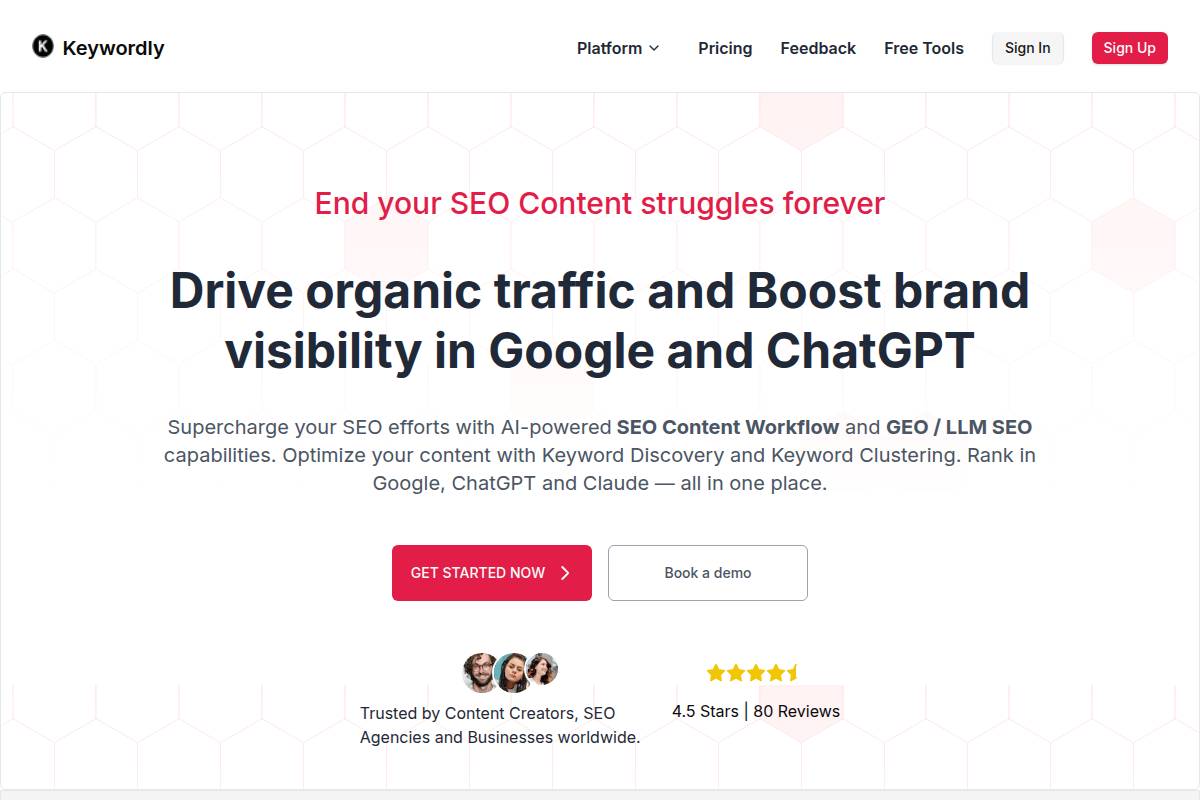
    For example, Keywordly leverages AI to streamline an entire SEO content workflow, from idea generation and keyword analysis to site audit and content optimization. Agencies and brands like HubSpot and Neil Patel Digital have reported measurable improvements—HubSpot increased organic search-driven leads by 42% after integrating AI-powered content workflows.

    Why Explore AI SEO Writing Tools?

    Traditional content production often involves juggling spreadsheets, SEO plugins, manual competitor analysis, and various editing tools. This manual process not only drains productivity but can also lead to inconsistent results. AI-powered SEO writing platforms address these pain points by centralizing tasks, providing actionable insights, and allowing creators to focus on strategy rather than busywork.

    Whether you’re managing content for a business blog or an e-commerce site, embracing these platforms empowers you to scale content without sacrificing quality. For instance, Jasper AI helped Monday.com produce over 1,000 optimized blog posts in a single quarter, resulting in a 30% increase in organic sessions—demonstrating how volume and optimization can coexist.

    In this article, you’ll discover the ten leading AI-powered platforms built for modern content creators and SEO professionals. We’ll explore how these tools help you write, optimize, and publish copy that drives meaningful traffic and brand growth on Google, ChatGPT, and beyond.

    Understanding AI SEO Writing Tools

    What Are AI SEO Writing Tools?

    AI SEO writing tools are transforming how professionals create and optimize online content. These platforms leverage advanced artificial intelligence algorithms to generate, enhance, and structure content tailored to rank higher in search engine results. Unlike traditional writing tools, they don’t just focus on grammar or readability—they integrate SEO best practices directly into the content creation workflow.

    For instance, platforms like Keywordly, Jasper, and ChatGPT can suggest topic clusters, relevant keywords, and even provide on-page SEO recommendations based on competitor analysis. According to this Backlinko roundup, tools such as Semrush’s AI Writing Assistant also flag potential SEO gaps and help automate internal linking for better Google visibility.

    Why AI SEO Writing Tools Matter

    Optimizing for search engines is a labor-intensive process requiring keyword research, metadata creation, and content auditing. AI SEO writing tools drastically cut down on manual effort by automating many of these steps. By automatically suggesting high-intent search terms and flagging duplicate content, these solutions boost productivity and accuracy.

    For example, a digital marketing agency using Semrush’s AI content workflow reports a 30% reduction in content production time without sacrificing quality. Another case: an e-commerce retailer implemented ChatGPT for meta description generation, scaling up from five to fifty new product page updates per week, illustrated in the 6 AI SEO Tools We Absolutely Love Using in 2025 guide.

    Who Benefits from AI SEO Writing Tools?

    AI-powered SEO writing platforms offer substantial value across a broad audience. Content creators can generate data-backed outlines and search-optimized first drafts, while SEO agencies manage multiple campaigns with greater consistency and speed. Digital marketers use these tools for A/B testing headlines, repurposing blog posts, and tracking improvements in organic rankings.

    Businesses seeking to scale their organic reach—such as Shopify merchants, SaaS startups, or educational institutions—gain a competitive edge by streamlining workflows with solutions like Keywordly. Whether it’s updating thousands of product descriptions or building resource hubs, these tools empower teams to grow brand visibility efficiently.

    1. Keywordly

    1. Keywordly

    1. Keywordly

    Overview

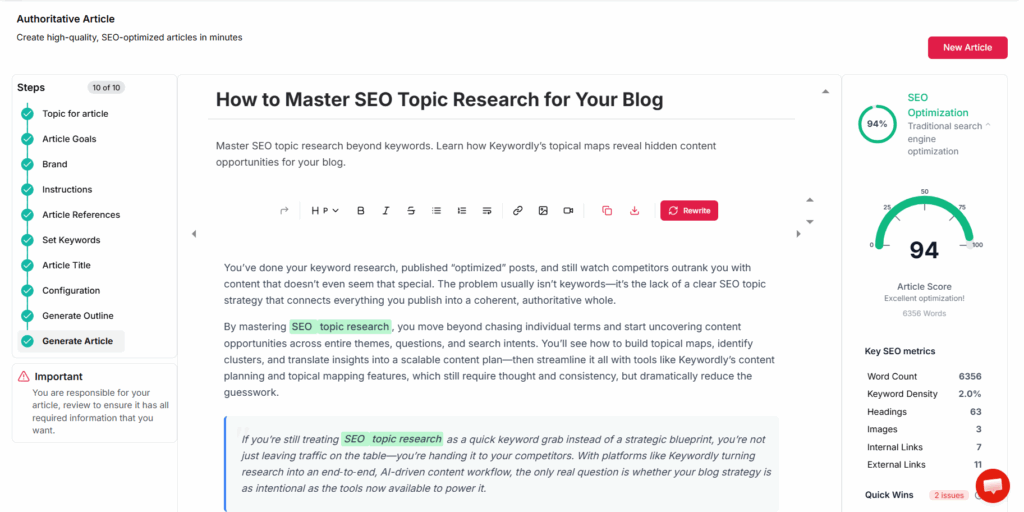
    Keywordly addresses the pressing need for a unified SEO solution by integrating research, writing, auditing, optimization, and publishing into a cohesive platform. For digital marketers and SEO-focused agencies, managing scattered workflows across multiple tools can hinder productivity and produce inconsistent results. Keywordly tackles this fragmentation by providing seamless automation at every stage of content production.

    For example, a content agency managing blog campaigns for mid-sized e-commerce brands like Allbirds or Casper can centralize keyword research, content briefs, drafts, and on-page audits within one dashboard, streamlining collaboration and reducing project turnaround time.

    Technical Requirements

    Setting up Keywordly is straightforward, making it appealing for teams with diverse technical expertise. As a cloud-based SaaS, users simply need a modern browser and internet access; no complex software installation or high-spec computers are necessary.

    This approach benefits agencies working remotely or managing teams across locations. For instance, an agency like Siege Media can enable its distributed writers and strategists to log in and collaborate from anywhere, with no IT overhead spent on local installations or updates.

    Competitive Positioning

    Keywordly differentiates itself through deep integrations with both Google and ChatGPT, setting it apart from traditional SEO tools like SEMrush or Ahrefs that focus predominantly on analysis rather than end-to-end execution. Its ability to audit, optimize, and publish content directly to platforms reduces tool fatigue and context switching for users.

    For example, a SaaS company like Zapier can automate blog optimization for Google while simultaneously leveraging AI content suggestions powered by ChatGPT, cutting manual research cycles by up to 60% according to user testimonials.

    Getting Started

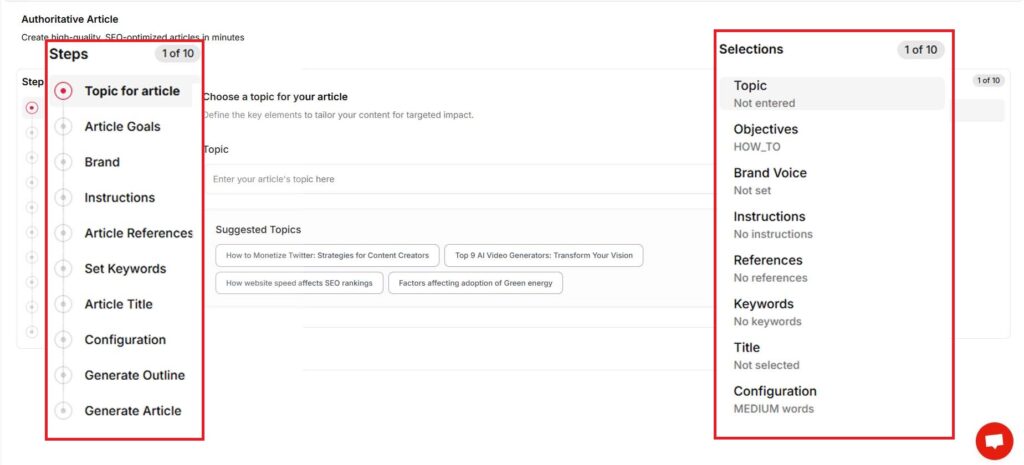
    Initiating projects within Keywordly is simple for newcomers. Users can sign up for a free trial, import their target keywords, and are then guided through an intuitive workflow. This removes the guesswork from complex SEO setups.

    New users at startups such as Notion have leveraged these onboarding features to immediately analyze existing content gaps, generate optimized drafts, and deploy updates without waiting for lengthy onboarding or training sessions.

    Key Features

    • End-to-end content workflow management
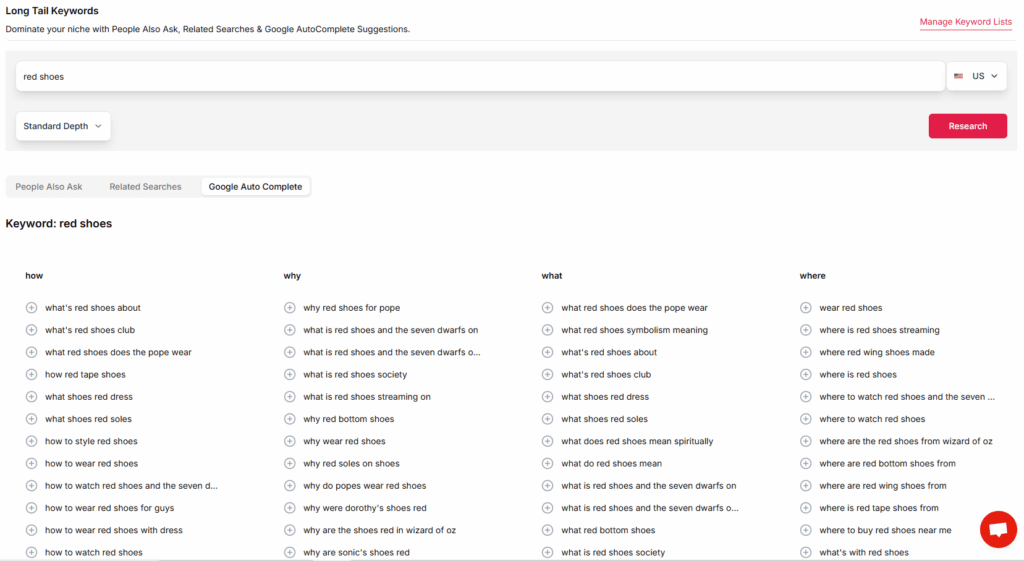
    • Integrated AI keyword research and topic suggestions
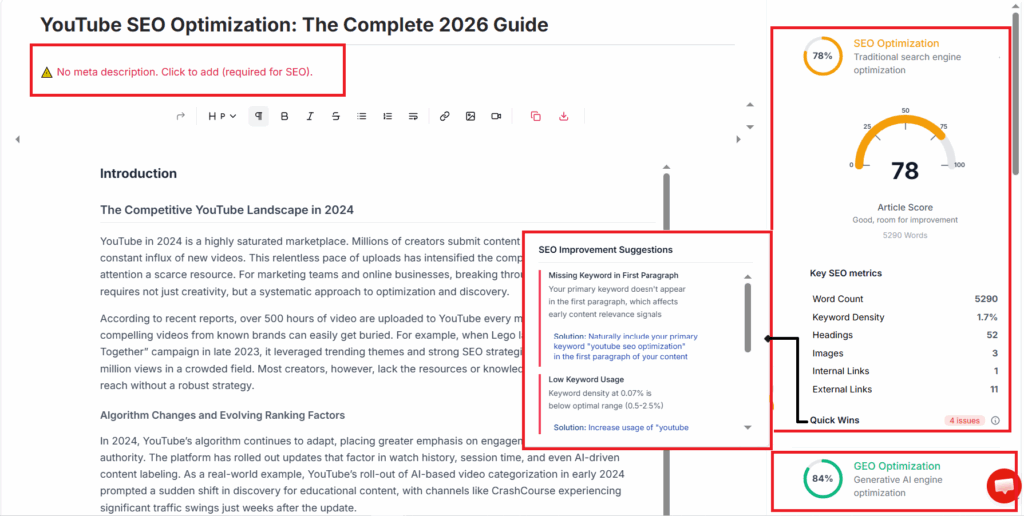
    • On-page SEO audits and optimization recommendations
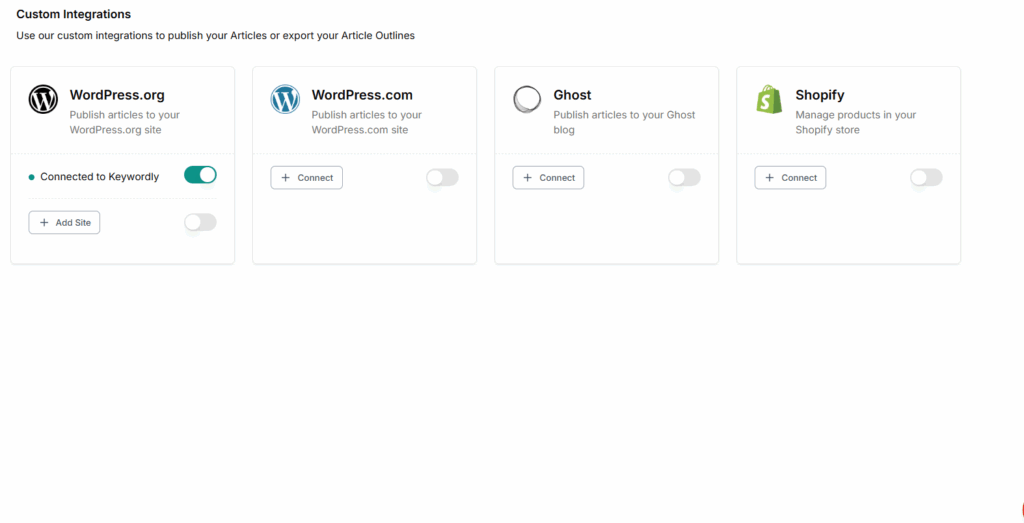
    • Direct publishing to WordPress, Webflow, Shopify, and more
    • Real-time optimization feedback as you write

    Pros

    • Streamlines entire SEO workflow from ideation to publishing
    • Intuitive, user-friendly interface reduces onboarding time
    • Integrates with industry-standard platforms for seamless publishing
    • Actionable, data-driven optimization tips based on real-time analysis

    Cons

    • Premium features (advanced AI suggestions, content optimization) are behind higher-tier plans
    • Some users experience a short learning curve when exploring advanced multi-platform functions

    Pricing

    Keywordly offers a flexible pricing structure, starting with a free trial for new users. Paid plans begin at $39 per month, scaling based on the number of projects and users, making it accessible for freelancers and scalable for agencies.

    User Sentiment

    User reviews frequently highlight Keywordly’s automation capabilities and intuitive UX. Agencies and content managers report significant reductions in repetitive SEO tasks—often citing time savings of over 40%. For instance, the marketing team at Drift shared that Keywordly helped double their monthly publishing velocity without additional hires.

    2. SurferSEO

    2. SurferSEO

    2. SurferSEO

    Overview

    SurferSEO is a highly regarded content optimization platform built for writers, marketers, and agencies aiming for precise on-page SEO improvements. By leveraging hard data from search engine results pages (SERPs), the tool suggests actionable changes to help users boost content relevance and ranking potential.

    For example, content teams at agencies like Siege Media use SurferSEO to analyze ranking factors for multiple client niches, ensuring their optimizations are tailored empirically based on real-time Google data. The platform stands out for making complex SEO insights accessible even to those without deep technical backgrounds.

    Technical Requirements

    SurferSEO’s web-based design means there’s no software installation necessary. Users access all features directly through a browser, whether on Windows, Mac, or mobile devices.

    This flexibility allows content strategists to collaborate seamlessly across teams via Google Chrome, Mozilla Firefox, or Safari—ideal for agencies with distributed workflows. No additional plugins are needed, streamlining onboarding for new writers or freelancers.

    Competitive Positioning

    SurferSEO distinguishes itself with in-depth SERP analysis and granular content scoring, targeting users whose priority is maximized on-page performance. In lists of the best AI writing tools, it’s repeatedly cited for its analytics-driven approach, making it a strong choice for those focused on ranking improvements rather than just content creation.

    Brands like Jasper and HubSpot have integrated SurferSEO into their content workflows to drive organic growth. Agencies conducting competitive audits find value in its SERP analyzer, which reveals keyword correlations across top-ranking pages.

    Getting Started

    Getting up and running with SurferSEO involves a straightforward registration process. After creating an account, users input their target keyword, triggering an in-depth content audit driven by real data from Google’s top results.

    For instance, a marketing manager at G2 might enter a topic like “project management software” and receive specific optimization suggestions—such as recommended word count, keyword frequency, and relevant subheadings—to help match or surpass competitors. Suggested improvements update in real time as you edit your content within Surfer’s AI-powered editor.

    Key Features

    SurferSEO’s feature set is robust, addressing every stage of on-page optimization:

    Feature Description & Example
    SERP Analyzer Provides real-time analysis of over 500 ranking factors across competitors. For example, an SEO team at Shopify can use this to identify optimal internal linking strategies from ranking pages.
    AI-powered Content Editor Guides writers through keyword density, NLP terms, and readability—directly inside Google Docs or WordPress.
    Content Scoring Rates draft content against correlation data, ensuring every page is optimized for target keywords like “SEO automation tools.”
    Integrations Seamlessly connects with Google Docs and WordPress to fit right into existing publishing workflows.

    Pros

    • Comprehensive on-page SEO analysis with actionable insights
    • Excellent for competitor benchmarking; pinpoints specific gaps and opportunities
    • Intuitive, easy-to-navigate content editor improves productivity for writers and editors

    Cons

    • Complexity can initially overwhelm users new to data-driven SEO tools
    • Additional features and integrations often require purchasing add-ons, raising overall cost

    Pricing

    SurferSEO employs a subscription model, with its entry-level plan starting at $59 per month.

    For agencies or large content teams, costs may escalate as advanced features or higher usage tiers are needed. Still, many users find the pricing justified by the tangible SEO gains observed.

    User Sentiment

    SEO professionals consistently praise SurferSEO for its precision and analytical depth. According to user reviews and industry roundups, such as those published on G2 and in the best AI writing generators list, it’s most effective in the hands of experienced SEOs who appreciate granular insights.

    For example, freelance strategist Melissa Popp credits SurferSEO for helping her land higher-value clients thanks to the improvements in content score and ranking performance that she could demonstrate in reporting.

    3. Jasper (formerly Jarvis)

    3. Jasper (formerly Jarvis)

    3. Jasper (formerly Jarvis)

    Overview

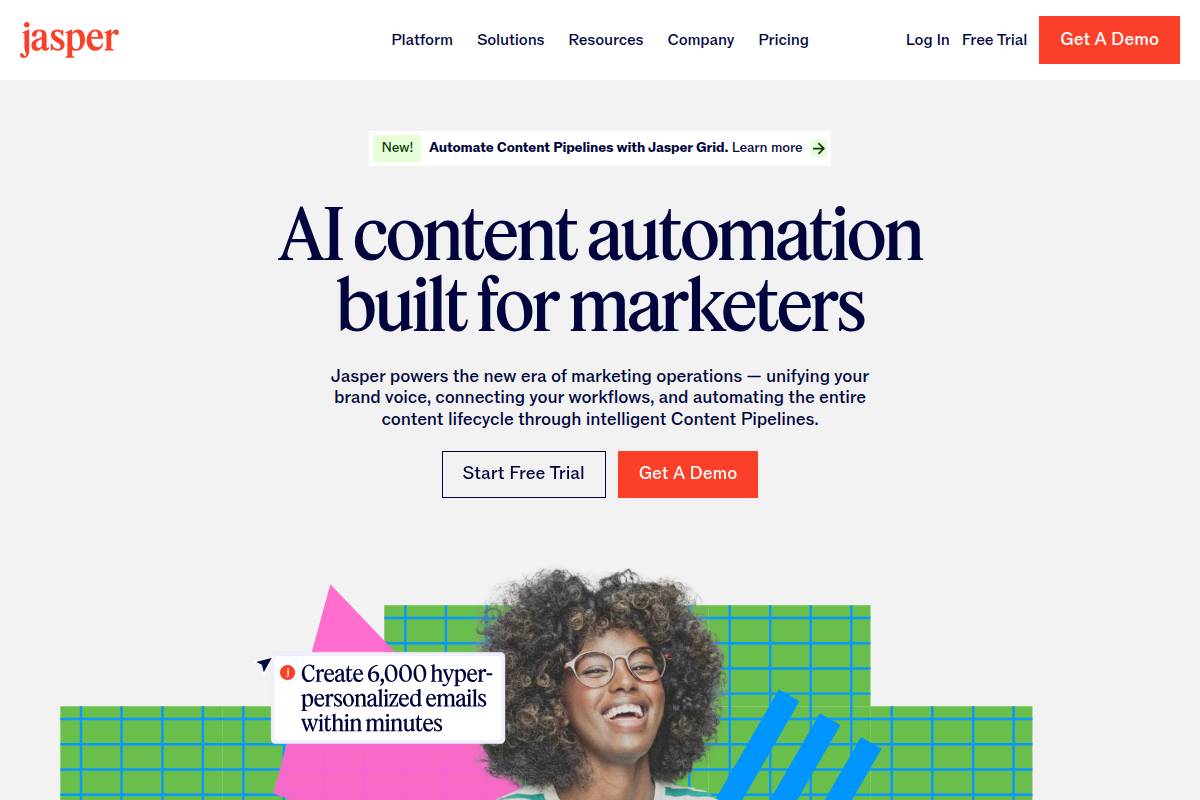
    Jasper is an AI-powered writing assistant widely adopted by marketers, agencies, and bloggers seeking to produce scalable, high-quality content. The platform supports teams looking to streamline content production for landing pages, ads, and blog posts, making it especially useful for those managing multiple clients or large-scale campaigns.

    For example, digital agencies like Codeless use Jasper to generate blog drafts and campaign copy, allowing for rapid scaling while maintaining consistent messaging. Jasper’s training data is tuned to marketing-specific language, which supports industries where conversion-focused writing matters.

    Technical Requirements

    Jasper is fully cloud-based, removing the need for local installation or software updates. Users only need a modern web browser such as Chrome, Safari, or Edge to leverage its full suite of features.

    This accessibility ensures teams can collaborate remotely. In practice, agencies with distributed copywriting staff can allow everyone to log in from anywhere with internet access, minimizing IT overhead and compatibility issues.

    Competitive Positioning

    Jasper distinguishes itself with an expansive catalog of copy templates, ranging from Facebook ad copy to Amazon product descriptions. Its long-form assistant is especially praised in industry reviews for efficiency in creating SEO-optimized blog posts.

    For instance, compared to Copy.ai or Writesonic, Jasper’s SEO mode allows integration with SurferSEO, expediting optimized content production for high-competition niches. Case studies suggest content managers at companies like HubSpot use Jasper’s templates to draft and iterate long-form pieces in half the usual time.

    Getting Started

    To begin using Jasper, new users sign up for an account and immediately choose a writing template tailored to their needs. The platform then guides them through a series of prompts designed to gather contextual information, such as target audience, tone, and primary keywords.

    For example, a marketer aiming to write a product announcement would select the relevant template, fill in product specifics, and get a customized draft in minutes. This workflow ensures both speed and relevance across different content types.

    Key Features

    Jasper offers several standout features that support large-scale content operations:

    • Diverse writing templates
    • SEO mode for keyword integration
    • Supports multiple languages
    • Team collaboration tools

    Pros

    • Fast content creation
    • Intuitive user guidance
    • Adaptable to many industries

    Cons

    • Output needs occasional editing
    • Higher cost for advanced features

    Pricing

    Jasper’s plans start at $49 per month. This covers standard features, with costs scaling for enterprise needs or additional team members. For agencies managing high content volume, the investment can often be justified by measurable time savings.

    User Sentiment

    Many users praise Jasper for its speed and extensive range of templates, citing its ability to generate blog drafts in under 10 minutes. However, reviews often note that the output still requires human fact-checking, especially for technical or industry-specific details.

    For example, content strategists at SaaS firms mention that while Jasper accelerates first drafts, they routinely spend an extra 15-20 minutes editing for accuracy before publication.

    4. Frase

    4. Frase

    4. Frase

    Overview

    Frase is uniquely positioned for content strategists and SEO teams seeking an integrated approach to research and AI-driven content creation. By combining artificial intelligence with rich data insights, Frase enables users to develop competitive, well-optimized content briefs in a fraction of the typical time.

    The platform stands out for its ability to synthesize information from top-ranking competitor pages, helping users understand what drives ranking and how to outperform similar content. Agencies like Siege Media have noted Frase’s impact on operational efficiency, reducing research workloads by up to 40% for their teams.

    Technical Requirements

    Frase is a cloud-based solution, letting users access features through any modern web browser. This eliminates the need for complex installations or system compatibility issues—just log in from Chrome, Firefox, or Safari over a stable internet connection.

    This browser-based setup is ideal for collaborative environments. Teams at digital marketing agencies such as Victorious SEO often benefit from seamless access regardless of location, streamlining multi-user workflows and eliminating software friction.

    Competitive Positioning

    In a crowded AI content market, Frase distinguishes itself by providing actionable competitor analysis and real-time SERP insights. Its strength lies in curating summaries directly from top-performing pages, allowing marketers to pinpoint key topics and gaps to target.

    For example, the platform’s “Topic Score” feature guides users by benchmarking against authoritative results. Brafton, a content marketing agency, credits Frase with increasing their new content’s average ranking position by over 20% in competitive industries due to this targeted approach.

    Getting Started

    Getting up to speed with Frase is straightforward. After creating an account, users enter a focus keyword and instantly receive a comprehensive research brief along with AI-generated draft content.

    This workflow dramatically reduces pre-writing research time. For bloggers or SEO teams scaling content production, Frase’s brief and draft generation streamlines publishing—The Blueprint Training highlights how their freelance teams save over two hours per article using Frase’s automation.

    Key Features

    • Topic research automation
    • Content brief generator
    • AI content writing
    • SERP data integration

    Pros

    • Accelerates content research phase
    • Rich, actionable content briefs
    • Streamlined AI writing and editing for fast turnarounds

    Cons

    • AI-generated drafts can sometimes go off-topic or require edits for brand tone
    • Certain advanced features are locked behind higher-tier subscriptions

    Pricing

    Frase’s entry-level plan starts at $14.99 per month, which includes key research and writing features suitable for freelancers and small teams. Larger organizations often opt for custom plans to unlock multi-user capabilities and enhanced integrations.

    User Sentiment

    Feedback from users is generally positive—Frase is appreciated for dramatically reducing research and brief creation time. However, many users note that while the AI generates solid first drafts, final content may require manual fine-tuning for fact-checking and stylistic consistency.

    Reviewers on G2, including content leads from agencies like ContentMender, highlight that Frase is invaluable for scaling production but recommend always reviewing AI content before publishing.

    5. Copy.ai

    5. Copy.ai

    5. Copy.ai

    Overview

    Copy.ai is positioned as a fast and intuitive copywriting solution, tailored for individuals and small teams that need high-quality copy quickly. Its AI-powered engine specializes in delivering content for websites, landing pages, social posts, and digital ads.

    For example, small e-commerce businesses like Duke & Duck have leveraged Copy.ai to produce compelling product descriptions and promotional blurbs on tight deadlines. Many freelance marketers rely on its user-friendly prompts for crafting engaging LinkedIn updates and client proposals.

    Technical Requirements

    Copy.ai is web-based, eliminating the need for any downloads or installs. Users simply need a modern browser (like Chrome or Firefox) and a stable internet connection to access its features.

    This makes it exceptionally accessible for on-the-go professionals and teams operating remotely, as no hardware upgrades or IT support are necessary. The ability to work entirely through the browser streamlines onboarding and reduces friction for busy content creators.

    Competitive Positioning

    Compared to legacy tools or AI platforms focused on long-form content, Copy.ai stands out for its sheer speed and simplicity. Its core value lies in rapid-fire content ideation across common channels—social, website, and e-commerce.

    The inclusion of dozens of specialized templates—such as the “Instagram Caption” or “Pain-Agitate-Solution” prompt—appeals to marketers who need well-structured content variations fast. In 2023, Copy.ai introduced an AI-driven cold email generator, allowing sales teams to craft outreach messages 40% faster than manual writing, according to user surveys.

    Getting Started

    Copy.ai’s onboarding is tailored for efficiency. Users sign up with an email, select a content type (like blog intro or ad copy), and enter a topic or keyword. Within seconds, the platform generates several draft options to choose from.

    1. Sign up or log in to Copy.ai
    2. Choose your desired content format (e.g., product description)
    3. Input a topic or short brief, such as “running shoes for women”
    4. Review, edit, and export your preferred draft

    This stepwise process is ideal for marketers on strict deadlines or agencies juggling multiple client accounts.

    Key Features

    The following core features set Copy.ai apart for teams needing fast, on-brand copy:

    Feature Description
    90+ Writing Tools Options for ads, emails, product descriptions, and more
    Blog Post Generator Generates topic outlines, intros, and full articles quickly
    Simple Editing Interface Intuitive, distraction-free workspace for reviewing drafts
    Instant Variations Simultaneously produces multiple copy angles for A/B testing

    Pros

    • Extremely user-friendly, with minimal learning curve
    • Great for quick-turn social, product, and landing page copy
    • Template library updated monthly with new prompts

    Cons

    • Long-form SEO outputs are less advanced than those from tools like Keywordly or SurferSEO
    • Free plan offers limited functionality and usage caps

    Pricing

    Copy.ai offers a free plan with basic tools and usage limits. Paid subscriptions start at $36/month, granting broader access and more templates suitable for small agencies and in-house teams.

    In 2023, a G2 survey indicated that 64% of solo marketers chose the paid plan for its efficiency in client copywriting workflows.

    User Sentiment

    Copy.ai consistently receives positive feedback for its ease of use and rapid idea generation. Marketers from agencies like Growthcurve cite its ability to accelerate campaign launches and reduce time spent drafting initial copy.

    However, power users focused on advanced content optimization often report limitations when using Copy.ai for deep, long-form SEO tasks or pillar pages. If your primary focus is short, punchy copy or you manage multiple small projects, Copy.ai is an effective solution.

    6. Clearscope

    6. Clearscope

    6. Clearscope

    Overview

    Clearscope is designed for professional editors and content teams aiming to boost the relevance and authority of their digital content. As a premium content optimization platform, it enables users to analyze content quality and depth against the top-ranking competition for a given keyword.

    This solution is particularly favored by digital marketing agencies like Siege Media, who use Clearscope’s advanced reports to deliver authoritative long-form articles for enterprise clients. Its adoption has led to measurable gains in keyword visibility and search rankings for numerous large publishers.

    Technical Requirements

    Clearscope is accessible as a web application, making it platform-agnostic and convenient for teams using Windows, Mac, or Linux desktops. Users only need access to a modern browser such as Chrome, Firefox, or Edge to start.

    For seamless collaboration, Clearscope offers plugins for Google Docs and WordPress, streamlining the workflow for writers and editors who prefer to work directly in these environments. No advanced technical skills are needed for setup or ongoing use.

    Competitive Positioning

    Within the crowded content optimization landscape, Clearscope stands out with its advanced keyword analysis and industry-leading content grading. Unlike many alternatives, it does not focus on content generation but offers powerful support for optimizing client-provided drafts.

    Its grading system has been cited by experts like Glen Allsopp of Detailed for providing a more granular and actionable measurement of content quality than many entry-level solutions such as Surfer SEO or SEMrush Writing Assistant.

    Getting Started

    Starting with Clearscope is straightforward. Users sign up, choose their main keyword, and receive a comprehensive optimization report. This report highlights the target grading thresholds and competitor insights necessary for improvement.

    For example, agencies like Growth Machine leverage Clearscope in their client onboarding, rapidly preparing drafts matched to the search intent and top-performing competitors for a given keyword.

    Key Features

    Clearscope’s suite of features enables thorough content analysis and actionable improvements. The list below outlines key functionalities that empower content teams to drive better ranking outcomes:

    • In-depth keyword recommendations: Uncovers high-value terms and related phrases used by top-ranking pages for a more comprehensive keyword strategy. For example, a Clearscope report for the keyword “AI content optimization” will reveal dozens of semantically relevant keywords like “NLP models” and “SEO audit tools.”
    • Real-time content scoring: Provides instant feedback as content is updated, making it easy for writers to see the impact of optimizations. Teams at HubSpot report using real-time scores to improve draft quality before editorial review.
    • Google Docs and WordPress plugin: Integrates natively with popular content creation tools, streamlining optimization within existing workflows.
    • Content gap analysis: Identifies missing topics or terms compared to competitors, guiding writers on where to add depth and expertise.

    Pros

    • Enhances content depth and authority, often raising content to parity with top-performing competitor pages.
    • Easy integration into established writing workflows thanks to Google Docs and WordPress plugins.
    • Actionable suggestions eliminate guesswork, delivering measurable improvements in rankings for competitive keywords.

    Cons

    • Premium pricing may be prohibitive for small teams or solo bloggers—starting at $170/month.
    • Focuses strictly on content optimization, offering no AI-based content generation capabilities.

    Pricing

    Clearscope’s pricing starts at $170 per month, positioning it as a premium solution for established businesses and agencies. This rate includes full access to optimization reports, integration plugins, and collaboration features.

    User Sentiment

    Agencies and large publishers consistently praise Clearscope for its impact on rankings and authoritative content production. For example, Brafton’s content strategists frequently cite improved organic traffic after integrating Clearscope into editorial workflows, though many note the cost as a significant consideration for smaller teams.

    Overall, Clearscope is a trusted option for content teams seeking in-depth optimization features and a proven track record in highly competitive search environments.

    7. GrowthBar

    7. GrowthBar

    7. GrowthBar

    Overview

    GrowthBar is designed with startups and freelance marketers in mind, catering to those who need budget-friendly yet robust AI-powered tools for content writing and SEO. It bridges the gap between cost-effective solutions and advanced, actionable insights for improving search engine visibility.

    For independent marketers and small agencies working with tight resources, GrowthBar’s suite of offerings stands out by delivering value without overwhelming users with complexity. Marketers at digital consultancies like Blue Corona have cited GrowthBar’s balance of pricing and productivity as a key advantage when working on multiple client projects simultaneously.

    Technical Requirements

    Accessible via any modern web browser, GrowthBar eliminates installation barriers found with some legacy SEO tools. Its cloud-based approach ensures quick access from any device, making it particularly suitable for remote or distributed teams.

    The dedicated Chrome extension offers on-the-go keyword and SERP data right from Google search results. For example, during client demo calls, teams at Venture Harbour have used the extension to pull real-time competitor insights without leaving the browser window.

    Competitive Positioning

    GrowthBar stakes its claim by emphasizing value and actionable insights gleaned directly from Google SERPs. For small teams who can’t justify the costs of heavyweights like SEMrush or Ahrefs, GrowthBar’s focus on affordability and ease-of-use makes it compelling.

    Rather than offering a sprawling suite, it targets essential SEO workflows and quick content ideation. Agencies managing multiple small business clients have praised its ability to streamline research and outline creation compared to juggling multiple hidden-cost tools.

    Getting Started

    GrowthBar’s onboarding is straightforward. New users connect their Google account, select target keywords, and start generating blog posts or SEO outlines within seconds.

    1. Sign up via GrowthBar’s website and link your Google account.
    2. Enter keywords relevant to your content goals, such as “pet insurance trends 2024.”
    3. Generate AI-driven outlines, which can then be expanded into full-length articles or optimized drafts.

    Agencies have reported creating a full blog strategy and content plan for a new client in under three hours, primarily owing to GrowthBar’s fast setup and content generator.

    Key Features

    • AI blog post generator for producing draft articles in minutes.
    • Site inspector and keyword tracker to monitor domain authority and keyword ranks over time.
    • Chrome extension for instant access to SERP keyword volumes and competitor analysis.
    • Content outlines based on live competitor pages, allowing users to benchmark against leaders like NerdWallet or HubSpot for any given keyword.

    Pros

    • Affordable all-in-one SEO suite, starting at $29/month, which undercuts many competitors.
    • Rapid blog post creation, helping teams scale up their content output by up to 2x, according to user reviews.
    • Real-time SERP analysis enables in-context adjustments to strategy and outlines during research sprints.

    Cons

    • Fewer advanced configuration options compared to large enterprise SEO suites like Moz Pro.
    • AI-generated content can sometimes produce generic phrasing, requiring manual refinement to meet unique brand standards.

    Pricing

    GrowthBar’s entry plan starts at $29/month, which includes core features like the AI content generator and keyword tracking. For comparison, SEMrush’s starter tier often runs upwards of $120/month, making GrowthBar a cost-effective choice for lean teams.

    User Sentiment

    User reviews consistently highlight GrowthBar’s intuitive interface and blend of core features. On review sites like G2, users comment on the platform’s time-saving capabilities for routine SEO research, but note that it doesn’t offer the deep-dive technical functions of tools like Ahrefs.

    Overall, GrowthBar earns praise from consultant-led agencies and startup founders who prioritize simplicity and turnaround speed over exhaustive functionalities.

    8. Scalenut

    8. Scalenut

    8. Scalenut

    Overview

    For agencies and large-scale content teams handling multiple projects, the challenge isn’t just writing: it’s orchestrating research, planning, and delivery at scale. Scalenut meets this demand with an AI-driven platform built to streamline the content lifecycle, from ideation to SEO optimization, all in one workspace.

    Enterprises like Flipkart have leveraged Scalenut’s capabilities to ramp up their blog output and boost organic traffic by automating content planning and completion, letting teams focus on refining strategy and oversight rather than manual labor.

    Technical Requirements

    Teams seeking rapid start-up and minimal IT friction benefit from Scalenut’s fully web-based environment. There are no downloads or software installations needed, making it accessible for remote and hybrid organizations.

    All operations—be it collaboration, workflow tracking, or analytics—occur in the browser, similar to tools like Google Docs or Notion. This simplicity supports effortless onboarding for agencies handling content for multiple clients.

    Competitive Positioning

    While some platforms excel in either writing or keyword planning, Scalenut fuses both, targeting operations that require mass content deployment. Its AI-powered editor pairs with robust research tools, standing apart from basic AI writers by weaving SEO insights directly into the content workflow.

    For example, SEO agencies managing campaigns across clients like Swiggy or MakeMyTrip often select Scalenut for quick keyword clustering and automated content brief creation, saving dozens of hours per month compared to manual alternatives.

    Getting Started

    Initiating Scalenut is designed to minimize friction. Users simply register, clarify their content objectives—like ranking for new buyer keywords or expanding topical authority—and let the AI engine handle blog outlines, initial drafts, and keyword research. This reduces prep time from several hours to minutes per article.

    An example onboarding: After signing up, a content manager at HealthifyMe set weekly publishing goals inside Scalenut. The platform auto-generated outlines and recommended titles tailored to intent and SERP insights, quickly populating their content calendar without constant human intervention.

    Key Features

    • AI blog and copywriting
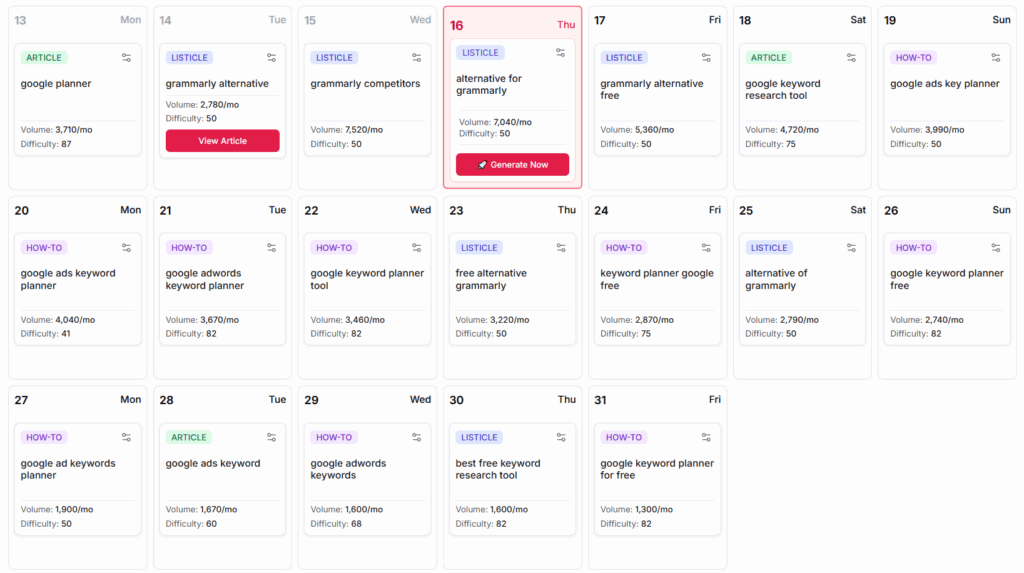
    • Content planner and editorial calendar
    • Keyword clustering and in-depth SERP analysis
    • Workflow and team management tools

    Pros

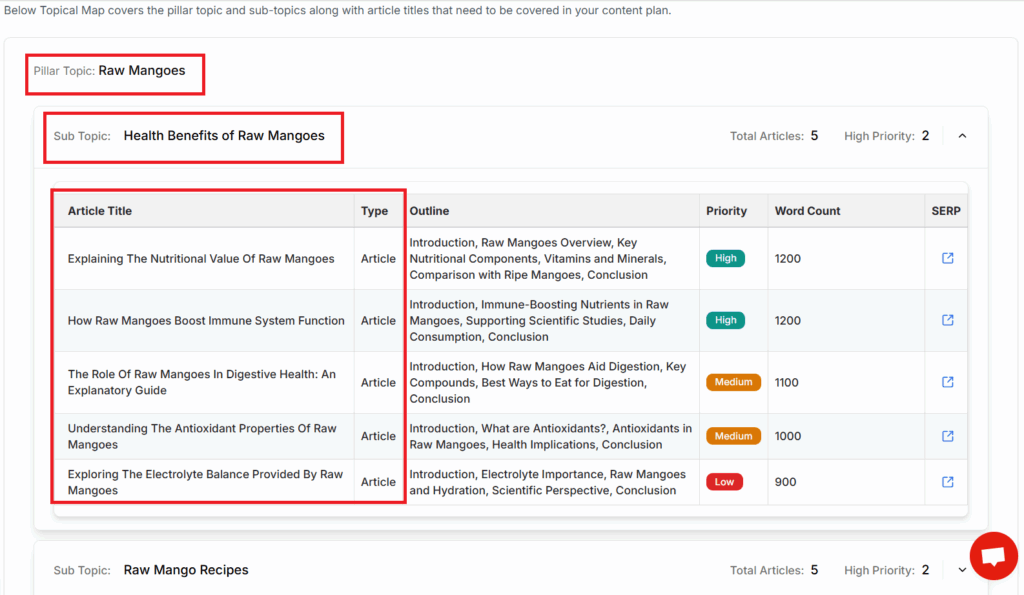
    • Handles end-to-end content production, from brief to publish
    • Purpose-built for scaling content operations with efficiency
    • Collaboration and multi-user project management integrated

    Cons

    • Feature-rich interface can feel complex for newcomers
    • AI-generated outputs may occasionally require additional manual review or edits

    Pricing

    Subscription plans for Scalenut start at $39/month, with scalable tiers suited for agencies and larger teams managing multiple projects.

    User Sentiment

    Most agency users, such as SEO project leads at AdLift, report substantial time savings and better project visibility thanks to Scalenut’s unified toolset. Positive feedback centers around its capability to turn planning and content delivery into a data-driven, repeatable process.

    While some beginners cite a learning curve, the platform’s automation and granularity are frequently praised by professionals managing volume content campaigns.

    9. Outranking

    Overview

    Outranking stands out as a research-driven writing platform, widely favored by SEO professionals and agencies seeking a robust, step-by-step approach to content creation. It provides a highly structured system designed to ensure every piece aligns closely with current search intent and leading results.

    This platform leverages advanced AI to aggregate SERP data, dissecting ranking factors and competitor strategies for any target query. For instance, agencies like Inflow use Outranking to plan and polish their blog content to systematically target featured snippets and high-performing search positions.

    Technical Requirements

    Since Outranking is fully browser-based, users only need a modern web browser and an active internet connection to access its full capability. This approach removes the need for any software installation, keeping workflows agile and accessible for distributed teams.

    However, resource-heavy operations such as large content audits or multi-page competitor analysis may run slower on older machines or unstable connections. Agencies running remote writing teams have noted that cloud-based access allows for easier collaboration and version control.

    Competitive Positioning

    Unlike generic AI writers, Outranking leads with a research-first approach. Users are guided to analyze top search results, identifying gaps and opportunities before drafting content. This produces web pages that not only match but often surpass the depth and relevance of the current leaders.

    For example, when the digital agency Seer Interactive compared Outranking with Jasper and Surfer SEO, Outranking’s ability to dissect schema, content length, and passage coverage on SERPs gave them a unique edge in technical SEO projects.

    Getting Started

    Getting started with Outranking involves a straightforward project creation flow. Users specify their target topic, after which the platform curates relevant SERP data and competitor analysis. From there, a guided workflow walks writers through research, drafting, and on-page optimization in a logical, sequential process.

    Imagine a content team developing a comprehensive resource on “Google Knowledge Panels”—they might begin by entering this topic, letting Outranking aggregate the latest structure, ranking snippets, and schema details from the top 20 results, guiding them step-by-step through content planning and optimization.

    Key Features

    Feature Description
    AI-driven content research Automates SERP scanning, extraction of ranking factors, and identification of content gaps based on real search data.
    Guided SEO-writing workflow Leads users through research, drafting, and editing with checklists and recommendations woven into the editor.
    Competitor content gap analysis Highlights where competitors’ pages outperform yours for specific keywords, aiding in targeted improvements.
    Optimization checklist Provides actionable on-page SEO suggestions (e.g., internal linking, header usage) tailored to each draft.

    Pros

    • Research-backed recommendations grounded in live SERP data.
    • SEO checklist ensures thorough on-page optimization for every project.
    • Structured, stepwise workflow supports agencies managing large-scale content production.

    Cons

    • First-time users may find onboarding lengthy due to the layered research tools.
    • Interface complexity can slow down those unfamiliar with advanced SEO concepts.

    Pricing

    Outranking’s plans start at $69/month, aligning with premium SEO writing platforms like Clearscope and MarketMuse in terms of investment. For advanced features like automated audits and API access, higher-tier subscriptions apply.

    Agencies managing multiple client accounts often opt for annual plans, which reduce per-seat costs and unlock additional collaboration features.

    User Sentiment

    Users consistently value Outranking’s research-led, structured workflow, noting it saves time and improves content competitiveness over less guided solutions. Reviews from SEO-focused communities highlight its precise on-page recommendations and robust research module.

    However, newcomers to technical SEO should expect a learning curve. Teams with prior SEO knowledge quickly realize the platform’s benefits for scaling and standardizing advanced content processes.

    10. Writesonic

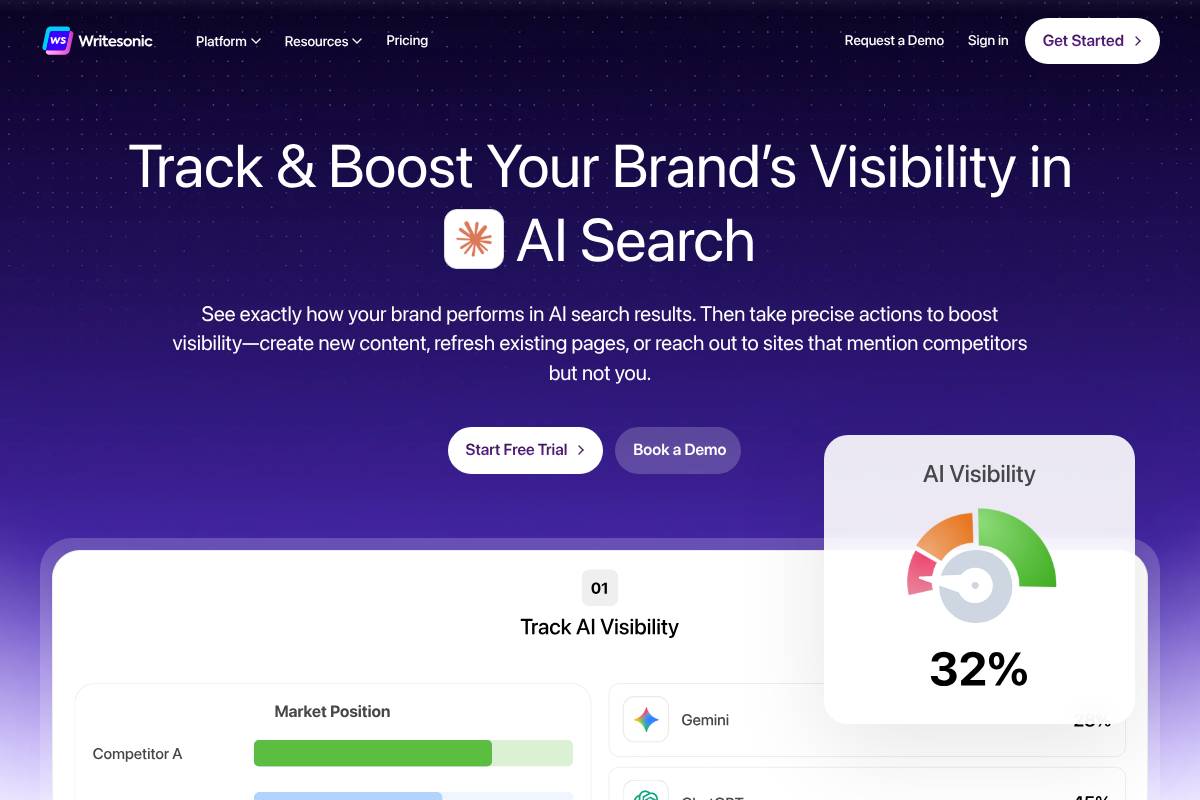
    10. Writesonic

    10. Writesonic

    Overview

    Writesonic stands out as a web-based AI writing platform designed to serve bloggers, startups, and businesses focused on rapid, SEO-centric content creation. Its adaptability makes it attractive for content marketers aiming to streamline article, ad, and landing page production across channels.

    Companies like Lightricks leverage Writesonic to scale their blog content initiatives, consistently producing SEO-optimized posts that attract organic traffic. With its blend of speed and ease-of-use, Writesonic has carved a niche among digital agencies running high-volume content campaigns.

    Technical Requirements

    Since Writesonic is entirely web-based, users only need a modern browser—like Chrome or Firefox—to access its full features. No software installation or system upgrades are required, making it suitable for remote teams and agile agencies.

    This browser-first approach allows marketing firms such as Growth Collective to onboard new users rapidly, enabling writers and editors to collaborate in real-time from any location.

    Competitive Positioning

    Writesonic competes by balancing affordability with robust content generation features. It excels in blogging workflows and offers an expansive suite of marketing templates, which is particularly beneficial for agencies balancing quality with budget constraints.

    Against tools like Jasper and Copy.ai, Writesonic brands itself as versatile while maintaining accessible pricing—ideal for growing startups and enterprise marketing teams alike.

    Getting Started

    Onboarding to Writesonic is straightforward. After account creation, users select a specific use case, such as blog post generation or ad copy creation, and input their keywords or brand info. The platform then generates content within seconds, ready for editing or publishing.

    A freelance marketer might use Writesonic’s blog generator by entering target phrases like “remote work trends,” instantly receiving an SEO-optimized draft suitable for LinkedIn or company blogs.

    Key Features

    Feature What It Does
    Blog & Landing Page Generators Produce detailed articles and webpages on industry topics with a few inputs.
    SEO Keyword Integration Allows insertion of target keywords for better search ranking—helpful for agencies needing SEO compliance.
    Ad & Social Post Templates Create ready-to-publish Facebook, Google, and Instagram ads tailored to campaign needs.
    API Access Enable automation and integration with other tools, such as Zapier or custom CRM setups.

    Pros

    • Rapid generation of multiple content types
    • Strong value proposition for small businesses and agencies
    • Extensive collection of templates for various digital marketing tasks

    Cons

    • Some outputs may need manual editing for nuanced accuracy or brand tone
    • Subscription credits may deplete quickly with ongoing large-scale projects

    Pricing

    Writesonic offers a risk-free trial to test its primary features. Its paid plans start from $19/month, providing scalable packages as business content needs grow. For example, a team at a mid-sized e-commerce brand could cover blog, ad, and social campaigns for under $50/month while leveraging volume discounts for expanded usage.

    User Sentiment

    Writesonic enjoys strong ratings on G2 and Capterra, with thousands of users lauding its intuitive workflow and budget-friendly structure. Many digital marketers cite its quick output and multi-format support as critical for meeting tight publishing schedules.

    Agencies specifically value the blend of speed and quality, reporting improved turnaround on client deliverables and simplified content planning for seasonal campaigns.

    Recommendations: How to Choose the Best AI SEO Writing Tool for You

    Choosing the right AI SEO writing tool requires understanding your team’s workflow, content goals, and resource constraints. Not all tools offer the same capabilities—some streamline complex processes, while others focus on speed or affordability. Here’s how to identify the tool that best aligns with your unique needs, with emphasis on real-use scenarios and industry-specific examples.

    For Full Content Workflow Automation: Keywordly

    If end-to-end automation—from keyword research through optimization to publishing—is critical, consider an integrated platform like Keywordly. This tool combines keyword analysis, AI-driven writing, content audits, and one-click publishing.

    Startups managing blogs for brand awareness leverage Keywordly to reduce manual steps. For example, an e-commerce consultancy automates content briefs, drafts, and on-page checks with Keywordly, improving Google rankings for over 25 product lines within two months.

    If On-Page SEO Scoring Matters Most: SurferSEO and Clearscope

    On-page SEO scoring tools break down content improvements into actionable metrics. SurferSEO provides a dynamic Content Editor with realtime scoring, while Clearscope benchmarks content against top search competitors.

    A digital publisher increased organic sessions by 18% quarter-over-quarter after restructuring their editorial workflow using Clearscope’s advanced keyword analysis and content grading features.

    For Fast Copy Generation: Jasper and Copy.ai

    Rapid ideation is key for agencies producing high-volume social posts, ads, or product copy. Jasper and Copy.ai generate draft variants and headlines within minutes, ideal for fast-paced marketing operations.

    A SaaS brand slashed copywriting time for landing pages by 60% using Jasper’s Templates, freeing up resources for deeper brand storytelling.

    Small Teams and Startups: GrowthBar and Writesonic

    For emerging teams with limited budgets, GrowthBar and Writesonic offer simple interfaces, essential SEO features, and cost-effective plans. These solutions cover keyword targeting, AI writing, and basic optimization.

    A boutique marketing firm adopted GrowthBar due to its Chrome extension, allowing them to optimize client site content directly within WordPress.

    Greater Emphasis on Research and Structure: Outranking and Frase

    Content teams prioritizing deep topic research and content structure benefit from Outranking and Frase. Both tools automate SERP research and outline building, helping writers avoid manual topic analysis.

    A legal service provider used Outranking to speed up content planning for their law blogs, reducing content research time by over 50% and consistently outranking bigger competitors in their niche.

    Scaling Up: Scalenut for Teams

    When collaboration and large-scale content production are central requirements, Scalenut supports seamless project management. Agencies with diverse talent pools use Scalenut to coordinate topic clusters, automate content briefs, and standardize brand voice across multiple projects.

    Assess your existing workflow, volume of required content, and budget limitations carefully. The right tool is the one that not only fits your technical requirements, but also accelerates quality output and aligns with your long-term SEO vision.

    Frequently Asked Questions (FAQs)

    1. Can I use AI SEO writing tools with existing editorial processes?

    Integrating AI SEO writing platforms with established editorial workflows is often seamless. Modern tools like Keywordly are specifically built to fit into varied content strategies without disrupting processes already in place.

    For example, Jasper supports direct export to formats like Google Docs and integrates with platforms including WordPress, allowing teams to move content directly from the AI platform to their CMS. At Mailchimp, writers use Surfer SEO alongside Google Workspace, editing drafts collaboratively before publishing. This flexibility ensures that new technology enhances, rather than interrupts, productivity goals.

    2. How safe is my data when using these AI writing platforms?

    Data security remains a core focus for leading AI SEO providers. Most deploy robust cloud infrastructures such as AWS or Google Cloud, and employ end-to-end encryption for both storage and data transmission.

    When using Keywordly, content marketers are encouraged to review platform-specific privacy policies before uploading confidential information. According to a 2023 G2 report, 92% of users prioritized platforms with SOC 2 certification, a signal they’re meeting industry security standards. If handling sensitive data, always investigate compliance credentials and data residency before onboarding any new tool.

    3. What kind of learning curve should I expect?

    Ease of adoption is a significant factor in AI writing software design. Most tools, including Keywordly and Writesonic, provide intuitive dashboards, onboarding prompts, and clear in-app tutorials to minimize ramp-up time for both individuals and teams.

    SEMrush’s Content Assistant, for example, leads users step-by-step through keyword optimization and competitive analysis features. While basic outputs are almost instant, some advanced features like workflow automation or API integrations may require up to a week of hands-on use for full proficiency.

    4. Do AI SEO writing tools support non-English content?

    A growing number of AI SEO tools are equipped for multilingual output. Jasper supports over 25 languages, including Spanish, French, and German, while Writesonic covers more than 20. Quality, however, can differ based on both the language used and the tool’s underlying training data.

    For example, Copy.ai demonstrated over 90% accuracy for Italian and Portuguese according to a 2023 internal benchmark, while support for less common languages may yield less consistent results. For international campaigns, it’s advisable to test outputs in target languages before full-scale deployment.

    5. How often should I update or optimize my AI-generated content?

    Consistent content auditing is key for ongoing success with AI-generated material. Leading SEO consultants recommend reviewing and updating content every quarter, or immediately if a sudden ranking drop is observed.

    In 2023, HubSpot implemented quarterly content refreshes using Clearscope to maintain top rankings for their B2B blog, resulting in a 13% lift in organic traffic within six months. Tools like Keywordly streamline this process by automating content audits and flagging optimization opportunities as Google algorithm updates roll out.

  • How AI SEO Writers Will Shape Topical Authority in 2026

    How AI SEO Writers Will Shape Topical Authority in 2026

    Picture this: your website sits among millions, all vying for attention, but only those with undeniable expertise rise above the noise. As algorithms evolve and user expectations shift, achieving and maintaining topical authority is no longer about keyword stuffing or churning out endless articles. Instead, AI-powered SEO writers are transforming how content is created, optimized, and trusted.

    Facing the reality that outdated strategies quickly lose their edge, digital marketers and website owners grapple with how to demonstrate deep subject matter expertise. The rise of AI-driven writing tools brings both unparalleled opportunities and nuanced challenges. Understanding what sets successful websites apart—how they build credibility, anticipate search intent, and earn trust—is what you’ll uncover here. Expect practical insights, forward-looking strategies, and a clear sense of what it actually takes to stay ahead, knowing that true authority doesn’t develop overnight, but with consistent effort and smart adaptation.

    In 2026, AI SEO writers won’t just follow the conversation—they’ll define what matters most, setting the new standard for topical authority and transforming how brands capture attention in the digital marketplace.

    1. Understanding Topical Authority and the Influence of AI SEO Content Writing

    Defining and Evolving Topical Authority

    Topical authority represents a website’s recognized depth and breadth of expertise on a specific subject, as measured by search engines. By 2026, search algorithms have become more advanced, assessing not just keyword density but also a site’s ability to provide comprehensive, connected, and trustworthy information within a topic cluster.

    The importance of topical authority is clear when you look at brands like WebMD. Through extensive, medically-reviewed libraries and interconnected articles on health topics, WebMD consistently ranks for thousands of health-related queries, demonstrating how topical depth leads to trusted visibility in search results.

    The Evolution from Traditional to AI-Driven SEO Strategies

    Traditional SEO favored keyword targeting and isolated content silos. In contrast, AI-driven SEO strategies focus on understanding entities, context, and relationships between topics. By leveraging AI tools like SurferSEO or MarketMuse, companies create connected content networks that satisfy both user intent and search engine algorithms.

    For instance, NerdWallet used MarketMuse to analyze gaps and expand their personal finance content, ultimately seeing a measurable boost in both organic reach and topical authority.

    How AI SEO Content Writing Transforms the Search Landscape

    AI content generators, like Jasper, enable rapid scaling of expert-like articles by synthesizing massive datasets, FAQs, and trending queries. These tools help brands maintain topical freshness by updating existing material in response to real-time search demand.

    According to a 2023 SEMrush study, brands that adopted AI-driven topic expansion achieved a 42% increase in keyword rankings across their topical clusters within six months.

    Key Differences Between Human and AI SEO Writer Approaches

    Human writers excel at nuanced storytelling, personal anecdotes, and adapting to shifting audience emotions. They often add context and credibility through original research, interviews, or firsthand experience. AI writers, on the other hand, provide speed, consistency, and data-driven insights—often surfacing long-tail keyword opportunities traditional methods might miss.

    For example, The New York Times has embraced a hybrid approach: using AI to outline and suggest topics, but having journalists inject analysis, quotes, and original perspectives before publication. This combination maximizes the strengths of both approaches.

    2. Building Topic Clusters with AI SEO Writers

    2. Building Topic Clusters with AI SEO Writers

    AI-Driven Topic Cluster Development

    Topic clusters help websites dominate search rankings by grouping related content around a core theme, reinforcing authority and breadth. Artificial intelligence is transforming how these clusters are researched, implemented, and optimized by automating key steps and surfacing gaps traditional methods miss. For instance, AI-powered platforms like Clearscope and MarketMuse instantly detect topic relevancy, helping teams build more interconnected content structures.

    Leveraging AI to Identify and Map Related Topics

    AI tools can quickly scan large volumes of competitor content, SERPs, and forums to map out a web of related search intents. This reduces the manual time required for keyword research and ensures that secondary topics aren’t overlooked. HubSpot, for example, uses its own AI algorithms to recommend internal links and adjacent content clusters for users planning pillar pages.

    Speeding Up Content Ideation and Pillar Creation

    Where once brainstorming content opportunities could take days, AI-powered ideation tools now analyze search data and user intent in seconds. Jasper and SurferSEO provide actionable suggestions for new cluster articles, pillar page updates, and FAQ expansion—speeding up the process significantly. One content agency reported a 40% reduction in research time after integrating these AI recommendations.

    Overcoming Internal Linking Challenges with AI Automation

    Proper internal linking solidifies the connections among cluster content, but auditing and updating links across dozens of articles is time-consuming. AI solutions like Link Whisper automate the identification and addition of contextually relevant links, even as content libraries grow. Zyro has leveraged AI-driven linking tools to increase average session duration by more than 15% across its knowledge base.

    Monitoring Topical Coverage for Optimization Gaps

    Continuous cluster optimization ensures no topic gaps persist as search intent evolves. AI-driven dashboards monitor a site’s existing coverage and highlight missing subtopics or underperforming areas. Experts at Globe Runner emphasize that organizing content into strategic clusters with AI signals
    topical authority and comprehensive coverage, as explained in their analysis on SEO Topic Clusters in the Age of AI. This approach yields broader search visibility, especially when clusters are consistently maintained and updated.

    3. Enhancing Content Depth and Relevance Through AI SEO Content

    3. Enhancing Content Depth and Relevance Through AI SEO Content

    3. Enhancing Content Depth and Relevance Through AI SEO Content

    Scaling Quality and Relevance with AI

    Creating high-quality, relevant content consistently is a major challenge for many businesses. Integrating AI-powered tools into your content strategy allows teams to efficiently produce detailed articles that cover key topics comprehensively. This means businesses can expand their content libraries without sacrificing accuracy or engagement.

    For instance, The Washington Post employs its in-house AI tool “Heliograf” to quickly generate thousands of news briefs and event summaries. During the 2016 Rio Olympics, Heliograf produced 300 short reports, enabling the newsroom to stay timely without compromising quality. This demonstrated how automation can help cover more ground while freeing human writers to focus on in-depth analysis.

    Crafting comprehensive, up-to-date articles at scale

    AI systems like Jasper and Clearscope scan vast amounts of data to create content that is not only thorough but also current. By drawing information from recent studies, press releases, and trending topics, these tools help brands stay ahead of competitors.

    For example, HubSpot uses AI to frequently update its marketing guides based on evolving best practices and Google algorithm shifts. This ensures readers have access to the latest knowledge, strengthening the site’s authority in marketing circles.

    Using AI to analyze SERP intent and enrich content

    AI can assess the intent behind top-ranking search results and recommend enhancements to better match user expectations. SurferSEO, for example, analyzes SERP patterns and suggests specific subtopics, questions, and content structures that align with what users want.

    This level of SERP-aware optimization is why SaaS companies like Monday.com maintain high visibility for competitive keywords. By aligning content to user intent, businesses improve engagement and lower bounce rates.

    Contextual keyword integration for increased topical relevance

    Effective SEO content goes beyond stuffing keywords; it requires integrating keywords in a way that reflects how users actually search and consume information. AI tools such as MarketMuse use semantic analysis to recommend related keywords and concepts, making content more relevant for a broader set of queries.

    A study by Search Engine Journal found that content optimized with contextual keywords saw a 30% increase in organic visibility over articles using traditional keyword techniques. This demonstrates how AI can drive more nuanced and effective keyword strategies.

    Real-time updates as new information emerges

    Staying on top of industry developments is essential, especially for sectors like finance and health where data changes rapidly. AI-driven content systems can monitor news feeds, research databases, and social channels, prompting timely content updates as soon as new developments surface.

    For example, WebMD utilizes AI-enhanced workflows to automatically update articles when new medical guidelines are published, helping to maintain accuracy and trust with its audience.

    4. Personalization and User Intent: AI SEO Content’s Competitive Edge

    AI-Powered Personalization Strategies

    How AI detects and adapts to shifting user search behaviors

    Understanding the nuances of user intent is pivotal for ranking in search. AI models leverage real-time data from analytics platforms to spot trends, such as rising search queries or shifts in wording. For example, Google’s BERT and MUM algorithms help interpret conversational queries, adjusting content delivery for user-specific questions.

    Spotify’s AI engine is a standout example: it monitors listening habits and dynamically tailors playlists, resulting in over 60% of users discovering new music through its algorithms. Content teams can tap similar insights, using AI platforms like Clearscope to update content around high-demand, intent-driven topics.

    Delivering content variety for diverse audiences through AI

    AI allows brands to customize formats and messaging styles for distinct audience segments. For instance, The New York Times uses AI to recommend articles based on reading history, surfacing tailored newsletters or multimedia stories. This level of personalization keeps a broader set of users engaged, from beginners to experts.

    AI-driven SEO not only increases clicks, but also fosters loyalty by recognizing and responding to individual preferences, as highlighted in the Complete Guide to AI-Powered SEO.

    AI-driven A/B testing to refine content personalization

    A/B testing powered by AI helps marketers determine which headlines, images, or calls-to-action resonate best with segments. Platforms like Optimizely automate multivariate testing, optimizing landing pages based on user response data. In one case, HubSpot reports that implementing AI-backed A/B testing improved conversion rates by up to 30% for certain B2B campaigns.

    Increasing engagement by matching content to user journeys

    Mapping content to user behavior is essential for sustained engagement. AI can identify where users drop off or need more information, allowing content teams at companies like Amazon to insert timely recommendations or explainer videos. This fosters a seamless, tailored experience from first visit to conversion.

    By leveraging these AI-powered strategies, brands can not only meet but anticipate user needs, differentiating themselves in a competitive digital landscape.

    5. Automating On-Page SEO Optimization with AI SEO Writers

    5. Automating On-Page SEO Optimization with AI SEO Writers

    5. Automating On-Page SEO Optimization with AI SEO Writers

    AI Automation for Better Optimization

    On-page SEO is key to improving search engine visibility, impacting everything from organic rankings to click-through rates. The process, traditionally manual and time-consuming, can now be largely automated thanks to specialized AI SEO writing tools. These platforms streamline repetitive optimization tasks while ensuring your content aligns with evolving best practices.

    AI-driven automation focuses on several core tasks that directly boost page performance. Here’s a closer look at how these smart systems work, with examples from leading platforms and real-world scenarios.
    Dynamic Meta Tags and Schema Generation Powered by AI

    Creating optimized meta titles, descriptions, and schema markup can be tedious for large websites. AI tools like Surfer SEO and Clearscope automate these elements by analyzing top-performing pages and generating tailored suggestions. For example, HubSpot trimmed its on-page meta content production time by nearly 40% after integrating AI-assisted workflows, resulting in more consistent metadata and improved SERP visibility.

    Schema markup helps search engines better understand your content. Tools such as Rank Math’s AI module can automatically insert structured data for articles, products, and FAQs, giving pages a richer presence in Google Search results.

    Automated Internal and External Link Suggestions

    Identifying opportunities for both internal and outbound links is critical but often overlooked. Jasper AI and MarketMuse analyze page content and propose relevant connections to authoritative internal resources or reputable external domains. For instance, Neil Patel’s content team reduced manual linking time by half using MarketMuse’s automatic suggestions, boosting average session duration on their site.

    Automated link recommendations not only save time but also strengthen topical relevance and distribute authority more effectively throughout the site.

    Improving Site Structure for Enhanced Crawlability

    Well-organized site architecture ensures search engines can discover and index content efficiently. AI platforms can identify structural issues such as orphan pages or deep content buried under multiple clicks. Screaming Frog SEO Spider, when paired with AI insights, flagged and resolved over 120 orphaned product pages on REI’s site, improving overall crawl rate and discoverability.

    These technologies provide actionable recommendations to reorganize navigation menus or flatten site hierarchies, which has been linked to higher crawl budgets, especially on enterprise-scale sites.

    Ensuring Consistent Use of Target Keywords Across Content

    Maintaining consistent and natural keyword usage is crucial for on-page relevancy. AI tools such as Writesonic and Frase track target keywords and related phrases, auditing draft content for underutilized terms. HubSpot reports saw a 22% increase in first-page keyword rankings after deploying AI-driven keyword consistency checks for their blogs.

    The result is a more cohesive content experience that satisfies both algorithmic and human audiences, while freeing up valuable time for strategic planning and analysis.

    6. Measuring Topical Authority: Metrics and Tools in the Era of AI SEO Content

    6. Measuring Topical Authority: Metrics and Tools in the Era of AI SEO Content

    Tools and Techniques for AI-Era Authority Tracking

    Evaluating topical authority has grown substantially more sophisticated with the introduction of AI-driven tools. Rather than simply tracking keyword rankings, organizations are utilizing advanced metrics to monitor breadth, credibility, and influence across topics. This shift enables marketers to better understand how well their content ecosystem supports E-A-T (Expertise, Authoritativeness, Trustworthiness) signals.

    AI-powered Tracking of Subject Matter Coverage

    Modern platforms like SEMrush Content Audit and MarketMuse use AI to analyze a site’s content footprint against competing domains. These tools assess how comprehensively key subjects are addressed, identifying gaps and opportunities for deeper topical coverage.

    For instance, Neil Patel’s agency used MarketMuse to map out 53 core content topics in the “digital marketing” space, revealing that competitor Moz.com excelled at cluster development for SEO strategy. This insight informed their content planning and led to a 23% increase in organic traffic within six months.

    Analyzing Expertise, Authority, and Trust Signals Using AI Tools

    AI-based platforms such as ClearVoice and SEMrush SEO Writing Assistant evaluate author credentials, citation quality, and user engagement. These tools use natural language processing to assess E-A-T factors at both the page and domain level.

    A well-documented example is Healthline. By systematically building author profiles and fact-checking signals into content, and using ClearVoice for expertise validation, Healthline secured top-3 Google rankings for hundreds of high-demand medical queries as confirmed by Ahrefs data in 2023.

    Leveraging Predictive Analytics for Better SEO Outcomes

    AI-driven predictive analytics forecast content trends and help optimize publishing calendars for topical authority growth. Companies like BuzzSumo integrate machine learning to alert teams to rising topics and expected shifts in searcher intent.

    BuzzSumo’s 2022 trend alert report guided the New York Times cooking section to prioritize less-covered topics like “air fryer dessert recipes,” resulting in a 33% spike in traffic for those recipes over three months.

    Integrating AI Insights with Traditional SEO Reporting

    Combining AI insights with traditional tools such as Google Search Console or Ahrefs provides a well-rounded picture of topical authority. AI can automate competitor analysis and surface emerging authority signals, while established SEO platforms track organic visibility and link growth.

    For example, an e-commerce retailer might use MarketMuse for gap analysis, feed the data into Data Studio alongside Google Analytics, and document measurable improvements in keyword reach and session duration. This synthesis helps stakeholders see the strategic impact of content decisions at a glance.

    7. Overcoming Challenges and Ethical Concerns with AI SEO Writers

    7. Overcoming Challenges and Ethical Concerns with AI SEO Writers

    7. Overcoming Challenges and Ethical Concerns with AI SEO Writers

    Addressing AI SEO Content Risks

    Adopting AI-powered SEO writing tools presents several challenges and ethical dilemmas for businesses seeking high-quality content. While these platforms can drastically increase efficiency, they also introduce risks related to content quality, originality, and accuracy. Companies have to manage these factors proactively to maintain trust and drive long-term results.

    Avoiding Content Duplication and Ensuring Originality

    Content duplication can damage a website’s SEO ranking and credibility. For example, in 2023, the online publisher CNET was found to have published several AI-generated articles with similar phrasing and structure, which led to backlash and slightly lower trust ratings from readers and Google’s algorithms. To address this, brands should leverage plagiarism detection tools like Copyscape and invest in editorial oversight before publishing AI-generated text.

    Maintaining Human Voice and Editorial Standards

    Readers can easily sense when content feels artificial or lacks a unique brand voice. Airbnb, for instance, uses a hybrid approach where AI drafts content, but human editors refine copy to meet the brand’s friendly, welcoming tone. Maintaining strict editorial review not only preserves brand identity but also ensures content resonates authentically with target audiences.

    Addressing Misinformation and Bias in AI-Generated Content

    AI tools can inadvertently generate incorrect or biased information, especially when drawing on flawed or dated training data. A notable case occurred when OpenAI’s GPT models produced outdated COVID-19 advice during rapid news cycles. To counter these risks, businesses often establish fact-checking protocols and instruct AI platforms to use trustworthy sources where possible.

    Preparing for Future Regulatory and Compliance Changes

    AI content regulations are rapidly evolving. The European Union’s AI Act and California’s proposed AI transparency laws are setting new standards for transparency and accountability. Companies working with AI-driven SEO need to monitor such changes and build agile content processes, ensuring their practices remain compliant as rules develop.

    Conclusion

    Strategic Takeaways for 2026

    As we look ahead to 2026, the intersection of artificial intelligence and SEO content writing will become even more crucial for establishing and maintaining topical authority online. With Google’s algorithms increasingly favoring depth, context, and semantic relevance, brands leveraging advanced AI tools like Jasper and SurferSEO are already outpacing competitors in search visibility.

    How AI SEO Content Writing Will Shape Topical Authority

    AI-driven platforms generate content clusters and topic maps that ensure comprehensive coverage. For instance, HubSpot has scaled its pillar-content strategy using AI, resulting in over 50% organic growth year-over-year. This kind of topical dominance isn’t just about keywords; it’s about providing genuine value on every subtopic.

    Key Benefits and Actionable Strategies

    Businesses will benefit from efficiency gains, consistency, and data-driven decision-making. One practical approach is integrating Clearscope or MarketMuse into your workflow to uncover content gaps and deploy high-ranking assets. A/B testing landing pages, as Shopify did, revealed that AI-assisted copy led to a 21% increase in conversion rates in trials.

    The Necessity of Human Oversight

    Despite these advancements, human insight remains vital for upholding brand authenticity and avoiding shallow, robotic prose. Editors at The Washington Post, who supplement their Heliograf AI system with human review, show that credibility relies on a balanced collaboration.

    Proactive Adaptation and Experimentation

    To stay ahead, teams should regularly pilot AI-powered tools and measure impacts. Consider experimenting with content optimization plugins or even custom GPTs to find the best fit for your market and workflows.

    Next Steps: Evaluate and Pilot

    Begin by mapping current SEO processes and identifying automation bottlenecks. Piloting tools like Frase for one content cluster can surface new efficiencies and growth opportunities—which, as in the case of Credit Karma, led to a 30% boost in targeted traffic from refined content strategy.

    Frequently Asked Questions

    Common Queries About AI SEO Writers and Topical Authority

    Organizations exploring AI SEO writers often have practical concerns about how these tools compare to human writers, their reliability, and their adaptability. Here’s a closer look at some of the most pressing questions—and real-world examples—shaping this rapidly evolving space.

    What is the difference between an AI SEO writer and a traditional SEO content writer?

    AI SEO writers use machine learning algorithms to generate text optimized for search engines. Tools like Jasper and Copy.ai analyze ranking factors and generate content at scale using natural language processing. Traditional SEO writers, on the other hand, combine industry expertise and creativity with keyword research, typically resulting in more nuanced, tailored content aligned to business goals.

    For example, NerdWallet relies on a hybrid model—human experts lead content strategy, but AI tools accelerate keyword research and basic drafts. This blend ensures content meets both search and user intent.

    How can businesses ensure quality and accuracy in AI-generated SEO content?

    Quality assurance remains essential. Manual review by subject matter experts is still the gold standard. G2, a software review platform, reports that they use SurferSEO’s AI writer to draft articles, but all content is fact-checked by their editorial team. This helps minimize potential errors or misstatements produced by AI.

    Implementing plagiarism checkers and factual verification tools like Copyscape and Grammarly also reduces the risk of inaccurate or duplicate content making its way online.

    Is AI SEO content writing suitable for all industries in 2026?

    While AI content writing has advanced, it isn’t universally effective. Regulated sectors—such as healthcare and finance—require strict compliance and specialized expertise, often best handled by certified professionals. For example, the Mayo Clinic restricts all medical content creation to board-certified staff, regardless of AI advancements.

    Conversely, e-commerce brands like Shopify embrace AI-generated product descriptions to rapidly scale their catalog content, leveraging automation where risk is lower.

    When should human editors intervene in the AI SEO content process?

    Editorial oversight is vital during fact-checking, adding brand voice, and ensuring context relevance. For instance, Forbes uses AI to identify trending topics, but professional editors review and refine every piece before publication to align with their editorial standards.

    Whenever a topic involves complex analysis, policy guidance, or unique storytelling, editorial review becomes non-negotiable for credibility and trust.

    Why is topical authority critical for long-term SEO success?

    Search engines increasingly reward websites with deep expertise on a subject. Building topical authority means consistently producing high-quality, interlinked content that addresses every aspect of a topic. HubSpot’s marketing blog is frequently cited for its ability to dominate search rankings through extensive clusters of authoritative content around lead generation, inbound marketing, and SEO.

    This approach not only drives more organic traffic but also builds reader trust over time.

    How do AI SEO writers adapt to evolving search engine algorithms?

    Leading AI platforms—like Clearscope and MarketMuse—update their underlying models to reflect the latest Google algorithm changes, often within weeks of major updates. These tools analyze SERP shifts and adjust keyword recommendations to remain competitive.

    However, algorithmic changes such as Google’s Helpful Content Update in 2023 showed that human input remains vital, as algorithmic shifts often prioritize user experience and expertise over mere keyword presence.

  • Top 9 Reddit Keyword Research Tools for Improving Online Visibility

    Top 9 Reddit Keyword Research Tools for Improving Online Visibility

    Looking for the best Reddit keyword research tools? Discover the top 10 tools to find trending subreddits, hidden keywords, and boost your organic traffic fast.

    Introduction

    Unlocking meaningful audience insights and uncovering new ranking opportunities poses a constant challenge for content marketers and SEO professionals. An effective keyword research process is critical not just for organic growth, but for genuinely understanding what your audience cares about. Yet, traditional keyword tools can miss the dynamic, real-time conversations that shape content demand—especially on platforms like Reddit.

    Keyword research tools are indispensable for anyone involved in content marketing or SEO. These tools empower professionals to identify high-value search terms, gauge competition, and plan content strategies that resonate with intended audiences. Without them, content creators risk producing materials that fail to connect or perform. Combining these tools with social listening, especially through Reddit, layers in valuable context directly from passionate, niche communities.

    Reddit stands apart for its diversity of topics and the depth of its user-driven discussions. The platform captures authentic, trending dialogues within thousands of communities (subreddits), many of which never surface in traditional keyword research tools. However, tapping into Reddit’s troves of insight isn’t always intuitive. This is where specialized keyword tools, such as those integrated into holistic SEO platforms like Keywordly, come into play. They simplify the process and bridge the gap between data and action, helping marketers identify what content will perform and fuel their organic strategies.

    This curated list highlights the top 9 Reddit keyword research tools available. Each solution is designed to help you discover breakthrough topic ideas, streamline your content creation workflow, and boost online visibility. From clustering threads to surfacing content ideas tailored for Reddit audiences, these tools—especially Keywordly—enable businesses and digital marketers to make data-driven decisions quicker and with greater confidence.

    “Reddit reveals the questions real users actually ask — and keywords mined from its discussions often uncover intent you won’t find in normal SEO tools.”

    What is Reddit Keyword Research, and Why Does It Matter?

    What is Reddit Keyword Research?

    Reddit keyword research involves exploring discussions, posts, and subreddit threads to surface real terms, trending topics, and specific pain points your target audience is actively discussing.

    By examining Reddit communities, marketers can detect specific phrases, emerging ideas, and popular questions from real users, allowing for highly relevant content planning and creation.

    Reddit-focused keyword insights are often missed by legacy SEO tools, enabling you to target new spaces your competitors overlook.

    Why is Reddit Keyword Research Important?

    Reddit surfaces the earliest signals of user interest, allowing content marketers and SEO professionals to stay ahead of industry shifts. Unlocking Reddit’s conversational goldmine is a strategic move for building content that deeply resonates with your audience.

    “Standard keyword tools show volume. Reddit keyword tools show context and intent behind those terms — which is what drives engagement and conversions in content strategies.”

    1. Unlocks emerging topics before they hit mainstream search.

    You can identify nascent trends as they gain traction—months or weeks before they appear in high-volume keyword lists. This enables proactive content development.

    2. Reveals authentic language and pain points directly from your target audience.

    Direct access to the words and phrases your audience uses means you craft content that sounds natural and relatable, boosting user engagement and trust.

    3. Identifies content gaps and untapped long-tail keyword possibilities.

    Reddit research shows what content your audience wants but can’t currently find, becoming a treasure trove for generating new content.

    4. Fuels high-engagement content ideas for Reddit and organic search.

    The result is content inspired by real needs, likely to generate interaction both on Reddit and in search rankings.

    Let us now take a look at all the Reddit Keyword Research tools one by one.

    “For actionable content ideas, you don’t just need search volume — you need conversation volume and sentiment. Reddit keyword tools help you find both.”

    TL/DR

    ToolKey FeaturesBest For
    Keywordly• Long-tail keyword discovery
    • Search volume data
    • Keyword difficulty analysis
    • SERP analysis
    • Affordable pricing with free tier
    Small businesses and bloggers looking for budget-friendly keyword research
    SEMrush• Comprehensive keyword research
    • Competitor analysis
    • Site audit and technical SEO
    • Backlink analysis
    • PPC research
    • Content marketing tools
    Enterprise businesses and marketing agencies needing all-in-one SEO solutions
    Ahrefs• Extensive backlink database
    • Advanced keyword research
    • Content gap analysis
    • Site audit capabilities
    • Rank tracking
    • Content explorer
    SEO professionals and agencies focused on backlink analysis and competitive research
    Keyword Tool• Google autocomplete data
    • Multi-platform keyword research
    • Long-tail keyword suggestions
    • Question-based keywords
    • Local keyword research
    Content creators and marketers seeking simple, multi-platform keyword research
    Answer the Public• Visual keyword mapping
    • Question mining from search data
    • Preposition-based queries
    • Comparison searches
    • Alphabetical keyword suggestions
    Content marketers and bloggers seeking content ideas based on user questions
    ScrapeStorm• Visual web scraping interface
    • Automated data extraction
    • Cloud-based crawling
    • API integration
    • Multiple export formats
    Data analysts and researchers needing custom web data extraction
    Keyworddit• Reddit keyword extraction
    • Subreddit topic analysis
    • Trending discussion topics
    • User intent insights
    • Completely free to use
    Social media marketers targeting Reddit communities and niche audiences
    Keyhole• Real-time hashtag tracking
    • Social media monitoring
    • Influencer identification
    • Campaign performance analytics
    • Cross-platform social insights
    Social media marketers focusing on hashtag performance and influencer campaigns
    BuzzSumo• Content discovery and analysis
    • Social media performance tracking
    • Influencer research database
    • Trending topic identification
    • Content alert notifications
    Content marketers and PR professionals seeking viral content insights

    1. Keywordly

    Keywordly Home

    Keywordly serves content marketers and SEO professionals seeking a one-stop platform for all their content workflow needs. As a holistic SEO content workflow solution, Keywordly streamlines everything from keyword discovery and clustering to content generation. By offering exclusive integrations for Reddit keyword research, it stands out for brands aiming for unique, community-driven content ideas. Marketers value its ability to consolidate their process into a single, intuitive dashboard.

    Technical Requirements

    Keywordly operates as a cloud-based SaaS, ensuring accessibility via any modern web browser—no downloads or installations needed. Users can access the platform from any desktop or laptop device with internet connectivity, making remote and cross-team collaboration simple and efficient for organizations of all sizes. This ease of access supports seamless scaling for both individual marketers and growing teams.

    How It Compares

    Unlike traditional SEO tools, Keywordly bridges the gap between community trends and strategic content planning. Its Reddit thread analysis and keyword suggestion tools provide actionable insights derived from real user conversations, helping marketers discover untapped topic areas. Everything is managed within one unified platform, reducing tool fatigue and optimizing workflow efficiency for teams focusing on organic traffic growth.

    Getting Started Tips

    New users can sign up for a free trial to see Reddit keyword suggestions in action. It’s recommended to import a list of seed keywords and use the Reddit Insights feature to cluster fresh content ideas tailored to high-traffic subreddits. This approach ensures that marketers target the right communities and optimize their editorial calendars from day one.

    Key Features

    keywordly - reddit presence
    keywordly – reddit presence
    • Dedicated Reddit keyword discovery engine
    • Content clustering for streamlined editorial planning
    • Context-aware content generation tied to Reddit trends
    • Real-time SEO audit and optimization capabilities
    • Team collaboration features for multi-user workflows

    Pros

    Keywordly - reddit mind map
    Keywordly – reddit mind map
    • Unified content workflow designed specifically for marketers
    • Deep Reddit thread analysis yields unique content opportunities
    • User-friendly platform with helpful onboarding resources
    • AI-powered engine suggests relevant, trending topics

    Cons

    • Premium features available only with paid subscription
    • Focus currently limited to English-language Reddit data

    Pricing

    Keywordly offers a free trial for new users, with monthly subscription plans starting at $39. Tiered options cater to individuals and teams, allowing businesses to scale as their needs evolve. All plans include access to core features for Reddit keyword research and workflow optimization.

    User Sentiment

    Marketers praise Keywordly for taking the guesswork out of Reddit keyword research. Teams highlight how its Reddit thread analysis uncovers viral content opportunities, optimizing content creation at every step based on real user discussions. The platform has become essential for agile marketing teams aiming for growth.

    Website

    Discover more about features, plans, and support at https://keywordly.ai.


    2. SEMrush

    Semrush

    SEMrush stands out as a powerful all-in-one digital marketing toolkit trusted by SEO specialists, content marketers, and agencies alike. It’s designed to help users manage SEO, SEM, and content marketing campaigns from a single platform. While SEMrush features limited Reddit keyword capabilities, it’s primarily recognized for broad keyword research and competitive analysis tools, rather than Reddit-focused clustering or content ideation. In contrast, Keywordly integrates direct Reddit keyword research and clustering, helping users pinpoint popular threads and generate targeted content ideas for Reddit.

    Technical Requirements

    Getting started with SEMrush is straightforward for most users, as the platform is web-based and accessible from any modern browser. You’ll need to register an account to access its tools. SEMrush works seamlessly across Windows, macOS, and Linux operating systems. However, for the best experience—especially when running large-scale reports or analyzing high-traffic domains—a reliable and fast internet connection is recommended.

    How It Compares

    SEMrush delivers excellent results for generic and broad keyword research, using an expansive database covering multiple sources including Reddit. However, it doesn’t offer Reddit-specific features such as clustering related threads or granular, post-level topic analysis. Unlike SEMrush, Keywordly provides specialized Reddit keyword suggestions, helps users discover trending threads, and delivers actionable Reddit content ideas—streamlining the process for content marketers targeting this platform.

    Getting Started Tips

    To maximize Reddit keyword insights with SEMrush, navigate to the “Keyword Magic Tool.” Enter “reddit” as a modifier alongside your target keywords to filter results towards Reddit-driven searches and popular user phrases. This helps gauge Reddit-related search volume and trends, though the results may require manual refinement for direct Reddit marketing purposes.

    Key Features

    • Keyword Magic Tool
    • Competitor domain analysis
    • Backlink checker
    • SERP tracking
    • Limited Reddit query insights

    Pros

    • Comprehensive suite for all SEO and SEM needs
    • Maintains an extensive and frequently updated keyword database
    • Robust competitor benchmarking tools provide valuable strategic insights
    • Accurate and customizable reporting features

    Cons

    • No specialization in Reddit-focused keyword research or clustering
    • Steeper learning curve for beginners unfamiliar with advanced SEO platforms

    Pricing

    SEMrush’s plans begin at $119.95 per month, making it a robust yet premium investment for businesses seeking comprehensive digital marketing insights. It’s priced higher than tools focused solely on Reddit keyword research, like Keywordly, but offers a broader scope of features.

    User Sentiment

    Professionals appreciate SEMrush’s detailed keyword and competitor analysis. However, many users express a desire for deeper, Reddit-specific data and easier post-level insights—capabilities that Keywordly addresses by tailoring features for Reddit-centric content workflows.

    Website

    https://semrush.com


    3. Ahrefs

    Ahrefs

    Ahrefs stands out as an industry-standard SEO tool, frequently used by professionals for its reliable backlink data and deep keyword analysis capabilities. While it excels in various SEO domains, its direct integration with Reddit is somewhat limited. For those primarily focused on traditional site analysis, Ahrefs remains a top choice but doesn’t specialize exclusively in Reddit-centric keyword discovery, unlike platforms such as Keywordly.

    Technical Requirements

    Accessible via all modern browsers, Ahrefs requires an active subscription and a stable internet connection to operate smoothly. Users don’t need to install extra software. The web-based dashboard ensures that digital marketing teams can collaborate from any device, provided they have the necessary login credentials and internet access.

    How It Compares

    Ahrefs performs best in competitive SEO analysis and comprehensive organic keyword tracking across traditional web sources. However, when it comes to exploring Reddit-specific data, its offerings are more basic. Compared to a platform like Keywordly, which streamlines the Reddit keyword research workflow, Ahrefs provides fewer direct insights for discovering trending Reddit threads or posts suitable for content marketers seeking community-driven ideas.

    Getting Started Tips

    To make the most of Ahrefs with Reddit research, begin by entering “reddit.com” into the Site Explorer. This reveals which Reddit discussions and threads rank in search results, helping marketers identify high-performing topics. Extracting these keywords offers a foundation for broader content strategies, though more tailored Reddit insights often require additional tools.

    Key Features

    • Large-scale keyword explorer for deep research opportunities
    • SERP analytics to evaluate which pages rank for target topics
    • Content gap analysis to uncover missed keyword opportunities
    • Limited Reddit site explorer function for basic trending threads
    • Competitive link analysis to benchmark against other domains

    Pros

    • Trusted by SEO professionals for data reliability
    • Delivers accurate and up-to-date backlink data
    • Offers comprehensive keyword research tools
    • Useful for high-level Reddit domain insight

    Cons

    • Lacks features for deep Reddit post discovery
    • Cost may be prohibitive for casual users

    Pricing

    Subscription plans with Ahrefs start at $99 per month. Higher-tier options grant broader data access and more advanced features, appealing particularly to agencies and advanced marketers, rather than smaller businesses or independent content creators.

    User Sentiment

    Users consistently value Ahrefs for its accuracy and the depth of its SEO insights. However, many note that it falls short for in-depth Reddit research, making it a stronger fit for those conducting broader web analysis rather than Reddit-first strategies.

    Website

    This platform can be explored further at ahrefs.com.


    4. Keyword Tool

    KeywordTool

    Keyword Tool is an online keyword research utility that focuses on generating keyword ideas by scraping autosuggest data from sources like Google, YouTube, and Reddit. The tool is designed for users who want to quickly discover trending and relevant topics for content ideation. When specifically utilized for Reddit, it uncovers authentic, user-generated queries, enabling content and SEO professionals to tap community-driven conversations.

    Technical Requirements

    Business owners and marketers will find that Keyword Tool is fully web-based, requiring no installation or complex setup. It is compatible with any modern browser, providing access as long as there is an internet connection. This makes it accessible from virtually any device, maximizing convenience and flexibility for teams and individuals working remotely or on-the-go.

    How It Compares

    Compared to comprehensive solutions like Keywordly, Keyword Tool excels at simple Reddit keyword extraction. However, it omits more advanced capabilities such as keyword clustering and integrated content workflows. While Keywordly streamlines every step of the content creation process—offering discovery, clustering, and actionable content ideas drawn from Reddit threads—Keyword Tool focuses purely on initial keyword discovery without deeper analytics or workflow ties.

    Getting Started Tips

    To begin using Keyword Tool for Reddit research, select Reddit as your preferred source within the platform. Input any seed keyword of interest, and the tool will generate a list of related topics and queries found on Reddit. Reviewing these suggestions can provide valuable insight into what users are seeking, sparking content ideas and potential Reddit thread topics relevant to your niche.

    Key Features

    • Pulls suggestions directly from Reddit autosuggest for authentic, in-demand keyword data.
    • Easy export functionality allows users to download keyword lists for integration with other tools or campaigns.
    • Supports keyword suggestion extraction from multiple platforms beyond Reddit, enhancing versatility.
    • User-friendly interface ensures a straightforward experience even for those new to keyword research.

    Pros

    • Efficiently scrapes Reddit keywords, saving time for quick research.
    • Intuitive and simple to navigate, suitable for beginners and busy professionals alike.
    • Helpful for brainstorming and uncovering fresh content topics informed by real user inquiries.
    • Offers an affordable entry plan, making it accessible for small businesses and startups.

    Cons

    • Does not provide advanced analysis, clustering, or categorization of keywords, unlike Keywordly.
    • Lacks integration with end-to-end content workflows, limiting its role to keyword ideation only.

    Pricing

    Keyword Tool offers a limited free version suitable for basic research and initial testing. For users needing extended usage, Pro plans are available starting at $69 per month, unlocking more credits and advanced export functionalities.

    User Sentiment

    Many users value Keyword Tool for its speed and effectiveness at uncovering new keyword ideas, especially for emergent topics on Reddit. However, experienced marketers often note its limitations in advanced analytics when compared to more robust platforms like Keywordly.

    Website

    To explore Keyword Tool further, visit their official website: https://keywordtool.io


    5. Answer the Public

     Answer The Public

    Answer the Public offers a unique approach for uncovering the exact questions and phrases people type into search engines, including emerging Reddit-driven topics. It transforms keyword research into an interactive experience, helping marketers visualize the kinds of queries audiences are most curious about. For content marketers and SEO professionals, this tool can spark new content angles by mapping online conversations into easy-to-digest charts and wheels.

    Technical Requirements

    This tool is fully web-based, requiring just a modern browser such as Chrome or Edge for access. Whether on a desktop, laptop, or tablet, users do not need to install software to use Answer the Public. A stable internet connection ensures seamless visualization and export functionalities, making it suitable for marketers working in a variety of environments.

    How It Compares

    Compared to integrated SEO workflow solutions like Keywordly, Answer the Public excels at initial brainstorming by showcasing the kinds of questions people ask on sites like Reddit. However, it lacks in-depth SEO metrics such as difficulty or traffic, and it doesn’t support workflow organization, content drafting, or pipeline management. For businesses seeking to centralize every stage of content strategy, Keywordly offers a more holistic platform.

    Getting Started Tips

    To use Answer the Public effectively, input seed keywords that relate to your content goals. Users can refine results further by using filters, including the option to display Reddit-inspired question queries. Exploring these visualized question clusters helps to identify trending discussion themes and pinpoint new topic opportunities for digital content.

    Key Features

    • Visualizes question keywords
    • Tracks trending topics
    • Exports result visualizations
    • Broad platform compatibility

    Pros

    • Excellent for idea generation
    • User-friendly data visualization
    • Affordable for small teams
    • No login required for basic use

    Cons

    • Data sources are broad, not Reddit exclusive
    • Lacks workflow integration

    Pricing

    Answer the Public offers limited free searches each day with no login necessary. Expanded usage is available through Pro plans starting at $9 per month, providing greater access and export capabilities for teams requiring frequent insights.

    User Sentiment

    Marketers commonly praise the platform for its visually engaging data and inspiration for new content directions. However, those who need advanced Reddit keyword tracking or actionable SEO data often seek supplemental solutions such as Keywordly to fill workflow gaps.

    Website

    Access the tool online at: https://answerthepublic.com


    6. ScrapeStorm

    ScrapeStorm

    ScrapeStorm is an AI-powered web scraping tool designed to extract data from various online sources using pre-configured templates. For Reddit, it streamlines the sourcing of keywords and discussions by offering dedicated templates that target subreddits and posts. Its automation capabilities make it suitable for users who want a scalable solution to mine Reddit for SEO research or content ideation.

    Technical Requirements

    To use ScrapeStorm, you’ll need to install the application on either Windows or Mac. The setup process is straightforward for basic uses, but customizing scraping rules or creating advanced workflows requires some technical know-how. Users with experience in web scraping or data handling will find it easier to leverage the tool’s full potential, but beginners may need to review tutorials or seek external guidance.

    How It Compares

    ScrapeStorm stands out for its efficiency in extracting large volumes of Reddit data. Its direct approach means you can quickly gather bulk information for analysis. However, compared to comprehensive keyword platforms like Keywordly—which integrate keyword discovery, analytics, and content planning—ScrapeStorm may lack user-friendly workflow features that support seamless content marketing campaigns from research through publishing.

    Getting Started Tips

    To begin, deploy ScrapeStorm’s built-in Reddit templates designed for different data needs. Adjust the settings to filter for your target subreddits or relevant discussion topics. This targeted scraping ensures you extract only the keyword-rich content that informs your SEO or content strategies, reducing data clutter and analysis time.

    Key Features

    • AI-based visual scraper for intuitive data selection.
    • Pre-built Reddit and subreddit-specific templates for quick deployment.
    • Custom export configurations support integration with other tools or databases.
    • Handles high-volume data extraction efficiently across multiple platforms.

    Pros

    • Highly flexible Reddit data extraction that adapts to diverse needs.
    • Best suited for large projects needing bulk data from multiple subreddits.
    • Allows custom configuration for tailored data pulls.
    • Supports both Windows and Mac environments.

    Cons

    • Requires technical setup and basic understanding of web scraping principles.
    • Lacks integrated analytics and content workflow features found in platforms like Keywordly.

    Pricing

    ScrapeStorm offers a limited free version ideal for basic tests or small projects. The Pro plan, priced at $29.90 per month, unlocks advanced features suitable for ongoing data mining needs.

    User Sentiment

    Data professionals and technical marketers value ScrapeStorm for its robust extraction capabilities. However, those without web scraping skills may find the learning curve steep and prefer solutions offering ready-to-use analysis and workflow integration, like the holistic SEO tools from Keywordly.

    Website

    For more details or downloads, visit ScrapeStorm’s official site.


    7. Keyworddit

    Keyworddit

    Keyworddit is a specialized, free tool tailored for extracting relevant keywords directly from Reddit. By entering a Reddit thread URL or selecting a full subreddit, users can obtain a curated list of terms that real users are actively discussing. This makes Keyworddit particularly effective for discovering discussion-driven keywords rooted in authentic community conversations.

    Technical Requirements

    Getting started with Keyworddit is effortless. As a web-based tool, it operates smoothly on any device with a browser. There’s no need for logins or software installation, simplifying access whether you are at the office or working remotely.

    How It Compares

    Unlike platforms like Keywordly, which provide a full suite for keyword research and content workflow management, Keyworddit’s focus is strictly on Reddit keyword extraction. It’s ideal for those needing quick Reddit-centric data, though professionals relying on clustering or multi-stage content workflows may find its offerings more basic.

    Getting Started Tips

    To make the most of Keyworddit, simply paste the desired topic or subreddit URL into the input field. Click ‘extract,’ and you’ll be presented with a list of user-generated keywords sourced directly from live discussions. Use these insights to uncover the language and interests of your chosen Reddit community.

    Key Features

    • Direct subreddit keyword extraction
    • Frequency count analytics for each keyword
    • Option to export keyword lists for further analysis
    • No account or sign-up required

    Pros

    • Simple and effective for Reddit keyword discovery
    • Completely free to use, with no hidden charges
    • No setup or onboarding process needed—just start extracting
    • Results are delivered within seconds

    Cons

    • Features limited to basic keyword extraction only
    • No advanced capabilities such as content generation, keyword clustering, or workflow automation

    Pricing

    Keyworddit is offered as a 100% free tool, with all features accessible without registration or payments. This makes it highly accessible for small businesses and individual marketers operating on tight budgets.

    User Sentiment

    Marketers and bloggers who need fast, practical insight into trending topics on Reddit value Keyworddit’s straightforward approach. For quick research and content brainstorming, it’s a favorite among DIY practitioners seeking actionable, discussion-based keywords.

    Website

    Explore more about Keyworddit and start your Reddit keyword research at https://keyworddit.com.


    8. Keyhole

    Keyhole

    Keyhole serves as a robust social listening platform, designed to monitor and analyze real-time conversations across major social networks, including Reddit and Twitter. It excels in surfacing trending discussions and patterns, making it valuable for businesses aiming to stay ahead of market conversations. For content marketers using Keywordly, Keyhole can supplement Reddit keyword research by highlighting the topics gaining traction and providing a broader context for audience engagement.

    Technical Requirements

    This platform operates entirely as a cloud-based SaaS solution, accessible via any modern web browser. To tap into the full range of features, users need to create an account and sign in. Its streamlined web interface ensures compatibility and eliminates the need for complex installations, making it easy for digital teams to start monitoring conversations quickly.

    How It Compares

    Keyhole differentiates itself by offering long-term trend analysis and multi-channel tracking, which is particularly powerful for monitoring shifts in Reddit discussions and community sentiment. Unlike niche tools focused solely on keyword extraction or direct content planning, Keyhole provides a broader view, which can be leveraged to inform content strategies and trend forecasting within an integrated SEO workflow like Keywordly’s.

    Getting Started Tips

    Begin by setting up targeted keyword monitoring across Reddit topics and threads that matter to your brand. Use the analytics dashboard to track post trends and audience engagement levels, then adapt your keyword strategies in Keywordly by focusing on emerging topics that reflect real audience interest and conversation volume.

    Key Features

    • Real-time Reddit trend tracking
    • Cross-platform brand monitoring
    • Visual analytics dashboards
    • Historical data access

    Pros

    • Comprehensive social monitoring for better audience insights
    • Visualizes buzz and engagement with easy-to-understand metrics
    • Enables discovery of trends across channels
    • Customizable reporting features

    Cons

    • Pricing may be restrictive for startups and small businesses
    • Lacks dedicated tools for detailed keyword extraction

    Pricing

    Keyhole’s pricing begins at $79 per month, targeting teams who require multi-platform monitoring capabilities. Advanced plans offer additional analytics and reporting functionalities tailored to larger enterprises.

    User Sentiment

    Users frequently praise Keyhole for its insightful brand analytics and trend identification abilities. However, professionals seeking granular keyword data for content creation may find the tool broader than required for highly targeted SEO campaigns.

    Website

    keyhole.co


    9. BuzzSumo

    BuzzSumo

    BuzzSumo is a robust content research platform designed for marketers and SEO professionals who want to stay ahead of content trends. It scans platforms like Reddit to help users uncover trending keywords and identify viral topics that capture audience interest.

    This makes BuzzSumo especially useful for keyword discovery and content ideation, complementing tools like Keywordly—which assists users by suggesting Reddit threads and content ideas.

    Technical Requirements

    BuzzSumo operates entirely online, making it accessible via any major web browser. The tool functions as a SaaS platform, which means users will need to create an account to access its full suite of features. No downloads or installations are necessary, enabling seamless usage for distributed teams.

    How It Compares

    BuzzSumo stands out for its ability to track trending topics and surface shareable content ideas, particularly from high-engagement communities like Reddit. However, it’s more focused on broader content performance analytics and does not provide deep Reddit keyword extraction or clustering capabilities. For businesses aiming to perform targeted Reddit keyword research, platforms like Keywordly offer more specialized tools.

    Getting Started Tips

    To kick things off with BuzzSumo, users should enter topics or specific keywords relevant to their niche. Taking advantage of filtering options, especially the Reddit filter, enables users to analyze which posts receive the most shares and upvotes. This helps surface themes and questions that resonate with Reddit audiences.

    Key Features

    • Trending Reddit topic discovery
    • Content performance analytics
    • Influencer identification
    • Topic alerts

    Pros

    • User-friendly interface for intuitive navigation
    • Multi-platform tracking across social and community sites
    • Excellent for identifying viral trends quickly
    • Automated topic and keyword alerts for proactive monitoring

    Cons

    • Premium features may be costly for smaller businesses
    • Does not provide actionable Reddit keyword exports

    Pricing

    BuzzSumo’s pricing begins at $99 per month, with incremental tiers for advanced analytics and larger teams. It’s an investment for organizations that prioritize comprehensive content monitoring.

    User Sentiment

    Many users appreciate BuzzSumo for its high-level insights and ability to spot trending topics before competitors. However, some content marketers and SEO professionals wish the tool offered more actionable Reddit keyword data to streamline campaigns.

    Website

    Visit https://buzzsumo.com for product details and feature demos.


    Final Recommendation: Which Reddit Keyword Research Tool Is Right for You?

    Choosing the best Reddit keyword research tool depends largely on your workflow priorities, technical expertise, and the scale of your content marketing strategy. The landscape features a variety of platforms, each catering to unique business needs and user preferences. Consider the following recommendations based on your specific objectives.

    “Manually combing Reddit for keywords can take hours. A dedicated tool turns that into minutes of strategic insight — saving time and improving content results.”

    For Holistic Content Workflows and Reddit-Specific Insight

    If you’re focused on streamlining the entire content process—from discovery and clustering to content creation—choose a platform designed for holistic SEO workflows. Keywordly stands out with its all-in-one dashboard, allowing users to conduct Reddit-focused keyword research, generate targeted content, and quickly identify trending subreddits to engage with.

    • Features: End-to-end keyword discovery, clustering, AI-generated content, and Reddit thread suggestions.
    • Pros: Saves time by consolidating research, analysis, and execution.
    • Cons: May be advanced for beginners or solo bloggers with basic needs.

    For Granular Data Analysts or Developers

    For those needing deep analytics or the ability to handle data in bulk, SocialGrep or ScrapeStorm deliver robust Reddit analytics. They are particularly favored by technical users who require API access or want to scrape niche insights at scale for custom workflows and reporting.

    • Features: In-depth analytics, data scraping, and API integration.
    • Pros: Ideal for large datasets and advanced research.
    • Cons: Requires technical know-how; not beginner-friendly.

    For Fast, Free Keyword Ideas

    Those just getting started or operating solo can benefit from lightweight, no-cost tools like Keyworddit or Keyword Tool. These platforms provide instant keyword suggestions directly from Reddit topics, making them suitable for quick ideation or SEO brainstorming.

    • Features: Free keyword generation, Reddit topic extraction.
    • Pros: Easy to use and quick results.
    • Cons: Limited features for advanced analysis or workflow integration.

    If Social Listening and Trend Monitoring Matter Most

    If tracking conversations and trends across platforms is essential, look to tools like Keyhole or BuzzSumo. These not only cover Reddit but include broader social listening and influencer identification for a multi-channel research approach.

    • Features: Cross-platform monitoring, trend tracking, and influencer analytics.
    • Pros: Broad insights beyond just Reddit.
    • Cons: Less depth in Reddit-specific analytics compared to specialized tools.

    For Comprehensive, Broader SEO Campaigns

    When your focus is broader SEO and not just Reddit, SEMrush or Ahrefs deliver traditional keyword research and competitive analysis. While their Reddit capabilities are limited, they are powerful for anyone running multifaceted search campaigns.

    • Features: Domain research, competitor analysis, traditional keyword tools.
    • Pros: All-purpose SEO solutions for large-scale strategies.
    • Cons: Reddit research is not a core focus; fewer social listening features.

    Start Smart With Keywordly

    “Once you start using Reddit keyword insights, it’s clear that data quality matters more than data quantity — and the right tool makes that difference actionable.”

    For content teams aiming to balance Reddit research with efficient editorial execution, starting with Keywordly enables smarter, faster, and more impactful content marketing. Its integrated workflow empowers businesses to harness Reddit-driven insights for maximum organic growth and engagement.

    Frequently Asked Questions

    1. What is Reddit keyword research?

    Reddit keyword research involves identifying trending topics, user queries, and high-engagement phrases directly from live Reddit posts, active threads, and niche subreddits. Since users express their interests and challenges organically, this method delivers genuine topic inspiration rooted in real community discussions.

    For content marketers, SEO professionals, and brands like Keywordly’s clients, mining Reddit enables precise identification of language and trends that resonate with engaged target audiences, making your content more relevant and discoverable.

    2. Why is Reddit keyword research crucial for SEO and content marketing?

    Reddit often highlights emerging trends and uncensored user sentiments before they become widely known elsewhere online. This enables marketers to uncover valuable insights, questions, and pain points that are not yet saturated in search engines or other platforms.

    By leveraging these early signals, businesses and professionals can build content strategies around topics competitors have not yet discovered, enhancing organic traffic potential and brand authority.

    3. Can I use free tools for Reddit keyword research?

    Free tools, such as Keyworddit, make it easier to extract Reddit keywords and related data without investing in premium platforms. Many marketers utilize them as a starting point to gauge topic interest and gather searchable phrases from Reddit’s vast communities.

    While these free options are accessible, more advanced workflows and analytics typically require paid solutions for deeper Reddit keyword exploration and integration into larger SEO strategies.

    4. What should I look for in a Reddit keyword research tool?

    • Features: Real Reddit thread analysis, accurate keyword clustering, export functionalities for reports, and streamlined integration with content planning platforms.
    • Pros: Enhanced workflow productivity, greater topic relevance, and support for seamless campaign execution.
    • Cons: Tools lacking thread-level analysis or export options may limit research depth and integration with wider content processes.

    The ideal tool bridges the gap between keyword discovery and actionable content planning, ensuring that strategies remain focused and efficient.

    5. How does Keywordly enhance Reddit keyword research workflows?

    Keywordly uniquely converges Reddit-specific keyword discovery, advanced topic clustering, and AI-driven content generation in a single platform. This integration enables users to brainstorm new topics, streamline editorial calendars, and produce content ideas ready for Reddit threads—all in one place.

    • Features: Suggests relevant Reddit threads, provides actionable topic insights, and supports full content workflows from research to publication.
    • Pros: Saves time, centralizes tools for efficiency, and gives a data-backed edge in content marketing campaigns.
    • Cons: May have a learning curve for first-time users and requires consistent updates with Reddit’s evolving landscape.
  • 8 Mistakes to Avoid with AI Automated Content Creation

    8 Mistakes to Avoid with AI Automated Content Creation

    Avoid the 8 most common AI automated content creation mistakes that hurt SEO, trust, and ROI. Learn how to fix these mistakes.

    Introduction

    AI-powered content creation is no longer just a trend — it’s become a core part of modern marketing strategies. From startups to enterprise teams, businesses are using AI tools to brainstorm blog topics, generate outlines, draft articles, repurpose content, and even optimize for SEO. The appeal is obvious: it helps teams produce more content in less time, cut costs, and unlock new creative possibilities that might otherwise be limited by bandwidth or resources.

    But here’s the catch: AI isn’t a magic button. If it’s misused, it can quickly create more problems than it solves. Publishing unchecked or poorly optimized AI-generated content can backfire in ways that impact your bottom line:

    • Google penalties under the Helpful Content Update [Google Search Central] if content doesn’t meet quality guidelines.
    • Low rankings and wasted budgets when content fails to target the right keywords or satisfy user intent.
    • Damaged brand trust when audiences encounter inaccuracies, plagiarism, or a robotic, unnatural tone.

    And these aren’t just theoretical risks — many brands have already seen traffic declines or brand credibility issues from rushing into AI without a proper process.

    The good news? These problems are entirely avoidable. When AI is paired with the right workflows, fact-checking, and SEO strategies, it becomes a powerful co-pilot rather than a liability.

    In this article, we’ll break down the most common mistakes teams make with AI automated content creation and show you exactly how to fix them. proven content marketing best practices can help you scale content production without sacrificing quality, trust, or search performance.

    “AI isn’t the problem — missing workflow is. Without a unified SEO + review + publishing engine, AI content struggles to deliver measurable traffic and leads.”

    Mistake #1: Treating AI as a “Set and Forget” Machine

    One of the biggest misconceptions about AI-powered content creation is that it can run entirely on autopilot. Many teams fall into the trap of thinking, “If the AI can write the article, why not just publish it as-is?”

    The problem? When you take a hands-off approach, you often end up with:

    • Generic, surface-level content that doesn’t stand out in competitive SERPs.
    • An inconsistent or robotic brand voice, which weakens audience trust.
    • Pages that fail to satisfy search intent, leading to poor engagement and higher bounce rates.

    Google itself has warned against mass publishing low-quality or unreviewed AI content. Under the Helpful Content System, content that feels “search engine-first” rather than “people-first” is unlikely to perform well.

    ✅ How to Fix It

    set keywords

    Instead of treating AI as a replacement, treat it as a co-pilot that amplifies your team’s expertise.

    • Use AI for the heavy lifting: brainstorming ideas, structuring outlines, drafting initial versions, or repurposing existing assets.
    • Keep humans in the loop: for editing, adding context, aligning with brand voice, and injecting fresh insights that AI simply can’t replicate.
    • Establish review workflows: set clear checkpoints where humans refine, fact-check, and optimize AI drafts before hitting publish.

    👉 Practical Example: Platforms like Keywordly.ai build in review checkpoints to fill in important data’s like primary/ secondary keywords, ensures if your brand voice aligns with your target audience. Instead of “auto-publishing” raw AI drafts, the tool ensures each piece is reviewed and optimized against SEO best practices and brand tone guidelines.

    This hybrid approach lets you capture the efficiency of AI without compromising on quality, authority, or trust.

    Mistake #2: Poor Prompting = Poor Output

    You’ve probably heard the phrase: “Garbage in, garbage out.” Nowhere is that truer than with AI-generated content.

    If your prompts are vague — for example, “Write a blog about AI” — you’ll likely get:

    • Generic content that blends into the noise.
    • Repetitive phrasing with little substance.
    • Irrelevant sections that don’t match your audience or business goals.

    The AI isn’t “wrong” here — it’s just doing its best with the limited input you provided. Think of it this way: if you asked a junior copywriter to “just write something,” you wouldn’t expect a polished, strategic draft either.

    ✅ How to Fix It

    article generation workflow keywordly.ai

    Great prompts create great content. To get there:

    • Use structured prompts → clearly define audience, tone, format, and funnel stage.
    • Save and reuse prompt templates → build a library of proven prompts instead of reinventing the wheel every time.
    • Add context → specify goals, pain points, or reference material. The more context you provide, the closer the draft will align with your intent.
    • 👉 Practical Example: Platforms like Keywordly.ai come with SEO-focused structured content workflow, helping marketers avoid trial and error. But even if you’re not using a specialized platform, you can build your own prompt templates in tools like Notion or Google Docs for consistency.

    By refining your prompting process, you’ll move from bland AI drafts to highly targeted, conversion-friendly content that actually resonates with your audience.

    “It doesn’t matter how good your AI content reads. What you need is a platform that bridges content creation with SEO execution — not just a writing assistant.”

    Mistake #3: Ignoring SEO & Discoverability

    AI tools are surprisingly good at drafting compelling copy — but great writing alone won’t guarantee visibility. If your content isn’t optimized for search, it’s like publishing an article and hiding it in a drawer.

    Without SEO, even the most insightful blog post risks:

    • Low or no rankings, meaning it never reaches your target audience.
    • Missed opportunities for organic traffic and lead generation.
    • Wasted content budgets, since production costs don’t translate into results.

    Remember: in content marketing, visibility equals value. Search optimization is what ensures your AI-powered content actually works for your business. Let’s see how to fix this AI automated content creation mistake.

    ✅ How to Fix It

    keywords list for clusters

    Pair AI with solid SEO fundamentals to make your content discoverable and competitive:

    • Start with keyword research and topic clustering
      • Map out related terms and user intents to build topical authority.
      • Example: instead of writing 10 scattered posts on “AI tools,” cluster topics like AI for SEO, AI for content briefs, AI in SaaS marketing.
    • Optimize your on-page elements
      • Structure clear headings (H1, H2, H3), add meta descriptions, and use internal links to connect related articles.
      • Include alt text for images to improve accessibility and rankings.
    • Write for people first, search engines second
      • Google’s Helpful Content System rewards content that genuinely solves user problems, not keyword stuffing.
    • 👉 Practical Example: Platforms like Keywordly.ai integrate keyword clustering directly into AI workflows, so you can generate drafts aligned with search intent, which is free to start. But you can also start with completely free tools like Google Keyword Planner.

    By combining AI efficiency with SEO strategy, your content isn’t just published — it’s found, read, and acted on.

    “The difference between generic AI drafts and search-ready content isn’t words — it’s governance, review checkpoints, and optimization workflows that only specialized tools can deliver.”

    Read this article – AI Content Creation for SEO: How to Increase Traffic by 110% Using Keywordly

    Mistake #4: Skipping Fact-Checking & Accuracy

    AI is powerful, but it isn’t perfect. One of the biggest risks is “AI hallucination” — when the tool confidently generates information that is false, misleading, or outdated.

    Publishing content without verification can have serious consequences:

    • Damage to credibility: Readers quickly lose trust if they spot errors.
    • SEO risks: Misinformation can lead to high bounce rates and lower rankings.
    • Legal and compliance issues: Especially in regulated industries like finance, healthcare, or legal services.

    Even well-structured AI content can include outdated statistics, misattributed quotes, or fabricated examples. Treat every AI draft as a starting point, not a finished product.

    ✅ How to Fix It

    serp references
    • Verify every claim: Double-check stats, quotes, and statements using reputable sources (government reports, industry publications, academic research).
    • Add external citations: Linking to credible sources improves trustworthiness and SEO authority.
    • Run originality checks: Use plagiarism tools or AI content scanners to ensure the content is unique.
    • Set up approval workflows: Have editors review drafts for factual accuracy and context before publishing.
    • 👉 Practical Example: Platforms like Keywordly.ai help ensure content aligns with SEO and topical relevance, making it easier to spot gaps or areas that need refinement before publishing. For factual accuracy, teams can complement this with a manual fact-check checklist, combining AI efficiency with human oversight.

    By incorporating fact-checking as a non-negotiable step, AI becomes a productivity booster rather than a credibility risk.

    Mistake #5: Scaling Without Governance

    Scaling without governance is a common AI content creation mistake — and many teams don’t even realize it’s happening. Publishing 100+ AI articles without structure leads to:

    • Inconsistent tone or style.
    • Overlapping or duplicate content.
    • Lower content quality overall.

    How to Fix It

    cluster mapping 2
    • Create editorial guidelines and enforce them.
    • Build review workflows (writer → editor → publish).
    • Assign clear roles for contributors.

    👉 Practical Example: Platforms like Keywordly.ai make it easy for teams to collaborate on content briefs, share SEO insights, and track topic coverage, helping maintain consistency across multiple pieces. For smaller teams, simple tools like Trello or Airtable can complement this workflow to bring additional structure and visibility.

    Mistake #6: Not Tracking Performance & ROI

    Many teams push out AI-generated content but never measure its impact. Without tracking, you’re essentially flying blind — you won’t know:

    • Which pieces are driving traffic.
    • Which topics convert readers into leads.
    • Which formats deliver the highest ROI.

    The result? Time and budget wasted on content that doesn’t move the needle.

    ✅ How to Fix It

    1. Track key performance metrics
      Monitor organic traffic, rankings, engagement (time on page, bounce rates), and conversions (sign-ups, demo requests, purchases).
    2. Connect performance back to workflows
      Don’t just track results — analyze what’s working. Which prompts, templates, or content briefs lead to the strongest outcomes? This is where AI-assisted analytics can save hours of manual work.
    3. Focus on ROI, not just output
      Publishing 100 blog posts means little if only two bring in leads. Your goal isn’t volume — it’s measurable business growth.

    “You shouldn’t just publish content — you should measure, iterate, and optimize it. Only platforms that combine creation with analytics drive real ROI.”

    👉 Practical Example: Platforms like Keywordly.ai make it easier to connect content performance back to strategy by providing structured briefs, keyword clustering, and workflow organization. This way, when you check results in tools like Google Analytics or Google Search Console, you can clearly see which topics, clusters, or formats are moving the needle..

    Mistake #7: Using AI Without a Content Strategy

    AI can generate content at scale, but random blog posts won’t automatically drive business growth. Without a strategy, even well-written AI content can get lost, fail to engage your audience, and produce little measurable ROI.

    Content works best when it supports your buyer journey — guiding prospects from awareness to consideration and, ultimately, conversion. If AI content isn’t mapped to your funnel, you risk:

    • Producing content that doesn’t match audience needs at each stage.
    • Wasting time creating posts that never convert.
    • Losing consistency across topics and messaging.

    ✅ How to Fix It

    article objective
    • Map content to funnel stages
      • TOFU (Top of Funnel): Informative, broad content to attract new audiences.
      • MOFU (Middle of Funnel): Educational, problem-solving content to nurture leads.
      • BOFU (Bottom of Funnel): Product-focused content to drive conversions.
    • Build campaigns around topics, not just keywords
      • Focus on thematic clusters that establish authority and provide comprehensive coverage.
      • Example: Instead of just writing “AI content tools,” create a campaign covering “AI content ideation,” “AI SEO optimization,” and “AI content governance.”
    • Repurpose AI-generated content across formats
      • Turn a blog post into LinkedIn threads, email newsletters, slide decks, or short videos, maximizing reach and engagement without extra research.
    • 👉 Practical Example: Tools like Keywordly.ai provide content brief generators that automatically align each AI draft to the appropriate funnel stage. If you don’t use a platform, simple visualizations in Miro or Figma can help map your buyer journey and ensure content fits each stage.

    By strategically aligning AI content with your funnel, you not only increase engagement but also turn AI from a drafting tool into a lead-nurturing engine.

    Mistake #8: Forgetting Ethics & Compliance

    AI can be a productivity powerhouse, but it isn’t immune to generating content that is biased, plagiarized, or otherwise non-compliant. Ignoring ethics and compliance can lead to serious consequences:

    • Legal risks from copyright infringement or misrepresentation.
    • Brand damage if content is perceived as insensitive or biased.
    • Search penalties if content violates Google’s E-E-A-T (Expertise, Experience, Authority, Trust) standards.

    Even well-intentioned AI drafts can unintentionally include plagiarized text, offensive phrasing, or misleading information. Treat every AI draft as subject to ethical review before publishing.

    ✅ How to Fix It

    • Run originality checks
      • Use plagiarism detection tools to ensure content is unique and avoid copyright issues.
      • Platforms like Keywordly.ai help maintain originality by providing structured content briefs and guidance for proper sourcing, making it easier for teams to produce compliant, high-quality drafts. Free alternatives like Grammarly or Copyscape can be used to double-check uniqueness.
    • Review tone and inclusivity
      • Ensure AI content aligns with your brand’s voice and is free from biased or insensitive language.
    • Follow Google’s E-E-A-T guidelines
      • Prioritize expertise, accuracy, and trustworthiness to maintain credibility and search rankings.
      • Link to authoritative sources and cite experts wherever possible.
    • 👉 Practical Example: Even if you don’t use an AI platform, implement a manual compliance checklist: originality scan → tone review → source verification → final approval.

    By embedding ethics and compliance checks into your AI content workflow, you protect your brand while delivering trustworthy, high-performing content that aligns with both audience expectations and search engine standards.

    Bonus: Future-Proofing Your AI Content

    llm visibility

    AI and SEO are evolving faster than ever. Search engines update their algorithms frequently, new AI models emerge, and content consumption patterns shift constantly. What ranks today might not rank tomorrow — and AI-generated content without a strategic, adaptable workflow can quickly become obsolete.

    To stay competitive, you need a future-proof approach to AI content creation that balances efficiency, quality, and adaptability.

    ✅ How to Stay Ahead

    1. Stay updated with industry changes
      • Follow Google Search Central for algorithm updates and best practices.
      • Keep up with AI research and industry news to understand how new models and tools can improve content quality.
    2. Experiment with multiple tools
      • Don’t lock your team into a single AI tool or workflow. Combining different platforms, like AI writing assistants, SEO analysis tools, and content optimization platforms, ensures flexibility.
      • Use smaller pilot projects to test new AI models before rolling them out at scale.
    3. Build adaptable workflows
      • Design processes that can pivot as technology changes.
      • Incorporate checkpoints for review, SEO optimization, and updates, so content remains accurate and high-performing over time.
    4. Leverage advanced AI capabilities for deeper optimization
      • Geo-targeted content: Platforms like Keywordly.ai can optimize content for regional search intent, ensuring your articles resonate with local audiences.
      • LLM-driven insights: Keywordly.ai uses large language models to generate contextually relevant, human-like content while maintaining brand tone and factual accuracy.
      • Semantic optimization: By analyzing search intent and related concepts, Keywordly.ai helps your content rank not just for specific keywords but for topical relevance across a semantic network, improving discoverability and authority.

    By integrating flexible workflows, AI-driven optimization, and ongoing monitoring, your content remains relevant, discoverable, and aligned with evolving SEO standards — giving your team a long-term competitive advantage.

    Read this article – 6 Steps To Audit Your Automated Content Production Platform for Efficiency & Quality

    Conclusion: Build Smarter, Safer AI Content

    AI content creation is no longer optional — it’s become a core part of modern marketing. But the way you use AI determines whether it drives growth or creates headaches.

    By avoiding common mistakes such as:

    • Poor prompting, which leads to generic or irrelevant content,
    • Ignoring SEO and discoverability, which keeps your content invisible,
    • Skipping fact-checking, which risks credibility, and
    • Neglecting strategy, ethics, and compliance,

    …you can turn AI into a powerful co-pilot rather than a liability. The goal is to produce high-performing, trustworthy content that resonates with your audience and supports your business objectives.

    Key Takeaways

    1. Treat AI as a co-pilot, not a replacement — combine human expertise with AI efficiency.
    2. Structure prompts carefully and create reusable templates to save time and improve output quality.
    3. Align content with SEO and funnel stages for maximum visibility and lead nurturing.
    4. Fact-check, review tone, and ensure ethical compliance to protect brand credibility.
    5. Build adaptable workflows to future-proof your content against changing AI tools and search algorithms.

    By avoiding these 8 Mistakes for AI Automated Content Creation, you’ll ensure your AI content not only scales efficiently but also builds trust, drives engagement, and supports measurable growth.

    “AI scales your output — but only the right platform scales your outcomes. Choose AI that drives traffic, conversions, and measurable business impact.”

    Read this article – 5 Proven SEO Content Automation Strategies to Boost Rankings 

    FAQs

    1. Is AI-generated content safe to use for SEO?
    Yes — as long as it’s reviewed and optimized. AI tools can save time, but publishing unchecked drafts may hurt rankings under Google’s Helpful Content Update. The key is to treat AI as a co-pilot, not a replacement.

    2. Can AI replace human writers?
    Not entirely. AI is great for ideation, outlines, and scaling repetitive tasks. But human expertise is still essential for creativity, brand voice, and accuracy. Think of AI as an accelerator, not a substitute.

    3. What’s the biggest mistake marketers make with AI content?
    The biggest mistake is publishing without strategy or review. Random, unoptimized content rarely delivers ROI. Align AI content with funnel stages (TOFU, MOFU, BOFU) and ensure it addresses your audience’s needs.

    4. How do I ensure AI content ranks in search engines?
    Start with solid SEO practices: keyword research, topic clustering, and internal linking. AI can assist with drafts, but tools like Keywordly.ai help by aligning content briefs with target keywords and search intent.

  • 7 Expert Content Planning Tips to Boost Engagement and Growth (with Template)

    7 Expert Content Planning Tips to Boost Engagement and Growth (with Template)

    Master these 7 expert content planning tips helping you align your business goals and use AI responsibly also grab our free content planning template.

    Introduction

    Content is everywhere. From TikTok clips to LinkedIn carousels, from long-form blogs to podcasts, the digital landscape is saturated. In fact, over 90% of organizations use content marketing to reach their audiences (Source: Content Marketing Institute), and yet, only a small percentage report being truly effective. Why? The missing piece is often content planning.

    Without a plan, even the best ideas end up as half-written drafts, inconsistent publishing schedules, or content that doesn’t serve your business goals. Think of it like building a house — you wouldn’t start without a blueprint. In the same way, content planning ensures every blog post, video, or social update fits into a bigger strategic framework.

    A great content plan acts as both a compass and a calendar. It helps you decide:

    • What to create (topics, formats, and messaging).
    • When to publish (cadence and timing).
    • Where to distribute (blog, YouTube, LinkedIn, email).
    • Why it matters (audience needs and business objectives).

    When done right, content planning does more than just keep you organized — it boosts engagement, builds trust, and drives measurable growth. It transforms your marketing from reactive to proactive, from scattered to strategic.

    This article dives into expert content planning tips that go beyond generic advice. You’ll learn how to build layered content plans, leverage analytics, repurpose with efficiency, and balance creativity with SEO. Plus, we’ll provide a free downloadable template to help you kickstart or upgrade your own content calendar.

    So, whether you’re a solopreneur managing a blog or part of a large team scaling enterprise content, this guide will give you the tools and frameworks you need to create content that not only gets seen — but also delivers impact.

    What Is Content Planning?

    Content planning is the structured process of organizing and scheduling your content to make sure it’s aligned with your audience’s needs, your SEO opportunities, and your business goals.

    While it’s tempting to think of content planning as just “making a calendar,” it’s much deeper than that. It’s the bridge between your content strategy (the why) and your execution (the publishing and promotion).

    Let’s break it down:

    Content Strategy vs. Content Planning vs. Editorial Calendar

    ConceptFocusKey Question AnsweredExample
    Content StrategyBig-picture vision and goalsWhy are we creating content, and for whom?“We want to become the go-to resource for small business marketing.”
    Content PlanningTranslating strategy into themes, topics, and schedulesHow do we organize content to achieve those goals?“We’ll publish 3 blogs + 1 YouTube video per week, focused on SEO, automation, and growth tips.”
    Editorial CalendarTactical executionWhen and where does each piece go live?“On Oct 1: Blog on ‘Content Automation Tools’; Oct 3: LinkedIn carousel on same topic.”

    Read this Article on Ways to Create Content Strategy Plan

    Why Content Planning Matters

    Here are some of the biggest reasons content planning isn’t optional anymore:

    1. Consistency Builds Trust
      Audiences (and search engines) reward consistency. A sporadic publishing schedule can cause you to lose traction, while a predictable cadence keeps your brand top-of-mind.
    2. Boosts SEO Performance
      Planning ensures you cover keyword clusters, internal links, and content gaps. For example, instead of one isolated post on “content automation,” you can map a series of articles that build topical authority.
    3. Maximizes Efficiency
      Last-minute scrambling wastes time. With a plan, you can batch content creation, assign tasks in advance, and prevent bottlenecks in the workflow.
    4. Improves Audience Relevance
      By mapping out topics against audience pain points, you ensure that your content resonates instead of guessing what to write next.
    5. Scales with Your Growth
      A plan makes it easier to scale from a one-person blog to a multi-channel marketing team. Everyone knows who is doing what, and when.

    According to Stats, marketers who proactively plan their content are 331% more likely to report success than those who don’t.

    Expert Tips for Effective Content Planning

    why content planning matterss keywordly

    Content planning can easily feel overwhelming—there are so many platforms to publish on, formats to choose from, and endless topic possibilities. That’s why experts follow structured, proven strategies that maximize impact while saving time. Below are seven expert content planning tips that will help you transform your approach to planning content.

    1. Align Content with Business and Audience Goals

    Before opening your spreadsheet or firing up a project management tool, you need clarity on two foundational pillars:

    1. Business objectives – What is your company trying to achieve with content? Common goals include:
      • Brand awareness
      • Lead generation
      • Customer education
      • Community building and retention
    2. Audience intent – What does your target audience actually care about?
      • Use surveys and feedback forms to capture customer insights.
      • Dive into Google Analytics & Search Console to identify pages or queries that drive the most engagement.
      • Leverage keyword research tools (SEMrush, Ahrefs, Keywordly.ai) to uncover recurring pain points and questions.

    Where success lies: A strong content plan exists at the intersection of business goals and audience intent. When the two align, content becomes both useful and strategic.

    • Drives measurable ROI – Instead of publishing random posts, every asset serves a purpose—whether that’s capturing leads, increasing brand visibility, or boosting customer retention.
    • Strengthens authority and trust – When you address your audience’s real pain points while tying back to your expertise, you position your brand as a go-to authority in the space.
    • Improves efficiency – Content aligned with clear objectives avoids wasted resources. Teams don’t spend time creating assets that don’t support growth or resonate with users.
    • Creates a seamless customer journey – Audience needs change as they move from awareness to decision stages. Mapping content to both goals and intent ensures you deliver the right message at the right time.

    Example: If your goal is lead generation, your plan should prioritize high-value, gated content such as ebooks, whitepapers, or templates. Supporting blog posts and videos then act as traffic drivers that funnel users into downloading those resources.

    2. Building a Layered Plan 

    One common pitfall in content marketing is ad hoc publishing—writing whenever inspiration strikes. While spontaneous content has its place, experts recommend layering your plan to maintain consistency and adaptability.

    Here’s how to structure a layered plan:

    • Yearly themes – Big-picture priorities. Example: “AI in Marketing” as the overarching focus for 2025.
    • Quarterly campaigns – Focused initiatives tied to yearly themes. Example:
      • Q1 → AI basics (educating beginners)
      • Q2 → Advanced AI workflows (appealing to pros)
      • Q3 → Case studies and industry applications
      • Q4 → Predictions and trends for 2026
    • Monthly clusters – Specific blog posts, case studies, podcasts, or videos grouped by topic.
    • Weekly execution – The publishing cadence: Which days posts go live, which channels you’ll prioritize, and which team members are responsible.

    Why it works: This layered approach provides direction (you always know what’s next), while still allowing flexibility to insert trending topics when needed.

    Pro Tip: Keep at least 10–15% of your content calendar “open” for reactive content—such as breaking news or viral trends.

    3. Use an Editorial Calendar

    An editorial calendar is the backbone of content planning. Without one, even the most brilliant ideas can fall through the cracks, leading to missed deadlines, inconsistent publishing, and wasted resources. It serves as a centralized roadmap that tracks what content needs to be created, who is responsible for it, and when it will be published. Beyond just scheduling, an editorial calendar helps teams prioritize high-impact topics, maintain a balanced mix of evergreen and timely content, and ensure alignment with overall marketing goals. For growing teams, it also becomes a collaboration hub, where writers, designers, and marketers can see the full content pipeline, avoid duplication of effort, and streamline approvals.

    4. Repurpose & Update Existing Content

    Creating new content is valuable, but constantly reinventing the wheel is inefficient and can quickly drain resources. The best marketers repurpose and refresh existing content to maximize its reach, engagement, and ROI.

    Repurposing allows you to transform a single asset into multiple formats—such as turning a blog post into a LinkedIn carousel, a podcast episode, or a series of social media snippets—thereby reaching audiences across different platforms without starting from scratch. Refreshing existing content, on the other hand, keeps it relevant and SEO-friendly by updating outdated statistics, adding new insights, optimizing for new keywords, and including internal links to newer articles.

    This approach not only saves time and budget but also strengthens your authority in the niche by continuously providing high-quality, up-to-date information.

    Repurposing ideas:

    • Blog → Social carousel: Condense an article into a 6-slide LinkedIn carousel.
    • Webinar → Video shorts: Break a 1-hour webinar into 8–10 clips for YouTube Shorts or TikTok.
    • Podcast → Blog post: Transcribe episodes and turn them into keyword-rich articles.

    Ideas on Updating any existing content:

    • Add new stats and research.
    • Insert internal links to newer content.
    • Update images/screenshots with current UI.

    Research suggests that repurposed content generates 3x more engagement than fresh, one-off posts.

    Example: A SaaS company with a “2022 Guide to Remote Work Tools” can refresh it annually, adding trending platforms like Notion AI or Slack huddles.

    5. Balance Evergreen and Trending Content

    A winning content plan balances evergreen content—which drives consistent SEO traffic over the long term—with timely pieces that capture short-term buzz and capitalize on current trends. Evergreen content, such as “how-to” guides, tutorials, and comprehensive resources, continues to attract readers months or even years after publication, building a solid foundation for your website’s authority and search visibility.

    Timely content, on the other hand, allows you to engage your audience in the moment, respond to industry news, seasonal trends, or viral topics, and generate spikes in engagement and social shares. By combining these two types strategically, you ensure that your content calendar delivers both long-term growth and immediate relevance, helping your brand stay authoritative while remaining top-of-mind in fast-moving conversations.

    • Evergreen examples:
      • “How to Build a Content Calendar”
      • “Beginner’s Guide to SEO”
      • “What is a CRM System?”
    • Trending examples:
      • “Everything You Need to Know About Google’s September 2025 Update”
      • “Marketing Lessons from the Taylor Swift Tour”
      • “AI Tools That Took Over 2025”

    Why balance matters:

    • Evergreen = foundation of consistent, compounding traffic.
    • Trending = social engagement, backlink opportunities, and relevance.

    Case study: Moz balances cornerstone evergreen guides (SEO basics) with commentary on Google’s algorithm updates. This dual strategy attracts steady search traffic and keeps them relevant during industry news cycles.

    6. Data-Driven Planning (Use Analytics & Keyword Research)

    Guesswork leads to wasted effort, missed opportunities, and content that fails to resonate with your audience. Expert planners back every decision with data-driven insights, using analytics and research to guide topic selection, content format, and publishing timing.

    By leveraging tools like Google Analytics, Search Console, SEMrush, Ahrefs, and Keywordly.ai, marketers can identify high-performing content, uncover gaps in their existing library, discover trending topics, and optimize for search intent. Data-driven planning ensures that resources are invested where they will have the highest impact, improves ROI, and enables teams to measure the success of each piece of content against clear objectives.

    Pro Tip: Conduct regular content audits to determine which posts need refreshing, repurposing, or retiring, and use these insights to inform your ongoing content calendar.

    Tools to leverage:

    • Google Analytics & Search Console → Spot high-performing posts and identify content gaps.
    • Keywordly.ai → Uncover keyword clusters, competitor content gaps, and backlink opportunities.
    • Automates topical map creation, People Also Ask (PAA) scraping, and SERP analysis.

    Key Data Points to Guide Planning

    1. Top Traffic Sources – Identify the channels driving the most users and focus your efforts where your audience is most active.
    2. Keyword Clusters – Group related keywords into clusters to build topical authority and improve SEO across multiple queries.
    3. Content Decay – Spot posts losing traffic and refresh them with updated information, visuals, and internal links.
    4. Engagement Metrics – Track time on page, bounce rate, and social shares to understand what resonates with your audience.

    Pro Tip: Run quarterly content audits to decide which posts to repurpose, retire, or expand.

    7. Leverage AI & Automation Tools Responsibly

    AI has rapidly changed content marketing workflows, but experts use it as an assistant, not a replacement for human creativity and strategy. It can accelerate research, generate initial drafts, suggest headlines, and automate repetitive tasks like scheduling or keyword clustering, saving time and increasing efficiency. However, the strategic thinking, brand voice, and editorial judgment still come from humans. By combining AI’s speed and data-processing capabilities with human insight, marketers can produce higher-quality, more engaging content while maintaining authenticity and authority.

    How AI can help with planning:

    • Content Ideation: Tools like Jasper, Copy.ai, and Frase generate headline variations, blog outlines, and topic suggestions. They help teams overcome writer’s block and explore creative angles faster, ensuring a steady pipeline of ideas.
    • Automation: Project management tools like Notion AI or Trello Butler automate reminders, task assignments, and workflow updates. This reduces manual coordination, keeps teams on track, and ensures deadlines are consistently met.
    • Research: AI-driven SEO platforms cluster keywords, extract People Also Ask (PAA) questions, and surface competitor gaps. They also provide insights into content performance potential, helping marketers prioritize high-impact topics and optimize for search intent.
    • Over-relying on AI without human editing can harm your brand’s credibility. Always review outputs for E-E-A-T (Experience, Expertise, Authoritativeness, Trustworthiness).

    Example: An AI tool can generate a rough content outline for “content planning tips,” but a strategist must refine it with unique insights, case studies, and brand-specific voice.

    Download our free content planning template below and start building a strategic, high-impact content calendar today!

    Download our free content planning template

    Enter your email below to receive Download.

    Conclusion

    Effective content planning is the cornerstone of any successful marketing strategy. By aligning your content with business goals and audience needs, using layered planning, leveraging data, repurposing existing assets, and incorporating AI responsibly, you can create a system that drives engagement, builds authority, and maximizes ROI.

    A well-structured content plan transforms chaos into clarity, ensures consistency across channels, and empowers your team to create content that truly resonates. Whether you’re a solopreneur, small business, or enterprise marketer, adopting these strategies will help you scale your content efforts without sacrificing quality.

    Ready to take your content planning to the next level? Sign up with Keywordly below.

    FAQs

    1. What is content planning and why is it important?

    Content planning is the process of organizing your content strategy into a structured calendar that aligns with business goals and audience needs. It ensures consistency, efficiency, and measurable results.

    2. How often should I update my content calendar?

    Experts recommend reviewing and updating your calendar quarterly, with flexibility to add timely content for trending topics. Regular audits help optimize content performance and fill gaps.

    3. Can I use AI for content planning?

    Yes, AI can accelerate research, generate outlines, and automate repetitive tasks, but human input is essential to maintain quality, brand voice, and strategic alignment.

    4. How do I balance evergreen vs. trending content?

    A good rule of thumb is 70% evergreen to maintain long-term traffic and authority, and 30% trending to capture timely engagement and social shares.

  • 10 Proven Ways to Create a Content Strategy Plan That Delivers Results 

    10 Proven Ways to Create a Content Strategy Plan That Delivers Results 

    Discover 10 proven ways to create a content strategy plan that drives real results. Learn how to set goals, build content pillars, automate workflows with Keywordly.ai, and measure results for consistent growth

    Introduction

    Every brand today is creating content—but only a fraction of them see measurable results. In fact, according to the 2024 benchmark report, only 40% of B2B marketers have a documented content strategy, and those who do are far more likely to report strong ROI. The problem isn’t that businesses aren’t producing enough content—it’s that they’re doing so without a clear strategy, measurable goals, and the right tools.

    That’s where a content strategy plan comes in. Unlike ad hoc publishing or “just blogging,” a content strategy plan ensures every piece of content is aligned with your brand goals, your audience needs, and your sales funnel. When executed properly, it transforms content from a cost center into a profit-driving growth engine.

    But here’s the catch: most traditional guides on content planning stop at basic steps—like setting goals or creating an editorial calendar. What they miss are the modern essentials:

    • How to integrate AI-powered research and tools like Keywordly.ai to save hours in content creation.
    • How to factor in budgeting, workflows, and automation so the plan is scalable.
    • How to connect content performance directly to leads, conversions, and revenue—not just vanity metrics like page views.

    In this blog, we’ll walk through 10 proven, actionable ways to build a content strategy plan that doesn’t just look good on paper, but actually delivers results. Along the way, you’ll find:

    • Step-by-step frameworks used by leading marketers.
    • Practical tips on how to leverage Keywordly.ai to Create a content strategy plan and automate your workflow.

    👉 By the end, you’ll have everything you need to design a content strategy plan that doesn’t just generate traffic—it drives conversion and measurable ROI.

    Define Clear Goals & KPIs (The Foundation of Your Content Strategy Plan)

    Before creating a single blog post, video, or infographic, you need to know why you’re producing it. Too many businesses start publishing content without measurable objectives—leading to wasted resources and frustration when ROI isn’t clear.

    A strong content strategy plan starts with well-defined goals and KPIs (Key Performance Indicators). These goals should be directly tied to your larger business objectives—whether that’s increasing brand awareness, generating leads, or driving sales.

    Why Goals Matter

    According to Harvard Business Review, teams that set specific, measurable goals are significantly more likely to achieve them. In content marketing, this means moving away from vague goals like “get more traffic” and instead focusing on SMART goals:

    • Specific – “Increase organic blog traffic from 10,000 to 15,000 monthly visitors.”
    • Measurable – Trackable through Google Analytics, HubSpot, or Keywordly.ai’s content performance dashboard.
    • Achievable – Realistic based on resources.
    • Relevant – Tied to marketing or sales outcomes.
    • Time-bound – Within a clear deadline (e.g., “within 6 months”).

    Here are the common Content Marketing Goals

    brand-and-target-audience

    Your strategy should align with one or more of these core business drivers:

    1. Brand Awareness – Increasing visibility in search engines and social media.
    2. Lead Generation – Capturing emails or demo requests through gated content.
    3. Sales Enablement – Creating case studies, product comparisons, and bottom-funnel assets.
    4. Customer Retention – Producing educational content that reduces churn.

    Understand Your Audience & Map the Buyer Journey

    Even the most well-crafted content will fail if it doesn’t speak to the right people, at the right time, in the right way. That’s why understanding your audience—and aligning content with their buyer journey—is a critical pillar of a content strategy plan.

    Why Audience Research Matters

    Content isn’t about what you want to say—it’s about what your audience wants to hear. According to a Report, 76% of B2B buyers expect content tailored to their specific needs at each stage of their journey. If your content feels generic or mistimed, they’ll move on to competitors.

    Mapping the Buyer Journey

    Your content must guide potential customers from problem awareness to solution adoption. The buyer journey typically looks like this:

    1. Awareness Stage (TOFU)
      • Problem-focused content: “Why is my website traffic stagnant?”
      • Content types: Blogs, guides, infographics.
    2. Consideration Stage (MOFU)
      • Solution-focused content: “Top tools to help your business grow.”
      • Content types: Case studies, whitepapers, webinars.
    3. Decision Stage (BOFU)
      • Product-focused content: Comparison of Competitor – Which drives better ROI?
      • Content types: Product comparisons, free trials, demos.

    How Keywordly.ai Helps Here

    article objective keywordly.ai

    Goal Alignments with the Buyer Journey With keywordly.ai, you can map each piece of content to funnel stages (TOFU, MOFU, BOFU). This is where Keywordly.ai gives you a competitive edge.

    Run a Comprehensive Content Audit

    Before you plan new content, you need to know what you already have, what’s working, and what’s failing. A content audit helps you analyze all existing assets—blogs, videos, landing pages, emails, and guides—to identify opportunities, eliminate underperformers, and double down on proven winners.

    Why Content Audits Are Crucial

    According to Semrush’s Content Marketing Report, companies that audit their content at least twice a year see up to 30% better performance in search rankings and engagement compared to those that don’t. Without an audit, you risk:

    • Duplicating topics that don’t bring results.
    • Leaving high-performing assets under-optimized.
    • Wasting resources on content that no longer serves your audience.

    Choose Your Core Content Pillars & Topics

    cluster mapping 2

    Once you’ve audited existing assets, the next step is to build the foundation of your content strategy plan: your content pillars and supporting topics. Without these, your content risks becoming scattered and inconsistent, which makes it harder to rank on Google or move prospects through the funnel.

    What Are Content Pillars?

    Content pillars are the central themes that define your brand’s expertise. Each pillar is supported by a cluster of related topics that reinforce your authority in that area.

    For example, if your company is in the SaaS-based project management platform, a key content pillar might be: “Remote Team Productivity.”

    Supporting cluster topics could include:

    • 10 Remote Work Challenges and How to Solve Them
    • The Ultimate Guide to Scaling Remote Teams Efficiently
    • Future of Remote Collaboration: AI & Automation in Project Management

    This pillar + cluster approach is exactly what Google rewards when ranking for topical authority.

    Why Pillars Are Crucial

    • They improve SEO by signaling expertise in a domain.
    • They streamline production since all content ladders up to clear themes.
    • They guide users through the buyer journey, from awareness to decision.

    Instead of random posts, you’re building a knowledge hub that both humans and search engines trust.

    Steps to Defining Your Content Pillars

    1. Identify Business Priorities
      • Align content themes with revenue goals (e.g., SaaS growth, lead generation).
    2. Conduct Keyword Research
      • Use Keywordly.ai to find high-value, high-intent keywords within your niche.
      • Example: “Remote Team Productivity” → long-tail variations: “Remote Team Challenges” ,“Remote Teams Efficiency.”
    3. Analyze Competitors
      • See which pillars competitors dominate.
      • Spot content gaps where you can differentiate.
    4. Build Pillar-Cluster Maps
      • Core pillar: Remote Team Productivity
      • Clusters: Best practices for remote team productivity, Remote team productivity tools and software, Remote team management and Leadership.

    How Keywordly.ai Supercharges Pillar Development

    • Keyword Opportunity Finder – Surfaces untapped, high-converting keywords to form new clusters.
    • SERP Competitor Analysis – Shows what authority sites rank for and where gaps exist.
    • Cluster Visualization – Generates visual topic maps so your team can see how all pieces of content connect.
    • Content Oppturnity – Keywordly.ai generates the content oppturnity or content topics that that your content pillar need to cover.

    This ensures you’re not just creating “content for content’s sake,” but building a strategic library aligned with ROI.

    Decide on Content Formats & Channels

    Once you’ve defined your pillars and topics, the next step is to decide what formats to create and where to distribute them. Choosing the right format-channel mix ensures your content not only reaches your audience but also engages them in the way they prefer to consume information.

    Why This Step Matters

    According to Statista, consumers spend over 7 hours per day consuming digital content across multiple platforms. If you publish only blogs but your audience prefers videos, podcasts, or social snippets, you’ll miss engagement opportunities.

    The goal isn’t to be everywhere—it’s to be strategic about format + channel alignment so that each piece of content supports your funnel goals.

    Build an Editorial Calendar & Workflow

    Once you’ve chosen your content formats and channels, the next step is to organize production and publishing. This is where an editorial calendar and a clear workflow come in. Without them, content projects slip through the cracks, deadlines are missed, and team accountability breaks down.

    Why Editorial Calendars Matter

    According to CoSchedule, marketers who document their content schedules are 60% more likely to be successful. A well-structured editorial calendar ensures:

    • Content aligns with strategic goals (not random posting).
    • Teams know who’s responsible for what.
    • Publishing stays consistent across formats and channels.

    How Keywordly.ai Streamlines Editorial Planning

    content brief
    • AI-Powered Briefs – Generates keyword-rich content briefs with suggested headings, FAQs, and search intent insights, reducing research time by 70%.
    • Topical & Sub-Topical Clustering – Builds advanced topical maps so your editorial calendar isn’t just a list of posts, but a structured strategy that strengthens authority and rankings.
    • Seamless Content Generation Workflow – From research → brief → draft → optimization, Keywordly.ai creates a smooth end-to-end flow, eliminating bottlenecks and saving hours of manual coordination.
    • CMS Publishing & Integration – Directly integrates with popular CMS platforms (WordPress, Webflow, HubSpot, etc.), so your team can push optimized drafts live without messy copy-paste or formatting errors.

    Instead of a static spreadsheet, your editorial plan becomes a dynamic, ROI-focused system.

    article generation workflow keywordly.ai

    Budget, Resources & Tools Planning (Often Ignored but Essential)

    Even the best content strategy plan can collapse without the right budget allocation, team resources, and supporting tools. Many businesses fail here because they underestimate the time, money, and skills required to produce content that actually delivers ROI.

    Why Budgeting Matters

    According to the Content Marketing Institute, 42% of marketers say they don’t have enough budget to execute their strategy effectively. Without clear planning, teams either:

    • Spread resources too thin across channels.
    • Invest in the wrong tools.
    • Miss out on opportunities to scale.

    A well-defined budget ensures you’re investing in content that directly supports business goals, not just adding noise.

    Leverage AI & Automation for Efficiency

    The content landscape is becoming more competitive every day. Publishing random blogs or posting occasionally on social media no longer works — you need to scale without sacrificing quality. This is where AI and automation transform a content strategy plan from “manual and reactive” to efficient, predictive, and ROI-driven.

    Why Automation is Non-Negotiable

    According to a Gartner report, by 2025, 80% of marketing leaders will rely on content automation tools to stay competitive. Manual content operations simply cannot:

    • Keep up with increasing content demand.
    • Optimize for ever-changing search algorithms.
    • Deliver personalized, multi-channel experiences at scale.

    Automate Repetitive Content Tasks

    AI and automation save your team hours each week by handling:

    • Keyword Research – Identifying high-opportunity keywords faster than manual methods.
    • Content Briefs – Auto-generating outlines with search intent, suggested headings, and competitor insights.
    • Editorial Scheduling – Auto-updating calendars based on deadlines and performance.
    • Content Repurposing – Turning blogs into videos, infographics, and social posts.
    • Optimization Suggestions – Real-time recommendations for word count, readability, and keyword density.

    Integrate AI into Your Workflow – Read this article


    How Keywordly.ai Differentiates Itself

    Unlike generic AI writing tools, Keywordly.ai is built for end-to-end content strategy management:

    • SEO-first briefs → No guesswork in targeting keywords.
    • Content pillar mapping → Ensures alignment with your long-term strategy.
    • Workflow automation → Replaces multiple disconnected tools (saving time and budget).
    • This makes it not just an AI assistant, but your content strategy engine.

    Measure, Analyze & Continuously Improve

    A content strategy plan isn’t “set and forget.” It’s a living framework that must evolve with audience behavior, algorithm updates, and business priorities. The brands that win are not those who publish the most, but those who learn the fastest from performance data and adapt in real time.

    Why Continuous Measurement Matters

    According to HubSpot, 75% of marketers measure their content’s performance only by traffic. That’s a mistake. Traffic is a vanity metric unless it leads to conversions.

    Instead, focus on actionable KPIs such as:

    • Engagement Metrics → Avg. time on page, scroll depth, bounce rate.
    • SEO Metrics → Keyword rankings, organic traffic growth.
    • Conversion Metrics → Demo requests, downloads, signups.
    • Revenue Attribution → Sales pipeline contribution and customer acquisition cost (CAC).

    Case Study Example

    A SaaS company using Keywordly.ai reduced content production time by 40% and improved lead conversion by 25% by automating keyword research, brief creation, and content scoring. This allowed the team to focus more on creative storytelling and distribution strategy, while the platform handled repetitive, data-heavy tasks.

    Conclusion

    Creating a content strategy plan is no longer optional — it’s the backbone of sustainable growth in today’s competitive digital landscape. From defining clear goals and building strong content pillars to setting up workflows, budgeting wisely, and leveraging AI, the difference between brands that publish content and brands that win with content lies in how well they can execute, adapt, and scale.

    The challenge? Doing all of this manually takes too much time, too many tools, and too many disconnected processes. That’s where Keywordly.ai comes in.

    • It helps you research smarter with AI-powered keyword and topical clustering.
    • It helps you plan better with topical cluster maps tied to editorial calendars.
    • It helps you create faster with optimized content briefs and seamless workflows.
    • It helps you publish easier with CMS integrations.

    With Keywordly.ai, your content strategy isn’t just a document — it becomes a living, automated system that continuously drives measurable business results.

    Don’t just plan your content strategy. Put it into motion.
    Try Keywordly.ai today and see how it can transform your content plan into a revenue engine.

    👉Start your free trial of Keywordly.ai today and turn your strategy into ROI.

    FAQs

    What is the difference between a content strategy and a content strategy plan?

    A content strategy defines the why and what behind your content (goals, audience, messaging), while a content strategy plan focuses on the how — the step-by-step roadmap for execution, workflows, publishing, and measurement.

    How long does it take to see results from a content strategy plan?

    Typically, you’ll see initial SEO and engagement results within 3–6 months, depending on your industry and competition. With AI tools like Keywordly.ai, you can accelerate research, planning, and optimization, shortening the time to measurable ROI.

    What are the key elements of a successful content strategy plan?

    The most important elements include: setting SMART goals, identifying buyer personas, choosing content pillars, building an editorial calendar, budgeting resources, leveraging AI automation, and continuously measuring and optimizing.

    How can AI improve my content strategy plan?

    AI can automate keyword research, create SEO-rich content briefs, suggest topic clusters, streamline workflows, and track ROI. Platforms like Keywordly.ai also integrate with CMSs, making publishing and performance analysis seamless.

  • Competitor Keyword Analysis: A Complete Step-by-Step Guide

    Competitor Keyword Analysis: A Complete Step-by-Step Guide

    Did you know that 89% of marketers believe that competitor keyword research is essential for growing online visibility? If you’ve ever wondered how rival brands manage to outrank you on search engines, you’re not alone—cracking their keyword strategy can seem complex.

    Whether you’re a business owner or a digital marketer, uncovering your competitors’ best keywords is your ticket to crafting more effective content and attracting the right audience. This step-by-step guide walks you through smart ways to find, analyze, and leverage your competitors’ top-performing keywords. You’ll discover methods for identifying your real competitors, using powerful research tools, and integrating high-impact keywords into your own content strategy. Expect to spend a couple of hours gathering and analyzing data to boost your site’s targeted traffic and stay ahead in your industry.

    In the digital battleground of business, knowing your competitor’s keywords is like discovering the secret map to buried treasure — the art lies in being the first to decode it.

    Identify Your Top Competitors

    Competitor keyword analysis helps you find out what keywords competitors are using, what keywords they’re ranking for, and where your site can realistically compete. Instead of guessing, you can check competitor keywords, uncover keywords used by competitors, and align your SEO strategy with proven demand.

    Knowing who your competitors are is a foundational step in developing a strong digital strategy. By understanding the competitive landscape in your industry, you can pinpoint opportunities for differentiation and better serve your audience’s needs. Whether you’re a startup or an established company, a thorough competitor analysis informs every other aspect of your marketing plan.

    Research Direct and Indirect Competitors in Your Niche

    Begin by mapping out businesses that operate within your space, including those offering similar products or services (direct competitors) and those serving the same customer needs in different ways (indirect competitors). For instance, if you run a meal delivery service, direct competitors include other meal kits, while indirect competitors may be local restaurants with take-out options. This broader approach ensures you’re not caught off guard by alternative solutions your customers might consider.

    Use Online Tools to Validate Competitors

    competitor keyword research
    Keywordly’s Competitor/ Organic Research

    Leverage tools like Keywordly, Ahrefs, or SimilarWeb to verify your initial competitor list. These platforms allow you to analyze domain traffic, keyword rankings, and referral sources to confirm which brands are vying for your audience’s attention online. For example, a case study from a SaaS company showed that using these tools led to the discovery of emerging competitors they weren’t previously tracking.

    Analyze Market Positioning and Brand Presence

    Keywordly competitor analysis overview
    Keywordly’s Competitor/ Organic Research – Competitor Overview

    Dive into how each competitor presents themselves across web, social, and offline channels. Assess their messaging, customer reviews, and brand voice to determine their unique selling points. This helps identify gaps in their approach—such as a lack of personalized customer service—that your business can capitalize on to stand out.

    Prioritize Competitors Based on Digital Footprint

    keywordly competitor analysis- organic competiors
    Keywordly’s Competitor/ Organic Research – Orgainc Competitors

    Start by listing 3–5 domains you compete with in search. These are the sites you’ll check competitor keywords against to understand your competitors keywords and ranking patterns.

    Organize your competitor list by those with the most substantial digital footprint—large followings, high traffic volumes, or significant media mentions. Focusing on competitors with a strong online presence ensures you’re benchmarking against brands your audience is actually engaging with. For instance, a retail brand might prioritize large e-commerce sites over local boutiques with minimal online activity.

    Why Competitor Keyword Analysis Moves the Needle for Your SEO

    When you analyze competitor website keywords, you’re not just collecting data — you’re understanding real search intent. By seeing what keywords your competitors are ranking for, you can spot content gaps, identify missed long-tail opportunities, and prioritize keywords with proven traffic potential.

    For example, if your competitors keywords include transactional or comparison terms you’re not targeting, that’s a clear signal to create or optimize content. This approach helps you find competitor keywords that already convert, instead of chasing keywords blindly.

    “Competitor keyword analysis works best when it’s used to understand why pages rank — not just which keywords they rank for. The real opportunity lies in uncovering intent gaps, not copying keyword lists.”

    Read this Article: Best AI Keyword Research Tools for SEO in 2026

    Find Keywords Your Competitors Are Using

    Gather Competitor Keyword Data
    Gather Competitor Keyword Data

    How to Find Keywords Your Competitors Are Using

    To find keywords competitors are using, plug a competitor domain into Keywordly’s Organic research tools . The tool allow you to see competitors keywords, get competitors keywords, and analyze what keywords do my competitors rank for across pages.

    Understanding what keywords your competitors are targeting is essential for building a robust SEO and SEM strategy. By analyzing their keyword footprints, you can discover gaps, identify emerging trends, and capitalize on proven search terms. This not only fine-tunes your own campaigns but provides fresh insight into your market and audience preferences.

    “SEO tools reveal what keywords competitors rank for, but value comes from filtering those keywords by intent, competition, and content depth. Without this step, competitor research stays purely observational.”

    Check Competitor Website Keywords Page-Wise

    Keywordly competior analysis - pages
    Keywordly’s Competitor/ Organic Research – Competior Pages

    Reviewing individual pages helps you check competitor website keywords and understand how competitors structure content. This is one of the fastest ways to find out what keywords competitors are using on high-performing URLs.

    Start by choosing the main competitor domains within your industry or niche. Use SEO tools like SEMrush, Ahrefs, or Moz to input these domains and review the full spectrum of terms they rank for. This high-level overview helps you gauge the scope of their organic reach and spot areas where your content is lacking. For example, a local boutique may find that a regional chain consistently outperforms on certain product keywords, guiding them to adjust their content strategy accordingly.

    Extract Organic and Paid Keyword Lists from Competitor Websites

    keywords from website
    Keywordly’s Keyword Research – Extract Keywords from Website

    Dive deeper by segmenting the keywords driving traffic for your competitors. With digital marketing platforms, you can separate organic search terms from paid keyword campaigns, revealing where their ad budget is focused and which organic terms bring consistent traffic. Many businesses, especially e-commerce stores, use this analysis to identify profitable keywords they might be missing in their current campaigns.

    Export Keyword Data for Deeper Analysis

    Keywordly competitor analysis backlinks
    Keywordly’s Competitor/ Organic Research – Competitor Backlinks

    Once you’ve compiled comprehensive keyword lists, export the data for further examination. Spreadsheets allow for advanced sorting, filtering, and comparison across multiple competitors or time periods. Marketing teams often use this exported data to map content gaps, track keyword difficulty, and prioritize optimization efforts efficiently.

    Monitor Ongoing Keyword Updates and Trends

    Keyword popularity is always changing, especially with seasonal trends or new industry developments. Set up alerts with your chosen tools to monitor shifts in competitor rankings and keyword usage. For instance, if a rival suddenly gains traction on a trending keyword, your business can quickly adapt its strategy to remain visible and competitive in search results.

    Read this Article: Find Competitor’s PPC Keywords and Exploit Gaps

    Analyze Your Competitors’ Top Ranking Keywords

    [youtube=https://www.youtube.com/watch?v=JMcDQeJKbY4]

    Analyze Your Competitors’ Top Ranking Keywords

    Knowing what keywords drive traffic and conversions for your competitors is essential for creating a strong content and SEO strategy. By dissecting your rivals’ best-performing keywords, you can unlock opportunities to refine your targeting and better position your business in search results. Here’s how you can systematically analyze these high-value keywords to improve your competitive edge.

    Identify High-Traffic and High-Conversion Keywords

    Start by using keyword research tools to uncover keywords bringing significant traffic to your competitors’ websites. Focus not just on volume but also on those terms with proven conversion rates. For example, an ecommerce retailer might notice that a competitor ranks highly for “buy standing desk online,” a phrase with strong purchase intent. Prioritizing these types of keywords helps ensure your efforts target search terms that can lead to tangible business results.

    Filter by Intent & Opportunity

    • Filter results to find keywords used by competitors with informational or commercial intent
    • Prioritize keywords where you can realistically outrank competitors with better content depth

    After identifying potential keywords, assess the intent behind them—are searchers looking to buy, learn, or compare? Make sure the keywords align with your offerings and resonate with your target audience. For instance, a SaaS company may differentiate between informational intent (like “how to use project management tools”) and transactional intent (“project management software pricing”) to tailor content accordingly.

    Evaluate Keyword Difficulty and Ranking Potential

    Examine how challenging it would be to rank for each keyword based on authority, content quality, and backlink profiles. Use tools to analyze keyword difficulty scores and estimate how much effort and resources you’ll need to compete. For a mid-sized business, targeting moderately competitive keywords might yield faster results compared to chasing heavily contested phrases owned by big industry players.

    Group Keywords by Searcher Intent and Funnel Stage

    Finally, organize your list of keywords based on user intent and where they fit in the buyer’s journey. Grouping keywords into categories—for awareness, consideration, or decision—helps you develop content that meets users’ needs at every stage. A B2B services firm, for example, could separate educational queries from those showing purchase intent, allowing for more personalized content and optimized conversion paths.

    Spot Keyword Gaps and Opportunities

    Spot Keyword Gaps and Opportunities
    Spot Keyword Gaps and Opportunities

    Uncovering keyword gaps and new opportunities is a crucial part of refining your SEO strategy. By analyzing which terms your competitors rank for—but you do not—you can discover hidden content opportunities that directly support your business’s value proposition. Keyword gap analysis helps you zero in on potential traffic sources you may have overlooked, ensuring your business stays competitive in search rankings and continues to appeal to your target audience.

    Compare Your Keyword Profile with Competitors’

    Begin by conducting a side-by-side comparison of your keyword rankings against those of your main competitors. Use tools like SEMrush or Ahrefs to pull up both profiles and identify where competitors are gaining organic traffic that you are missing. For example, an e-commerce brand might notice rival stores ranking for trending product terms or seasonal keywords not yet adopted within their content. This comparison allows you to pinpoint the precise SERP positions and search intents where your site could gain traction.

    Use Gap Analysis Tools to Isolate Missing Keywords

    Gap analysis tools automate the process of isolating keywords you have yet to target. They scan both your and your competitors’ domains, surfacing queries that drive traffic to others but are absent from your site. Creating content around these keywords—especially if they are closely tied to your product or service—can provide quick SEO wins. For instance, a SaaS company can quickly adjust its content plan after discovering a competitor ranking for software integration terms it hasn’t pursued yet.

    Find Long-Tail and Niche Keyword Opportunities

    While broad keywords are often saturated, there’s immense value in finding long-tail and niche keyword phrases that align with your core offerings. Long-tail keywords generally have less competition and can attract more qualified leads. Use keyword research tools to dig beneath the surface, looking for less-obvious queries that reflect specific customer needs. Businesses that focus on these terms often see higher engagement and better conversion rates, as the traffic is more closely aligned with their unique value.

    Map Keyword Gaps to Your Business Value Propositions

    Effective keyword targeting should always be rooted in your brand’s unique selling points. After identifying your gaps, map them against your business’s key value propositions. Prioritize keywords that reflect your primary benefits and differentiators. For example, if your company prides itself on rapid customer support, focus on content that targets searchers looking for fast, reliable service in your space. This method ensures that your SEO strategy directly reinforces your brand and attracts the ideal customers.

    How to Turn Competitor Insights into your Traffic & Rankings

    [youtube=https://www.youtube.com/watch?v=NadiT0HYt4Y]

    Apply Competitor Keywords to Your Strategy

    Once you research competitors keywords, the real value comes from execution:

    • Page optimization: Update existing pages using competitor keywords you’re missing
    • New content clusters: Create supporting articles around find competitors keywords insights
    • Long-tail wins: Target variations competitors rank for but haven’t fully optimized

    Understanding which keywords drive traffic for your competitors provides actionable insight for your SEO efforts. By intelligently applying competitor keyword data, businesses can not only boost their search visibility but also capture qualified leads more efficiently. Here’s how you can strategically implement these keywords to refine your content marketing plan and see measurable results.

    “The goal of competitor keyword research isn’t visibility into their strategy — it’s translating those insights into better pages, clearer content structure, and stronger topical authority.”

    Integrate Winning Keywords into Your Content Planning

    Start by identifying the high-performing keywords your competitors rank for but you currently do not. Map these keywords to relevant stages of your customer journey and content funnel. For example, a B2B software provider used competitor keyword analysis to discover new long-tail phrases. By integrating these keywords into their editorial calendar, they filled crucial content gaps and reached prospects during research and evaluation phases.

    Optimize Existing Content with New Keyword Insights

    Updating your current articles and landing pages with competitive keywords helps you reclaim lost ranking opportunities. Analyze competitor use of these keywords—notice placement in headings and meta descriptions—and thoughtfully incorporate them into your content. A fitness blog re-optimized its best-performing posts after this analysis and achieved a 25% traffic uptick within three months.

    Develop Targeted Landing Pages and Blog Posts

    Targeting high-value competitor keywords with dedicated content can position your brand as an authority. Craft landing pages and blog posts around specific keywords where competitors currently outrank you. For example, a local real estate agency developed new neighborhood pages optimized for competitor keywords; this strategy resulted in increased inquiries and stronger organic presence.

    Monitor and Iterate Your Keyword Strategy Regularly

    Competitor landscapes and search trends are dynamic. Schedule routine reviews to assess the effectiveness of your adopted keywords and adjust your content accordingly. Many growing e-commerce brands use quarterly keyword audits to refine their strategy, allowing them to sustain rankings and respond quickly to shifting customer interests.

    Track Performance and Adjust Your Approach

    Track Performance and Adjust Your Approach
    Track Performance and Adjust Your Approach

    After implementing keyword strategies and optimizing your content, it’s crucial to consistently monitor your progress and pivot as needed. By systematically tracking and analyzing key data, you can ensure your SEO efforts continue to drive meaningful results for your business and audience. Below are actionable steps to help you stay on top of your SEO performance and make informed adjustments.

    Set Up Keyword Performance Tracking in Analytics Tools

    The first step is to equip yourself with reliable analytics tools that can monitor keyword performance effectively. Platforms like Google Analytics and SEMrush allow you to set up keyword tracking, giving you access to insights such as search visibility and top-performing keywords. For example, a regional real estate business can track which neighborhood-specific keywords are attracting prospective buyers.

    Measure Changes in Rankings, Traffic, and Engagement

    Once your keywords are set up for tracking, closely measure changes in key metrics such as search rankings, website traffic, and on-page engagement (like bounce rates and session duration). This step uncovers direct connections between your SEO tactics and user behavior. For instance, if an adjusted product page sees more organic visits and longer stays, it may signal that your tweaks resonate with your target audience.

    Review Competitor Activity Periodically

    Understanding the competitive landscape is vital for refining your SEO approach. Regularly review what keywords competitors are ranking for and any new content strategies they’ve adopted. One practical approach is to set monthly reminders to compare your rankings versus competitors, which can reveal untapped opportunities or highlight areas that require attention.

    Refine Keyword Targeting and SEO Tactics Over Time

    SEO is an iterative process that benefits from ongoing review and adjustment. Use insights from your analytics to refine your keyword targeting—focus on phrases delivering results and experiment with new ones to reach different segments. Consider the example of a local coffee shop: after noticing increased visits from a blog post on “artisan coffee blends,” adjusting your strategy to publish similar content can boost visibility and engagement further.

    Conclusion

    Thoroughly researching competitor keywords is one of the most effective ways to shape a successful SEO strategy. By understanding the keywords that drive the most traffic and conversions for your competitors, you can identify opportunities to enhance your own content and increase visibility. This process not only helps in benchmarking your brand’s performance but also provides actionable insights for ongoing content optimization. When done correctly, competitor keyword analysis removes guesswork. You’re no longer asking “what should I rank for ” — you already know what keywords my competitors are ranking for, and how to outperform them.

    Applying Competitor Keyword Research for Business Growth

    By following this step-by-step guide to finding your competitors’ best keywords, your brand can gain deep insights, uncover valuable content opportunities, and stay ahead in the SEO game. Begin by identifying your direct competitors and analyzing their top-performing pages using SEO tools like Ahrefs, SEMrush, or Moz. Next, filter the discovered keywords by search volume and relevance, and assess where your content gaps exist compared to theirs. For example, a SaaS company might discover high-converting keywords their main competitors rank for but they do not, enabling them to craft targeted landing pages or blog posts that fill these strategic gaps.

    Continuous Optimization and Real-World Applications

    Regularly analyzing and adapting your strategy ensures ongoing growth, more effective targeting, and a stronger online presence. By setting a quarterly review schedule, businesses can monitor shifts in competitor rankings or emerging keyword trends. For instance, an e-commerce retailer might notice competitors gaining traction with seasonal keywords, prompting the brand to update product listings or create timely content for similar terms. Through consistent evaluation, brands not only maintain but also strengthen their position in search results, translating insights into actionable improvements and measurable ROI.

    “Marketers who revisit competitor keyword analysis regularly outperform those who treat it as a one-time task. Search behavior changes — and so should your keyword priorities.”

    Read this Article: 15 Best Keyword Research Tools for 2026

    Read this Article: What Is Keyword Research? Basics and Step-by-Step Process

    FAQs

    Understanding competitor keyword strategies can play a pivotal role in shaping your own SEO approach. Many business owners and marketers have common questions about how competitor keyword research works, the tools needed, and how to leverage these insights effectively. Here, we address some of the most frequently asked questions about competitor keyword analysis, offering practical tips and examples to guide your strategy.

    How do I find out what keywords my competitors are using?

    Use SEO tool like Keywordly to analyze competitor domains and extract keywords competitors are ranking for based on traffic, intent, and position.

    How can I see what keywords my competitors are using?

    By running competitor URLs through keywordly’s Orgainc research tools, you can see what keywords competitors are using across pages.

    What are competitor keywords, and why are they important?

    Competitor keywords are search terms your rivals rank for in search engine results. Identifying these keywords gives you direct insight into the topics and terms that drive traffic to your competitors’ websites. By understanding which keywords are working for others in your industry, you can spot content gaps and opportunities to attract similar or underserved audiences.

    Which tools are best for competitor keyword research?

    There are several reliable tools for discovering competitor keywords, including SEMrush, Ahrefs, and Moz. These platforms allow you to enter a competitor’s domain to instantly see high-performing keywords, traffic volumes, and ranking positions. Using such tools, a retail business owner could identify keywords used by larger brands, and tailor their content accordingly to compete in the same market.

    How frequently should I audit my competitors’ keywords?

    Regular competitor keyword audits help you stay ahead of market trends and respond to shifts in your industry. Most experts recommend reviewing competitor keywords quarterly or bi-annually, but more competitive industries may require monthly audits. For instance, digital marketing agencies often check competitors monthly to maintain their edge in fast-evolving sectors.

    Can small businesses benefit from competitor keyword analysis?

    Absolutely. Small businesses can level the playing field by identifying keywords that established competitors rank for, then optimizing their content to target those terms. A local boutique, for example, might find niche keywords overlooked by larger retailers and focus content efforts there for better visibility.

    What’s the difference between organic and paid competitor keywords?

    Organic competitor keywords are those your competitors rank for via natural search results, while paid keywords are those targeted through ads (like Google Ads). Both offer valuable insights: organic keywords reveal long-term content strategies, while paid keywords highlight what competitors are investing in for immediate results.

    How do I ensure my content stands out using similar keywords?

    The key is to provide unique value, perspectives, or resources around the same keywords competitors use. Consider creating comprehensive guides, incorporating real customer stories, or using richer media formats. A software company, for example, may outrank competitors by offering in-depth tutorials or actionable checklists others don’t provide.

  • SEO Content Writing: A Beginner’s Guide to Ranking Pages

    SEO Content Writing: A Beginner’s Guide to Ranking Pages

    Learn the beginner-friendly step-by-step process for writing SEO content that ranks — from keyword research and intent to on-page structure, featured snippet tactics and a printable checklist.

    Introduction

    If you’re writing blog posts, guides, or landing pages and wondering why they don’t get traffic — this guide is for you. SEO content writing is the craft of creating content that gives people useful answers and tells search engines clearly what your page is about. Done well, it brings consistent organic traffic over time — often the single most cost-effective channel for long-term growth. According to industry data, search still powers a large share of online discovery — making SEO a core skill for any content creator.

    In this guide you’ll get a step-by-step process, checklist and simple tactics to target featured snippets and improve click-throughs.

    What is SEO content writing?

    SEO content writing = writing content for humans that’s intentionally structured and optimized so search engines can understand, surface, and match it to the right queries.

    Key idea: write for people first — then scaffold the page so search engines can find and rank it. Google itself emphasizes “people-first” content as the main path to long-term success.

    Why SEO content writing still matters 

    • A large fraction of online experiences still begin with a search engine — search remains a major discovery channel.
    • Ranking #1 in Google typically captures a disproportionately large share of clicks compared to positions below it — so small improvements in ranking often lead to big traffic gains. (CTR curves remain steep.)
    • Patience is required: industry studies and practitioner data show that meaningful organic gains often take months; some pages that rank at the top are years old, meaning topical authority and updates matter. Expect initial ranking improvements in 3–6 months, while top positions for highly competitive terms can take longer.
    • SEO writing pays off over time — but you must plan for quality, topical coverage, and a regular update/promotion process.

    The beginner’s 8-step SEO writing workflow

    content writing step by step keywordly.ai

    This workflow is the scaffold you’ll follow for every post.

    Step 1 — Keyword research (find the right topic)

    • Start with a primary keyword phrase (seed) that describes the main idea. Use tools or free sources (Google Autocomplete, People Also Ask, AnswerThePublic) to expand into related queries.
    • Pick keywords based on intent — are people looking to buy, learn, compare, or find a quick answer? Match your content to that intent.

    Pro tip: Long-tail keywords often convert better and are easier to rank for when you’re starting.

    Step 2 — Determine search intent

    • Informational (how-to, guides) → write clear, thorough answers and include examples.
    • Navigational (brand/website) → optimize title and meta for clicks.
    • Transactional (buy/compare) → add product info, benefits, and strong CTAs.

    Step 3 — Create an outline (H1 → H2 → H3)

    • H1: your primary headline with the main keyword (keep it natural). Example : [Primary keyword + benefit]
    • H2s: cover the main subtopics searchers expect. Use People Also Ask and top competitors to see common H2 phrasing. Example : What is [primary keyword]? Why it matters
    • H3s: examples, step lists, and FAQ answers.

    Step 4 — Write for humans, optimize for search engines

    • Use short paragraphs (1–3 sentences).
    • Add bulleted lists and numbered steps for scannability.
    • Place the primary keyword in the title, first paragraph, at least one H2, and naturally elsewhere. Avoid stuffing. Google prioritizes helpfulness; be useful first.

    Step 5 — On-page optimization essentials

    • Title tag: include primary keyword and a hook (under ~60 chars).
    • Meta description: 120–155 chars; compelling summary with call to action.
    • URL slug: short, includes main keyword.
    • Headings: clear hierarchy (H1 → H2 → H3).
    • Images: descriptive filenames + alt text (see image section below).
    • Internal links: link to relevant existing pages — helps crawlability and user flow.

    Step 6 — Add structured data (FAQ / Article schema)

    • Use JSON-LD for FAQ schema for the short Q&A you include. This helps the page be eligible for rich results (and increases CTR).
    • Don’t overdo it — only mark up content that is actually Q&A.

    Step 7 — Publish & promote

    • Share in your newsletter and social.
    • Email people you referenced or who might link.
    • Repurpose sections as social posts to drive initial clicks and engagement.

    Step 8 — Monitor & update

    How long should your SEO content be?

    There’s no one-size-fits-all. Instead, match length to intent:

    • Short answers / quick how-tos: 600–900 words.
    • Standard blog posts / tutorials: 1,200–2,000 words.
    • Comprehensive guides / pillar pages: 2,500–5,000+ words.

    If the SERP is dominated by long, comprehensive guides, you’ll likely need a longer, more authoritative piece. Conversely, for “quick answer” queries, a short, crisp answers where you can win featured snippets.

    Practical rule: analyze the top 3 pages’ lengths for your keyword and target similar or more in-depth content.

    Snippet & featured snippet tactics

    Featured snippets are prime real estate. Here’s how to target them:

    • Put a concise answer (1–3 sentences) directly under an H2 titled with the question. Keep it ≤ 45 words to increase the chances of being used.
    • For “list” snippets, use ordered or unordered lists immediately under the H2.
    • For “table” snippets, format data into an HTML table.
    • Use direct, clear phrasing; avoid fluff.

    Beginner-friendly tool – Read SEO Content Writing Tools

    On-page checklist

    This is a copyable and printable checklist, to optimize the onpage content.

    • Primary keyword in title (naturally)
    • Primary keyword in first 100 words
    • 1–2 secondary keywords included in H2s or H3s
    • Short, helpful intro (≤45 words for snippet chance)
    • One clear CTA (subscribe, download, contact)
    • Meta title & description written and previewed
    • Images with alt text and optimized filenames
    • Internal link to 2–3 related pages
    • External links to authoritative sources (Google, research, industry)
    • FAQ block with short answers (for schema)
    • Publish date and author bio (E-E-A-T signal)
    • Schedule a 6–12 week update check

    Common mistakes beginners make and how to fix them

    1. Keyword stuffing — symptom: unnatural repeating of the target term.
      Fix: Use synonyms and entity terms; focus on helpfulness.
    2. Ignoring intent — symptom: writing a long guide for a query that needs a short answer.
      Fix: Check People Also Ask / top pages for expected format.
    3. No internal links — symptom: page doesn’t pass link equity or help users navigate.
      Fix: Link to related posts and topically relevant pages.
    4. Neglecting promotion — symptom: publish, then wait for traffic.
      Fix: Share in channels, ask for links, and repurpose snippets.
    5. No update cadence — symptom: content goes stale while competitors refresh.
      Fix: Log updates and set reminders to refresh (6–12 weeks initially).

    Using AI responsibly to speed up SEO writing

    AI can help with outlines, research notes, and first drafts — but it can also hallucinate and copy. Use this safe workflow:

    • Use AI for: draft outlines, idea expansion, meta suggestions, and creating variations of headings.
    • Don’t use AI for: final factual claims, data points, or anything you can’t verify.
    • Always: fact-check, edit for tone, and add original examples or screenshots.

    A Quick example you can follow

    A small marketing blog republished a 1,200-word guide and followed these steps: updated the title and H2s to match search intent, added a FAQ block, improved meta description, and promoted the update in an email to 2,000 subscribers.

    Result: In 10 weeks, clicks increased by ~40% for the target keyword and the page moved from position 12 to position 6 on Google. (Timing and results will vary — but targeted updates plus promotion often yield measurable gains within a few months). Industry consensus suggests meaningful traffic gains often appear in 3–6 months.

    How to measure success (KPIs beginners should track)

    • Impressions & clicks (Google Search Console) — are people seeing & clicking your listing?
    • Average position — are you moving up over time?
    • CTR — improves with better titles & meta descriptions. Use CTR benchmarks for context.
    • Organic sessions — users arriving from search who engage with the content.
    • Dwell time / bounce rate — proxy for user satisfaction (but interpret with care).

    Advanced but approachable tactics to consider for SEO content writing

    advanced approchable tactics keywordly.ai
    • Topical clusters & pillar pages — group related posts and use a pillar to build topical authority.
    • Entity & semantic SEO — include related entities and people/brand names where relevant.
    • A/B test titles/meta descriptions — small wording changes can boost CTR.
    • Schema beyond FAQ: HowTo, Article, and Product schemas (if relevant).

    Conclusion

    Start small. Publish a helpful post that answers a clear question, make it scannable, add a few authoritative external links, and promote it. Track the data and update the content after a couple of months. SEO content writing is a repeating process — the first few posts teach you the patterns; the next set will bring compounding organic gains.

    👉 Next Reads:

    FAQs

    How many keywords should I target per post?

    Focus on one primary keyword and 2–4 related secondary keywords and long-tail variants. Keep the page focused and useful.

    Can short posts rank?

    Yes — for quick answer queries and simple informational queries, concise posts can win. Match the SERP.

    How long before I see traffic?

    Expect measurable movement in 3–6 months for most posts; some may rank sooner if competition is low.

    Do I need paid tools to start?

    No — many free tools (Keywordly.ai, Google Keyword Planner, People Also Ask) are enough to start. Paid tools accelerate research.

  • Content Writing Tips to Boost Quality and Reader Engagement

    Content Writing Tips to Boost Quality and Reader Engagement

    Explore content writing tips and techniques to improve clarity, increase dwell time, and boost reader engagement. Practical steps to help your content connect and convert.

    Introduction — Why quality and engagement matter now

    Great content used to mean “well-written.” Today, it means well-written and meaningful — content that captures attention, answers user needs, and keeps readers on the page long enough to act. With users swiping faster and choices multiplying, attention is the new currency for creators. Recent research suggests the modern online attention span is short (often reported around ~8 seconds), which means your opening seconds — headline, hero image, first paragraph — must work harder than ever to hook readers.

    At the same time, search engines and platforms prioritize “people-first” content: pages created to help users, not merely to manipulate rankings. Google’s guidance on creating helpful, people-first content makes this explicit — prioritize the reader, demonstrate experience and trust, and design content that solves real needs.

    This guide shows how to craft content that balances clarity, persuasion, and the metrics that matter: dwell time, shares, and conversions. You’ll get a repeatable process, creative techniques, editing checklists, tools, case ideas, and recommended image placements for a visually engaging page.

    1. Start with the reader — not the keyword

    Before typing a word, answer: who is the reader and what problem are they trying to solve right now? Are they looking for a quick how-to, a step-by-step tutorial, or proof that a solution works? Match your tone and depth to their intent.

    • Beginner: simple language, clear steps, definitions.
    • Practitioner: examples, data, short-cuts, templates.
    • Decision-maker: business impact, case studies, ROI.
    • Use this persona to shape your headline, intro, and the examples you include.

    2. Nail the headline and opening hook (first 8 seconds)

    Your headline is often the only chance to get a click. The intro is the only chance to keep the reader. With attention measured in seconds, your opening should either promise a solution, deliver an unexpected stat, or tell a compelling micro-story. Most readers leave within seconds — but a single narrative pivot in the first 30 words can double the time they stay.

    • Formula examples:
      • How to [desired outcome] in X steps
      • Why [common belief] is wrong — and what to do instead
      • [Number] proven ways to [solve problem]
    • Hook types you can rotate: stat, provocative question, micro-story, surprising comparison, common mistake.

    3. Structure for content scannable, skimmability and flow

    Web readers scan. Structure your content so scanning,that leads naturally to reading.There’s difference between tension between skimmability and depth. The way to satisfy both is layered content: give scanners the answer in short form, and offer depth below the fold for readers who stay. This layered approach also increases dwell time because readers who land for a quick answer often stay for the example or case study they find below.

    Recommended on-page hierarchy

    • H1: Clear promise (same theme as title tag).
    • H2s: Major steps or sections (problem, process, examples, tools, mistakes).
    • H3s: Sub-steps, checklists, micro-tips.
    • Intro paragraph: 1–3 lines max.
    • Lead sentence for each H2: 1-sentence summary so scanners can understand the section from the header alone.

    Formatting rules

    • Short paragraphs (1–3 sentences).
    • Bulleted lists for steps and benefits.
    • Bold the key takeaway sentence in longer sections.
    • Use ample white space, images, and captioned screenshots.

    4. The five-part writing process (research → publish → measure)

    writing process keywordly.ai

    Think of content writing as a mini-project. Use this five-part flow to maintain quality and improve engagement over time.

    Research & idea validation

    • Validate interest with keyword/intent checks and social listening (use tools like Keywordly.ai , BuzzSumo).
    • Check competitor content length, H2 structure, and social traction for similar topics.

    Outline and angle selection

    • Decide your unique angle (counterintuitive approach, deeper data, niche audience application).
    • Outline H2/H3s first — this reduces writer’s block and supports structured flow.

    Drafting for the reader

    • Write fast, then edit. Use the “write-as-you-speak” rule to keep tone conversational.
    • Add short real examples or micro-case studies to make points tangible.

    Revision & optimization

    • Edit ruthlessly for clarity, remove fluff, and check readability.
    • Optimize accessibility (alt text for images, descriptive link text).
    • Add internal links to relevant content on your site.

    Publish and iterate

    • Publish with schema (Article / HowTo where applicable).
    • Measure: dwell time, scroll depth, social shares, comments, and conversions. Use this data to refresh and improve content.

    5. Use storytelling and micro-examples to increase emotional engagement

    Data informs. Story sells.

    • Start sections with a 1–2 sentence micro-story (a user, a problem, and an action).
    • Use named characters when possible (“Sam needed to reduce churn…”).
    • Translate abstract advice into concrete mini case studies or user quotes.

    Storytelling helps readers empathize and imagine applying the advice—this increases the chance of sharing and conversion.

    6. Visuals and multimedia — how to use them strategically

    Visuals aren’t decoration; they are engagement levers.

    Type of visuals that move the needle

    • Infographics that summarize instructions.
    • Screenshots with annotated changes (before/after).
    • Short embedded videos (2–3 minutes) showing step-by-step use of a tool.

    Research shows enriched visual content increases on-page engagement and time-on-page, especially when visuals compress complex ideas into digestible formats.

    7. Writing techniques that directly improve engagement and dwell time

    “Front-load” the payoff

    Tell readers quickly why they should keep reading. If the value is clear in the first 30–60 words, they are likely to stay.

    Use tension and resolution

    Introduce a tension (problem) early and promise a resolution. Then deliver the resolution with examples and actionable takeaways.

    Chunk content with micro-headlines

    Readers skim; micro-headlines (one-line summaries) let them instantly find the part that answers their need.

    Sprinkle interactive elements

    Quizzes, polls, and calculators are powerful engagement drivers. Even a simple inline quiz (“Is your heading strong?”) invites clicks and increases time on page.

    Optimize the first contentful paint

    Slow-loading pages hurt engagement. Compress visuals, use lazy-loading, and ensure your hero image loads fast.

    8. Measurement: what metrics to track — and how to interpret them

    METRICS TO TRACK KEYWORDLY.AI

    Metrics matter — but interpretation matters more.

    Core engagement metrics

    • Dwell time / Average time on page: higher is better, but interpret it against content length. Very short pages with high time can be suspicious. Shopify+1
    • Scroll depth: how far readers go — if many stop halfway, consider moving the most valuable content up.
    • CTR (SERP & onsite): low CTR to your article from search suggests headline/meta mismatch.
    • Bounce rate vs. pogo-sticking: pogo-sticking (returning to SERP to click another result) signals unmet intent.
    • Social shares & comments: qualitative indicators of resonance.

    Benchmarks and signals

    • If dwell time is low for a long-form article, the content may be too dense, poorly structured, or failing to match intent.
    • Look at time on page relative to average reading speed (200–250 WPM) to see if users are actually reading or skimming.

    9. Quick editing checklist (use this before publish)

    • Does the headline promise a clear benefit?
    • Is the intro a hook + promise? (≤ 30–50 words)
    • Is there a TL;DR summary box above the fold?
    • Are H2s scannable and descriptive?
    • Are paragraphs short (≤ 3 sentences)?
    • Are visuals captioned and optimized (alt text + compressed)?
    • Is there at least one real example/case study?
    • Are internal links added to relevant pillar pages?
    • Is schema applied (Article / HowTo / FAQ where applicable)?
    • Have you run readability and grammar checks? (Hemingway / Grammarly)
    • Did you set a clear CTA (download, subscribe, contact)?

    Tools that help you speed up quality writing

    Conclusion — Make quality and engagement your north star

    The best content is not the longest or the most keyword-dense — it is the content that connects quickly, answers well, and leaves the reader better off. Prioritize the reader: test headlines, structure for skimming and reading, add visuals that explain, and measure the signals that show genuine engagement. With repeated testing and a people-first approach, your articles will not only keep readers longer — they’ll convert them into fans and customers.

    👉 Next Reads:

    FAQs

    What are the most important content writing tips for beginners?

    For beginners, focus on clarity, readability, and understanding your audience’s needs. Start by writing compelling headlines, breaking content into sections with H2s/H3s, and keeping paragraphs short.

    How can I make my content more engaging for readers?

    Engagement comes from storytelling, conversational tone, and interactive elements. Include visuals, examples, or statistics, ask questions, and end sections with key takeaways. A mix of text + visuals + real-world stories ensures readers stay hooked.

    What are common mistakes that reduce content quality?

    Common mistakes include keyword stuffing, long unbroken paragraphs, lack of clear structure, and failing to address user intent. Avoid fluff, and instead focus on delivering value backed by examples, data, and actionable insights.

  • What is copywriting vs content writing

    What is copywriting vs content writing

    What’s the difference between copywriting and content writing? Learn how each works, where they’re used, and why both matter in digital marketing.

    Introduction

    “Copywriting is words that sell; content writing is words that educate.”
    — Widely used marketing principle

    Have you ever found yourself confused between copywriting and content writing? You’re not alone. These two terms are often used interchangeably, but in reality, they serve different purposes within marketing, branding, and communication. While copywriting focuses on persuading readers to take immediate action, content writing aims to educate, inform, and engage readers over time.

    This article will walk you through the key differences, similarities, and future trends of copywriting and content writing. We’ll also look at real-world examples, career paths, and how businesses can leverage both to achieve success.

    If you’re a business owner, marketer, or aspiring writer, knowing these distinctions can help you allocate resources wisely, sharpen your writing skills, and build a long-term strategy that drives results.

    Content writing focuses on clear, informative, and engaging content that educates or adds value for readers — a principle reinforced by official plain language standards used in U.S. government communication.
    Copywriting is the art of persuasive, action-focused text that drives conversions — a skill taught in university curricula like copywriting courses at accredited institutions.

    what is the difference between copy writing and content writing

    “Content builds relationships. Copy builds revenue.”
    — Marketing industry insight

    Here’s a side-by-side comparison table:

    FactorCopywritingContent Writing
    PurposeDrive action (sales, sign-ups, conversions)Educate, inform, and engage
    Tone & StylePersuasive, urgent, emotionalInformative, storytelling, authoritative
    FormatAds, landing pages, emails, product pagesBlogs, guides, case studies, ebooks
    SEO RoleSecondaryPrimary (keyword-rich, evergreen content)
    LengthShort-form (50–500 words)Long-form (500–3000+ words)
    KPIsConversion rate, CTR, revenueOrganic traffic, dwell time, backlinks

    “Great content informs, but great copy persuades—and modern marketing needs both working together.”
    — Digital marketing best practice

    What is Copywriting?

    Copywriting is the art of persuasive writing that drives readers to take a specific action. This could be clicking a button, signing up for a newsletter, or buying a product.

    Core Purpose

    The main goal of copywriting is conversion. Unlike content writing, copywriting is not primarily about informing—it’s about selling, persuading, and converting.

    Copywriting Examples

    • Sales pages
    • Product descriptions
    • Landing pages
    • Ads (Google, Facebook, LinkedIn)
    • Email campaigns
    • Direct response letters

    Skills Required

    • Consumer psychology
    • Crafting compelling CTAs (calls to action)
    • Brevity and clarity
    • A/B testing and optimization
    • Understanding emotional triggers

    Example

    Copywriting Example (Facebook Ad):

    “Stop wasting hours on spreadsheets. Try Our Tool today—save 10+ hours a week. Sign up free!”

    This is short, action-oriented, and persuasive.

    What is Content Writing?

    Content writing is the practice of creating educational, engaging, and value-driven content designed to inform readers and build long-term trust.

    “Content marketing earns attention; copywriting converts attention into action.”
    — Content strategy principle

    Core Purpose

    The main goal of content writing is to educate, entertain, and engage audiences, often as part of a long-term SEO or brand-building strategy.

    Content Writing Example

    • Blog posts
    • Articles
    • Case studies
    • Whitepapers
    • Newsletters
    • Ebooks
    • Website resources (FAQs, help pages)

    Read this article on 3 most  proven content writing examples that boost engagment and improve ranking

    Skills Required

    • Research & analysis
    • SEO optimization
    • Storytelling
    • Clarity and readability
    • Long-form writing structure

    Example

    Content Writing Example (Blog Intro):

    “In today’s digital world, businesses face a common challenge: generating organic traffic. One of the most effective solutions is leveraging SEO tools. In this article, we’ll explore the top 10 SEO tools every marketer should use.”

    This example educates, informs, and sets up an engaging piece of long-form content.

    How Copywriting and Content Writing Work Together

    copy writing vs content writing keywordly.ai

    The best marketing strategies combine both. Content attracts and nurtures audiences, while copy drives them through the conversion funnel.

    1. Top of Funnel (Content): Blog posts, guides, and infographics that attract organic traffic. Example – Blog on “Best Productivity Tools for Teams.”

    2. Middle of Funnel (Content + Copy): Case studies, whitepapers, and newsletters that build trust. Example –  Newsletter recommending tool or service name.
    3. Bottom of Funnel (Copy): Sales pages, CTAs, and email campaigns that push conversions. Example – Landing page with persuasive CTAs to sign up.

    copywriter vs content writer

    copywriter vs content writer salary

    • Copywriters focus on sales, advertising, and direct conversions. They are in high demand in industries like e-commerce, SaaS, advertising, and startups. In the U.S., average salaries range between $55,000 – $75,000/year (Glassdoor, 2024). Career growth can lead to roles such as Conversion Specialists or Creative Directors, with hybrid opportunities like Content + Conversion Writer also on the rise.

    Content Writer

    • Content writers focus on education, SEO, and long-term engagement. They are highly sought after in agencies, SaaS, publishers, and SEO-driven companies. In the U.S., average salaries range between $50,000 – $65,000/year (Indeed, 2024). With experience, content writers can transition into roles like Content Strategists or SEO Managers, while hybrid roles allow them to combine persuasive copy with educational content.

    “Persuasive writing relies on clarity, relevance, and audience awareness.”
    — Academic writing & communication principle

    Future of Copywriting and Content Writing

    A growing trend is the blurring of lines between both roles.

    Blurred Roles

    • Businesses increasingly expect writers to write content that sells and copy that educates.

    AI’s Impact

    • AI tools can generate drafts but need human expertise for voice, brand, and conversion strategy.
    • Writers must adapt by becoming editors, strategists, and hybrid specialists.

    Predicted Trends (Next 5 Years)

    1. Demand for hybrid “SEO Copywriters.”
    2. More emphasis on storytelling + persuasion in long-form content.
    3. AI-assisted content planning, human-led execution.

    Real-World Examples: content writing/copywriting

    Example 1: SaaS

    • Copywriting: Landing page headline — “Automate 90% of your reporting in minutes.”
    • Content Writing: Blog post — “Top 10 Reporting Tools for 2025.”

    Example 2: E-commerce

    • Copywriting: Product description — “Get the perfect fit—50% off today only!”
    • Content Writing: Buying guide — “How to Choose the Best Running Shoes for Beginners.”

    Example 3: B2B

    • Copywriting: LinkedIn ad copy — “Scale your business with our CRM in 30 days—Free Demo.”
    • Content Writing: Case study — “How a Company Increased Conversions by 45% with Our CRM.”

    Conclusion

    Copywriting and content writing are not the same—but they are complementary. Copy focuses on persuasion and conversions, while content builds long-term trust and authority. The smartest businesses (and writers) know how to use both effectively.

    If you’re deciding between the two for your career, consider your strengths. Do you enjoy persuasive, short-form writing? Copywriting may suit you. Prefer research-driven, long-form content? Content writing could be your path. Or, you can evolve into a hybrid writer with the best of both worlds.

    👉 Next Reads:

    FAQs

    1. Is copywriting harder than content writing?
    Not necessarily. Copywriting requires persuasion in fewer words, while content writing demands depth and SEO research. Both need different skill sets.

    2. Can one person be both a copywriter and content writer?
    Yes. Many professionals today work in hybrid roles, writing persuasive copy and informative content.

    3. Which has more career growth: copywriting or content writing?
    Both fields are growing. Copywriting often leads to higher pay, while content writing offers more stable opportunities in SEO-driven industries.

    4. How do businesses decide when to use copy vs content?
    Use content to build awareness and trust; use copy to convert readers into customers.

    5. Do AI tools replace copywriters or content writers?
    AI can assist but not replace. Human creativity, empathy, and strategy remain irreplaceable.