Introduction
You've probably seen expandable question boxes that appear within Google search results. They're known as "People Also Ask" (PAA) boxes.
Ranking in the People Also Ask box is a powerful way to:
Increase your website's visibility in search
Attract qualified traffic
Uncover new keyword opportunities
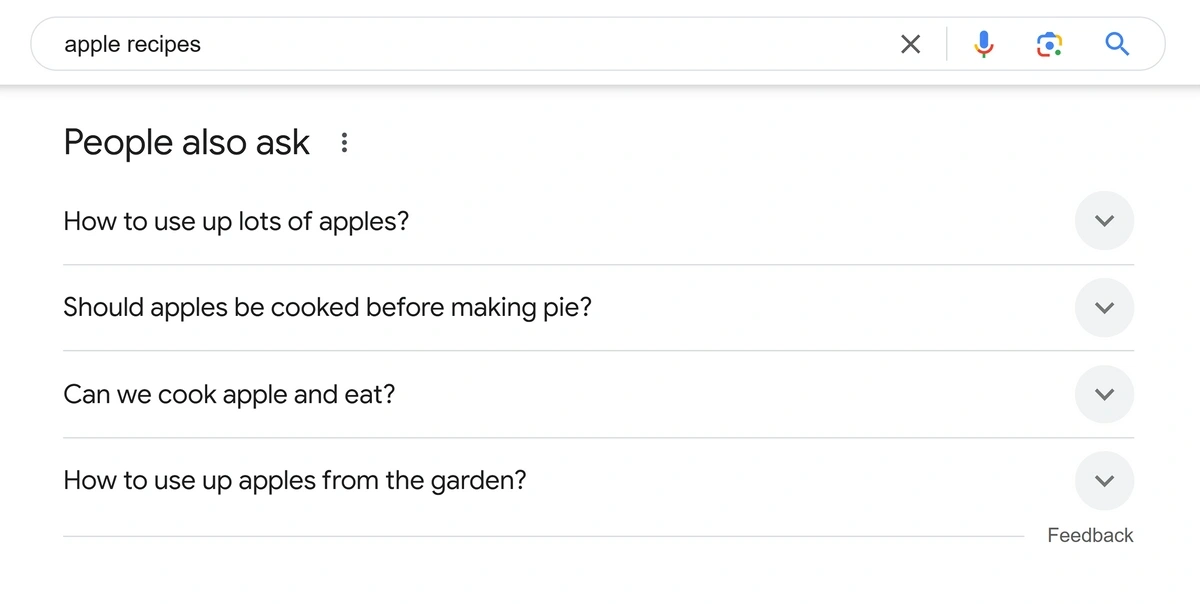
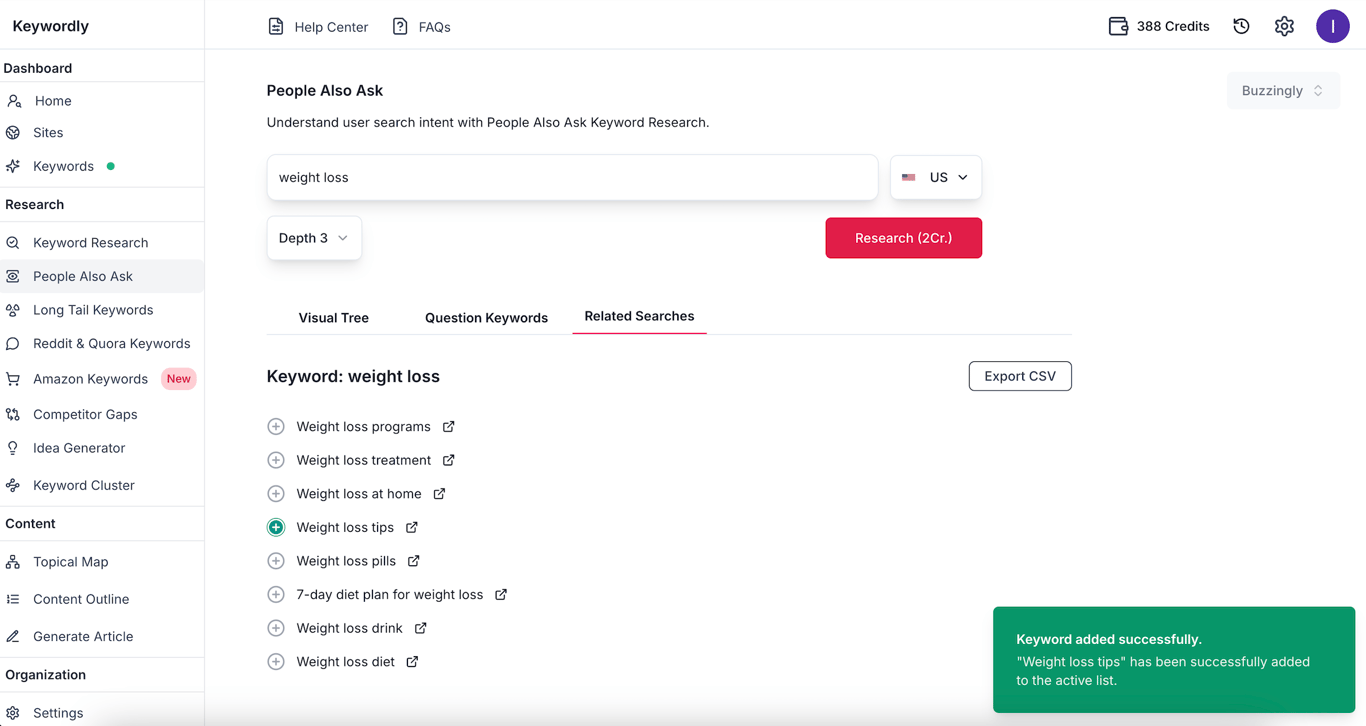
To perform "People Also Ask" (PAA) research using Keywordly with the topic "weight loss," follow these step-by-step instructions:
Step 1: Define Your Topic
Clearly define your research topic. In this case, the topic is "weight loss."
Consider related subtopics or questions people might ask, such as "lose weight," or "weight loss supplements."
Step 2: Access Keywordly and Navigate to the PAA Section
Open the Keywordly tool. Browse to the Keywordly Dashboard
Locate and select the "People Also Ask" section, which is designed to extract commonly searched questions related to your topic.
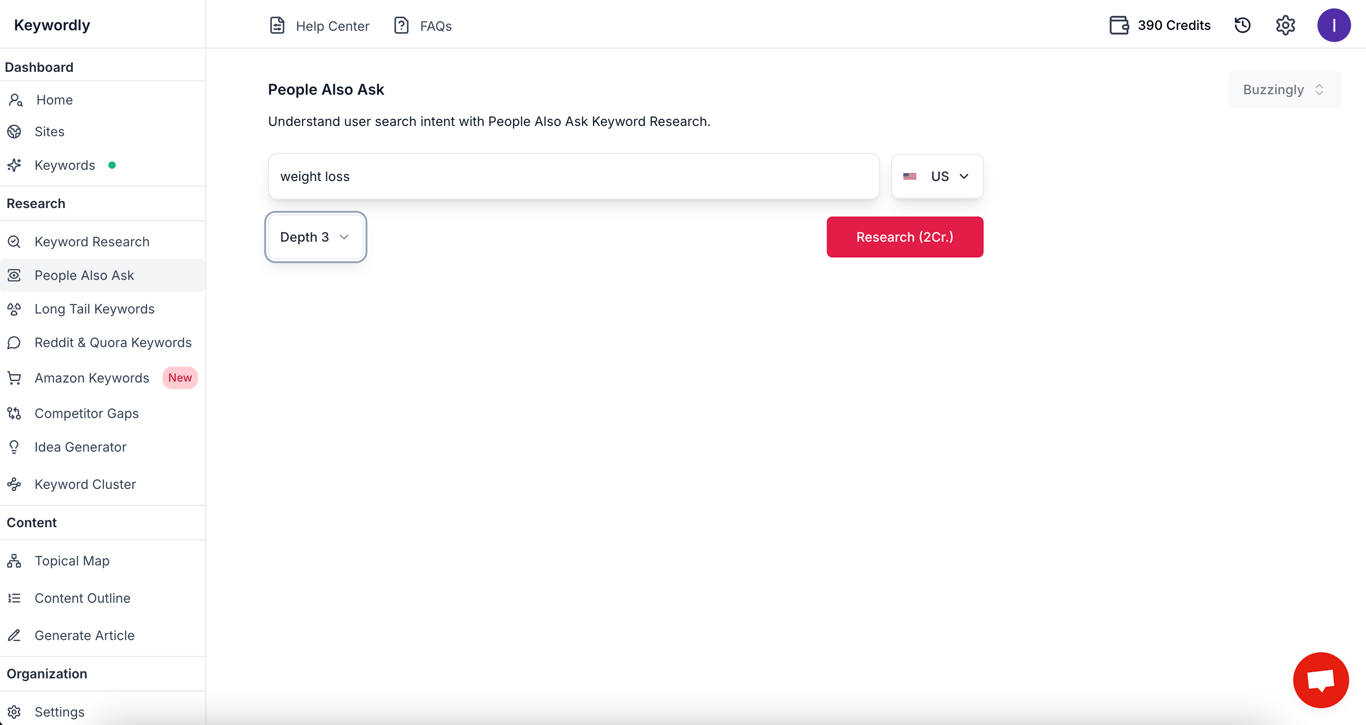
Step 3: Enter Your Topic or Keywords and Use the Search Function
Type in your primary keyword, "weight loss," into the search bar.
Add variations or related keywords like "weight loss supplements," "calorie calculator for weight loss," or "dietary pills weight loss" for broader insights.
Click the search button to generate a list of PAA questions.
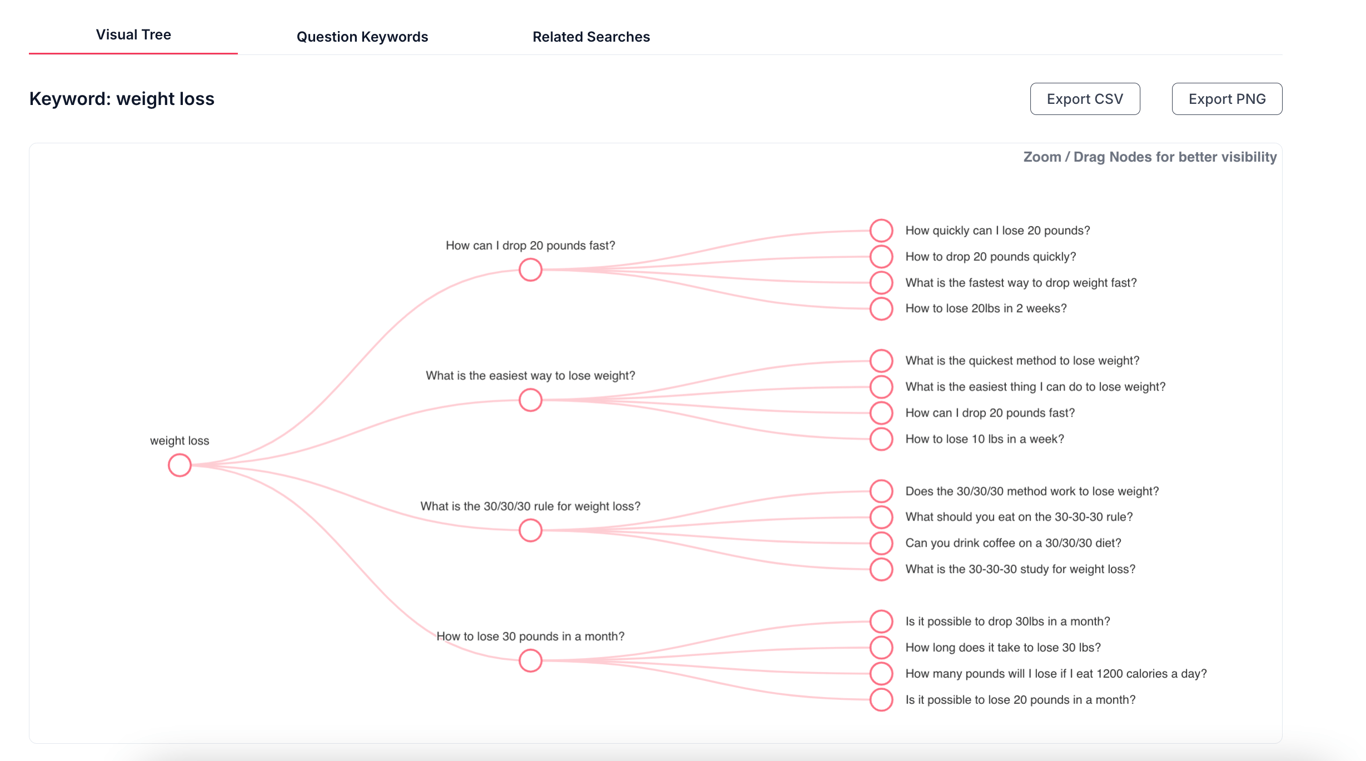
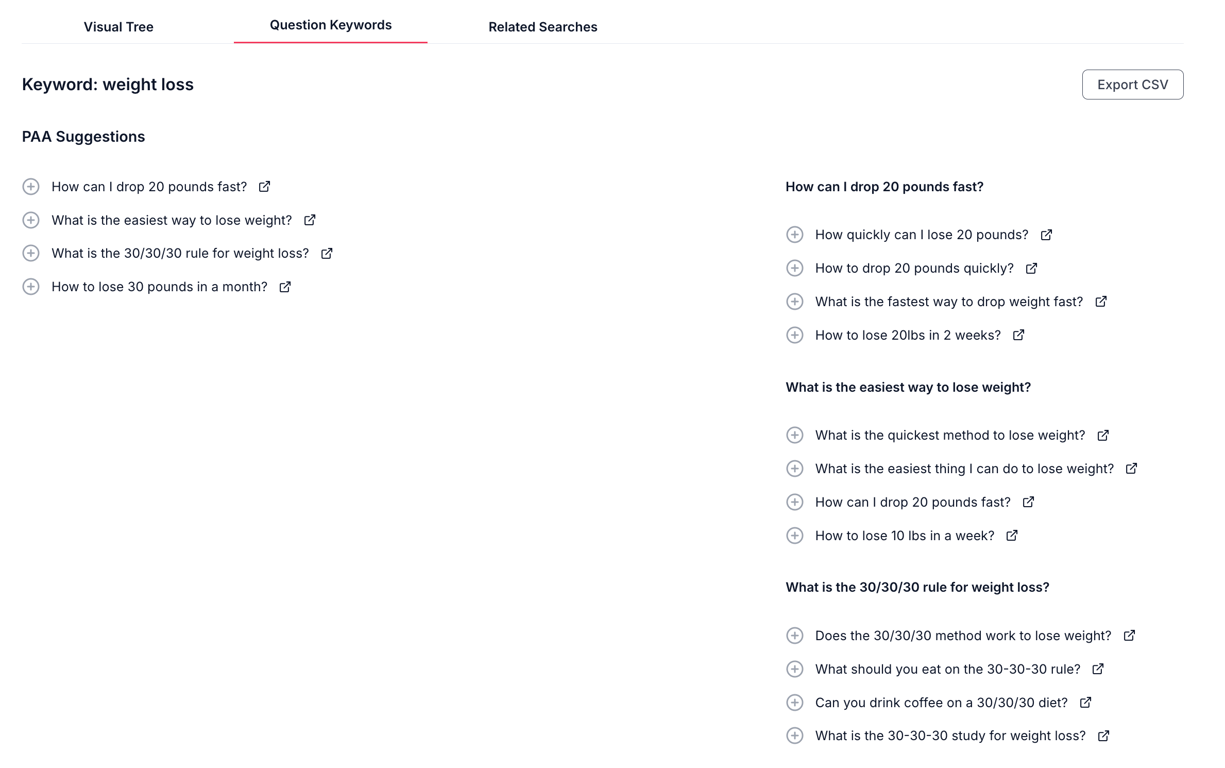
Step 4: Analyze Keywords and Questions
Review the list of questions generated by Keywordly. These may include queries such as:
"What is the fastest way to lose weight?"
"Are weight loss pills effective?"
"How many calories should I eat to lose weight?"
Additional Tips
Expand Your Research: Explore related keywords such as "weight loss calculator," "best weight loss supplements," or trending topics like "Ozempic for weight loss" for deeper insights1.
Prioritize Questions: Focus on questions with high search volume but manageable difficulty levels for better SEO performance.
Content Planning: Use these insights to create blog posts, FAQs, or social media content that directly addresses user queries.
This process ensures your content aligns with user intent while improving visibility in search results.
Conclusion
PAA can offer even greater benefits for SEO experts and content creators:
Discover fresh keywords: The questions in PAA boxes can reveal low-competition keywords and content topics that improve your content’s relevance.
Improve visibility: When your content appears in a PAA box, it gains a prominent position in search results. This can increase click-through rates.
Engage qualified traffic: Users who click PAA questions are often looking for specific answers. They are more likely to engage with your content and convert.