Author: admin

  • 6 Ways to Improve Your SEO Ranking

    6 Ways to Improve Your SEO Ranking

    Introduction

    Why Improving Your SEO Ranking Matters

    SEO is one of the few marketing channels where the value compounds over time. When your key pages rank on page one of Google, you continue to receive traffic without paying for every click, unlike Google Ads or paid social. That makes SEO a high-ROI engine for content creators, agencies, and in-house teams that need predictable, sustainable growth.

    For example, HubSpot reported that 60% of their leads come from organic search, powered by a library of optimized blog posts and landing pages. A single well-optimized guide can drive thousands of visitors per month, feeding email lists, demos, and product trials long after it’s published. That leverage is what makes SEO worth systematic investment instead of one-off experiments.

    Higher rankings don’t just mean more traffic; they mean more qualified visitors with intent. A B2B SaaS brand ranking for “best project management software for agencies” will naturally attract prospects ready to evaluate tools, not just casual readers. Agencies using a dedicated SEO content workflow platform can track these intent-driven keywords, align briefs with search demand, and turn rankings into leads, proposals, and closed revenue.

    What This Guide Covers

    This guide breaks SEO down into six foundational, executable strategies so you can plug them into your content workflow with clarity. Rather than chasing every new trend, we focus on core levers: technical health, content optimization, and authority building. Each is framed for creators, agencies, and marketing teams working inside real deadlines and budgets.

    Across the sections, you’ll learn what each tactic is, why it matters, and what makes it effective in practice. For instance, we’ll cover how an ecommerce brand like Casper grew with technical fixes and content hubs, and how B2B teams use tools such as Ahrefs and Semrush to prioritize topics that actually convert. You’ll also see how to judge whether a tactic fits your current stage—whether you’re just fixing crawl issues or ready to scale a full content operation.

    Every strategy includes practical signals and simple KPIs so you can decide if it belongs in your immediate roadmap. That way, your SEO efforts connect directly to your publishing calendar, writer briefs, and promotion plans inside your content workflow platform, instead of sitting in a separate, theoretical “SEO strategy” document no one uses.

    Technical SEO Audit

    Overview

    A technical SEO audit is a structured review of how your website is built and delivered, from server settings to internal links. Instead of focusing on keywords or content quality, it evaluates the behind‑the‑scenes elements that influence how Googlebot and Bingbot crawl, render, and index your pages.

    When agencies onboard new U.S. clients, they often start with a technical audit to catch issues such as blocked resources, unnecessary parameters, or misconfigured canonical tags. In several SEO case studies, simple fixes like correcting indexing directives led to double‑digit traffic lifts without publishing new content.

    Key Details

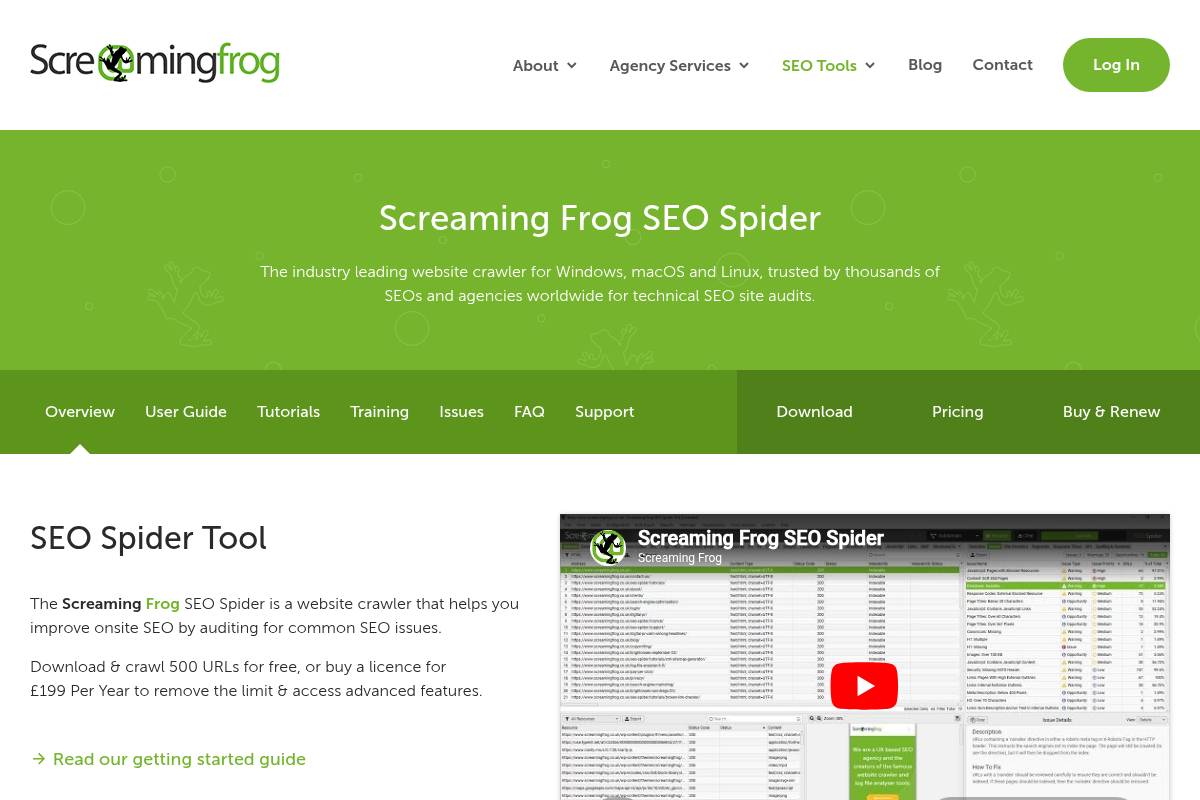
    An effective audit looks closely at site speed, mobile responsiveness, crawlability, indexation, site architecture, HTTPS, and Core Web Vitals. U.S. teams typically pair Google Search Console with crawlers such as Screaming Frog, then validate performance via PageSpeed Insights or Lighthouse.

    For example, an eCommerce retailer might discover through Semrush Site Audit that thousands of faceted URLs are being indexed, diluting crawl budget. By tightening robots.txt rules and improving internal linking, they can guide crawlers toward high‑value category and product pages, supporting stronger rankings and revenue.

    What Makes It Special

    The real strength of a technical SEO audit is its compounding effect. When you remove hidden roadblocks—like duplicate content from URL parameters or long redirect chains—every blog post, landing page, and product description can perform closer to its full potential.

    Agencies working with content‑heavy publishers in the U.S. often see this in practice: after compressing images, fixing 4xx errors, and stabilizing Core Web Vitals, organic sessions rise even when the publishing cadence stays constant. The audit becomes a force multiplier, not just a maintenance task.

    Considerations

    Running and implementing a technical SEO audit usually requires collaboration with developers or a technically savvy SEO. Some fixes, like reducing Time to First Byte or optimizing JavaScript bundles, sit deep in the stack and can’t be handled by content teams alone.

    Because audits can surface hundreds of issues, it helps to rank them by impact and effort. Many agencies maintain a shared backlog in tools like Asana or Jira, tagging items as critical (indexation errors), high (site‑wide speed problems), medium (non‑critical 404s), or low (minor HTML validation warnings).

    Best For

    Technical SEO audits are especially valuable for growing businesses whose content isn’t ranking as expected. If your blog is publishing consistently but impressions plateau in Google Search Console, a crawl may reveal thin tag pages or orphaned URLs wasting equity.

    They’re also essential for marketing teams planning redesigns, domain changes, or migrations to platforms like Shopify or Webflow. A structured audit before and after launch reduces the risk of sudden organic traffic drops, which is a recurring theme in many successful SEO case studies to improve your strategy in 2025.

    Additional Info

    A practical approach is to start with Google Search Console to review Coverage, Page Experience, and Mobile Usability reports. Then, run a full crawl with Screaming Frog or Ahrefs Site Audit and validate performance issues using PageSpeed Insights on your top‑traffic URLs.

    Document every finding in a prioritized backlog and assign owners and due dates. Agencies often revisit this list monthly, tracking resolved issues and correlating them with changes in clicks, impressions, and revenue to prove the ROI of technical SEO work.

    On-Page SEO Optimization

    On-Page SEO Optimization

    On-Page SEO Optimization

    Overview

    On-page SEO optimization is the process of improving individual pages so they rank higher in Google and attract qualified organic traffic. It focuses on everything you can control directly on the page, from the words you write to the HTML structure behind them.

    When done well, on-page work aligns your content with search intent and relevance. For example, an article targeting “SEO strategies for small businesses in the US” should clearly address U.S. regulations, local directories, and tools like Google Business Profile, not just generic global SEO advice.

    Key Details

    Effective on-page optimization starts with core elements: title tags, meta descriptions, headers, URLs, keyword placement, internal links, and image alt text. Each element sends a relevance signal to search engines and shapes how users experience the page.

    Marketing teams often use tools like Google Search Console, Semrush, Ahrefs, Surfer SEO, and Clearscope to refine these signals. For instance, an agency might use Surfer SEO to adjust headings and keyword density, then confirm gains by tracking improved click-through rate (CTR) and positions in Google Search Console.

    What Makes It Special

    On-page SEO often delivers some of the fastest gains, especially on existing URLs that already receive impressions. Tweaking titles, tightening topical focus, and adding internal links can lift rankings within weeks, without waiting for new backlinks.

    Because changes usually don’t require engineering support, content and SEO teams can iterate quickly. A marketing team at a SaaS company, for example, might refresh 20 underperforming blog posts in a quarter and see 20–30% organic traffic growth just from on-page updates.

    Reference:
    What Is On-Page SEO? And How to Do It

    High-Quality Content Creation

    High-Quality Content Creation

    High-Quality Content Creation

    Overview

    High-quality content creation is the backbone of sustainable SEO and revenue growth. It means publishing authoritative, useful, and engaging material that fully answers the questions your audience is actually typing into Google. When your content resolves problems better than competing pages, search engines reward it with stable, compounding visibility.

    Modern case studies, such as 19 SEO Case Studies to Improve Your Strategy in 2025, repeatedly show that pages which match search intent and provide depth earn more rich results, backlinks, and long-term traffic. That combination is what builds topical authority in your niche.

    Key Details

    High-quality content spans multiple formats: blog posts, in-depth guides, ebooks, and resource hubs that map directly to your funnel. A SaaS company might publish a 4,000-word onboarding guide, comparison pages against competitors, and case studies showing how clients increased MQLs by 35% using their platform.

    The core principles are depth, accuracy, originality, and clarity. Use tools like Semrush and Ahrefs to research topics, then translate that data into structured briefs. For example, many brands in the AIOSEO case studies improved rankings by pairing strong content with schema markup and consistent optimization, boosting time on page and engagement.

    What Makes It Special

    When content is genuinely useful, it starts to function like an always-on sales and education engine. A B2B SaaS brand that publishes detailed “how we increased organic demos by 48%” breakdowns often sees those guides cited and linked by industry blogs, which compounds domain authority.

    High-quality assets support every stage of the customer journey. A top-of-funnel guide attracts searchers researching a problem, while a mid-funnel comparison page and a bottom-funnel case study help them justify a decision internally. Those same pieces can be repurposed into email sequences, LinkedIn threads, and sales decks without reinventing the wheel.

    Reference:
    Creating High-Quality Content in Marketing

    Keyword Research and Search Intent Mapping

    Keyword Research and Search Intent Mapping

    Keyword Research and Search Intent Mapping

    Overview

    Keyword research and search intent mapping help you understand what your audience types into Google and why they run those searches. Instead of brainstorming topics in a vacuum, you align content ideas with the exact language and needs users express in the search bar.

    When you map keywords to intent stages—awareness, consideration, and purchase—you can design a full content funnel. For example, an SEO agency might pair “what is technical SEO” with a guide, then target “technical SEO audit services” with a high-converting service page.

    Key Details

    Effective research starts by classifying keywords as informational, navigational, commercial, or transactional. A term like “Ahrefs pricing” signals commercial intent, while “best SEO reporting tools” leans transactional and should trigger comparison pages or demos.

    Use metrics such as search volume, keyword difficulty, CPC, and inferred intent from tools like Google Keyword Planner, Semrush, Ahrefs, Moz, and AnswerThePublic. Typical outputs include prioritized keyword lists, topic clusters, and content maps that connect each term to a specific URL concept.

    What Makes It Special

    Intent-led research replaces guesswork with real search behavior. Instead of writing generic blogs, a SaaS like HubSpot targets “CRM for small business pricing” to capture leads already comparing vendors, directly supporting sales goals.

    This approach highlights realistic opportunities where you can outrank U.S.-based competitors on long-tail, high-intent phrases. It also connects SEO to revenue by assigning bottom-of-funnel terms to product pages, trials, and demo offers.

    Considerations

    Chasing only high-volume keywords often means battling giants like Amazon or Salesforce for broad terms. Mixing those head terms with specific queries such as “affordable project management software for agencies” usually yields better conversion rates.

    Because search intent and SERPs change, schedule quarterly reviews to re-check results and formats. Collaboration between SEO, content, and sales ensures topic priorities reflect real objections and questions heard in U.S. sales calls.

    Best For

    Structured keyword and intent mapping works especially well for agencies building SEO roadmaps for competitive industries such as legal, healthcare, and B2B SaaS. It lets them show clients clear, staged content plans instead of one-off blog calendars.

    Marketing teams launching new products, entering new verticals, or scaling content operations can also map every asset to a validated keyword. This helps writers focus on content that supports both discoverability and pipeline.

    Additional Info

    For each target term, review the live SERP to see which page types rank—guides, tools, checklists, or product pages. If Google ranks mostly in-depth guides for “content brief template,” your best bet is a detailed how-to with a downloadable template, not a thin landing page.

    Group semantically related keywords into topic clusters and assign one pillar page plus several supporting articles. Then, enrich your map using Google Ads search terms reports and on-site search logs to capture the exact phrases users already use with your brand.

    Reference:
    What Is Keyword Search Intent (and Why It Matters)

    Link Building and Digital PR

    Link Building and Digital PR

    Link Building and Digital PR

    Overview

    Link building and digital PR focus on earning backlinks from relevant, trusted sites that your U.S. audience already reads. These backlinks act as public endorsements, signaling to Google that your content deserves to rank for competitive queries.

    For example, when HubSpot earns links from outlets like Forbes or Inc., those mentions boost both specific pages and overall domain authority. Over time, this authority helps their entire blog rank for broader marketing and sales topics.

    Key Details

    Effective programs blend tactics such as guest posting, digital PR campaigns, thought leadership, and broken link building. Agencies commonly pitch contributed articles to MarketingProfs, Search Engine Journal, or local business journals to secure contextually relevant links.

    Teams track success with metrics like referring domains, Domain Rating (Ahrefs), and anchor text distribution. Tools such as Ahrefs, Semrush, BuzzSumo, and Hunter.io streamline prospecting, content ideation, and outreach list building for U.S.-based editors and journalists.

    What Makes It Special

    High-quality backlinks remain one of the strongest ranking signals across Google’s algorithms. When a SaaS company earns coverage in TechCrunch with a followed link, that single placement can drive referral traffic and lift rankings for multiple product and feature pages.

    This authority often cascades across topic clusters. A B2B platform publishing original workflow research, then cited by Search Engine Land, can see improved visibility for related guides on briefs, content calendars, and scalable SEO content operations.

    Considerations

    Strategic link building is labor-heavy and relationship-driven. Outreach must be personalized and value-first, especially when contacting U.S. editors at outlets like The Wall Street Journal or local NBC affiliates.

    Low-quality link schemes—such as buying links from obvious networks—risk manual actions and algorithmic devaluation. Sustainable success usually depends on strong assets like proprietary data, interactive tools, or state-of-industry reports that journalists genuinely want to reference.

    Best For

    This approach suits established businesses, SEO agencies, and in-house marketing teams with budgets for long-term authority building. Brands that already publish insightful reports, benchmarks, or tools can repurpose those assets for media outreach.

    Agencies managing multiple U.S. clients often run always-on digital PR, nurturing journalist relationships in niches like legal, healthcare, and eCommerce to consistently secure coverage and links over quarters, not weeks.

    Additional Info

    Prioritize links from sites that share your topical focus—such as Search Engine Journal for SEO platforms or Adweek for advertising technology—rather than chasing authority metrics alone. Relevance sends a stronger quality signal and drives better-qualified referral traffic.

    Maintain a light-touch disavow process for obviously spammy domains, while focusing most of your effort on earning new, high-quality mentions through timely newsjacking, expert commentary, and proprietary U.S. market data.

    Reference:
    The Difference Between Link Building and Digital PR

    User Experience and Conversion Optimization

    User Experience and Conversion Optimization

    User Experience and Conversion Optimization

    Overview

    Strong UX turns search traffic into revenue by making your site easy to understand and effortless to use. When visitors can quickly find what they need, they are far more likely to subscribe, book a demo, or complete a purchase.

    Google’s ranking systems reward sites that load fast, feel intuitive, and satisfy intent, reflected in lower bounce rates and better engagement. For an SEO content workflow platform, this often means clear workflows, obvious CTAs like “Start Free Trial,” and frictionless navigation across templates, briefs, and analytics.

    Key Details

    High-impact areas include page speed, mobile usability, and clean navigation. For example, shaving 1–2 seconds off Largest Contentful Paint (LCP) on your pricing or signup page can lift conversion rate by several percentage points, as seen in Google’s own Web Vitals case studies.

    Track bounce rate, time on site, pages per session, and conversions via Google Analytics, while using Search Console and PageSpeed Insights for Core Web Vitals. Tools like Hotjar or FullStory reveal rage clicks on menus or forms, showing where your content workflow users abandon onboarding or fail to complete project setup.

    What Makes It Special

    UX and conversion optimization improve both rankings and revenue without increasing ad spend. Instead of only chasing more traffic, you extract more value from visitors already landing on blog posts, SEO templates, and resource hubs.

    Reducing friction in key flows—such as creating a brief, inviting collaborators, or exporting content—supports better engagement signals and repeat visits. Thoughtful UX also tends to improve accessibility, which broadens your audience and reduces ADA-related risk for U.S. marketing teams.

    Considerations

    UX work often challenges established branding or layout preferences, so you’ll need alignment between marketing, product, and engineering. Clear hypotheses help; for example, “Changing our primary CTA to ‘Book Strategy Call’ will increase demo requests by 15%.”

    Use A/B testing platforms like Optimizely or Google Optimize (while it was active) to validate changes before rolling them out. Continuous monitoring is critical as new devices, screen sizes, and content formats shift how users experience your SEO workflow platform.

    Best For

    UX and conversion optimization are especially valuable for sites that already attract solid organic traffic but underperform on leads or trials. A U.S.-based SaaS with 30,000 monthly sessions and a 0.7% trial conversion rate, for instance, can often double conversions just by simplifying navigation and forms.

    Agencies and in-house marketing teams under pressure to prove ROI from organic search can use UX improvements—shorter signup flows, clearer pricing, better content structure—to tie traffic directly to pipeline and revenue.

    Additional Info

    Above the fold, make it obvious what your platform does, who it serves, and the primary action to take. For a content workflow tool, a concise headline, a 1–2 sentence value proposition, and a contrasting “Start Free Trial” button work far better than abstract taglines.

    Prioritize mobile usability by testing forms, menus, and CTAs on real iOS and Android devices. Combine this with heatmaps and session recordings to see where users hesitate or drop off, then run targeted experiments that streamline those steps and reduce cognitive load.

    Reference:
    The Role of User Experience in Conversion Optimization

    How to Choose the Right One

    Decision Guide by Site Situation

    Choosing the right SEO initiative starts with diagnosing your current bottleneck, not copying someone else’s roadmap. Look at your analytics, Search Console, and CRM to see where performance actually breaks down: visibility, traffic, or conversions.

    Use the situations below as a decision tree, then align each choice with specific KPIs in your SEO content workflow platform so you can track progress over time.

    Match Tactics to Your Current Problems

    If Google Search Console shows crawl errors, slow Core Web Vitals, or mobile usability issues, prioritize a Technical SEO Audit. For example, after fixing 5xx errors and CLS issues, Backlinko reported a 27% organic traffic lift on key guides. Technical fixes protect every other SEO investment.

    When you already get traffic but critical pages sit on page two, focus on On-Page SEO Optimization. Refresh title tags, internal links, and structure. HubSpot has shown that updating and re-optimizing high-potential posts can drive double-digit traffic gains without publishing net-new content.

    If your niche coverage is thin, invest in High-Quality Content Creation around tightly mapped topics. Use keyword clustering and search-intent mapping to build libraries, like Ahrefs’ SEO blog, which ranks for thousands of long-tail queries with deep, tutorial-style posts.

    If you’re unsure what to target next, lean on Keyword Research and Search Intent Mapping to define your roadmap. Tools like Semrush and Ahrefs reveal gaps where competitors rank and you don’t, helping agencies prioritize themes inside a shared content calendar.

    When your content is strong but authority lags, emphasize Link Building and Digital PR. Brian Dean’s skyscraper technique, for instance, has documented campaigns earning hundreds of editorial links from sites like HubSpot and WordStream.

    If traffic is decent but demos or sales are weak, shift to User Experience and Conversion Optimization. Brands like Basecamp have seen meaningful sign-up lifts by testing headlines, CTAs, and form friction on already well-ranked pages.

    Comparison and Sequencing Tips

    Once you understand your main constraint, compare tactics against your resources and goals instead of guessing. Each initiative should map to a primary KPI: rankings, organic sessions, qualified leads, or revenue.

    Align those KPIs inside your SEO platform so your content, technical, and outreach teams see the same numbers in one place.

    Plan Order and Reassess Regularly

    A reliable sequence is: fix major technical blockers → align content with search intent → build authority → refine UX and conversions. For example, a B2B SaaS agency might first clean up crawl issues in Screaming Frog, then roll out 20 new intent-matched landing pages, then launch a targeted digital PR campaign.

    Factor in constraints like developer time, writer availability, and outreach capacity. Revisit priorities at least quarterly. As your SEO maturity grows, you may shift from heavy content production (like ClickUp did in its early growth phase) to continuous CRO testing on high-traffic, high-intent pages that already rank well.

    FAQ

    How long does it take to see improvements in SEO ranking?

    SEO timelines vary, but most U.S. businesses start seeing measurable ranking movement within three to six months. This assumes consistent implementation, not one-off fixes. Google needs time to crawl, index, and test your updated pages against competitors.

    For example, a SaaS company using Ahrefs and Google Search Console to optimize 30 key pages might see click-through rates rise within 4–8 weeks, while major keyword jumps often appear around the 3–5 month mark.

    Which SEO strategy gives the fastest results?

    The quickest visible gains usually come from on-page optimization and a technical SEO audit. Fixing title tags, meta descriptions, header structure, and internal links often unlocks value from content you already have.

    A Denver agency, for instance, improved a client’s click-through rate by 40% in six weeks simply by rewriting titles and meta descriptions and resolving crawl errors flagged in Google Search Console and Screaming Frog.

    Do I need all six strategies to boost website ranking?

    To build sustainable search visibility, you need a mix of technical health, authoritative content, domain trust, and strong user experience. Relying on one tactic, like content alone, usually hits a ceiling.

    In the short term, focus on your main constraint. If pages are slow, prioritize Core Web Vitals. If you lack authority, invest in digital PR and editorial backlinks, then layer in content scaling with a workflow platform.

    How often should I update my SEO strategy?

    Review your SEO strategy at least once per quarter to stay aligned with shifting demand and competitor moves. This is especially important in competitive U.S. niches like legal, healthcare, or B2B SaaS.

    Use Google Analytics and Search Console to spot declining URLs, rising search queries, and underperforming SERP features, then refresh content, adjust internal links, and refine your topic clusters accordingly.

    Can small businesses compete with large brands in SEO?

    Small businesses can compete effectively by targeting long-tail keywords and niche topics that big brands ignore. Local intent is especially powerful; terms like “Cleveland ecommerce SEO consultant” are far more attainable than broad phrases.

    For example, a local bakery in Austin can win traffic with pages optimized for “same-day custom birthday cakes Austin” and detailed FAQ content, while chains like Walmart focus on broad, high-volume terms.

  • How to Find and Rank for People Also Ask Questions

    How to Find and Rank for People Also Ask Questions

    Your audience is asking Google follow-up questions nonstop—yet most brands barely touch those People Also Ask boxes sitting in the middle of the results page. That’s a missed opportunity, especially as AI search tools pull heavily from the same question-and-answer style content.

    Here you’ll see what People Also Ask actually is, why those expandable question boxes matter for both Google and AI assistants, and how to uncover high-intent PAA questions at scale. You’ll learn how to structure answers so they win PAA placements, how to fold them naturally into your content, and how Keywordly streamlines ongoing PAA research, implementation, and optimization. It takes consistent effort, but done right, PAA can become a reliable engine for compounding organic visibility.

    If you’re ignoring People Also Ask, you’re not just missing keywords—you’re forfeiting a front-row seat to your audience’s real intent. With Keywordly turning PAA insights into an AI-fueled content engine, every click becomes a data-backed opportunity to outrank competitors across Google, ChatGPT, and beyond.

    Reference: How to Optimize for Google’s “People Also Ask” and Turn …

    1. Understanding Google’s People Also Ask (PAA) and Why It Matters for SEO

    Overview of People Also Ask and How PAA Boxes Work

    People Also Ask (PAA) is a dynamic SERP feature that shows expandable question boxes related to a user’s search. These boxes usually appear near the top of Google results and contain a short answer, a source page link, and a dropdown arrow.

    When a user searches “best CRM for small business,” they might see PAA questions like “What is the easiest CRM to use?” or “Is HubSpot free forever?” Each answer is pulled from a specific web page, giving that site extra visibility without a traditional click-first interaction.

    Google generates PAA questions algorithmically based on search behavior, related queries, and patterns in how people refine their searches. When you click one question, Google often loads several new, related questions.

    This “infinite scroll” behavior means one query can expose dozens of angles around a topic, from definitions to comparisons and pricing, all in a few clicks. For SEOs, that’s an x-ray of how users actually think and search around a topic.

    Why People Also Ask Is a Goldmine for Search Intent and Topical Authority

    PAA surfaces real user questions, not just head terms. Instead of only seeing “content marketing strategy,” you see questions like “How do you create a 90-day content marketing plan?” or “What is a good content marketing budget for a startup?”

    Those granular questions expose search intent tiers: beginners, evaluators, and ready-to-act users. When you systematically answer clusters of these questions on one page, you send strong signals of topical depth and authority.

    Keywordly’s People Also Ask explorer lets you pull grouped PAA questions for a seed keyword, then cluster them by intent (informational, comparison, transactional). That turns scattered ideas into a structured outline you can plug directly into your content workflow.

    Instead of chasing hundreds of isolated keywords, your editorial calendar becomes topic-first. For instance, a SaaS analytics blog can plan a full hub around “marketing dashboards” using dozens of PAA prompts as H2/H3s.

    Impact of PAA on Click-Through Rates, SERP Real Estate, and User Journeys

    PAA often appears above or between classic blue links, intercepting attention early. When Google answers “What is a content brief?” directly in the PAA box, some users never scroll to result #5 or #6.

    Brands like Ahrefs and HubSpot frequently hold PAA spots for queries like “how long does SEO take” or “what is a pillar page,” which helps them capture informational intent and nurture users into their ecosystems.

    Well-structured PAA answers act as micro-touchpoints. A concise 40–60 word answer with a clear, benefit-driven first sentence entices users to click through for the “full guide.”

    If your article uses clear question subheadings and scannable formatting, Google can easily pull that content into PAA, expanding your brand’s footprint without needing the #1 organic spot. Over time, this lifts brand recall and assisted conversions.

    The Role of PAA in AI-Powered Search Experiences

    Conversational tools like ChatGPT, Google SGE, and Perplexity mimic the way PAA breaks topics into natural-language questions. Queries such as “How do I structure a blog post for SEO?” map closely to PAA-style phrasing and answer formats.

    Content that already answers PAA questions with concise, well-labeled sections is more likely to be reusable by AI systems as they generate summaries or overviews. While we lack public, definitive sourcing data, many SEO tests show overlap between pages that win PAA and those cited in AI overviews.

    Keywordly helps you operationalize this by: (1) discovering PAA questions, (2) mapping them to your content briefs, and (3) checking on-page structure to ensure each question has a direct, 1–2 sentence answer followed by depth.

    This structure prepares your site for both current PAA boxes and emerging AI search interfaces that favor clear, question-led content.

    How to Find People Also Ask Questions

    There are several reliable ways to research PAA questions. Manually, you can search your target keyword in Google, expand a few PAA boxes, and capture the questions as they regenerate.

    This works well for quick checks but is slow at scale. For larger campaigns, tools like AlsoAsked and Semrush’s Keyword Magic help visualize PAA relationships, though their coverage can vary.

    Keywordly streamlines this by pulling live PAA data directly into your topic research workspace. You can enter a seed like “programmatic SEO,” then instantly see dozens of questions grouped by theme: definitions, tools, benefits, and implementation.

    From there, you can send selected questions to a content brief or cluster, reducing the manual copy-paste work that normally slows teams and agencies.

    How to Optimize Your Content for People Also Ask Boxes

    To rank in PAA, you must give Google clean, easily extractable answers. That starts with aligning your structure to actual user questions and avoiding fluffy intros that bury the main point.

    Follow this process:


    1. Identify questions: Use Keywordly to collect top PAA questions for your target topic and tag them by intent. This ensures you cover awareness, consideration, and purchase angles.


    2. Turn questions into headings: Use H2/H3 tags that match or closely mirror the exact question, such as “How long does SEO take to work?” This reinforces relevance.


    3. Front-load the answer: Start each section with a 40–60 word direct answer in plain language, then expand with context, examples, and steps. This makes it easy for Google to extract a PAA snippet.


    4. Use lists and tables: For “how-to,” “pros and cons,” or “comparison” questions, format the core answer as a short list or table. Google often prefers structured data for PAA.


    Common mistakes include writing vague, opinion-heavy answers, skipping the actual question wording, and burying the key takeaway mid-paragraph. Keywordly’s content auditor flags weak sections where the question is not clearly answered in the opening lines.

    Grow Your Visibility Through PAA Boxes with Keywordly

    PAA is a scalable visibility lever when integrated across your SEO content lifecycle. Instead of chasing only high-volume keywords, you systematically earn dozens of mid- and long-tail impressions via PAA questions.

    Brands like Shopify and Mailchimp dominate PAA around ecommerce and email marketing fundamentals by publishing robust, question-led guides. Each guide answers multiple PAA queries, creating many entry points from the same asset.

    With Keywordly, you can:


    • Research: Pull PAA questions for your priority topics and cluster them into briefs.


    • Create: Use AI-assisted outlines that automatically insert PAA questions as H2/H3s.


    • Audit: Scan existing content to see which pages are PAA-ready and which need clearer answers.


    • Optimize: Track ranking shifts as you refine sections to better match PAA structure.


    By consistently implementing PAA in your content, you widen your SERP footprint, increase brand exposure in high-intent moments, and position your site as a go-to resource across both classic Google results and AI-driven search experiences.

    2. How to Find High-Value People Also Ask Questions at Scale

    Google’s People Also Ask (PAA) box is an interactive SERP feature that surfaces related questions and quick answers around a topic. Each time a user clicks a PAA question, Google dynamically loads more, revealing how searchers explore a topic step by step.

    PAA is important because those questions often sit above traditional organic results and can steal clicks from higher-ranking pages. Brands that structure content with question-based headings and concise answers, as recommended in How to rank in the People Also Ask box, consistently win those positions and compound visibility across an entire topic cluster.

    Manual Methods for Discovering People Also Ask Questions

    Manual research is the best way to understand PAA behavior before you scale it. It shows you how real users branch out from a core query into follow-up questions and subtopics.

    Start with a standard Google search for a primary keyword like “B2B SEO strategy” or “email marketing software.” Scroll until you see the PAA box, then click 5–10 questions to trigger deeper layers. For example, searching “link building” reveals questions like “What is link building in SEO?” and “How do you start link building?”—great H2 and FAQ candidates.

    Use incognito mode and vary your seed queries slightly, such as “how to build backlinks,” “backlink strategy,” or “earn backlinks.” Each variation can trigger a different PAA set. Many SEO teams at agencies like Siege Media screenshot these stacks or copy them into spreadsheets as raw input for content outlines and FAQ sections.

    Using SEO Tools to Extract, Cluster, and Prioritize PAA Questions

    Once you understand the basics, you’ll want automation to work at real content-program scale. SEO suites and browser extensions can scrape dozens or hundreds of PAA questions for each keyword in minutes.

    Tools like AlsoAsked, Semrush, and Ahrefs allow you to export PAA-style questions and related queries in bulk. With that data, you can cluster similar questions—”What is technical SEO?” and “What does technical SEO include?”—into themes to avoid duplication. Many teams use keyword clustering features to group 100+ questions into 10–15 intent-based content hubs.

    To prioritize, score each PAA by search volume (or volume range), keyword difficulty, and topical relevance. For instance, an informational question with moderate volume but low competition (“How long does SEO take to work?”) can be a faster win than a high-volume, high-competition query. This mirrors the approach in How to rank in the People Also Ask box, where quality answers to targeted questions are prioritized over chasing every keyword.

    How Keywordly’s People Also Ask Discovery Surfaces Profitable Opportunities

    Keywordly streamlines this entire PAA discovery process so content marketers and agencies can focus on strategy instead of manual collection. Instead of copy-pasting questions from Google, you define your primary and secondary keywords and let the platform handle the heavy lifting.

    Keywordly automatically collects PAA questions around your topics, then groups them into intent-based clusters such as “how it works,” “pricing,” “alternatives,” or “implementation.” For a SaaS brand targeting “social media scheduling tools,” Keywordly might surface clusters around “best posting times,” “automation rules,” and “team collaboration,” each mapped to relevant product pages or blog posts.

    The platform then highlights PAA questions that are most likely to drive qualified traffic—not just clicks. It factors in topical relevance to your product or service, broader keyword difficulty, and SERP context, so a question like “Is [brand] good for agencies?” can be prioritized for brands actively targeting agency use cases.

    Prioritization Criteria for Selecting the Best PAA Targets

    To grow visibility through PAA boxes, you need a clear framework for which questions to target and how to optimize for them. Not every PAA is worth building content around.

    First, evaluate search intent. Group questions into informational (“What is on-page SEO?”), transactional (“Which SEO tool is best for audits?”), and navigational (“How to log in to Moz”). Informational questions are excellent for blog posts and guides, while transactional questions should align with solution pages, comparison content, or buying guides.

    Then assess ranking difficulty and SERP competition. If the PAA answers are thin, outdated, or not matching intent, you have an opening. Structure your content with question-based headings and concise, 40–60 word answers—an approach strongly recommended in How to rank in the People Also Ask box—to increase the odds Google pulls your snippet.

    Before committing resources, factor in brand fit and business value. A question like “How often should you publish blog posts for SEO?” may attract content marketers, while “How much does enterprise SEO cost?” is closer to sales-ready intent. Keywordly helps here by tying PAA clusters to funnel stages and suggesting where to implement them in content—H2s in pillar posts, FAQ sections, or standalone articles—so you can systematically rank for PAA boxes and drive meaningful, qualified traffic.

    3. Mapping People Also Ask Questions to Your Content Strategy

    3. Mapping People Also Ask Questions to Your Content Strategy

    3. Mapping People Also Ask Questions to Your Content Strategy

    People Also Ask (PAA) boxes are dynamic SERP features that show related questions users frequently search, along with expandable answers pulled from live pages. They sit prominently on many Google results, often above organic listings, which means winning a PAA answer can drive visibility even if you are not ranking in the top three positions.

    Google’s PAA is important because it reveals how real users phrase their questions at different stages of the buyer journey. When you systematically map those questions to your content strategy, you can create search-led topic clusters, fill intent gaps, and position your brand as the best answer source for both Google and AI assistants like ChatGPT and Gemini.

    Transforming PAA Questions into Content Ideas and Topical Clusters

    Turning related PAA questions into pillar pages and supporting articles starts with grouping questions by theme. For example, a keyword like “SEO content strategy” might trigger PAA questions such as “What is an SEO content strategy?”, “How do you create an SEO content plan?”, and “What tools help with SEO content?”. These can become a pillar guide plus separate, deeper articles interlinked as a cluster.

    Use those questions as the scaffolding for your outlines. Take a cue from HubSpot’s blog: they often turn common questions like “What is a content calendar?” into H2s and H3s inside pillar posts, then build standalone tutorials for high-intent queries that attract links and shares.

    Using PAA questions as subheadings, FAQ ideas, and outline points in briefs keeps your content aligned with how people search. Convert each relevant PAA into an H2/H3 or an FAQ at the end of the article with clear, direct answers in 40–60 words. This format mirrors how Google structures PAA snippets.

    Building topic clusters where each PAA question addresses a specific angle or nuance helps you own an entire problem space. For instance, a cluster around “content audit” could cover “What is a content audit?”, “How often should you audit content?”, and “What tools can audit content?” with each article interlinked, like Ahrefs does across its SEO learning hub.

    Deciding Between New Content and Optimizing Existing Pages

    Identifying when a PAA question deserves its own dedicated article or guide comes down to intent depth and volume. If a question like “How long does SEO take to work?” has strong search interest and needs more than a short paragraph to answer thoroughly, spin it into its own guide and link it from your main SEO strategy page.

    For narrower or clarifying questions, fold them into existing assets. A SaaS brand like Moz can easily add PAA questions such as “Is Moz Pro good for small businesses?” to their product and comparison pages rather than creating thin, standalone posts that dilute authority.

    Adding relevant PAA questions to pages that already rank or receive traffic is often the fastest win. Audit your top 20 landing pages in Google Search Console, then layer in 3–5 PAA-driven FAQs that match the primary keyword. This can boost topical completeness and help those URLs capture PAA boxes without new content.

    Avoiding cannibalization means mapping each PAA question to the single most relevant URL. Maintain a simple content map where “What is SEO content?” always points to your foundational definition page, not scattered across multiple posts. This focused mapping helps Google understand which page to surface in PAA and rich snippets.

    Aligning PAA Questions with Funnel Stages

    Mapping broad, educational PAA queries to top-of-funnel informational content ensures you attract problem-aware visitors. Questions like “What is link building?” or “Why is content marketing important?” belong in guides, glossaries, and explainer posts similar to those on the Content Marketing Institute site.

    These early-funnel pieces should prioritize education, diagrams, and neutral definitions rather than product pushes, so users trust your brand as an objective authority before they are ready to buy.

    Connecting comparison and solution-oriented questions to consideration-stage pieces helps nurture users toward your offerings. PAA queries like “Is SEO better than PPC?” or “What is the best content optimization tool?” naturally fit in comparison posts, tool roundups, and case-study hubs where you can ethically highlight your solution.

    Using product-specific and objection-handling PAA questions for decision-stage content closes the loop. For example, questions such as “Is Semrush worth it?” or “How much does Ahrefs cost?” belong on pricing pages, feature breakdowns, and ROI explainers where you address cost, implementation, and proof points.

    Include tight, PAA-style Q&A sections on these pages that answer objections directly (“Is there a free trial?”, “How long does onboarding take?”) to improve both conversions and eligibility for bottom-funnel PAA boxes.

    Using Keywordly to Map PAA Questions and Identify Content Gaps

    Keywordly’s People Also Ask capabilities help you pull real PAA questions into your research workflow instead of juggling multiple tools. Within a keyword or topic view, you can attach PAA clusters to specific pages or content types—pillar guides, product pages, or blog posts—so every question has a clear “home” in your content plan.

    This structured mapping mirrors what high-performing teams at agencies and in-house SEO departments do manually in spreadsheets, but inside one platform tied directly to briefs, drafts, and optimization tasks.

    Spotting missing questions or under-served topics in your existing content library becomes easier when Keywordly flags PAAs you have not covered or only mention superficially. For example, if you rank for “content audit checklist” but ignore PAA questions like “How long does a content audit take?” Keywordly can surface that as a gap to address in an update.

    Prioritizing new briefs based on PAA gaps with the highest potential business impact helps you focus on revenue-aligned topics instead of vanity traffic. You can sort or tag PAA clusters that mention pricing, tools, or solutions—queries such as “best AI content optimization platform” or “SEO tool for agencies”—and generate briefs first for those with commercial intent.

    How to Find, Optimize for, and Implement PAA to Rank in PAA Boxes

    To find People Also Ask questions, start by searching your primary keywords directly in Google and expanding several PAA entries. Tools like Keywordly, AlsoAsked, and Semrush’s Keyword Magic can scale this process by aggregating dozens of related questions across multiple SERPs so you are not limited to a few manual clicks.

    Within Keywordly, you can pull PAA data at the keyword or topic level, then save those questions into clusters linked to specific campaigns, making it easier to operationalize your findings in briefs and audits.

    To optimize your content for People Also Ask boxes, write concise, direct answers immediately beneath each question heading. Aim for 40–60 words that restate the question and give a clear definition or step-by-step response, similar to how Backlinko structures many of its snippet-optimized paragraphs.

    Format content with clean H2/H3 tags, bullet lists for steps, and schema markup (FAQPage or HowTo) where relevant so Google can easily parse and test your content inside PAA boxes.

    To implement PAA in your content and increase your chances of ranking in PAA boxes, follow a repeatable process:


    1. Collect and cluster PAA questions for each core topic using Keywordly. This defines your topical map and highlights intent variants (what, how, why, vs, cost).


    2. Map each question to a URL—new or existing—and avoid duplicates. This prevents cannibalization and sends a clear relevance signal for each query.


    3. Embed questions as headings and FAQs with snippet-ready answers. Start with the highest-visibility or highest-intent questions surfaced in Keywordly.


    4. Monitor impressions and PAA visibility using Search Console and Keywordly’s performance insights. If you see impressions but low click-through, refine your answer clarity and formatting.


    Common mistakes include stuffing too many loosely related PAA questions into one article, burying answers deep in the text, or writing vague, salesy responses. Each answer should stand alone, be objectively helpful, and reflect the exact language users type into Google.

    When you consistently map, structure, and optimize around PAA questions using Keywordly as your control center, you grow your visibility through PAA boxes, strengthen topical authority, and position your brand for both traditional SERPs and AI-driven answer engines.

    Related Articles:

    Reference: → best-ai-keyword-research-tools

    Reference: → free-youtube-keyword-research-tool

    Reference: AlsoAsked: People Also Ask keyword research tool

    4. How to Optimize Your Content for People Also Ask Boxes

    People Also Ask (PAA) boxes are dynamic SERP features that surface related questions, each with a short, extracted answer. Google pulls these answers directly from pages that best match search intent and are easy to parse.

    PAA matters because it can put your brand above traditional organic results, even if you’re not ranking in the top three. As People Also Ask: The obvious opportunity most SEOs are… notes, these boxes meaningfully boost visibility and click-through when your snippets match user queries.

    Structuring Content So Google Can Easily Extract PAA Answers

    Google favors pages where questions and answers are clearly separated and logically organized. Your goal is to make each answer block function like a standalone snippet that still feels natural within the full article.

    This structure helps you rank for PAA while also supporting featured snippets, voice search, and AI overviews on platforms like ChatGPT and Gemini.

    Using clear question-based headings followed by concise, direct answers

    Turn high-intent queries into H2/H3 questions such as “What is People Also Ask in Google?” or “How do you rank in People Also Ask boxes?” and place them exactly as users type them. Follow each with a 40–60 word paragraph that starts with a direct definition or how-to.

    For example, HubSpot’s blog often uses question-based H2s like “What is inbound marketing?” and leads with a one-sentence definition. This format makes it easy for Google to lift the answer into PAA without extra cleanup.

    Keeping each answer segment self-contained so it works independently of the page

    Write answers so they make sense without prior context. Restate the core term in your first sentence instead of relying on pronouns like “it” or “this.” That way, if Google copies just that block, users still get a complete answer.

    For instance, if the question is “How to find People Also Ask questions,” your answer might start: “To find People Also Ask questions, use tools like Keywordly, manual Google searches, and SERP scraping.” This reads clearly even when shown alone in PAA.

    Organizing pages logically with a hierarchy that mirrors user intent flows

    Map your headings to natural user journeys: definition → importance → how to find → how to optimize → advanced tactics. This mirrors how PAA expands as users click deeper questions, increasing the odds your page answers multiple related queries.

    A content hub on “SEO content strategy” might group PAAs like “What is SEO content?”, “Why is SEO content important?”, and “How do you create an SEO content plan?” under one pillar page. This structure signals depth and topical authority to Google.

    Best Practices for Writing PAA-Optimized Answers

    PAA answers that win tend to be short, skimmable, and written in language that non-experts can understand. Think of them as mini help-center entries embedded in your articles.

    Keywordly can surface which answer blocks are under or over-optimized by comparing your snippets to live PAA examples and engagement data.

    Keeping answers short and focused, typically one to three sentences or a brief list

    Most PAA snippets fall in the 40–80 word range or a 3–5 item list. Aim to answer the question fully in that space, then expand in later paragraphs for readers who click through to your site.

    For “Why is Google’s People Also Ask important?”, your leading snippet might be three sentences, followed by deeper analysis, stats, and internal links. This balance keeps you competitive for PAA while still offering depth.

    Leading with the direct answer first, then offering clarifying context or examples

    Begin with the answer, not the explanation. For example: “Google’s People Also Ask is important because it gives you additional SERP real estate and can drive incremental clicks, even if your page isn’t ranking first.”

    Follow up with context, such as how brands like Shopify or Ahrefs use PAA-driven posts to capture informational queries that later funnel users to product pages or templates.

    Using plain language and avoiding jargon so answers are easy to parse and reuse

    Write at approximately an 8th–10th grade reading level where possible. Replace dense jargon like “SERP feature saturation strategy” with “how to appear in more Google search features.” Clear language improves comprehension and makes your snippet more reusable.

    When jargon is unavoidable, define it in the same answer block. For example: “People Also Ask (PAA) is a Google search feature that shows related questions and short answers beneath search results.”

    Supporting PAA Rankings with Headings, Schema, and Internal Links

    Beyond wording, technical signals help Google understand which parts of your page are questions and answers. This is where headings, schema, and internal links work together to reinforce your topical coverage.

    Sites like Moz and Search Engine Journal use FAQ blocks, structured data, and hub-and-spoke internal linking to dominate SERPs for broad SEO topics.

    Formatting questions as H2 or H3 tags to signal importance and relevance

    Convert your most valuable PAA targets into H2 or H3 tags instead of leaving them as bolded text or inline sentences. This makes them machine-readable sections with clear semantic weight.

    In Keywordly, you can map priority questions directly into your content brief, then ensure each becomes a dedicated heading in your draft before publishing.

    Adding FAQ or Q&A schema to structured question-and-answer sections

    Use FAQPage or QAPage schema on pages that contain multiple related questions and short answers. This markup helps Google confidently identify question blocks and often correlates with richer SERP displays.

    For example, a “People Also Ask SEO guide” can end with a 5–10 question FAQ section marked up with FAQ schema, targeting long-tail PAA queries like “How do you rank for People Also Ask?” and “How does Google choose PAA answers?”

    Linking related questions and pages internally to strengthen topical authority

    Connect related PAA topics using contextual internal links. A page about “What is People Also Ask?” should link to deeper guides on “How to find People Also Ask questions” and “PAA optimization tips.”

    This cluster approach signals that your site is an authority on PAA and encourages users to explore more answers, which can indirectly improve engagement metrics and rankings.

    Integrating Keywordly’s Optimization Recommendations into Your Workflow

    Keywordly is built to streamline how you research, write, and optimize content that wins PAA boxes. It connects keyword data, SERP insights, and AI writing assistance into one workflow.

    Instead of manually tracking changing PAA sets, you can use Keywordly’s suggestions and performance data to keep answers fresh and aligned with live search intent.

    Using Keywordly suggestions to refine question phrasing and answer structure

    Start by pulling a keyword or topic into Keywordly’s research module. The platform surfaces real PAA questions around that topic and recommends exact phrasing that reflects how users and Google currently express those queries.

    You can then insert these questions as headings and let Keywordly’s AI assist in drafting concise, PAA-ready answers that follow best practices for word count, clarity, and structure.

    Applying recommended word counts and formats tailored to specific PAA types

    Not all PAA answers are plain text. Some favor lists (“How to optimize content for PAA”), while others lean toward definitions (“What is People Also Ask?”). Keywordly analyzes SERPs and suggests the best format for each question.

    If the live PAA snippet uses a 4-step list, Keywordly can recommend mirroring that list length and structure, ensuring your answer matches user expectations and Google’s preferred layout.

    Iterating on content based on Keywordly’s performance data and optimization prompts

    PAA boxes evolve as search behavior shifts. Keywordly monitors how your pages perform and flags opportunities where impressions are high but clicks or snippet selections lag behind.

    You can then update underperforming answers, expand missing questions, or tighten wording. Over time, these iterations compound, helping you grow visibility through PAA boxes and strengthen your presence across both Google and AI-powered search experiences.

    Reference: People Also Ask: What It Is & How to Optimize for It

    5. Implementing People Also Ask Questions Inside Your Content

    5. Implementing People Also Ask Questions Inside Your Content

    5. Implementing People Also Ask Questions Inside Your Content

    Google’s People Also Ask (PAA) boxes are dynamic SERP features that surface common follow-up questions related to a user’s query. Each question expands to reveal a short, direct answer pulled from a specific page, often with a link and sometimes an image.

    PAA matters because it can multiply your visibility. A single blog post can own several PAA spots for adjacent queries, much like HubSpot and Ahrefs often do in marketing-related searches. Keywordly helps you systematically discover, structure, and optimize these Q&As so they feel natural while still targeting PAA opportunity at scale.

    Strategic Placement of PAA Questions on the Page

    Effective PAA implementation starts with where you place questions. Your goal is to match user intent without disrupting the flow of the article or guide.

    Add a dedicated FAQ section near the end of long-form articles. For example, a 3,000-word SaaS guide on pricing strategy can close with “Frequently Asked Questions” that mirror PAA like “How do you price a SaaS product?” or “What is value-based pricing?” pulled via Keywordly’s PAA discovery.

    Embed PAA-style questions as H3 subheadings inside relevant sections. A post on “technical SEO audit” might use “How long does a technical SEO audit take?” inside the timeline section, echoing a real PAA query from Google. Use short in-line Q&A snippets for fast answers, such as defining “What is crawl budget?” in two concise sentences, then linking to a deeper crawl-budget guide.

    Formatting PAA Questions for Maximum Relevance and Scan-ability

    Google tends to reward clarity and structure. That means your formatting can directly influence whether your content is selected for a PAA box.

    Mirror the exact or close-variant wording users see in PAA boxes, such as “What is content pruning?” instead of a vague “About pruning.” Use H2 or H3 tags for each key PAA-aligned question so both readers and crawlers understand its importance. This is similar to how Backlinko structures its SEO guides with concise question-based headings.

    Keep answers scannable by using 40–60 word lead paragraphs or short bullet lists. For “How do you optimize for People Also Ask boxes?”, start with a 2–3 sentence summary, then follow with a 3–5 bullet process. Keywordly’s content editor can flag overly long paragraphs and suggest bulleting steps to improve snippet and PAA suitability.

    Creating PAA Blocks and FAQ Sections That Feel Natural

    PAA blocks work best when they genuinely help the reader. Thin, keyword-stuffed FAQs rarely win boxes and can weaken engagement metrics like time on page and scroll depth.

    Group related questions so the flow feels logical. For instance, in a “local SEO for dentists” guide, cluster “How do I rank my dental clinic on Google Maps?”, “What is Google Business Profile?”, and “How do I get more reviews on Google?” under one FAQ block. Each answer should add nuance, not repeat the same generic advice.

    Link from each answer to deeper content for users who want more detail. If you answer “What is People Also Ask?” in 50 words, include a link to your comprehensive PAA strategy guide. Keywordly’s internal linking recommendations can surface ideal target URLs so these FAQ answers strengthen site architecture while supporting PAA visibility.

    Using Keywordly to Generate, Test, and Refine Q&A Structures at Scale

    Finding and testing PAA questions manually is slow. Keywordly streamlines this by automating discovery, content creation, and performance feedback in one workflow.

    Within Keywordly, you can 1) generate initial PAA question sets from a seed keyword, 2) receive suggested, ready-to-publish answers, and 3) push them into your content briefs or CMS. For example, an agency planning a cluster on “B2B email marketing” can pull dozens of PAA questions like “What is a good open rate for B2B email?” and “How often should you send B2B emails?” in seconds.

    Keywordly also lets you test alternative phrasings and answer formats across multiple pages, then monitor which structures correlate with increased impressions and clicks from PAA-rich queries. Once you spot winning patterns, you can roll them out across similar pages, turning PAA optimization into a repeatable, scalable part of your SEO content operations.

    Related Articles:

    Reference: → geo-content-strategy-guide

    Reference: → optimize-content-for-answer-engines

    Reference: 5 Examples of how companies are using People Also Ask …

    6. How to Rank in People Also Ask Boxes Consistently

    Google’s People Also Ask (PAA) boxes surface follow-up questions related to a user’s original query. Each dropdown contains a concise answer pulled from a web page, plus a link to the source.

    PAA is important because those boxes often appear above the fold and steal attention from traditional blue links. Studies from Backlinko and SEMrush have shown PAA appears on well over 40% of SERPs, making it a powerful visibility channel for brands.

    To find PAA questions, you can manually expand questions on Google, use tools like AlsoAsked and AnswerThePublic, or pull them directly in Keywordly’s research workspace and add them into briefs before you write.

    On-Page SEO Factors That Influence PAA Visibility

    Ranking in PAA starts with content that clearly answers specific questions. Google needs to trust your expertise and understand your page structure before it will feature your answers above competitors.

    First, demonstrate E-E-A-T with clear authorship, credentials, and sources. For example, a medical article on “how to lower cholesterol” authored by a Mayo Clinic dietitian, with citations to CDC data, is far more likely to be surfaced than an anonymous blog.

    Second, keep content structure tight and question-focused. Use H2/H3 headings that mirror PAA questions (e.g., “What is People Also Ask in Google?”) and answer directly in the first 40–60 words beneath each heading.

    Third, update answers regularly. If your “What is People Also Ask?” explanation hasn’t been refreshed since 2021, a more current guide referencing 2024 SERP changes, like Reddit and forum integrations, can displace you from PAA boxes.

    Technical Considerations for Supporting PAA Rankings

    Technical SEO won’t guarantee PAA placement, but it removes friction and helps Google parse your answers reliably. Sites that pair clean markup with fast performance tend to sustain PAA wins longer.

    Implement schema markup where relevant, such as FAQPage for Q&A sections or HowTo for step-by-step guides. HubSpot’s knowledge base is a good example of structured FAQ content that often appears in PAA for marketing topics.

    Then, ensure strong Core Web Vitals: fast LCP, minimized CLS, and responsive layouts. On mobile, intrusive interstitials or full-screen pop-ups can hurt both UX and your likelihood of being featured in PAA, since Google may de-prioritize disruptive experiences.

    Linking Strategies to Reinforce Topical Authority

    PAA visibility tends to cluster around sites that show deep topical authority. Strategic internal and external linking signals that your short PAA answer is supported by broader, authoritative coverage.

    Internally, link PAA-focused question pages to pillar hubs. For instance, a detailed “How to optimize for People Also Ask boxes” article should link to a broader “SEO for SERP Features” guide, and vice versa, using natural anchor text like “optimize for PAA questions.”

    Externally, earning links from respected sources reinforces your expertise. If Search Engine Journal or Ahrefs references your PAA research or examples, that authority can help Google trust your concise answers more than a little-known blog.

    Tracking, Testing, and Iterating with Keywordly’s Insights

    Ranking once in a PAA box is useful; holding those positions across dozens of questions is where real visibility growth happens. That requires tracking, experimentation, and systematic improvement.

    Within Keywordly, you can monitor which pages and specific questions are gaining or losing PAA placements, then test different answer lengths (e.g., 40 vs. 80 words), formats (paragraph vs. list), and heading structures that match exact questions.

    Use Keywordly’s auditing features to flag missing schema, outdated answers, or thin sections that underperform. Over time, this feedback loop helps you consistently implement PAA-style questions into your content and grow your brand’s footprint across both classic Google results and AI-powered assistants like ChatGPT.

    Reference: How to Rank in People Also Ask Boxes

    7. Growing Your Visibility and Traffic Through PAA Boxes

    7. Growing Your Visibility and Traffic Through PAA Boxes

    7. Growing Your Visibility and Traffic Through PAA Boxes

    People Also Ask (PAA) boxes are interactive SERP features that reveal related questions users commonly search, each expandable to show a short answer and source link. They matter because they occupy prime real estate above or near organic results, letting you earn visibility even if you’re not ranking first.

    For SEOs and content marketers, PAA is both a research goldmine and a distribution channel. When you consistently appear in these boxes, you capture high‑intent clicks, build authority, and future‑proof your brand for search, SGE, and AI assistants that reuse the same question‑answer patterns.

    Expanding Your Footprint Across Multiple PAA Questions

    To grow PAA visibility, start by targeting clusters of related questions within a single in‑depth guide. For example, a “technical SEO audit” guide could answer: “What is a technical SEO audit?”, “How long does a technical SEO audit take?”, and “What tools are used for a technical SEO audit?” in dedicated H2/H3 sections with concise, 40–60 word answers.

    Keywordly’s People Also Ask discovery surfaces these clusters automatically, so you can map 10–20 related questions into one content hub instead of chasing them with thin standalone posts.

    Then build supporting content around long‑tail variations. If PAA shows “How often should you do a technical SEO audit?”, spin off a shorter article or case study demonstrating a quarterly audit cadence with real data, like how HubSpot or Ahrefs reviews technical issues every 90 days.

    Use internal links between hub and spoke pages so one strong PAA winner can lift related URLs, signaling topical authority to Google and increasing your chances of capturing adjacent PAA boxes.

    Using PAA Insights to Strengthen Overall SEO and Content Strategy

    Recurring PAA themes should directly feed your keyword and topic research. If you repeatedly see questions like “Is programmatic SEO safe?” or “Does AI content hurt rankings?”, that’s a signal to create deep, data‑backed resources, webinars, and comparison pages answering those fears head‑on.

    Keywordly aggregates these repeated questions over time, so you’re not guessing which topics deserve full guides, landing pages, or lead magnets.

    PAA data can also refine product positioning. For instance, if you notice “How do agencies scale content production?” in PAA around “SEO platform,” you can emphasize Keywordly’s AI‑driven workflows, templates, and bulk optimization features on your feature pages and sales collateral.

    Patterns in PAA questions often reveal new segments—like small agencies asking about white‑label reporting—helping you craft specific offers, pricing pages, and comparison content that speaks to those needs.

    How PAA Content Fuels Visibility in Google and AI Assistants

    PAA‑optimized content—clear questions as headings with concise, direct answers—mirrors the way users talk to voice search, Google Assistant, and tools like ChatGPT. When your content is structured this way, it’s easier for AI systems to parse, quote, and attribute in conversational answers.

    For example, a section titled “What is People Also Ask in SEO?” followed by a 2–3 sentence definition stands a higher chance of being reused verbatim in SGE snippets or AI‑generated summaries than a vague, unstructured paragraph.

    By consistently formatting pages with Q&A blocks, schema markup (FAQPage where appropriate), and clear internal linking, you position your site as a go‑to authority for both traditional search and emerging AI channels. This expands your reach beyond blue links into featured snippets, PAA, and AI‑driven answer cards.

    Workflow Examples with Keywordly for Continuous PAA Optimization

    Keywordly helps you systematically find, implement, and rank for PAA boxes. A simple workflow looks like this:

    1. Discover and prioritize PAA questions

    Use Keywordly’s research dashboard to pull PAA questions for target keywords like “content marketing strategy” or “local SEO for lawyers.” The platform clusters similar questions, shows estimated search interest, and highlights difficulty so you can focus on attainable opportunities.

    Avoid trying to tackle every PAA question at once; start with lower‑competition, intent‑rich queries where your expertise and current content give you an edge.

    2. Implement PAA in new and existing content

    For new content, outline sections directly around top PAA questions: use them as H2/H3s, answer them in 40–60 words, then expand with deeper explanation, visuals, or examples in subsequent paragraphs. This aligns perfectly with how Google structures PAA and how AI assistants read pages.

    For existing posts, Keywordly’s auditing tools flag missing PAA coverage. You can then add Q&A sections, refine intros, and tighten definitions so your pages better match discovered PAA phrasing.

    3. Publish, track, and refine

    After publishing or updating, monitor impressions, clicks, and PAA placements in Keywordly’s performance reports. If a page wins PAA impressions but low CTR, test clearer titles, more benefit‑driven meta descriptions, or sharper opening sentences.

    If rankings slip, refresh answers with updated statistics (for example, new BrightEdge or Semrush studies), add schema where missing, and strengthen internal links. Treat PAA optimization as continuous maintenance, not a one‑time task, to keep visibility and traffic growing steadily.

    Related Articles:

    Reference: → long-tail-keywords-research

    Reference: → seo-content-optimization-tools-comparison

    Reference: How to Dominate the ‘People Also Ask’ Boxes for More Traffic

    Conclusion: Turn People Also Ask into a Repeatable Growth Channel

    Key Takeaways for Ranking in People Also Ask Boxes

    Google’s People Also Ask (PAA) boxes surface related questions users commonly search, then pull short answers from pages Google trusts. Treat them as mini featured snippets: fast, direct answers that can appear for thousands of variations around your core topics.

    To rank, write clear question-based headings (H2/H3) such as “What is People Also Ask in SEO?” followed by a 40–60 word answer. HubSpot and Ahrefs often win PAA because they open sections with tight definitions, then expand with detail, examples, and internal links right below.

    Use PAA data to guide topic clustering and structure. If you see “How do you find People Also Ask questions?” and “How do you optimize for PAA boxes?” repeating, build dedicated sections for both. Strong on-page basics (schema, logical headings, fast pages) and authoritative links give Google confidence to pull your answers.

    How PAA Complements Core SEO Tactics

    PAA should extend, not replace, keyword research. Start from your primary terms in Keywordly (for example, “B2B SaaS SEO strategy”), then use its People Also Ask discovery to pull real questions like “How long does SEO take for SaaS?” or “What KPIs matter for SaaS SEO?” and group them into clusters.

    This helps you earn more SERP real estate alongside featured snippets and knowledge panels. For instance, Backlinko often holds both the featured snippet and several PAAs on queries like “SEO techniques,” dominating the above-the-fold area and siphoning clicks from higher DR competitors.

    As you answer PAA clusters across multiple articles, you deepen topical authority. A brand focused on ecommerce SEO could build dozens of PAA-backed sections about product pages, category pages, and faceted navigation, signaling to Google that it fully covers that theme.

    Action Plan for Operationalizing a PAA-Led Content Strategy with Keywordly

    Turning PAA into a repeatable growth channel starts with a consistent process. Keywordly centralizes this by tying People Also Ask discovery directly into research, content briefs, drafting, and optimization so teams don’t juggle spreadsheets and separate tools.

    1. Set up PAA discovery and map questions to pages

    Start by entering your main topics into Keywordly and exporting the related PAA questions for each. Group questions such as “Why is Google’s People Also Ask important?” and “How do PAA boxes affect SEO?” into one cluster aligned with an existing or new pillar page.

    A common mistake is creating a new article for every PAA question. Instead, map related questions to strategic pages (homepage, core service pages, top blog posts) so ranking answers also lift your primary conversion content.

    2. Create or update content using Keywordly’s answer-structure guidance

    Use Keywordly’s content brief to add PAA questions as H2s/H3s and generate concise, snippet-friendly answers. For example, under “How to find People Also Ask questions,” open with a short definition paragraph, then a numbered list describing steps with tools like Keywordly, AlsoAsked, and Ahrefs.

    When optimizing, keep answers self-contained. If the PAA question is “How to optimize your content for People Also Ask boxes,” give a full mini-guide (definition, steps, common pitfalls) that stands on its own if lifted into the SERP.

    3. Monitor, iterate, and scale with Keywordly

    Track impressions and clicks from PAA-related queries in Google Search Console and centralize the data inside Keywordly’s reporting. If a question earns impressions but low clicks, tighten your opening sentence, clarify formatting, or add schema markup to reinforce context.

    Over time, roll successful patterns into templates: question formats that win, ideal answer lengths, and internal link placements. By systematizing this inside Keywordly, you build a scalable PAA engine that steadily grows visibility across both traditional Google results and AI-powered answer surfaces like ChatGPT-powered search experiences.

    FAQs About Ranking in People Also Ask Boxes

    How Long Does It Take to Rank in People Also Ask Boxes After Optimizing Content?

    People Also Ask (PAA) boxes surface follow-up questions Google believes are closely related to the primary query. When you optimize for them, you’re essentially asking Google to test your content as a concise, direct answer.

    Most sites see PAA visibility shifts within 7–28 days after updates, depending on crawl frequency. High-authority domains like HubSpot or Shopify can see changes in under a week because Google crawls them more often, while smaller blogs may wait one to two months before impressions appear consistently.

    Site authority, internal linking, and technical health speed up adoption. If your pages load fast, use clean HTML headings, and are already ranking in the top 20 for related queries, Google is more likely to test your content in PAA. One-time updates help, but ongoing refinement works better—Ahrefs has shown in case studies that iterative content updates often correlate with gradual, compounding gains in SERP features.

    Why Isn’t My Page Appearing in People Also Ask Even Though I Answer the Question?

    Many pages technically “answer” a question but fail PAA-style formatting. Google prefers scannable, self-contained responses. If your answer is buried halfway down a 2,000-word article with no clear H2/H3 question and no 2–4 sentence summary, it’s easy for the algorithm to skip it.

    Misaligned intent also blocks inclusion. For example, if the PAA query is “What is topical authority in SEO?” and your page mostly sells SEO services, Google may favor educational guides from sites like Moz or Search Engine Journal instead. Weak topical depth across your site makes it harder to be trusted for that question cluster.

    To diagnose issues, review the live SERP for your target PAA question, then compare your structure to winning results. Use Google Search Console and tools like Keywordly’s PAA reporting to see if impressions are rising for related queries but not yet surfacing as PAA clicks, signaling a formatting or intent mismatch.

    How Many People Also Ask Questions Should I Include on a Single Page?

    There’s no fixed number that guarantees PAA rankings, but balance matters. Overloading a page with 25 loosely related questions can dilute relevance and confuse readers. Strong PAA pages are usually built around 3–7 tightly related questions that deepen a single topic.

    For example, a guide on “technical SEO audit” might reasonably target questions like “What is a technical SEO audit?”, “How long does a technical SEO audit take?”, and “What tools are used in a technical SEO audit?” Trying to also answer unrelated PAA like “What is local SEO?” belongs in a separate resource.

    Keywordly’s clustering feature can group PAA questions into logical themes so each article or section focuses on one cluster. When you see questions that clearly shift user intent—such as moving from definition to advanced strategy—that’s a signal to either create a new section or a standalone page for clarity and stronger performance.

    When Should I Create a Dedicated Article vs. Adding a PAA Question to an Existing Page?

    Choosing between a dedicated article and an on-page FAQ is mostly about intent depth and overlap. If a PAA question could reasonably support a 1,500+ word guide, it probably deserves its own article. If it can be fully answered in 150–300 words, it likely fits as a section or FAQ entry.

    For instance, the PAA question “How to create a content brief for SEO?” can sustain a complete tutorial with examples from brands like Mailchimp and Canva. That’s a good candidate for a standalone post. On the other hand, “What is a content brief?” is better as a subheading inside a broader “SEO content brief” guide.

    Keywordly helps by mapping PAA questions to search volume and topical clusters. When multiple questions share the same intent and keywords, fold them into one page. When a single PAA carries distinct keywords, strong volume, and a different funnel stage, spin up a dedicated article to avoid cannibalization.

    How Can I Measure the Impact of People Also Ask Optimization on Traffic and Conversions?

    Impact shows up first as impression growth, then as incremental clicks and assisted conversions. After you optimize for PAA, annotate the date in Google Analytics and Search Console so you can compare performance windows before and after your changes.

    In GA4, segment landing pages that match PAA-focused URLs and review changes in organic sessions, engagement rate, and scroll depth. If users landing on a PAA-optimized section spend more time and scroll further, your concise answers are doing their job. Track micro-conversions such as newsletter sign-ups or demo requests from those pages to quantify value.

    Keywordly streamlines this by tying PAA research, implementation, and performance tracking into one workflow. You can see which PAA questions each page targets, monitor SERP visibility, and attribute incremental traffic and goal completions to PAA initiatives inside your broader SEO reporting, making it easier to justify continued investment.

    How Does Keywordly’s People Also Ask Feature Differ from Traditional Keyword Tools?

    Traditional keyword tools prioritize search volume and difficulty scores but often treat PAA as an afterthought. Keywordly flips that approach by focusing on real questions that actually appear in Google’s People Also Ask boxes for your topics.

    The platform clusters related PAA questions, maps them to your content, and suggests where to create new resources or enhance existing sections. For example, if you’re writing about “local SEO for dentists,” Keywordly can surface PAA queries like “How do dentists get more local patients?” and guide you on how to structure concise, PAA-ready answers.

    By integrating research, AI-assisted drafting, content auditing, and performance tracking, Keywordly turns PAA optimization into a repeatable system. You can discover PAA questions, implement them with clear H2/H3s and 50–150 word answers, and then monitor which ones start driving impressions and clicks—helping your brand grow visibility through PAA boxes consistently.

  • How to Find And Use Long Tail Keywords Effectively

    How to Find And Use Long Tail Keywords Effectively

    You spend hours crafting a great article, hit publish, and still struggle to show up on page one. The problem often isn’t your content quality—it’s that you’re targeting broad, overcrowded keywords instead of the specific long tail phrases your ideal readers actually search for.

    Understanding what long tail keywords are, how to uncover them, and where to use them in your workflow can turn “best running shoes” into “best running shoes for flat feet women,” bringing in visitors who are ready to act. You’ll see how to find these phrases with practical tools, build them into topics and outlines, optimize on-page content, and align with both Google and AI platforms like ChatGPT—work that takes intention and consistency, but pays off in more targeted traffic and better results.

    In a world where everyone is fighting for the same obvious keywords, the real power belongs to brands that mine the quiet, intent-rich corners of search—long tail queries that Keywordly helps you uncover, shape into content, and scale across both Google and AI platforms before your competitors even know they exist.

    Reference: Long Tail Keywords: How to Find & Use Them Effectively

    Introduction

    Speak in Your Searcher’s Language

    Long tail keywords are the exact, specific phrases people type into Google and AI tools like ChatGPT when they already know what they want. Instead of broad terms like “running shoes,” they search for “best running shoes for flat feet women 40+” or “B2B SaaS SEO agency pricing 2024.” These longer, more detailed queries reveal real intent and real problems your audience is trying to solve.

    When your content mirrors that searcher language, you stop guessing and start matching. Those precise phrases turn into qualified traffic, email signups, demo requests, and sales because you’re answering the question exactly as it’s asked. This guide focuses on practical discovery and implementation, so you can move from theory to content that actually ranks and converts.

    What You’ll Learn in This Guide

    First, you’ll get clear on what long tail keywords are and why they matter for both SEO and AI visibility. Long tail terms typically have lower search volume but much higher conversion rates; Google’s own data has shown that 15% of daily searches are brand new, often in long tail form. That’s where the opportunity is for content marketers and SEO teams.

    You’ll then learn how to find long tail keywords using real search data from tools like Google Search Console, AnswerThePublic, and platforms such as Keywordly. We’ll cover practical methods: mining “People also ask,” analyzing your own query data, and using AI-assisted clustering to group related phrases into content hubs.

    Finally, we’ll turn research into action. You’ll see how to plug long tail keywords into briefs, outlines, and on-page copy without keyword stuffing. For example, a Denver-based agency targeting “shopify seo services for fashion brands” can build a full funnel: a service page, a case study, and a comparison guide around that one long tail theme. You’ll also get a preview of how Keywordly streamlines this workflow—from discovery to optimized publishing—so you can scale the same strategy across dozens of topics.

    1. Understand What Long Tail Keywords Are and Why They Matter

    What Are Long Tail Keywords?

    Long tail keywords are longer, more specific search phrases that usually reflect a clear, niche intent. Instead of a broad keyword like “running shoes,” a long tail query sounds like “best running shoes for flat feet women” or “Nike stability running shoes for overpronation.” These phrases have lower search volume individually, but they’re easier to rank for and tend to bring in visitors who know what they want.

    According to Long Tail Keywords: How to Find & Use Them Effectively, these terms typically have lower competition and are longer in length, which makes them powerful for targeted SEO. For SaaS, a term might be “CRM for solo real estate agents using Gmail”; for local services, “emergency plumber in Austin open Sunday”; for ecommerce, “organic hypoallergenic baby blankets for winter.”

    Long Tail vs. Short Tail Keyword Research

    Short tail are short, broad keywords such as “CRM,” “lawyer,” or “laptops.” They often have huge search volume but intense competition and vague intent—someone searching “CRM” could be looking for definitions, reviews, or pricing. Chasing only head terms can burn budget and time without delivering qualified traffic.

    Long tail research works differently. You look for depth and context: specific problems, use cases, and modifiers like “best,” “for,” “near me,” or “how to.” Instead of targeting “email marketing,” you might target “email marketing for real estate listings follow up templates.” Tools like Keywordly, AnswerThePublic, and Google’s People Also Ask help uncover these question-based, scenario-driven phrases.

    Why Long Tail Keywords Convert Better

    People using long tail queries are usually closer to taking action. A user searching “email marketing” is likely at the research stage, while someone searching “email marketing for real estate listings follow up templates” is hunting for a ready-to-use solution. That intent translates into higher click-through rates, stronger engagement, and more leads or sales when your content matches the query precisely.

    For example, HubSpot has driven significant organic leads by publishing articles like “best free email marketing tools for small businesses,” which target high-intent, specific phrases rather than just “email marketing.” Each page may attract modest traffic, but across dozens or hundreds of these assets, long tail content compounds into a substantial, conversion-focused organic channel.

    The Role of Long Tail Queries in AI Search

    AI tools such as ChatGPT and Google’s Gemini encourage users to type natural, conversational queries. People rarely ask for a single keyword; they describe full scenarios like “create a 5-email drip sequence for new real estate leads” or “outline a content calendar for a B2B SaaS targeting CFOs.” Those are essentially long tail queries expressed in plain language.

    When your content is structured around detailed, intent-rich long tail keywords, it’s more likely to be summarized or cited by AI systems that look for precise, contextually relevant answers. Keywordly helps teams map these granular queries to specific content briefs, so your pages align with how people search on both Google and AI platforms, increasing your odds of being surfaced in AI-generated responses.

    2. Know When Long Tail Keywords Should Be Your Primary SEO Focus

    2. Know When Long Tail Keywords Should Be Your Primary SEO Focus

    2. Know When Long Tail Keywords Should Be Your Primary SEO Focus

    Long tail keywords are longer, more specific search phrases like “best CRM for real estate agents in Texas” instead of a broad term like “CRM software.” They usually have lower search volume, but much clearer intent and higher conversion potential.

    For brands using Keywordly to scale SEO content, understanding when to lean into long tail terms is critical. These phrases help you win rankings faster, build topical authority, and attract visitors who are much closer to taking action.

    Sites That Benefit Most from a Long Tail Strategy

    Long tail keywords are often the best starting point for smaller sites that can’t yet compete with big brands. If your domain authority is low and you don’t have thousands of backlinks, specific queries give you a realistic path to page-one visibility.

    This is especially true for niche businesses, local providers, and B2B brands offering specialized services, where buyers search with very precise needs and modifiers like industry, location, or use case.

    A new local roofing company in Denver, for example, has little chance to rank for “roofing” but can target “emergency roof repair Denver 24/7” or “hail damage roof inspection Denver.” Tools like Ahrefs, Semrush, and Keywordly’s research features help uncover these phrases by filtering for low difficulty and local modifiers.

    New blogs or SaaS startups can follow the same approach by focusing on long tail queries tied to their most profitable features or use cases to get early organic traction.

    Comparing Head Term vs. Long Tail Competition

    Head terms like “email marketing” or “project management software” are usually dominated by brands such as HubSpot, Mailchimp, and Asana. When you check keyword difficulty scores or run a SERP analysis, you’ll typically see DA 80+ sites, massive content libraries, and heavy link profiles.

    Trying to outrank them with a new or mid-size site is a multi-year project, not a 3–6 month play.

    Long tail keywords such as “email marketing for Shopify stores” or “project management software for remote agencies” often show weaker competition and more diverse domains in the top 10. You might see blogs, niche tools, and smaller agencies ranking.

    In Keywordly, you can prioritize these opportunities by sorting keywords by difficulty and SERP makeup, then create focused articles that directly answer those specific queries.

    When to Prioritize Long Tail Over Broad Terms

    If your site is new, has limited backlinks, or lacks deep content around a topic, long tail keywords should be your primary SEO focus. They let you start generating impressions, clicks, and leads while you slowly build the authority needed to compete for broader terms.

    Even larger sites use long tail content to capture incremental, high-intent traffic and support their broader keyword goals.

    A smart strategy is a hybrid model: treat broad terms like “SEO content strategy” as long-term pillars while using Keywordly to publish clusters around phrases like “SEO content brief template,” “how to plan SEO content calendar,” and “AI tools for SEO content workflow.”

    Over time, these long tail pages bring in steady traffic and send strong relevance signals that help your pillar pages climb for those broader terms.

    How Long Tail Keywords Support Topical Authority

    Targeting many closely related long tail queries creates a deep content cluster that signals expertise. For example, a brand covering “B2B content marketing” might build articles around “B2B case study framework,” “B2B content KPIs,” and “B2B buying committee content strategy.”

    Search engines read this cluster as comprehensive coverage, not isolated posts, which strengthens your perceived authority on the subject.

    As your long tail cluster grows and interlinks, you often see rankings improve not only for those specific queries but also for mid-tail and even head terms. HubSpot’s blog is a real-world example: years of covering detailed marketing subtopics helped it rank for highly competitive generic phrases later.

    Using Keywordly to systematically ideate, brief, and interlink these long tail pieces ensures every article reinforces your topical authority and supports long-term growth across search and AI-driven platforms.

    Related Articles:

    Reference: → best-ai-keyword-research-tools

    Reference: → create-content-strategy-plan

    Reference: Long-Tail Keywords: The Ultimate Guide for 2025

    3. Build a Strong Foundation Before Doing Long Tail Keyword Research

    Long tail keywords are longer, more specific search phrases like “best B2B SEO reporting tools for agencies” rather than just “SEO tools.” They usually have lower search volume but much higher intent and conversion rates. Before you chase them, you need clarity on who you’re targeting, what they need, and how your product solves real problems.

    With that foundation, every long tail keyword you uncover becomes a strategic asset rather than a random phrase. This is exactly how guides like Long Tail Keywords: How to Find & Use Them Effectively recommend approaching keyword discovery: context first, tools second.

    Clarify Audience Personas and Pain Points

    Effective long tail SEO starts with sharp personas. Define 2–3 core profiles that reflect your real buyers: role, industry, seniority, and context. For Keywordly, that might include a “Head of Content at a SaaS company,” a “Freelance SEO strategist,” and a “Digital agency account manager” handling multiple clients.

    Each persona should have a short narrative: what a typical day looks like, what KPIs they own, and what blocks them from hitting those KPIs. This story-level detail makes it much easier to predict realistic search phrases they would type into Google or ask in ChatGPT.

    List recurring pain points, questions, and goals for each persona. Pull this from real customer feedback, sales calls, and support tickets instead of guessing. For example, if agency users repeatedly say, “We waste hours jumping between Ahrefs, Google Docs, and WordPress,” that becomes a seed for queries like “how to streamline SEO content workflow.”

    Store this language in a shared doc or inside Keywordly so content, SEO, and sales teams use the same phrasing. Those exact words often show up in long tail searches, which you can then validate with tools highlighted in how to find long tail keywords, such as Google’s “Searches related to…” and forums.

    Map Customer Journey to Search Intent

    Long tail keywords change as prospects move through the funnel. At the awareness stage, people use educational queries like “what is an SEO content workflow” or “why long tail keywords convert better.” At consideration and decision, they shift to comparative and transactional phrases.

    Outline your journey stages—awareness, consideration, decision, post-purchase—and write 5–10 example searches per stage for each persona. This gives you a structured map before you open any keyword tool.

    For instance, a Head of Content at the awareness stage might search “how to plan SEO content calendar for SaaS,” while at the decision stage they might use “Keywordly vs Semrush content workflow” or “best SEO content automation platform.” Post-purchase, they might search “how to get more value from Keywordly reports.”

    Use this map to guide your long tail research with tools mentioned in Long Tail Keywords: How to Find & Use Them Effectively—Google’s related searches, Semrush Keyword Magic, AnswerThePublic, and niche forums—to fill in dozens of real phrases per stage.

    Turn Product Features Into Searchable Use Cases

    Features rarely match how people search. Prospects Google their problems and desired outcomes, not your feature names. Start by listing your main features, then translate each one into a tangible problem solved and a clear result.

    For Keywordly, “AI-assisted brief generation” becomes “how to create SEO content briefs faster” or “how to scale content briefs for 50 blog posts a month.” Those are long tail phrases that sound like real questions a content manager would ask.

    Rephrase every key feature as a real-world use case: “automated internal linking suggestions” turns into “how to fix orphan pages without manual audits.” Then, treat these use cases as seed phrases in tools like Google’s autocomplete or Semrush to uncover deeper variations, as suggested in guides to finding long tail keywords.

    These use-case-driven seeds help you find queries with clear intent—often lower competition but strong conversion potential—such as “tool to generate SEO briefs and publish to WordPress in one click.”

    Set Measurable Goals for Long Tail SEO

    Long tail SEO works best when it’s tied to clear business outcomes. Decide what success looks like: more qualified organic demos, lower CAC, or higher-assisted revenue from organic. Then map those outcomes to specific metrics for long tail pages.

    You might set a quarterly goal like “Grow organic traffic from long tail pages by 40% and generate 60 demo requests from them.” Break that down into targets for impressions, clicks, rankings, and conversions.

    Plan how you’ll track these goals in tools like Google Analytics, Search Console, and Keywordly’s performance dashboards. Tag pages built around long tail themes so you can isolate their impact on leads and revenue.

    For example, after publishing 20 long tail posts targeting queries discovered via the methods in Long Tail Keywords: How to Find & Use Them Effectively, a B2B SaaS company could track that those posts bring in 25% of organic sign-ups within six months. That feedback loop then informs which long tail clusters you double down on.

    Reference: Long-Tail Keywords: The Ultimate Guide for 2025

    4. Use Practical Tools to Find Long Tail Keywords at Scale

    4. Use Practical Tools to Find Long Tail Keywords at Scale

    4. Use Practical Tools to Find Long Tail Keywords at Scale

    Long tail keywords are longer, more specific search phrases like “best budget hiking boots for wide feet” instead of just “hiking boots.”

    They usually have lower search volume but higher intent and lower competition, making them ideal for content marketers who want qualified traffic and better conversion rates.

    To use them effectively, target long tail phrases in page titles, H2s/H3s, and body copy, then align content with the exact problem or question behind the query.

    For instance, REI ranks for queries like “how to choose hiking boots for flat feet” by publishing focused guides that answer that specific need.

    Mine Google for Real Query Phrases

    Google’s own interface is one of the fastest ways to uncover real long tail searches based on live user behavior.

    Start with a seed keyword like “email marketing” and slowly type “email marketing for…” into Google to trigger Autocomplete suggestions such as “email marketing for nonprofits” or “email marketing for real estate agents.”

    These phrases reveal niche segments you can target with tailored guides, templates, or case studies.

    Then review the “People Also Ask” box to collect question-based long tails like “How often should a nonprofit send email newsletters?”

    Scroll to “Related searches” at the bottom of the SERP to capture more variants and build clusters around each micro-topic.

    Use SEO Suites Like Ahrefs and Semrush

    SEO platforms like Ahrefs and Semrush help you scale long tail research beyond what you can see directly in Google.

    Enter a seed topic such as “B2B SEO” into their keyword explorers, then filter for low difficulty and lower volume (e.g., 50–500 monthly searches) to surface long tail phrases like “b2b seo strategy for saas startups.”

    Export these lists and segment by intent—informational (“how to build a b2b seo funnel”), commercial (“b2b seo agency pricing”), and transactional (“b2b seo audit service”).

    Use each segment to plan content types: guides for informational, comparison pages for commercial, and service or demo pages for transactional intent.

    Tap Question-Based and Community Sources

    Communities reveal the exact language people use when they are stuck, researching, or ready to buy.

    Search Reddit, Quora, and niche forums for threads like “Struggling with Shopify SEO blog strategy” to find recurring questions and complaints.

    Review product reviews and support tickets for phrases your audience repeats, such as “content brief template for freelancers” or “how to update old blog posts for SEO.”

    Turn these into long tail targets, then create content that mirrors user language in headings, FAQs, and internal anchor text.

    Leverage Keywordly for Automated Long Tail Discovery

    Manual research is powerful but time-consuming, especially at scale.

    Keywordly speeds this up by letting you input seed topics, product features, or competitor URLs to automatically surface long tail variations and questions.

    For example, a SaaS brand focused on “social media scheduling” can use Keywordly to uncover phrases like “best time to post on LinkedIn for b2b leads” or “social media content calendar for real estate agents.”

    Keywordly then clusters these terms into logical groups—such as industries, use cases, and funnel stages—so you can turn them into content plans, briefs, and optimized outlines without juggling multiple tools.

    Related Articles:

    Reference: → best-ai-keyword-research-tools

    Reference: → reddit-keyword-research-tools

    Reference: Top 15 Tools For Finding Long-Tail Keywords

    5. Analyze Long Tail Keywords for Intent, Volume, and Business Value

    5. Analyze Long Tail Keywords for Intent, Volume, and Business Value

    Long tail keywords are longer, more specific search phrases like “B2B SaaS content brief template” instead of just “content marketing.” They usually have lower search volume but much higher intent and conversion rates, making them ideal targets for SEO-driven revenue.

    With Keywordly, you can systematically uncover these phrases, map them to user intent, and build content that aligns with both search behavior and business goals. The key is to analyze each long tail keyword for intent, volume, difficulty, and its direct path to revenue.

    Understand Intent Behind Long Tail Keywords

    Before you create content, clarify why a user is searching a specific phrase. Classify each long tail keyword as informational (“how,” “what”), commercial (“best,” “compare”), transactional (“buy,” “pricing”), or local (“near me,” city names). This prevents you from writing a blog when the user actually wants a product page.

    For example, “best SEO content workflow tools” is commercial, while “how to create an SEO content workflow” is informational. Keywordly can help you tag these intents so your content calendar reflects real user needs instead of guesswork.

    Validate your assumptions by checking SERP features in Google. If you see listicles and guides, intent is informational; if product cards, pricing pages, or Google Shopping dominate, intent leans transactional. Use that insight to choose formats and CTAs—guides for education, product pages and demos for high-intent terms.

    Evaluate Volume, Difficulty, and Click Potential

    Long tail keywords rarely show huge volume, but even 30–100 searches per month can be profitable when intent is strong. Use tools like Ahrefs, Semrush, or Keywordly’s research module to benchmark search volume so you invest in terms that can realistically bring in qualified visitors.

    Check keyword difficulty and SERP authority to filter out unwinnable targets. If “AI content workflow software for agencies” shows only high-DR domains like HubSpot and Salesforce, you may target a variant like “AI content workflow tool for small agencies” instead, where competition is weaker.

    Scan the SERP for ads, featured snippets, and People Also Ask boxes. Highly cluttered results reduce click potential even when volume looks good. Prioritize keywords where organic results still command meaningful clicks, then optimize your titles and meta descriptions to stand out.

    Prioritize by Business Fit and Revenue Potential

    Not every long tail keyword deserves content, even if you can rank. Score each term on business fit: Does it clearly connect to your product or service? For Keywordly, a phrase like “AI SEO content workflow platform” is far more valuable than “how to become a freelance writer,” even if the latter has more volume.

    Favor keywords that signal buying readiness or strong solution awareness. Phrases like “SEO content workflow tool for startups pricing” or “AI blog brief generator free trial” suggest users are close to evaluating vendors, scheduling demos, or starting trials.

    Deprioritize keywords that bring misaligned traffic with no clear monetization path. If your analytics show visits but no signups or pipeline from certain topics, shift focus to more commercially aligned clusters that feed your sales and self-serve funnels.

    Group Keywords Into Thematic Clusters

    Clustering long tail keywords allows you to build authority around topics, not just isolated phrases. Group queries by shared problems, use cases, or audiences—such as “SEO content workflow for agencies,” “agency SEO content checklist,” and “agency content process templates.”

    Choose one primary target keyword per cluster and treat the rest as secondary variations you’ll cover within the same page or supporting articles. This helps you avoid cannibalization and signals topical depth to search engines.

    Use clusters to inform site architecture and internal linking. A pillar page on “AI-powered SEO content workflows” can link to subpages on briefs, outlines, and optimization. For instance, a “B2B SEO content workflow template” article can internally link to Keywordly’s feature pages and a “Start free trial” CTA, turning long tail traffic into pipeline.

    Reference: Long-Tail Keywords: The Ultimate Guide for 2025

    6. Turn Long Tail Keyword Research into a Content Strategy

    6. Turn Long Tail Keyword Research into a Content Strategy

    6. Turn Long Tail Keyword Research into a Content Strategy

    Long tail keywords are longer, more specific search phrases such as “best CRM for real estate agents in Texas” instead of just “CRM.” They usually have lower search volume but higher intent and lower competition, making them ideal for driving qualified traffic and conversions.

    You can find long tail keywords with tools like Google Search Console, Google’s “People also ask,” AnswerThePublic, and platforms like Keywordly, which aggregate data and cluster terms automatically. The real value comes when you turn those terms into a structured, scalable content strategy instead of isolated blog posts.

    Build Topic Clusters and Pillar Pages

    Topic clusters help search engines understand depth and authority around a theme. Start by choosing a broad, business-critical topic—such as “content marketing strategy”—and build a pillar page targeting that core phrase with a 3,000–4,000 word comprehensive guide.

    Then create supporting articles around long tail keywords like “content marketing strategy for SaaS startups,” “content marketing strategy examples B2B,” or “content marketing strategy template Google Sheets.” Each article dives deep into a specific angle and links back to the pillar, reinforcing relevance.

    Internally link from the pillar page to every supporting article and vice versa. This interlinking structure signals topical authority to Google and tools like ChatGPT, increasing your chances of being surfaced as a trusted source. Keywordly can map these clusters for you and ensure all related queries are captured in your content plan.

    Map Keywords to Content Formats and Funnel Stages

    Long tail keywords align naturally with different stages of the funnel and content formats. Informational terms like “how to do keyword research for YouTube” work well as tutorials, step-by-step guides, or FAQs that build awareness and trust.

    Commercial and transactional queries such as “Ahrefs vs Semrush pricing” or “best SEO content brief tool” should power comparison pages, feature breakdowns, and case studies. These formats help users evaluate options and move closer to purchase.

    For example, HubSpot ranks for “marketing automation software for small business” with a comparison-style page that leads directly to a free trial. Map each keyword in your list to a funnel stage and a clear next step—demo, download, or newsletter—so traffic has a defined path to conversion.

    Use Long Tail Keywords to Update Existing Content

    Existing content is often your fastest win. Audit your top URLs in Google Search Console and look at the Queries report to uncover long tail terms where you already get impressions but low average position. Those phrases are perfect candidates for on-page expansion.

    Add new H2/H3 sections that directly answer these queries, such as “Is SEO content writing worth it for local businesses?” or “How long does SEO content take to rank?” Use structured headings, short paragraphs, and FAQ blocks to earn featured snippets and AI-overview visibility.

    Refresh outdated stats, examples, and screenshots using current data—like citing that 68% of online experiences begin with a search engine, based on BrightEdge research. Keywordly can surface these opportunity phrases and generate optimized briefs so updates are fast and systematic.

    Plan a Long Tail-Driven Content Calendar

    A content calendar grounded in long tail research keeps your publishing consistent and strategic. Prioritize clusters where you have product fit and ranking potential—for instance, a B2B SaaS brand might focus on “SEO content workflow,” “AI content brief generator,” and “content optimization tools for agencies.”

    Schedule posts by cluster instead of random one-offs: week one covers the pillar, weeks two to four cover supporting long tail topics, and week five updates an older article with new keywords. This pattern builds momentum and topical authority over time.

    Within Keywordly, you can import your long tail list, auto-generate briefs, and assign due dates across your team. A concrete example: an agency targeting “local SEO for dentists” might plan a 6-post cluster over a month, then track organic leads from that vertical to measure ROI.

    Related Articles:

    Reference: → free-youtube-keyword-research-tool

    Reference: → best-ai-keyword-research-tools

    Reference: How To Turn Keyword Research into a Content Plan

    7. Optimize On-Page Content with Long Tail Keywords (Without Keyword Stuffing)

    Long tail keywords are longer, more specific search phrases like “B2B SaaS content calendar template” instead of just “content calendar.” They usually have lower search volume but much higher intent and conversion rates, which makes them ideal for SEO-driven content.

    You can find long tail keywords using tools like Google Search Console, AnswerThePublic, and Keywordly’s topic discovery. Look for phrases buried in “Queries” reports, People Also Ask boxes, and auto-suggest results, then build content that answers those searches directly.

    Place Long Tail Keywords in Strategic On-Page Elements

    Search engines rely heavily on titles, headings, and meta tags to understand what a page is about. Your primary long tail keyword should appear in these elements, but it needs to read naturally for humans first, algorithms second.

    Include the main long tail phrase in the title tag and H1, then use close variations in H2/H3s, URLs, and meta descriptions. For example, a page targeting “AI SEO content workflow for agencies” might use that exact phrase in the title, then variations like “AI workflow for SEO agencies” in subheads.

    Write Copy That Mirrors Searcher Language

    Content performs best when it sounds like the query that brought the reader there. Start your introduction by echoing their problem: “Struggling to manage a consistent AI-powered SEO content workflow for your agency?” so the visitor immediately feels understood.

    Use subheads and bullet points that match common phrases from your research, such as “how to automate keyword research” or “AI tools for content briefs.” Make sure every section clearly answers the core question behind the long tail keyword instead of circling around it.

    Support Primary Keywords with Semantic Variations

    Search engines look for clusters of related terms, not just a single repeated phrase. Mix in synonyms, related questions, and variations like “AI content operations,” “SEO content automation,” and “automated content briefs” around your main long tail keyword.

    Use SERP analysis and tools like Google’s People Also Ask to identify these supporting phrases. Structure each section of your article around a specific sub-intent so you naturally cover a full topic cluster rather than stuffing one keyword across the page.

    Optimize Media, Links, and Schema for Long Tail Topics

    On-page optimization extends beyond text. Name images with descriptive, long tail–aligned file names like “ai-seo-content-workflow-dashboard.png” and write alt text that explains the image in context, not just repeats the keyword.

    Internally link from broader pages (e.g., “SEO content strategy”) to specific long tail pages (e.g., “AI SEO content workflow for agencies”) to strengthen relevance. Add FAQ schema around real questions you find in Keywordly or Google, such as “How do agencies automate SEO content creation?” to capture rich results and voice searches.

    Reference: How to Avoid Keyword Stuffing for Better SEO [9 Actionable …

    8. Use Long Tail Keywords Effectively for Local and AI-Driven Search

    Long tail keywords are longer, more specific phrases like “affordable SEO content agency for startups in Austin” instead of just “SEO agency.” They typically have lower search volume but much higher intent and conversion rates, especially for local businesses.

    For brands using Keywordly to scale content, long tail terms help you capture buyers at the decision stage and surface more often in both Google and AI answers. They also reduce competition compared with broad, generic keywords.

    What Are Local Long Tail Keywords?

    Local long tail keywords combine a specific service, location, and intent. A phrase like “emergency plumber near me open now in Brooklyn” signals urgency, geography, and clear intent to call someone immediately, not just research options.

    These phrases often drive phone calls, direction requests, or bookings. For example, “same day AC repair in Scottsdale” attracts homeowners who are ready to schedule service, not casual readers. That kind of intent is exactly what local service brands want.

    Optimizing for local long tail queries can also improve your visibility in Google’s map pack. When your Google Business Profile and local pages align with these phrases, Google is more confident showing your listing for searches with strong local intent.

    Craft Location-Specific Long Tail Phrases

    The most effective local phrases layer your core service with neighborhoods, districts, or landmarks. A Chicago law firm might target “DUI lawyer near Wrigley Field” or “loop Chicago business contract attorney” to tap into location-specific searches.

    Intent modifiers sharpen those phrases even more. Terms like “near me,” “open now,” “same day,” “24 hour,” and “best rated” reflect how people actually search. “Best rated pediatric dentist in Raleigh open Saturday” is more likely to convert than “Raleigh dentist.”

    Use a spreadsheet or a tool like Google Keyword Planner, Semrush, or Ahrefs to build geo-modified lists. With Keywordly, you can turn these lists into clusters for local pages, FAQs, and citations, ensuring consistent coverage across your site and profiles.

    Optimize Google Business Profile and Local Pages

    Google Business Profile is often the first touchpoint for local customers. Weave long tail service + location phrases naturally into your business description and weekly posts, such as “We offer 24/7 water damage restoration in Miami Beach and Brickell.”

    Choose categories and attributes that reflect your long tail focus. A clinic targeting “urgent care near me open late in Denver” should select “urgent care center,” add extended hours, and highlight walk-in availability to reinforce that intent.

    Create localized landing pages for specific neighborhoods and services. For instance, a roofing company might build “hail damage roof repair in Plano” and “roof leak repair in Frisco” pages, each with tailored FAQs reflecting what local searchers actually ask.

    Align Content with Conversational AI Queries

    Voice assistants and AI tools like ChatGPT favor content that mirrors natural questions. Formatting content in Q&A style, such as “Where can I find a same day mobile mechanic in Tampa?” followed by a concise answer, makes it easier for AI systems to surface your brand.

    Include long tail phrases in headings and short answer blocks. When Keywordly users generate briefs around queries like “best vegan catering in San Diego for 50 guests,” they can structure clear, scannable answers that AI models can summarize accurately.

    One practical example: a Denver-based HVAC company optimized for “24 hour furnace repair in Denver near Capitol Hill.” By adding this phrase into their local page H2, FAQs, and Google Business posts, they saw a noticeable increase in map-pack calls during winter evenings.

    Reference: Long-Tail Keywords: The Ultimate Guide for 2025

    9. Example: Applying Long Tail Keyword Research Step-by-Step

    Choose a Sample Niche: Email Marketing for Real Estate Agents

    Long tail keywords are longer, highly specific search phrases like “email drip campaign for new home buyers” instead of just “email marketing.” They usually have lower search volume but much higher intent and lower competition, which makes them ideal for SEO content that actually converts.

    In this example, the niche is real estate agents who want better results from email marketing. Think of a Keller Williams or RE/MAX agent struggling with low open rates, inconsistent follow-ups, and no clear content plan for buyers vs. sellers.

    Your goal is to build a focused content cluster that answers these exact problems. By targeting long tail phrases around templates, cadence, and follow-up, your content becomes the go-to resource for agents searching very specific email marketing solutions.

    Find and Group 5–10 Long Tail Keywords

    To find long tail keywords, start with tools like Google Keyword Planner, Ahrefs, or Keywordly’s keyword discovery. Look for phrases that mention both email marketing and real estate, with clear intent such as “how often should realtors email leads” or “best real estate newsletter topics for buyers.”

    You might uncover phrases like “real estate drip campaign for new buyers,” “open house follow up email sequence,” and “real estate email templates for expired listings.” These show what agents actually want to execute, not just learn in theory.

    Group them into mini-clusters: templates, cadence, automation, and follow-up. For example, one article can target “real estate drip campaign for new leads” as the primary keyword, with supporting terms like “buyer lead drip sequence” and “automated realtor follow up emails” woven naturally into the content.

    Draft a Sample Article Outline from One Keyword

    Take the keyword “real estate drip campaign for new leads” and make it the core of a how-to article. The H1 might be “How to Build a High-Converting Real Estate Drip Campaign for New Leads,” with the phrase repeated naturally in the introduction and one H2.

    Your outline could include: an introduction to drip campaigns, why they matter for real estate, step-by-step setup in tools like Mailchimp or HubSpot, example 7-email sequences, and optimization tips. Each section should answer a real question an agent might type into Google or ask ChatGPT.

    Place supporting variations like “buyer drip email sequence,” “realtor follow up campaign,” and “automated nurture for real estate leads” in subheadings and body copy. Avoid keyword stuffing; write for clarity first, then refine phrases to align with how agents actually search.

    Show How Keywordly Streamlines the Workflow

    Doing all this manually is time-consuming, especially when building dozens of long tail articles. Keywordly streamlines the workflow by automatically discovering and clustering related real estate email marketing keywords into clear topic groups you can turn into content calendars.

    You can generate SEO briefs that suggest headings, key questions (like “How many emails should be in a real estate drip campaign?”), internal links, and on-page optimization tips. This helps content teams keep articles consistent while still aligning with search and AI platform intent.

    Once your long tail articles are live, Keywordly tracks performance—impressions, clicks, and assisted conversions—so you can see which drip campaign topics resonate. If an article on “open house follow up email sequence” performs well, you can expand the cluster with related pieces, such as “open house thank you email examples” or “subject lines for open house follow up,” compounding your organic growth over time.

    Reference: Long-Tail Keywords: The Ultimate Guide for 2025

    Conclusion: Turn Long Tail Keywords into a Repeatable Growth Engine

    Key Takeaways About Long Tail Keywords

    Long tail keywords are longer, more specific search phrases such as “best CRM for real estate agents in Texas” rather than just “CRM.” They usually have lower monthly search volume but much clearer intent, which makes them powerful for attracting visitors who are closer to taking action or buying.

    These terms are especially valuable for smaller or newer sites competing against brands like HubSpot or Shopify. By targeting specific, lower-competition queries, you can build topical authority in narrow segments and steadily win rankings that would be impossible with broad, head terms alone.

    They are becoming even more important as users type questions into Google the way they talk and as AI tools like ChatGPT and Gemini surface conversational queries. Targeting phrases such as “how to start a backyard beekeeping business in Florida” helps your content align with the kind of detailed questions AI systems and voice assistants increasingly prioritize.

    The Long Tail Process to Follow

    A repeatable long tail workflow keeps your growth systematic instead of random. At a high level, think in terms of research → evaluate → plan → optimize → iterate. Start by using tools like Google Search Console, Google Keyword Planner, and Keywordly to uncover real queries your audience already uses, then shortlist terms with strong intent and realistic difficulty.

    Connect each long tail keyword to a clear business goal: lead, trial, purchase, or email signup. For instance, a B2B SaaS might map “SOC 2 compliance checklist for startups” directly to a downloadable guide that feeds sales-qualified leads into Salesforce. This keeps you from chasing traffic that never has a chance to become revenue.

    Finally, review performance regularly. Use analytics and rank tracking to see which long tail pages are driving conversions, then refine titles, internal links, and calls-to-action. When you notice new query patterns in Search Console, feed them back into Keywordly, create supporting content, and reinforce your clusters around what’s already working.

    Next Steps to Implement What You Learned

    Start with a quick audit of your existing content. Identify pages that only target broad terms like “email marketing” and look for long tail angles such as “email marketing sequences for abandoned carts in Shopify” you haven’t covered. Note which posts bring traffic but few conversions, signaling a mismatch between keyword and offer.

    Then build your first content cluster around a high-value theme. For example, a Denver-based HVAC company could create a cluster around “air conditioner repair Denver,” including supporting posts like “emergency AC repair in Denver after hours” and “average AC repair cost in Denver.” This structure helps both Google and AI assistants understand your local authority.

    To scale this process, use a platform like Keywordly to automate research, clustering, briefs, and optimization. For instance, you can pull a list of long tail questions from Search Console, group them into themes, and generate outlines and internal link plans in one workflow. Over time, this turns long tail keywords from one-off wins into a consistent, compounding growth engine.

    FAQs About Long Tail Keyword Research and Usage

    How Many Long Tail Keywords Should I Target on a Single Page?

    Long tail keywords are longer, more specific phrases such as “best CRM for small law firms” instead of just “CRM.” They usually have lower search volume but much higher intent and conversion rates, which makes them ideal for focused, high-value pages.

    On a single page, focus on one primary long tail keyword and 3–8 close variations. For example, a page targeting “how to start a food truck business in Texas” might also use “Texas food truck requirements” and “Texas food truck permits checklist.” Keep all variants aligned to the same intent and write naturally instead of forcing exact matches.

    Why Are My Long Tail Keywords Not Ranking Despite Low Competition?

    Even with low-competition phrases, rankings depend on on-page quality and intent match. Make sure your content fully answers the query, uses the keyword in the title, H1, and early in the body, and offers depth. A 400-word surface-level answer will rarely outrank a detailed 1,500-word guide from a site like HubSpot.

    If you still struggle, check technical SEO: Core Web Vitals, mobile usability, and indexing in Google Search Console. Domain authority and backlinks matter too. A niche blog about email outreach, for instance, may need a few targeted links from respected sites like Ahrefs or Backlinko before its long tail pages gain traction.

    How Often Should I Update Long Tail Content?

    Long tail pages perform best when they stay current with searcher needs and SERP changes. Review your important guides every 6–12 months to refresh stats, screenshots, and tool references. If rankings dip or competitors like Neil Patel or Semrush publish stronger pieces, update sooner.

    Use Google Search Console and Keywordly’s performance tracking to spot new queries users type, then add sections or FAQs. For example, if your “how to use ChatGPT for content briefs” article begins receiving impressions for “ChatGPT content outline prompts,” add a dedicated section and examples to capture that traffic.

    When Should I Shift from Long Tail to More Competitive Head Terms?

    Start with long tail clusters to build topical authority, then expand into broader head terms later. Once several related long tail pages consistently bring in traffic and links, you have the foundation to target phrases like “content planning” instead of only “content planning template for SaaS startups.”

    Create pillar pages around broad topics and use internal links from successful long tail articles to them. A SaaS brand might first win terms like “B2B SaaS content calendar template” and “SaaS blog post ideas,” then build a pillar page for “SaaS content marketing” supported by those assets.

    How Should I Use Long Tail Keywords on Blogs, Product Pages, and Landing Pages?

    Different page types map to different stages of the funnel and intent. Blogs and guides should focus on informational queries such as “how to conduct keyword clustering for SEO” or “content brief template for agencies.” These pages nurture awareness and build trust long before someone is ready to purchase.

    Product and feature pages work better for commercial terms like “SEO content workflow software for agencies” or “AI content brief generator.” Landing pages for paid campaigns can lean into highly specific, high-intent long tails like “SEO content workflow platform for Shopify stores,” tightly aligned to the ad messaging.

    How Does a Tool Like Keywordly Improve Long Tail Research?

    Finding long tail ideas manually from Google Autosuggest, People Also Ask, and forums is slow. Keywordly automates this by pulling long tail variations, questions, and follow-up intents from multiple data sources, then clustering them into tight topic groups around shared intent.

    From there, Keywordly generates structured content briefs that specify primary and secondary long tail keywords, headings, and example questions to answer. A content team at a DTC brand could plan a cluster on “natural deodorant for sensitive skin” in a few minutes, then publish optimized content and track which phrases convert best, continuously refining their strategy.

    What Are Long Tail Keywords, How Do I Find Them, and How Do I Use Them Effectively?

    Long tail keywords are 4–6 word phrases like “best project management tool for remote teams.” They often convert better because they reflect specific problems or contexts. Instead of chasing just “project management software,” you target niche needs that indicate real buying intent.

    To find them, combine tools like Google Keyword Planner, Ahrefs, and Keywordly with SERP observations. Look at People Also Ask boxes, Reddit threads, and competitor blogs for recurring language. Then group those phrases into content clusters and map each cluster to a single, well-structured page.

    Use the primary long tail in your title, H1, meta description, and early in the introduction. Sprinkle close variations in H2s and naturally in the copy. For example, Asana ranks for terms like “project management software for marketing teams” by building tailored landing pages that speak directly to that segment, using their language, pain points, and use cases.

  • The Role of Content in SEO Success

    The Role of Content in SEO Success

    Traffic is climbing, pages are indexed, but conversions are flat—and every new blog post seems to make less impact than the last. For many teams, the real issue isn’t keywords or backlinks; it’s that content is treated as a checkbox, not the engine of SEO performance. Search engines now evaluate depth, structure, relevance, and user signals, rewarding brands that publish content built around real intent and measurable value.

    Here, you’ll see how content actually drives rankings, what separates thin pages from high-performing assets, how to design an SEO content strategy that scales through clear workflows, and why continuous optimization matters as much as initial creation. Expect to invest in process, collaboration, and iteration—not quick hacks—if you want content to reliably power long-term organic growth.

    In modern SEO, content isn’t just king—it’s the entire kingdom, and the brands that win are those whose creators, agencies, and marketing teams treat every piece as a strategic asset in a unified, data‑driven workflow rather than just another blog post to publish.

    Reference:
    Why Content Is Important For SEO

    Introduction

    Why Content Determines Modern SEO Success

    SEO has shifted from keyword stuffing and technical tweaks to a discipline where content quality, depth, and intent match drive most sustainable growth. Google’s Helpful Content and EEAT (Experience, Expertise, Authoritativeness, Trustworthiness) signals reward pages that solve real problems for users, not just pages that load fast and hit technical checklists.

    Brands like HubSpot and Shopify built massive organic footprints by publishing thousands of highly targeted, educational pieces that map cleanly to search intent. Their success reflects a larger trend: content is now the core product of SEO, not a supporting asset.

    Despite this, many marketing teams still treat content as a set of blog posts created after keyword research is finished. They may run a technical audit in Screaming Frog or SEMrush, then brief writers with a simple keyword and word count. That approach underuses content’s potential as a primary growth engine.

    High-performing teams instead architect content hubs, internal linking structures, and narrative journeys that move a user from informational queries (“what is content velocity”) to high-intent searches (“content workflow platform pricing”). This turns search visibility into qualified pipeline, not just traffic.

    This guide breaks down how content SEO actually works: what “quality” means to both algorithms and readers, how to create an SEO content strategy, and how to ship at scale with a workflow platform. We’ll connect strategic concepts to daily execution so the guidance is operational, not academic.

    Whether you’re running an agency, leading an in-house SEO team, or managing content production, you’ll learn how to use briefs, collaboration workflows, and measurement loops to turn content into a predictable growth lever rather than a sporadic blogging effort.

    1. Understanding the Connection Between Content and SEO Performance

    What Content SEO Really Means Today

    Content SEO now centers on building resources that precisely match user intent, not just inserting keywords into headings. A well-optimized guide on “B2B SEO workflow templates,” for example, should answer strategic questions, provide examples, and link to execution assets in one place.

    Leading brands use content to connect SEO with revenue. As highlighted in The Role of Content Marketing in SEO Success, content marketing and SEO work together to drive both visibility and commercial results when planned as a unified strategy.

    How Search Engines Evaluate and Interpret Content

    Search engines evaluate whether a page fully solves a query by analyzing relevance, clarity, and topical depth. A content cluster on “SEO content workflows” might include how‑to guides, templates, and case studies, signaling comprehensive coverage.

    Engagement metrics, internal links, and structured data reinforce this understanding. For instance, HubSpot’s SEO topic clusters use schema markup, descriptive anchor text, and clear navigation, helping Google connect related pages and rank the ecosystem, not just one article.

    Why Content is the Foundation of Modern SEO

    Technical SEO and backlinks amplify performance only when the underlying content truly deserves to rank. A fast site with thin blog posts rarely sustains traffic, while detailed resources become durable landing pages across the buyer journey.

    Ahrefs’ 5,000‑word studies on topics like “content decay” rank for thousands of keywords because they address awareness, consideration, and solution queries in one asset, establishing topical authority in SEO and content marketing.

    Content Quantity vs. Content Quality for Rankings

    Publishing dozens of shallow posts such as 500‑word listicles on generic “SEO tips” can split equity and confuse search engines about your core expertise. Google is more likely to surface a single, outstanding guide that consolidates value.

    Backlinko exemplifies this approach: Brian Dean publishes relatively few posts but continually updates them with new examples, screenshots, and data. Those evergreen assets attract links, rank for thousands of terms, and grow traffic without high publishing volume.

    2. Defining High-Quality Content for SEO (Beyond Keywords)

    2. Defining High-Quality Content for SEO (Beyond Keywords)

    2. Defining High-Quality Content for SEO (Beyond Keywords)

    Core Attributes of High-Quality SEO Content

    High-quality SEO content starts with relevance. The page needs to match both the literal query and the underlying problem the user is trying to solve. If someone searches “how to create a content brief,” they expect a practical workflow, not a sales pitch for software.

    HubSpot’s blog ranks well here because articles walk through templates, screenshots, and real examples, directly aligning with the creator’s goal of publishing better content faster.

    Depth, accuracy, and clarity separate thin articles from true resources. A strong guide on “SEO content workflows” should explain ideation, briefing, editing, and measurement, not just list generic tips. Clear subheadings, definitions, and screenshots from tools like Google Search Console or Ahrefs help users follow each step.

    Original insights make content memorable and link-worthy. Sharing anonymized workflow data from 500 briefs in your platform or a case study showing a 40% increase in organic traffic after adopting a new review process gives readers something they cannot find in generic how‑to posts.

    Applying E‑E‑A‑T in Practice

    E‑E‑A‑T becomes tangible when you show real work. A content strategist describing how they scaled a B2B SaaS blog from 5,000 to 60,000 organic sessions in 12 months demonstrates experience users can trust. Screenshots, timelines, and process details turn claims into evidence.

    Expertise is reinforced through clear author bios and credentials. For example, a technical SEO guide written by an ex-Shopify SEO lead or a GA4 tutorial authored by a certified analytics consultant signals reliability, especially when explanations reference official Google documentation.

    Authoritativeness grows when respected sites cite or link to your content. If Search Engine Journal or Semrush links to your workflow guide, that external validation supports rankings. Internally, citing reputable sources like Pew Research or Backlinko’s industry studies shows you’re grounded in recognized data.

    Trustworthiness comes from transparency and freshness. Date stamps, revision notes, and clear editorial policies reassure readers that your guidance on topics like AI content or EEAT updates reflects current best practices, not outdated tactics.

    How User Intent Shapes Content Quality

    User intent dictates what “good” looks like. Informational queries such as “how to build an SEO content calendar” call for step‑by‑step direction, templates, and examples. An effective piece might walk through a sample calendar in Google Sheets, then show how to replicate it in tools like Asana or Notion.

    Commercial and transactional queries need clarity around options and decisions. For “best SEO content tools,” readers expect comparisons of platforms like Surfer SEO, Clearscope, and Frase, including pricing ranges, standout features, and when each is a better fit for agencies versus in‑house teams.

    Navigational or branded searches like “Ahrefs content explorer” or “Shopify blog SEO guide” demand fast routes to the right page. Concise intros, scannable menus, and clear CTAs minimize friction so users reach documentation, pricing, or login pages in a click or two.

    Perceived quality depends on how precisely you match format and depth to intent. A 4,000‑word essay for a transactional query often underperforms a focused comparison table plus a short FAQ that answers buying questions directly.

    Common SEO Content Misconceptions

    Word count alone does not drive rankings. Backlinko’s analysis of 11.8 million Google search results found a correlation between length and rankings, but usefulness and clarity matter more. A 900‑word checklist that helps a marketing team publish briefs 30% faster can outperform a bloated 3,000‑word article.

    Keyword density targets are outdated. Modern algorithms like Google’s BERT interpret context, so natural phrasing around “content workflow automation,” synonyms, and related questions typically beats rigid repetition of a single phrase.

    Stuffing keywords into every H2 and paragraph disrupts readability and sends low‑quality signals. Instead, headings should mirror how humans think: “How to Build an SEO Content Workflow” or “Metrics to Track After Publishing,” not awkward keyword strings.

    SEO content is not separate from brand content. For a workflow platform, ranking articles on briefs, approvals, or editorial calendars should still reflect your brand voice, values, and product philosophy, so readers experience a consistent story from blog post to demo call.

    Reference:
    Beyond Keywords: 18 Actionable Tips to Write SEO …

    3. Building an SEO Content Strategy Aligned with Business Goals

    Mapping Business Objectives to SEO Content Opportunities

    An effective SEO content strategy starts with the P&L, not with keywords. Clarify whether your priority is revenue growth, qualified lead volume, product adoption, or retention, then map content to those outcomes. For example, Shopify invests heavily in how‑to guides around “start an online store” because those pages directly feed new merchant sign‑ups.

    Organic search supports every funnel stage. Top‑of‑funnel guides build awareness, mid‑funnel comparison pages support evaluation, and bottom‑funnel pages like pricing or demos drive decisions. As content marketing in a successful SEO strategy shows, topic authority grows when education and product content are tightly integrated.

    Defining Target Audience and Search Intent Segments

    Document clear personas before writing a single brief. An SEO agency persona might be a Head of SEO at a 20‑person agency needing scalable workflows and accurate reporting. Their pain points include messy approvals and inconsistent briefs, which shape the language they use in search, such as “SEO content workflow tool” or “collaborative content briefs.”

    Group keywords by intent: informational (“what is a content brief”), commercial (“best SEO content software”), and transactional (“buy SEO content platform”). Align formats accordingly: deep guides for informational, comparison pages and case studies for commercial, and product pages for transactional. This structure helps your content clusters signal relevance and authority to Google.

    Prioritizing Topics by Volume, Intent, and Difficulty

    Once you have themes, score each topic on search volume, business fit, and ranking difficulty. Use tools like Ahrefs or Semrush to find terms where monthly volume is meaningful and Keyword Difficulty is moderate relative to your domain’s authority. For example, a newer platform might pursue “SEO content workflow template” before a broad term like “SEO content.”

    Balance fast wins with strategic bets. Target long‑tail queries and low‑competition comparisons for near‑term traffic, while building long‑form hubs that can earn links over 6–12 months. This mirrors how brands in Verkeer’s analysis compound results by pairing quick‑win articles with deeper pillar content that steadily builds authority.

    Setting Measurable SEO Content KPIs

    Translate strategy into numbers. Set targets for organic sessions, new users, and traffic share by topic cluster (e.g., “workflow” versus “reporting”). Track rankings for 20–50 priority keywords tied to your core product journeys and monitor how key pages move across page one, not just position one.

    Layer on conversion metrics: demo requests, trial sign‑ups, or qualified leads from organic. Use tools like Google Analytics 4 and HubSpot to measure assisted conversions so you can see when a top‑of‑funnel guide influenced a deal even if the final click was branded. This broader view captures the true funnel impact of your SEO content investment.

    Reference:
    How to Create a Content Strategy That Drives Results

    4. Conducting Research for a Winning SEO Content Plan

    4. Conducting Research for a Winning SEO Content Plan

    4. Conducting Research for a Winning SEO Content Plan

    A strong SEO content plan is built on research that reflects how real people search, compare options, and make decisions. Instead of guessing topics, you connect content directly to user journeys, real SERPs, and competitor performance.

    For teams using an SEO content workflow platform, this research phase becomes the backbone of your roadmap, brief templates, and content calendar. The goal is to consistently publish assets that can rank, convert, and support revenue goals.

    Keyword and Topic Research Around User Journeys

    Effective keyword research starts with understanding the problems and jobs-to-be-done your audience faces. Talk to sales, support, and customer success to surface exact phrases people use, such as “how to build a content brief” or “SEO content workflow for agencies.”

    Then expand those seed topics with tools like Ahrefs, Semrush, and Google Keyword Planner to uncover long-tails such as “content workflow software for remote teams” or “SEO content brief template for B2B SaaS.” Each variation maps to a slightly different intent and content angle.

    Organize the resulting topics by journey stage: awareness (e.g., “what is a content workflow”), consideration (“SEO content workflow tools comparison”), and decision (“best SEO content platform for agencies”). HubSpot’s blog is a strong example of this staged approach across hundreds of topics.

    Using SERP Analysis to Understand Google’s Expectations

    Once you have target keywords, study current SERPs to see what Google already rewards. Analyze the top 5–10 results to identify dominant content types: how-to guides, checklists, comparisons, or tools. For “SEO content workflow,” you might see list posts and detailed process guides rather than short landing pages.

    Scan common headings and subtopics across ranking pages. If nearly every result includes sections on “brief creation,” “approval workflows,” and “content analytics,” your outline should cover them with more clarity and depth.

    Review SERP features like People Also Ask, featured snippets, and video carousels. For example, the PAA box for “content brief template” includes questions around “what should be included,” which signals you should address specific fields, examples, and downloadable formats.

    Competitive Content Gap Analysis

    Competitive gap analysis reveals where others capture traffic you are missing. Use tools like Ahrefs’ Content Gap or Semrush’s Keyword Gap to compare your domain with competitors such as Clearscope, MarketMuse, or Asana when relevant.

    Check where rivals rank for terms like “SEO content calendar template” or “content operations workflow,” while your site has no visibility. Then review their pages for depth, structure, examples, and last updated date to spot weaknesses—thin sections, outdated screenshots, or missing use cases.

    Look for under-served questions, such as “SEO workflow for one-person marketing teams” or “content approval workflow for regulated industries.” These niches often have lower competition and can drive highly qualified leads.

    Turning Research into a Prioritized Content Roadmap

    Research only becomes valuable when it translates into a focused content roadmap. Start by grouping related queries into clusters like “SEO content workflows,” “content brief templates,” and “content performance reporting,” each anchored by a pillar page.

    Assign each cluster a priority score based on business impact, search volume, and ranking difficulty. A B2B platform might prioritize mid-funnel terms such as “SEO content workflow software” over broad definitions because they tie more directly to pipeline generation.

    Document target keyword, primary audience, intent (informational, commercial, transactional), and success metrics for every planned asset. Store this in your workflow platform so owners, deadlines, and updates are always visible, and keep it living—revisit quarterly as rankings, product focus, and market conditions evolve.

    Reference:
    How to Create a Winning SEO Content Strategy in 9 Steps

    5. Structuring SEO Content for Maximum Visibility and Engagement

    Crafting SEO-Friendly Titles, Headings, and Structure

    Strong structure helps search engines understand your page and makes it easier for users to scan. Your H1 should align with the primary keyword and search intent, while H2s and H3s break the topic into clear, logical sections.

    For example, HubSpot’s blog often uses titles like “SEO Reporting: How to Track and Measure SEO Performance” that combine the main keyword with a clear outcome. Within the article, they use H2s such as “Key SEO Metrics to Track” and “How to Build an SEO Dashboard,” which map directly to user questions and rich snippet opportunities.

    Aligning Content Format with Search Intent

    Matching format to intent increases engagement and rankings. Detailed guides and tutorials work for complex informational queries, while comparisons and reviews are better for users weighing options.

    For instance, Ahrefs ranks for “how to do keyword research” with a long-form tutorial, but uses versus-style pages like “Ahrefs vs Semrush” to capture evaluation traffic. For quick tasks, short FAQ pages or checklists such as “SEO content checklist” often win featured snippets because they provide a tight, scannable answer.

    Internal Linking Strategies that Amplify SEO Impact

    Thoughtful internal links help distribute authority and guide users through your content ecosystem. Descriptive anchor text gives Google context about what the linked page covers.

    Backlinko’s SEO guides link from broad pillar pages like “SEO Marketing Hub” into deep dives on topics such as “On-Page SEO” or “Technical SEO.” This cluster model keeps users exploring related content and reinforces topical authority around specific themes.

    Using Schema and Content Elements to Win SERP Features

    Schema markup and structured layouts increase your odds of earning rich results, FAQs, and HowTo snippets. Article, FAQ, and Breadcrumb schema are especially useful for content teams.

    For example, Shopify’s help docs use FAQ schema to surface expandable questions directly in SERPs, while recipe sites like Allrecipes mark up steps with HowTo schema to appear in visual rich cards. Clear lists, tables, and concise definitions also help your content get pulled into People Also Ask boxes.

    Reference:
    Our Top 5 SEO Strategies for Maximum Online Visibility

    6. Creating and Optimizing Content That Ranks and Converts

    6. Creating and Optimizing Content That Ranks and Converts

    6. Creating and Optimizing Content That Ranks and Converts

    Writing Processes that Balance SEO and Brand Voice

    High-performing content starts with a tight brief. Define search intent, primary and secondary keywords, audience segment, and non‑negotiable messages before anyone writes a word. Many SEO teams use templates modeled after agencies like Siege Media, outlining SERP competitors, word count ranges, and internal links.

    Protect brand voice by documenting tone examples and forbidden phrases. For instance, HubSpot keeps a public style guide that explains how to sound helpful rather than sales‑heavy. Writers can mirror this approach, weaving keywords naturally into conversational sentences instead of forcing exact‑match phrases into every paragraph.

    Clarity beats keyword stuffing. Google’s documentation stresses helpfulness over density, so aim for natural use of key phrases in headings, intros, and conclusions. Read drafts aloud or run them through tools like Hemingway Editor to catch robotic phrasing that often appears when content is over‑optimized.

    On-Page Optimization Fundamentals

    On‑page SEO turns strong writing into content that search engines can interpret and rank. Start with titles, meta descriptions, and URLs that integrate primary keywords while promising a clear benefit. Backlinko’s analysis of 5M search results showed that descriptive, keyword‑rich titles correlate with higher click‑through rates.

    Within the page, use H2s and H3s that mirror related queries, and write image alt text that describes both the image and its relevance. Internal links from related articles, feature pages, or case studies strengthen topical authority; Shopify’s blog, for example, continually links guides to its product and academy pages.

    Technical details matter for rankings and user behavior. Compress images, avoid bloated scripts, and use responsive design so content loads quickly on mobile. Google research found that when page load time goes from 1 to 3 seconds, bounce probability increases by 32%, which directly affects organic performance.

    Incorporating CTAs and Conversion Paths

    Content should not only attract traffic but also guide readers to the next logical step. Map CTAs to the search intent behind each piece. A top‑funnel SEO guide might invite readers to download a checklist, while a bottom‑funnel comparison page may push a demo or pricing view.

    Keep CTAs contextual and seamless. Ahrefs embeds subtle in‑line prompts to start a trial precisely where users see product screenshots solving the problem being discussed. This avoids jarring pop‑ups while still presenting a clear path to conversion.

    Experiment with placement and wording using A/B tests in tools like Google Optimize or Optimizely. Simple changes—such as switching from “Submit” to “Get my audit” or moving a button above the fold—can produce double‑digit conversion lifts without harming the reading experience.

    Editorial Workflows for Consistent Quality

    Reliably high‑quality content comes from structured workflows, not ad‑hoc publishing. Define stages such as brief, first draft, SEO review, subject‑matter expert review, line edit, and final QA. Many SaaS marketing teams manage this in Asana or Jira with standardized task templates.

    Create shared checklists covering keyword usage, internal links, style rules, accessibility (e.g., descriptive link text, contrast), and factual verification. The New York Times and Wirecutter both rely on formal editorial checklists to maintain accuracy and voice across hundreds of contributors.

    Performance does not end at publication. Schedule content audits every 6–12 months to refresh data, add new examples, and update CTAs based on current offers. HubSpot’s historical optimization program, where they systematically updated older posts, reportedly boosted leads from old content by over 100% in some cases.

    Reference:
    SEO Content: How To Create Content That Ranks and …

    7. Measuring Content’s Impact on SEO and Business Outcomes

    Content only proves its value when you can tie it directly to visibility, leads, and revenue. A structured measurement framework lets SEO and content teams justify budget, prioritize topics, and iterate on what truly works.

    For an SEO content workflow platform, this means connecting briefs, drafts, and published assets to clear metrics inside tools like Google Analytics 4, Google Search Console, Looker Studio, and your CRM or marketing automation platform.

    Key Metrics and Dashboards for Content SEO

    Effective content measurement starts with a focused set of SEO and engagement metrics organized in clear dashboards. Instead of staring at dozens of KPIs, align on a small, actionable group by page and topic cluster.

    Many teams build Looker Studio dashboards that pull data from GA4 and Search Console so writers, strategists, and executives can all see performance without logging into multiple tools.

    Track organic traffic, impressions, and click-through rates by page and topic cluster.

    Use Google Search Console to monitor impressions, clicks, and CTR at the URL and query level. Group URLs into content clusters such as “ecommerce SEO” or “local lead gen” to see how each theme contributes to total organic traffic.

    For example, HubSpot tracks blog URLs by topic cluster and has reported that clusters with strong pillar pages generate significantly more organic sessions and assisted contacts than standalone posts.

    Monitor keyword rankings and visibility across priority terms and categories.

    Rank tracking tools like Semrush or Ahrefs let you watch positions and visibility scores for your strategic keyword sets. Segment by intent (informational vs. transactional) and by funnel stage so you know where content is winning.

    An SEO agency might track 50 priority keywords for a SaaS client and see that “project portfolio management software” moved from position 18 to 6 after publishing a comparison guide, correlating with a jump in demo requests.

    Measure engagement metrics such as time on page, scroll depth, and bounce rate.

    Engagement signals help you identify content that attracts visitors but fails to keep them. In GA4, examine average engagement time and scroll depth events to understand how far readers get through your articles.

    Backlinko’s long-form guides, for instance, often show high scroll depth and long engagement times, indicating that comprehensive content can hold attention and send positive behavioral signals to search engines.

    Attributing SEO Wins to Content Pieces and Clusters

    Attribution connects ranking and traffic gains to specific content assets, so you can recognize which formats and topics justify more investment. This is especially important for agencies reporting to clients and in-house teams defending budgets.

    Use both search data and analytics, then overlay CRM or marketing automation insights to show how content assists opportunities and deals, not just sessions.

    Use analytics and search console data to connect ranking improvements to specific pages.

    Compare Search Console’s “before vs. after” data around major content updates or new launches. Filter by page, then examine query-level improvements and clicks over a 30–90 day window.

    A B2B SaaS team might see that after optimizing a “SEO content brief template” article, impressions for that phrase doubled and clicks rose from 80 to 260 per month, with the page moving into the top three positions.

    Group content into clusters and measure their collective impact on traffic and conversions.

    Use URL patterns or custom dimensions in GA4 to group related content. Measure total organic sessions, assisted conversions, and new users per cluster instead of per URL alone.

    Shopify, for example, can evaluate an “online store marketing” cluster by aggregating blog guides, case studies, and landing pages, then map that cluster to free trial signups and partner referrals.

    Apply UTM parameters and multi-touch attribution models to understand content’s role in the funnel.

    For non-organic discovery, use UTM-tagged links in newsletters, social posts, and digital PR. In GA4 or tools like HubSpot, apply data-driven or position-based attribution models to see how those content touches contribute to conversions.

    Intercom has shared that content often appears as an early or mid-funnel touch, so they rely on multi-touch models rather than last-click, ensuring top-of-funnel guides receive fair credit for pipeline influence.

    Interpreting Data to Refine Content

    Data only matters if it changes what you publish, update, or retire. Content and SEO teams should run recurring reviews, turning dashboards into specific optimization tasks.

    Establish a monthly or quarterly “content clinic” where strategists, writers, and SEOs audit underperforming pages and turn insights into briefed updates.

    Identify pages with high impressions but low CTR and improve titles and meta descriptions.

    High impressions with weak CTR in Search Console signal that users see your page but do not choose it. Rework titles to include clearer benefits, numbers, or stronger emotional triggers, and refine meta descriptions to match search intent.

    Backlinko once improved CTR by 70% on a guide by shifting from a generic title to a benefit-driven one featuring a specific traffic growth percentage, illustrating how small copy tweaks can unlock more clicks.

    Find content with strong traffic but weak conversions and optimize CTAs and on-page messaging.

    In GA4, identify pages with solid organic sessions but low form fills or product clicks. Add contextual CTAs like “Get the SEO content brief template” or “Schedule a content workflow demo” that align with the article’s topic.

    A marketing team using HubSpot might A/B test in-line CTAs versus sticky sidebar banners and discover that in-line CTAs within high-intent sections produce 2–3x higher conversion rates.

    Spot declining pages and investigate lost rankings, SERP changes, or outdated information.

    Trend lines in Search Console and rank trackers reveal declining pages. Check for new SERP features such as AI overviews, video carousels, or competitor refreshes that push your result down.

    Then update the content with fresh data, new examples, and better internal linking. Many publishers saw traffic recover after refreshing 2019–2020 guides in 2023 with updated statistics and addressing People Also Ask questions.

    Using Insights to Inform Future Strategy

    The most valuable outcome of measurement is a smarter content roadmap. Use what you learn from winning and losing pages to adjust topics, formats, and depth across your entire SEO program.

    For workflow platforms and agencies, this creates a feedback loop where every brief is shaped by historical performance, not just keyword volume.

    Feed performance learnings back into your keyword and topic selection process.

    When certain subtopics or question queries consistently outperform others, prioritize adjacent keywords. Use Search Console’s Queries report to discover long-tail variants that already drive impressions but lack dedicated content.

    For example, if a “content workflow” pillar page performs well, spin off articles around “content approval workflows,” “SEO brief templates,” and “cross-functional content collaboration” that data shows are in demand.

    Double down on top-performing formats, angles, and topics that drive real business outcomes.

    Analyze which content types lead to the most product signups or qualified leads: comparison pages, templates, in-depth guides, or case studies. Content teams at Notion and Asana have leaned heavily into templates and use cases because data proves they convert.

    If product-led tutorials consistently generate trials, prioritize them over vanity thought leadership. Let your analytics guide not only what you talk about, but how you present it.

    Adjust your roadmap and resource allocation based on proven content ROI.

    Build a simple ROI model that considers content production cost versus pipeline or revenue influenced. Shift budget toward high-ROI clusters and pause themes that generate traffic but little commercial impact.

    Agencies using this approach often reallocate writers from broad “what is” definitions toward mid-funnel comparison content after seeing that the latter produces more closed-won deals for clients.

    Reference:
    7 Key Metrics In Measuring Content Effectiveness

    8. Scaling SEO Content with Systems, Workflows, and Collaboration

    Building a Repeatable SEO Content Workflow

    Scaling SEO content reliably depends on a workflow your team can follow the same way every time. Standardized structures reduce friction, make performance more predictable, and help new contributors ramp quickly without sacrificing quality.

    Create shared templates for briefs, outlines, and on-page SEO checklists so every article covers intent, primary and secondary keywords, internal links, and SERP analysis. For example, HubSpot’s content team uses uniform briefs that specify target keyword, angle, funnel stage, and CTAs before a writer ever starts drafting.

    Document each stage from ideation, keyword research, and outline approval through writing, editing, SEO optimization, and publishing. Use a central system like Asana or Jira to assign owners, capture due dates, and mark dependencies such as design or legal review, so a 40-article campaign doesn’t stall on unclear next steps.

    Clarifying Roles and Responsibilities

    As content volume grows, unclear ownership becomes one of the biggest blockers. Teams avoid bottlenecks by defining who does what and when SEO input is required in the process.

    Outline responsibilities for SEO strategists, writers, editors, designers, and approvers. For instance, at Shopify, SEO specialists often validate keyword targets and search intent during the brief stage, while editors own narrative quality and brand voice later in the process.

    Require SEO review at the brief and outline stages, not just right before publishing. Establish explicit approval workflows for leadership or product stakeholders on strategic assets like pillar pages, so alignment happens early rather than during last-minute launch delays.

    Leveraging an SEO Content Workflow Platform

    Manual spreadsheets and scattered docs break down once you manage dozens of live projects. An SEO content workflow platform centralizes the entire lifecycle, from brief creation to performance tracking.

    Use a dedicated platform to keep briefs, drafts, comments, and live URLs in one place, tied to target keywords and content goals. Platforms like ContentKing, Notion plus integrations, or specialized SEO content ops tools can automate status updates, reminders, and basic QA checks like missing H1s or meta descriptions.

    With pipeline views, content leaders can see what’s in ideation, drafting, review, and published, then rebalance workloads. This visibility lets agencies handle higher volumes—such as 100+ posts per month for multiple clients—without sacrificing consistency or search performance.

    Governance and Consistency at Scale

    Once your library reaches hundreds of URLs, governance keeps your SEO gains from eroding. Consistent rules prevent topic overlap, content cannibalization, and off-brand messages that confuse both users and search engines.

    Maintain accessible brand, style, and SEO guidelines covering voice, formatting, internal linking, and schema usage. For example, Mailchimp publishes detailed editorial and style guides so freelance writers and in-house teams use the same standards across campaigns.

    Use topic maps and content inventories to avoid duplicate angles on the same keyword. Schedule quarterly content audits to update, merge, or retire underperforming articles, similar to how Ahrefs regularly refreshes high-traffic guides to maintain rankings and keep their knowledge base coherent.

    Reference:
    How To Scale Content Marketing in 8 Actionable Steps

    9. Maintaining and Updating Content to Sustain SEO Success

    Auditing Existing Content for Performance and Decay

    Content that once ranked well can quietly lose visibility as competitors publish fresher, more comprehensive resources. A structured audit keeps your library aligned with search intent, business priorities, and technical best practices.

    Run quarterly or biannual audits using tools like Google Search Console, GA4, and Ahrefs to review traffic, rankings, CTR, and engagement for each URL. For example, an SEO agency might pull a report of all posts older than 18 months and compare current organic sessions to the prior year to flag early signs of decay.

    From there, classify pages as keep, update, consolidate, or remove. HubSpot has publicly shared that it increased organic traffic by updating and consolidating older content instead of only publishing new posts. Apply similar rules in your workflow platform so each page has a clear, data-backed status and next action.

    Refreshing, Consolidating, and Pruning Content

    Search engines reward accuracy, depth, and clarity. Updating stale posts can restore lost rankings and improve user trust, especially in fast-changing areas like SEO tools, ad costs, or algorithm updates.

    Refresh outdated screenshots, stats, and examples, such as replacing 2019 SERP screenshots with current views from SEMrush or Ahrefs. If you have multiple thin posts on “keyword clustering,” merge them into one 2,500-word guide, similar to how Backlinko consolidated overlapping tutorials and saw ranking gains for primary terms.

    Prune content that no longer serves a purpose or causes keyword cannibalization. Redirect legacy pages with minimal traffic or poor engagement to stronger, related URLs. This cleanup improves internal link equity and makes it easier for Google to understand which page should rank for each intent.

    Repurposing Content Across Formats and Channels

    High-performing content should not live only as a single blog post. Repurposing lets you reach different audiences while reinforcing topical authority around your core keywords.

    Turn your best-performing “SEO content workflow” article into a YouTube walkthrough, LinkedIn carousel, or webinar. Ahrefs often repurposes their blog guides into videos, which then drive viewers back to the original posts, creating a virtuous traffic loop and more branded search demand.

    Spin off subtopics and FAQs into focused resources—such as a checklist PDF or short email course—and promote refreshed assets through your newsletter and social channels. This multiplies the impact of existing work without starting strategy, research, and outlining from scratch.

    Creating a Continuous Improvement Loop

    Content that wins long term is treated as a living product. Establishing a repeatable improvement loop keeps your SEO program from slipping into set-and-forget publishing.

    Schedule review cycles for critical assets—such as comparison pages, core product guides, and top-funnel blog posts—every 6–12 months. Use dashboards in tools like Looker Studio to surface declining impressions, dropping click-through rates, or growing bounce rates so you know what to optimize next.

    Layer in qualitative signals like sales feedback and on-site search queries to refine topics, CTAs, and examples. By continuously iterating titles, internal links, and content depth, you protect hard-won rankings and compound results instead of constantly chasing new content volume.

    Reference:
    9 Reasons Continuous SEO Maintenance is Important – Elevato

    Conclusion: Turning Content into a Sustainable SEO Growth Engine

    Content becomes a true growth engine when it is intentionally planned, consistently executed, and rigorously maintained. Treat it as a core product line, not a side project, and it can compound traffic, leads, and revenue quarter after quarter.

    Teams that win at organic search build clear systems: defined goals, shared workflows, and measurable outcomes across writing, optimization, and updates. That’s what separates a few breakout pages from a scalable, predictable acquisition channel.

    Key Lessons and Next Steps

    Organic visibility, engagement, and revenue all start with content that solves real problems. HubSpot’s blog, for example, has driven millions of monthly visits by systematically answering sales and marketing questions with in-depth, searchable articles tied to their product lines.

    When content leads strategy, you can map topics directly to funnel stages, product use cases, and revenue goals, instead of chasing keywords that never influence pipeline or sales.

    Effective content programs align business goals, user intent, and search signals in one plan. Shopify’s content hub on ecommerce marketing is built around merchant pain points, optimized for queries like “how to start an online store,” and supported by internal links into product pages and free tools.

    This alignment ensures that each new article or guide both ranks and naturally nudges readers toward trials, demos, or sign-ups.

    Long-term growth comes from quality, structure, measurement, and maintenance working together. NerdWallet, for instance, continuously refreshes high-traffic credit card guides, updates rates, and improves comparison tables, which helps retain rankings in competitive SERPs and sustain affiliate revenue.

    Without structured updates and performance reviews, even strong content decays, losing clicks to fresher, more complete competitors.

    To operationalize this approach, start with a focused content audit using tools like Ahrefs or Semrush to identify winners, underperformers, and content gaps. Prioritize what to update, merge, or retire, then define a quarterly roadmap tied to clear KPIs—traffic, assisted conversions, or SQLs.

    Use a workflow platform to standardize briefs, approvals, optimization checklists, and refresh cycles. That system turns content from ad-hoc publishing into a repeatable SEO engine you can scale across teams, products, and markets.

    FAQs About Content’s Role in SEO Success

    How Long Does It Take for SEO Content Strategy Changes to Impact Rankings?

    Ranking shifts rarely happen overnight, even with strong content and clean technical SEO. Google needs time to crawl, index, and test your updated pages against existing search results, especially in competitive spaces like finance or health.

    For most sites, you’ll see early signals in 4–8 weeks and more stable movement in 3–6 months. For example, when Shopify expanded and refreshed its help docs around “how to start a dropshipping business,” Visibility gains rolled out over several months as new guides were indexed and linked internally.

    New domains and competitive keywords generally take longer because Google has less trust and behavioral data. Updating an existing guide that already sits on page two often moves faster than launching an entirely new section with no history or backlinks.

    Why Isn’t My High-Quality Content Ranking Even After Optimization?

    High-quality writing alone doesn’t guarantee rankings if it doesn’t align with search intent. If the SERP is dominated by video tutorials and comparison lists, but your page is a long essay, Google may see it as a poor format match, even if the information is accurate.

    Authority and links still matter. A detailed guide on “CRM for small business” from a new agency site will struggle against HubSpot or Salesforce without supporting topical clusters and internal links. Content can also be held back by slow Core Web Vitals, thin title tags, or weak meta descriptions that depress click-through rates.

    Use tools like Ahrefs, Semrush, or Google Search Console to compare SERP formats, check impressions vs. clicks, and identify where technical or authority gaps—not just content quality—are limiting visibility.

  • 7 Advanced Keyword Research Techniques to Boost SEO Traffic

    7 Advanced Keyword Research Techniques to Boost SEO Traffic

    Your competitors aren’t outranking you because they “picked better keywords.” They’re winning because they understand how searchers think, how algorithms interpret intent, and how to turn raw data into a strategic content map. Basic keyword lists and guesswork won’t cut it when Google and AI-driven platforms surface nuanced, intent-rich results.

    By mastering advanced keyword research techniques, you uncover hidden demand, build topic authority, and plan content that aligns with how real people search across Google, ChatGPT, and beyond. You’ll see how to connect queries into cohesive topic clusters, mine SERP signals, and use platforms like Keywordly to automate research, prioritize opportunities, and operationalize this work at scale—while still requiring thoughtful analysis and consistent effort on your part.

    In a world where AI and search algorithms evolve faster than most brands can publish, advanced keyword research isn’t about chasing higher volumes—it’s about decoding real intent, mapping it across every touchpoint, and orchestrating it through platforms like Keywordly to win visibility on Google, ChatGPT, and whatever comes next.

    Reference:
    6 Advanced Keyword Research Strategies for SEO Success

    Introduction

    The limits of basic keyword research in a competitive landscape

    Organic search is more crowded than ever. In many B2B niches, Ahrefs and Semrush data show dozens of domains with Domain Ratings above 70 competing for the same 500–1,000 “obvious” keywords, while Google’s SERPs are packed with ads, featured snippets, and AI overviews that squeeze traditional listings.

    When teams rely only on search volume and keyword difficulty from a basic tool, performance quickly stalls. List-style workflows and “best keyword tools” roundups often surface the same head terms like “CRM software” or “SEO tools,” which HubSpot, Salesforce, and Moz already dominate. Keywordly helps break this pattern by combining keyword data, SERP analysis, and content gaps in a single workflow so you can move beyond generic lists.

    Why most brands plateau with surface-level keywords

    Many strategies fixate on short, high-volume phrases and a couple of basic metrics. That ignores intent depth, supporting subtopics, and how people search conversationally through Google, ChatGPT, and Gemini. A site might rank for “project management software” but miss profitable mid-funnel queries like “Asana vs Monday for agencies” or “how to create client reporting workflows.”

    Shallow keyword sets rarely account for entity relationships or user journeys from problem awareness to purchase. Without mapping topics, SERP intent, and related entities, brands struggle to grow qualified traffic. Keywordly supports this mapping by clustering related queries, surfacing intent patterns, and feeding them into briefs so writers cover the full journey, not just the head term.

    The opportunity: advanced techniques to uncover hidden demand

    Advanced keyword research looks beyond volume into long-tail, semantic, and intent-driven patterns. For example, instead of only targeting “email marketing,” brands like Klaviyo and Mailchimp win by creating content for highly specific queries such as “abandoned cart flow examples for Shopify” and “email segmentation for B2C fashion brands,” which often convert at higher rates despite lower volume.

    By mining People Also Ask boxes, AI Overviews, Reddit threads, and internal search logs, you can uncover under-served topics and emerging trends before competitors react. Keywordly streamlines this work by pulling SERP insights, grouping related intents, and turning those findings into prioritized topic clusters, so you can systematically grow topical authority across both Google and AI assistants.

    What readers will learn and how Keywordly helps

    This guide walks through a modern, end-to-end framework for keyword research—from strategy to execution. You will learn how to mine the SERP for hidden patterns, map intent across the funnel, analyze competitor coverage, and build semantic topic clusters that support rankings, clicks, and assisted conversions.

    Throughout, you will see where Keywordly fits into each step: identifying gaps at the topic level, generating SEO-focused briefs, optimizing drafts against live SERP data, and auditing existing content for missed opportunities. The goal is a repeatable workflow you can scale across teams and clients while keeping all keyword research, planning, optimization, and measurement in one integrated platform.

    1. Redefining Keyword Research for Modern Organic SEO Traffic

    1. Redefining Keyword Research for Modern Organic SEO Traffic

    Understanding why “keywords” now mean topics, intents, and entities

    Keyword research has moved beyond chasing single phrases like “CRM software” to understanding full topics such as “how small businesses evaluate, buy, and implement CRM tools.” Google’s NLP systems and AI models like ChatGPT analyze entities (brands, products, problems) and relationships between them, not just exact-match strings. That’s why Salesforce dominates for clusters around “enterprise CRM,” “sales automation,” and “pipeline management,” not only one trophy term.

    Advanced approaches such as mapping search intent and long-tail keyword patterns help you align with how users actually think. Keywordly helps here by grouping related queries, intents, and entities into topic maps, so your brand can surface across Google, ChatGPT-style answers, and other AI assistants for a whole conversation, not a single query.

    From basic keyword lists to strategic search demand mapping

    Flat keyword lists miss the depth of real search behavior. A modern search demand map might start with a primary term like “B2B SEO,” then layer supporting angles such as “B2B keyword research process,” long-tail phrases like “B2B SaaS SEO case study,” and question-based queries such as “how long does B2B SEO take to work.” This layered structure reveals content gaps traditional spreadsheets never show.

    In practice, agencies use demand maps to decide when to create guides, comparison pages, or FAQs. Keywordly lets you visualize this hierarchy inside one workspace, tie each cluster to content formats, and prioritize topics by intent, difficulty, and projected impact.

    Aligning keyword research with business outcomes, not vanity metrics

    High-volume keywords often look impressive in reports but fail to convert. A cybersecurity company, for example, may rank for “virus protection” (50,000+ searches) yet generate more qualified pipeline from “managed SOC services pricing” with only a few hundred monthly searches. Intent, not sheer volume, drives revenue.

    Effective teams map queries to buyer stages—awareness (guides), consideration (comparisons), and decision (case studies, ROI pages). Keywordly connects these keyword sets to real content performance analytics, so you can see which clusters lead to demos, trials, or closed-won deals and double down on what actually moves the business.

    Where Keywordly fits into a modern keyword research workflow

    Modern SEO teams need one place to move from research to execution. Instead of juggling exports from multiple tools, Keywordly centralizes keyword ideas, SERP insights, topic maps, and content briefs. You can capture opportunities, attach intent notes, and store competitor observations in a single, searchable workspace.

    From there, Keywordly’s planning tools help you build and prioritize topic clusters, auto-generate structured briefs, and hand off projects to writers with on-page optimization guidance baked in. That means your strategic keyword research actually turns into live, optimized content at scale—without constant manual coordination in spreadsheets and chat threads.

    2. Mining Deep Keyword Insights from the SERP (Beyond Volume & Difficulty)

    2. Mining Deep Keyword Insights from the SERP (Beyond Volume & Difficulty)

    2. Mining Deep Keyword Insights from the SERP (Beyond Volume & Difficulty)

    Reading the SERP as market research, not just rankings

    Page-one results are a live focus group showing what real searchers want and what Google trusts most. Instead of only checking where you rank, treat the SERP like market research that reveals intent, preferred formats, and decision criteria.

    For example, when you search “best project management software,” you’ll usually see listicles from G2, Capterra, and Asana, comparison posts, and sometimes video reviews. That mix signals commercial investigation intent and tells you buyers want side‑by‑side comparisons, pricing clarity, and real user proof.

    Scan SERP features—People Also Ask, featured snippets, video carousels, and local packs—to see what content types Google surfaces. If “SEO content workflow tools” shows a featured snippet and multiple tool roundups, that’s a cue to build structured comparison content with clear headings and tables.

    Keywordly helps by letting you log these observations directly to a keyword or topic, so your team can see that a query skews informational vs. transactional and align format, depth, and structure with what’s actually winning page one.

    Extracting advanced keyword ideas directly from SERP elements

    Every SERP element is a source of long‑tail ideas and semantic expansions. People Also Ask questions, related searches, and autocomplete suggestions reveal the exact language users use before they convert or ask follow‑up questions.

    For instance, a query like “content brief template” often surfaces PAA questions such as “What should be included in a content brief?” and “How do you write a content brief for SEO?” Each of those can become a dedicated section, FAQ block, or standalone article that strengthens topical coverage.

    Look for recurring entities—brands, tools, concepts—such as “Ahrefs,” “Surfer SEO,” or “content velocity.” Including these naturally in your content helps you align with how Google understands the topic graph.

    Inside Keywordly, you can capture these questions and entities from the SERP and tag them to a topic cluster, then turn them into structured outlines and briefs so writers never start from a blank page.

    Competitive SERP gap analysis

    Gap analysis starts with asking: what are top pages not doing that your audience still needs? By reviewing all page-one results, you can spot missing angles, formats, or segments to address more thoroughly.

    Take “B2B SaaS SEO strategy” as an example. You might find HubSpot and Semrush ranking with broad guides but barely touching implementation challenges like getting engineering buy‑in or managing international rollouts. That’s your opening to create a more comprehensive, practitioner‑level resource.

    Benchmark competitors’ content depth, heading structure, and keyword coverage across the entire SERP, not just the top result. Note who includes case studies, frameworks, or templates—and who doesn’t.

    Keywordly lets you centralize these insights by attaching notes, missing angles, and structure ideas to each keyword, then converting them into detailed content briefs that clearly position your piece as the most complete and helpful answer.

    Using Keywordly to operationalize SERP research

    Manual SERP research often dies in spreadsheets or screenshots. To make it actionable, you need a workflow that connects insights to actual content production and performance tracking.

    With Keywordly, you can pull SERP data into organized topic workspaces, tagging keywords by intent, persona, and funnel stage. SERP‑derived questions, entities, and angles can be added directly into content briefs, complete with recommended headings, FAQs, and internal links.

    Once content goes live, Keywordly tracks how these SERP‑informed pages perform across Google and AI assistants, so you can see which intents, formats, and angles win the most impressions, clicks, and assisted conversions—and refine your approach with real data.

    Reference:
    How to Do SERP Analysis in 5 Easy Steps

    3. Advanced Audience & Intent Mapping for High-Quality Organic Traffic

    Building intent-driven keyword segments

    High-quality organic traffic starts with understanding what a searcher is actually trying to accomplish. Classifying keywords by intent states—problem-aware, solution-aware, product-aware, and ready-to-buy—lets you design content that matches where users are mentally, not just what they type.

    For example, “why is my blog not getting traffic” is problem-aware, while “best SEO content workflow platform” is ready-to-buy. Keywordly helps you tag and filter these intent states at scale, so you can see exactly which terms should feed guides, comparisons, or sales pages.

    Layering audience personas into keyword research

    Intent alone is not enough; the same query looks different for an SEO lead at HubSpot than for a solo founder. Map keyword groups to personas like SEO managers, content strategists, agency owners, and SMB founders, then refine the language to mirror their expectations and budget levels.

    By reviewing call transcripts or support tickets, you might see agency owners saying “client reporting template” while in-house SEOs search “enterprise SEO dashboard.” In Keywordly, you can create persona labels and apply them to keyword sets, so briefs for each audience use the right terminology and examples.

    Translating intent and persona insights into topic clusters

    Once intent and personas are defined, organize keywords into clusters around core problems and decision stages. A SaaS SEO cluster might flow from “what is SaaS SEO” to “SaaS SEO checklist” to “SaaS SEO tools comparison,” leading users from education to evaluation to decision.

    The team behind several wins featured in 19 SEO case studies to improve your strategy in 2025 used similar cluster logic to grow organic traffic by hundreds of percent. Keywordly’s planning view lets you build these clusters, map internal links, and avoid cannibalization by assigning a clear pillar and distinct supporting pages.

    How Keywordly streamlines persona- and intent-driven planning

    Implementing this level of sophistication manually is slow and error-prone. Keywordly lets you tag each keyword by persona, intent level, and funnel stage, then visualize how those tags roll up into topic clusters and content roadmaps.

    From there, you can generate detailed content briefs that specify target persona, search intent, key questions, and messaging angles—for example, a “ready-to-buy, agency owner” brief focused on ROI, client retention, and reporting efficiency. This keeps writers, SEOs, and stakeholders aligned on who the piece is for and what action it should drive.

    Reference:
    9 Advanced SEO Strategies that Drives Organic Traffic

    4. Leveraging Competitor & Gap Analysis for Advanced Keyword Opportunities

    4. Leveraging Competitor & Gap Analysis for Advanced Keyword Opportunities

    4. Leveraging Competitor & Gap Analysis for Advanced Keyword Opportunities

    Identifying true SEO competitors vs. business competitors

    Your real SEO rivals are the sites that appear next to you in Google’s results, not just the brands you compete with for customers. A local accounting firm, for example, may find that NerdWallet and Investopedia are bigger SEO competitors than other neighborhood CPAs.

    Use SERP overlap tools in Keywordly to see which domains repeatedly show up for your target queries. When you analyze a topic like “B2B email marketing strategy,” you might discover HubSpot and Mailchimp outrank you across dozens of related terms, even if they’re not direct product competitors.

    Keywordly also helps uncover niche, content-first competitors such as Backlinko or Ahrefs’ blog that dominate specific SEO topics. Tagging these domains inside Keywordly gives you a clear, data-backed SEO competitor set to guide your content strategy.

    Reverse-engineering competitor keyword strategies

    Once you know who you’re really competing with in organic search, the next step is to deconstruct what works for them. Look at their top pages by estimated traffic and visibility—such as Shopify’s “how to start an online store” guides—to see which formats and angles drive the most clicks.

    In Keywordly, pull a competitor’s top-ranking URLs and group them by topic cluster. You’ll often spot repeating keyword patterns, like “best + [software] for small business” or question-based headlines such as “how much does [service] cost,” that you can replicate or improve on.

    Identify anchor pieces that act as hubs—pillar articles with dozens of internal links to tutorials, tools, and comparisons. Use Keywordly’s internal link mapping to design similar hub-and-spoke structures for your own clusters.

    Gap analysis: discovering what your competitors missed

    Gap analysis shows you where competitors are earning traffic you’ve left untouched—and where you already have an edge. For instance, a SaaS CRM might find that Salesforce ranks for “CRM for real estate agents” while they don’t have any real-estate-specific pages at all.

    Keywordly’s gap reports highlight offensive gaps (keywords competitors rank for but you don’t) and defensive opportunities (queries where you rank but others are weak). You can then spot depth gaps, such as missing subtopics like “pricing models,” “integrations,” or “nonprofit use cases” inside your existing guides.

    By tagging these gaps by intent—informational vs. commercial—you can quickly build a roadmap that balances traffic growth with lead generation potential.

    Using Keywordly to manage and act on competitor insights

    Competitor research only creates value when it turns into consistent execution. Keywordly centralizes competitor keywords, clusters, and gaps so your team can act on them instead of juggling spreadsheets and exports.

    Import competitor keyword data, tag each opportunity by topic, intent, and potential business impact, then let Keywordly generate prioritized content briefs. For example, you might prioritize “accounting software for freelancers” if it shows moderate difficulty, strong volume, and clear product fit.

    As new content goes live, Keywordly tracks rankings and topic coverage so you can see which pieces close specific competitive gaps. Over time, those insights help you strengthen topical authority across clusters and continuously refine where to invest your next article, guide, or comparison page.

    Reference:
    Keyword Gap Analysis: The Ultimate Guide to Content …

    5. Semantic, Entity, and Topic Modeling Techniques for Stronger Topical Authority

    5. Semantic, Entity, and Topic Modeling Techniques for Stronger Topical Authority

    Understanding semantic SEO and entities

    Semantic SEO focuses on meaning, not just keywords. Search engines like Google use entities (people, brands, tools, places, concepts) and their relationships to evaluate how deeply a page covers a topic. That is why Google’s Knowledge Graph connects entities like “Shopify,” “ecommerce platform,” and “online store builder.”

    Exact-match and phrase-match keywords (e.g., “best ecommerce platform” or “best ecommerce platform for small business”) still matter, but they are only part of the picture. Semantically related terms such as “hosted cart,” “SaaS ecommerce,” or “Shopify vs WooCommerce” help models understand full topical relevance and user intent.

    Thorough entity coverage signals expertise and supports E‑E‑A‑T. A guide on “technical SEO audits” that references entities like Screaming Frog, Google Search Console, Core Web Vitals, and log file analysis demonstrates real-world depth. Keywordly can surface these entities during research so your briefs consistently require them in outlines and drafts.

    Building entity-rich keyword sets

    Strong topical authority starts with mapping core entities tied to your niche: brands, tools, frameworks, and key concepts. For a B2B SaaS SEO agency, that might include Ahrefs, Semrush, HubSpot, MQLs, CLV, and revenue attribution. These become anchors for your keyword universe and content planning.

    From there, expanding via co-occurring terms and concept clusters in SERPs reveals how Google “thinks” about a topic. For instance, queries around “HubSpot workflows” often surface “lead scoring,” “email nurture,” and “sales automation.” Those related entities should appear in both keyword lists and content.

    Keywordly helps by clustering related terms, entities, and questions into groups, then suggesting synonyms, variations, and context-building phrases that mirror natural language. Your writers can then integrate these into headings, FAQs, and body copy without keyword stuffing.

    Designing topic clusters that reflect semantic relationships

    Topic clusters translate entity and semantic insights into site architecture. A strong pillar page thoroughly covers a theme—such as “B2B content marketing strategy”—while touching major entities (LinkedIn, webinars, lead magnets), subtopics (content distribution, attribution), and key questions (“How long does B2B content take to work?”).

    Supporting assets then drill into specific use cases or verticals. For example, separate articles on “B2B content marketing for SaaS,” “B2B content marketing for manufacturing,” and “ROI models for B2B content” all internally link back to the core pillar. This mirrors how Google groups related queries and entities.

    Keywordly streamlines this by turning research into structured topic clusters, then recommending internal links between pillars and supporting pages. Clear linking and navigation help search engines interpret entity relationships and consolidate topical authority across the cluster.

    How Keywordly supports semantic and entity-focused SEO

    Operationalizing semantic SEO at scale is challenging without consistent workflows. Keywordly’s research tools identify related terms, entities, and FAQs for each topic, so you are not relying on guesswork or manual SERP scraping. This helps align your content with how AI-driven systems interpret topics.

    Within content briefs, Keywordly can require coverage of specific entities (e.g., Google Analytics 4, Looker Studio, UTM parameters) and semantic variations. Writers see exactly which entities to mention, minimizing thin content and missed opportunities.

    On existing sites, Keywordly’s content audits flag semantic gaps—such as a local SEO hub that never references Google Business Profile, NAP consistency, or local citations. You can then prioritize pages for entity-focused enhancements, update internal links, and systematically strengthen topical authority across your domain.

    Reference:
    Semantic SEO for 2026: A Practical Guide to Entities …

    6. Data-Driven Long-Tail and “Zero-Volume” Keyword Strategies

    6. Data-Driven Long-Tail and “Zero-Volume” Keyword Strategies

    6. Data-Driven Long-Tail and “Zero-Volume” Keyword Strategies

    Why long-tail and low-volume keywords often drive higher ROI

    Long-tail and low-volume queries usually reflect specific needs and strong purchase intent. Someone searching “best HIPAA-compliant CRM for behavioral health practices” is far closer to buying than a user typing “CRM.” These detailed phrases signal that the searcher has defined constraints, a clear use case, and is actively comparing solutions.

    Tools like Ahrefs or Semrush may show “0–10” searches a month for these terms, but brands like HubSpot and Salesforce still build content around them because they convert at a higher rate. When you stack hundreds of these “small” keywords, they can quietly drive substantial leads and revenue.

    AI assistants such as ChatGPT and Perplexity rely heavily on very specific questions. Covering prompts like “how to structure a B2B SaaS SEO content brief” increases the odds that your content is cited or surfaced by AI systems, not just traditional search. Keywordly can flag these high-intent, specific queries and connect them to content opportunities across your library.

    Finding long-tail opportunities that competitors ignore

    Expanding core keywords with modifiers unlocks overlooked angles. For example, instead of “project management software,” target phrases like “project management software for construction foremen in Texas” or “Gantt chart templates for marketing agencies.” Industry, role, location, technology, and use case modifiers reveal gaps larger competitors like Asana or Monday.com often miss.

    Customer conversations are a goldmine. Pull phrases from Gong or Zoom sales recordings, Intercom or Zendesk tickets, and Slack community questions. When you hear prospects say, “We need SEO reporting that non-technical executives can understand,” that exact wording can become a long-tail keyword and content hook.

    Internal site search and on-page behavior also highlight nuanced demand. If users frequently search your blog for “AI content brief template” or repeatedly navigate from “SEO basics” to “content auditing,” you are seeing real intent in action. Keywordly centralizes these insights by letting you store search phrases, tag them by persona or funnel stage, and instantly turn them into prioritized content ideas.

    Validating and prioritizing zero-volume and emerging keywords

    Zero-volume terms in keyword tools are often just early-stage or under-measured. Use Google Trends to see whether interest in a phrase like “EEAT content checklist” is rising, even if exact monthly volume is unclear. Manual SERP checks reveal whether Google is serving fresh blog posts, forums, or Reddit threads—strong signals of real user curiosity.

    Instead of publishing dozens of thin posts, cluster similar queries into a single, authoritative guide. For example, group “B2B SEO content calendar,” “enterprise SEO editorial workflow,” and “SEO content process for large teams” into a comprehensive SEO operations playbook. This supports topical authority and improves your chances of ranking for a broad keyword set.

    Balance your keyword portfolio by pairing a few strategic head terms such as “SEO content strategy” with many high-intent long-tail phrases tied to personas and funnel stages. Keywordly helps here by clustering related low-volume keywords, scoring them by intent and difficulty, and surfacing which clusters should be tackled first based on business goals.

    Using Keywordly to manage long-tail at scale

    Managing hundreds of specific queries manually becomes chaotic fast. Keywordly lets you capture long-tail ideas directly from research, sales notes, or keyword exports, then tag them by theme, persona, funnel stage, and intent (e.g., “CMO,” “bottom-of-funnel,” “comparison”). This structure keeps your backlog actionable instead of overwhelming.

    Within Keywordly, you can bundle related low-volume queries—such as “AI SEO content workflow,” “how to automate content briefs,” and “integrated SEO content platform”—into unified content briefs. That prevents cannibalization and thin content while giving writers a clear scope and example subtopics to cover.

    After publishing, Keywordly tracks how these assets contribute to organic traffic, assisted conversions, and topic authority over time. You can see which long-tail clusters drive demo requests, which support rankings on broader terms, and then double down on the patterns that reliably move revenue, not just clicks.

    Reference:
    Untapped Power of Zero-Volume Keywords in 2025

    7. Integrating Keyword Research with Content Strategy, AI Search, and Workflows

    Turning keyword research into actionable content roadmaps

    Keyword research only delivers ROI when it becomes a concrete publishing plan. Instead of a static spreadsheet, high-performing teams translate keyword clusters into a time-bound roadmap that clarifies what to ship, when, and why.

    For example, a B2B SaaS like HubSpot might cluster terms around “CRM for small business,” then schedule a Q1 calendar with a comparison guide, a pricing teardown, and a case study highlighting a 30% pipeline lift. Keywordly helps here by converting cluster views directly into quarterly editorial calendars, so your highest-impact topics are prioritized, not buried.

    Aligning content types with intent is just as important. “How to use CRM” may warrant a step-by-step guide and templates, while “best CRM for real estate agents” fits a comparison page with testimonials. In Keywordly, you can tag each brief with persona, funnel stage, and format, then sort initiatives by search volume, difficulty, and business value to choose what your team tackles first.

    Optimizing for both search engines and AI-driven assistants

    Google and AI assistants like ChatGPT reward content that’s structured, scannable, and unambiguous. Clear headings, definitions, and lists increase your odds of winning featured snippets and being summarized accurately by AI systems.

    For instance, NerdWallet structures “how to open a Roth IRA” with an H2 for each step, bulleted requirements, and a short definition near the top—exactly the kind of layout that surfaces in snippets and AI overviews. Keywordly’s on-page optimization tools flag missing definitions, unclear headings, and weak list structures so your content is easier for both crawlers and AI to parse.

    Answer-focused blocks also matter. Concise 40–60 word paragraphs that mirror conversational queries (e.g., “What is a Roth IRA?”) often become the text AI systems pull. Keywordly’s brief templates prompt you to include FAQs and short answer sections for each target question, helping your pages show up in both traditional SERPs and AI answer boxes.

    Embedding keyword research into content creation and optimization workflows

    High-performing SEO teams bake keyword and SERP insights into every stage of content creation, not just the initial research phase. That starts with standardized briefs that detail primary and secondary keywords, user questions from tools like AlsoAsked, and key entities visible on top-ranking pages.

    Agencies working with brands like Shopify often require writers to follow briefs that specify H2/H3 structures, internal links, and must-mention entities (e.g., “cart abandonment,” “checkout optimization,” “A/B testing”). Keywordly centralizes this by generating AI-assisted briefs directly from your keyword sets and live SERP data, so writers don’t have to chase scattered documents.

    Once content is live, iterative optimization is where compounding gains happen. Teams can review performance monthly—click-through rate, time on page, and ranking shifts—then refine titles, expand sections, or add missing subtopics. Keywordly’s optimization workflow surfaces declining URLs, reveals content gaps versus current SERPs, and lets you push structured update tasks to writers without manual spreadsheets.

    How Keywordly unifies research, creation, optimization, and auditing

    Most SEO teams juggle separate tools for keyword discovery, briefs, writing, and audits, which slows execution and creates handoff friction. Keywordly is designed to keep those steps in a single environment so strategy flows directly into output.

    You can start by discovering new opportunities around a theme like “AI content marketing,” then convert winning clusters into briefs and AI-assisted drafts in one workflow. As you publish, Keywordly’s optimization features check on-page SEO, semantic coverage, and internal linking suggestions, similar to how tools like Clearscope and SurferSEO guide topical relevance.

    Over time, some pages will stagnate or slip. Instead of manually hunting them down in analytics, Keywordly’s auditing capabilities highlight underperforming URLs, outdated stats, and declining rankings. You can quickly schedule refreshes—updating data, expanding sections, or improving structure—so cornerstone assets, such as your primary “SEO content strategy” guide, keep their hard-earned positions on Google and in AI-generated answers.
    Reference:
    7 Advanced Keyword Research Tools for 2024 – Stellar Blog

    8. Measuring the Impact of Advanced Keyword Research Techniques

    Defining the right KPIs for keyword research success

    Advanced keyword research is only valuable if you can prove its impact on business outcomes, not just rankings. Instead of stopping at “we’re top 3 for this keyword,” focus on how those terms influence traffic quality, engagement, and user behavior across your funnel.

    For example, HubSpot tracks organic sessions alongside metrics like scroll depth, return visits, and trial sign-ups to judge whether a keyword actually attracts qualified buyers, not just visitors. Keywordly helps by tying keywords and clusters directly to engagement metrics so you can see which terms drive high-intent behavior.

    Modern teams also track conversions, pipeline influence, and revenue from organic content. B2B SaaS brands often look at metrics like MQLs, demo requests, and opportunity value sourced or assisted by SEO. With Keywordly, you can roll this up at the topic-cluster level—measuring how groups of pages build authority and contribute to revenue rather than only looking at isolated URLs.

    Attribution: connecting keywords to content performance

    Connecting keywords to performance requires clean mapping between target terms, topic clusters, and URLs. Teams at agencies like Siege Media often maintain spreadsheets matching primary and secondary keywords to specific content pieces and funnel stages. This makes it easier to understand how clusters support shared keyword sets and user journeys.

    Keywordly centralizes this by linking keywords, content assets, and performance data in one dashboard. You can see, for instance, how a “best CRM for small business” hub, comparison page, and supporting blog posts collectively influence assisted conversions, not just last-click wins.

    Iterating and refining your keyword strategy over time

    Effective keyword strategies are living systems. High-performing SEO teams schedule quarterly reviews to reassess keyword priorities, search trends, and SERP changes. When Google introduces new SERP features—like the AI Overviews rollout—content marketers at brands such as Shopify reevaluate which keywords still warrant long-form content versus tools, templates, or FAQs.

    Using performance data, you can decide which articles to expand, consolidate, merge, or retire. Keywordly’s audit features quickly flag declining URLs, cannibalization across similar keywords, and pages with strong impressions but weak click-through rates, helping you prioritize where to optimize first.

    Using Keywordly for ongoing measurement and optimization

    To keep everything connected, you need a single place where keyword research, content performance, and business metrics live together. Keywordly provides centralized dashboards that map keywords and clusters to organic traffic, engagement, and conversions, so you can instantly see which topics are driving pipeline and which are underperforming.

    Automated content audits highlight pages needing updates or deeper optimization—such as posts that rank on page two for valuable terms or URLs with strong traffic but low conversion rates. Those insights flow back into your next research cycle, helping you test new angles, formats, and semantic variations that capture additional demand across both Google and AI-driven search experiences like ChatGPT and Gemini.

    Reference:
    10 Advanced Keyword Research Techniques for SEO

    Conclusion: Turning Advanced Keyword Research into a Scalable Growth Engine

    Key takeaways from advanced keyword research techniques

    Advanced keyword research is no longer about chasing the highest-volume phrases. Sustainable growth comes from aligning keywords with search intent, topical depth, and entities that build true authority. Instead of only targeting “CRM software,” for example, HubSpot wins by owning clusters like “how to organize sales leads,” “sales pipeline stages,” and “CRM implementation checklist.”

    Keywordly helps you surface these intent-driven opportunities by combining SERP analysis, entity suggestions, and content gap detection in one workflow, so you see where your site can realistically win and compound visibility.

    High-performing SEO programs lean heavily on long-tail, semantic, and even zero-volume queries that signal strong buying intent. Shopify, for instance, captures high-value traffic with pages targeting terms like “start a print on demand t-shirt business” and “how to sell on Instagram without a website.” These queries may look small in isolation but convert extremely well.

    With Keywordly, you can map these nuanced terms into topic clusters, assign them to briefs, and track performance so your content team stays focused on the keywords most likely to drive leads and revenue.

    Reinforcing the value proposition of advanced keyword research

    When keyword research is done at an advanced level, it shifts SEO from a traffic exercise to a growth strategy. Brands like NerdWallet and Wirecutter built category authority by targeting full decision journeys—from problem awareness to product comparisons—rather than single, isolated keywords.

    Keywordly supports this approach by letting you build interconnected content plans, from awareness guides to high-intent comparison pages, and tie them to KPIs like conversions and assisted revenue.

    Connecting keyword strategy directly to business outcomes is what separates mature SEO programs from basic ones. For example, a B2B SaaS company might discover that “SOC 2 compliance checklist,” “SOC 2 requirements,” and “SOC 2 audit cost” together generate more qualified pipeline than one generic “security software” page.

    Inside Keywordly, you can attribute these clusters to lead-generation goals, monitor rankings, and continuously refine topics based on what actually drives demos, trials, or sign-ups.

    Next steps and how Keywordly can support implementation

    The most effective way to put this into practice is to start with an honest audit. Review your current content against your priority topics: where are you missing comparison pages, how-to guides, or “jobs to be done” searches? Many agencies use this kind of audit to uncover quick-win content that can be refreshed or expanded into full clusters.

    Keywordly simplifies this by centralizing keyword sets, existing URLs, and content performance metrics, making it easier to see where you are thin, overlapping, or misaligned with intent.

    From there, launch a pilot topic cluster—say, “local SEO for dentists” or “HR onboarding software”—and treat it as a controlled experiment. Plan 10–15 interconnected pieces, from educational guides to buyer-intent pages, and track impact over 60–90 days.

    Using Keywordly, you can research the cluster, generate briefs, optimize drafts with on-page recommendations, and audit results in one platform, turning advanced keyword research into a repeatable, scalable growth engine for your brand or clients.

    FAQs: Advanced Keyword Research Techniques and Practical Implementation

    How do I know when my keyword research is “advanced enough” for my SEO goals?

    Advanced keyword research goes beyond a flat list of phrases in a spreadsheet. It connects queries to intent, topics, and business outcomes so your content consistently supports revenue, not just traffic.

    When you use Keywordly to segment terms by informational, commercial, and transactional intent, build topic clusters, and track entities, you move beyond basic research. For example, a B2B SaaS brand can map “project management software,” “Asana alternatives,” and “best Kanban tools” into one structured cluster, each with clear roles in the funnel.

    Why should I prioritize intent and topics over chasing high-volume keywords?

    High-volume terms like “CRM” or “SEO tools” often attract unfocused traffic and are dominated by brands such as HubSpot or Semrush. Topic- and intent-led strategies, on the other hand, pull in visitors who are closer to action and more likely to convert.

    Keywordly helps you group related long-tail queries such as “CRM for real estate investors” or “affordable SEO tools for freelancers” and map them to specific landing pages or guides. This approach builds topical authority, improves conversion rates, and surfaces dozens of long-tail rankings from a single, well-structured asset.

    How often should I refresh my keyword research and update existing content?

    Search behavior and SERPs shift constantly with new competitors, features, and AI overviews. Reviewing core keyword sets quarterly and running deeper audits once a year helps keep your strategy aligned with demand.

    In Keywordly, you can track traffic drops on key URLs, spot new SERP features, and identify gaps against competitors. When a high-performing guide on “B2B content strategy” starts slipping, you can use the platform’s content audit to update stats, add new subtopics like “AI-assisted briefs,” and regain lost visibility.

  • How to Enhance SEO with PPC Campaigns

    How to Enhance SEO with PPC Campaigns

    Pouring budget into PPC while waiting months for SEO to gain traction can feel like running two separate races with no finish line in sight. Many teams see paid search as a short-term fix and organic as a long-term play, missing the powerful compounding effect when both are aligned.

    By pairing PPC data with SEO strategy, you can uncover high-intent keywords faster, refine content topics based on real search behavior, and improve traffic quality instead of just chasing clicks. This approach requires consistent testing, optimization, and collaboration across teams, but it pays off in smarter content planning, more efficient ad spend, and more predictable growth from search.

    Treating SEO and PPC as separate strategies is like running a race with one leg tied—when content creators, agencies, and growth-focused marketing teams use paid campaigns to amplify high-intent keywords, test messaging, and feed real-time data back into an SEO content workflow platform, search visibility stops being a guessing game and starts becoming a predictable growth engine.

    Reference:
    Yes, SEO and PPC Can Work Together – Here’s How

    1. Understand the Strategic Relationship Between SEO and PPC

    How SEO and PPC Work Better Together

    SEO builds long-term authority, while PPC delivers instant visibility and data. Organic content targeting keywords like “best project management software” may take months to rank, but Google Ads can put your landing page in front of that audience within hours.

    Teams at HubSpot and Shopify routinely pair SEO pages with search ads to test messaging, title tags, and offers. PPC click and conversion data then guides how they refine H1s, meta descriptions, and on-page copy for sustainable organic growth.

    Improving Visibility Across the Entire SERP

    Appearing in both paid and organic results increases total real estate and trust. WordStream reported that when a brand shows an ad plus an organic listing, overall click volume can climb significantly—even when the organic result already ranks in position one.

    For competitive terms like “CRM software” or your own brand name, dual presence helps push competitors below the fold. This strategy is common for Salesforce, which runs branded search ads while also dominating organic results to defend high-intent queries.

    When to Prioritize PPC to Support Long-Term SEO Goals

    PPC is especially useful while new SEO content is being created, optimized, and indexed. A B2B SaaS team launching a new feature might run Google Ads to “AI writing assistant for blogs” to capture demand and learn which angles drive demos.

    Those winning queries and ad messages then inform which blog topics, comparison pages, and templates get prioritized in your SEO content workflow platform, ensuring you invest in terms already proven to convert.

    Shared Metrics for Combined SEO and PPC Performance

    Instead of reporting SEO and PPC in silos, track blended impressions, clicks, and CTR for each priority keyword cluster. Tools like Google Search Console, Google Ads, and Looker Studio dashboards can be combined to show total SERP impact.

    Advanced teams also monitor assisted conversions and ROAS/ROI across both channels. For example, an organic blog view followed by a branded search ad click may be far more valuable together than either touchpoint measured alone, guiding smarter budget and content allocation.

    2. Use PPC Keyword Data to Supercharge Your SEO Strategy

    Mining PPC Search Term Reports for High-Intent Keywords

    PPC search term reports reveal the exact queries people type just before they click, giving you a live feed of high-intent keywords. Instead of guessing which topics will convert, you can see which phrases already drive paid results and roll them into your SEO roadmap.

    For example, an agency running Google Ads for Shopify stores might see strong performance around “Shopify SEO agency for fashion brands” or “Shopify migration SEO checklist.” Those long‑tail, question-based phrases are perfect inputs for topic clusters and blog content. As highlighted in How PPC Campaign Data Can Enhance Your SEO Strategy, these reports also surface emerging trends months before competitors start optimizing for them.

    Using CTR, CPC, and Conversion Data to Prioritize SEO Content

    PPC performance metrics tell you which keywords deserve a bigger organic investment. High CTR and strong conversion rates at a sustainable CPC usually signal topics that can drive profitable organic traffic if you secure rankings.

    Say your campaign for “B2B content briefs template” gets a 7% CTR and a $35 CPA, while “content marketing examples” burns budget with low conversions. Your SEO team should prioritize guides and templates around the first term and treat the second as a low‑intent, awareness-only topic. Platforms following the approach in PPC data enhancing SEO strategy also review bounce rate and time on site from paid traffic to decide which themes are worth scaling with evergreen organic content.

    3. Test and Optimize SEO Messaging with PPC Campaigns

    3. Test and Optimize SEO Messaging with PPC Campaigns

    3. Test and Optimize SEO Messaging with PPC Campaigns

    Running PPC A/B Tests to Inform SEO Copy

    PPC campaigns are a low-risk way to find out which messages actually persuade users before you hard-code them into title tags and page templates. Instead of guessing at the best angle, you can let real impression and click data guide your SEO copy decisions.

    Set up A/B tests in Google Ads where you vary one element at a time: headline, core benefit, or CTA. For example, a B2B SaaS brand might test “Cut Onboarding Time by 40%” vs. “Launch New Hires 2x Faster” as H1-style ad headlines. Once one variant earns a statistically significant lift in CTR and conversion rate, feed that language into your SEO page titles, H1s, and hero copy for key landing pages.

    Validating Content Angles Before Full-Scale SEO Production

    Before you commit to a 3,000-word guide or a full comparison hub, you can use PPC to see which angle actually drives leads or trials. This protects your editorial calendar from being filled with content that ranks but doesn’t convert.

    For instance, HubSpot has publicly shared that they use paid search to test topics like “CRM for small business” vs. “free CRM software” and then scale organic content on the themes that convert best. You can do the same with ad groups for “how-to guides,” “vs. pages,” and “industry use cases,” and double down on the ones with the strongest cost-per-lead before investing months of SEO production time.

    Translating High-Performing Ad Copy into On-Page SEO Elements

    Once you know which ad messages win, the next step is systematically weaving them into your on-page SEO. This means going beyond titles and meta descriptions to reshape intros, subheadings, and in-line CTAs around proven language.

    Say your winning Google Ads variant for a project management tool is “Hit Every Deadline With Visual Workflows.” You can translate that directly into an H1 or H2, then open your page with a paragraph emphasizing “never missing deadlines,” reinforce it in section headers like “Visual Workflows Your Team Actually Uses,” and repeat those phrases in CTA buttons. This mirroring of user language often increases both organic CTR and on-page conversion rates.

    Building Test-and-Learn Workflows Into SEO Planning

    To make this sustainable, PPC testing needs to be baked into your SEO workflow, not treated as a one-off experiment. Align your content planning sprints with a recurring review of paid search performance so messaging insights flow naturally into briefs.

    A practical approach many agencies use is a monthly ritual: 1) review Google Ads search term and ad performance, 2) document winning angles and losing ideas in a shared workspace like Asana or your SEO content platform, and 3) update upcoming briefs and optimization tickets accordingly. Over time, this creates a closed-loop system where every new article, comparison page, or product update benefits from live PPC feedback before and after it goes live.

    Reference:
    3 optimization ideas to test in your next PPC campaign

    4. Align Landing Pages for Maximum SEO and PPC Impact

    Designing Landing Pages for Both Quality Score and Rankings

    High-performing landing pages sit at the intersection of PPC Quality Score and organic visibility. Start by mirroring your core keyword clusters in ad groups, H1/H2 headings, title tags, and on-page copy so Google sees tight relevance between query, ad, and page. This mirrors the approach of tightly themed keyword clusters recommended in SEO and PPC: 8 Smart Ways to Align for Maximum ROI.

    Pair that relevance with clear value propositions, social proof, and prominent CTAs. For example, HubSpot’s PPC landing pages lead with a bold benefit headline, trust badges (G2 reviews), and a single primary form above the fold, which supports both conversion rate and Quality Score.

    Mapping Keyword Intent to the Right Page Types

    When mapping intent, assign informational keywords (e.g., “how to build a content brief”) to guides or blog posts, and transactional terms (e.g., “content workflow platform pricing”) to product or demo pages. This aligns with SERP-first planning approaches highlighted in Backlinko’s SEO and PPC alignment guide.

    Build journeys where an informational SEO article captures awareness, then retarget those visitors with PPC ads pointing to a focused landing page. For instance, a SaaS platform might nurture readers of a “SEO content calendar template” blog into a free-trial page via remarketing, keeping messaging and keywords consistent across touchpoints.

    Reference:
    SEO and PPC: 8 Smart Ways to Align for Maximum ROI in …

    5. Boost SEO Performance with Retargeting and Audience Insights from PPC

    5. Boost SEO Performance with Retargeting and Audience Insights from PPC

    5. Boost SEO Performance with Retargeting and Audience Insights from PPC

    Re-Engaging Organic Visitors with PPC Retargeting

    Retargeting allows you to turn high-intent organic visits into conversions instead of one-and-done sessions. Build retargeting lists in Google Ads or Meta Ads from users who landed on key SEO pages but didn’t complete a form, start a trial, or request a quote.

    For example, if organic visitors read your “SEO content workflow checklist” article, serve them a PPC ad promoting a downloadable template or a 14‑day trial of your platform. HubSpot uses this approach by retargeting blog readers with bottom‑funnel offers, which consistently lifts assisted conversions across channels.

    Using PPC Audience Segments to Refine SEO Personas

    PPC campaigns surface conversion data by age, job function, interests, and in‑market segments far faster than SEO. Analyze which audiences in Google Ads or LinkedIn Ads deliver the lowest CPA and highest ROAS, then align those attributes with your SEO personas.

    If you see that “Marketing Directors at agencies with 11–50 employees” convert 40% better than other segments, adjust SEO content tone, examples, and case studies toward agency workflows, approvals, and client reporting pain points.

    Understanding Behavior Across Paid and Organic Touchpoints

    Use Google Analytics 4 or Adobe Analytics to map journeys where users first click a PPC ad, then later return via branded or informational organic searches. Multi-channel funnel and path exploration reports reveal which content combinations consistently precede high-value actions.

    For instance, you might find that a non-brand PPC campaign on “content calendar software” often leads to later organic visits to “content brief templates,” then a demo request. That insight tells you to protect that PPC keyword while strengthening the associated SEO cluster.

    Applying Audience Insights to Topic Clusters and Content Calendars

    Audience and query data from PPC should directly inform which SEO topic clusters you build first. If search term reports show strong performance around “AI content workflows” and “multi-brand content governance,” give those themes priority in your organic roadmap.

    Plan supporting SEO content that answers follow-up questions uncovered in PPC queries, and time publication with your peak paid performance windows. For example, if your PPC costs and conversions spike every Q1 budget season, schedule cluster launches and content refreshes for December–January so pages are fully indexed when demand surges.

    Reference:
    5 PPC Optimisations I’ve Personally Used to Boost …

    6. Coordinate Bidding and Content Strategy to Dominate High-Value SERPs

    When to Bid Aggressively on Keywords You Already Rank For

    Owning both paid and organic positions on the same SERP can dramatically lift total revenue, especially for high-intent terms. For example, HubSpot has historically appeared with both Google Ads and top organic listings for “CRM software,” capturing users who skim ads and those who scroll to organic results.

    Maintain strong bids on profitable terms where your analytics show high ROAS and strong last-click revenue. If you see a keyword like “B2B SEO platform” driving $8 ROAS in Google Ads and ranking top 3 organically, it usually pays to defend both spots and test ad copy while keeping organic pages stable.

    When and How to Reduce PPC Bids as SEO Strengthens

    As your SEO content matures, some keywords stop needing heavy paid support. Start by identifying terms where you hold positions 1–3 and organic CTR above 25–30%, using Google Search Console and Google Ads reports side by side.

    Then gradually lower bids 10–15% every few weeks while tracking total clicks, conversions, and revenue in a combined dashboard. If total performance holds steady, keep trimming; if it drops, restore bids and test smaller reductions instead of cutting spend all at once.

    Reference:
    Building an SEO Content Strategy That Dominates SERPs

    7. Measure, Report, and Optimize Your Integrated PPC SEO Efforts

    7. Measure, Report, and Optimize Your Integrated PPC SEO Efforts

    7. Measure, Report, and Optimize Your Integrated PPC SEO Efforts

    Defining Shared KPIs for SEO and PPC Integration

    Integrated measurement starts with a single scorecard that both your SEO and paid media teams own. Instead of channel-specific wins, you track how search as a whole drives revenue, pipeline, and profitability.

    Align on shared KPIs such as total SERP visibility (organic + paid impressions and share of voice), blended CPA, and revenue per session. For example, HubSpot often evaluates search performance by combined non-brand search revenue rather than splitting credit strictly by channel.

    Include assisted conversions and multi-touch attribution in reviews so upper-funnel SEO content and mid-funnel PPC campaigns get recognized. Set benchmarks for incremental lift when both SEO and PPC run on the same high-value keyword sets, like “project management software,” and compare that against periods where only one channel is active.

    Setting Up Combined Tracking and Dashboards

    Unified reporting is the only way to see how your integrated strategy actually performs. That means stitching together analytics, ad platforms, and SEO tools into a single dashboard.

    Connect Google Analytics 4, Google Ads, Microsoft Advertising, and tools like Semrush or Ahrefs into Looker Studio or Power BI. Segment reports by channel, keyword cluster, page type, and audience so you can spot patterns, such as blog posts that drive assisted conversions and deserve PPC support.

    Standardize UTM structures, goals, and event tracking across all campaigns. For instance, ensure “/demo” form submissions are tracked identically whether traffic came from a branded PPC ad or an organic comparison page, avoiding broken attribution and double counting.

    Running Experiments Comparing SEO, PPC, and Combined Approaches

    Structured experiments reveal where integration truly adds value. Instead of guessing, you rotate controlled periods of PPC-only, SEO-only, and SEO+PPC for priority keyword groups.

    For a B2B SaaS brand targeting “SOC 2 compliance software,” you might pause branded search ads for two weeks while organic rankings hold top positions, then reintroduce PPC to measure incremental lift. Track changes in CTR, conversion rate, and revenue per session for each scenario.

    Use these results to justify budget shifts. For example, if SEO+PPC delivers a 25% higher conversion rate but only a 10% increase in cost, you can confidently argue for more search investment with finance and leadership.
    Using Insights to Refine Workflows and Budgets

    Reporting only matters if it changes how your teams work. Feed insights from your dashboards directly into content planning, technical SEO, and bidding strategies.

    When you see that comparison pages rank organically and convert well but suffer from low impression share, prioritize those topics in your content workflow platform and layer in targeted PPC campaigns. Reallocate budget from low-ROI non-brand keywords to clusters where combined efforts consistently beat single-channel performance.

    Review these patterns monthly and document them in standard operating procedures. Over time, your teams learn which workflows drive the highest cross-channel ROI—such as always pairing a new high-intent landing page with both an SEO brief and a tightly matched search campaign—so success becomes repeatable, not accidental.

    Reference:
    The 7 Ways to Unlock PPC Power with SEO – MERGE

    8. Operationalize SEO with PPC Using a Content Workflow Platform

    Centralizing Research, Briefs, and Performance Data

    Connecting PPC and SEO starts with putting all your data in one place. A content workflow platform lets you combine Google Ads search terms, Google Search Console queries, and content briefs so every team works from the same source of truth.

    Tag keywords by campaign, funnel stage, and audience segment—for example, “MOFU / B2B SaaS / Retargeting”—so search terms that convert well in Meta or Google Ads can quickly feed into SEO briefs. Give SEO, PPC, and content teams shared access so a new winning query never gets stuck in someone’s spreadsheet.

    Creating Repeatable Workflows from Ad Testing to Content

    High-performing ads are rapid experiments that reveal winning angles before you invest in long-form content. A workflow platform can turn this into a repeatable system where a PPC ad that hits a target CTR or CPA automatically triggers a new SEO brief.

    For instance, if a LinkedIn Ads test around “AI content audit checklist” beats your benchmark by 30%, the platform can create a task for a blog, landing page, and supporting FAQ. This makes sure every major content asset bakes in proven hooks instead of guesswork.

    Collaborating Across SEO, PPC, and Content Teams

    True alignment happens when everyone can see timelines, priorities, and approvals in one calendar. Use shared editorial and campaign calendars so PPC launch dates, organic content drops, and email promotions are visible together.

    Define owners and handoffs inside the platform—for example, PPC strategist → SEO lead → content strategist → writer → editor. Encourage cross-functional reviews so the PPC manager can flag ad angles worth expanding, while the SEO lead validates search demand before anything goes live.

    Automating Reporting Loops So PPC Learnings Feed SEO

    Automated dashboards help you spot which paid keywords and messages should be turned into organic content. Connect your workflow platform to tools like Google Ads and GA4 so top-converting queries surface in weekly or monthly reports.

    Set alerts when a new search term repeatedly drives conversions at or below your target CPA, then add it to your SEO roadmap. Bake these insights into recurring planning sessions, ensuring your content strategy evolves based on real PPC performance instead of static keyword lists.
    Reference:
    An AI-assisted content process that outperforms human- …

    Conclusion: Key Takeaways and Next Steps

    Core Lessons from Integrating SEO and PPC

    SEO and PPC work best as a unified system, not as channels fighting for budget. When organic and paid teams plan together, you can cover the full funnel more efficiently and capture more revenue from the same keyword set.

    For example, HubSpot often runs Google Ads on keywords where they already rank organically, using PPC data to refine titles and meta descriptions that improve organic CTR while paid ads dominate above the fold.

    Why Alignment Matters More Than Any Single Tactic

    Alignment on goals and KPIs keeps SEO and PPC from chasing vanity metrics. When both teams report on the same north stars—like qualified leads, pipeline, or ROAS—budget shifts are guided by performance, not politics.

    Brands like Shopify align SEO and PPC around shared experiments, using the same messaging tests across ad groups and landing pages to improve conversion rate across all traffic sources.

    Prioritizing Initial Integration Projects for Quick Wins

    Quick wins usually come from a small set of high-intent keywords where both channels already have history. Start by mapping terms where you have both impression share in Google Ads and impressions in Google Search Console, then prioritize by conversion rate.

    Run A/B tests on ad copy in Google Ads, then roll winning headlines into title tags, H1s, and meta descriptions. This shortens the testing cycle that often slows SEO.

    Next Steps with a Content Workflow Platform

    A content workflow platform becomes the control center for integrated SEO and PPC. Housing briefs, keyword sets, ad copy tests, and performance dashboards in one place keeps teams from duplicating work or contradicting each other’s messaging.

    Define workflows where PPC test results automatically trigger SEO brief updates, and where new content publishes with matching retargeting campaigns. As early pilots show higher blended ROI, expand this integrated model to more product lines and regions.

    FAQs About Enhancing SEO with PPC Campaigns

    How Long Does It Take to See SEO Benefits from PPC Data?

    PPC data starts shaping SEO strategy almost immediately because you see which keywords, messages, and landing pages convert within days. Google Ads search term reports and A/B ad tests give quick insight into what language resonates and which queries drive qualified traffic.

    For example, a SaaS team using Google Ads may discover that “workflow automation platform” converts 40% better than “project management software” within a week. They can update title tags, H1s, and on-page copy around that phrase and usually see organic lift over 4–12 weeks, depending on crawl rate and competition.

    Why Invest in PPC if SEO Is Already Performing Well?

    Strong rankings do not prevent competitors from buying your brand and category terms. Brands like HubSpot and Salesforce routinely run branded search ads even while owning top organic spots, protecting against rivals who bid on their names and siphon high‑intent clicks.

    PPC also lets you quickly test new offers and markets before overhauling SEO content. A content agency might run a two-week Google Ads campaign around “AI content brief generator” to validate demand and messaging. If the campaign hits a profitable cost per lead, they can confidently build long‑form guides and comparison pages targeting that theme.

  • 6 Crucial PPC Metrics for Better Analysis

    6 Crucial PPC Metrics for Better Analysis

    Your PPC campaigns are getting clicks, but the numbers still aren’t adding up to the ROI you expected. Budgets creep higher, conversions stay flat, and it’s hard to tell which keywords are actually pulling their weight. The problem usually isn’t a lack of data—it’s knowing which metrics matter most and how to interpret them.

    By focusing on a core set of keyword-level metrics, you can tighten bids, refine ad copy, and allocate spend where it truly drives revenue across Google Ads and Microsoft Ads. Expect to dig into the data, compare performance over time, and make ongoing adjustments, as you learn how to read metrics like CTR, CPC, Quality Score, conversion rate, and beyond with far more precision.

    Most advertisers think they’re running PPC campaigns, but without tracking the right keyword metrics, they’re really just running experiments on their budgets—at Keywordly, we’ve seen that mastering a few crucial data points can turn ‘guess-and-check’ ad spend into a predictable growth engine.

    Reference: The 6 Most Important PPC Metrics Your Business Needs …

    Understanding PPC Metrics: Foundation for Smarter Analysis

    Basics of PPC metrics vs. campaign-level metrics

    Keyword metrics reveal how each search term actually performs, while campaign stats roll everything into broad averages. At the keyword level, you’re tracking indicators like CTR, CPC, CVR, CPA, ROAS, and Quality Score for every query that triggers your ads.

    By contrast, a campaign’s average CTR or CPA in Google Ads can blend strong and weak keywords into one number. When you treat all terms the same, you miss chances to push harder on winners and cut spend from underperformers.

    Focusing on keyword-level data lets you adjust bids, budgets, and ad copy with precision. For example, an ecommerce brand might raise bids on “Nike Air Force 1 size 10” with a 12% CVR, while pausing broad “sneakers” terms that spend heavily but convert at 0.5%.

    Why keyword-level analysis matters more than averages

    Healthy-looking campaign averages often hide expensive leaks. A Google Ads campaign showing a $35 blended CPA can mask specific keywords burning $300+ per conversion. Without granular analysis, those bad terms quietly drain monthly budget.

    Keyword detail highlights which search intents truly drive revenue. HubSpot has shared examples where long-tail “how to” queries produced cheaper leads than broader “marketing software” terms, even though the campaign average looked fine.

    As your account scales, this granularity becomes the backbone of a performance-driven strategy. You can systematically segment keywords by intent, device, and match type, then shift budget toward proven converters while using negatives to block waste.

    How PPC metrics connect to your funnel and business goals

    Each metric signals something different about your funnel. High CTR with low CVR often indicates strong top-of-funnel curiosity but weak alignment with your offer. Keywords like “what is content marketing” may build awareness, while “content marketing agency pricing” sits closer to conversion.

    Metrics such as CVR, CPA, and ROAS tie directly into profitability. Shopify merchants, for instance, often target a minimum 3x ROAS to protect margins and ad costs. When lifetime value is high, you might accept a higher CPA on branded or competitor terms because payback happens over months, not days.

    The goal is to optimize keywords around business outcomes, not just platform-friendly metrics. A lower CTR can be acceptable if that traffic consistently hits your target CPA and supports long-term LTV.

    Where to find reliable keyword data

    Your primary data sources are native ad platforms and analytics. Google Ads and Microsoft Advertising both offer keyword and search term reports with impressions, clicks, costs, and conversions you can slice by device, network, and match type.

    Tools like GA4 help validate performance by tying keyword-driven sessions to onsite behavior and conversion events. You can compare Google Ads reported conversions against GA4 goals to spot tracking gaps or attribution mismatches at the keyword level.

    Many teams layer in third-party tools such as Semrush, Ahrefs, or an internal BI stack built on Looker Studio or Power BI. Platforms like Keywordly can then integrate this research and performance data into content workflows, connecting search intent to both paid and organic growth.

    Click-Through Rate (CTR): Measuring Keyword Relevance and Intent

    Click-Through Rate (CTR): Measuring Keyword Relevance and Intent

    What CTR really tells you about keyword–ad–audience fit

    CTR is the percentage of users who click your ad after seeing it. It’s a direct signal of how well the keyword, ad copy, and audience intent align. When someone types “best project management software” and sees a ClickUp ad promising “All-in-One Project Management, Docs, and Whiteboards,” a high CTR suggests the message clearly matches their search intent.

    Consistently strong CTR usually means your targeting is precise and your ad is compelling. For example, branded keywords like “Shopify pricing” often reach double‑digit CTRs because the searcher already knows the brand and the ad precisely answers that query.

    By contrast, low CTR can flag mismatched targeting, vague messaging, or irrelevant keywords. If your ad for an analytics tool shows on “free Google Analytics tutorial,” expect weak engagement and consider tightening match types or rewriting copy to better mirror search language.

    Benchmarking CTR by network, industry, and match type

    CTR expectations need context. On Google’s Search Network, display of highly commercial queries supports stronger results; on Display, people are browsing, not actively searching. WordStream data cited in 6 Digital Marketing Metrics That Drive ROI In 2025 shows average CTRs of 3.17% for Search and just 0.46% for Display across industries.

    Industry and campaign type also matter. A B2B SaaS account might regard 2–3% non‑brand CTR as healthy, while branded search for a consumer retailer like Nike can exceed 15%. Use your historical Keywordly and Google Ads data to define realistic baselines instead of chasing generic averages.

    Match type influences expectations too. Exact match tends to deliver the highest CTR because it closely mirrors the query. Phrase is typically slightly lower, and broad match often lags because it triggers on a wider, less targeted set of searches. These differences hint at whether you should narrow or expand your keyword strategy.

    Using CTR trends to refine ad copy, match types, and negative keywords

    Tracking CTR over time surfaces creative fatigue and shifts in audience needs. If a high‑performing ad for a “content audit checklist” drops from 5% to 2% CTR over a month, that’s a signal to refresh the headline, swap in new benefits, or test a different call to action in your ad variants and landing pages.

    Keywords with chronically low CTR often need tighter match types or copy that better echoes real queries. For instance, if broad match “SEO platform” pulls impressions for “what is SEO” with low CTR, consider moving to phrase or exact and writing ads around “SEO content workflow platform for agencies and brands.”

    Search term reports are critical here. If you see irrelevant queries like “free SEO course” or “SEO jobs” driving impressions, add them as negatives. Pruning these terms usually boosts CTR because your budget focuses on qualified, intent‑aligned traffic rather than curiosity clicks.

    Common CTR traps: vanity improvements that don’t drive conversions

    High CTR is useful only when it supports profitable outcomes. Chasing clicks without measuring conversion rate (CVR), cost per acquisition (CPA), and return on ad spend (ROAS) can quietly erode margins. A “Get Free SEO Secrets” headline may spike CTR, but if the landing page sells a $299/month tool, those visitors may bounce quickly.

    A common pitfall is turning to clickbait-style copy. An eCommerce brand might change “20% Off Running Shoes” to “Steal These Running Shoes Before They’re Gone.” CTR jumps from 3% to 6%, but if CVR falls from 4% to 1.5%, CPA worsens and ROAS suffers. This is a vanity improvement, not a business win.

    Always pair CTR analysis with downstream metrics in Google Analytics, ad platforms, and tools like Keywordly. Prioritize variations that balance solid CTR with strong conversion behavior, even if the click‑through rate itself looks less impressive on the surface.

    Cost-Per-Click (CPC): Controlling Spend Without Killing Volume

    Cost-Per-Click (CPC): Controlling Spend Without Killing Volume

    Cost-Per-Click (CPC): Controlling Spend Without Killing Volume

    How CPC is calculated and why some keywords are inherently expensive

    CPC in Google Ads is set by a live auction where your bid, competitors’ bids, and Quality Score determine what you actually pay. You rarely pay your max bid; instead, your actual CPC is just enough to beat the ad rank of the competitor below you.

    For example, if HubSpot bids $10 and you bid $8 with a stronger Quality Score, you might still win position 1 while paying something like $6.80, not the full $8, because your ad and landing page are more relevant.

    Keywords with strong commercial intent, like “enterprise CRM software” or “injury lawyer near me,” are naturally pricey. High lifetime value and intense competition from brands such as Salesforce, Zoho, and major law firms push average CPCs into the $20–$80 range in some U.S. markets.

    Evaluating CPC in context: quality score, competition, and lifetime value

    A $12 CPC is not automatically bad, and a $1 CPC is not automatically good. The only thing that matters is how those clicks convert and what each customer is worth over time. If your cost per acquisition (CPA) and revenue stay on target, higher CPCs can be completely rational.

    Raising Quality Score from 5 to 8 can cut CPCs by 30–40% for the same position. Google has shown advertisers with high Quality Scores often pay less than competitors for the same click. That cost advantage compounds when you scale traffic across thousands of monthly searches.

    If your average customer is worth $1,000 over 12 months, paying $20 per click and $200 per lead can still work. SaaS brands like Ahrefs or Semrush routinely accept higher CPCs on keywords like “SEO tool” because the LTV of a retained subscriber easily offsets that upfront cost.

    When to accept high CPCs (and when to pause or replace keywords)

    High CPCs are acceptable when they still produce profitable CPAs and solid ROAS. If a $25 CPC delivers conversions at $150 and your target CPA is $200, you should keep funding that keyword even if it feels expensive on paper.

    On the flip side, an $8 CPC is too high if it converts poorly. If “free SEO checker” spends $800, brings 100 clicks, and yields 0–1 low-value leads, that term likely needs to be paused or heavily constrained with bid caps and tighter match types.

    Instead, test lower-cost long-tail variants like “technical SEO audit checklist” or “how to do keyword clustering.” Tools such as Keywordly can help you uncover and group these long-tail opportunities so you preserve traffic volume while bringing down blended CPC and CPA.

    Tactics to reduce CPC: quality score optimization, structure, and relevance

    To push CPC down without killing volume, focus on Quality Score levers: ad relevance, expected CTR, and landing page experience. Align your copy tightly to the keywords and ensure the landing page mirrors that promise with fast load times and clear calls to action.

    Restructuring campaigns into tightly themed ad groups often helps. For example, separating “keyword research tools,” “content optimization software,” and “SEO audit platform” lets you write highly targeted ads and match them to dedicated pages, which improves engagement and lowers CPC.

    Use negative keywords to filter unqualified traffic, refine match types to avoid junk queries, and apply smart bidding strategies like Target CPA or Target ROAS. Combined with ongoing keyword clustering and content alignment inside Keywordly, these tactics keep CPC under control while protecting profitable search volume.

    Related Articles:

    Reference: → free-youtube-keyword-research-tool

    Reference: → bing-keyword-research-tools

    Reference: How to Lower CPC Without Sacrificing Volume?

    Conversion Rate (CVR): Identifying High-Intent, High-Value Keywords

    Defining conversion rate at the keyword level and setting up tracking

    Conversion rate at the keyword level tells you exactly which queries are driving real business outcomes, not just traffic. Mathematically, CVR is conversions divided by clicks, calculated for each individual keyword in your account.

    In Google Ads and Microsoft Ads, you need conversion actions configured correctly and imported into Google Analytics or GA4. A B2B SaaS brand like HubSpot, for example, tracks form fills, demo requests, and free-trial signups separately so each keyword’s CVR reflects true lead quality.

    Track both macro conversions, like purchases or qualified leads, and micro conversions such as add‑to‑cart, pricing page views, or email signups. For an ecommerce store, viewing the shipping page can be a valuable micro conversion that reveals which keywords are nurturing purchase intent, even if the final sale happens later via another channel.

    How CVR reveals true keyword intent beyond clicks and impressions

    Clicks and impressions often reward broad, research-heavy queries, while CVR exposes the search terms closest to the money. High CVR usually signals strong commercial or action-oriented intent, such as “buy Nike Pegasus 41 size 10” versus the broader “best running shoes.”

    WordStream’s 2025 Google Ads benchmarks show that industries like legal and dentistry often see double‑digit conversion rates on precise, service-focused queries. Those terms might have lower volume, but they’re the true money keywords that drive most of the revenue.

    Use CVR reports to separate research terms (“how to choose an injury lawyer”) from purchase-ready queries (“car accident lawyer free consultation near me”). Keywordly can then cluster and prioritize the latter for both PPC and SEO content planning.

    Segmenting CVR by device, audience, and landing page experience

    Aggregated CVR can hide huge differences in performance across devices, audiences, and landing pages. Segmenting results allows you to see where the same keyword behaves differently depending on context.

    A retailer like Warby Parker may see “prescription glasses online” convert at 8% on desktop but only 3% on mobile if the checkout is not fully optimized for smaller screens. Breaking out performance by device surfaces these opportunities for UX and bid adjustments.

    Audience segments add another layer. Remarketing lists, in‑market audiences, or higher‑income demographics often show a materially higher CVR on the same keyword. Testing alternative landing pages—such as a one-step quote form versus a longer educational page—can swing CVR by several percentage points, giving you clear direction on which experience to scale.

    Using CVR data to prioritize budget and build high-intent keyword clusters

    Once you know which queries convert best, budget allocation becomes far more strategic. Shift more spend toward keywords and ad groups with consistently strong CVR and acceptable cost per lead or sale, even if their CPCs are higher than average.

    For example, an HVAC company might see general “AC repair” terms convert at 5%, while “24 hour AC repair near me” converts at 18% but costs 25% more per click. The higher CVR still makes the emergency-intent cluster more profitable, justifying stronger bids and dedicated ad groups.

    High-performing CVR terms should become the backbone of your keyword clusters in Keywordly, feeding both PPC campaigns and SEO content topics. Build tightly themed groups—such as “emergency,” “same‑day,” or “financing available”—and expand with long‑tail variations to capture more high-intent demand across search and AI-driven results.

    Reference: How to Predict Which Keywords Will Bring the Most Sales …

    Cost Per Acquisition (CPA) & Return on Ad Spend (ROAS): Profit-Driven Keyword Evaluation

    Cost Per Acquisition (CPA) & Return on Ad Spend (ROAS): Profit-Driven Keyword Evaluation

    Cost Per Acquisition (CPA) & Return on Ad Spend (ROAS): Profit-Driven Keyword Evaluation

    Difference between CPA and ROAS and when to focus on each

    CPA and ROAS frame performance in different ways, and choosing the right one determines which keywords you scale or cut. CPA measures how much you spend to generate a single conversion, while ROAS is revenue divided by ad spend.

    For lead gen brands like HubSpot, CPA is ideal when a form fill or demo request has a fairly fixed value. Ecommerce brands like Nike or Best Buy lean on ROAS, because order values and margins vary heavily by product and basket size.

    There are trade-offs. A keyword might have a higher CPA but bring in higher-LTV customers, improving long-term ROAS. For example, a B2B SaaS may accept a $250 CPA on “enterprise SEO platform” if those users are 3x more likely to become $20,000 ARR clients.

    Calculating keyword-level CPA and ROAS accurately

    Accurate keyword-level economics start with clean attribution. In Google Ads and Microsoft Advertising, make sure each keyword has proper tracking parameters and that conversions are imported from Google Analytics 4 or your CRM.

    Attribution models matter. Last-click often over-credits branded terms like “Shopify pricing,” while data-driven models spread value across earlier, non-branded queries. This can shift a keyword’s reported CPA or ROAS enough to change your bid strategy.

    Validate numbers in platforms against analytics tools like GA4 or Looker Studio. If Google Ads shows 400 conversions but GA4 only 270 for the same period, resolve tag, consent, or duplicate-event issues before making optimization decisions.

    Setting target CPA and ROAS by product margins and customer LTV

    Targets should come from your unit economics, not platform defaults. Start with product or service margin, then work backward to an acceptable CPA or ROAS. If a $200 SEO audit yields $120 profit, your max CPA might be $60 to preserve a 50% profit buffer.

    For ecommerce, use average order value (AOV), repeat purchase rates, and LTV. If a $90 AOV skincare brand like Glossier sees an LTV of $270, they may accept a 250–300% ROAS on prospecting, while demanding 600%+ on high-intent brand searches.

    Segment targets by campaign type. Branded and remarketing campaigns usually earn tighter CPAs and stronger ROAS, while non-branded prospecting can run higher CPAs because it feeds future LTV. Document these targets so your team evaluates each keyword consistently.

    Pruning, pausing, or scaling keywords based on profitability, not volume

    Volume without profit drains budgets. Identify keywords that consistently miss your CPA or ROAS thresholds over a statistically meaningful sample (e.g., 200+ clicks, 10+ conversions) and reduce bids or pause them, even if they deliver impressive impression share.

    Use platform reports to spot profitable outliers. A keyword like “AI content workflow software” driving $6,000 revenue on $800 ad spend (750% ROAS) should get aggressive bid increases and dedicated landing pages, especially if it aligns with Keywordly’s core offer.

    Keyword decisions should factor strategic value too. Some upper-funnel terms, such as “SEO content strategy,” might run at breakeven CPA but feed high-LTV accounts tracked via HubSpot or Salesforce. Retain or carefully bid them down rather than cutting them blindly.

    Related Articles:

    Reference: → best-ai-keyword-research-tools

    Reference: → ecommerce-content-optimization

    Reference: Cost Per Acquisition (CPA) – Definition, Formula & Tips

    Quality Score & Search Terms: Optimizing for Efficiency and Expansion

    Quality Score & Search Terms: Optimizing for Efficiency and Expansion

    What Quality Score Really Measures

    Quality Score is Google Ads’ shorthand for how useful your keyword–ad–landing page combo is to searchers. It’s calculated from three components: expected CTR, ad relevance, and landing page experience, each graded from “Below average” to “Above average.”

    When a brand like HubSpot tightens ad copy to mirror keywords and improves page speed, it often sees Quality Scores jump from 5/10 to 8–9/10 because users click more and bounce less. Those signals feed directly into the Quality Score diagnosis.

    Quality Score is a diagnostic metric, not a primary KPI like CPA or ROAS. Still, it heavily influences what you pay and how often you show. Higher scores usually unlock better positions at lower effective CPCs, letting smaller advertisers compete with bigger budgets efficiently.

    How Quality Score Impacts CPC and Impression Share at the Keyword Level

    Google multiplies your bid by Quality Score to calculate Ad Rank, so a keyword with a $2 bid and QS 9 can beat another with a $4 bid and QS 4. That dynamic often reduces CPCs while preserving or improving position.

    On competitive branded SERPs like “Shopify pricing,” advertisers with strong Quality Scores often secure top-of-page placements 20–30% cheaper than rivals with weaker relevance. As QS improves, impression share typically climbs because your Ad Rank wins more auctions.

    Monitor Quality Score trends for revenue-driving keywords using Google Ads’ “Quality Score (hist.)” columns. If a core term like “B2B SEO agency” slides from 8 to 5, review ad relevance and landing page experience before performance and costs deteriorate further.

    Mining Search Term Reports to Refine Keywords and Build Negatives

    Search term reports expose the exact queries triggering your ads, often revealing gaps you won’t see in keyword planners. For example, a campaign targeting “CRM software” might surface high-intent queries like “free HubSpot CRM setup help” or wasteful ones such as “what is a CRM definition.”

    Convert profitable queries with strong CTR and low CPA into phrase or exact match keywords to gain tighter control. If “project management tool for architects” converts at half the account CPA, breaking it into its own ad group lets you tailor copy and budgets.

    Low-intent or irrelevant searches should become negatives to cut wasted spend. A SaaS brand bidding on “email marketing” often adds “jobs,” “definition,” and “course” as negatives after spotting them in reports, trimming useless clicks and improving overall account efficiency.

    Turning Search Term Insights into SEO Content Topics with Keywordly

    High-intent PPC queries are a goldmine for SEO because they reflect language people use right before converting. If your Google Ads data shows strong performance on “AI blog outline generator,” that phrase likely deserves a dedicated organic article or landing page.

    Keywordly can ingest these PPC search terms, cluster related phrases like “AI content brief,” “SEO content workflow,” and “automated blog writing,” and group them into themes. Those clusters translate into pillar pages and supporting posts that mirror proven user demand.

    Aligning paid and organic strategies around these clusters helps you dominate both ad slots and organic results for conversion-focused queries. Brands that consistently build content from their top-performing PPC terms often see blended CPA drop as organic traffic grows for the same commercially valuable keywords.

    Reference: About Quality Score for Search campaigns – Google Ads Help

    Turning PPC Keyword Analysis into an Ongoing Optimization Workflow

    Turning PPC Keyword Analysis into an Ongoing Optimization Workflow

    Turning PPC Analysis into an Ongoing Optimization Workflow

    Building a Repeatable Keyword Review Cadence

    A consistent review cadence turns chaotic PPC keyword data into predictable performance improvements. Instead of reacting only when ROAS crashes, you build a weekly, monthly, and quarterly rhythm that keeps campaigns aligned with business goals.

    Each review layer focuses on different signals, from fast-moving spend swings to longer-term shifts in CPA and search intent, similar to how brands like HubSpot and Shopify manage always-on search programs.

    On a weekly basis, review spend spikes, new search terms, and major outliers. In Google Ads and Microsoft Advertising, scan search term reports for irrelevant queries driving more than $20–$50 in spend with zero conversions, and add negatives immediately.

    Many SaaS teams, for example at Ahrefs, block low-intent terms like “free SEO tools list” when they only want high-intent trials, cutting wasted spend by double-digit percentages.

    Monthly reviews should dig into deeper CPA and ROAS trends. Group keywords by intent or product line and compare 30-day vs 90-day performance. If a non-brand cluster’s CPA is 30% higher than target, consider restructuring ad groups, tightening match types, or shifting budget toward proven long-tail terms.

    This is where you decide whether to split a high-volume ad group into more granular themes to improve relevance and Quality Score.

    Quarterly strategic reviews re-evaluate your targets, messaging, and keyword portfolio direction. Compare performance against revenue goals, new product launches, and seasonality. An eCommerce brand like Warby Parker might dial back generic “glasses” terms and lean into “prescription blue light glasses” if that segment shows a stronger 90-day ROAS trend.

    Use this review to decide which keyword themes deserve supporting content, landing pages, or even new campaigns.

    Prioritizing Actions When Performance Dips

    When performance suddenly deteriorates, a clear triage order helps you respond quickly instead of chasing every possible cause. Treat it like a diagnostic checklist that rules out technical issues before you start rewriting ads or restructuring campaigns.

    This approach is common in large spend programs at brands like Shopify, where small tracking or bidding issues can waste tens of thousands of dollars in a week.

    Start by checking tracking and data integrity, then bids, budgets, and search terms. Confirm Google Analytics, GA4, and conversion actions in Google Ads or Meta Ads are firing correctly. A misconfigured conversion tag or changed URL parameter can make ROAS appear to tank when revenue is actually stable.

    Once tracking is confirmed, check if bid strategies, CPCs, or budgets recently shifted, causing impression loss or over-delivery on poor terms.

    Next, review recent changes in ad copy, landing pages, or bidding strategies that might have impacted metrics. If you recently launched new responsive search ads or tested a different landing page with fewer trust signals, compare performance before and after that change.

    For example, when a B2B SaaS brand stripped logos and case studies from its landing page, conversion rate dropped from 5.2% to 3.1%, directly hurting CPA despite stable traffic quality.

    Focus first on high-spend, high-impact keywords where improvements will move overall results most. Sort your account by cost over the last 7–30 days and isolate the top 10–20 terms responsible for the bulk of spend.

    Optimizing a $2,000/month non-brand term like “enterprise CRM software” will have far more impact than obsessing over a $40 long-tail keyword with one click per week.

    Aligning PPC Keyword Insights with SEO and Content Planning

    PPC keyword data is a real-time window into what people actually search, click, and convert on. When you share those insights with SEO and content teams, you shorten the feedback loop between audience demand and the content you publish.

    This collaboration works especially well for content-led brands like HubSpot or Zapier, where paid and organic teams coordinate topic selection and landing page strategy.

    Share PPC keyword performance data regularly with SEO and content teams. A monthly joint dashboard or Loom walkthrough of top converting search terms, CTAs, and ad angles can reveal content gaps.

    If “AI content workflow software” drives strong demo signups in PPC, that’s a signal for SEO to prioritize pillar content and comparison pages around that theme.

    High-CTR, high-CVR PPC keywords can directly guide topic selection and on-page optimization. For instance, if an ad with the headline “SEO content workflow platform for agencies” outperforms generic messaging, you can mirror that language in H1s, meta titles, and body copy for related landing pages and blog posts.

    This consistency often improves Quality Score and organic click-through at the same time.

    Unprofitable PPC terms with strong interest might still be excellent organic content targets. A keyword like “what is programmatic SEO” may have high CPCs and low direct conversion rate, but great engagement metrics and time on site.

    Publishing a comprehensive guide, glossary, or video content around that topic can capture demand organically without paying $10–$20 per click forever.

    How Keywordly Can Help Transform PPC Keyword Data into Content Opportunities

    Turning PPC performance into a content roadmap is easier when your keyword, clustering, and optimization workflows live in one place. Keywordly is built to connect paid search insights with scalable, SEO-driven content systems.

    Instead of manually exporting search term reports into spreadsheets, you can centralize analysis and quickly uncover patterns in what actually converts.

    Keywordly can pull in PPC keyword and search term data for analysis and clustering. By importing Google Ads or Microsoft Advertising data, you can group similar queries like “AI SEO content tool,” “AI blog writing platform,” and “automated content briefs” into unified clusters.

    Those clusters then become candidates for pillar pages, comparison posts, and supporting blog content that matches how users already search and click.

    The platform can surface content themes based on real, converting search behavior. Instead of guessing which ideas will resonate, you prioritize topics where ads already generate form fills, trials, or sales.

    A cluster with a strong conversion rate but limited content coverage becomes an immediate opportunity for a targeted landing page or in-depth guide.

    Keywordly effectively acts as a bridge between performance marketing data and a scalable, content-led growth strategy. Paid teams get more value from their search term data, while SEO teams gain validated topics and messaging.

    Over time, this alignment reduces dependence on paid clicks alone, as high-intent themes from PPC evolve into organic traffic, leads, and long-term brand visibility.

    Related Articles:

    Reference: → seo-content-optimization-tools-comparison

    Reference: → ai-search-visibility-optimization

    FAQs About PPC Metrics and Analysis

    How often should I review and update my PPC metrics?

    Keyword performance changes quickly, especially in competitive accounts on Google Ads and Microsoft Advertising. A structured review cadence prevents wasted spend and missed opportunities.

    Monitor core metrics like CPC, CTR, and conversion rate daily for anomalies, such as a sudden 40% CPC spike after a competitor like Amazon increases bids. Schedule deeper weekly or bi-weekly reviews for bids, match types, and search terms, then run a full account audit at least monthly.

    Why are my keywords getting clicks but not conversions, even with good CTR?

    High CTR with weak conversion rate usually means the ad promise and landing page experience are misaligned. For example, an ad promoting “free HubSpot CRM demos” that lands on a generic pricing page will attract clicks but few sign-ups.

    Use search term reports to find irrelevant queries slipping through broad match and loosened negatives. Segment performance by device, audience, and location in Google Ads to see if, say, mobile traffic from California converts at half the rate of desktop traffic from New York.

    When should I pause, bid down, or completely remove a keyword?

    Decisions should be data-backed and time-bound. If a keyword has 200+ clicks with no conversions and your target CPA is $50 but you have already spent $400, it likely needs a bid reduction or pause, especially in lead-gen verticals like B2B SaaS.

    Low-volume but relevant terms, such as long-tail “Asana project templates for agencies,” may deserve a temporary pause only after a 60–90 day evaluation window. Remove clearly irrelevant or low-quality terms that attract junk leads and drag down Quality Score across the ad group.

    How do I decide which PPC metrics to prioritize for a small budget?

    With a tight budget, survival depends on efficiency. Prioritize conversion rate, CPA, and ROAS so every dollar has a direct path to revenue or qualified leads.

    Once profitability is stable, use CTR and Quality Score as levers to lower CPC and stretch budget. Keep keyword lists compact, rely on phrase and exact match, and maintain strict negative lists to avoid bleeding limited spend on vague queries like “free marketing tools.”

    How can I use PPC metrics to inform my SEO and content strategy?

    PPC reveals which queries actually drive revenue, not just traffic. If “Shopify SEO checklist” converts at 8% in Google Ads, that phrase deserves its own in-depth blog post, checklist PDF, and internal link hub.

    Export high-intent search terms from your campaigns and build SEO content around them. Platforms like Keywordly help turn this data into content calendars, briefs, and clustered topic groups so high-performing PPC queries become cornerstone organic assets.

    What tools should I use to track, report, and act on PPC analysis data?

    Start with Google Ads and Microsoft Ads reports, then connect them to Google Analytics or GA4 for on-site behavior and conversion tracking. Many agencies use Looker Studio or Power BI dashboards to monitor trends and automate reporting.

    Integrate your PPC data with a CRM such as HubSpot or Salesforce to see which keywords lead to closed-won revenue, not just form fills. Keywordly then layers on top by turning those winning PPC terms into structured SEO content plans, briefs, and optimization tasks across your content workflow.

  • How to Use Social Media for SEO

    How to Use Social Media for SEO

    Your content is performing well in search or on social—but rarely both at the same time. Posts go viral without moving rankings, while SEO pages sit invisible on social feeds. The real opportunity lies where these two channels overlap: using social activity to strengthen search visibility rather than treating them as separate campaigns.

    By connecting social signals, content amplification, and link-earning strategies into a single, measurable workflow, you can turn every post into structured SEO support. Expect to invest consistent effort in planning, publishing, and tracking, as you learn how to align social content with keyword targets, encourage engagement that reinforces relevance, and use platform data to refine what you create next.

    Social media doesn’t just spark conversations—it quietly trains search engines on what (and who) deserves to rank. For content creators, SEO agencies, and growth-focused marketing teams using an SEO content workflow platform, every like, share, and comment is a social signal that can be engineered, not just hoped for.

    Reference:
    Complete Guide to Dominating Social Media Search

    Introduction

    Why Social and SEO Need to Work Together

    Social feeds and search results are both crowded, yet many brands still treat them as separate campaigns. Social teams chase engagement, while SEO teams focus on rankings, often using different briefs, tools, and KPIs. That split creates blind spots where strong content never reaches its full audience.

    When social and SEO work in sync, the same asset can attract clicks on Google, spark shares on LinkedIn, and earn links from industry blogs. For example, HubSpot regularly turns top-ranking guides into social threads that drive thousands of visits, which then leads to more branded searches and backlinks—fueling further SEO growth.

    What This Guide Covers

    This guide walks through how to use social media strategically to strengthen SEO, not compete with it. You’ll see how social proof, brand mentions, and content distribution contribute to more search visibility, better engagement metrics, and link earning.

    We’ll break down specific tactics, like using Twitter and LinkedIn to seed new blog posts, mining social comments for keyword ideas, and aligning calendars across tools such as Semrush, Ahrefs, and social schedulers like Hootsuite.

    Who This Guide Is For

    If you create content and want more organic traffic per article, this guide is built for you. SEO agencies will find workflows that connect social campaigns to measurable lifts in impressions, rankings, and assisted conversions.

    Marketing teams focused on digital growth will learn how to align stakeholders, define shared metrics, and build repeatable processes—so “post more often” becomes “publish smarter, measure better, and reuse winning content across both search and social.”

    1. Understand the Connection Between Social Media and SEO

    The Truth About Social Signals and Google Rankings

    Social engagement often spikes at the same time rankings improve, which leads many teams to assume likes and shares are direct ranking factors. Google has repeatedly clarified they do not treat raw social metrics as a core signal in their algorithms, largely because they can’t reliably crawl or verify all platforms at scale.

    What usually happens is correlation: content that earns thousands of retweets or LinkedIn shares is often higher quality, earns more links, and gets referenced in blogs and news sites. For example, Brian Dean’s SEO guides that trend on Twitter frequently attract dozens of editorial backlinks within days, and those links—not the tweets—drive ranking gains.

    How Social Media Indirectly Improves SEO

    Social channels act as powerful distribution engines that place your content in front of journalists, bloggers, and industry partners. When Ahrefs promotes a new data study on X (Twitter) or LinkedIn, the post is often seen by niche publishers who later cite the piece and link to it from their articles, compounding organic visibility.

    Those same campaigns push qualified referral traffic that helps search engines recognize content as useful. As explained in Social Media SEO: How To Use Social Media To Boost SEO, optimized social profiles and posts can behave like mini search engines, steadily feeding your site engaged visitors who are more likely to click and convert when they later see you in Google results.

    Key Concepts: Social Signals SEO, Brand Queries, and Discoverability

    When people see your content shared by trusted voices, that social proof encourages deeper engagement and link earning—this is the real “social signals SEO” effect. Semrush, for instance, turns webinar snippets into short LinkedIn clips, which attract thousands of views, comments, and eventual embeds on marketing blogs, all supporting organic rankings.

    Strong social presence also increases branded search. After Notion’s YouTube tutorials gained traction, Google Trends showed a sustained rise in “Notion templates” and “Notion for project management” queries, signaling popularity and relevance. Treat each social platform as a discovery engine where new audiences first encounter your articles, then later seek you out directly in search.

    Setting Realistic Expectations for Social SEO Impact

    Social activity won’t push a page from position 40 to top 3 overnight, but it can shorten the time it takes for a new asset to earn links and be considered authoritative. A practical goal for your next content launch might be: secure 5–10 quality backlinks and 500–1,000 targeted visits from social within the first month, instead of chasing specific keyword positions.

    Align stakeholders by tracking branded queries in Google Search Console, referral traffic from platforms like LinkedIn and X, and assisted conversions in Google Analytics. When teams see how coordinated publishing calendars, social promotion, and on-page SEO work together over quarters—not days—they’re more willing to invest in consistent, integrated workflows rather than chasing quick wins that rarely last.

    2. Build a Social-First Content Strategy That Supports SEO

    2. Build a Social-First Content Strategy That Supports SEO

    2. Build a Social-First Content Strategy That Supports SEO

    Align SEO Keyword Research with Social Content Themes

    Effective social-first SEO starts with solid keyword research, then adapts those insights into content people actually want to share. Begin by clustering high-intent keywords from tools like Ahrefs or Semrush into topics and subtopics, such as “B2B content calendar templates” or “SaaS onboarding checklist.”

    Turn these clusters into social-friendly themes and hooks. For example, turn the keyword “content workflow software” into a LinkedIn series like “5 workflow bottlenecks killing your organic traffic,” linking to your SEO-optimized guide. Use social listening via Brandwatch or native search on LinkedIn and TikTok to validate phrasing and spot trending angles your audience already uses.

    Map Buyer Journeys Across Search and Social Touchpoints

    Social and search rarely operate in isolation, so your strategy should reflect the full buyer journey. Start by mapping informational, comparison, and transactional intent to specific social formats your audience engages with.

    For instance, a top-of-funnel TikTok explainer on “how content briefs improve SEO” can drive viewers to a mid-funnel blog comparing different briefing workflows. HubSpot often does this by teasing frameworks on social and sending traffic to deep, SEO-focused resources that match user intent.

    Choose the Right Social Platforms for SEO-Focused Promotion

    Not every platform will move the needle for search-backed content. Prioritize the 1–3 channels where your audience actively looks for solutions. B2B teams often see the strongest SEO support from LinkedIn, X (Twitter), and YouTube because users expect detailed, educational content there.

    For visual or process-heavy topics, follow the lead of brands like Notion, which repurpose how-to workflows on YouTube and TikTok, then drive viewers to long-form documentation and blog content. Avoid launching on every platform at once; a focused presence outperforms thin activity across six networks.

    Create an Integrated Content Calendar

    A unified calendar keeps your SEO assets and social promotion working in sync instead of in silos. Plan each major SEO piece—like a pillar on “SEO content operations”—with scheduled pre-launch social teasers, launch-day threads, and follow-up carousels that highlight different angles.

    For example, schedule a LinkedIn post one week after publication summarizing early results, then update internal links and featured snippets based on performance. Tools like Asana or Notion make it easier to track cross-channel milestones so high-performing pages get resurfaced regularly instead of disappearing after launch week.

    Reference:
    How to Create a Winning SEO Content Strategy in 9 Steps

    3. Optimize Social Profiles and Posts for Search Visibility

    Optimize Social Bios, Handles, and Descriptions with Keywords

    Social profiles routinely rank on page one for branded searches, so treating them like mini-landing pages is critical. Start by weaving your primary brand keywords and value proposition into bios and descriptions, without keyword stuffing.

    For example, instead of “Full-service agency,” a profile could read: “B2B SEO content workflow platform helping SaaS teams scale search traffic.” The Social Media SEO Strategies: 2025 Guide to Visibility stresses optimizing profiles first because they anchor all other social signals.

    Use clear, descriptive handles like @AtlasContentSEO instead of vague names. Keep naming, logos, and core messaging consistent across LinkedIn, X, Instagram, and TikTok so Google and users easily connect those profiles to the same brand entity.

    Write SEO-Friendly Captions, Titles, and Hashtags

    Captions and titles help platforms understand what your content is about and when to surface it in search or recommendations. Place your target keyword and a strong hook in the first 1–2 lines, since Instagram and LinkedIn truncate longer copy.

    On LinkedIn, a post titled “Content Brief Template: How We Drove 68% More Organic Traffic in 90 Days” is more discoverable than “Our New Process.” The 2025 social SEO guide recommends aligning copy with search intent and adding metadata-like clarity in those opening lines.

    Use a layered hashtag strategy: 1–2 branded tags (#AtlasContent), 3–5 niche tags (#SEOcontent, #ContentWorkflow), and 2–3 broader topical tags (#SEOStrategy). Avoid dumping 25+ generic hashtags, which can look spammy and dilute relevance.

    Use Structured Linking from Social to Web

    Your social presence should act as a structured gateway to your highest-value SEO assets. First, optimize profile links and link‑in‑bio tools (like Linktree or Beacons) to feature cornerstone guides, product pages, and active campaigns.

    For instance, an SEO agency might prioritize links in this order: “Free SEO Content Audit,” “Pillar Guide: Topic Clusters,” then “Case Studies.” This echoes the WebFX guidance to intentionally connect social touchpoints to key web content rather than just a generic homepage link.

    Pin posts on X, LinkedIn, and Facebook that send consistent traffic to lead magnets or webinars. Update these at least monthly to reflect new sprints—product launches, major blog series, or seasonal offers—so your top social real estate always matches current SEO priorities.

    Leverage Rich Media to Improve Discoverability

    High-engagement formats like video, carousels, and Reels can indirectly boost search visibility by driving more interactions and branded searches. Platforms favor content that keeps users on-site longer, which the 2025 social SEO guide highlights as a key discoverability factor.

    When you upload media, use keyword-informed filenames (e.g., “seo-content-brief-example.mp4”) and descriptive on-screen text such as “Step-by-step SEO content workflow.” Where possible (LinkedIn images, Pinterest, Facebook), add alt text that naturally reflects the topic.

    Repurpose your best-performing social videos as embedded clips in blog posts or FAQ sections. For example, turning a TikTok explainer about “cluster-based content planning” into an embedded video inside your pillar article can increase dwell time and give Google richer context for that page.

    Reference:
    Optimizing Your Social Presence for Search

    4. Use Social Media to Amplify Content and Earn Links

    4. Use Social Media to Amplify Content and Earn Links

    4. Use Social Media to Amplify Content and Earn Links

    Launch Social Promotion Campaigns for New SEO Content

    High-value SEO pieces rarely earn links if they’re only published and left alone. Treat each content hub or pillar article as a campaign that deserves a structured social rollout, not a single announcement post.

    Plan a 7–14 day sequence for every major asset. For example, when releasing a “2025 B2B SEO Benchmarks” report, schedule X (Twitter) threads with charts, LinkedIn carousels summarizing key findings, and 30–60 second video snippets for Instagram Reels and YouTube Shorts.

    Coordinate timing so your biggest posts hit when the content is freshly indexed and your outreach emails are going out. This makes it more likely that journalists or bloggers who discover you on social will see a polished asset ready to cite and link to.

    Encourage Shares and Build Social Proof

    Social proof increases the perceived authority of your content, which directly impacts how willing others are to reference and link to it. Make it easy and explicit: ask followers to share, save, or tag a teammate when something is particularly actionable.

    Highlight real proof points to build credibility. Share screenshots of comments from users who implemented your checklist, review snippets from G2, or milestones like “5,000 marketers downloaded this SEO template.” HubSpot often repurposes case study quotes into LinkedIn images, which boosts both engagement and backlinks to the original case study pages.

    To spike attention, run engagement-driven formats such as “comment with your domain and we’ll audit one live” or expert quote threads. These can get picked up in newsletters or roundups that link back to your original SEO resource.

    Partner with Influencers and Creators for Backlinks

    Influencers who publish on their own sites or Substack-style newsletters can become consistent link sources. Focus on creators whose audiences overlap with your target search queries, not just follower counts.

    Co-create assets that naturally live on their domains and point back to you. For instance, collaborate with an SEO educator like Aleyda Solis on a technical SEO checklist where the full template lives on your site, and her companion blog post or video description links to it as the main resource.

    Design social-first campaigns that encourage partners to embed your visuals or data. Original charts, benchmark reports, and workflow diagrams are particularly linkable because creators like to include them in their own articles and slide decks.

    Track Social-Driven Referral Traffic and Links

    Without tracking, it’s hard to know which social activities actually lead to backlinks. Use UTM parameters on every campaign link so you can separate traffic from LinkedIn vs. X vs. Facebook inside Google Analytics or a similar platform.

    Pair this with backlink tools like Ahrefs or Semrush to see which URLs attracted new referring domains after specific campaigns. For example, if your LinkedIn carousels consistently precede spikes in new links to your guides, prioritize that format in future launches.

    Review performance monthly and double down on the posts, platforms, and creators that reliably send referral traffic and links. Retire formats that generate impressions but no measurable off-site citations or authority gains.

    Reference:
    The Ultimate Guide to Social Media Amplification

    5. Turn Social Engagement Data Into SEO Insights

    Validate Topics and Keywords with Social Performance Data

    Social engagement is a fast feedback loop that lets you validate topics before investing in long-form SEO content. Instead of guessing which ideas will rank and convert, you can back your content calendar with evidence from posts your audience already interacts with.

    Track saves, shares, and comments on posts about specific themes, then compare those results with search volume and keyword difficulty in tools like Ahrefs or Semrush. For example, if your LinkedIn carousel on “programmatic SEO frameworks” drives 2x more saves than usual and the term has 1,900 monthly searches with moderate difficulty, it deserves a priority place in your SEO roadmap.

    Mine Comments, DMs, and Polls for Content Ideas

    Comments and DMs reveal the exact questions your audience types when they are stuck. That language is gold for FAQs, comparison guides, and problem-aware blog posts that match search intent.

    Run Instagram Stories polls or LinkedIn surveys asking what people struggle with, like “briefing writers” or “measuring content ROI.” When HubSpot repeatedly saw questions around “content repurposing templates,” they turned that into a template library and supporting blog content targeting long‑tail keywords such as “content repurposing workflow template.”

    Use High-Engagement Angles to Improve Titles and Metadata

    Hooks that win on social often translate into higher organic click‑through rates. Review which headlines, carousels, and short hooks generate the strongest engagement, then adapt that language into SEO titles, H1s, and meta descriptions.

    For instance, if a Twitter thread titled “Stop Writing Articles No One Reads: Fix Your Briefs First” outperforms others, test SEO titles like “How to Write Content Briefs That Actually Get Read” and echo that angle in the meta description. This keeps metadata customer-centric instead of keyword-stuffed.

    Feed Social Insights into SEO Planning

    Social data becomes far more powerful when it’s part of a recurring planning process, not a one‑off check. Set a monthly review where your social and SEO teams tag posts by theme, funnel stage, and performance in your content workflow platform.

    Use those tags to identify clusters—such as “content operations,” “editorial calendars,” or “AI writing workflows”—that consistently perform across channels. Then map them to new pillar pages, supporting articles, and update opportunities so social momentum directly shapes your SEO roadmap.

    Reference:
    Improve Your SEO with These 5 Social Media Strategies

    6. Implement SEO–Social Integration in Your Content Workflow

    6. Implement SEO–Social Integration in Your Content Workflow

    6. Implement SEO–Social Integration in Your Content Workflow

    Structure Collaboration Between SEO, Content, and Social Teams

    SEO–social integration only works when teams know exactly who owns what. Start by defining clear responsibilities for keyword research, content drafting, on-page optimization, and social distribution, then documenting them in a shared RACI chart.

    For example, HubSpot’s content team uses SEO strategists to own topic clusters, writers to translate briefs into articles, and social managers to adapt those pieces into channel-specific posts for LinkedIn and Instagram. This clarity avoids gaps and duplicate work.

    Hold bi‑weekly planning sessions where SEO, content, and social review upcoming campaigns, SERP opportunities, and trending topics together. Use shared docs for brand voice rules, priority keyword clusters, and campaign goals so each team is aligned before production begins.

    Create Repeatable Workflows from Keyword to Post

    A standardized workflow keeps content moving from keyword idea to social-ready asset without stalls. Map a simple sequence: 1) conduct keyword and intent research, 2) create a content brief, 3) draft and edit, 4) apply SEO optimization, 5) build social assets, 6) publish and promote.

    At Shopify, SEO posts are shipped with a mini promotion plan that outlines 3–5 LinkedIn hooks, 2 Twitter/X threads, and one short-form video concept per article. This ensures every SEO piece is primed for multi-channel social distribution from day one.

    Schedule 30‑day and 90‑day post‑publication reviews where SEO and social teams look at organic rankings, click‑through rates, and social engagement side by side. Use these reviews to update titles, internal links, and social copy based on what’s actually working.

    Use a Content Workflow Platform to Centralize Work

    When briefs live in email, drafts in Docs, and social assets in scattered folders, integration breaks. Use a workflow platform like Asana, Notion, or Monday.com to centralize briefs, drafts, creative files, and approvals in a single space accessible to all teams.

    Create templates for SEO briefs that include target keyword, search intent, internal links, and suggested CTAs, plus a matching template for social post bundles. This saves time and keeps every new article and campaign structurally consistent.

    Assign owners, due dates, and status labels (e.g., “SEO review,” “Social assets in production”) to each piece. This reduces bottlenecks where drafts sit unpromoted because social teams never received a final URL or creative direction.

    Standardize UTM Tracking and Tagging

    Without consistent tracking, it is impossible to know which social channels actually drive SEO content performance. Define a standard UTM naming convention for campaign, medium, and content type, and document examples like utm_campaign=saas_pricing_guide and utm_medium=linkedin_organic.

    Ensure all social posts linking to blog content use these UTMs automatically. Teams at companies like Buffer rely on prebuilt link generators so social managers do not have to guess tags, which keeps reporting clean and dependable.

    Feed this tagged data into Google Analytics or Looker Studio to build cross-channel reports. Use the insights to surface assisted conversions, such as LinkedIn clicks that later convert via organic search, so you can justify continued investment in both SEO and social promotion.

    Reference:
    8 Tips to Integrate SEO Into Your Content Strategy – Primacy

    7. Measure the SEO Impact of Your Social Media Efforts

    Define the Right KPIs for Social-SEO Performance

    To prove that social supports SEO, you need KPIs that show how social clicks translate into search visibility and revenue. Vanity metrics like likes or follower counts are fine for awareness, but they rarely convince clients or leadership to invest more.

    Start tracking organic traffic to URLs you promote heavily on social, branded search volume in Google Search Console, and referral traffic from each social network. For example, HubSpot tracks how specific LinkedIn posts drive organic lifts to its blog URLs over 30–60 days, not just the engagement on the post itself.

    Go deeper on engagement quality by monitoring click-through rate from social, average time on page, and conversion rate for social visitors in Google Analytics 4. A B2B agency might learn that Twitter delivers fewer visits than LinkedIn, but visitors from Twitter read 2–3 pages per session, helping justify more content threads there.

    Track Branded Search, Organic Traffic, and Assisted Conversions

    When you run major social campaigns, watch for search behavior shifts that follow. In Google Search Console, compare branded search impressions and clicks 2–4 weeks before and after big pushes, such as a webinar promoted on LinkedIn and YouTube.

    Measure organic traffic growth to pages that get consistent social amplification. Backlinko, for instance, has shown that repeated promotion of evergreen SEO guides on Twitter and email correlates with steady organic growth as they earn more links and engagement.

    Use assisted conversion and multi-touch reports in GA4 or tools like HubSpot to prove social’s role in the path to purchase. You may see that LinkedIn sits early in the journey—driving first-touch visits that later convert via organic search—shaping how you value top-of-funnel social content.

    Use Analytics Tools to Connect Social and SEO Outcomes

    Connecting social and SEO requires stitching together web analytics, social insights, and ranking data. Integrate GA4, Google Search Console, and tools like Semrush or Ahrefs with social platforms such as Meta, LinkedIn, and X (Twitter) to build a unified view.

    Create dashboards in Looker Studio or Power BI that align social campaigns with keyword rankings, organic traffic, and engagement metrics. For example, a content team might compare a LinkedIn carousel series against ranking gains for the target keyword cluster over a 60-day window.

    Set up goals and events—like “newsletter signup,” “demo request,” or “template download”—tagged by UTM parameters for each social campaign. This lets you quantify the downstream impact of social-driven visits on SEO-first assets like pillar pages and resource hubs.

    Build Reporting Frameworks for Agencies and Teams

    To keep stakeholders aligned, agencies and in-house teams should standardize how they report social-SEO performance. Define a monthly or quarterly reporting template that connects social activity to movements in rankings, organic sessions, backlinks, and conversions.

    Include a short narrative for each major campaign: what you published, where it was promoted, and the impact on metrics such as new linking domains or improved average position. For example, an infographic seeded on Reddit and LinkedIn that led to 25 new referring domains and a jump from position 11 to 5 for a core keyword.

    Close each report with clear learnings and next steps—what formats to double down on, which channels to scale back, and what experiments to run. This turns your reporting from a static recap into a roadmap for continuous social-SEO optimization.

    Reference:
    7 Ways Social Media Improve Your SEO Ranking Results

    8. Advanced Tactics: Social Signals SEO for Competitive Niches

    Leverage User-Generated Content and Reviews for Authority

    In saturated niches, social proof can be the differentiator that earns clicks and links. Reviews, tagged posts, and customer stories send powerful trust signals to both users and search engines.

    Encourage customers to tag your brand on Instagram, X, and TikTok by running simple prompts like “Share your setup and tag @yourbrand for a feature.” Brands like Glossier routinely reshare customer looks, which fuels more UGC and social mentions that align with branded search growth.

    Repurpose standout reviews from Google Business Profile or G2 into testimonial blocks on high-intent pages. HubSpot highlights review snippets near CTAs, reinforcing credibility right before conversion. This same UGC supports E-E-A-T by showing real experience with your product in the customer’s own words.

    Repurpose Social Content into SEO Assets

    High-performing social content is a fast signal of what your audience values. Treat viral or high-engagement threads as prototypes for deeper, search-focused assets.

    For example, if a LinkedIn post about “AI content briefs” gets 500+ reactions, expand it into a 2,000-word guide and link that post to the article. Cluster related posts into themes—briefs, content calendars, approvals—and map them to one pillar page with multiple supporting articles.

    Embed relevant tweets or TikToks within these pages when they add proof or extra context. Ahrefs often embeds X threads from their team into blog posts to show tests, data, and community reactions, increasing dwell time and trust.

    Use Social Trends for Real-Time SEO

    Social platforms reveal emerging questions weeks before keyword tools catch up. Treat trends as an early-warning system for content opportunities in competitive spaces.

    Use tools like Google Trends, Exploding Topics, and native X/Reddit search to spot rising conversations around your niche. When “programmatic SEO” spiked in interest, agencies that quickly launched explainer pages and case studies captured search demand before the SERPs hardened.

    Pair each trend-based article with synchronized social promotion: a LinkedIn post summarizing the key points, a Twitter thread breaking down steps, and a short YouTube explainer. This parallel promotion drives both branded search and early backlinks while the topic is still fresh.

    Earn Featured Snippets and People Also Ask Placements

    Social threads, comments, and DMs are a goldmine of real phrasing and misunderstandings. Those same questions often appear in People Also Ask boxes and featured snippets.

    Monitor recurring questions—“Does internal linking still matter for SEO?” or “How often should I update blog posts?”—then build FAQ sections with clear, 40–60 word answers. Backlinko and Moz structure many intros as direct answers, which helps them win snippet placement for competitive terms.

    Use the exact language your audience uses on social when you write headings and questions. Matching that natural phrasing makes it more likely your content aligns with how users search and how Google structures PAA queries.

    Reference:
    15 Advanced SEO Strategies for Highly Competitive Markets

    Conclusion: Turn Social Media Into a Strategic SEO Asset

    Key Takeaways on Social and SEO Integration

    Social platforms amplify the reach of every blog post, webinar, and landing page you publish. When a HubSpot article goes viral on LinkedIn, for example, it often attracts links from industry blogs and newsletters, which strengthens its organic rankings.

    While Google has stated that social signals are not direct ranking factors, the indirect impact is clear: more visibility, more branded searches, and more authoritative links. Brands like Shopify routinely repurpose social threads into long-form content, then see those guides dominate competitive SERPs.

    Why Integration Outperforms Siloed Channel Strategies

    When social and SEO teams collaborate, content ideas are validated twice: keyword demand from tools like Ahrefs plus real-time engagement data from X and LinkedIn. This is how companies like Semrush refine topics before investing in 3,000-word guides.

    Shared calendars and briefs prevent duplicate work and ensure each asset is optimized once, then distributed everywhere. With unified reporting in tools like Looker Studio, marketing leaders can see how a single campaign drives impressions, clicks, and conversions across search and social.

    FAQs About Using Social Media for SEO

    How Long Does It Take for Social Media to Impact SEO?

    Social activity supports SEO through visibility, sharing, and links, but the impact is rarely immediate. Most brands see measurable SEO effects over several weeks as content gets shared, referenced, and eventually linked from blogs and media sites.

    For example, when HubSpot promotes new research on LinkedIn, they often see short-term traffic spikes the same week, followed by a gradual rise in referring domains over one to three months as other marketers cite their data.

    Why Doesn’t Google Count Social Signals Directly, and Does It Matter?

    Google has inconsistent access to data from platforms like Facebook and Instagram, and engagement metrics can be easily inflated. That makes likes and shares unreliable as core ranking factors.

    What matters is the chain reaction social can trigger: a Twitter thread that goes viral can lead to journalists at sites like TechCrunch or Search Engine Journal discovering your content and linking to it, which directly strengthens organic rankings.

    How Often Should We Promote SEO Content on Social?

    One-and-done posting wastes strong SEO assets. A better workflow is to promote new content multiple times with varied hooks, formats, and snippets tailored to each platform.

    For instance, after publishing a 3,000-word SEO guide, an agency might share a teaser on LinkedIn on launch day, a carousel of key takeaways a week later, and then a short video summary on Instagram two weeks after that.

  • 5 Ways PPC Keyword Research Improves Ad Results

    5 Ways PPC Keyword Research Improves Ad Results

    Your PPC campaigns might be getting clicks, but are they getting the right clicks at the right cost? Weak keyword research quietly drains budgets, leads to irrelevant traffic, and pushes Quality Scores down—no matter how strong your ad copy looks.

    By sharpening PPC keyword research, you can tighten targeting, improve CTR, lower CPC, and drive more qualified conversions across Google Ads, Bing Ads, and emerging AI search. You’ll see how features like Keywordly’s keyword trend tracking, smart clustering, and PPC-focused insights help you spend smarter, refine intent, and steadily improve performance with consistent, intentional optimization—not overnight shortcuts.

    Most advertisers think PPC success is about higher bids and better ad copy, but the real performance multiplier is smarter keyword research—because when you stop guessing what people search for and start predicting it with tools like Keywordly, every click becomes more qualified, every dollar works harder, and your ads stop shouting into the void and start answering real intent.

    Reference:
    How does PPC Keyword Research Boost Campaign …

    Introduction

    Why PPC Keyword Research Is a Strategic Advantage

    PPC keyword research is often treated as a checkbox task, but it’s one of the highest-leverage decisions in your ad strategy. The keywords you choose determine who sees your ads, how much you pay, and whether clicks turn into pipeline and revenue. Treating this as a rushed setup step is why so many advertisers conclude that “PPC doesn’t work.”

    In competitive auctions on Google Ads and Microsoft Advertising, brands routinely bid on broad, mismatched terms, overpay for low-intent clicks, and burn through budget without learning anything useful. A structured process, supported by a reliable PPC keyword research tool like Keywordly, flips that script and turns PPC into a predictable acquisition channel.

    With a clear research workflow, you can target commercial-intent keywords, refine match types, and build negative keyword lists that tighten targeting and raise click-through rate. That, in turn, improves Quality Scores, which Google’s documentation confirms can cut average CPCs by 30% or more for well-optimized campaigns.

    For example, an eCommerce brand selling Nike running shoes might move from broad terms like “shoes” to specific queries such as “buy Nike Pegasus 41 women’s size 8” and “Nike running shoes free shipping.” Those long-tail keywords typically deliver higher conversion rates and more profitable ROAS.

    Keywordly strengthens this process with PPC keyword clustering and a dedicated keyword trend feature that reveals rising and declining terms across Google, Bing, and AI-driven experiences like ChatGPT-powered search. You can see when a query like “AI writing tools for agencies” starts climbing and reallocate budget before competitors notice.

    In the rest of the article, you’ll see five practical ways this kind of structured PPC keyword research improves targeting, CTR, Quality Score, CPC, and conversions, along with step-by-step workflows you can plug directly into your existing campaigns using Keywordly as your central research hub.

    1. Align PPC Keyword Research With Buyer Intent to Attract Qualified Clicks

    1. Align PPC Keyword Research With Buyer Intent to Attract Qualified Clicks

    Map Keywords to the Funnel and Prevent Budget Leaks

    Effective PPC keyword research starts with mapping each query to a clear funnel stage: awareness, consideration, or decision. Someone searching “what is cloud accounting” is in research mode, while “QuickBooks Online 50% off” is close to purchase. Treating these two searches the same in Google Ads or Microsoft Advertising leads to wasted spend and muddled data.

    Intent-focused mapping also reflects current best practices outlined in PPC keyword research in 2025, where smart negatives and granular ad groups are essential to profitability. When HubSpot separated informational vs. transactional keywords in their ads, they saw lower CPAs and clearer conversion paths across campaigns.

    High-intent phrases usually contain words like “buy,” “pricing,” “near me,” or specific product names, signaling strong purchase intent. A search such as “hire B2B SEO agency Chicago” is vastly more valuable than “what is SEO,” even if the latter gets more impressions. Prioritizing these high-intent keywords often drives higher conversion rates, even at a higher CPC.

    On the flip side, low-intent research terms can still be useful at the top of the funnel if you align them with lead magnets or educational resources. For example, a SaaS brand might send “how to do keyword research” traffic to a free guide and email signup, then nurture those leads until they’re ready to book a demo.

    Budget leaks usually come from broad, loosely related keywords that generate many clicks but few conversions. If you’re bidding on “marketing software” and see a 1% conversion rate after 500 clicks, you’re likely paying for curiosity, not intent. Tightening match types and layering negatives can plug these leaks and protect your ROAS.

    Brands like Shopify have publicly shared that refining their negative keyword lists helped cut wasted spend by double-digit percentages in some campaigns. Use search term reports weekly to spot irrelevant queries, then pause or downbid the culprits before they drain more budget.

    Segmenting campaigns by intent—informational, commercial, transactional, and branded—gives you control over bids, budgets, and messages. For instance, a branded campaign like “Keywordly pricing” deserves aggressive bidding and high-converting landing pages, while informational searches may merit lower bids and educational content.

    This structure also clarifies performance: you can quickly compare CPA and ROAS across intent buckets. Many agencies use this method to present clean, story-driven reports to clients, showing how decision-stage keywords often drive 60–80% of revenue despite smaller traffic volumes.

    To maximize conversions, connect keyword intent directly to ad copy and landing pages. If the query includes “free trial,” the ad and page should highlight “Start your 14-day free trial” prominently. Misaligned experiences, such as sending a “buy now” search to a vague feature overview page, can tank Quality Scores and conversion rates.

    Testing intent-aligned variations—like benefit-focused headlines for awareness and offer-focused headlines for decision-stage—helps refine your funnel. Many advertisers report Quality Score lifts of 1–2 points when keywords, ad text, and landing pages are tightly matched by intent and message.

    Intent-based segmentation also simplifies long-term optimization and reporting. Instead of lumping all PPC metrics together, you can see which funnel stages are over or under-funded and adjust budgets accordingly. This makes it easier to defend PPC spend to leadership with clear, intent-specific ROI stories.

    For example, a B2B SaaS company might discover that mid-funnel “software comparison” terms produce cheaper MQLs but slower pipeline velocity, while bottom-funnel “software demo” terms generate fewer but higher-value deals. That insight becomes a strategic budgeting discussion, not just a bid tweak.

    How Keywordly Supports Intent-Driven PPC

    Keywordly extends beyond SEO into PPC by helping you uncover, categorize, and prioritize keywords by user intent. Its workflows are designed for marketers who need both organic and paid search to work together, especially as SERPs and AI overviews evolve across Google, Bing, and AI engines like ChatGPT.

    Instead of manually tagging thousands of phrases, you can use Keywordly to automatically assign intent levels, then plug those lists directly into your campaign structure. This speeds up launch times and reduces the guesswork that often leads to inefficient targeting and higher CPCs.

    Using Keywordly’s intent discovery features, you can quickly distinguish between people who are researching, comparing, or ready to buy. For example, it can group “what is PPC keyword research” as informational while tagging “best PPC keyword research tool” as high-intent commercial/transactional. That clarity improves both targeting efficiency and ad relevance.

    These insights help you avoid overbidding on vague, top-of-funnel terms while doubling down on phrases that historically convert. The result is leaner account structures, clearer Quality Signals, and better alignment between spend and business outcomes.

    Keywordly’s clustering capabilities group related terms by funnel stage and theme, so your campaigns and ad groups stay tightly focused. A cluster around “AI content workflow software,” for example, can be broken into awareness content vs. demo-focused ads, each aligned with different landing pages.

    This level of organization also supports the kind of well-structured ad groups recommended in PPC keyword research in 2025: trends, data & expert tips, where smaller, thematic groups often deliver stronger Quality Scores and more precise bid control.

    Cost efficiency improves when you aggressively build negative keyword lists from low-intent or irrelevant queries. Keywordly surfaces these opportunities by analyzing clusters and performance patterns, helping you exclude searches that rarely turn into leads or sales. Over time, this can reclaim a significant percentage of your budget.

    For fast-scaling brands and agencies, that means you can reallocate spend from wasteful clicks to proven high-intent terms. It’s not uncommon for accounts to reduce non-converting spend by 10–20% once robust negative structures are in place and regularly maintained.

    PPC keyword trends continue to shift in 2025, with more conversational, long-tail queries driven by voice search and AI-generated prompts. Keywordly’s keyword trend feature tracks volume changes, CPC shifts, and emerging phrases, signaling when interest is spiking or fading across key segments.

    By combining these trend insights with ongoing intent analysis, you can regularly refine your keyword lists as search behavior evolves. That keeps your targeting sharp, your costs in check, and your PPC strategy aligned with how real people—and AI assistants—are actually searching today.

    2. Improve Ad Relevance and CTR With Targeted Keyword Grouping

    2. Improve Ad Relevance and CTR With Targeted Keyword Grouping

    2. Improve Ad Relevance and CTR With Targeted Keyword Grouping

    Paid search performance hinges on how precisely your keywords match user intent. When terms are scattered across broad ad groups, Google Ads and Microsoft Advertising struggle to serve hyper-relevant ads, which drags down Quality Score, CTR, and often drives CPCs up.

    Targeted keyword grouping lets you align queries, ads, and landing pages into tight clusters. With Keywordly’s PPC-focused keyword tools and trend insights, you can keep that alignment sharp while still scaling campaigns efficiently.

    Build Tightly Themed Ad Groups

    Strong ad groups revolve around a single product, feature, problem, or benefit. Instead of one generic “running shoes” group, Nike might split campaigns into “men’s trail running shoes,” “women’s marathon shoes,” and “carbon plate racing shoes.” Each cluster reflects a clear search intent and makes it easier to craft specific messaging.

    Use your PPC keyword research to group close variants, like “carbon plate running shoes,” “carbon fiber race shoes,” and “Nike Vaporfly deals,” in the same ad group. This structure improves Quality Score, so a $2.50 CPC term might drop closer to $1.90 as relevance and CTR climb.

    Write ad copy that mirrors user queries. If the keyword is “women’s trail running shoes,” your headline should repeat that phrase and your description should promise grip, durability, and returns. Brands like REI and Backcountry routinely echo query language in ads, which is a big reason their branded and non-brand campaigns often show above-average CTRs in competitive outdoor niches.

    For your highest-value keywords, SKAGs (single-keyword ad groups) or micro-thematic groups still make sense. For example, a B2B SaaS targeting “SOC 2 compliance software” can isolate that term in its own ad group, then send traffic to a landing page focused only on SOC 2 features, pricing, and case studies, keeping message match airtight.

    How Keywordly Streamlines Ad Group Building

    Manually building tight ad groups from a 10,000-keyword export is slow and error-prone. Keywordly’s automated keyword clustering uses search similarity and intent signals to bundle terms into focused groups, so you can move from raw data to production-ready ad group themes in minutes instead of hours.

    For a Shopify store running Google Ads, Keywordly can cluster terms like “organic cotton t-shirts,” “organic cotton tees men,” and “GOTS certified shirts” into one group, while separating “graphic tees” and “vintage band shirts” into another. This structure improves targeting and cuts wasted spend on loosely matched terms.

    Keywordly’s AI content tools then draft multiple ad variations based on each cluster’s language. If your cluster revolves around “budget CRM for startups,” the tool will generate headlines and descriptions that emphasize pricing, simplicity, and startup use cases, matching how people actually search.

    As PPC keyword trends shift—like a spike in “AI CRM features” searches—Keywordly’s keyword trend feature highlights rising queries and declining terms. You can quickly spin up new ad groups around those trending keywords while pausing or restructuring underperforming themes, maintaining both cost efficiency and targeting accuracy over time.

    Reference:
    5 ways to use Quality Score to improve your performance

    3. Reduce CPC and Increase Quality Score Through Smarter Keyword Selection

    Connect Quality Score to Keyword and Landing Page Strategy

    Google’s Quality Score is heavily influenced by how tightly your keywords, ad copy, and landing pages line up with each other. When search intent, ad messaging, and on-page content are in sync, you earn higher expected CTR and better ad relevance, which lowers your effective CPC in the auction.

    For example, a B2B SaaS brand bidding on “sales pipeline management software” should echo that phrase in the headline, description, and a dedicated landing page section. As highlighted in PPC keyword research: how to build winning campaigns, relevance across the journey drives stronger engagement and cheaper clicks.

    Keywordly helps by clustering semantically related PPC terms, so you can map one focused cluster to one tailored landing page. When a cluster like “roof repair estimate,” “roof leak quote,” and “roof inspection cost” points to a page built for urgent roofing quotes, you typically see Quality Score lift and CPC drop together.

    Use Research to Find Cost-Efficient Keywords and Optimal Match Types

    Cost-efficient PPC strategy starts with research, not bids. Using a PPC keyword research tool to uncover long-tail, lower-competition phrases often beats chasing expensive generics. An ecommerce brand might shift from “running shoes” (CPC $3–$5) to intent-rich phrases like “women’s trail running shoes size 8,” which tend to convert at a higher rate for less.

    Smart marketers balance exact, phrase, and broad match. Exact match controls spend on proven converters, phrase match captures close variations, and broad match—paired with strong negatives—finds new queries. As you gather data, budgets should flow toward the match-type and query combinations that consistently produce low CPA and strong ROAS.

    Keywordly surfaces these opportunities by combining keyword trend data with match-type performance insights. When you see “AI content brief generator” trending up while its average CPC stays low, you can prioritize exact and phrase matches before competition spikes and costs rise.

    How Keywordly Surfaces Cost-Efficient Opportunities

    Keywordly functions as a strong PPC keyword research companion by highlighting keywords with favorable volume-to-cost ratios and clear commercial intent. Its keyword trend feature flags rising queries like “ChatGPT SEO prompts” or “AI blog outline tool,” allowing you to bid early while CPCs are still efficient.

    Inside Keywordly, you can compare clusters by average CPC, search volume, and conversion potential. A digital agency might learn that the “seo content brief software” cluster delivers a 25% lower CPC and 18% higher conversion rate than broader “seo software” keywords, then shift budget accordingly.

    Because Keywordly also aligns keyword clusters with landing page recommendations, you can refine on-page messaging for each PPC cluster and support higher Quality Scores. Tracking performance at both keyword and cluster level helps you double down on terms that repeatedly lower CPC and lift ROI, while pausing spend on wasteful, low-intent queries.

    Reference:
    5 ways to use Quality Score to improve your performance

    4. Capture PPC Keyword Trends Early to Maximize Volume and Lower Costs

    4. Capture PPC Keyword Trends Early to Maximize Volume and Lower Costs

    4. Capture PPC Keyword Trends Early to Maximize Volume and Lower Costs

    Understand Why PPC Keyword Trends Shift

    PPC keyword trends rarely stay static. Search volume and CPCs move with seasonality, product cycles, and real‑world events, which means waiting for your performance to dip before acting is expensive. Smart advertisers watch these shifts upstream and adjust targeting before Google Ads or Microsoft Advertising auctions heat up.

    Think of retail brands that see “Black Friday TV deals” spike every November or SaaS companies noticing a surge in “SOC 2 compliance software” searches after a major data breach is reported. Those who anticipate these trends lock in cheaper clicks and better impression share.

    Trends also change when competitors refresh messaging and offers. If HubSpot, Mailchimp, or Klaviyo suddenly push “free migration” or “AI email automation,” related queries can see higher volume and rising CPCs overnight. Monitoring these shifts helps you decide whether to defend core terms or pivot into longer‑tail, value‑driven phrases.

    New technologies and customer expectations drive fresh behavior too, like the rise of “ChatGPT prompts for marketing” or “AI content brief generator.” Using Keywordly to track emerging PPC keyword trends lets you adapt proactively instead of waiting for ROAS to erode and then scrambling to fix campaigns.

    Use Trend Analysis to Stay Ahead of the Curve

    Trend analysis lets you shape bids and budgets around where demand is going, not where it was last quarter. For example, an ecommerce brand selling standing desks can increase bids on “ergonomic home office desk” in August–September as remote‑work searches climb, then ease spend in slower months to protect CPA.

    Adjusting match types around these shifts further refines cost efficiency. When “AI SEO tools” grows quickly, you might test broad match with strong negatives early, then tighten to phrase and exact on high‑intent variants like “AI SEO content workflow platform” once data proves strong conversion rates.

    Early identification of emerging keywords keeps CPCs manageable. Agencies that spotted “GA4 migration service” trending in 2022 often paid $4–$6 per click before it normalized above $10 in competitive metros. By reviewing trend data weekly, you can decide which keywords to scale, pause, or replace before wasted spend piles up.

    Keywordly helps here by consolidating search trend signals so you’re not toggling between multiple tools. Use these insights to build “test clusters” of rising terms, allocate a controlled budget, and then roll successful performers into your core PPC structure.

    How Keywordly’s Trend Feature Maximizes Opportunity

    Keywordly’s keyword trend feature acts like a radar for PPC demand, visualizing how search interest and volume evolve over weeks or months. Instead of guessing when a term like “AI article generator” is peaking, you see the curve and align budgets, ad copy, and landing pages accordingly to improve both targeting and cost efficiency.

    This is especially powerful for catching rising opportunities before they become crowded battlegrounds in Google Ads and Bing Ads. If Keywordly shows “AI content brief generator” trending upward while CPCs are still modest, you can secure impression share early and build quality scores that keep your costs lower as competition intensifies.

    When planning new campaigns or restructures, prioritize trend‑backed keywords inside Keywordly. For instance, a B2B brand might discover growing interest in “AI RFP response software” and spin up a dedicated ad group, tailored ad copy, and a focused landing page around that cluster. This tight alignment often yields higher CTR and lower cost per qualified lead.

    Because Keywordly supports workflows across Google, Bing, and AI‑driven surfaces like ChatGPT‑style engines, you can apply the same trend insights beyond traditional SERPs. That means you’re not only bidding on the right PPC keywords; you’re also informing content, clustering, and optimization strategies that reinforce your paid campaigns with stronger organic and AI‑surface visibility.

    Reference:
    The Most Important PPC Trends for 2026 (And How to Stay …

    5. Boost Conversion Rates With Data-Driven Keyword Refinement and Testing

    5. Boost Conversion Rates With Data-Driven Keyword Refinement and Testing

    Refine Keyword Lists With Search Term Data

    PPC keyword performance is rarely perfect out of the gate. The fastest way to improve conversion rates is to mine actual search term data from platforms like Google Ads and Microsoft Advertising, then reshape your keyword list around what real users are typing and what actually converts.

    Start by pulling search term reports and filtering by conversions and cost per conversion. If a phrase like “HubSpot CRM pricing” drives leads at $35 each while the broad match “CRM software” sits at $160 per lead, you should expand coverage around the high-intent term and trim spend on the generic one.

    Build out long-tail variants—such as “HubSpot CRM pricing for startups” or “HubSpot CRM free vs paid”—and group them into tightly themed ad groups. At the same time, mark irrelevant themes (for example, “what is CRM definition” if you only want demo requests) as negatives so more of your budget fuels queries that produce measurable revenue, not just clicks.

    Use Negatives, Ad Tests, and Landing Page Experiments

    Conversion lift usually comes from a series of small, data-backed tweaks, not one big change. That starts with aggressive use of negative keywords to protect your budget from low-intent or misleading queries that drag down conversion rate and inflate CPA.

    For example, a B2B SaaS brand bidding on “project management software” often finds consumer terms like “free project management for students” or “personal project planner” in search reports. Adding those as negatives can instantly improve lead quality and raise conversion rates by 10–20% without changing bids.

    Then layer on structured tests: run at least two ad variants per keyword cluster—one emphasizing price, another value or outcomes—and track which wins by conversion rate, not CTR alone. Align this with landing page experiments in tools like Google Optimize or VWO, matching pages to keyword themes (e.g., “enterprise SEO platform” visitors see enterprise-focused social proof and higher-commitment CTAs) to steadily push conversion rates upward.

    How Keywordly Connects Keywords, Content, and Conversions

    PPC keyword trends shift quickly as users adopt new tools and language—think of how searches for “GA4 migration help” spiked when Google Analytics 4 rolled out. Keywordly tracks keyword trends across SEO and PPC, surfaces rising phrases, and shows how those shifts impact both traffic and conversion efficiency.

    Inside Keywordly, you can cluster keywords by intent and see which clusters deliver the strongest conversion metrics across campaigns and landing pages. If a cluster like “AI content workflow software” outperforms generic “SEO tools,” you can expand that cluster, refine match types, and build content that mirrors those high-converting phrases.

    Keywordly’s PPC-focused insights highlight which queries waste spend, guiding negative keyword lists and tighter targeting that reduce CPC while preserving volume. By feeding conversion data back into your keyword research and content planning, you create a continuous optimization loop where every new page, ad group, and bid strategy is grounded in real performance rather than guesswork.

    Reference:
    5 Data-Driven Ways to Fix Your Low Conversion Rates

    Conclusion: Turn PPC Keyword Research Into a Competitive Advantage

    Conclusion: Turn PPC Keyword Research Into a Competitive Advantage

    Conclusion: Turn PPC Keyword Research Into a Competitive Advantage

    Effective PPC keyword research is no longer just about building a bigger keyword list. It is about using data to target the right searchers, control costs, and consistently beat competitors in the ad auction. When you treat keyword research as a strategic discipline, every click becomes more intentional and more profitable.

    Keywordly helps you connect these dots by aligning PPC and SEO insights in one place, so your search strategy works as a unified growth engine across Google, Bing, and emerging AI-driven engines.

    Key Takeaways and Next Steps

    Strong PPC keyword research improves results in five core ways: more precise targeting, higher CTR, lower CPC, better Quality Scores, and higher conversion rates. For example, an eCommerce brand selling Nike running shoes can use Keywordly to isolate intent-heavy phrases like “buy Nike Pegasus 40” instead of broad, expensive terms like “running shoes,” often improving CTR by 25–40% while cutting wasted spend.

    Because Keywordly clusters related queries and surfaces negative keyword opportunities, you can protect your budget from irrelevant searches and channel more impressions into high-intent segments that actually buy.

    In a competitive landscape where Google Ads CPCs for industries like legal and software routinely exceed $10–$30 per click, relying on spreadsheets and guesswork is risky. A dedicated PPC keyword research tool like Keywordly is essential for spotting profitable long-tail terms, seasonal spikes, and emerging topics before rivals. Its keyword trend feature lets you track volume and CPC shifts over time, so you can react quickly when interest in phrases like “AI content audit tools” surges.

    That trend visibility makes budgeting more predictable and helps you avoid overbidding on declining keywords while scaling winners at the right moment.

    Because Keywordly unifies SEO and PPC data, you can see which keywords drive both paid conversions and organic traction, then prioritize them across campaigns and content. A B2B SaaS team, for instance, can identify that “SOC 2 compliance checklist” converts well in Google Ads and also ranks on page two organically, then use Keywordly’s content workflow to create targeted landing pages and blog posts to capture more total search share.

    This alignment often reduces blended customer acquisition cost by combining cheaper organic traffic with tightly focused paid campaigns.

    Your next steps are clear and actionable. Start by auditing current campaigns: pull search term reports, identify low-CTR or high-CPC keywords, and feed them into Keywordly to uncover new clusters, negatives, and trend patterns. Then, build a repeatable keyword research process that you revisit weekly—prioritizing trend analysis, intent mapping, and cross-channel planning.

    When you use Keywordly’s trend insights, clustering, and targeting tools consistently, PPC keyword research stops being a one-off task and becomes a durable competitive advantage that compounds results month after month.

    FAQs

    How often should I update my PPC keyword research and keyword list?

    PPC performance shifts quickly as competitors adjust bids, launch new offers, and respond to seasonality. Reviewing your keyword list at least monthly helps you keep bids, match types, and negatives aligned with real search behavior.

    In highly competitive spaces like insurance or e‑commerce, weekly checks are common. For example, a Shopify apparel brand might review new search terms from Google Ads and Microsoft Advertising every Monday, then use Keywordly to discover rising queries and cluster them into ad groups.

    Small, ongoing tweaks beat big, infrequent overhauls. Instead of rebuilding campaigns quarterly, use trend data and CPC changes to add 5–10 new keywords, refine negatives, and adjust bids. Keywordly surfaces emerging PPC keyword trends so you can react quickly without tearing down working structures.

    Why use a PPC keyword research tool instead of relying only on Google Keyword Planner?

    Google Keyword Planner is helpful, but it was built primarily for media planning across Google’s ecosystem. It often shows broad volume ranges and limited competitive context, which can hide niche, profitable terms.

    Dedicated PPC keyword tools like Keywordly add competitive insights, SERP overlays, and clustering. For instance, a B2B SaaS team can see which keywords competitors aggressively bid on, then use Keywordly to group those terms into tightly themed clusters for better Quality Scores and lower CPCs.

    Because Keywordly integrates SEO and PPC research, you also see which paid terms pull double duty for organic content. That combined view helps reduce wasted ad spend and improves targeting by focusing budgets only on queries with clear commercial intent and solid conversion potential.

    When should I add or pause keywords based on performance data?

    Use search term reports to spot real queries that already convert. If “free payroll software for startups” drives leads at half the CPA of your generic “payroll software” term, add it as an exact or phrase match keyword and craft a tailored ad.

    Keywordly’s keyword trend feature highlights which terms are gaining clicks and conversions across Google and Bing. When a query’s click‑through rate and conversion rate rise over several weeks, that’s a strong signal to formalize it as a core keyword and increase bids slightly.

    On the flip side, pause or down‑bid keywords that bring low‑quality traffic. If a broad term like “marketing” spends $500 in a month with zero conversions, either tighten the match type, add negatives, or pause it. Use Keywordly to uncover more specific alternatives that keep reach while improving cost efficiency.

    How does PPC keyword research differ from SEO keyword research in practice?

    PPC keyword research centers on immediate ROI. You care about CPC, conversion rate, and cost per acquisition. A high‑intent keyword with 500 searches that converts at 8% can be more valuable than a 10,000‑search term that barely converts.

    SEO keyword research focuses on sustainable traffic and content planning. An SEO lead might choose a lower‑intent topic like “how to start a podcast” because it supports a comprehensive blog series, even if it’s not profitable as a paid keyword.

    Keywordly connects both worlds. You can test keywords in PPC first, identify those with strong conversion metrics, then prioritize them for long‑form SEO content. PPC requires more frequent match‑type, bid, and budget adjustments, while SEO adjustments center on on‑page optimization and content refreshes.

    How can I use Keywordly’s keyword trend feature to reduce wasted ad spend?

    Keywordly’s trend view shows which keywords are rising, plateauing, or declining across search engines. When you see a steady volume and CTR decline for a term like “virtual conference platform,” you can start lowering bids and reallocating budget before performance crashes.

    Trend data is especially powerful for seasonal businesses. A DTC skincare brand can watch terms such as “winter moisturizer for dry skin” spike from October to January, then align ad copy and landing pages accordingly. Targeting those emerging terms early often means lower CPCs.

    By combining Keywordly’s PPC keyword trends with conversion data from Google Ads, you quickly spot underperformers. Turn off spend on keywords where trends are down and CPAs are rising, and shift that budget to rising queries that show both growing interest and strong on‑site engagement.

    What’s the best way to balance broad, phrase, and exact match in a new campaign?

    Match types determine how tightly your ads align to search intent. A common starting approach is to use exact and phrase match on known high‑intent keywords, such as “buy project management software,” while deploying a few carefully controlled broad‑match terms for discovery.

    Keywordly helps here by clustering related queries and flagging risky, irrelevant patterns that should become negative keywords. As you see which search terms from broad match convert, you can promote them to phrase or exact match for more precise targeting and better cost efficiency.

    For example, an online course platform might begin with exact match on “online coding bootcamp” and broad match on “learn to code.” After two weeks, they use Keywordly to identify profitable long‑tail terms, add those as exact match, then reduce reliance on broad match to keep CPAs stable while scaling volume.

  • SEO Best Practices for 2026 – Complete Guide and Tips

    SEO Best Practices for 2026 – Complete Guide and Tips

    Your organic traffic is climbing, then a core update rolls out and suddenly your top pages slip—despite doing “everything right.” SEO in 2026 isn’t about quick hacks; it’s about building resilient systems that survive algorithm shifts, shifting user behavior, and AI-shaped search results.

    This guide walks through what actually moves the needle now: sharper keyword strategy, search-intent driven content, reliable technical foundations, smarter authority building, integrated AI workflows, and clear measurement. Expect to invest consistent effort, refine processes, and connect your SEO with your broader content operations—not just tweak a few title tags and hope for the best.

    In 2026, SEO isn’t about gaming algorithms—it’s about building a disciplined content workflow that makes your brand the obvious answer every time your audience hits ‘search.’ For content creators, SEO agencies, digital-first businesses, and marketing teams, the brands that win will be the ones that treat SEO as an integrated, end-to-end system—not a last-minute checklist.

    Reference:
    The SEO Starter Guide got a makeover

    Introduction

    SEO in 2026 is no longer about sprinkling keywords into a blog post and hoping for the best. Search engines are blending traditional results with AI overviews, video snippets, and answer boxes that often resolve a query before a click ever happens. That shift directly impacts how your content is discovered, engaged with, and measured.

    For content teams, agencies, and growth-focused brands, this means basic on-page tweaks are not enough. You need SEO processes baked into your planning, writing, and publishing workflows so every asset is built to win visibility from day one.

    Why SEO in 2026 Demands More Than “Good Enough”

    Search is evolving quickly with AI-powered results and changing user behavior. Google’s Search Generative Experience, Perplexity, and Bing Copilot are rewriting how people discover information, often summarizing content without a click. At the same time, competition has surged as brands ramp up publishing velocity with tools like Jasper and Content at Scale.

    Brands focused on digital growth need a higher standard than “optimized title tags.” HubSpot, for example, treats SEO as a product function, running experiments on topic clusters and SERP features instead of publishing isolated posts. That mindset shift lets them defend rankings even as AI answers absorb more screen space.

    Modern SEO now requires a systematized approach embedded into content workflows. That includes briefs that specify search intent, outlines driven by SERP analysis, and collaboration inside an SEO content platform where writers, editors, and strategists work from the same data rather than guesswork.

    What This Guide Will Help You Achieve

    This guide is designed to give you a strategic framework, not a one-off checklist you forget next week. You will see how to connect keyword research, content design, and internal linking into a single repeatable system that supports topic ownership instead of chasing random keyword wins.

    The recommendations are tailored for content creators, agencies, and in-house marketing teams. For instance, we will cover how an agency can standardize briefs across 20 clients, or how a SaaS team can align blog content with product-led SEO like Ahrefs does with tutorials anchored around its tools.

    You will also learn how to implement workflow-friendly SEO processes inside an SEO content platform. Think templates that enforce metadata best practices, automated internal link suggestions, and status tracking from idea to publication so SEO never depends on one person’s memory.

    How to Use This Guide

    Treat this guide as a long-term playbook you reference quarterly, not a one-time read. The most effective teams, like the content group at Shopify, revisit their SEO frameworks regularly, pruning underperforming content and doubling down on clusters that consistently attract and convert traffic.

    Focus on repeatable strategies that compound over time instead of short-term hacks. Examples include building authority around a core topic, maintaining a living content inventory, and scheduling refreshes based on traffic and ranking data inside your platform.

    As you read, map each process directly to your existing content operations and tools. If you already rely on Asana, Notion, or ClickUp, you can mirror the workflows there or connect them to your SEO content platform so ideation, briefing, writing, and optimization live in one integrated system.

    1. Understand the 2026 SEO Landscape and What’s Changed

    Market Shifts in Search

    Search is no longer a simple list of blue links. With AI Overviews in Google and Bing’s generative answers, users often see synthesized responses before they ever reach a website. As outlined in Your Guide to SEO Best Practices in 2024, brands now compete for visibility inside these AI-driven summaries as much as in traditional rankings.

    Zero-click results are rising because answers, maps, and product details surface directly in the SERP. For example, a query like “HubSpot pricing” often shows a featured snippet, People Also Ask, and comparison rich results before any standard organic listing.

    Modern SERPs blend organic links with videos, image packs, FAQ accordions, and product schema. A search for “Notion project management tutorial” will likely surface YouTube videos, how-to snippets, and community posts, rewarding content that’s structured and multimedia-ready.

    Limitations of Traditional Keyword-Only SEO

    Relying on single keywords misses how engines understand topics, entities, and relationships. Google’s systems now evaluate topical depth and semantic context, so a page optimized only for “email marketing software” but ignoring related concepts like deliverability, automation, and CRM integration will struggle.

    Keyword stuffing or surface-level tweaks rarely move the needle. When Ahrefs analyzed millions of pages, they found that pages ranking in the top 10 often rank for hundreds of related queries, signaling that comprehensive, intent-aligned coverage beats repetition of one phrase.

    Search algorithms increasingly reward content that answers real user problems. For instance, Zapier’s long-form guides rank for thousands of terms because they combine tutorials, comparisons, and FAQs in a single, cohesive resource.

    Evolving User Intent and Search Journeys

    User intent now spans quick answers, deep research, and reassurance. Someone searching “Shopify vs WooCommerce” probably wants performance benchmarks, fee breakdowns, and migration risks, not a thin 500-word article. They might watch a YouTube comparison, skim reviews on G2, then read your blog before contacting sales.

    Journeys often stretch across multiple sessions and devices. A B2B buyer may start with “best SEO tools,” refine to “Semrush vs Ahrefs,” then search “Ahrefs pricing for agencies” days later. They expect consistent, trustworthy messaging at every touchpoint.

    Intent also includes validation and social proof. Detailed case studies, like a SaaS platform showing a 30% organic traffic lift in six months, help users feel confident taking the next step.

    Role of an SEO Content Workflow Platform

    An SEO content workflow platform brings research, briefs, drafts, and optimization into one place so teams can align with this evolving landscape. Instead of scattered docs and ad-hoc checklists, strategists can standardize briefs that include target entities, SERP features to win, and required schema types.

    Centralization makes it easier to react when SERP layouts change or when AI summaries start pulling different angles. A platform can surface content gaps, track which pages win featured snippets, and guide writers on improving E-E-A-T signals across a large library.

    For agencies and in-house teams managing dozens of contributors, governance is critical. Shared templates, approval workflows, and integrated on-page audits help ensure every new piece of content is consistent, compliant, and ready to compete in 2024 SERPs.

    2. Build a Modern SEO Strategy Aligned With Business Goals

    2. Build a Modern SEO Strategy Aligned With Business Goals

    2. Build a Modern SEO Strategy Aligned With Business Goals

    Tie SEO to Revenue and Business Outcomes

    Modern SEO starts with the P&L, not just keyword volume. Every priority topic should map cleanly to a product, service, or revenue stream so stakeholders see exactly why it matters.

    For example, an SEO agency targeting “enterprise SEO platform” and “SEO content workflow software” can link those terms directly to high-ACV software subscriptions, not just blog traffic.

    Go beyond surface metrics by aligning initiatives with pipeline goals like qualified leads or sales opportunities. HubSpot, for instance, tracks how specific SEO landing pages contribute to MQLs, SQLs, and closed-won deals in its CRM.

    That same mindset should apply to brand-building goals. Use SEO to strengthen authority and visibility on themes where you want thought leadership, such as “AI content workflows” or “content ops” if you sell workflow software.

    Define the Right SEO KPIs for 2026

    Rankings matter, but they are only a proxy. Modern teams shift focus toward engagement and conversion metrics that reflect buyer intent and real business value.

    Track organic demo requests, free trial sign-ups, or organic SQLs from pages optimized for high-intent queries like “SEO content workflow platform pricing” or “SEO content brief generator.”

    Layer on content-quality indicators to see what actually resonates. Metrics such as time on page, scroll depth, and return visits in GA4 or tools like Hotjar reveal whether long-form strategy guides are genuinely useful or just skimmable fluff.

    Map Content to the Full Funnel

    High-performing SEO programs deliberately cover every stage of the buyer journey. That means planning content for awareness, consideration, decision, and retention instead of publishing isolated blog posts.

    Awareness content might include educational guides like “What Is an SEO Content Workflow?” capturing top-of-funnel traffic researching problems, not products. Consideration content can compare solutions, such as “Asana vs Notion for Content Operations” or “ContentKing vs Screaming Frog.”

    Decision and retention assets, like implementation checklists or “How We Launch 50 SEO Articles a Month” case studies, help prospects justify purchase and customers adopt your workflow platform successfully.

    Create an SEO Roadmap and Prioritization Model

    Without a roadmap, SEO turns reactive. Begin with an audit to uncover quick wins, gaps, and high-potential pages—such as posts already ranking on page two that just need better internal linking and updated examples.

    Then prioritize by impact versus effort. Many teams use a simple scoring model: potential revenue or lead volume, SEO difficulty, and implementation time. A mid-intent cluster like “content brief templates” might outrank a broad vanity term because it generates more MQLs.

    Keep your roadmap living, not static. Review it monthly to balance new content, on-page optimization, and technical tasks like improving Core Web Vitals or fixing crawl issues surfaced in tools like Google Search Console or Ahrefs.

    Reference:
    HOW TO CREATE AN SEO STRATEGY THAT ALIGNS …

    3. Master Advanced Keyword & Topic Research for 2026

    Shift from Keywords to Topics and Entities

    Google’s systems now evaluate how well you cover a subject, not just how often you repeat a phrase. Recent guidance, including SEO best practices in 2024, stresses depth, topical authority, and user value across an entire cluster.

    Start by grouping related keywords into topic clusters anchored by pillar pages. A SaaS brand like HubSpot, for example, builds a CRM pillar page around terms such as “sales CRM,” “CRM implementation,” and “CRM workflows,” then supports it with narrower posts on subjects like CRM email sequences and pipeline stages.

    Identify key entities—brands, tools, locations, and core concepts—connected to your domain. A local agency in Austin might map entities such as “Austin SEO,” “Google Business Profile,” “South by Southwest,” and “local citations,” then ensure supporting content fully answers related questions people ask around those entities.

    Find Intent-Rich and Long-Tail Opportunities

    High-intent, long-tail searches signal real purchase or sign-up readiness. Instead of chasing “project management software,” a B2B platform might prioritize queries like “best project management software for remote marketing teams” that point directly to a solution and use case.

    Use question-based and problem-led queries from tools like AnswerThePublic or Search Console. For example, Asana targets articles such as “how to manage content calendars across teams,” balancing lower volume with higher conversion potential and direct relevance to its collaboration features.

    Use SERP Analysis to Decode Expectations

    Before outlining content, inspect the search results to see what already wins. Analyze the top 5–10 pages for format, word count, and angle. If all results are comparison posts, like “Shopify vs WooCommerce” pages, a short sales landing page will likely miss the dominant intent.

    Pay attention to SERP features such as People Also Ask, featured snippets, and video carousels. For “how to create a content calendar,” Google often surfaces list-style guides and templates, signaling users expect step-by-step instructions plus downloadable resources—not just theory.

    Operationalize Research in Your Workflow

    Research only drives results when it’s embedded into repeatable processes. Build standardized briefs that include search intent, primary and secondary keywords, core entities, and must-answer questions, then attach them to every new article or landing page.

    Within your content platform, tag each piece by topic cluster, funnel stage, and audience segment. For instance, label a “B2B SEO content brief template” article as: Topic Cluster = SEO Strategy, Funnel = Consideration, Audience = Agencies, and link it internally to both top-of-funnel guides and bottom-of-funnel product pages.

    Reference:
    10 Advanced Keyword Research Techniques That Actually …

    4. Create High-Value Content That Satisfies 2026 Ranking Signals

    4. Create High-Value Content That Satisfies 2024 Ranking Signals

    4. Create High-Value Content That Satisfies 2024 Ranking Signals

    Write for People First, Then Optimize

    High-performing content in 2024 starts with understanding real user problems, not chasing exact-match keywords. Begin by mapping questions your audience actually asks in sales calls, support tickets, and tools like Google Search Console and AlsoAsked.

    For example, Ahrefs’ blog posts often begin with use cases like “how to do a content audit,” then naturally weave in related terms instead of stuffing “content audit tool” in every heading. This people-first approach aligns your articles with intent, which is what Google’s Helpful Content system rewards.

    Write in clear, conversational language that a new marketing hire can understand. Avoid awkward phrasing just to force in a keyword. Aim for content that a sales rep could send directly to a prospect as a practical guide.

    Demonstrate E-E-A-T (Experience, Expertise, Authoritativeness, Trustworthiness)

    Google’s quality raters look for content created by people with real experience. Show this by weaving in specific client stories, campaign results, or platform screenshots instead of generic tips.

    HubSpot, for instance, credits named authors with detailed bios and often cites internal benchmark data from thousands of customers. This combination of credentials and proprietary data signals both expertise and authority.

    Back up claims with reputable sources such as Pew Research, Statista, or Google’s own documentation. Linking to original studies and explaining how the numbers apply to your audience builds trust and separates you from thin, copycat content.

    Structure Content for Depth and Scannability

    Searchers skim before they commit. Use descriptive H2 and H3 headings so readers can instantly find sections that match their intent, such as “Pricing,” “Workflow,” or “Examples.”

    Break longer explanations into short paragraphs, bullet lists, and occasional comparison tables. For instance, a table comparing SurferSEO, Clearscope, and your own workflow platform by features, pricing, and use case helps readers evaluate options faster.

    End major sections with 2–3 sentence summaries and a clear next step, like linking to a template, checklist, or worksheet. This shows depth while keeping the page easy to scan.

    Standardize On-Page Content Quality Across Teams

    As content scales across writers, agencies, and subject-matter experts, inconsistency kills performance. Standardize your on-page expectations with shared guidelines inside your content platform.

    Create checklists that every draft must pass before publishing: target intent defined, primary and secondary keywords mapped, internal links added, H2/H3 structure checked, and word count aligned with search results. Tools like ContentKing or Semrush’s ContentShake can help monitor these elements.

    Apply the same framework to blogs, landing pages, and resource hubs so any contributor—whether in-house or freelance—produces pages that meet your quality bar and support rankings across the entire site.

    Reference:
    The Most Important Google Factors For Ranking In 2024

    5. On-Page SEO Guidelines: Optimize Every Page for Maximum Impact

    Titles, H1s, and Meta Descriptions

    On-page SEO starts with how your content appears in search results. Strong titles, H1s, and meta descriptions help search engines understand relevance while convincing users to click and stay.

    Write benefit-led titles that naturally include your primary keyword. For example, instead of “Content Workflow Software,” use “Content Workflow Software to Ship SEO Content 2x Faster.” HubSpot and Ahrefs both use this style, pairing a core keyword with a clear outcome that resonates with search intent.

    Align the H1 with what the page actually delivers. If your title promises “SaaS SEO Content Calendar Template,” the H1 should reinforce that phrase and immediately present the template, not a generic blog. Craft meta descriptions that highlight the primary benefit and a clear CTA, like “Compare SEO content workflow tools, see pricing, and get a free template to plan your next 50 articles.”

    Headings, Internal Links, and Semantic Keywords

    Search engines rely on headings and internal links to understand content hierarchy and depth. Thoughtful structure also makes long-form content easier for busy marketing teams to skim.

    Use H2s and H3s to group content into logical themes, then support them with internal links that connect related assets. For instance, a pillar page on “SEO Content Workflows” can link to cluster posts on briefs, approvals, and content QA. HubSpot’s topic cluster model shows how this approach consistently earns top-3 rankings across complex themes.

    Sprinkle semantically related phrases—like “content operations,” “editorial calendar,” and “keyword mapping”—throughout your sections. Tools such as Clearscope and Surfer SEO surface these terms from top-ranking pages, helping you mirror the language searchers actually use without stuffing keywords.

    Optimize Images, Video, and Multimedia

    Media assets can either slow down performance or significantly boost engagement. The goal is fast-loading, context-rich visuals that enhance understanding and support your ranking potential.

    Compress images using tools like TinyPNG and serve WebP where possible to reduce file size. Give files descriptive names, such as “seo-content-brief-template.png,” and write alt text that explains the image and its role in the workflow, which also supports accessibility.

    Embed short Loom or YouTube walkthroughs of your platform, or add annotated screenshots of tools like Asana or Trello in action. Backlinko’s case studies, which combine charts, screenshots, and explainer videos, often earn rich snippets and longer on-page dwell time—signals that can support stronger SERP visibility.

    Use Reusable SEO-Optimized Content Templates

    Templates keep your team consistent and fast, especially when multiple writers and strategists collaborate on large content calendars. Standardized structure also reduces missed SEO basics.

    Build templates for blogs, landing pages, and product feature updates that include fields for target keyword, search intent, primary CTA, and internal link targets. For example, your blog template might require at least three internal links: one to a pillar page, one to a related case study, and one to a demo or signup page.

    Embed prompts for H2/H3 structure, meta description copy, and schema opportunities (such as FAQ or HowTo). Agencies using Notion or Asana templates often report cutting briefing time by 30–40%, while keeping every page aligned with on-page SEO best practices baked directly into the workflow.

    Reference:
    The 5 Keys To Effective On-Page SEO

    6. Technical SEO Best Practices for 2026 Performance

    6. Technical SEO Best Practices for 2024 Performance

    6. Technical SEO Best Practices for 2024 Performance

    Core Web Vitals and Page Experience

    Technical SEO performance in 2024 starts with Core Web Vitals. Google emphasizes Largest Contentful Paint (LCP), Interaction to Next Paint (INP, replacing FID), and Cumulative Layout Shift (CLS) as primary experience signals that affect rankings and conversions.

    Use PageSpeed Insights and Chrome User Experience Report to monitor LCP under 2.5 seconds, INP under 200 ms, and CLS below 0.1. Shopify and Wix both publish case studies showing 5–10% revenue lifts after improving these metrics by optimizing above-the-fold content.

    Reducing render-blocking resources means deferring non-critical JavaScript, inlining critical CSS, and compressing assets. For example, the BBC cut page load time by over 50% by aggressively minimizing JavaScript bundles and caching static assets.

    Combine this with WebP or AVIF images, responsive image sizes, and a CDN such as Cloudflare or Fastly to keep media-heavy pages fast even under high traffic.

    Perceived performance matters as much as raw speed. Implement lazy loading for images and iframes, and use preconnect or prefetch for critical APIs and fonts.

    News sites like The New York Times use skeleton screens and progressive rendering so users can start reading content while secondary scripts continue loading in the background.

    Crawlability, Indexation, and Site Architecture

    Search engines need a logical, predictable structure to understand how your content fits together. Group pages into clear categories and subfolders, and reinforce them with internal links from hubs like /blog/ or /resources/ pages.

    HubSpot’s blog architecture is a strong reference: topic clusters link pillar pages with supporting articles, making crawling efficient and improving topical authority.

    Use XML sitemaps for key content types, a lean robots.txt that blocks only true low-value areas, and canonical tags to consolidate duplicates. Large ecommerce brands like Best Buy rely on canonicals to control variant URLs for filters and sorting.

    Pair this with scheduled crawls via Screaming Frog or Sitebulb to catch index bloat and misconfigured directives early, before traffic is impacted.

    Regularly audit for crawl errors, duplicate content, and orphan pages. Google Search Console’s Coverage and Page Indexing reports highlight soft 404s, server errors, and indexed URLs not receiving visits.

    Many agencies run quarterly technical audits; when they cleaned thousands of parameter-based duplicate URLs for a retail client, one agency reported a 20% improvement in crawl efficiency within two months.

    Mobile-First, Security, and International Considerations

    With Google’s mobile-first indexing complete, your mobile experience effectively defines your site for search. Design responsively, avoid intrusive interstitials, and test layouts on devices from small iPhones to large Android tablets.

    Use tools like BrowserStack or Responsively to preview multiple devices, and check Core Web Vitals specifically on mobile connections, where JavaScript-heavy layouts often struggle.

    Full-site HTTPS is now a basic trust and ranking requirement. Platforms like Let’s Encrypt make SSL free, while HTTP Strict Transport Security (HSTS) ensures all requests stay encrypted.

    Brands such as Amazon and Salesforce highlight secure browsing prominently because it directly influences conversions and reduces abandonment at checkout or signup.

    For international or multi-site setups, implement hreflang tags, localized content, and language-specific URL structures like /en-us/ and /es-mx/. This signals correct targeting and avoids duplicate content across regions.

    Booking.com is a strong example: it serves localized currency, language, and content, supported by robust hreflang implementation that aligns local SEO with user expectations.

    Monitor and Automate Technical Checks

    Consistent monitoring catches issues long before rankings drop. Use tools like Google Search Console, Ahrefs, or Semrush to track crawl anomalies, index coverage, and performance shifts across key sections.

    Many agencies also layer in uptime monitoring with services like Pingdom or UptimeRobot to ensure search traffic is not lost to unnoticed outages.

    Automate recurring checks for broken links, redirect chains, or sudden indexing changes. For example, integrate Screaming Frog exports with Looker Studio dashboards and schedule weekly runs via scripts or CI pipelines.

    When a large SaaS marketing team connected these alerts to Slack, they reduced average response time to critical technical issues from days to hours.

    Make technical SEO part of your sprint planning rather than an occasional clean-up. Add tasks like log file analysis, Core Web Vitals tuning, and schema validation into your ongoing backlog.

    Teams using SEO workflow platforms often assign owners for each technical area, ensuring speed, crawlability, and structure evolve alongside new content, not as a separate, reactive project.

    Reference:
    6 Important Technical SEO Aspects Everyone Should …

    7. Authority, Links, and Brand Signals in a Trust-Driven Era

    Backlinks vs. Brand and Mention Signals

    Authority has expanded beyond classic link metrics. Google still treats backlinks as strong signals, but unlinked brand mentions, expert reviews, and consistent visibility across platforms now help search engines evaluate overall trust and recognition.

    For example, Ahrefs analyzed 1 billion pages and found over 90% get no organic traffic, often because they lack both links and brand presence. Consistent mentions of brands like HubSpot across podcasts, newsletters, and social posts reinforce expertise, even when those mentions do not link.

    Earn High-Quality Links Through Value-Driven Initiatives

    The most sustainable links now come from content that people genuinely want to reference. Data studies, tools, and visualizations earn citations from journalists, bloggers, and industry reports without aggressive outreach.

    Backlinko’s original ranking factor studies and SparkToro’s audience research are cited thousands of times because they solve specific questions with data. For your SEO workflow content, build resources such as editorial calendar templates, SERP analysis reports, or AI-assisted content briefs that marketers naturally share.

    Build Author Profiles and Topical Authority

    Search engines evaluate who is behind the content. Detailed author bios on your blog, LinkedIn, and conference profiles help demonstrate experience, certifications, and real contributions to the field.

    Semrush, Moz, and Search Engine Journal consistently pair articles about technical SEO with repeat authors like Barry Adams or Aleyda Solis. Map your writers to themes such as content operations, programmatic SEO, or analytics so your brand signals depth in each area.

    Track Authority Growth and Integrate Link-Building

    Authority should be managed like a KPI. Track metrics such as Domain Rating (Ahrefs), Domain Authority (Moz), and referring domains to priority pages, then tie changes back to campaigns.

    Within your content calendar, flag pieces built for outreach—industry benchmark reports, workflow playbooks, or case studies showing traffic lifts of 120% or more. Plan quarterly outreach sprints targeting relevant SaaS blogs, marketing newsletters, and digital PR opportunities to keep authority compounding.

    Reference:
    7 Trust Signals to Build Digital Credibility and Get Found in …

    8. Leverage AI, Automation, and Data for Scalable SEO Workflows

    Where AI Fits in 2026 SEO Strategies

    AI now sits at the center of high-volume SEO operations, especially when teams manage thousands of keywords or hundreds of landing pages. The goal is to use AI as an intelligent assistant, not as the strategist or final decision-maker.

    Leading agencies use tools like Ahrefs, Semrush, and Similarweb alongside large language models to surface patterns in SERP volatility, content gaps, and competitor coverage across massive data sets.

    AI is ideal for ideation and research acceleration. For example, an ecommerce brand can feed 5,000 product-related queries into an AI clustering tool such as Keyword Insights or LowFruits to identify themes like “best budget laptops under $500” versus “gaming laptops with RTX 4070.”

    This turns messy keyword exports into clear topic groups in minutes, instead of hours of manual spreadsheet work by analysts.

    What AI should not do is replace expert judgment for brand-critical pages. Google’s guidelines still emphasize E‑E‑A‑T, so final decisions on medical, financial, or compliance-heavy content should stay with qualified humans who understand risk, nuance, and brand positioning.

    Accelerate SEO Tasks with AI

    AI can dramatically speed up foundational SEO tasks when it is fed strong data from SERP and competitor analysis. Instead of starting with a blank page, teams can generate structured briefs that reflect what currently wins on page one.

    For instance, an SEO lead might scrape top-ranking pages for “B2B email marketing software,” then use an AI assistant to outline must-cover sections, common FAQs, and content gaps compared with HubSpot, Mailchimp, and Klaviyo.

    Keyword clustering becomes more manageable when AI groups terms into topics and maps them to funnel stages. Awareness queries like “what is SOC 2 compliance” can be separated from purchase-intent terms such as “SOC 2 audit services pricing,” helping SaaS brands like Vanta or Secureframe design targeted content at every stage.

    AI can also review existing articles and recommend heading tweaks, schema opportunities, and missing semantic entities. For example, a healthcare blog can have AI scan a migraine guide to identify missing concepts like aura types, triptan medications, or American Migraine Foundation resources, then have a writer refine and add them.

    Governance and Quality Control for AI-Assisted Content

    As AI output scales, governance prevents quality from slipping and protects brand trust. Every AI-touched draft should pass through human review before it reaches design, CMS, or paid distribution.

    Agencies like Siege Media and Animalz publicly emphasize editorial layers where strategists and editors review AI-supported content for depth, originality, and alignment with client positioning.

    Clear internal guidelines keep teams aligned. These typically cover originality expectations, mandatory fact-checking steps, acceptable use of citations, and rules for tone of voice. Many teams also require citing primary sources, such as CDC, IRS, or Gartner, whenever numbers or regulations are mentioned.

    Before publication, content can pass through plagiarism and quality checks via tools like Originality.ai, Grammarly, and Copyscape. This adds a documented layer of assurance that AI assistance has not introduced duplication, hallucinated claims, or low-value filler that could harm organic performance or brand credibility.

    Centralize Data and Collaboration in One Platform

    Scaling AI-assisted SEO across a team requires a single source of truth. When keyword data, briefs, and drafts live in different tools, collaboration slows and errors increase. A centralized platform keeps every asset connected to its performance.

    Many marketing teams use systems like Asana, ClickUp, or Notion combined with an SEO platform to store keyword sets, content calendars, outlines, and live URLs in one workspace. This lets strategists see how a target cluster is performing without digging through multiple spreadsheets and email threads.

    Shared visibility helps SEO specialists, writers, editors, and stakeholders stay aligned on priorities and status. Automated task creation based on workflow stages—such as “Brief approved,” “Draft ready for SEO review,” or “Update after traffic drop”—ensures nothing stalls.

    Some platforms also integrate analytics from Google Search Console and GA4, so teams can automatically trigger content refresh tasks when a page declines in clicks or impressions, closing the loop between data, action, and measurable SEO outcomes.

    Reference:
    Best 8 SEO Automation Tools 2025 – Expert Comparison

    9. Measure, Report, and Continuously Improve SEO Performance

    Core SEO Metrics and Dashboards

    Measuring SEO impact starts with a focused set of metrics that connect search visibility to real business outcomes. Rather than tracking dozens of vanity numbers, prioritize what leadership cares about: traffic quality, pipeline, and revenue.

    In Google Analytics 4, create segments for organic sessions and track conversions like demo requests, trials, or purchases. For example, HubSpot reported organic traffic contributed over 50% of its blog leads by tying form fills and product signups directly to SEO landing pages.

    Google Search Console and tools like Semrush or Ahrefs reveal position trends, impressions, and click-through rates for priority queries. If your “SEO content workflow software” keyword moves from position 12 to 5 and CTR jumps from 1% to 4%, you know your title and snippet work better.

    Build separate Looker Studio dashboards for content teams and executives. Give writers URL-level metrics (rankings, scroll depth, time on page), while leadership sees high-level organic sessions, MQLs, and revenue by channel to support budget decisions.

    Analyze Content Performance and Take Action

    Reporting only matters if it leads to concrete actions on your content. Regularly review which pages bring qualified traffic, not just clicks, and double down where the data proves demand and intent.

    Identify posts that outperform in both traffic and conversions, then expand or repurpose them. Backlinko, for instance, consolidated overlapping SEO guides into a single “definitive” resource and saw a measurable lift in organic traffic due to stronger topical authority and fewer cannibalized URLs.

    Use data to flag underperforming content. If several how‑to articles for similar keywords drive thin traffic and zero conversions, consider merging them into a comprehensive guide. Track changes with annotations so you can see whether consolidation, rewriting, or deindexing improves overall visibility.

    Engagement metrics like scroll depth, exit rate, and click‑through on internal CTAs show where structure or calls-to-action fail. If a product-led blog post has high time-on-page but low CTA clicks, test clearer buttons, earlier CTAs, or in-line product screenshots that match the reader’s intent.

    Set Up Test-and-Learn Loops

    SEO gains compound when experimentation becomes part of your workflow. Treat titles, layouts, and internal links as hypotheses to test, not one‑time decisions locked at publication.

    Run A/B tests on titles and meta descriptions using tools like Google Optimize (legacy) alternatives or Optimizely for landing pages. For example, Shopify has tested headline variations emphasizing “free trial” versus “start selling online” and monitored organic CTR and on-page engagement to choose the winner.

    Experiment with internal link structures to support key product or feature pages. A SaaS brand might add contextual links from high‑traffic “how to create a content brief” articles to a workflow template feature, then monitor assisted conversions and path reports to confirm value.

    Iterate on CTA placement and format specifically for organic users. Compare a sticky bottom banner versus an in‑article module offering a downloadable content calendar. Track which version drives more signups from search landing pages without hurting engagement metrics.

    Create a Repeatable Quarterly SEO Review Process

    Sustained SEO performance comes from a consistent review cadence. A quarterly rhythm balances giving Google time to react with keeping your roadmap responsive to market and algorithm changes.

    Every quarter, run an audit covering rankings, organic traffic trends, indexation, and core technical health. When Expedia reported recovery after major core updates, it was largely due to ongoing technical cleanups and content pruning, not last‑minute fixes.

    Use these insights to refresh your roadmap: elevate topics that outperformed, pause tactics that stalled, and add new opportunities surfaced in Search Console query reports. Shortlist tests for the next quarter with clear owners, deadlines, and expected impact.

    Bring content, SEO, product marketing, and sales together for a brief alignment session. Share one-page summaries of wins, losses, and experiments, then agree on the next quarter’s focus keywords, content formats, and on-site tests so everyone executes against the same plan.

    Reference:
    9 Important SEO Metrics to Track (+ How to Improve Them)

    10. Operationalizing SEO Across Teams and Processes

    SEO becomes truly effective when it is treated as an operational discipline, not a last-mile task. That means connecting keyword strategy, content workflows, and approvals across every team that touches your website or campaigns.

    High-performing brands like HubSpot and Shopify weave SEO into planning, execution, and measurement, so every asset supports growth targets and can be tracked against clear KPIs.

    Embed SEO into Editorial and Campaign Planning

    SEO should sit alongside brand, product, and paid media in your planning meetings. Invite SEO leads into quarterly content planning so priority keywords and SERP opportunities shape topics, not just get layered on at the end.

    For example, Adobe maps campaign themes to keyword clusters and funnel stages in Asana, aligning blog posts, webinars, and email sequences around the same search intent before drafting begins.

    Train Teams on SEO Best Practices

    Ongoing education keeps writers, editors, and strategists aligned with evolving standards. Schedule quarterly refreshers on topics like EEAT, internal linking, and search intent, using real performance data from Google Search Console and GA4.

    At HubSpot, new content hires receive role-specific SEO playbooks that explain how to structure headings, choose anchor text, and collaborate with technical teams, making expectations explicit from day one.

    Standardize Briefs, Checklists, and Approvals

    Consistent briefs and checklists prevent SEO gaps when deadlines get tight. Include target queries, primary URL, internal link targets, and schema needs in your standard content brief template.

    Many agencies bake an SEO review into the approval workflow using tools like Jira or ClickUp, so no article, landing page, or resource center updates can go live without on-page, accessibility, and basic technical checks.

    Align Agencies, In-House Teams, and Freelancers

    Distributed content production demands shared standards and centralized coordination. Provide agencies and freelancers with the same SEO guidelines, examples of best-in-class articles, and minimum quality scores you expect.

    Brands like Shopify centralize briefs, drafts, and feedback in platforms such as Contentful and Monday.com, then evaluate every contributor against unified KPIs like organic sessions, ranking movement, and assisted conversions.

    Reference:
    Follow These 10 Steps to Build a Team That Will Maximize …

    Conclusion: Turning 2026 SEO Tips Into a Sustainable Growth Engine

    Key Strategic Takeaways

    SEO in 2024 works best when it’s treated as a disciplined, long-term practice rather than a checklist. That starts with aligning every piece of content to user intent and measurable business goals, not just target keywords.

    Look at how HubSpot structures topic clusters: articles go deep into problems like “lead scoring models,” combining frameworks, templates, and screenshots. This kind of depth builds topical authority, earns links, and keeps readers on-page longer, all of which reinforce rankings and conversions.

    Unifying technical SEO, on-page optimization, and authority-building also matters. Shopify’s engineering blog is fast, schema-marked, and internally linked into commercial pages, while PR campaigns earn coverage on sites like TechCrunch. That blend of technical quality and authority signals is what reliably compounds over time.

    SEO as an Operating System for Content

    High-performing teams treat SEO as infrastructure for their content program. Keyword research, SERP analysis, and log-file insights guide what gets produced, updated, or killed each quarter.

    For example, Ahrefs uses its own tool data to prioritize articles where demand is rising but competition is soft, then feeds performance results into its editorial calendar. Underperforming posts are refreshed or redirected, while winners get spin-off guides, videos, and email sequences.

    Adopt a similar loop: start with search data, publish, measure via Google Search Console and GA4, then refine headlines, internal links, and calls-to-action. Over time, this “SEO operating system” will influence product pages, sales decks, and even webinar topics.

    Immediate Next Steps

    Begin by auditing your workflow, not just your rankings. Map how briefs are created, who owns optimization, and where measurement breaks down. Many agencies discover they publish weekly but rarely update content or align with sales priorities.

    Then select two or three high-impact changes for the next quarter: centralizing briefs in an SEO content platform, standardizing on-page checklists, or enforcing a quarterly refresh cycle for your top 50 URLs. Treat each change as an experiment with a clear KPI.

    Document every adjustment and monitor results monthly. When a new process improves organic conversions or reduces time-to-publish, codify it into your SEO operating system so growth becomes systematic, not accidental.

    FAQs: SEO Best Practices and Strategies for 2026

    How should our SEO strategy change in 2026 compared to previous years?

    SEO in 2026 is less about stuffing exact-match keywords and more about solving complete user problems. Google’s Helpful Content and core updates reward brands that cover topics deeply and clearly.

    Shift from isolated keywords to intent clusters. For example, instead of separate posts on “SEO brief,” “content brief template,” and “how to write briefs,” create a hub-and-spoke structure that maps to research, comparison, and decision intent.

    Why are my rankings dropping even though I’m publishing new content?

    Publishing more content does not guarantee growth if pages no longer align with what searchers expect. After recent core updates, many blogs saw declines because thin or overlapping articles couldn’t compete with comprehensive guides from sites like HubSpot and Moz.

    Audit top URLs in a tool like Semrush or Ahrefs. Check if a once-strong guide now lags on depth, freshness, page speed, or internal links compared with rising competitors.

    When should we update or refresh old content versus creating new pieces?

    Refreshing is often the fastest win. If a 2021 analytics guide used to drive 5,000 visits a month and now brings 1,500, update screenshots, stats, and tools (for instance, GA4 vs. Universal Analytics) and re-launch it.

    Create new content when your keyword and SERP gap analysis reveals topics you do not cover at all, such as emerging AI-writing workflows or SGE-specific optimization tactics.