Category: Keyword Research

  • Amazon Keyword Research for PPC: Find High-Converting Keywords And Negative Keywords to Reduce ACoS

    Amazon Keyword Research for PPC: Find High-Converting Keywords And Negative Keywords to Reduce ACoS

    Spending more on Amazon ads but watching conversions stall is one of the most frustrating realities for sellers. The issue usually isn’t your product—it’s the keywords you’re bidding on and how well they match real shopper intent. Effective Amazon keyword research for PPC is what separates listings that quietly drain ad spend from campaigns that drive steady, profitable sales.

    You’ll see how to uncover high-intent keywords, organize them into efficient campaigns, align them with product pages, and connect Amazon PPC insights with tools like Keywordly to support SEO and AI search. Expect to put in some focused work upfront, but the reward is a scalable keyword strategy that reduces ACOS and improves performance across Amazon, Google, and AI-driven platforms.

    On Amazon, winning PPC isn’t about bidding higher—it’s about targeting smarter, and the brands that treat keyword research like a revenue engine, not a routine task, are the ones cashing in. With platforms like Keywordly turning raw search data into precise, conversion-ready insights, your keywords stop being guesses and start becoming a predictable source of sales growth.

    Reference:
    How to Start and Improve your Keyword Strategy

    1. Understand the Basics of Amazon PPC Keyword Research

    Role of Amazon PPC and Keywords

    Amazon PPC is a pay-per-click system where you bid on keywords so your Sponsored Products, Brands, and Display ads appear in shopping results and on product pages. When a shopper searches “wireless earbuds,” Amazon runs an auction and shows ads from sellers bidding on that term.

    Keywords are the bridge between search intent and your listings. Targeting “noise cancelling headphones” for a Sony WH-1000XM4 listing connects your ad to buyers ready to compare and purchase, driving visibility, high-intent clicks, and conversions while keeping wasted spend in check.

    Amazon PPC Keyword Research vs Traditional SEO

    Unlike Google SEO, where queries like “how to clean white sneakers” dominate, Amazon searches lean heavily commercial: “white Nike Air Force 1 size 10.” Success is measured by ACOS, ROAS, and conversion rate, not just impressions or rankings.

    This purchase-focused environment rewards rapid testing. With Amazon’s Search Term and Placement reports, you can see converting phrases within days, then use Keywordly to compare performance data against Google Search Console and AI search trends to refine your high-ROI keyword set.

    Match Types and Their Impact

    Amazon offers broad, phrase, and exact match. A broad match bid on “coffee grinder” can trigger for “electric burr grinder for espresso,” expanding reach but often catching low-intent or irrelevant searches that inflate ACOS.

    Phrase and exact match provide tighter control. For a Baratza Encore listing, exact match on “burr coffee grinder” delivers predictable conversion, while phrase match on “manual coffee grinder” captures long-tails. Keywordly helps categorize and tag these terms so you can systematically test and graduate winners from broad to exact.

    How Keywordly Fits Into a Holistic Keyword Strategy

    A scalable Amazon PPC strategy can’t live in a silo. Keywordly lets you centralize keyword research from Amazon, Google, and AI-driven platforms like ChatGPT so product-led terms such as “BPA free water bottle 32 oz” are consistently leveraged across ads, product pages, and supporting content.

    You can store master keyword clusters by ASIN, compare Amazon conversion data with Google CTR trends, and reuse winning phrases in listing copy, ad campaigns, and blog content. Keywordly becomes the hub where your Amazon PPC keywords are discovered, validated, organized, and continuously optimized across every channel.

    2. Define Your PPC Goals Before Starting Amazon Keyword Research

    2. Define Your PPC Goals Before Starting Amazon Keyword Research

    Align Keyword Research With Campaign Goals

    Effective Amazon keyword research starts with deciding whether you’re launching, scaling, or optimizing for profit. A launch campaign for a new collagen powder, for example, might chase visibility with broader terms like “collagen supplement,” while a profitability phase focuses on long‑tail, lower-ACOS phrases like “grass-fed collagen peptides for women.”

    Each goal demands different match types and bids. Launch campaigns can afford higher bids on broad and phrase match to collect data, while scale and profit phases lean on exact match, tighter budgets, and negative keywords to protect margin. As Amazon’s own guidance on enhancing product visibility with keyword research notes, relevance and precision become increasingly important as you refine campaigns.

    Map Keywords to the Buyer Journey

    Your PPC structure should mirror the way shoppers move from browsing to buying on Amazon. Awareness-stage searches look like “best gifts for runners” or “how to organize pantry,” while consideration searches shift to “Nike running belt vs SPIbelt,” and purchase intent becomes “SPIbelt running belt black small.”

    High-intent, bottom-funnel terms usually deserve your strongest bids because they convert at higher rates, especially in competitive categories like home & kitchen. Broader discovery terms still matter, but you cap bids and budgets to manage ACOS while feeding your remarketing and branded campaigns.

    Set Realistic PPC KPIs

    Before you build ad groups, translate your margins into numbers. If your insulated water bottle sells for $29.99 with a 35% margin, you might set a target ACOS of 25–30% and a ROAS of 3–4x. Highly competitive, generic keywords will naturally deliver lower ROAS and higher ACOS than long‑tail, product-specific phrases.

    Use early data—CTR, conversion rate, and ACOS from the first 7–14 days—to reset expectations. If a keyword has strong CTR (0.5–1%+ in many categories) but weak conversions, you either need tighter relevance, better listing optimization, or a lower bid.

    Use Keywordly to Centralize Goals and Plans

    Keywordly lets you create product-line projects—for example, a “Home Office” project for standing desks, desk pads, and monitor arms—where you document PPC goals, ACOS targets, and budgets alongside your Amazon keyword sets. You can attach keyword plans, briefs, and targeting notes for each ASIN so your content, listing copy, and ads all pull from the same keyword source.

    Agencies and internal teams gain a single source of truth: everyone sees the same priority keywords, match-type strategy, and KPI targets when planning ads and content for Amazon and search engines. That alignment makes it easier to reuse winning Amazon terms in blog content, product guides, and ChatGPT-optimized briefs, so your research in Keywordly drives both PPC performance and organic visibility across channels.

    3. How to Find Keywords for Amazon PPC: Core Research Methods

    3. How to Find Keywords for Amazon PPC: Core Research Methods

    3. How to Find Keywords for Amazon PPC: Core Research Methods

    Leverage Amazon On-Site Discovery Features

    Amazon itself is your richest source of PPC keyword ideas because every query reflects live buyer intent. Start by typing seed phrases into the search bar and capture auto-suggest options such as “collagen powder unflavored,” “collagen powder for women,” or “collagen powder keto.”

    For a brand selling a “Sports Research Collagen Peptides” competitor, these suggestions instantly reveal gender, diet, and flavor modifiers you can target with phrase and exact match in PPC campaigns.

    Then, browse category and related product pages to uncover adjacent themes. On a yoga mat listing, you might repeatedly see attributes like “non-slip,” “6mm thick,” or “for hot yoga.”

    Scan “Customers also bought” and “Frequently bought together” modules to find complementary items such as yoga blocks or straps, which surface new cross-sell keywords like “yoga mat and block set.”

    Bring all of these phrases into Keywordly, where you can tag them by modifier type (use case, material, audience) and quickly see which themes deserve dedicated ad groups.

    Mine Competitor Listings and Reviews

    Top-ranking competitors have already done a lot of keyword testing, so their listings are a blueprint for your PPC strategy. Reverse-engineer titles and bullets from leaders like OXO, Hydro Flask, or Anker to spot both core and long-tail phrases.

    For instance, a Hydro Flask bottle page may emphasize “BPA-free,” “leakproof,” and “wide mouth straw lid,” pointing to intent-rich search terms you can mirror in ads and product copy.

    Customer reviews and Q&A often use more natural language than listings. On a robot vacuum listing (e.g., iRobot Roomba 692), buyers might say “works on dog hair” or “good for high-pile carpet.”

    Those exact phrases are perfect for broad and phrase match campaigns, as they capture real problems and outcomes shoppers care about.

    Import review-derived phrases into Keywordly, then cluster them under tags like “pet hair,” “floor type,” or “noise level” to expose gaps in your current keyword coverage and positioning.

    Use Amazon Search Term Reports

    Once your campaigns are running, Amazon search term reports become your feedback loop. In Amazon Ads, navigate to Reports → Create Report → Sponsored Products → Search Term to download data showing which customer queries triggered your ads and how they performed.

    Filter for search terms with strong click-through and at least a few conversions; if “stainless steel dog bowls non slip” is driving profitable orders, elevate it from broad/phrase to exact match in its own tightly themed ad group.

    At the same time, watch for irrelevant or poor-performing terms. A pet bowl brand might see wasted spend on “decorative dog bowl stand” if it only sells basic stainless-steel sets.

    Those phrases should become negative keywords to protect budget and clean up traffic quality.

    Upload your search term CSV into Keywordly to automatically deduplicate, tag by performance (e.g., “winner,” “waste”), and create ready-to-deploy lists for both positive and negative keyword updates.

    Centralize and Expand With Keywordly Research Workflows

    Manual spreadsheets become messy the moment you scale Amazon PPC across multiple products or brands. Keywordly helps you centralize keyword ideas gathered from auto-suggest, competitor listings, reviews, and search term reports into one unified workspace.

    Import your lists, then use Keywordly to normalize formats (singular/plural, casing), remove duplicates, and tag each term by source, intent, and relevance tier.

    From there, Keywordly’s expansion tools can uncover long-tail and semantic variations that are hard to catch by hand, such as shifting “eco-friendly water bottle” into terms like “BPA-free reusable bottle” or “reusable water bottle for school.”

    These variants often deliver cheaper clicks while still matching high-intent shoppers.

    Finally, build a master keyword bank in Keywordly that supports both Amazon PPC and external SEO, so the phrases driving profitable ad sales can also inform blog content, comparison guides, and buying guides that rank on Google and AI search experiences.

    Reference:
    Amazon Keyword Research Explained

    4. Build a High-Intent Amazon Keyword List That Converts

    Differentiate High-Intent and Low-Intent Keywords

    High-intent Amazon keywords signal a shopper is ready to buy, not just browse. Terms like “buy stainless steel water bottle 32oz” or “Nike running shoes men size 10” indicate clear purchase intent and usually deliver stronger ROAS, a pattern also highlighted in the Amazon PPC Guide for 2025.

    Low-intent searches such as “best water bottles” or “running shoes info” often drive traffic but weak conversions because users are still researching. Price-, brand-, and feature-specific phrases like “under $20,” “Hydro Flask,” or “insulated with straw lid” usually show stronger intent and should anchor your Sponsored Products budget, while broad, discovery terms stay in low-bid test campaigns.

    Group Keywords by Variations, Use Cases, and Audiences

    Effective Amazon PPC structure starts with smart clustering. Group by variations—“32oz stainless steel water bottle,” “20oz kids water bottle,” “2-pack insulated bottles”—so each ad group can mirror the exact size, color, or pack shown in your listing images.

    Then segment by use case and audience. For example, a travel brand might build clusters like “water bottle for travel,” “kids school water bottle,” and “gym water bottle for men.” Keywordly accelerates this process by auto-clustering large keyword sets by modifiers and intent, so you can create tightly themed ad groups in minutes instead of hours.

    Prioritize Keywords by Relevance and Competition

    Once you have clusters, score keywords by how precisely they match your product title, bullets, and images. A seller of “BPA-free stainless steel kids bottles” should prioritize that exact phrase and close variants over generic “kids bottle” terms that invite irrelevant clicks.

    Layer in competition and CPC data from Amazon’s suggested bids. High-relevance, moderate-CPC phrases become primary targets; broader or expensive terms move into secondary or exploratory tiers with capped bids. This tiered approach aligns with best practices from the proven ad strategies to increase sales and ROI on Amazon.

    Scale Keyword Management With Keywordly

    Managing thousands of Amazon keywords in spreadsheets quickly becomes unmanageable. Keywordly solves this by letting you tag each keyword by intent level (high, mid, low), funnel stage (awareness, consideration, purchase), and product mapping so you always know which terms support which ASINs.

    You can bulk-cluster Amazon search terms, assign custom scores for relevance and opportunity, and then export ready-to-launch keyword groups for Sponsored Products and Sponsored Brands. For agencies managing multiple brands, this turns a messy keyword dump into a structured, prioritized roadmap for profitable Amazon PPC in a fraction of the time.

    Reference:
    The Amazon Seller’s Guide to High-Intent Keywords That …

    5. Structure Your Amazon PPC Campaigns and Ad Groups Around Keywords

    5. Structure Your Amazon PPC Campaigns and Ad Groups Around Keywords

    5. Structure Your Amazon PPC Campaigns and Ad Groups Around Keywords

    Organize Campaigns by Strategic Goal

    Clear campaign structure starts with intent. Separating branded, non-branded, competitor, and category campaigns lets you control budgets and bids based on profitability and growth potential, instead of running everything through one blended ACOS.

    For example, a supplements brand selling “Nature Made Vitamin D3” might run a branded campaign targeting “nature made vitamin d3” and “nature made vitamins,” a non-branded campaign for “vitamin d3 5000 iu,” a competitor campaign targeting “NOW Foods vitamin d3,” and a category campaign like “immune support supplements.” Each gets its own budget and ACOS target so branded can run at 10–15% ACOS while non-branded and category sit closer to 25–30% for growth.

    Keywordly helps by clustering branded vs. non-branded vs. competitor terms in a single project, so when you export keyword sets you can instantly map them into the right Amazon campaign types instead of manually sorting hundreds of search terms.

    Create Tightly Themed Ad Groups

    Within each campaign, ad groups should be built around tightly related keyword clusters mapped to a single product or variation. This keeps your ads, listing focus, and search terms aligned so Amazon’s algorithm sees strong relevance and rewards you with better placements and lower CPC.

    A home brand selling a 20oz insulated “Hydro Flask Wide Mouth” style bottle on Amazon might have one ad group for “wide mouth water bottle,” another for “insulated water bottle 20oz,” and a third for “metal water bottle with straw.” Each ad group promotes a specific SKU and mirrors those phrases in the title and bullets.

    Inside Keywordly, you can create reusable templates that group these clusters automatically (e.g., size-based, feature-based, use-case-based) so your ad groups stay consistent across dozens of ASINs without rebuilding structure from scratch.

    Map Match Types to Ad Group Strategies

    Match types should be intentional, not random. Broad match works best in separate discovery ad groups with capped budgets, phrase match for mid-funnel coverage, and exact match for performance groups that contain your proven “money” keywords with the highest conversion rates.

    A beauty brand selling “CeraVe foaming facial cleanser” might run a discovery ad group using broad on “foaming face wash,” then a phrase group for “gentle facial cleanser,” and an exact group for “cerave foaming facial cleanser” and “cerave foaming cleanser for oily skin.” This separation makes it obvious which match type is driving ACOS up or down.

    Keywordly lets you tag keywords by match-type intent (discovery, phrase, exact) and store your rules as project templates, so when you export Amazon-ready keyword lists, each sheet or column is already aligned to the correct ad group and match type.

    Sync Structure With Keywordly Projects and Templates

    To keep scaling Amazon PPC across multiple brands or product lines, your account structure should be mirrored inside your keyword research workflow. When Keywordly and your Amazon campaigns use the same naming and hierarchy, launches and optimizations become far more efficient.

    For instance, you can create a Keywordly project called “Brand – Insulated Bottles – US” with sections for Branded, Non-Branded, Competitor, and Category, plus match-type labels. Those segments can be directly mapped to campaigns and ad groups named “BR – Insulated Bottles – Exact,” “NB – Insulated Bottles – Broad,” and so on.

    By saving these as templates, agencies managing 20+ Amazon accounts can reduce setup errors, shorten launch timelines, and ensure every new ASIN follows the same proven campaign and ad group framework grounded in structured keyword research from Keywordly.

    Reference:
    Your Amazon PPC Campaign Structure

    6. Optimize Bids and Match Types Using Data-Driven Amazon Keyword Research

    6. Optimize Bids and Match Types Using Data-Driven Amazon Keyword Research

    Allocate Budget Across Match Types

    Effective Amazon PPC starts with a clear budget split between broad, phrase, and exact match, aligned to your campaign’s maturity. In early testing, you might allocate 50% of spend to broad, 30% to phrase, and 20% to exact to uncover new converting search terms.

    As data accumulates, shift spend toward proven exact-match winners. For example, a seller of Hydro Flask bottles could cap discovery (broad/phrase) at 30% of spend while directing 70% to exact terms like “hydro flask 32 oz wide mouth.” Keywordly helps by grouping keywords by match type and performance so you can spot where to cut waste and where to increase discovery budgets safely.

    Adjust Bids Based on Performance Data

    Bids should follow the numbers, not guesses. Use CTR and click volume to decide which keywords deserve more visibility. If “Burt’s Bees lip balm” runs at a 0.7% CTR but “natural lip balm” hits 2.5% with strong clicks, the latter deserves incremental bid tests.

    Then optimize around conversion rate and ACOS. If your target ACOS is 25% and a keyword sits at 15% with steady orders, raise bids to capture more impressions. Keywordly centralizes ACOS, CVR, and CPC trends so you can quickly identify keywords to throttle back (high clicks, low conversions) and those to push harder.

    Identify Hero vs Testing Keywords

    Separating hero and testing keywords keeps your budget focused. Hero keywords are your consistently profitable, brand-critical terms—think “Kindle Paperwhite” for Amazon’s own device or “Instant Pot pressure cooker” for Instant Brands.

    New or unproven terms, such as “electric pressure cooker for small kitchen,” should stay in testing campaigns with tighter bids and budgets until they hit clear thresholds (e.g., 30+ clicks, 3–5 sales, ACOS under 30%). In Keywordly, you can tag these buckets, run them in separate campaigns, and promote a testing keyword to hero status once it meets your performance rules.

    Feed Performance Data Back Into Keywordly

    The real power comes when you loop Amazon performance data back into Keywordly. Regular exports or integrations let you sync impressions, clicks, orders, and ACOS directly into your keyword database.

    Once synced, you can label tiers such as hero, stable, and underperformer, then use those tags to guide future research and prioritization. Keywordly workflows can remind you weekly to lower bids on underperformers, expand match types for stable keywords, and duplicate hero terms into new campaigns—keeping your bid and match-type strategy continuously optimized instead of set-and-forget.

    Reference:
    Amazon Keyword Research Strategies: 6 Best Methods

    7. Master Amazon PPC Negative Keywords to Protect Your Budget

    7. Master Amazon PPC Negative Keywords to Protect Your Budget

    7. Master Amazon PPC Negative Keywords to Protect Your Budget

    Understand the Role of Negative Keywords

    Negative keywords prevent your Amazon ads from showing on irrelevant or low-intent searches, keeping clicks focused on shoppers who are likely to buy. If you sell a “stainless steel water bottle,” you don’t want to pay for clicks on “free water bottle” or “plastic kids bottle.”

    Consistent negative keyword management is one of the fastest ways to control ACOS. Brands like Anker have reported double-digit ACOS reductions by trimming spend on non-converting searches and reallocating budget to proven, high-intent terms such as “BPA-free metal water bottle 32 oz.”

    Use campaign-level negatives to block broad themes (for example, “free,” “DIY,” “template”) and ad-group-level negatives to refine targeting for specific products. This two-layer structure prevents overlap and keeps each ad group focused on the right audience.

    Types of Negative Match and When to Use Them

    Amazon supports negative broad, phrase, and exact match types. Negative exact is best when a specific search term has high spend and zero conversions, like “kids plastic bottle 12 oz,” but you still want traffic from other bottle-related queries.

    Negative phrase can filter clusters of unwanted intent, such as “how to make” or “DIY,” which signal research, not purchase. Use negative broad sparingly to block entire irrelevant concepts like “dog bowl” if you only sell human drinkware, so you don’t accidentally cut out valuable long-tail searches.

    Systematically Find Negative Keywords

    Regularly review Amazon search term reports to spot queries with high spend and poor performance. For example, if “decorative bottle centerpiece” has burned $40 with no sales over 60 days, it’s a strong negative candidate.

    Look for patterns like wrong audience (“kids,” “party décor”), wrong use case (“DIY craft”), or wrong product type (“plastic,” “glass”). Build a weekly process: export reports, filter by high spend/zero sales, tag candidates, then add negatives at the right level so traffic quality continuously improves.

    Manage Negatives With Keywordly

    Keywordly helps you centralize Amazon keyword research and negative keyword decisions in one workflow. As you discover wasted terms in search term reports, log each negative keyword in Keywordly with a short reason such as “high spend, no sales” or “wrong product type.”

    Group negatives into reusable lists by theme (price hunters, DIY searchers), product line (drinkware, accessories), and campaign type (sponsored products, sponsored brands). Keywordly lets you maintain consistent negative lists across similar ASINs, so you don’t repeat the same mistakes in new campaigns and can scale winning structures faster.

    By pairing Amazon PPC data with Keywordly’s organized keyword libraries, you can quickly identify which terms to promote and which to suppress—tightening ACOS while protecting budget for your highest-intent, revenue-driving searches.

    Reference:
    Amazon Negative Keywords: A Profitability-First Guide for …

    8. Turn Keyword Research Into Better Listings and Creative That Convert

    Align Listings With PPC Keyword Data

    Amazon rewards listings that mirror how shoppers actually search. When your product pages use the same language that converts in your PPC campaigns, you strengthen both relevancy and click-to-purchase continuity.

    Start by mapping top-performing Sponsored Products keywords into titles, bullets, and descriptions. If “organic turmeric capsules” drives a 25% ACOS in your PPC data, work that exact phrase into your title and bullets, then place related variants in back-end search terms. Keywordly can centralize Amazon PPC exports, cluster related queries, and surface the phrases that should move from your ad reports straight into listing copy.

    Craft Ad Copy and Creatives Around Winning Terms

    High-intent search terms should guide not just where you bid, but how you speak to shoppers. When Sponsored Brands and Sponsored Display creatives echo the same wording buyers use, your ads feel more relevant and trustworthy.

    For example, if Keywordly highlights “BPA-free glass meal prep containers” as a top converter, build a headline around that exact phrase and feature lifestyle images that clearly show glass and BPA-free labeling. Align those benefits on your product detail page so what the ad promises is fully reinforced by your bullets, A+ content, and comparison charts.

    Use Long-Tail Keywords Strategically

    Long-tail phrases often carry lower CPCs and clearer intent. Phrases like “running shoes for flat feet women” might get less volume than “running shoes,” but they typically convert at a higher rate because the need is precise.

    Blend these long-tails naturally into bullets and descriptions instead of stuffing them. Keywordly can group long-tail clusters (for example, “for flat feet,” “arch support,” “overpronation”) so you can decide which deserve dedicated ad groups and extra budget based on real performance instead of guesswork.

    Automate Content Briefs With Keywordly

    Manually turning Amazon PPC reports into content directions is slow and error-prone. Keywordly streamlines this step by transforming your keyword performance data into structured listing and creative briefs.

    Each brief can include priority term lists (primary, secondary, and long-tail), messaging angles tied to buyer intent, and notes on audience segments—ready for copywriters and designers. As PPC data shifts, refresh the brief in Keywordly so future listing updates, A/B tests, and new creative assets stay aligned with the most profitable Amazon keyword patterns.

    Reference:
    The 8 Best Keyword Research Tools for SEOs and …

    9. Continuously Refine Your Amazon PPC Keyword Strategy With Automation

    Establish a Recurring Optimization Workflow

    A disciplined cadence keeps Amazon PPC from drifting into wasteful spend. Set a weekly workflow to review search term reports, bids, and keyword performance so you can react quickly to shifts in CPCs and shopper intent.

    For example, a seller of Logitech accessories might lower bids on non-converting terms like “cheap mouse” while raising bids on high-ROAS terms such as “Logitech MX Master 3 wireless mouse.” In Keywordly, you can centralize these winning and losing terms and push them into your Amazon optimization checklist.

    Incorporate Seasonality and Product Lifecycle

    Seasonal demand on Amazon can swing dramatically around events like Prime Day, Black Friday, and back-to-school. Plan keyword adjustments weeks in advance so campaigns are ready when volume spikes.

    A brand selling Stanley tumblers, for example, can layer in terms like “Mother’s Day gift for nurses” or “back to school water bottle” before those periods. In Keywordly, you can tag these as seasonal clusters, then set reminders to scale bids down once search volume normalizes and shift focus to evergreen phrases.

    Integrate PPC, Organic SEO, and External Traffic

    Your best Amazon PPC keywords should inform organic optimization and external traffic. Aligning terms across channels reinforces relevance and can improve ranking efficiency.

    If “wireless noise cancelling headphones for Zoom calls” converts well in Sponsored Products, you can use Keywordly to update your content briefs for Amazon listings, blog posts, and Google Ads around the same phrase. That creates a unified funnel from Google search or content to your Amazon product page.

    Automate Research and Tracking With Keywordly

    Manual keyword tracking across Amazon, Google, and AI search is slow and error-prone. Keywordly automates collection of performance data so you can see which terms consistently drive revenue, impressions, and assisted conversions.

    You can build a repeatable workflow where new winning Amazon search terms automatically feed into fresh content briefs, PPC tests, and AI-search-optimized pages. Over time, this cross-channel view helps you prioritize keywords that matter most for both marketplace sales and long-term organic visibility.

    Reference:
    9 Expert Tips for Your Amazon PPC Strategy

    Conclusion: Key Takeaways to Boost Conversions With Amazon Keyword Research

    How Focused Keyword Research Drives Results

    Structured Amazon keyword research is the difference between profitable campaigns and constant ACOS headaches. When you map terms by intent—discovery, comparison, and purchase—you can push high-intent phrases like “instant pot 6 qt stainless steel” into exact-match campaigns and listing copy, while keeping broad, exploratory searches in controlled testing campaigns.

    Brands like Anker have publicly shared that tightening keyword focus and pruning poor performers can cut wasted spend by double digits. With Keywordly, you can centralize keyword lists from Amazon search term reports, Google Keyword Planner, and third-party tools, then align them to product fit and margin targets so only keywords that match your business goals make it into core campaigns.

    The real lift happens when PPC data feeds back into listings and creative. If a Sponsored Products campaign shows “BPA free kids water bottle” converting at 25% over 60 days, you can surface that phrase in your title, bullets, and A+ content. Keywordly helps you track those winners across campaigns and content, so optimization becomes a continuous loop, not a one-time setup.

    Core Habits for High-Performing Campaigns

    High-performing advertisers treat search term analysis as a weekly ritual. Brands running $50k+ monthly ad spend often review search term reports every 7 days, promoting consistent converters into exact match and sending test terms into lower bids. Keywordly lets you tag these terms, monitor performance trends, and push updated keyword sets to your creative workflow.

    A disciplined negative keyword strategy is just as important. For example, a premium “organic coffee beans” brand might block “instant coffee” and “k cups” after seeing high clicks and zero sales. With Keywordly, you can maintain shared negative lists by category or brand, then replicate them across multiple ASINs and markets in a few clicks.

    Bid and match-type tuning should follow fresh performance data, not hunches. If phrase match “running belt” on a sports brand slips from 20% to 10% conversion, you can lower bids while keeping exact match for “running belt for marathon” at full strength. Documenting these rules—then storing them in Keywordly as reusable playbooks—makes your approach repeatable across new product launches and marketplaces.

    Strategic Alignment and Next Steps

    The best Amazon keyword strategies don’t live in a silo; they support brand positioning and product strategy. A sustainable skincare brand, for instance, might prioritize “fragrance free face moisturizer” and “eczema safe lotion” to reinforce its sensitive-skin narrative across Amazon SEO, PPC, and its Shopify blog content. Keywordly helps unify that intent data so teams see the same keyword universe whether they’re writing PDP copy, blog posts, or ad campaigns.

    Aligning Sponsored Products, organic rankings, and external traffic from Google or Pinterest means reusing proven keywords everywhere. If “unscented baby wipes bulk” works on Amazon, you can feed that insight into your Google Ads and content briefs directly from Keywordly’s centralized keyword hub.

    As a practical next step, audit your live Amazon campaigns against this framework. Identify top-converting terms, wasted spend, missing negatives, and misaligned match types, then document a simple weekly routine in Keywordly. That workflow turns scattered keyword research into a consistent system that lowers ACOS, lifts conversion rates, and scales cleanly as you expand to new products and marketplaces.

    FAQs About Amazon PPC Keyword Research and Negative Keywords

    How Often Should I Update My Amazon PPC Keywords and Negative Keywords?

    Amazon PPC performance can shift quickly as competitors change bids, shoppers search differently, and seasons roll over. Reviewing your campaigns on a set schedule helps you catch wasted spend before it snowballs and keep your best keywords funded.

    Most sellers review active keywords and search term reports at least weekly. During those reviews, they pause or down-bid poor performers and add new negative keywords based on irrelevant queries. Keywordly helps by pulling Amazon search term data into organized dashboards so you can spot losing terms in minutes instead of combing through spreadsheets.

    A deeper keyword refresh once a month works well for many brands. For example, a seller of Hydro Flask water bottles might add terms like “hydro flask wide mouth straw lid” or “32 oz insulated bottle” after seeing strong search volume. In Keywordly, you can cluster these into intent-based groups, then send refined lists back to Amazon for new campaigns or ad groups.

    Why Is My ACOS High Even After Doing Amazon Keyword Research?

    A high ACOS often means good research but weak execution. Sometimes bids are simply too aggressive for your margins, or your listing is not converting the traffic you’re paying for. If your product images or bullets underperform competitors like YETI or Contigo, even great keywords will look unprofitable.

    Start by comparing your bids to target margins; a 30% margin product usually can’t sustain a 45% ACOS. Then inspect search term reports for low-intent queries such as “free water bottle” or “hydro flask stickers” that should become negatives. Keywordly helps by clustering these search terms, highlighting patterns of irrelevant traffic, and suggesting candidate negatives so you can quickly lower ACOS without blindly cutting valuable keywords.


  • How to Find And Use Long Tail Keywords Effectively

    How to Find And Use Long Tail Keywords Effectively

    You spend hours crafting a great article, hit publish, and still struggle to show up on page one. The problem often isn’t your content quality—it’s that you’re targeting broad, overcrowded keywords instead of the specific long tail phrases your ideal readers actually search for.

    Understanding what long tail keywords are, how to uncover them, and where to use them in your workflow can turn “best running shoes” into “best running shoes for flat feet women,” bringing in visitors who are ready to act. You’ll see how to find these phrases with practical tools, build them into topics and outlines, optimize on-page content, and align with both Google and AI platforms like ChatGPT—work that takes intention and consistency, but pays off in more targeted traffic and better results.

    In a world where everyone is fighting for the same obvious keywords, the real power belongs to brands that mine the quiet, intent-rich corners of search—long tail queries that Keywordly helps you uncover, shape into content, and scale across both Google and AI platforms before your competitors even know they exist.

    Reference: Long Tail Keywords: How to Find & Use Them Effectively

    Introduction

    Speak in Your Searcher’s Language

    Long tail keywords are the exact, specific phrases people type into Google and AI tools like ChatGPT when they already know what they want. Instead of broad terms like “running shoes,” they search for “best running shoes for flat feet women 40+” or “B2B SaaS SEO agency pricing 2024.” These longer, more detailed queries reveal real intent and real problems your audience is trying to solve.

    When your content mirrors that searcher language, you stop guessing and start matching. Those precise phrases turn into qualified traffic, email signups, demo requests, and sales because you’re answering the question exactly as it’s asked. This guide focuses on practical discovery and implementation, so you can move from theory to content that actually ranks and converts.

    What You’ll Learn in This Guide

    First, you’ll get clear on what long tail keywords are and why they matter for both SEO and AI visibility. Long tail terms typically have lower search volume but much higher conversion rates; Google’s own data has shown that 15% of daily searches are brand new, often in long tail form. That’s where the opportunity is for content marketers and SEO teams.

    You’ll then learn how to find long tail keywords using real search data from tools like Google Search Console, AnswerThePublic, and platforms such as Keywordly. We’ll cover practical methods: mining “People also ask,” analyzing your own query data, and using AI-assisted clustering to group related phrases into content hubs.

    Finally, we’ll turn research into action. You’ll see how to plug long tail keywords into briefs, outlines, and on-page copy without keyword stuffing. For example, a Denver-based agency targeting “shopify seo services for fashion brands” can build a full funnel: a service page, a case study, and a comparison guide around that one long tail theme. You’ll also get a preview of how Keywordly streamlines this workflow—from discovery to optimized publishing—so you can scale the same strategy across dozens of topics.

    1. Understand What Long Tail Keywords Are and Why They Matter

    What Are Long Tail Keywords?

    Long tail keywords are longer, more specific search phrases that usually reflect a clear, niche intent. Instead of a broad keyword like “running shoes,” a long tail query sounds like “best running shoes for flat feet women” or “Nike stability running shoes for overpronation.” These phrases have lower search volume individually, but they’re easier to rank for and tend to bring in visitors who know what they want.

    According to Long Tail Keywords: How to Find & Use Them Effectively, these terms typically have lower competition and are longer in length, which makes them powerful for targeted SEO. For SaaS, a term might be “CRM for solo real estate agents using Gmail”; for local services, “emergency plumber in Austin open Sunday”; for ecommerce, “organic hypoallergenic baby blankets for winter.”

    Long Tail vs. Short Tail Keyword Research

    Short tail are short, broad keywords such as “CRM,” “lawyer,” or “laptops.” They often have huge search volume but intense competition and vague intent—someone searching “CRM” could be looking for definitions, reviews, or pricing. Chasing only head terms can burn budget and time without delivering qualified traffic.

    Long tail research works differently. You look for depth and context: specific problems, use cases, and modifiers like “best,” “for,” “near me,” or “how to.” Instead of targeting “email marketing,” you might target “email marketing for real estate listings follow up templates.” Tools like Keywordly, AnswerThePublic, and Google’s People Also Ask help uncover these question-based, scenario-driven phrases.

    Why Long Tail Keywords Convert Better

    People using long tail queries are usually closer to taking action. A user searching “email marketing” is likely at the research stage, while someone searching “email marketing for real estate listings follow up templates” is hunting for a ready-to-use solution. That intent translates into higher click-through rates, stronger engagement, and more leads or sales when your content matches the query precisely.

    For example, HubSpot has driven significant organic leads by publishing articles like “best free email marketing tools for small businesses,” which target high-intent, specific phrases rather than just “email marketing.” Each page may attract modest traffic, but across dozens or hundreds of these assets, long tail content compounds into a substantial, conversion-focused organic channel.

    The Role of Long Tail Queries in AI Search

    AI tools such as ChatGPT and Google’s Gemini encourage users to type natural, conversational queries. People rarely ask for a single keyword; they describe full scenarios like “create a 5-email drip sequence for new real estate leads” or “outline a content calendar for a B2B SaaS targeting CFOs.” Those are essentially long tail queries expressed in plain language.

    When your content is structured around detailed, intent-rich long tail keywords, it’s more likely to be summarized or cited by AI systems that look for precise, contextually relevant answers. Keywordly helps teams map these granular queries to specific content briefs, so your pages align with how people search on both Google and AI platforms, increasing your odds of being surfaced in AI-generated responses.

    2. Know When Long Tail Keywords Should Be Your Primary SEO Focus

    2. Know When Long Tail Keywords Should Be Your Primary SEO Focus

    2. Know When Long Tail Keywords Should Be Your Primary SEO Focus

    Long tail keywords are longer, more specific search phrases like “best CRM for real estate agents in Texas” instead of a broad term like “CRM software.” They usually have lower search volume, but much clearer intent and higher conversion potential.

    For brands using Keywordly to scale SEO content, understanding when to lean into long tail terms is critical. These phrases help you win rankings faster, build topical authority, and attract visitors who are much closer to taking action.

    Sites That Benefit Most from a Long Tail Strategy

    Long tail keywords are often the best starting point for smaller sites that can’t yet compete with big brands. If your domain authority is low and you don’t have thousands of backlinks, specific queries give you a realistic path to page-one visibility.

    This is especially true for niche businesses, local providers, and B2B brands offering specialized services, where buyers search with very precise needs and modifiers like industry, location, or use case.

    A new local roofing company in Denver, for example, has little chance to rank for “roofing” but can target “emergency roof repair Denver 24/7” or “hail damage roof inspection Denver.” Tools like Ahrefs, Semrush, and Keywordly’s research features help uncover these phrases by filtering for low difficulty and local modifiers.

    New blogs or SaaS startups can follow the same approach by focusing on long tail queries tied to their most profitable features or use cases to get early organic traction.

    Comparing Head Term vs. Long Tail Competition

    Head terms like “email marketing” or “project management software” are usually dominated by brands such as HubSpot, Mailchimp, and Asana. When you check keyword difficulty scores or run a SERP analysis, you’ll typically see DA 80+ sites, massive content libraries, and heavy link profiles.

    Trying to outrank them with a new or mid-size site is a multi-year project, not a 3–6 month play.

    Long tail keywords such as “email marketing for Shopify stores” or “project management software for remote agencies” often show weaker competition and more diverse domains in the top 10. You might see blogs, niche tools, and smaller agencies ranking.

    In Keywordly, you can prioritize these opportunities by sorting keywords by difficulty and SERP makeup, then create focused articles that directly answer those specific queries.

    When to Prioritize Long Tail Over Broad Terms

    If your site is new, has limited backlinks, or lacks deep content around a topic, long tail keywords should be your primary SEO focus. They let you start generating impressions, clicks, and leads while you slowly build the authority needed to compete for broader terms.

    Even larger sites use long tail content to capture incremental, high-intent traffic and support their broader keyword goals.

    A smart strategy is a hybrid model: treat broad terms like “SEO content strategy” as long-term pillars while using Keywordly to publish clusters around phrases like “SEO content brief template,” “how to plan SEO content calendar,” and “AI tools for SEO content workflow.”

    Over time, these long tail pages bring in steady traffic and send strong relevance signals that help your pillar pages climb for those broader terms.

    How Long Tail Keywords Support Topical Authority

    Targeting many closely related long tail queries creates a deep content cluster that signals expertise. For example, a brand covering “B2B content marketing” might build articles around “B2B case study framework,” “B2B content KPIs,” and “B2B buying committee content strategy.”

    Search engines read this cluster as comprehensive coverage, not isolated posts, which strengthens your perceived authority on the subject.

    As your long tail cluster grows and interlinks, you often see rankings improve not only for those specific queries but also for mid-tail and even head terms. HubSpot’s blog is a real-world example: years of covering detailed marketing subtopics helped it rank for highly competitive generic phrases later.

    Using Keywordly to systematically ideate, brief, and interlink these long tail pieces ensures every article reinforces your topical authority and supports long-term growth across search and AI-driven platforms.

    Related Articles:

    Reference: → best-ai-keyword-research-tools

    Reference: → create-content-strategy-plan

    Reference: Long-Tail Keywords: The Ultimate Guide for 2025

    3. Build a Strong Foundation Before Doing Long Tail Keyword Research

    Long tail keywords are longer, more specific search phrases like “best B2B SEO reporting tools for agencies” rather than just “SEO tools.” They usually have lower search volume but much higher intent and conversion rates. Before you chase them, you need clarity on who you’re targeting, what they need, and how your product solves real problems.

    With that foundation, every long tail keyword you uncover becomes a strategic asset rather than a random phrase. This is exactly how guides like Long Tail Keywords: How to Find & Use Them Effectively recommend approaching keyword discovery: context first, tools second.

    Clarify Audience Personas and Pain Points

    Effective long tail SEO starts with sharp personas. Define 2–3 core profiles that reflect your real buyers: role, industry, seniority, and context. For Keywordly, that might include a “Head of Content at a SaaS company,” a “Freelance SEO strategist,” and a “Digital agency account manager” handling multiple clients.

    Each persona should have a short narrative: what a typical day looks like, what KPIs they own, and what blocks them from hitting those KPIs. This story-level detail makes it much easier to predict realistic search phrases they would type into Google or ask in ChatGPT.

    List recurring pain points, questions, and goals for each persona. Pull this from real customer feedback, sales calls, and support tickets instead of guessing. For example, if agency users repeatedly say, “We waste hours jumping between Ahrefs, Google Docs, and WordPress,” that becomes a seed for queries like “how to streamline SEO content workflow.”

    Store this language in a shared doc or inside Keywordly so content, SEO, and sales teams use the same phrasing. Those exact words often show up in long tail searches, which you can then validate with tools highlighted in how to find long tail keywords, such as Google’s “Searches related to…” and forums.

    Map Customer Journey to Search Intent

    Long tail keywords change as prospects move through the funnel. At the awareness stage, people use educational queries like “what is an SEO content workflow” or “why long tail keywords convert better.” At consideration and decision, they shift to comparative and transactional phrases.

    Outline your journey stages—awareness, consideration, decision, post-purchase—and write 5–10 example searches per stage for each persona. This gives you a structured map before you open any keyword tool.

    For instance, a Head of Content at the awareness stage might search “how to plan SEO content calendar for SaaS,” while at the decision stage they might use “Keywordly vs Semrush content workflow” or “best SEO content automation platform.” Post-purchase, they might search “how to get more value from Keywordly reports.”

    Use this map to guide your long tail research with tools mentioned in Long Tail Keywords: How to Find & Use Them Effectively—Google’s related searches, Semrush Keyword Magic, AnswerThePublic, and niche forums—to fill in dozens of real phrases per stage.

    Turn Product Features Into Searchable Use Cases

    Features rarely match how people search. Prospects Google their problems and desired outcomes, not your feature names. Start by listing your main features, then translate each one into a tangible problem solved and a clear result.

    For Keywordly, “AI-assisted brief generation” becomes “how to create SEO content briefs faster” or “how to scale content briefs for 50 blog posts a month.” Those are long tail phrases that sound like real questions a content manager would ask.

    Rephrase every key feature as a real-world use case: “automated internal linking suggestions” turns into “how to fix orphan pages without manual audits.” Then, treat these use cases as seed phrases in tools like Google’s autocomplete or Semrush to uncover deeper variations, as suggested in guides to finding long tail keywords.

    These use-case-driven seeds help you find queries with clear intent—often lower competition but strong conversion potential—such as “tool to generate SEO briefs and publish to WordPress in one click.”

    Set Measurable Goals for Long Tail SEO

    Long tail SEO works best when it’s tied to clear business outcomes. Decide what success looks like: more qualified organic demos, lower CAC, or higher-assisted revenue from organic. Then map those outcomes to specific metrics for long tail pages.

    You might set a quarterly goal like “Grow organic traffic from long tail pages by 40% and generate 60 demo requests from them.” Break that down into targets for impressions, clicks, rankings, and conversions.

    Plan how you’ll track these goals in tools like Google Analytics, Search Console, and Keywordly’s performance dashboards. Tag pages built around long tail themes so you can isolate their impact on leads and revenue.

    For example, after publishing 20 long tail posts targeting queries discovered via the methods in Long Tail Keywords: How to Find & Use Them Effectively, a B2B SaaS company could track that those posts bring in 25% of organic sign-ups within six months. That feedback loop then informs which long tail clusters you double down on.

    Reference: Long-Tail Keywords: The Ultimate Guide for 2025

    4. Use Practical Tools to Find Long Tail Keywords at Scale

    4. Use Practical Tools to Find Long Tail Keywords at Scale

    4. Use Practical Tools to Find Long Tail Keywords at Scale

    Long tail keywords are longer, more specific search phrases like “best budget hiking boots for wide feet” instead of just “hiking boots.”

    They usually have lower search volume but higher intent and lower competition, making them ideal for content marketers who want qualified traffic and better conversion rates.

    To use them effectively, target long tail phrases in page titles, H2s/H3s, and body copy, then align content with the exact problem or question behind the query.

    For instance, REI ranks for queries like “how to choose hiking boots for flat feet” by publishing focused guides that answer that specific need.

    Mine Google for Real Query Phrases

    Google’s own interface is one of the fastest ways to uncover real long tail searches based on live user behavior.

    Start with a seed keyword like “email marketing” and slowly type “email marketing for…” into Google to trigger Autocomplete suggestions such as “email marketing for nonprofits” or “email marketing for real estate agents.”

    These phrases reveal niche segments you can target with tailored guides, templates, or case studies.

    Then review the “People Also Ask” box to collect question-based long tails like “How often should a nonprofit send email newsletters?”

    Scroll to “Related searches” at the bottom of the SERP to capture more variants and build clusters around each micro-topic.

    Use SEO Suites Like Ahrefs and Semrush

    SEO platforms like Ahrefs and Semrush help you scale long tail research beyond what you can see directly in Google.

    Enter a seed topic such as “B2B SEO” into their keyword explorers, then filter for low difficulty and lower volume (e.g., 50–500 monthly searches) to surface long tail phrases like “b2b seo strategy for saas startups.”

    Export these lists and segment by intent—informational (“how to build a b2b seo funnel”), commercial (“b2b seo agency pricing”), and transactional (“b2b seo audit service”).

    Use each segment to plan content types: guides for informational, comparison pages for commercial, and service or demo pages for transactional intent.

    Tap Question-Based and Community Sources

    Communities reveal the exact language people use when they are stuck, researching, or ready to buy.

    Search Reddit, Quora, and niche forums for threads like “Struggling with Shopify SEO blog strategy” to find recurring questions and complaints.

    Review product reviews and support tickets for phrases your audience repeats, such as “content brief template for freelancers” or “how to update old blog posts for SEO.”

    Turn these into long tail targets, then create content that mirrors user language in headings, FAQs, and internal anchor text.

    Leverage Keywordly for Automated Long Tail Discovery

    Manual research is powerful but time-consuming, especially at scale.

    Keywordly speeds this up by letting you input seed topics, product features, or competitor URLs to automatically surface long tail variations and questions.

    For example, a SaaS brand focused on “social media scheduling” can use Keywordly to uncover phrases like “best time to post on LinkedIn for b2b leads” or “social media content calendar for real estate agents.”

    Keywordly then clusters these terms into logical groups—such as industries, use cases, and funnel stages—so you can turn them into content plans, briefs, and optimized outlines without juggling multiple tools.

    Related Articles:

    Reference: → best-ai-keyword-research-tools

    Reference: → reddit-keyword-research-tools

    Reference: Top 15 Tools For Finding Long-Tail Keywords

    5. Analyze Long Tail Keywords for Intent, Volume, and Business Value

    5. Analyze Long Tail Keywords for Intent, Volume, and Business Value

    Long tail keywords are longer, more specific search phrases like “B2B SaaS content brief template” instead of just “content marketing.” They usually have lower search volume but much higher intent and conversion rates, making them ideal targets for SEO-driven revenue.

    With Keywordly, you can systematically uncover these phrases, map them to user intent, and build content that aligns with both search behavior and business goals. The key is to analyze each long tail keyword for intent, volume, difficulty, and its direct path to revenue.

    Understand Intent Behind Long Tail Keywords

    Before you create content, clarify why a user is searching a specific phrase. Classify each long tail keyword as informational (“how,” “what”), commercial (“best,” “compare”), transactional (“buy,” “pricing”), or local (“near me,” city names). This prevents you from writing a blog when the user actually wants a product page.

    For example, “best SEO content workflow tools” is commercial, while “how to create an SEO content workflow” is informational. Keywordly can help you tag these intents so your content calendar reflects real user needs instead of guesswork.

    Validate your assumptions by checking SERP features in Google. If you see listicles and guides, intent is informational; if product cards, pricing pages, or Google Shopping dominate, intent leans transactional. Use that insight to choose formats and CTAs—guides for education, product pages and demos for high-intent terms.

    Evaluate Volume, Difficulty, and Click Potential

    Long tail keywords rarely show huge volume, but even 30–100 searches per month can be profitable when intent is strong. Use tools like Ahrefs, Semrush, or Keywordly’s research module to benchmark search volume so you invest in terms that can realistically bring in qualified visitors.

    Check keyword difficulty and SERP authority to filter out unwinnable targets. If “AI content workflow software for agencies” shows only high-DR domains like HubSpot and Salesforce, you may target a variant like “AI content workflow tool for small agencies” instead, where competition is weaker.

    Scan the SERP for ads, featured snippets, and People Also Ask boxes. Highly cluttered results reduce click potential even when volume looks good. Prioritize keywords where organic results still command meaningful clicks, then optimize your titles and meta descriptions to stand out.

    Prioritize by Business Fit and Revenue Potential

    Not every long tail keyword deserves content, even if you can rank. Score each term on business fit: Does it clearly connect to your product or service? For Keywordly, a phrase like “AI SEO content workflow platform” is far more valuable than “how to become a freelance writer,” even if the latter has more volume.

    Favor keywords that signal buying readiness or strong solution awareness. Phrases like “SEO content workflow tool for startups pricing” or “AI blog brief generator free trial” suggest users are close to evaluating vendors, scheduling demos, or starting trials.

    Deprioritize keywords that bring misaligned traffic with no clear monetization path. If your analytics show visits but no signups or pipeline from certain topics, shift focus to more commercially aligned clusters that feed your sales and self-serve funnels.

    Group Keywords Into Thematic Clusters

    Clustering long tail keywords allows you to build authority around topics, not just isolated phrases. Group queries by shared problems, use cases, or audiences—such as “SEO content workflow for agencies,” “agency SEO content checklist,” and “agency content process templates.”

    Choose one primary target keyword per cluster and treat the rest as secondary variations you’ll cover within the same page or supporting articles. This helps you avoid cannibalization and signals topical depth to search engines.

    Use clusters to inform site architecture and internal linking. A pillar page on “AI-powered SEO content workflows” can link to subpages on briefs, outlines, and optimization. For instance, a “B2B SEO content workflow template” article can internally link to Keywordly’s feature pages and a “Start free trial” CTA, turning long tail traffic into pipeline.

    Reference: Long-Tail Keywords: The Ultimate Guide for 2025

    6. Turn Long Tail Keyword Research into a Content Strategy

    6. Turn Long Tail Keyword Research into a Content Strategy

    6. Turn Long Tail Keyword Research into a Content Strategy

    Long tail keywords are longer, more specific search phrases such as “best CRM for real estate agents in Texas” instead of just “CRM.” They usually have lower search volume but higher intent and lower competition, making them ideal for driving qualified traffic and conversions.

    You can find long tail keywords with tools like Google Search Console, Google’s “People also ask,” AnswerThePublic, and platforms like Keywordly, which aggregate data and cluster terms automatically. The real value comes when you turn those terms into a structured, scalable content strategy instead of isolated blog posts.

    Build Topic Clusters and Pillar Pages

    Topic clusters help search engines understand depth and authority around a theme. Start by choosing a broad, business-critical topic—such as “content marketing strategy”—and build a pillar page targeting that core phrase with a 3,000–4,000 word comprehensive guide.

    Then create supporting articles around long tail keywords like “content marketing strategy for SaaS startups,” “content marketing strategy examples B2B,” or “content marketing strategy template Google Sheets.” Each article dives deep into a specific angle and links back to the pillar, reinforcing relevance.

    Internally link from the pillar page to every supporting article and vice versa. This interlinking structure signals topical authority to Google and tools like ChatGPT, increasing your chances of being surfaced as a trusted source. Keywordly can map these clusters for you and ensure all related queries are captured in your content plan.

    Map Keywords to Content Formats and Funnel Stages

    Long tail keywords align naturally with different stages of the funnel and content formats. Informational terms like “how to do keyword research for YouTube” work well as tutorials, step-by-step guides, or FAQs that build awareness and trust.

    Commercial and transactional queries such as “Ahrefs vs Semrush pricing” or “best SEO content brief tool” should power comparison pages, feature breakdowns, and case studies. These formats help users evaluate options and move closer to purchase.

    For example, HubSpot ranks for “marketing automation software for small business” with a comparison-style page that leads directly to a free trial. Map each keyword in your list to a funnel stage and a clear next step—demo, download, or newsletter—so traffic has a defined path to conversion.

    Use Long Tail Keywords to Update Existing Content

    Existing content is often your fastest win. Audit your top URLs in Google Search Console and look at the Queries report to uncover long tail terms where you already get impressions but low average position. Those phrases are perfect candidates for on-page expansion.

    Add new H2/H3 sections that directly answer these queries, such as “Is SEO content writing worth it for local businesses?” or “How long does SEO content take to rank?” Use structured headings, short paragraphs, and FAQ blocks to earn featured snippets and AI-overview visibility.

    Refresh outdated stats, examples, and screenshots using current data—like citing that 68% of online experiences begin with a search engine, based on BrightEdge research. Keywordly can surface these opportunity phrases and generate optimized briefs so updates are fast and systematic.

    Plan a Long Tail-Driven Content Calendar

    A content calendar grounded in long tail research keeps your publishing consistent and strategic. Prioritize clusters where you have product fit and ranking potential—for instance, a B2B SaaS brand might focus on “SEO content workflow,” “AI content brief generator,” and “content optimization tools for agencies.”

    Schedule posts by cluster instead of random one-offs: week one covers the pillar, weeks two to four cover supporting long tail topics, and week five updates an older article with new keywords. This pattern builds momentum and topical authority over time.

    Within Keywordly, you can import your long tail list, auto-generate briefs, and assign due dates across your team. A concrete example: an agency targeting “local SEO for dentists” might plan a 6-post cluster over a month, then track organic leads from that vertical to measure ROI.

    Related Articles:

    Reference: → free-youtube-keyword-research-tool

    Reference: → best-ai-keyword-research-tools

    Reference: How To Turn Keyword Research into a Content Plan

    7. Optimize On-Page Content with Long Tail Keywords (Without Keyword Stuffing)

    Long tail keywords are longer, more specific search phrases like “B2B SaaS content calendar template” instead of just “content calendar.” They usually have lower search volume but much higher intent and conversion rates, which makes them ideal for SEO-driven content.

    You can find long tail keywords using tools like Google Search Console, AnswerThePublic, and Keywordly’s topic discovery. Look for phrases buried in “Queries” reports, People Also Ask boxes, and auto-suggest results, then build content that answers those searches directly.

    Place Long Tail Keywords in Strategic On-Page Elements

    Search engines rely heavily on titles, headings, and meta tags to understand what a page is about. Your primary long tail keyword should appear in these elements, but it needs to read naturally for humans first, algorithms second.

    Include the main long tail phrase in the title tag and H1, then use close variations in H2/H3s, URLs, and meta descriptions. For example, a page targeting “AI SEO content workflow for agencies” might use that exact phrase in the title, then variations like “AI workflow for SEO agencies” in subheads.

    Write Copy That Mirrors Searcher Language

    Content performs best when it sounds like the query that brought the reader there. Start your introduction by echoing their problem: “Struggling to manage a consistent AI-powered SEO content workflow for your agency?” so the visitor immediately feels understood.

    Use subheads and bullet points that match common phrases from your research, such as “how to automate keyword research” or “AI tools for content briefs.” Make sure every section clearly answers the core question behind the long tail keyword instead of circling around it.

    Support Primary Keywords with Semantic Variations

    Search engines look for clusters of related terms, not just a single repeated phrase. Mix in synonyms, related questions, and variations like “AI content operations,” “SEO content automation,” and “automated content briefs” around your main long tail keyword.

    Use SERP analysis and tools like Google’s People Also Ask to identify these supporting phrases. Structure each section of your article around a specific sub-intent so you naturally cover a full topic cluster rather than stuffing one keyword across the page.

    Optimize Media, Links, and Schema for Long Tail Topics

    On-page optimization extends beyond text. Name images with descriptive, long tail–aligned file names like “ai-seo-content-workflow-dashboard.png” and write alt text that explains the image in context, not just repeats the keyword.

    Internally link from broader pages (e.g., “SEO content strategy”) to specific long tail pages (e.g., “AI SEO content workflow for agencies”) to strengthen relevance. Add FAQ schema around real questions you find in Keywordly or Google, such as “How do agencies automate SEO content creation?” to capture rich results and voice searches.

    Reference: How to Avoid Keyword Stuffing for Better SEO [9 Actionable …

    8. Use Long Tail Keywords Effectively for Local and AI-Driven Search

    Long tail keywords are longer, more specific phrases like “affordable SEO content agency for startups in Austin” instead of just “SEO agency.” They typically have lower search volume but much higher intent and conversion rates, especially for local businesses.

    For brands using Keywordly to scale content, long tail terms help you capture buyers at the decision stage and surface more often in both Google and AI answers. They also reduce competition compared with broad, generic keywords.

    What Are Local Long Tail Keywords?

    Local long tail keywords combine a specific service, location, and intent. A phrase like “emergency plumber near me open now in Brooklyn” signals urgency, geography, and clear intent to call someone immediately, not just research options.

    These phrases often drive phone calls, direction requests, or bookings. For example, “same day AC repair in Scottsdale” attracts homeowners who are ready to schedule service, not casual readers. That kind of intent is exactly what local service brands want.

    Optimizing for local long tail queries can also improve your visibility in Google’s map pack. When your Google Business Profile and local pages align with these phrases, Google is more confident showing your listing for searches with strong local intent.

    Craft Location-Specific Long Tail Phrases

    The most effective local phrases layer your core service with neighborhoods, districts, or landmarks. A Chicago law firm might target “DUI lawyer near Wrigley Field” or “loop Chicago business contract attorney” to tap into location-specific searches.

    Intent modifiers sharpen those phrases even more. Terms like “near me,” “open now,” “same day,” “24 hour,” and “best rated” reflect how people actually search. “Best rated pediatric dentist in Raleigh open Saturday” is more likely to convert than “Raleigh dentist.”

    Use a spreadsheet or a tool like Google Keyword Planner, Semrush, or Ahrefs to build geo-modified lists. With Keywordly, you can turn these lists into clusters for local pages, FAQs, and citations, ensuring consistent coverage across your site and profiles.

    Optimize Google Business Profile and Local Pages

    Google Business Profile is often the first touchpoint for local customers. Weave long tail service + location phrases naturally into your business description and weekly posts, such as “We offer 24/7 water damage restoration in Miami Beach and Brickell.”

    Choose categories and attributes that reflect your long tail focus. A clinic targeting “urgent care near me open late in Denver” should select “urgent care center,” add extended hours, and highlight walk-in availability to reinforce that intent.

    Create localized landing pages for specific neighborhoods and services. For instance, a roofing company might build “hail damage roof repair in Plano” and “roof leak repair in Frisco” pages, each with tailored FAQs reflecting what local searchers actually ask.

    Align Content with Conversational AI Queries

    Voice assistants and AI tools like ChatGPT favor content that mirrors natural questions. Formatting content in Q&A style, such as “Where can I find a same day mobile mechanic in Tampa?” followed by a concise answer, makes it easier for AI systems to surface your brand.

    Include long tail phrases in headings and short answer blocks. When Keywordly users generate briefs around queries like “best vegan catering in San Diego for 50 guests,” they can structure clear, scannable answers that AI models can summarize accurately.

    One practical example: a Denver-based HVAC company optimized for “24 hour furnace repair in Denver near Capitol Hill.” By adding this phrase into their local page H2, FAQs, and Google Business posts, they saw a noticeable increase in map-pack calls during winter evenings.

    Reference: Long-Tail Keywords: The Ultimate Guide for 2025

    9. Example: Applying Long Tail Keyword Research Step-by-Step

    Choose a Sample Niche: Email Marketing for Real Estate Agents

    Long tail keywords are longer, highly specific search phrases like “email drip campaign for new home buyers” instead of just “email marketing.” They usually have lower search volume but much higher intent and lower competition, which makes them ideal for SEO content that actually converts.

    In this example, the niche is real estate agents who want better results from email marketing. Think of a Keller Williams or RE/MAX agent struggling with low open rates, inconsistent follow-ups, and no clear content plan for buyers vs. sellers.

    Your goal is to build a focused content cluster that answers these exact problems. By targeting long tail phrases around templates, cadence, and follow-up, your content becomes the go-to resource for agents searching very specific email marketing solutions.

    Find and Group 5–10 Long Tail Keywords

    To find long tail keywords, start with tools like Google Keyword Planner, Ahrefs, or Keywordly’s keyword discovery. Look for phrases that mention both email marketing and real estate, with clear intent such as “how often should realtors email leads” or “best real estate newsletter topics for buyers.”

    You might uncover phrases like “real estate drip campaign for new buyers,” “open house follow up email sequence,” and “real estate email templates for expired listings.” These show what agents actually want to execute, not just learn in theory.

    Group them into mini-clusters: templates, cadence, automation, and follow-up. For example, one article can target “real estate drip campaign for new leads” as the primary keyword, with supporting terms like “buyer lead drip sequence” and “automated realtor follow up emails” woven naturally into the content.

    Draft a Sample Article Outline from One Keyword

    Take the keyword “real estate drip campaign for new leads” and make it the core of a how-to article. The H1 might be “How to Build a High-Converting Real Estate Drip Campaign for New Leads,” with the phrase repeated naturally in the introduction and one H2.

    Your outline could include: an introduction to drip campaigns, why they matter for real estate, step-by-step setup in tools like Mailchimp or HubSpot, example 7-email sequences, and optimization tips. Each section should answer a real question an agent might type into Google or ask ChatGPT.

    Place supporting variations like “buyer drip email sequence,” “realtor follow up campaign,” and “automated nurture for real estate leads” in subheadings and body copy. Avoid keyword stuffing; write for clarity first, then refine phrases to align with how agents actually search.

    Show How Keywordly Streamlines the Workflow

    Doing all this manually is time-consuming, especially when building dozens of long tail articles. Keywordly streamlines the workflow by automatically discovering and clustering related real estate email marketing keywords into clear topic groups you can turn into content calendars.

    You can generate SEO briefs that suggest headings, key questions (like “How many emails should be in a real estate drip campaign?”), internal links, and on-page optimization tips. This helps content teams keep articles consistent while still aligning with search and AI platform intent.

    Once your long tail articles are live, Keywordly tracks performance—impressions, clicks, and assisted conversions—so you can see which drip campaign topics resonate. If an article on “open house follow up email sequence” performs well, you can expand the cluster with related pieces, such as “open house thank you email examples” or “subject lines for open house follow up,” compounding your organic growth over time.

    Reference: Long-Tail Keywords: The Ultimate Guide for 2025

    Conclusion: Turn Long Tail Keywords into a Repeatable Growth Engine

    Key Takeaways About Long Tail Keywords

    Long tail keywords are longer, more specific search phrases such as “best CRM for real estate agents in Texas” rather than just “CRM.” They usually have lower monthly search volume but much clearer intent, which makes them powerful for attracting visitors who are closer to taking action or buying.

    These terms are especially valuable for smaller or newer sites competing against brands like HubSpot or Shopify. By targeting specific, lower-competition queries, you can build topical authority in narrow segments and steadily win rankings that would be impossible with broad, head terms alone.

    They are becoming even more important as users type questions into Google the way they talk and as AI tools like ChatGPT and Gemini surface conversational queries. Targeting phrases such as “how to start a backyard beekeeping business in Florida” helps your content align with the kind of detailed questions AI systems and voice assistants increasingly prioritize.

    The Long Tail Process to Follow

    A repeatable long tail workflow keeps your growth systematic instead of random. At a high level, think in terms of research → evaluate → plan → optimize → iterate. Start by using tools like Google Search Console, Google Keyword Planner, and Keywordly to uncover real queries your audience already uses, then shortlist terms with strong intent and realistic difficulty.

    Connect each long tail keyword to a clear business goal: lead, trial, purchase, or email signup. For instance, a B2B SaaS might map “SOC 2 compliance checklist for startups” directly to a downloadable guide that feeds sales-qualified leads into Salesforce. This keeps you from chasing traffic that never has a chance to become revenue.

    Finally, review performance regularly. Use analytics and rank tracking to see which long tail pages are driving conversions, then refine titles, internal links, and calls-to-action. When you notice new query patterns in Search Console, feed them back into Keywordly, create supporting content, and reinforce your clusters around what’s already working.

    Next Steps to Implement What You Learned

    Start with a quick audit of your existing content. Identify pages that only target broad terms like “email marketing” and look for long tail angles such as “email marketing sequences for abandoned carts in Shopify” you haven’t covered. Note which posts bring traffic but few conversions, signaling a mismatch between keyword and offer.

    Then build your first content cluster around a high-value theme. For example, a Denver-based HVAC company could create a cluster around “air conditioner repair Denver,” including supporting posts like “emergency AC repair in Denver after hours” and “average AC repair cost in Denver.” This structure helps both Google and AI assistants understand your local authority.

    To scale this process, use a platform like Keywordly to automate research, clustering, briefs, and optimization. For instance, you can pull a list of long tail questions from Search Console, group them into themes, and generate outlines and internal link plans in one workflow. Over time, this turns long tail keywords from one-off wins into a consistent, compounding growth engine.

    FAQs About Long Tail Keyword Research and Usage

    How Many Long Tail Keywords Should I Target on a Single Page?

    Long tail keywords are longer, more specific phrases such as “best CRM for small law firms” instead of just “CRM.” They usually have lower search volume but much higher intent and conversion rates, which makes them ideal for focused, high-value pages.

    On a single page, focus on one primary long tail keyword and 3–8 close variations. For example, a page targeting “how to start a food truck business in Texas” might also use “Texas food truck requirements” and “Texas food truck permits checklist.” Keep all variants aligned to the same intent and write naturally instead of forcing exact matches.

    Why Are My Long Tail Keywords Not Ranking Despite Low Competition?

    Even with low-competition phrases, rankings depend on on-page quality and intent match. Make sure your content fully answers the query, uses the keyword in the title, H1, and early in the body, and offers depth. A 400-word surface-level answer will rarely outrank a detailed 1,500-word guide from a site like HubSpot.

    If you still struggle, check technical SEO: Core Web Vitals, mobile usability, and indexing in Google Search Console. Domain authority and backlinks matter too. A niche blog about email outreach, for instance, may need a few targeted links from respected sites like Ahrefs or Backlinko before its long tail pages gain traction.

    How Often Should I Update Long Tail Content?

    Long tail pages perform best when they stay current with searcher needs and SERP changes. Review your important guides every 6–12 months to refresh stats, screenshots, and tool references. If rankings dip or competitors like Neil Patel or Semrush publish stronger pieces, update sooner.

    Use Google Search Console and Keywordly’s performance tracking to spot new queries users type, then add sections or FAQs. For example, if your “how to use ChatGPT for content briefs” article begins receiving impressions for “ChatGPT content outline prompts,” add a dedicated section and examples to capture that traffic.

    When Should I Shift from Long Tail to More Competitive Head Terms?

    Start with long tail clusters to build topical authority, then expand into broader head terms later. Once several related long tail pages consistently bring in traffic and links, you have the foundation to target phrases like “content planning” instead of only “content planning template for SaaS startups.”

    Create pillar pages around broad topics and use internal links from successful long tail articles to them. A SaaS brand might first win terms like “B2B SaaS content calendar template” and “SaaS blog post ideas,” then build a pillar page for “SaaS content marketing” supported by those assets.

    How Should I Use Long Tail Keywords on Blogs, Product Pages, and Landing Pages?

    Different page types map to different stages of the funnel and intent. Blogs and guides should focus on informational queries such as “how to conduct keyword clustering for SEO” or “content brief template for agencies.” These pages nurture awareness and build trust long before someone is ready to purchase.

    Product and feature pages work better for commercial terms like “SEO content workflow software for agencies” or “AI content brief generator.” Landing pages for paid campaigns can lean into highly specific, high-intent long tails like “SEO content workflow platform for Shopify stores,” tightly aligned to the ad messaging.

    How Does a Tool Like Keywordly Improve Long Tail Research?

    Finding long tail ideas manually from Google Autosuggest, People Also Ask, and forums is slow. Keywordly automates this by pulling long tail variations, questions, and follow-up intents from multiple data sources, then clustering them into tight topic groups around shared intent.

    From there, Keywordly generates structured content briefs that specify primary and secondary long tail keywords, headings, and example questions to answer. A content team at a DTC brand could plan a cluster on “natural deodorant for sensitive skin” in a few minutes, then publish optimized content and track which phrases convert best, continuously refining their strategy.

    What Are Long Tail Keywords, How Do I Find Them, and How Do I Use Them Effectively?

    Long tail keywords are 4–6 word phrases like “best project management tool for remote teams.” They often convert better because they reflect specific problems or contexts. Instead of chasing just “project management software,” you target niche needs that indicate real buying intent.

    To find them, combine tools like Google Keyword Planner, Ahrefs, and Keywordly with SERP observations. Look at People Also Ask boxes, Reddit threads, and competitor blogs for recurring language. Then group those phrases into content clusters and map each cluster to a single, well-structured page.

    Use the primary long tail in your title, H1, meta description, and early in the introduction. Sprinkle close variations in H2s and naturally in the copy. For example, Asana ranks for terms like “project management software for marketing teams” by building tailored landing pages that speak directly to that segment, using their language, pain points, and use cases.

  • 7 Advanced Keyword Research Techniques to Boost SEO Traffic

    7 Advanced Keyword Research Techniques to Boost SEO Traffic

    Your competitors aren’t outranking you because they “picked better keywords.” They’re winning because they understand how searchers think, how algorithms interpret intent, and how to turn raw data into a strategic content map. Basic keyword lists and guesswork won’t cut it when Google and AI-driven platforms surface nuanced, intent-rich results.

    By mastering advanced keyword research techniques, you uncover hidden demand, build topic authority, and plan content that aligns with how real people search across Google, ChatGPT, and beyond. You’ll see how to connect queries into cohesive topic clusters, mine SERP signals, and use platforms like Keywordly to automate research, prioritize opportunities, and operationalize this work at scale—while still requiring thoughtful analysis and consistent effort on your part.

    In a world where AI and search algorithms evolve faster than most brands can publish, advanced keyword research isn’t about chasing higher volumes—it’s about decoding real intent, mapping it across every touchpoint, and orchestrating it through platforms like Keywordly to win visibility on Google, ChatGPT, and whatever comes next.

    Reference:
    6 Advanced Keyword Research Strategies for SEO Success

    Introduction

    The limits of basic keyword research in a competitive landscape

    Organic search is more crowded than ever. In many B2B niches, Ahrefs and Semrush data show dozens of domains with Domain Ratings above 70 competing for the same 500–1,000 “obvious” keywords, while Google’s SERPs are packed with ads, featured snippets, and AI overviews that squeeze traditional listings.

    When teams rely only on search volume and keyword difficulty from a basic tool, performance quickly stalls. List-style workflows and “best keyword tools” roundups often surface the same head terms like “CRM software” or “SEO tools,” which HubSpot, Salesforce, and Moz already dominate. Keywordly helps break this pattern by combining keyword data, SERP analysis, and content gaps in a single workflow so you can move beyond generic lists.

    Why most brands plateau with surface-level keywords

    Many strategies fixate on short, high-volume phrases and a couple of basic metrics. That ignores intent depth, supporting subtopics, and how people search conversationally through Google, ChatGPT, and Gemini. A site might rank for “project management software” but miss profitable mid-funnel queries like “Asana vs Monday for agencies” or “how to create client reporting workflows.”

    Shallow keyword sets rarely account for entity relationships or user journeys from problem awareness to purchase. Without mapping topics, SERP intent, and related entities, brands struggle to grow qualified traffic. Keywordly supports this mapping by clustering related queries, surfacing intent patterns, and feeding them into briefs so writers cover the full journey, not just the head term.

    The opportunity: advanced techniques to uncover hidden demand

    Advanced keyword research looks beyond volume into long-tail, semantic, and intent-driven patterns. For example, instead of only targeting “email marketing,” brands like Klaviyo and Mailchimp win by creating content for highly specific queries such as “abandoned cart flow examples for Shopify” and “email segmentation for B2C fashion brands,” which often convert at higher rates despite lower volume.

    By mining People Also Ask boxes, AI Overviews, Reddit threads, and internal search logs, you can uncover under-served topics and emerging trends before competitors react. Keywordly streamlines this work by pulling SERP insights, grouping related intents, and turning those findings into prioritized topic clusters, so you can systematically grow topical authority across both Google and AI assistants.

    What readers will learn and how Keywordly helps

    This guide walks through a modern, end-to-end framework for keyword research—from strategy to execution. You will learn how to mine the SERP for hidden patterns, map intent across the funnel, analyze competitor coverage, and build semantic topic clusters that support rankings, clicks, and assisted conversions.

    Throughout, you will see where Keywordly fits into each step: identifying gaps at the topic level, generating SEO-focused briefs, optimizing drafts against live SERP data, and auditing existing content for missed opportunities. The goal is a repeatable workflow you can scale across teams and clients while keeping all keyword research, planning, optimization, and measurement in one integrated platform.

    1. Redefining Keyword Research for Modern Organic SEO Traffic

    1. Redefining Keyword Research for Modern Organic SEO Traffic

    Understanding why “keywords” now mean topics, intents, and entities

    Keyword research has moved beyond chasing single phrases like “CRM software” to understanding full topics such as “how small businesses evaluate, buy, and implement CRM tools.” Google’s NLP systems and AI models like ChatGPT analyze entities (brands, products, problems) and relationships between them, not just exact-match strings. That’s why Salesforce dominates for clusters around “enterprise CRM,” “sales automation,” and “pipeline management,” not only one trophy term.

    Advanced approaches such as mapping search intent and long-tail keyword patterns help you align with how users actually think. Keywordly helps here by grouping related queries, intents, and entities into topic maps, so your brand can surface across Google, ChatGPT-style answers, and other AI assistants for a whole conversation, not a single query.

    From basic keyword lists to strategic search demand mapping

    Flat keyword lists miss the depth of real search behavior. A modern search demand map might start with a primary term like “B2B SEO,” then layer supporting angles such as “B2B keyword research process,” long-tail phrases like “B2B SaaS SEO case study,” and question-based queries such as “how long does B2B SEO take to work.” This layered structure reveals content gaps traditional spreadsheets never show.

    In practice, agencies use demand maps to decide when to create guides, comparison pages, or FAQs. Keywordly lets you visualize this hierarchy inside one workspace, tie each cluster to content formats, and prioritize topics by intent, difficulty, and projected impact.

    Aligning keyword research with business outcomes, not vanity metrics

    High-volume keywords often look impressive in reports but fail to convert. A cybersecurity company, for example, may rank for “virus protection” (50,000+ searches) yet generate more qualified pipeline from “managed SOC services pricing” with only a few hundred monthly searches. Intent, not sheer volume, drives revenue.

    Effective teams map queries to buyer stages—awareness (guides), consideration (comparisons), and decision (case studies, ROI pages). Keywordly connects these keyword sets to real content performance analytics, so you can see which clusters lead to demos, trials, or closed-won deals and double down on what actually moves the business.

    Where Keywordly fits into a modern keyword research workflow

    Modern SEO teams need one place to move from research to execution. Instead of juggling exports from multiple tools, Keywordly centralizes keyword ideas, SERP insights, topic maps, and content briefs. You can capture opportunities, attach intent notes, and store competitor observations in a single, searchable workspace.

    From there, Keywordly’s planning tools help you build and prioritize topic clusters, auto-generate structured briefs, and hand off projects to writers with on-page optimization guidance baked in. That means your strategic keyword research actually turns into live, optimized content at scale—without constant manual coordination in spreadsheets and chat threads.

    2. Mining Deep Keyword Insights from the SERP (Beyond Volume & Difficulty)

    2. Mining Deep Keyword Insights from the SERP (Beyond Volume & Difficulty)

    2. Mining Deep Keyword Insights from the SERP (Beyond Volume & Difficulty)

    Reading the SERP as market research, not just rankings

    Page-one results are a live focus group showing what real searchers want and what Google trusts most. Instead of only checking where you rank, treat the SERP like market research that reveals intent, preferred formats, and decision criteria.

    For example, when you search “best project management software,” you’ll usually see listicles from G2, Capterra, and Asana, comparison posts, and sometimes video reviews. That mix signals commercial investigation intent and tells you buyers want side‑by‑side comparisons, pricing clarity, and real user proof.

    Scan SERP features—People Also Ask, featured snippets, video carousels, and local packs—to see what content types Google surfaces. If “SEO content workflow tools” shows a featured snippet and multiple tool roundups, that’s a cue to build structured comparison content with clear headings and tables.

    Keywordly helps by letting you log these observations directly to a keyword or topic, so your team can see that a query skews informational vs. transactional and align format, depth, and structure with what’s actually winning page one.

    Extracting advanced keyword ideas directly from SERP elements

    Every SERP element is a source of long‑tail ideas and semantic expansions. People Also Ask questions, related searches, and autocomplete suggestions reveal the exact language users use before they convert or ask follow‑up questions.

    For instance, a query like “content brief template” often surfaces PAA questions such as “What should be included in a content brief?” and “How do you write a content brief for SEO?” Each of those can become a dedicated section, FAQ block, or standalone article that strengthens topical coverage.

    Look for recurring entities—brands, tools, concepts—such as “Ahrefs,” “Surfer SEO,” or “content velocity.” Including these naturally in your content helps you align with how Google understands the topic graph.

    Inside Keywordly, you can capture these questions and entities from the SERP and tag them to a topic cluster, then turn them into structured outlines and briefs so writers never start from a blank page.

    Competitive SERP gap analysis

    Gap analysis starts with asking: what are top pages not doing that your audience still needs? By reviewing all page-one results, you can spot missing angles, formats, or segments to address more thoroughly.

    Take “B2B SaaS SEO strategy” as an example. You might find HubSpot and Semrush ranking with broad guides but barely touching implementation challenges like getting engineering buy‑in or managing international rollouts. That’s your opening to create a more comprehensive, practitioner‑level resource.

    Benchmark competitors’ content depth, heading structure, and keyword coverage across the entire SERP, not just the top result. Note who includes case studies, frameworks, or templates—and who doesn’t.

    Keywordly lets you centralize these insights by attaching notes, missing angles, and structure ideas to each keyword, then converting them into detailed content briefs that clearly position your piece as the most complete and helpful answer.

    Using Keywordly to operationalize SERP research

    Manual SERP research often dies in spreadsheets or screenshots. To make it actionable, you need a workflow that connects insights to actual content production and performance tracking.

    With Keywordly, you can pull SERP data into organized topic workspaces, tagging keywords by intent, persona, and funnel stage. SERP‑derived questions, entities, and angles can be added directly into content briefs, complete with recommended headings, FAQs, and internal links.

    Once content goes live, Keywordly tracks how these SERP‑informed pages perform across Google and AI assistants, so you can see which intents, formats, and angles win the most impressions, clicks, and assisted conversions—and refine your approach with real data.

    Reference:
    How to Do SERP Analysis in 5 Easy Steps

    3. Advanced Audience & Intent Mapping for High-Quality Organic Traffic

    Building intent-driven keyword segments

    High-quality organic traffic starts with understanding what a searcher is actually trying to accomplish. Classifying keywords by intent states—problem-aware, solution-aware, product-aware, and ready-to-buy—lets you design content that matches where users are mentally, not just what they type.

    For example, “why is my blog not getting traffic” is problem-aware, while “best SEO content workflow platform” is ready-to-buy. Keywordly helps you tag and filter these intent states at scale, so you can see exactly which terms should feed guides, comparisons, or sales pages.

    Layering audience personas into keyword research

    Intent alone is not enough; the same query looks different for an SEO lead at HubSpot than for a solo founder. Map keyword groups to personas like SEO managers, content strategists, agency owners, and SMB founders, then refine the language to mirror their expectations and budget levels.

    By reviewing call transcripts or support tickets, you might see agency owners saying “client reporting template” while in-house SEOs search “enterprise SEO dashboard.” In Keywordly, you can create persona labels and apply them to keyword sets, so briefs for each audience use the right terminology and examples.

    Translating intent and persona insights into topic clusters

    Once intent and personas are defined, organize keywords into clusters around core problems and decision stages. A SaaS SEO cluster might flow from “what is SaaS SEO” to “SaaS SEO checklist” to “SaaS SEO tools comparison,” leading users from education to evaluation to decision.

    The team behind several wins featured in 19 SEO case studies to improve your strategy in 2025 used similar cluster logic to grow organic traffic by hundreds of percent. Keywordly’s planning view lets you build these clusters, map internal links, and avoid cannibalization by assigning a clear pillar and distinct supporting pages.

    How Keywordly streamlines persona- and intent-driven planning

    Implementing this level of sophistication manually is slow and error-prone. Keywordly lets you tag each keyword by persona, intent level, and funnel stage, then visualize how those tags roll up into topic clusters and content roadmaps.

    From there, you can generate detailed content briefs that specify target persona, search intent, key questions, and messaging angles—for example, a “ready-to-buy, agency owner” brief focused on ROI, client retention, and reporting efficiency. This keeps writers, SEOs, and stakeholders aligned on who the piece is for and what action it should drive.

    Reference:
    9 Advanced SEO Strategies that Drives Organic Traffic

    4. Leveraging Competitor & Gap Analysis for Advanced Keyword Opportunities

    4. Leveraging Competitor & Gap Analysis for Advanced Keyword Opportunities

    4. Leveraging Competitor & Gap Analysis for Advanced Keyword Opportunities

    Identifying true SEO competitors vs. business competitors

    Your real SEO rivals are the sites that appear next to you in Google’s results, not just the brands you compete with for customers. A local accounting firm, for example, may find that NerdWallet and Investopedia are bigger SEO competitors than other neighborhood CPAs.

    Use SERP overlap tools in Keywordly to see which domains repeatedly show up for your target queries. When you analyze a topic like “B2B email marketing strategy,” you might discover HubSpot and Mailchimp outrank you across dozens of related terms, even if they’re not direct product competitors.

    Keywordly also helps uncover niche, content-first competitors such as Backlinko or Ahrefs’ blog that dominate specific SEO topics. Tagging these domains inside Keywordly gives you a clear, data-backed SEO competitor set to guide your content strategy.

    Reverse-engineering competitor keyword strategies

    Once you know who you’re really competing with in organic search, the next step is to deconstruct what works for them. Look at their top pages by estimated traffic and visibility—such as Shopify’s “how to start an online store” guides—to see which formats and angles drive the most clicks.

    In Keywordly, pull a competitor’s top-ranking URLs and group them by topic cluster. You’ll often spot repeating keyword patterns, like “best + [software] for small business” or question-based headlines such as “how much does [service] cost,” that you can replicate or improve on.

    Identify anchor pieces that act as hubs—pillar articles with dozens of internal links to tutorials, tools, and comparisons. Use Keywordly’s internal link mapping to design similar hub-and-spoke structures for your own clusters.

    Gap analysis: discovering what your competitors missed

    Gap analysis shows you where competitors are earning traffic you’ve left untouched—and where you already have an edge. For instance, a SaaS CRM might find that Salesforce ranks for “CRM for real estate agents” while they don’t have any real-estate-specific pages at all.

    Keywordly’s gap reports highlight offensive gaps (keywords competitors rank for but you don’t) and defensive opportunities (queries where you rank but others are weak). You can then spot depth gaps, such as missing subtopics like “pricing models,” “integrations,” or “nonprofit use cases” inside your existing guides.

    By tagging these gaps by intent—informational vs. commercial—you can quickly build a roadmap that balances traffic growth with lead generation potential.

    Using Keywordly to manage and act on competitor insights

    Competitor research only creates value when it turns into consistent execution. Keywordly centralizes competitor keywords, clusters, and gaps so your team can act on them instead of juggling spreadsheets and exports.

    Import competitor keyword data, tag each opportunity by topic, intent, and potential business impact, then let Keywordly generate prioritized content briefs. For example, you might prioritize “accounting software for freelancers” if it shows moderate difficulty, strong volume, and clear product fit.

    As new content goes live, Keywordly tracks rankings and topic coverage so you can see which pieces close specific competitive gaps. Over time, those insights help you strengthen topical authority across clusters and continuously refine where to invest your next article, guide, or comparison page.

    Reference:
    Keyword Gap Analysis: The Ultimate Guide to Content …

    5. Semantic, Entity, and Topic Modeling Techniques for Stronger Topical Authority

    5. Semantic, Entity, and Topic Modeling Techniques for Stronger Topical Authority

    Understanding semantic SEO and entities

    Semantic SEO focuses on meaning, not just keywords. Search engines like Google use entities (people, brands, tools, places, concepts) and their relationships to evaluate how deeply a page covers a topic. That is why Google’s Knowledge Graph connects entities like “Shopify,” “ecommerce platform,” and “online store builder.”

    Exact-match and phrase-match keywords (e.g., “best ecommerce platform” or “best ecommerce platform for small business”) still matter, but they are only part of the picture. Semantically related terms such as “hosted cart,” “SaaS ecommerce,” or “Shopify vs WooCommerce” help models understand full topical relevance and user intent.

    Thorough entity coverage signals expertise and supports E‑E‑A‑T. A guide on “technical SEO audits” that references entities like Screaming Frog, Google Search Console, Core Web Vitals, and log file analysis demonstrates real-world depth. Keywordly can surface these entities during research so your briefs consistently require them in outlines and drafts.

    Building entity-rich keyword sets

    Strong topical authority starts with mapping core entities tied to your niche: brands, tools, frameworks, and key concepts. For a B2B SaaS SEO agency, that might include Ahrefs, Semrush, HubSpot, MQLs, CLV, and revenue attribution. These become anchors for your keyword universe and content planning.

    From there, expanding via co-occurring terms and concept clusters in SERPs reveals how Google “thinks” about a topic. For instance, queries around “HubSpot workflows” often surface “lead scoring,” “email nurture,” and “sales automation.” Those related entities should appear in both keyword lists and content.

    Keywordly helps by clustering related terms, entities, and questions into groups, then suggesting synonyms, variations, and context-building phrases that mirror natural language. Your writers can then integrate these into headings, FAQs, and body copy without keyword stuffing.

    Designing topic clusters that reflect semantic relationships

    Topic clusters translate entity and semantic insights into site architecture. A strong pillar page thoroughly covers a theme—such as “B2B content marketing strategy”—while touching major entities (LinkedIn, webinars, lead magnets), subtopics (content distribution, attribution), and key questions (“How long does B2B content take to work?”).

    Supporting assets then drill into specific use cases or verticals. For example, separate articles on “B2B content marketing for SaaS,” “B2B content marketing for manufacturing,” and “ROI models for B2B content” all internally link back to the core pillar. This mirrors how Google groups related queries and entities.

    Keywordly streamlines this by turning research into structured topic clusters, then recommending internal links between pillars and supporting pages. Clear linking and navigation help search engines interpret entity relationships and consolidate topical authority across the cluster.

    How Keywordly supports semantic and entity-focused SEO

    Operationalizing semantic SEO at scale is challenging without consistent workflows. Keywordly’s research tools identify related terms, entities, and FAQs for each topic, so you are not relying on guesswork or manual SERP scraping. This helps align your content with how AI-driven systems interpret topics.

    Within content briefs, Keywordly can require coverage of specific entities (e.g., Google Analytics 4, Looker Studio, UTM parameters) and semantic variations. Writers see exactly which entities to mention, minimizing thin content and missed opportunities.

    On existing sites, Keywordly’s content audits flag semantic gaps—such as a local SEO hub that never references Google Business Profile, NAP consistency, or local citations. You can then prioritize pages for entity-focused enhancements, update internal links, and systematically strengthen topical authority across your domain.

    Reference:
    Semantic SEO for 2026: A Practical Guide to Entities …

    6. Data-Driven Long-Tail and “Zero-Volume” Keyword Strategies

    6. Data-Driven Long-Tail and “Zero-Volume” Keyword Strategies

    6. Data-Driven Long-Tail and “Zero-Volume” Keyword Strategies

    Why long-tail and low-volume keywords often drive higher ROI

    Long-tail and low-volume queries usually reflect specific needs and strong purchase intent. Someone searching “best HIPAA-compliant CRM for behavioral health practices” is far closer to buying than a user typing “CRM.” These detailed phrases signal that the searcher has defined constraints, a clear use case, and is actively comparing solutions.

    Tools like Ahrefs or Semrush may show “0–10” searches a month for these terms, but brands like HubSpot and Salesforce still build content around them because they convert at a higher rate. When you stack hundreds of these “small” keywords, they can quietly drive substantial leads and revenue.

    AI assistants such as ChatGPT and Perplexity rely heavily on very specific questions. Covering prompts like “how to structure a B2B SaaS SEO content brief” increases the odds that your content is cited or surfaced by AI systems, not just traditional search. Keywordly can flag these high-intent, specific queries and connect them to content opportunities across your library.

    Finding long-tail opportunities that competitors ignore

    Expanding core keywords with modifiers unlocks overlooked angles. For example, instead of “project management software,” target phrases like “project management software for construction foremen in Texas” or “Gantt chart templates for marketing agencies.” Industry, role, location, technology, and use case modifiers reveal gaps larger competitors like Asana or Monday.com often miss.

    Customer conversations are a goldmine. Pull phrases from Gong or Zoom sales recordings, Intercom or Zendesk tickets, and Slack community questions. When you hear prospects say, “We need SEO reporting that non-technical executives can understand,” that exact wording can become a long-tail keyword and content hook.

    Internal site search and on-page behavior also highlight nuanced demand. If users frequently search your blog for “AI content brief template” or repeatedly navigate from “SEO basics” to “content auditing,” you are seeing real intent in action. Keywordly centralizes these insights by letting you store search phrases, tag them by persona or funnel stage, and instantly turn them into prioritized content ideas.

    Validating and prioritizing zero-volume and emerging keywords

    Zero-volume terms in keyword tools are often just early-stage or under-measured. Use Google Trends to see whether interest in a phrase like “EEAT content checklist” is rising, even if exact monthly volume is unclear. Manual SERP checks reveal whether Google is serving fresh blog posts, forums, or Reddit threads—strong signals of real user curiosity.

    Instead of publishing dozens of thin posts, cluster similar queries into a single, authoritative guide. For example, group “B2B SEO content calendar,” “enterprise SEO editorial workflow,” and “SEO content process for large teams” into a comprehensive SEO operations playbook. This supports topical authority and improves your chances of ranking for a broad keyword set.

    Balance your keyword portfolio by pairing a few strategic head terms such as “SEO content strategy” with many high-intent long-tail phrases tied to personas and funnel stages. Keywordly helps here by clustering related low-volume keywords, scoring them by intent and difficulty, and surfacing which clusters should be tackled first based on business goals.

    Using Keywordly to manage long-tail at scale

    Managing hundreds of specific queries manually becomes chaotic fast. Keywordly lets you capture long-tail ideas directly from research, sales notes, or keyword exports, then tag them by theme, persona, funnel stage, and intent (e.g., “CMO,” “bottom-of-funnel,” “comparison”). This structure keeps your backlog actionable instead of overwhelming.

    Within Keywordly, you can bundle related low-volume queries—such as “AI SEO content workflow,” “how to automate content briefs,” and “integrated SEO content platform”—into unified content briefs. That prevents cannibalization and thin content while giving writers a clear scope and example subtopics to cover.

    After publishing, Keywordly tracks how these assets contribute to organic traffic, assisted conversions, and topic authority over time. You can see which long-tail clusters drive demo requests, which support rankings on broader terms, and then double down on the patterns that reliably move revenue, not just clicks.

    Reference:
    Untapped Power of Zero-Volume Keywords in 2025

    7. Integrating Keyword Research with Content Strategy, AI Search, and Workflows

    Turning keyword research into actionable content roadmaps

    Keyword research only delivers ROI when it becomes a concrete publishing plan. Instead of a static spreadsheet, high-performing teams translate keyword clusters into a time-bound roadmap that clarifies what to ship, when, and why.

    For example, a B2B SaaS like HubSpot might cluster terms around “CRM for small business,” then schedule a Q1 calendar with a comparison guide, a pricing teardown, and a case study highlighting a 30% pipeline lift. Keywordly helps here by converting cluster views directly into quarterly editorial calendars, so your highest-impact topics are prioritized, not buried.

    Aligning content types with intent is just as important. “How to use CRM” may warrant a step-by-step guide and templates, while “best CRM for real estate agents” fits a comparison page with testimonials. In Keywordly, you can tag each brief with persona, funnel stage, and format, then sort initiatives by search volume, difficulty, and business value to choose what your team tackles first.

    Optimizing for both search engines and AI-driven assistants

    Google and AI assistants like ChatGPT reward content that’s structured, scannable, and unambiguous. Clear headings, definitions, and lists increase your odds of winning featured snippets and being summarized accurately by AI systems.

    For instance, NerdWallet structures “how to open a Roth IRA” with an H2 for each step, bulleted requirements, and a short definition near the top—exactly the kind of layout that surfaces in snippets and AI overviews. Keywordly’s on-page optimization tools flag missing definitions, unclear headings, and weak list structures so your content is easier for both crawlers and AI to parse.

    Answer-focused blocks also matter. Concise 40–60 word paragraphs that mirror conversational queries (e.g., “What is a Roth IRA?”) often become the text AI systems pull. Keywordly’s brief templates prompt you to include FAQs and short answer sections for each target question, helping your pages show up in both traditional SERPs and AI answer boxes.

    Embedding keyword research into content creation and optimization workflows

    High-performing SEO teams bake keyword and SERP insights into every stage of content creation, not just the initial research phase. That starts with standardized briefs that detail primary and secondary keywords, user questions from tools like AlsoAsked, and key entities visible on top-ranking pages.

    Agencies working with brands like Shopify often require writers to follow briefs that specify H2/H3 structures, internal links, and must-mention entities (e.g., “cart abandonment,” “checkout optimization,” “A/B testing”). Keywordly centralizes this by generating AI-assisted briefs directly from your keyword sets and live SERP data, so writers don’t have to chase scattered documents.

    Once content is live, iterative optimization is where compounding gains happen. Teams can review performance monthly—click-through rate, time on page, and ranking shifts—then refine titles, expand sections, or add missing subtopics. Keywordly’s optimization workflow surfaces declining URLs, reveals content gaps versus current SERPs, and lets you push structured update tasks to writers without manual spreadsheets.

    How Keywordly unifies research, creation, optimization, and auditing

    Most SEO teams juggle separate tools for keyword discovery, briefs, writing, and audits, which slows execution and creates handoff friction. Keywordly is designed to keep those steps in a single environment so strategy flows directly into output.

    You can start by discovering new opportunities around a theme like “AI content marketing,” then convert winning clusters into briefs and AI-assisted drafts in one workflow. As you publish, Keywordly’s optimization features check on-page SEO, semantic coverage, and internal linking suggestions, similar to how tools like Clearscope and SurferSEO guide topical relevance.

    Over time, some pages will stagnate or slip. Instead of manually hunting them down in analytics, Keywordly’s auditing capabilities highlight underperforming URLs, outdated stats, and declining rankings. You can quickly schedule refreshes—updating data, expanding sections, or improving structure—so cornerstone assets, such as your primary “SEO content strategy” guide, keep their hard-earned positions on Google and in AI-generated answers.

    Reference:
    7 Advanced Keyword Research Tools for 2024 – Stellar Blog

    8. Measuring the Impact of Advanced Keyword Research Techniques

    Defining the right KPIs for keyword research success

    Advanced keyword research is only valuable if you can prove its impact on business outcomes, not just rankings. Instead of stopping at “we’re top 3 for this keyword,” focus on how those terms influence traffic quality, engagement, and user behavior across your funnel.

    For example, HubSpot tracks organic sessions alongside metrics like scroll depth, return visits, and trial sign-ups to judge whether a keyword actually attracts qualified buyers, not just visitors. Keywordly helps by tying keywords and clusters directly to engagement metrics so you can see which terms drive high-intent behavior.

    Modern teams also track conversions, pipeline influence, and revenue from organic content. B2B SaaS brands often look at metrics like MQLs, demo requests, and opportunity value sourced or assisted by SEO. With Keywordly, you can roll this up at the topic-cluster level—measuring how groups of pages build authority and contribute to revenue rather than only looking at isolated URLs.

    Attribution: connecting keywords to content performance

    Connecting keywords to performance requires clean mapping between target terms, topic clusters, and URLs. Teams at agencies like Siege Media often maintain spreadsheets matching primary and secondary keywords to specific content pieces and funnel stages. This makes it easier to understand how clusters support shared keyword sets and user journeys.

    Keywordly centralizes this by linking keywords, content assets, and performance data in one dashboard. You can see, for instance, how a “best CRM for small business” hub, comparison page, and supporting blog posts collectively influence assisted conversions, not just last-click wins.

    Iterating and refining your keyword strategy over time

    Effective keyword strategies are living systems. High-performing SEO teams schedule quarterly reviews to reassess keyword priorities, search trends, and SERP changes. When Google introduces new SERP features—like the AI Overviews rollout—content marketers at brands such as Shopify reevaluate which keywords still warrant long-form content versus tools, templates, or FAQs.

    Using performance data, you can decide which articles to expand, consolidate, merge, or retire. Keywordly’s audit features quickly flag declining URLs, cannibalization across similar keywords, and pages with strong impressions but weak click-through rates, helping you prioritize where to optimize first.

    Using Keywordly for ongoing measurement and optimization

    To keep everything connected, you need a single place where keyword research, content performance, and business metrics live together. Keywordly provides centralized dashboards that map keywords and clusters to organic traffic, engagement, and conversions, so you can instantly see which topics are driving pipeline and which are underperforming.

    Automated content audits highlight pages needing updates or deeper optimization—such as posts that rank on page two for valuable terms or URLs with strong traffic but low conversion rates. Those insights flow back into your next research cycle, helping you test new angles, formats, and semantic variations that capture additional demand across both Google and AI-driven search experiences like ChatGPT and Gemini.

    Reference:
    10 Advanced Keyword Research Techniques for SEO

    Conclusion: Turning Advanced Keyword Research into a Scalable Growth Engine

    Key takeaways from advanced keyword research techniques

    Advanced keyword research is no longer about chasing the highest-volume phrases. Sustainable growth comes from aligning keywords with search intent, topical depth, and entities that build true authority. Instead of only targeting “CRM software,” for example, HubSpot wins by owning clusters like “how to organize sales leads,” “sales pipeline stages,” and “CRM implementation checklist.”

    Keywordly helps you surface these intent-driven opportunities by combining SERP analysis, entity suggestions, and content gap detection in one workflow, so you see where your site can realistically win and compound visibility.

    High-performing SEO programs lean heavily on long-tail, semantic, and even zero-volume queries that signal strong buying intent. Shopify, for instance, captures high-value traffic with pages targeting terms like “start a print on demand t-shirt business” and “how to sell on Instagram without a website.” These queries may look small in isolation but convert extremely well.

    With Keywordly, you can map these nuanced terms into topic clusters, assign them to briefs, and track performance so your content team stays focused on the keywords most likely to drive leads and revenue.

    Reinforcing the value proposition of advanced keyword research

    When keyword research is done at an advanced level, it shifts SEO from a traffic exercise to a growth strategy. Brands like NerdWallet and Wirecutter built category authority by targeting full decision journeys—from problem awareness to product comparisons—rather than single, isolated keywords.

    Keywordly supports this approach by letting you build interconnected content plans, from awareness guides to high-intent comparison pages, and tie them to KPIs like conversions and assisted revenue.

    Connecting keyword strategy directly to business outcomes is what separates mature SEO programs from basic ones. For example, a B2B SaaS company might discover that “SOC 2 compliance checklist,” “SOC 2 requirements,” and “SOC 2 audit cost” together generate more qualified pipeline than one generic “security software” page.

    Inside Keywordly, you can attribute these clusters to lead-generation goals, monitor rankings, and continuously refine topics based on what actually drives demos, trials, or sign-ups.

    Next steps and how Keywordly can support implementation

    The most effective way to put this into practice is to start with an honest audit. Review your current content against your priority topics: where are you missing comparison pages, how-to guides, or “jobs to be done” searches? Many agencies use this kind of audit to uncover quick-win content that can be refreshed or expanded into full clusters.

    Keywordly simplifies this by centralizing keyword sets, existing URLs, and content performance metrics, making it easier to see where you are thin, overlapping, or misaligned with intent.

    From there, launch a pilot topic cluster—say, “local SEO for dentists” or “HR onboarding software”—and treat it as a controlled experiment. Plan 10–15 interconnected pieces, from educational guides to buyer-intent pages, and track impact over 60–90 days.

    Using Keywordly, you can research the cluster, generate briefs, optimize drafts with on-page recommendations, and audit results in one platform, turning advanced keyword research into a repeatable, scalable growth engine for your brand or clients.

    FAQs: Advanced Keyword Research Techniques and Practical Implementation

    How do I know when my keyword research is “advanced enough” for my SEO goals?

    Advanced keyword research goes beyond a flat list of phrases in a spreadsheet. It connects queries to intent, topics, and business outcomes so your content consistently supports revenue, not just traffic.

    When you use Keywordly to segment terms by informational, commercial, and transactional intent, build topic clusters, and track entities, you move beyond basic research. For example, a B2B SaaS brand can map “project management software,” “Asana alternatives,” and “best Kanban tools” into one structured cluster, each with clear roles in the funnel.

    Why should I prioritize intent and topics over chasing high-volume keywords?

    High-volume terms like “CRM” or “SEO tools” often attract unfocused traffic and are dominated by brands such as HubSpot or Semrush. Topic- and intent-led strategies, on the other hand, pull in visitors who are closer to action and more likely to convert.

    Keywordly helps you group related long-tail queries such as “CRM for real estate investors” or “affordable SEO tools for freelancers” and map them to specific landing pages or guides. This approach builds topical authority, improves conversion rates, and surfaces dozens of long-tail rankings from a single, well-structured asset.

    How often should I refresh my keyword research and update existing content?

    Search behavior and SERPs shift constantly with new competitors, features, and AI overviews. Reviewing core keyword sets quarterly and running deeper audits once a year helps keep your strategy aligned with demand.

    In Keywordly, you can track traffic drops on key URLs, spot new SERP features, and identify gaps against competitors. When a high-performing guide on “B2B content strategy” starts slipping, you can use the platform’s content audit to update stats, add new subtopics like “AI-assisted briefs,” and regain lost visibility.

  • 6 Crucial PPC Metrics for Better Analysis

    6 Crucial PPC Metrics for Better Analysis

    Your PPC campaigns are getting clicks, but the numbers still aren’t adding up to the ROI you expected. Budgets creep higher, conversions stay flat, and it’s hard to tell which keywords are actually pulling their weight. The problem usually isn’t a lack of data—it’s knowing which metrics matter most and how to interpret them.

    By focusing on a core set of keyword-level metrics, you can tighten bids, refine ad copy, and allocate spend where it truly drives revenue across Google Ads and Microsoft Ads. Expect to dig into the data, compare performance over time, and make ongoing adjustments, as you learn how to read metrics like CTR, CPC, Quality Score, conversion rate, and beyond with far more precision.

    Most advertisers think they’re running PPC campaigns, but without tracking the right keyword metrics, they’re really just running experiments on their budgets—at Keywordly, we’ve seen that mastering a few crucial data points can turn ‘guess-and-check’ ad spend into a predictable growth engine.

    Reference: The 6 Most Important PPC Metrics Your Business Needs …

    Understanding PPC Metrics: Foundation for Smarter Analysis

    Basics of PPC metrics vs. campaign-level metrics

    Keyword metrics reveal how each search term actually performs, while campaign stats roll everything into broad averages. At the keyword level, you’re tracking indicators like CTR, CPC, CVR, CPA, ROAS, and Quality Score for every query that triggers your ads.

    By contrast, a campaign’s average CTR or CPA in Google Ads can blend strong and weak keywords into one number. When you treat all terms the same, you miss chances to push harder on winners and cut spend from underperformers.

    Focusing on keyword-level data lets you adjust bids, budgets, and ad copy with precision. For example, an ecommerce brand might raise bids on “Nike Air Force 1 size 10” with a 12% CVR, while pausing broad “sneakers” terms that spend heavily but convert at 0.5%.

    Why keyword-level analysis matters more than averages

    Healthy-looking campaign averages often hide expensive leaks. A Google Ads campaign showing a $35 blended CPA can mask specific keywords burning $300+ per conversion. Without granular analysis, those bad terms quietly drain monthly budget.

    Keyword detail highlights which search intents truly drive revenue. HubSpot has shared examples where long-tail “how to” queries produced cheaper leads than broader “marketing software” terms, even though the campaign average looked fine.

    As your account scales, this granularity becomes the backbone of a performance-driven strategy. You can systematically segment keywords by intent, device, and match type, then shift budget toward proven converters while using negatives to block waste.

    How PPC metrics connect to your funnel and business goals

    Each metric signals something different about your funnel. High CTR with low CVR often indicates strong top-of-funnel curiosity but weak alignment with your offer. Keywords like “what is content marketing” may build awareness, while “content marketing agency pricing” sits closer to conversion.

    Metrics such as CVR, CPA, and ROAS tie directly into profitability. Shopify merchants, for instance, often target a minimum 3x ROAS to protect margins and ad costs. When lifetime value is high, you might accept a higher CPA on branded or competitor terms because payback happens over months, not days.

    The goal is to optimize keywords around business outcomes, not just platform-friendly metrics. A lower CTR can be acceptable if that traffic consistently hits your target CPA and supports long-term LTV.

    Where to find reliable keyword data

    Your primary data sources are native ad platforms and analytics. Google Ads and Microsoft Advertising both offer keyword and search term reports with impressions, clicks, costs, and conversions you can slice by device, network, and match type.

    Tools like GA4 help validate performance by tying keyword-driven sessions to onsite behavior and conversion events. You can compare Google Ads reported conversions against GA4 goals to spot tracking gaps or attribution mismatches at the keyword level.

    Many teams layer in third-party tools such as Semrush, Ahrefs, or an internal BI stack built on Looker Studio or Power BI. Platforms like Keywordly can then integrate this research and performance data into content workflows, connecting search intent to both paid and organic growth.

    Click-Through Rate (CTR): Measuring Keyword Relevance and Intent

    Click-Through Rate (CTR): Measuring Keyword Relevance and Intent

    What CTR really tells you about keyword–ad–audience fit

    CTR is the percentage of users who click your ad after seeing it. It’s a direct signal of how well the keyword, ad copy, and audience intent align. When someone types “best project management software” and sees a ClickUp ad promising “All-in-One Project Management, Docs, and Whiteboards,” a high CTR suggests the message clearly matches their search intent.

    Consistently strong CTR usually means your targeting is precise and your ad is compelling. For example, branded keywords like “Shopify pricing” often reach double‑digit CTRs because the searcher already knows the brand and the ad precisely answers that query.

    By contrast, low CTR can flag mismatched targeting, vague messaging, or irrelevant keywords. If your ad for an analytics tool shows on “free Google Analytics tutorial,” expect weak engagement and consider tightening match types or rewriting copy to better mirror search language.

    Benchmarking CTR by network, industry, and match type

    CTR expectations need context. On Google’s Search Network, display of highly commercial queries supports stronger results; on Display, people are browsing, not actively searching. WordStream data cited in 6 Digital Marketing Metrics That Drive ROI In 2025 shows average CTRs of 3.17% for Search and just 0.46% for Display across industries.

    Industry and campaign type also matter. A B2B SaaS account might regard 2–3% non‑brand CTR as healthy, while branded search for a consumer retailer like Nike can exceed 15%. Use your historical Keywordly and Google Ads data to define realistic baselines instead of chasing generic averages.

    Match type influences expectations too. Exact match tends to deliver the highest CTR because it closely mirrors the query. Phrase is typically slightly lower, and broad match often lags because it triggers on a wider, less targeted set of searches. These differences hint at whether you should narrow or expand your keyword strategy.

    Using CTR trends to refine ad copy, match types, and negative keywords

    Tracking CTR over time surfaces creative fatigue and shifts in audience needs. If a high‑performing ad for a “content audit checklist” drops from 5% to 2% CTR over a month, that’s a signal to refresh the headline, swap in new benefits, or test a different call to action in your ad variants and landing pages.

    Keywords with chronically low CTR often need tighter match types or copy that better echoes real queries. For instance, if broad match “SEO platform” pulls impressions for “what is SEO” with low CTR, consider moving to phrase or exact and writing ads around “SEO content workflow platform for agencies and brands.”

    Search term reports are critical here. If you see irrelevant queries like “free SEO course” or “SEO jobs” driving impressions, add them as negatives. Pruning these terms usually boosts CTR because your budget focuses on qualified, intent‑aligned traffic rather than curiosity clicks.

    Common CTR traps: vanity improvements that don’t drive conversions

    High CTR is useful only when it supports profitable outcomes. Chasing clicks without measuring conversion rate (CVR), cost per acquisition (CPA), and return on ad spend (ROAS) can quietly erode margins. A “Get Free SEO Secrets” headline may spike CTR, but if the landing page sells a $299/month tool, those visitors may bounce quickly.

    A common pitfall is turning to clickbait-style copy. An eCommerce brand might change “20% Off Running Shoes” to “Steal These Running Shoes Before They’re Gone.” CTR jumps from 3% to 6%, but if CVR falls from 4% to 1.5%, CPA worsens and ROAS suffers. This is a vanity improvement, not a business win.

    Always pair CTR analysis with downstream metrics in Google Analytics, ad platforms, and tools like Keywordly. Prioritize variations that balance solid CTR with strong conversion behavior, even if the click‑through rate itself looks less impressive on the surface.

    Cost-Per-Click (CPC): Controlling Spend Without Killing Volume

    Cost-Per-Click (CPC): Controlling Spend Without Killing Volume

    Cost-Per-Click (CPC): Controlling Spend Without Killing Volume

    How CPC is calculated and why some keywords are inherently expensive

    CPC in Google Ads is set by a live auction where your bid, competitors’ bids, and Quality Score determine what you actually pay. You rarely pay your max bid; instead, your actual CPC is just enough to beat the ad rank of the competitor below you.

    For example, if HubSpot bids $10 and you bid $8 with a stronger Quality Score, you might still win position 1 while paying something like $6.80, not the full $8, because your ad and landing page are more relevant.

    Keywords with strong commercial intent, like “enterprise CRM software” or “injury lawyer near me,” are naturally pricey. High lifetime value and intense competition from brands such as Salesforce, Zoho, and major law firms push average CPCs into the $20–$80 range in some U.S. markets.

    Evaluating CPC in context: quality score, competition, and lifetime value

    A $12 CPC is not automatically bad, and a $1 CPC is not automatically good. The only thing that matters is how those clicks convert and what each customer is worth over time. If your cost per acquisition (CPA) and revenue stay on target, higher CPCs can be completely rational.

    Raising Quality Score from 5 to 8 can cut CPCs by 30–40% for the same position. Google has shown advertisers with high Quality Scores often pay less than competitors for the same click. That cost advantage compounds when you scale traffic across thousands of monthly searches.

    If your average customer is worth $1,000 over 12 months, paying $20 per click and $200 per lead can still work. SaaS brands like Ahrefs or Semrush routinely accept higher CPCs on keywords like “SEO tool” because the LTV of a retained subscriber easily offsets that upfront cost.

    When to accept high CPCs (and when to pause or replace keywords)

    High CPCs are acceptable when they still produce profitable CPAs and solid ROAS. If a $25 CPC delivers conversions at $150 and your target CPA is $200, you should keep funding that keyword even if it feels expensive on paper.

    On the flip side, an $8 CPC is too high if it converts poorly. If “free SEO checker” spends $800, brings 100 clicks, and yields 0–1 low-value leads, that term likely needs to be paused or heavily constrained with bid caps and tighter match types.

    Instead, test lower-cost long-tail variants like “technical SEO audit checklist” or “how to do keyword clustering.” Tools such as Keywordly can help you uncover and group these long-tail opportunities so you preserve traffic volume while bringing down blended CPC and CPA.

    Tactics to reduce CPC: quality score optimization, structure, and relevance

    To push CPC down without killing volume, focus on Quality Score levers: ad relevance, expected CTR, and landing page experience. Align your copy tightly to the keywords and ensure the landing page mirrors that promise with fast load times and clear calls to action.

    Restructuring campaigns into tightly themed ad groups often helps. For example, separating “keyword research tools,” “content optimization software,” and “SEO audit platform” lets you write highly targeted ads and match them to dedicated pages, which improves engagement and lowers CPC.

    Use negative keywords to filter unqualified traffic, refine match types to avoid junk queries, and apply smart bidding strategies like Target CPA or Target ROAS. Combined with ongoing keyword clustering and content alignment inside Keywordly, these tactics keep CPC under control while protecting profitable search volume.

    Related Articles:

    Reference: → free-youtube-keyword-research-tool

    Reference: → bing-keyword-research-tools

    Reference: How to Lower CPC Without Sacrificing Volume?

    Conversion Rate (CVR): Identifying High-Intent, High-Value Keywords

    Defining conversion rate at the keyword level and setting up tracking

    Conversion rate at the keyword level tells you exactly which queries are driving real business outcomes, not just traffic. Mathematically, CVR is conversions divided by clicks, calculated for each individual keyword in your account.

    In Google Ads and Microsoft Ads, you need conversion actions configured correctly and imported into Google Analytics or GA4. A B2B SaaS brand like HubSpot, for example, tracks form fills, demo requests, and free-trial signups separately so each keyword’s CVR reflects true lead quality.

    Track both macro conversions, like purchases or qualified leads, and micro conversions such as add‑to‑cart, pricing page views, or email signups. For an ecommerce store, viewing the shipping page can be a valuable micro conversion that reveals which keywords are nurturing purchase intent, even if the final sale happens later via another channel.

    How CVR reveals true keyword intent beyond clicks and impressions

    Clicks and impressions often reward broad, research-heavy queries, while CVR exposes the search terms closest to the money. High CVR usually signals strong commercial or action-oriented intent, such as “buy Nike Pegasus 41 size 10” versus the broader “best running shoes.”

    WordStream’s 2025 Google Ads benchmarks show that industries like legal and dentistry often see double‑digit conversion rates on precise, service-focused queries. Those terms might have lower volume, but they’re the true money keywords that drive most of the revenue.

    Use CVR reports to separate research terms (“how to choose an injury lawyer”) from purchase-ready queries (“car accident lawyer free consultation near me”). Keywordly can then cluster and prioritize the latter for both PPC and SEO content planning.

    Segmenting CVR by device, audience, and landing page experience

    Aggregated CVR can hide huge differences in performance across devices, audiences, and landing pages. Segmenting results allows you to see where the same keyword behaves differently depending on context.

    A retailer like Warby Parker may see “prescription glasses online” convert at 8% on desktop but only 3% on mobile if the checkout is not fully optimized for smaller screens. Breaking out performance by device surfaces these opportunities for UX and bid adjustments.

    Audience segments add another layer. Remarketing lists, in‑market audiences, or higher‑income demographics often show a materially higher CVR on the same keyword. Testing alternative landing pages—such as a one-step quote form versus a longer educational page—can swing CVR by several percentage points, giving you clear direction on which experience to scale.

    Using CVR data to prioritize budget and build high-intent keyword clusters

    Once you know which queries convert best, budget allocation becomes far more strategic. Shift more spend toward keywords and ad groups with consistently strong CVR and acceptable cost per lead or sale, even if their CPCs are higher than average.

    For example, an HVAC company might see general “AC repair” terms convert at 5%, while “24 hour AC repair near me” converts at 18% but costs 25% more per click. The higher CVR still makes the emergency-intent cluster more profitable, justifying stronger bids and dedicated ad groups.

    High-performing CVR terms should become the backbone of your keyword clusters in Keywordly, feeding both PPC campaigns and SEO content topics. Build tightly themed groups—such as “emergency,” “same‑day,” or “financing available”—and expand with long‑tail variations to capture more high-intent demand across search and AI-driven results.

    Reference: How to Predict Which Keywords Will Bring the Most Sales …

    Cost Per Acquisition (CPA) & Return on Ad Spend (ROAS): Profit-Driven Keyword Evaluation

    Cost Per Acquisition (CPA) & Return on Ad Spend (ROAS): Profit-Driven Keyword Evaluation

    Cost Per Acquisition (CPA) & Return on Ad Spend (ROAS): Profit-Driven Keyword Evaluation

    Difference between CPA and ROAS and when to focus on each

    CPA and ROAS frame performance in different ways, and choosing the right one determines which keywords you scale or cut. CPA measures how much you spend to generate a single conversion, while ROAS is revenue divided by ad spend.

    For lead gen brands like HubSpot, CPA is ideal when a form fill or demo request has a fairly fixed value. Ecommerce brands like Nike or Best Buy lean on ROAS, because order values and margins vary heavily by product and basket size.

    There are trade-offs. A keyword might have a higher CPA but bring in higher-LTV customers, improving long-term ROAS. For example, a B2B SaaS may accept a $250 CPA on “enterprise SEO platform” if those users are 3x more likely to become $20,000 ARR clients.

    Calculating keyword-level CPA and ROAS accurately

    Accurate keyword-level economics start with clean attribution. In Google Ads and Microsoft Advertising, make sure each keyword has proper tracking parameters and that conversions are imported from Google Analytics 4 or your CRM.

    Attribution models matter. Last-click often over-credits branded terms like “Shopify pricing,” while data-driven models spread value across earlier, non-branded queries. This can shift a keyword’s reported CPA or ROAS enough to change your bid strategy.

    Validate numbers in platforms against analytics tools like GA4 or Looker Studio. If Google Ads shows 400 conversions but GA4 only 270 for the same period, resolve tag, consent, or duplicate-event issues before making optimization decisions.

    Setting target CPA and ROAS by product margins and customer LTV

    Targets should come from your unit economics, not platform defaults. Start with product or service margin, then work backward to an acceptable CPA or ROAS. If a $200 SEO audit yields $120 profit, your max CPA might be $60 to preserve a 50% profit buffer.

    For ecommerce, use average order value (AOV), repeat purchase rates, and LTV. If a $90 AOV skincare brand like Glossier sees an LTV of $270, they may accept a 250–300% ROAS on prospecting, while demanding 600%+ on high-intent brand searches.

    Segment targets by campaign type. Branded and remarketing campaigns usually earn tighter CPAs and stronger ROAS, while non-branded prospecting can run higher CPAs because it feeds future LTV. Document these targets so your team evaluates each keyword consistently.

    Pruning, pausing, or scaling keywords based on profitability, not volume

    Volume without profit drains budgets. Identify keywords that consistently miss your CPA or ROAS thresholds over a statistically meaningful sample (e.g., 200+ clicks, 10+ conversions) and reduce bids or pause them, even if they deliver impressive impression share.

    Use platform reports to spot profitable outliers. A keyword like “AI content workflow software” driving $6,000 revenue on $800 ad spend (750% ROAS) should get aggressive bid increases and dedicated landing pages, especially if it aligns with Keywordly’s core offer.

    Keyword decisions should factor strategic value too. Some upper-funnel terms, such as “SEO content strategy,” might run at breakeven CPA but feed high-LTV accounts tracked via HubSpot or Salesforce. Retain or carefully bid them down rather than cutting them blindly.

    Related Articles:

    Reference: → best-ai-keyword-research-tools

    Reference: → ecommerce-content-optimization

    Reference: Cost Per Acquisition (CPA) – Definition, Formula & Tips

    Quality Score & Search Terms: Optimizing for Efficiency and Expansion

    Quality Score & Search Terms: Optimizing for Efficiency and Expansion

    What Quality Score Really Measures

    Quality Score is Google Ads’ shorthand for how useful your keyword–ad–landing page combo is to searchers. It’s calculated from three components: expected CTR, ad relevance, and landing page experience, each graded from “Below average” to “Above average.”

    When a brand like HubSpot tightens ad copy to mirror keywords and improves page speed, it often sees Quality Scores jump from 5/10 to 8–9/10 because users click more and bounce less. Those signals feed directly into the Quality Score diagnosis.

    Quality Score is a diagnostic metric, not a primary KPI like CPA or ROAS. Still, it heavily influences what you pay and how often you show. Higher scores usually unlock better positions at lower effective CPCs, letting smaller advertisers compete with bigger budgets efficiently.

    How Quality Score Impacts CPC and Impression Share at the Keyword Level

    Google multiplies your bid by Quality Score to calculate Ad Rank, so a keyword with a $2 bid and QS 9 can beat another with a $4 bid and QS 4. That dynamic often reduces CPCs while preserving or improving position.

    On competitive branded SERPs like “Shopify pricing,” advertisers with strong Quality Scores often secure top-of-page placements 20–30% cheaper than rivals with weaker relevance. As QS improves, impression share typically climbs because your Ad Rank wins more auctions.

    Monitor Quality Score trends for revenue-driving keywords using Google Ads’ “Quality Score (hist.)” columns. If a core term like “B2B SEO agency” slides from 8 to 5, review ad relevance and landing page experience before performance and costs deteriorate further.

    Mining Search Term Reports to Refine Keywords and Build Negatives

    Search term reports expose the exact queries triggering your ads, often revealing gaps you won’t see in keyword planners. For example, a campaign targeting “CRM software” might surface high-intent queries like “free HubSpot CRM setup help” or wasteful ones such as “what is a CRM definition.”

    Convert profitable queries with strong CTR and low CPA into phrase or exact match keywords to gain tighter control. If “project management tool for architects” converts at half the account CPA, breaking it into its own ad group lets you tailor copy and budgets.

    Low-intent or irrelevant searches should become negatives to cut wasted spend. A SaaS brand bidding on “email marketing” often adds “jobs,” “definition,” and “course” as negatives after spotting them in reports, trimming useless clicks and improving overall account efficiency.

    Turning Search Term Insights into SEO Content Topics with Keywordly

    High-intent PPC queries are a goldmine for SEO because they reflect language people use right before converting. If your Google Ads data shows strong performance on “AI blog outline generator,” that phrase likely deserves a dedicated organic article or landing page.

    Keywordly can ingest these PPC search terms, cluster related phrases like “AI content brief,” “SEO content workflow,” and “automated blog writing,” and group them into themes. Those clusters translate into pillar pages and supporting posts that mirror proven user demand.

    Aligning paid and organic strategies around these clusters helps you dominate both ad slots and organic results for conversion-focused queries. Brands that consistently build content from their top-performing PPC terms often see blended CPA drop as organic traffic grows for the same commercially valuable keywords.
    Reference: About Quality Score for Search campaigns – Google Ads Help

    Turning PPC Keyword Analysis into an Ongoing Optimization Workflow

    Turning PPC Keyword Analysis into an Ongoing Optimization Workflow

    Turning PPC Analysis into an Ongoing Optimization Workflow

    Building a Repeatable Keyword Review Cadence

    A consistent review cadence turns chaotic PPC keyword data into predictable performance improvements. Instead of reacting only when ROAS crashes, you build a weekly, monthly, and quarterly rhythm that keeps campaigns aligned with business goals.

    Each review layer focuses on different signals, from fast-moving spend swings to longer-term shifts in CPA and search intent, similar to how brands like HubSpot and Shopify manage always-on search programs.

    On a weekly basis, review spend spikes, new search terms, and major outliers. In Google Ads and Microsoft Advertising, scan search term reports for irrelevant queries driving more than $20–$50 in spend with zero conversions, and add negatives immediately.

    Many SaaS teams, for example at Ahrefs, block low-intent terms like “free SEO tools list” when they only want high-intent trials, cutting wasted spend by double-digit percentages.

    Monthly reviews should dig into deeper CPA and ROAS trends. Group keywords by intent or product line and compare 30-day vs 90-day performance. If a non-brand cluster’s CPA is 30% higher than target, consider restructuring ad groups, tightening match types, or shifting budget toward proven long-tail terms.

    This is where you decide whether to split a high-volume ad group into more granular themes to improve relevance and Quality Score.

    Quarterly strategic reviews re-evaluate your targets, messaging, and keyword portfolio direction. Compare performance against revenue goals, new product launches, and seasonality. An eCommerce brand like Warby Parker might dial back generic “glasses” terms and lean into “prescription blue light glasses” if that segment shows a stronger 90-day ROAS trend.

    Use this review to decide which keyword themes deserve supporting content, landing pages, or even new campaigns.

    Prioritizing Actions When Performance Dips

    When performance suddenly deteriorates, a clear triage order helps you respond quickly instead of chasing every possible cause. Treat it like a diagnostic checklist that rules out technical issues before you start rewriting ads or restructuring campaigns.

    This approach is common in large spend programs at brands like Shopify, where small tracking or bidding issues can waste tens of thousands of dollars in a week.

    Start by checking tracking and data integrity, then bids, budgets, and search terms. Confirm Google Analytics, GA4, and conversion actions in Google Ads or Meta Ads are firing correctly. A misconfigured conversion tag or changed URL parameter can make ROAS appear to tank when revenue is actually stable.

    Once tracking is confirmed, check if bid strategies, CPCs, or budgets recently shifted, causing impression loss or over-delivery on poor terms.

    Next, review recent changes in ad copy, landing pages, or bidding strategies that might have impacted metrics. If you recently launched new responsive search ads or tested a different landing page with fewer trust signals, compare performance before and after that change.

    For example, when a B2B SaaS brand stripped logos and case studies from its landing page, conversion rate dropped from 5.2% to 3.1%, directly hurting CPA despite stable traffic quality.

    Focus first on high-spend, high-impact keywords where improvements will move overall results most. Sort your account by cost over the last 7–30 days and isolate the top 10–20 terms responsible for the bulk of spend.

    Optimizing a $2,000/month non-brand term like “enterprise CRM software” will have far more impact than obsessing over a $40 long-tail keyword with one click per week.

    Aligning PPC Keyword Insights with SEO and Content Planning

    PPC keyword data is a real-time window into what people actually search, click, and convert on. When you share those insights with SEO and content teams, you shorten the feedback loop between audience demand and the content you publish.

    This collaboration works especially well for content-led brands like HubSpot or Zapier, where paid and organic teams coordinate topic selection and landing page strategy.

    Share PPC keyword performance data regularly with SEO and content teams. A monthly joint dashboard or Loom walkthrough of top converting search terms, CTAs, and ad angles can reveal content gaps.

    If “AI content workflow software” drives strong demo signups in PPC, that’s a signal for SEO to prioritize pillar content and comparison pages around that theme.

    High-CTR, high-CVR PPC keywords can directly guide topic selection and on-page optimization. For instance, if an ad with the headline “SEO content workflow platform for agencies” outperforms generic messaging, you can mirror that language in H1s, meta titles, and body copy for related landing pages and blog posts.

    This consistency often improves Quality Score and organic click-through at the same time.

    Unprofitable PPC terms with strong interest might still be excellent organic content targets. A keyword like “what is programmatic SEO” may have high CPCs and low direct conversion rate, but great engagement metrics and time on site.

    Publishing a comprehensive guide, glossary, or video content around that topic can capture demand organically without paying $10–$20 per click forever.

    How Keywordly Can Help Transform PPC Keyword Data into Content Opportunities

    Turning PPC performance into a content roadmap is easier when your keyword, clustering, and optimization workflows live in one place. Keywordly is built to connect paid search insights with scalable, SEO-driven content systems.

    Instead of manually exporting search term reports into spreadsheets, you can centralize analysis and quickly uncover patterns in what actually converts.

    Keywordly can pull in PPC keyword and search term data for analysis and clustering. By importing Google Ads or Microsoft Advertising data, you can group similar queries like “AI SEO content tool,” “AI blog writing platform,” and “automated content briefs” into unified clusters.

    Those clusters then become candidates for pillar pages, comparison posts, and supporting blog content that matches how users already search and click.

    The platform can surface content themes based on real, converting search behavior. Instead of guessing which ideas will resonate, you prioritize topics where ads already generate form fills, trials, or sales.

    A cluster with a strong conversion rate but limited content coverage becomes an immediate opportunity for a targeted landing page or in-depth guide.

    Keywordly effectively acts as a bridge between performance marketing data and a scalable, content-led growth strategy. Paid teams get more value from their search term data, while SEO teams gain validated topics and messaging.

    Over time, this alignment reduces dependence on paid clicks alone, as high-intent themes from PPC evolve into organic traffic, leads, and long-term brand visibility.

    Related Articles:

    Reference: → seo-content-optimization-tools-comparison

    Reference: → ai-search-visibility-optimization

    FAQs About PPC Metrics and Analysis

    How often should I review and update my PPC metrics?

    Keyword performance changes quickly, especially in competitive accounts on Google Ads and Microsoft Advertising. A structured review cadence prevents wasted spend and missed opportunities.

    Monitor core metrics like CPC, CTR, and conversion rate daily for anomalies, such as a sudden 40% CPC spike after a competitor like Amazon increases bids. Schedule deeper weekly or bi-weekly reviews for bids, match types, and search terms, then run a full account audit at least monthly.

    Why are my keywords getting clicks but not conversions, even with good CTR?

    High CTR with weak conversion rate usually means the ad promise and landing page experience are misaligned. For example, an ad promoting “free HubSpot CRM demos” that lands on a generic pricing page will attract clicks but few sign-ups.

    Use search term reports to find irrelevant queries slipping through broad match and loosened negatives. Segment performance by device, audience, and location in Google Ads to see if, say, mobile traffic from California converts at half the rate of desktop traffic from New York.

    When should I pause, bid down, or completely remove a keyword?

    Decisions should be data-backed and time-bound. If a keyword has 200+ clicks with no conversions and your target CPA is $50 but you have already spent $400, it likely needs a bid reduction or pause, especially in lead-gen verticals like B2B SaaS.

    Low-volume but relevant terms, such as long-tail “Asana project templates for agencies,” may deserve a temporary pause only after a 60–90 day evaluation window. Remove clearly irrelevant or low-quality terms that attract junk leads and drag down Quality Score across the ad group.

    How do I decide which PPC metrics to prioritize for a small budget?

    With a tight budget, survival depends on efficiency. Prioritize conversion rate, CPA, and ROAS so every dollar has a direct path to revenue or qualified leads.

    Once profitability is stable, use CTR and Quality Score as levers to lower CPC and stretch budget. Keep keyword lists compact, rely on phrase and exact match, and maintain strict negative lists to avoid bleeding limited spend on vague queries like “free marketing tools.”

    How can I use PPC metrics to inform my SEO and content strategy?

    PPC reveals which queries actually drive revenue, not just traffic. If “Shopify SEO checklist” converts at 8% in Google Ads, that phrase deserves its own in-depth blog post, checklist PDF, and internal link hub.

    Export high-intent search terms from your campaigns and build SEO content around them. Platforms like Keywordly help turn this data into content calendars, briefs, and clustered topic groups so high-performing PPC queries become cornerstone organic assets.

    What tools should I use to track, report, and act on PPC analysis data?

    Start with Google Ads and Microsoft Ads reports, then connect them to Google Analytics or GA4 for on-site behavior and conversion tracking. Many agencies use Looker Studio or Power BI dashboards to monitor trends and automate reporting.

    Integrate your PPC data with a CRM such as HubSpot or Salesforce to see which keywords lead to closed-won revenue, not just form fills. Keywordly then layers on top by turning those winning PPC terms into structured SEO content plans, briefs, and optimization tasks across your content workflow.

  • 5 Ways PPC Keyword Research Improves Ad Results

    5 Ways PPC Keyword Research Improves Ad Results

    Your PPC campaigns might be getting clicks, but are they getting the right clicks at the right cost? Weak keyword research quietly drains budgets, leads to irrelevant traffic, and pushes Quality Scores down—no matter how strong your ad copy looks.

    By sharpening PPC keyword research, you can tighten targeting, improve CTR, lower CPC, and drive more qualified conversions across Google Ads, Bing Ads, and emerging AI search. You’ll see how features like Keywordly’s keyword trend tracking, smart clustering, and PPC-focused insights help you spend smarter, refine intent, and steadily improve performance with consistent, intentional optimization—not overnight shortcuts.

    Most advertisers think PPC success is about higher bids and better ad copy, but the real performance multiplier is smarter keyword research—because when you stop guessing what people search for and start predicting it with tools like Keywordly, every click becomes more qualified, every dollar works harder, and your ads stop shouting into the void and start answering real intent.

    Reference:
    How does PPC Keyword Research Boost Campaign …

    Introduction

    Why PPC Keyword Research Is a Strategic Advantage

    PPC keyword research is often treated as a checkbox task, but it’s one of the highest-leverage decisions in your ad strategy. The keywords you choose determine who sees your ads, how much you pay, and whether clicks turn into pipeline and revenue. Treating this as a rushed setup step is why so many advertisers conclude that “PPC doesn’t work.”

    In competitive auctions on Google Ads and Microsoft Advertising, brands routinely bid on broad, mismatched terms, overpay for low-intent clicks, and burn through budget without learning anything useful. A structured process, supported by a reliable PPC keyword research tool like Keywordly, flips that script and turns PPC into a predictable acquisition channel.

    With a clear research workflow, you can target commercial-intent keywords, refine match types, and build negative keyword lists that tighten targeting and raise click-through rate. That, in turn, improves Quality Scores, which Google’s documentation confirms can cut average CPCs by 30% or more for well-optimized campaigns.

    For example, an eCommerce brand selling Nike running shoes might move from broad terms like “shoes” to specific queries such as “buy Nike Pegasus 41 women’s size 8” and “Nike running shoes free shipping.” Those long-tail keywords typically deliver higher conversion rates and more profitable ROAS.

    Keywordly strengthens this process with PPC keyword clustering and a dedicated keyword trend feature that reveals rising and declining terms across Google, Bing, and AI-driven experiences like ChatGPT-powered search. You can see when a query like “AI writing tools for agencies” starts climbing and reallocate budget before competitors notice.

    In the rest of the article, you’ll see five practical ways this kind of structured PPC keyword research improves targeting, CTR, Quality Score, CPC, and conversions, along with step-by-step workflows you can plug directly into your existing campaigns using Keywordly as your central research hub.

    1. Align PPC Keyword Research With Buyer Intent to Attract Qualified Clicks

    1. Align PPC Keyword Research With Buyer Intent to Attract Qualified Clicks

    Map Keywords to the Funnel and Prevent Budget Leaks

    Effective PPC keyword research starts with mapping each query to a clear funnel stage: awareness, consideration, or decision. Someone searching “what is cloud accounting” is in research mode, while “QuickBooks Online 50% off” is close to purchase. Treating these two searches the same in Google Ads or Microsoft Advertising leads to wasted spend and muddled data.

    Intent-focused mapping also reflects current best practices outlined in PPC keyword research in 2025, where smart negatives and granular ad groups are essential to profitability. When HubSpot separated informational vs. transactional keywords in their ads, they saw lower CPAs and clearer conversion paths across campaigns.

    High-intent phrases usually contain words like “buy,” “pricing,” “near me,” or specific product names, signaling strong purchase intent. A search such as “hire B2B SEO agency Chicago” is vastly more valuable than “what is SEO,” even if the latter gets more impressions. Prioritizing these high-intent keywords often drives higher conversion rates, even at a higher CPC.

    On the flip side, low-intent research terms can still be useful at the top of the funnel if you align them with lead magnets or educational resources. For example, a SaaS brand might send “how to do keyword research” traffic to a free guide and email signup, then nurture those leads until they’re ready to book a demo.

    Budget leaks usually come from broad, loosely related keywords that generate many clicks but few conversions. If you’re bidding on “marketing software” and see a 1% conversion rate after 500 clicks, you’re likely paying for curiosity, not intent. Tightening match types and layering negatives can plug these leaks and protect your ROAS.

    Brands like Shopify have publicly shared that refining their negative keyword lists helped cut wasted spend by double-digit percentages in some campaigns. Use search term reports weekly to spot irrelevant queries, then pause or downbid the culprits before they drain more budget.

    Segmenting campaigns by intent—informational, commercial, transactional, and branded—gives you control over bids, budgets, and messages. For instance, a branded campaign like “Keywordly pricing” deserves aggressive bidding and high-converting landing pages, while informational searches may merit lower bids and educational content.

    This structure also clarifies performance: you can quickly compare CPA and ROAS across intent buckets. Many agencies use this method to present clean, story-driven reports to clients, showing how decision-stage keywords often drive 60–80% of revenue despite smaller traffic volumes.

    To maximize conversions, connect keyword intent directly to ad copy and landing pages. If the query includes “free trial,” the ad and page should highlight “Start your 14-day free trial” prominently. Misaligned experiences, such as sending a “buy now” search to a vague feature overview page, can tank Quality Scores and conversion rates.

    Testing intent-aligned variations—like benefit-focused headlines for awareness and offer-focused headlines for decision-stage—helps refine your funnel. Many advertisers report Quality Score lifts of 1–2 points when keywords, ad text, and landing pages are tightly matched by intent and message.

    Intent-based segmentation also simplifies long-term optimization and reporting. Instead of lumping all PPC metrics together, you can see which funnel stages are over or under-funded and adjust budgets accordingly. This makes it easier to defend PPC spend to leadership with clear, intent-specific ROI stories.

    For example, a B2B SaaS company might discover that mid-funnel “software comparison” terms produce cheaper MQLs but slower pipeline velocity, while bottom-funnel “software demo” terms generate fewer but higher-value deals. That insight becomes a strategic budgeting discussion, not just a bid tweak.

    How Keywordly Supports Intent-Driven PPC

    Keywordly extends beyond SEO into PPC by helping you uncover, categorize, and prioritize keywords by user intent. Its workflows are designed for marketers who need both organic and paid search to work together, especially as SERPs and AI overviews evolve across Google, Bing, and AI engines like ChatGPT.

    Instead of manually tagging thousands of phrases, you can use Keywordly to automatically assign intent levels, then plug those lists directly into your campaign structure. This speeds up launch times and reduces the guesswork that often leads to inefficient targeting and higher CPCs.

    Using Keywordly’s intent discovery features, you can quickly distinguish between people who are researching, comparing, or ready to buy. For example, it can group “what is PPC keyword research” as informational while tagging “best PPC keyword research tool” as high-intent commercial/transactional. That clarity improves both targeting efficiency and ad relevance.

    These insights help you avoid overbidding on vague, top-of-funnel terms while doubling down on phrases that historically convert. The result is leaner account structures, clearer Quality Signals, and better alignment between spend and business outcomes.

    Keywordly’s clustering capabilities group related terms by funnel stage and theme, so your campaigns and ad groups stay tightly focused. A cluster around “AI content workflow software,” for example, can be broken into awareness content vs. demo-focused ads, each aligned with different landing pages.

    This level of organization also supports the kind of well-structured ad groups recommended in PPC keyword research in 2025: trends, data & expert tips, where smaller, thematic groups often deliver stronger Quality Scores and more precise bid control.

    Cost efficiency improves when you aggressively build negative keyword lists from low-intent or irrelevant queries. Keywordly surfaces these opportunities by analyzing clusters and performance patterns, helping you exclude searches that rarely turn into leads or sales. Over time, this can reclaim a significant percentage of your budget.

    For fast-scaling brands and agencies, that means you can reallocate spend from wasteful clicks to proven high-intent terms. It’s not uncommon for accounts to reduce non-converting spend by 10–20% once robust negative structures are in place and regularly maintained.

    PPC keyword trends continue to shift in 2025, with more conversational, long-tail queries driven by voice search and AI-generated prompts. Keywordly’s keyword trend feature tracks volume changes, CPC shifts, and emerging phrases, signaling when interest is spiking or fading across key segments.

    By combining these trend insights with ongoing intent analysis, you can regularly refine your keyword lists as search behavior evolves. That keeps your targeting sharp, your costs in check, and your PPC strategy aligned with how real people—and AI assistants—are actually searching today.

    2. Improve Ad Relevance and CTR With Targeted Keyword Grouping

    2. Improve Ad Relevance and CTR With Targeted Keyword Grouping

    2. Improve Ad Relevance and CTR With Targeted Keyword Grouping

    Paid search performance hinges on how precisely your keywords match user intent. When terms are scattered across broad ad groups, Google Ads and Microsoft Advertising struggle to serve hyper-relevant ads, which drags down Quality Score, CTR, and often drives CPCs up.

    Targeted keyword grouping lets you align queries, ads, and landing pages into tight clusters. With Keywordly’s PPC-focused keyword tools and trend insights, you can keep that alignment sharp while still scaling campaigns efficiently.

    Build Tightly Themed Ad Groups

    Strong ad groups revolve around a single product, feature, problem, or benefit. Instead of one generic “running shoes” group, Nike might split campaigns into “men’s trail running shoes,” “women’s marathon shoes,” and “carbon plate racing shoes.” Each cluster reflects a clear search intent and makes it easier to craft specific messaging.

    Use your PPC keyword research to group close variants, like “carbon plate running shoes,” “carbon fiber race shoes,” and “Nike Vaporfly deals,” in the same ad group. This structure improves Quality Score, so a $2.50 CPC term might drop closer to $1.90 as relevance and CTR climb.

    Write ad copy that mirrors user queries. If the keyword is “women’s trail running shoes,” your headline should repeat that phrase and your description should promise grip, durability, and returns. Brands like REI and Backcountry routinely echo query language in ads, which is a big reason their branded and non-brand campaigns often show above-average CTRs in competitive outdoor niches.

    For your highest-value keywords, SKAGs (single-keyword ad groups) or micro-thematic groups still make sense. For example, a B2B SaaS targeting “SOC 2 compliance software” can isolate that term in its own ad group, then send traffic to a landing page focused only on SOC 2 features, pricing, and case studies, keeping message match airtight.

    How Keywordly Streamlines Ad Group Building

    Manually building tight ad groups from a 10,000-keyword export is slow and error-prone. Keywordly’s automated keyword clustering uses search similarity and intent signals to bundle terms into focused groups, so you can move from raw data to production-ready ad group themes in minutes instead of hours.

    For a Shopify store running Google Ads, Keywordly can cluster terms like “organic cotton t-shirts,” “organic cotton tees men,” and “GOTS certified shirts” into one group, while separating “graphic tees” and “vintage band shirts” into another. This structure improves targeting and cuts wasted spend on loosely matched terms.

    Keywordly’s AI content tools then draft multiple ad variations based on each cluster’s language. If your cluster revolves around “budget CRM for startups,” the tool will generate headlines and descriptions that emphasize pricing, simplicity, and startup use cases, matching how people actually search.

    As PPC keyword trends shift—like a spike in “AI CRM features” searches—Keywordly’s keyword trend feature highlights rising queries and declining terms. You can quickly spin up new ad groups around those trending keywords while pausing or restructuring underperforming themes, maintaining both cost efficiency and targeting accuracy over time.

    Reference:
    5 ways to use Quality Score to improve your performance

    3. Reduce CPC and Increase Quality Score Through Smarter Keyword Selection

    Connect Quality Score to Keyword and Landing Page Strategy

    Google’s Quality Score is heavily influenced by how tightly your keywords, ad copy, and landing pages line up with each other. When search intent, ad messaging, and on-page content are in sync, you earn higher expected CTR and better ad relevance, which lowers your effective CPC in the auction.

    For example, a B2B SaaS brand bidding on “sales pipeline management software” should echo that phrase in the headline, description, and a dedicated landing page section. As highlighted in PPC keyword research: how to build winning campaigns, relevance across the journey drives stronger engagement and cheaper clicks.

    Keywordly helps by clustering semantically related PPC terms, so you can map one focused cluster to one tailored landing page. When a cluster like “roof repair estimate,” “roof leak quote,” and “roof inspection cost” points to a page built for urgent roofing quotes, you typically see Quality Score lift and CPC drop together.

    Use Research to Find Cost-Efficient Keywords and Optimal Match Types

    Cost-efficient PPC strategy starts with research, not bids. Using a PPC keyword research tool to uncover long-tail, lower-competition phrases often beats chasing expensive generics. An ecommerce brand might shift from “running shoes” (CPC $3–$5) to intent-rich phrases like “women’s trail running shoes size 8,” which tend to convert at a higher rate for less.

    Smart marketers balance exact, phrase, and broad match. Exact match controls spend on proven converters, phrase match captures close variations, and broad match—paired with strong negatives—finds new queries. As you gather data, budgets should flow toward the match-type and query combinations that consistently produce low CPA and strong ROAS.

    Keywordly surfaces these opportunities by combining keyword trend data with match-type performance insights. When you see “AI content brief generator” trending up while its average CPC stays low, you can prioritize exact and phrase matches before competition spikes and costs rise.

    How Keywordly Surfaces Cost-Efficient Opportunities

    Keywordly functions as a strong PPC keyword research companion by highlighting keywords with favorable volume-to-cost ratios and clear commercial intent. Its keyword trend feature flags rising queries like “ChatGPT SEO prompts” or “AI blog outline tool,” allowing you to bid early while CPCs are still efficient.

    Inside Keywordly, you can compare clusters by average CPC, search volume, and conversion potential. A digital agency might learn that the “seo content brief software” cluster delivers a 25% lower CPC and 18% higher conversion rate than broader “seo software” keywords, then shift budget accordingly.

    Because Keywordly also aligns keyword clusters with landing page recommendations, you can refine on-page messaging for each PPC cluster and support higher Quality Scores. Tracking performance at both keyword and cluster level helps you double down on terms that repeatedly lower CPC and lift ROI, while pausing spend on wasteful, low-intent queries.

    Reference:
    5 ways to use Quality Score to improve your performance

    4. Capture PPC Keyword Trends Early to Maximize Volume and Lower Costs

    4. Capture PPC Keyword Trends Early to Maximize Volume and Lower Costs

    4. Capture PPC Keyword Trends Early to Maximize Volume and Lower Costs

    Understand Why PPC Keyword Trends Shift

    PPC keyword trends rarely stay static. Search volume and CPCs move with seasonality, product cycles, and real‑world events, which means waiting for your performance to dip before acting is expensive. Smart advertisers watch these shifts upstream and adjust targeting before Google Ads or Microsoft Advertising auctions heat up.

    Think of retail brands that see “Black Friday TV deals” spike every November or SaaS companies noticing a surge in “SOC 2 compliance software” searches after a major data breach is reported. Those who anticipate these trends lock in cheaper clicks and better impression share.

    Trends also change when competitors refresh messaging and offers. If HubSpot, Mailchimp, or Klaviyo suddenly push “free migration” or “AI email automation,” related queries can see higher volume and rising CPCs overnight. Monitoring these shifts helps you decide whether to defend core terms or pivot into longer‑tail, value‑driven phrases.

    New technologies and customer expectations drive fresh behavior too, like the rise of “ChatGPT prompts for marketing” or “AI content brief generator.” Using Keywordly to track emerging PPC keyword trends lets you adapt proactively instead of waiting for ROAS to erode and then scrambling to fix campaigns.

    Use Trend Analysis to Stay Ahead of the Curve

    Trend analysis lets you shape bids and budgets around where demand is going, not where it was last quarter. For example, an ecommerce brand selling standing desks can increase bids on “ergonomic home office desk” in August–September as remote‑work searches climb, then ease spend in slower months to protect CPA.

    Adjusting match types around these shifts further refines cost efficiency. When “AI SEO tools” grows quickly, you might test broad match with strong negatives early, then tighten to phrase and exact on high‑intent variants like “AI SEO content workflow platform” once data proves strong conversion rates.

    Early identification of emerging keywords keeps CPCs manageable. Agencies that spotted “GA4 migration service” trending in 2022 often paid $4–$6 per click before it normalized above $10 in competitive metros. By reviewing trend data weekly, you can decide which keywords to scale, pause, or replace before wasted spend piles up.

    Keywordly helps here by consolidating search trend signals so you’re not toggling between multiple tools. Use these insights to build “test clusters” of rising terms, allocate a controlled budget, and then roll successful performers into your core PPC structure.

    How Keywordly’s Trend Feature Maximizes Opportunity

    Keywordly’s keyword trend feature acts like a radar for PPC demand, visualizing how search interest and volume evolve over weeks or months. Instead of guessing when a term like “AI article generator” is peaking, you see the curve and align budgets, ad copy, and landing pages accordingly to improve both targeting and cost efficiency.

    This is especially powerful for catching rising opportunities before they become crowded battlegrounds in Google Ads and Bing Ads. If Keywordly shows “AI content brief generator” trending upward while CPCs are still modest, you can secure impression share early and build quality scores that keep your costs lower as competition intensifies.

    When planning new campaigns or restructures, prioritize trend‑backed keywords inside Keywordly. For instance, a B2B brand might discover growing interest in “AI RFP response software” and spin up a dedicated ad group, tailored ad copy, and a focused landing page around that cluster. This tight alignment often yields higher CTR and lower cost per qualified lead.

    Because Keywordly supports workflows across Google, Bing, and AI‑driven surfaces like ChatGPT‑style engines, you can apply the same trend insights beyond traditional SERPs. That means you’re not only bidding on the right PPC keywords; you’re also informing content, clustering, and optimization strategies that reinforce your paid campaigns with stronger organic and AI‑surface visibility.

    Reference:
    The Most Important PPC Trends for 2026 (And How to Stay …

    5. Boost Conversion Rates With Data-Driven Keyword Refinement and Testing

    5. Boost Conversion Rates With Data-Driven Keyword Refinement and Testing

    Refine Keyword Lists With Search Term Data

    PPC keyword performance is rarely perfect out of the gate. The fastest way to improve conversion rates is to mine actual search term data from platforms like Google Ads and Microsoft Advertising, then reshape your keyword list around what real users are typing and what actually converts.

    Start by pulling search term reports and filtering by conversions and cost per conversion. If a phrase like “HubSpot CRM pricing” drives leads at $35 each while the broad match “CRM software” sits at $160 per lead, you should expand coverage around the high-intent term and trim spend on the generic one.

    Build out long-tail variants—such as “HubSpot CRM pricing for startups” or “HubSpot CRM free vs paid”—and group them into tightly themed ad groups. At the same time, mark irrelevant themes (for example, “what is CRM definition” if you only want demo requests) as negatives so more of your budget fuels queries that produce measurable revenue, not just clicks.

    Use Negatives, Ad Tests, and Landing Page Experiments

    Conversion lift usually comes from a series of small, data-backed tweaks, not one big change. That starts with aggressive use of negative keywords to protect your budget from low-intent or misleading queries that drag down conversion rate and inflate CPA.

    For example, a B2B SaaS brand bidding on “project management software” often finds consumer terms like “free project management for students” or “personal project planner” in search reports. Adding those as negatives can instantly improve lead quality and raise conversion rates by 10–20% without changing bids.

    Then layer on structured tests: run at least two ad variants per keyword cluster—one emphasizing price, another value or outcomes—and track which wins by conversion rate, not CTR alone. Align this with landing page experiments in tools like Google Optimize or VWO, matching pages to keyword themes (e.g., “enterprise SEO platform” visitors see enterprise-focused social proof and higher-commitment CTAs) to steadily push conversion rates upward.

    How Keywordly Connects Keywords, Content, and Conversions

    PPC keyword trends shift quickly as users adopt new tools and language—think of how searches for “GA4 migration help” spiked when Google Analytics 4 rolled out. Keywordly tracks keyword trends across SEO and PPC, surfaces rising phrases, and shows how those shifts impact both traffic and conversion efficiency.

    Inside Keywordly, you can cluster keywords by intent and see which clusters deliver the strongest conversion metrics across campaigns and landing pages. If a cluster like “AI content workflow software” outperforms generic “SEO tools,” you can expand that cluster, refine match types, and build content that mirrors those high-converting phrases.

    Keywordly’s PPC-focused insights highlight which queries waste spend, guiding negative keyword lists and tighter targeting that reduce CPC while preserving volume. By feeding conversion data back into your keyword research and content planning, you create a continuous optimization loop where every new page, ad group, and bid strategy is grounded in real performance rather than guesswork.

    Reference:
    5 Data-Driven Ways to Fix Your Low Conversion Rates

    Conclusion: Turn PPC Keyword Research Into a Competitive Advantage

    Conclusion: Turn PPC Keyword Research Into a Competitive Advantage

    Conclusion: Turn PPC Keyword Research Into a Competitive Advantage

    Effective PPC keyword research is no longer just about building a bigger keyword list. It is about using data to target the right searchers, control costs, and consistently beat competitors in the ad auction. When you treat keyword research as a strategic discipline, every click becomes more intentional and more profitable.

    Keywordly helps you connect these dots by aligning PPC and SEO insights in one place, so your search strategy works as a unified growth engine across Google, Bing, and emerging AI-driven engines.

    Key Takeaways and Next Steps

    Strong PPC keyword research improves results in five core ways: more precise targeting, higher CTR, lower CPC, better Quality Scores, and higher conversion rates. For example, an eCommerce brand selling Nike running shoes can use Keywordly to isolate intent-heavy phrases like “buy Nike Pegasus 40” instead of broad, expensive terms like “running shoes,” often improving CTR by 25–40% while cutting wasted spend.

    Because Keywordly clusters related queries and surfaces negative keyword opportunities, you can protect your budget from irrelevant searches and channel more impressions into high-intent segments that actually buy.

    In a competitive landscape where Google Ads CPCs for industries like legal and software routinely exceed $10–$30 per click, relying on spreadsheets and guesswork is risky. A dedicated PPC keyword research tool like Keywordly is essential for spotting profitable long-tail terms, seasonal spikes, and emerging topics before rivals. Its keyword trend feature lets you track volume and CPC shifts over time, so you can react quickly when interest in phrases like “AI content audit tools” surges.

    That trend visibility makes budgeting more predictable and helps you avoid overbidding on declining keywords while scaling winners at the right moment.

    Because Keywordly unifies SEO and PPC data, you can see which keywords drive both paid conversions and organic traction, then prioritize them across campaigns and content. A B2B SaaS team, for instance, can identify that “SOC 2 compliance checklist” converts well in Google Ads and also ranks on page two organically, then use Keywordly’s content workflow to create targeted landing pages and blog posts to capture more total search share.

    This alignment often reduces blended customer acquisition cost by combining cheaper organic traffic with tightly focused paid campaigns.

    Your next steps are clear and actionable. Start by auditing current campaigns: pull search term reports, identify low-CTR or high-CPC keywords, and feed them into Keywordly to uncover new clusters, negatives, and trend patterns. Then, build a repeatable keyword research process that you revisit weekly—prioritizing trend analysis, intent mapping, and cross-channel planning.

    When you use Keywordly’s trend insights, clustering, and targeting tools consistently, PPC keyword research stops being a one-off task and becomes a durable competitive advantage that compounds results month after month.

    FAQs

    How often should I update my PPC keyword research and keyword list?

    PPC performance shifts quickly as competitors adjust bids, launch new offers, and respond to seasonality. Reviewing your keyword list at least monthly helps you keep bids, match types, and negatives aligned with real search behavior.

    In highly competitive spaces like insurance or e‑commerce, weekly checks are common. For example, a Shopify apparel brand might review new search terms from Google Ads and Microsoft Advertising every Monday, then use Keywordly to discover rising queries and cluster them into ad groups.

    Small, ongoing tweaks beat big, infrequent overhauls. Instead of rebuilding campaigns quarterly, use trend data and CPC changes to add 5–10 new keywords, refine negatives, and adjust bids. Keywordly surfaces emerging PPC keyword trends so you can react quickly without tearing down working structures.

    Why use a PPC keyword research tool instead of relying only on Google Keyword Planner?

    Google Keyword Planner is helpful, but it was built primarily for media planning across Google’s ecosystem. It often shows broad volume ranges and limited competitive context, which can hide niche, profitable terms.

    Dedicated PPC keyword tools like Keywordly add competitive insights, SERP overlays, and clustering. For instance, a B2B SaaS team can see which keywords competitors aggressively bid on, then use Keywordly to group those terms into tightly themed clusters for better Quality Scores and lower CPCs.

    Because Keywordly integrates SEO and PPC research, you also see which paid terms pull double duty for organic content. That combined view helps reduce wasted ad spend and improves targeting by focusing budgets only on queries with clear commercial intent and solid conversion potential.

    When should I add or pause keywords based on performance data?

    Use search term reports to spot real queries that already convert. If “free payroll software for startups” drives leads at half the CPA of your generic “payroll software” term, add it as an exact or phrase match keyword and craft a tailored ad.

    Keywordly’s keyword trend feature highlights which terms are gaining clicks and conversions across Google and Bing. When a query’s click‑through rate and conversion rate rise over several weeks, that’s a strong signal to formalize it as a core keyword and increase bids slightly.

    On the flip side, pause or down‑bid keywords that bring low‑quality traffic. If a broad term like “marketing” spends $500 in a month with zero conversions, either tighten the match type, add negatives, or pause it. Use Keywordly to uncover more specific alternatives that keep reach while improving cost efficiency.

    How does PPC keyword research differ from SEO keyword research in practice?

    PPC keyword research centers on immediate ROI. You care about CPC, conversion rate, and cost per acquisition. A high‑intent keyword with 500 searches that converts at 8% can be more valuable than a 10,000‑search term that barely converts.

    SEO keyword research focuses on sustainable traffic and content planning. An SEO lead might choose a lower‑intent topic like “how to start a podcast” because it supports a comprehensive blog series, even if it’s not profitable as a paid keyword.

    Keywordly connects both worlds. You can test keywords in PPC first, identify those with strong conversion metrics, then prioritize them for long‑form SEO content. PPC requires more frequent match‑type, bid, and budget adjustments, while SEO adjustments center on on‑page optimization and content refreshes.

    How can I use Keywordly’s keyword trend feature to reduce wasted ad spend?

    Keywordly’s trend view shows which keywords are rising, plateauing, or declining across search engines. When you see a steady volume and CTR decline for a term like “virtual conference platform,” you can start lowering bids and reallocating budget before performance crashes.

    Trend data is especially powerful for seasonal businesses. A DTC skincare brand can watch terms such as “winter moisturizer for dry skin” spike from October to January, then align ad copy and landing pages accordingly. Targeting those emerging terms early often means lower CPCs.

    By combining Keywordly’s PPC keyword trends with conversion data from Google Ads, you quickly spot underperformers. Turn off spend on keywords where trends are down and CPAs are rising, and shift that budget to rising queries that show both growing interest and strong on‑site engagement.

    What’s the best way to balance broad, phrase, and exact match in a new campaign?

    Match types determine how tightly your ads align to search intent. A common starting approach is to use exact and phrase match on known high‑intent keywords, such as “buy project management software,” while deploying a few carefully controlled broad‑match terms for discovery.

    Keywordly helps here by clustering related queries and flagging risky, irrelevant patterns that should become negative keywords. As you see which search terms from broad match convert, you can promote them to phrase or exact match for more precise targeting and better cost efficiency.

    For example, an online course platform might begin with exact match on “online coding bootcamp” and broad match on “learn to code.” After two weeks, they use Keywordly to identify profitable long‑tail terms, add those as exact match, then reduce reliance on broad match to keep CPAs stable while scaling volume.

  • 10 Must-Try Bing Keyword Research Tools

    10 Must-Try Bing Keyword Research Tools

    Introduction

    Finding the right keywords for Bing SEO campaigns often presents unique challenges. Unlike Google, Bing has its own search algorithm nuances and attracts a distinct audience segment. This means that strategies effective on Google won’t always translate to strong visibility on Bing’s SERPs. SEO professionals and content creators need to approach Bing optimization with tools designed for its particular environment and user base.

    Bing’s demographic tends to skew slightly older and has a notable market share in the United States, largely due to its integration with Microsoft products. According to Statcounter, Bing captured around 6.5% of the US desktop search market as of early 2024. Because Bing users interact differently with search results and may have distinct browsing behaviors, understanding what resonates on Bing requires specialized insight and research methods. Conventional keyword research platforms often focus on Google data, overlooking Bing’s unique metrics and ranking factors.

    To address these hurdles, specialized keyword research platforms have emerged to help marketers tap into Bing’s audience effectively. Tools designed for Bing not only offer accurate volume estimates but often reveal hidden opportunities absent in Google-centric products. This listicle highlights ten reliable platforms that empower digital marketers to discover high-performing Bing keywords, conduct deep analysis, and fine-tune their SEO strategies specifically for this search engine.

    What is a Bing Keyword Planner or Bing Keyword Research Tool?

    Understanding how users search on Bing can offer a strategic edge for those targeting Microsoft’s search ecosystem. A Bing Keyword Planner, also known as a Bing Keyword Research Tool, is purpose-built to uncover, analyze, and optimize keywords specifically for Bing’s audience.

    These tools help you identify search terms people actually type into Bing, which can differ in both intent and volume from those on Google. By focusing on Bing, you’re better positioned to capture segments of traffic that competitors may be neglecting, especially given Bing’s audience skews toward certain demographics like older users and professionals in the U.S.

    Definition and Core Functions

    At its core, a Bing Keyword Research Tool is a digital platform dedicated to helping marketers and businesses enrich their Bing SEO or Bing Ads campaigns. It provides vital metrics such as search volume, competition level, and keyword trends specifically for Bing’s search data. This empowers users to uncover keyword opportunities, estimate potential reach, and gauge advertising competitiveness.

    Tools like Bing Webmaster Tools Keyword Research enable users to discover organic keyword volumes, find suggestions for new keywords, and pinpoint opportunities with lower competition. For example, Microsoft reports that its platform can deliver insights on seasonal search trends, helping retailers plan for spikes in queries like “holiday sales” months in advance.

    Who Needs These Tools?

    Bing keyword research isn’t limited to enterprise SEO teams—it’s highly relevant for a diverse set of digital professionals. Marketers, SEO agencies, and content creators looking to diversify their reach or maximize ad spend on Microsoft Advertising all benefit from these tools.

    For instance, brands that saw high competition and soaring costs on Google Ads often find more cost-effective opportunities on Bing. The U.S. car dealership Mossy Nissan leveraged Bing-specific keyword research to capture 20% more leads by targeting less competitive terms that aligned with Bing’s local audience. Similarly, SEO agencies optimizing for both Google and Bing can use these tools to deliver well-rounded campaigns that tap into overlooked traffic sources.

    Keywordly

    Keywordly

    Keywordly

    Overview

    Keywordly is designed as an AI-powered SEO platform with a distinctive emphasis on Bing keyword research and optimization, a space often underserved by other tools. Its suite addresses the evolving needs of agencies and digital marketers who target Bing for diverse audiences and untapped keyword opportunities.

    A robust AI workflow underpins every stage of SEO, from suggesting keyword ideas to clustering them and delivering actionable content optimization guidance. Unlike mainstream tools that focus mainly on Google, Keywordly brings advanced Bing-compatible recommendations. For example, keyword clusters tailored for Bing’s SERP layout have allowed clients like Pacific Northwest SEO Agency to unlock 40% more traffic from Bing in competitive verticals such as healthcare and e-commerce.

    Technical Requirements

    Accessing Keywordly requires no software installation, making it convenient for agencies with distributed teams or remote workers. Its cloud-based setup means users sign in through any modern browser—Chrome, Firefox, or Edge—on both PC and Mac, streamlining workflows without compatibility concerns.

    Functionality is gated behind a Keywordly account, allowing team administrators to manage seat access securely. For example, the Detroit-based agency Growthburst migrated their SEO workflow entirely to Keywordly due to its seamless browser access and multi-user management, reducing onboarding time by 50% compared to legacy desktop tools.

    Competitive Positioning

    While the SEO tool landscape is crowded, Keywordly stands out by offering a truly all-in-one AI solution purpose-built for Bing. Unlike competitors that bolt on Bing as an afterthought, Keywordly provides granular keyword discovery, advanced clustering, content generation, and deep optimization—specifically mapped to Bing’s algorithmic preferences.

    Its deep-dive analytics and comprehensive GEO/LLM SEO capabilities (like city-level keyword differentiation for local businesses) help agencies like DigitalMaine maximize regional visibility for legal and real estate clients—a differentiator not available with mainstream tools like SEMrush or Moz at this level of precision.

    Getting Started

    Onboarding with Keywordly is designed for simplicity. After signing up, users select Bing as their preferred search engine, ensuring all subsequent recommendations and analyses are tailored to Bing’s ranking factors.

    1. Sign up for a Keywordly account.
    2. Choose Bing as your target search engine for keyword workflow.
    3. Navigate the dashboard, which offers guided steps through keyword discovery, clustering, and optimization processes.

    For instance, New York-based content agency Skyline Media reported launching their first Bing-optimized campaigns within 48 hours of registration, aided by Keywordly’s onboarding tutorials and workflow templates.

    Key Features

    Keywordly Bing Keyword Research Tool
    Keywordly Bing Keyword Research Tool

    Keywordly packs functional depth for Bing-focused SEO. Key highlights include:

    • Bing-specific keyword discovery and trend analysis
    • AI-driven keyword clustering and intent grouping
    • Actionable content optimization with on-page SEO guidance
    • Performance tracking dashboards for Bing and other search engines
    • GEO/LLM SEO, such as city-level targeting for local ranking

    Unlike Google-centric rivals, these features offer comprehensive support for agencies or businesses targeting markets with high Bing usage, such as education, government, or automotive niches.

    BING keyword from site
    Keywordly Bing – Extract Keywords from Website.

    Pros

    • All-in-one solution with dedicated Bing integration
    • Powerful AI-based keyword suggestions and clustering
    • Automated workflows that speed up SEO execution
    • Team-centric features suitable for agencies and internal marketing teams

    Cons

    • Access to advanced features requires a paid subscription
    • The breadth of capabilities may present a steep learning curve for beginner users

    Pricing

    Keywordly offers a transparent, tiered pricing model designed to accommodate both solo practitioners and larger agencies. Plans range from an entry-level free trial—enabling hands-on evaluation—to premium packages that unlock advanced AI features, GEO targeting, and multi-user collaboration.

    For example, Oklahoma marketing firm BlueJay Digital leveraged the free trial to assess Bing performance improvements before transitioning to a premium tier for full LLM and analytics access.

    User Sentiment

    Reviews consistently highlight Keywordly’s efficient workflow and innovative Bing integrations. Many agencies report cutting research and optimization times in half when compared to previous processes.

    In recent user surveys, 89% of agency respondents rated Keywordly as “excellent” for multi-location SEO campaigns, and in-house SEO teams at retail companies like Furniture Haven experienced measurable ranking improvements within weeks of use.

    Reference:
    Keywordly – SEO Content Workflow Platform & Tools

    Microsoft Advertising Keyword Planner

    Microsoft Advertising Keyword Planner
    Microsoft Advertising Keyword Planner

    Overview

    Microsoft Advertising Keyword Planner serves as Bing’s primary keyword research and performance insights tool, providing first-party search data directly from the Bing search network. This tool is specifically engineered to support both paid (PPC) and organic search research, offering unique perspectives for digital marketers aiming to optimize their campaigns beyond Google’s ecosystem.

    This platform caters to businesses seeking to reach audiences via the Bing network, including companies like Expedia and AutoNation, which actively allocate budget to Microsoft Ads. Its dual support for organic and paid keyword insights can help SEO professionals and PPC managers formulate data-driven strategies tailored for Bing’s user base.

    Technical Requirements

    Access to the Microsoft Advertising Keyword Planner requires a registered Microsoft Advertising account, which is straightforward to set up on the web. There is no software installation necessary, making it accessible from any desktop browser for maximum convenience.

    While the tool can technically be used on tablets or mobile devices, its full feature set and keyword export options are best utilized in a desktop environment for professional campaign planning.

    Competitive Positioning

    The Microsoft Advertising Keyword Planner stands apart by delivering Bing’s proprietary keyword data, something third-party platforms cannot emulate. This direct integration ensures that marketers get up-to-date search volumes, trends, and performance insights unique to Bing’s network.

    Seamless syncing with Microsoft Advertising enables users to take keyword ideas from research straight into campaign builds. Marketers at firms like Macy’s have leveraged this smooth workflow to optimize their Bing Ads budgets based on actionable performance data rather than generalized estimates.

    Getting Started

    To begin, log into the Microsoft Advertising dashboard and select ‘Tools’ from the main navigation. Then, choose ‘Keyword Planner’ to access a wide range of research functionalities. Through this interface, users can search for Bing-specific keyword metrics, segment data by device, and explore seasonal trends.

    For example, an e-commerce brand looking to expand into Bing Ads would start by exploring keyword volumes around terms like “women’s running shoes” to estimate impression counts and identify high-value opportunities on the Bing network. For detailed steps, users can refer to the Microsoft Advertising Keyword Planner Tool overview.

    Key Features

    Microsoft Advertising Keyword Planner supplies marketers with a robust toolkit. Key capabilities include:

    • Official Bing search volumes and trend analysis
    • Bid estimates for Bing Ads campaigns
    • Suggested keywords for campaigns and ad groups
    • Detailed audience demographic insights
    • Competitor keyword performance comparisons

    For instance, a travel agency planning seasonal promotions can see keyword demand spikes for “summer vacations” and adjust campaign bids based on historical trends.

    Top Features Comparison

    PlatformBing Data AccessBid EstimatesDemographicsSEO Application
    KeywordlyMultisource (Bing, Google, ChatGPT)YesYesAdvanced (including LLM SEO)
    Microsoft Keyword PlannerDirect BingYesYesBasic

    Pros

    • Free for Microsoft Advertising account holders
    • Delivers direct, up-to-date Bing keyword and ad data
    • Focuses on actionable, ad-oriented insights

    Cons

    • Limited depth for organic SEO use cases
    • Primarily designed for pay-per-click campaign planning

    Pricing

    • Completely free to use for everyone with a Microsoft Advertising account

    User Sentiment

    The tool is highly regarded among Bing Ads professionals for its accuracy and integration with ad management workflows. Agencies running PPC campaigns for brands like Allstate and U.S. Cellular appreciate the granular keyword insights. However, feedback from pure SEO users often notes that its utility outside PPC is limited, making it less relevant for content-focused, non-advertising projects.

    Reference:
    Performance Insights & Keyword Planner Tool

    SEMrush

    SEMrush

    SEMrush

    Overview

    SEMrush is a robust, all-in-one SEO platform designed to streamline digital marketing tasks, from keyword research to competitive analysis. Unlike some niche tools, it offers research capabilities for Google, Bing, and other search engines, giving digital marketers detailed insights to optimize multichannel strategies.

    This versatility has made SEMrush a preferred solution for agencies like Ignite Digital, which uses its Bing keyword database to target less competitive traffic via Microsoft’s search engine, thus diversifying their client reach beyond Google-centric campaigns.

    Technical Requirements

    SEMrush operates entirely via the web. Users simply need an active SEMrush account to access its browser-based dashboard. There are no cumbersome downloads or compatibility issues, as SEMrush supports Chrome, Firefox, Safari, and Edge.

    This universal accessibility makes it suitable for teams with varied device preferences. Even large agencies often find onboarding easier since SEMrush requires no special hardware or operating system configuration, simply an internet connection and login credentials.

    Competitive Positioning

    SEMrush distinguishes itself by combining Google and Bing data from a single interface, enabling marketers to analyze paid and organic search on both platforms. Few tools provide such integrated, engine-agnostic competitive intelligence.

    Its robust reporting—such as custom competitor benchmarking and keyword gap analysis—has become invaluable for agencies. For instance, the HempFusion marketing team uses SEMrush to monitor competitors’ Bing strategies, adjusting budgets where paid traffic opportunities exist outside Google’s crowded ad auctions.

    Getting Started

    Launching a Bing keyword campaign on SEMrush is straightforward. After logging in, users navigate to the Keyword Overview tool and select their target Bing region from a dropdown.

    1. Log in to your SEMrush dashboard
    2. Open “Keyword Overview,” select Bing region (such as US, UK, or Canada)
    3. Input your keyword(s) and analyze the Bing-specific data for organic and paid opportunities

    This direct workflow enables marketers to perform nuanced, region-specific research in minutes—critical for localized strategies, such as McKinney’s regional Bing ad campaigns for automotive dealerships in Texas.

    Key Features

    • Bing domain and keyword analytics for uncovering niche opportunities
    • Comprehensive organic and paid keyword research tools
    • Competitor benchmarking reports for actionable insights
    • Keyword gap analysis and emerging trend reporting
    • Integrated project management modules for campaign tracking

    Pros

    • Detailed competitor insights, especially valuable for agency pitches and reporting
    • Extensive Bing keyword database, essential for multi-engine optimization
    • Advanced analytics—such as traffic value metrics and share-of-voice reporting

    Cons

    • Pricing starts higher than tools like Keywordly’s entry-level tier or Moz Pro’s standard plan
    • Requires onboarding time; beginners might need 2-3 weeks to master its breadth

    Pricing

    • 14-day free trial offering most core features
    • Paid plans from $119.95/month unlocked full campaign management and reporting tools

    User Sentiment

    Agencies and in-house marketers consistently praise SEMrush for its depth of competitor and Bing data. In Capterra’s latest survey, 92% of respondents rated its competitor analysis features as “Excellent” or “Very Good”—making it a trusted resource for actionable SEO intelligence on Bing as well as Google.

    Reference:
    Semrush: Data-Driven Marketing Tools to Grow Your Business

    Ahrefs

    Ahrefs

    Ahrefs

    Overview

    Ahrefs stands out in the SEO landscape for its advanced suite of tools, including robust support for Bing keyword data. While many specialists default to Google-centric platforms, Ahrefs is trusted for its expansive data sets, making it highly relevant for agencies and brands targeting Bing’s unique search audience.

    Its comprehensive feature set equips digital marketing teams and agencies with actionable insights. For example, publishers optimizing for both Google and Bing—such as The Wirecutter—rely on Ahrefs for deep keyword and backlink analysis to maximize multi-channel search visibility.

    Technical Requirements

    Ahrefs is a web-based service, so users simply need a browser and internet connection—no technical installations or device restrictions. The platform operates on a paid subscription model, requiring account setup but providing instant access after sign-up.

    Large content operations at companies like HubSpot benefit from this low-barrier integration, allowing distributed teams to access Ahrefs directly from the cloud without IT resource dependencies.

    Competitive Positioning

    Few platforms deliver the breadth and accuracy of Bing data that Ahrefs offers. Their tools are particularly prized for backlink intelligence and up-to-date keyword research on alternative engines. Agencies focused on measurable growth, such as Seer Interactive, often cite Ahrefs as a core platform for comprehensive data extraction and competitive gap analysis beyond Google.

    This makes Ahrefs an ideal fit for businesses that require granular, data-driven decisions to outperform competitors in less-saturated Bing SERPs.

    Getting Started

    Beginning with Ahrefs is a streamlined process. Users log in through the browser, locate the ‘Keywords Explorer’ feature, and simply select “Bing” as the target engine. Entering keywords or domains provides instant access to comprehensive search metrics and visibility insights.

    1. Login to Ahrefs and navigate to ‘Keywords Explorer’.
    2. Select Bing from the engine dropdown menu.
    3. Enter relevant keywords or competitors’ domains to begin research.

    As a practical scenario: an agency targeting tech keywords can research “best password managers” on Bing, revealing less competitive keyword opportunities compared to Google—a strategy successfully used by brands breaking into the productivity tools niche.

    Key Features

    Ahrefs offers a powerful feature set essential for Bing-focused SEO research. The table below compares Ahrefs, Keywordly, and SEMrush on Bing-specific capabilities.

    PlatformBing Keyword ExplorerKeyword DifficultyBing SERP OverviewBing CTR DataCompetitive Gap Analysis
    KeywordlyYesYesYesYesYes
    AhrefsYesYesYesYesYes
    SEMrushPartialYesNoNoYes
    • Comprehensive Bing Keyword Explorer for niche research
    • Keyword difficulty and estimated traffic volumes for strategic planning
    • Detailed Bing SERP overviews illustrating real competitors
    • Bing click-through rate predictions to estimate actual traffic potential
    • Competitive gap analysis to find overlooked opportunities

    Pros

    • Up-to-the-minute Bing keyword and SERP data, trusted by agencies like Path Interactive for real-time adjustments
    • Granular SERP and keyword difficulty data, directly supporting content prioritization
    • Intuitive, accessible interface widely praised by in-house SEO teams

    Cons

    • Higher-tier pricing can challenge small businesses; entry plans start above $99/month
    • Some advanced features—such as detailed content gap and backlink analytics—are tailored for Google data and have limited Bing mapping

    Pricing

    Ahrefs operates on a monthly subscription model with pricing tiers based on usage and team seats. There is currently no perpetual free version; users can access a limited trial or opt for plans starting from $99/month. This structure is comparable to competitors like Moz Pro and SEMrush, but with more frequent Bing updates.

    User Sentiment

    Advanced SEO professionals consistently praise Ahrefs for the accuracy and depth of its Bing data. Agencies managing multi-engine SEO value Ahrefs’ ability to reveal nuanced keyword and backlink opportunities, especially for less-competitive keyword clusters.

    Independent reviews on G2 and TrustRadius highlight user satisfaction with Ahrefs’ reliable update frequency and actionable reporting—features not always matched by other industry tools.

    Reference:
    Ahrefs—AI Marketing Platform Powered by Big Data

    Serpstat

    Serpstat

    Serpstat

    Overview

    Serpstat is recognized as a versatile SEO toolkit that goes beyond Google, offering support for Bing and Yandex research as well. This multi-engine capability makes it particularly appealing for marketers targeting diverse regions and search platforms.

    The platform has been frequently adopted by European agencies managing multilingual campaigns, who want actionable data across various search ecosystems. Its wide keyword database for Bing is one factor that sets it apart from single-engine alternatives such as Ahrefs or SEMrush, which focus mostly on Google.

    Technical Requirements

    Serpstat is cloud-based, so you can access it with any modern web browser. There’s no need for local software installation, making it convenient for remote teams or users who work from different devices.

    While limited access to basic features is available without signing up, exports and full platform capabilities require an account. For instance, exporting a Bing keyword list or accessing detailed competitive reports is only possible after registration.

    Competitive Positioning

    Among multi-engine SEO research solutions, Serpstat is positioned as an affordable and comprehensive alternative. Compared to Moz or Keywordly, it provides extensive Bing data at a lower cost, attracting budget-conscious agencies.

    Freelancers and boutique marketing agencies often select Serpstat because its pricing plans allow for professional-level research and export capabilities without the financial commitment required by enterprise suites.

    Getting Started

    To begin using Serpstat, you’ll first need to register for an account on their website. The setup process is direct and typically takes less than five minutes.

    1. After login, select Bing as your target search engine within the Keyword Research tool. This is key for agencies that want regional keyword insights, such as a Texas-based agency focusing on US Bing search data.
    2. Input your target keywords, analyze the results, and use Serpstat’s filters to refine for search volume, competition, or trends.
    3. Export your findings directly into CSV for seamless integration with reporting or client deliverables. For instance, a Midwest retail business exported trending Bing keywords before launching their new line, making regional content targeting more effective.

    Key Features

    • Bing keyword analytics: Provides in-depth reports for Bing-specific queries, an area often underserved by competitors like SEMrush.
    • Search volume and competition data: Accurate figures for keyword demand and difficulty, similar to Keywordly’s multi-engine approach.
    • Keyword trends and suggestions: Identifies rising terms—useful for digital marketers monitoring emerging topics, such as TikTok influencer campaigns in 2023.
    • Rank tracking for Bing: Tracks domain visibility and movement on Bing’s SERPs, supporting both regional and international tracking.
    • In-depth Bing SERP analysis: Detailed breakdowns of Bing search results, helpful for agencies like Ignite Visibility that optimize for multiple engines.

    Pros

    • Affordable plans compared with other multi-engine tools like Keywordly.
    • Supports Google, Bing, and Yandex, making it suitable for cross-engine SEO strategies.
    • Exports are straightforward; ideal for agencies managing client reports or bulk analyses.

    Cons

    • Entry-level subscriptions limit data depth, which can be restrictive compared to the flexibility of Keywordly’s free tier.
    • The interface is functional but lacks the polish and intuitive navigation seen in pricier tools like Ahrefs or Moz Pro.

    Pricing

    Serpstat follows a freemium pricing model. Users can test basic features with limited access at no cost.

    For more powerful capabilities—such as higher data quotas, historical reporting, and unlimited exports—you’ll need to upgrade to a paid plan. As of 2024, entry-level subscriptions start at around $60/month, with custom tiers for larger agencies seeking API integrations.

    User Sentiment

    Across review sites and forums, Serpstat is commended for its blend of affordability and multi-engine versatility. Consultants working with both Bing and Google campaigns value its flexibility over single-engine tools.

    It’s often preferred by agencies serving multinational brands that require localized insights—especially those not served by mainstream US-oriented SEO platforms. For consultants routinely exporting data or running multi-engine audits, Serpstat’s value proposition is hard to beat.

    Reference:
    Serpstat – Marketing Tool for SEO and Content Tasks

    SpyFu

    SpyFu
    SpyFu

    Overview

    SpyFu is a competitive intelligence platform focused on enabling deep keyword and competitor research, especially across Bing and Google. Unlike all-in-one SEO suites, SpyFu zeros in on actionable keyword insights and advertising history.

    This tool specializes in uncovering profitable keywords that competing businesses—such as regional insurance agencies or national e-commerce brands—are bidding on, as well as tracking both paid and organic rankings across search engines. For example, digital marketing agencies use SpyFu to analyze how Allstate or Geico use Bing Ads, driving sharper PPC campaign strategies.

    Technical Requirements

    Getting started with SpyFu doesn’t require any software installation. Users access it entirely via web browser, making it compatible across devices and operating systems.

    To access SpyFu’s dashboard and advanced analytics features, an account login is required. This account-based access enables users to save projects, export reports, and collaborate with team members—helpful for agency environments managing multiple clients at once.

    Competitive Positioning

    While many SEO tools focus primarily on Google, SpyFu distinguishes itself with robust Bing keyword intelligence. It digs deep into PPC history and keyword lists from Bing campaigns, giving digital marketers an edge where opportunities are often overlooked.

    Agency teams often turn to SpyFu when researching major Bing competitors, such as finding out which keywords Expedia or Travelocity use in travel campaigns, helping uncover new angles for client acquisition or content initiatives.

    Getting Started

    New users can begin by signing up for a SpyFu account, which provides a guided onboarding experience. The first step is to enter Bing domains or high-priority competitor keywords into the search bar.

    1. Create an account on the SpyFu website.
    2. Input competitor URLs or top-performing Bing keywords relevant to your industry—such as entering “progressive.com” for insurance keyword research.
    3. Review SpyFu’s competitive dashboard to identify which terms consistently rank well or have driven high ad spend for those competitors.

    Key Features

    • Competitor Bing keyword spying for deep market intelligence.
    • Access to both paid and organic Bing keyword data.
    • Comprehensive historical reports tracking keyword movement over time.
    • PPC campaign analysis, highlighting which creative and bids generated the most clicks—such as reviewing Apple’s Bing ad variations over the last two years.
    • SERP tracking to monitor rankings and identify new entrants or market shifts on Bing.

    Pros

    • Great for comprehensive competitive research, offering unique insights into Bing PPC strategy not found in some all-in-one suites like Keywordly.
    • Clear, actionable data exportable to client reports and workflow tools.
    • Affordable plans, making advanced search intelligence accessible for SMBs and agencies alike.

    Cons

    • Keyword search volumes are sometimes approximated, not precise—important when pitching paid search campaigns with tight budgets.
    • User interface lacks automated keyword clustering; requires manual organization unlike platforms such as Keywordly, which offers built-in clustering functionality.

    Pricing

    SpyFu offers three main paid plans, each tailored for different levels of usage, from solo marketers to agencies handling dozens of clients. The entry-level plan is competitively priced relative to other SMB-focused tools, such as Keywordly or SEMrush.

    There is also a limited-access free version, which provides sample data and enables light research without a subscription—making it approachable for first-time users or those exploring new markets.

    User Sentiment

    Users frequently praise SpyFu for its unique approach to Bing competitor intelligence, filling data gaps where many popular tools fall short. For example, PPC managers at legal marketing firms cite the value in SpyFu’s granular Bing keyword breakdowns, allowing them to uncover overlooked, high-intent queries.

    Actionable insights—such as identifying which Bing campaigns triggered the most conversions for a company like State Farm—are often called out in positive reviews from agencies and solo consultants alike.

    Reference:
    SpyFu – Competitor Keyword Research Tools for Google Ads PPC …

    WordStream Free Keyword Tool

    WordStream Free Keyword Tool

    WordStream Free Keyword Tool

    Overview

    Effective keyword research is crucial for SEO and PPC campaigns, and tools that provide quick suggestions can accelerate workflow. WordStream’s Free Keyword Tool offers a streamlined, web-based solution designed for users seeking Google and Bing keyword ideas with minimal setup.

    Digital marketers managing shorter campaigns or building out ad groups often need fast data. For instance, a local bakery in San Diego researching terms like “organic cupcakes” can use WordStream to pull up relevant queries for both Google and Bing in seconds—without sifting through excessive features.

    Technical Requirements

    Simplicity is a hallmark of WordStream’s tool. Unlike more robust SEO platforms such as Keywordly, which require account creation to unlock advanced functions, WordStream enables immediate access for anyone with a web browser. No registration or installation is necessary for its basic features.

    This accessibility makes WordStream ideal for on-the-fly research during client meetings or team brainstorming sessions, ensuring no technical barriers for occasional users.

    Competitive Positioning

    When stacked against the broader SEO tool market, WordStream carves a niche as a zero-cost, easy-access option for Bing PPC and SEO keywords. It’s especially useful for time-constrained projects where depth is less critical than speed.

    For example, digital agencies sometimes use WordStream for rapid testing before launching Bing Ads, while turning to platforms like Keywordly or SEMrush for campaign management or in-depth analysis later on.

    Getting Started

    Anyone can begin using WordStream’s Free Keyword Tool with minimal effort. Here’s the process:

    1. Visit the WordStream website.
    2. Input a keyword (e.g., “running shoes”) or a website URL.
    3. Select the desired search engine—choose Bing to tailor results.
    4. Receive instant keyword suggestions and associated search volumes.

    For a clothing shop researching “women’s athletic shorts”, this tool can have a relevant keyword export in minutes.

    Key Features

    The WordStream Free Keyword Tool is primarily focused on providing actionable keyword data. While not as comprehensive as Keywordly, it delivers value through the following:

    • Keyword suggestions and search volumes specific to Bing.
    • Filters for niche topics and long-tail keywords.
    • PPC bid range estimates to gauge advertising cost.
    • One-click CSV export for analysis or handoff.
    • Completely free usage for basic research needs.

    Pros

    • 100% free for generating keyword lists and volumes.
    • Fast results for time-pressed campaigns or proposals.
    • No sign-up barrier for accessing primary features.

    Cons

    • Shallower data and fewer features compared to paid SEO solutions like Keywordly or Ahrefs.
    • Lacks ongoing tracking or campaign management capabilities.

    Pricing

    The tool’s value proposition is centered on no-cost access. Basic research is entirely free, making it popular among startups and lean teams.

    For marketers needing advanced reporting or integration, paid upgrades through WordStream Advisor unlock further data but are seldom necessary for quick, one-off projects.

    User Sentiment

    WordStream is often praised by solo entrepreneurs and small businesses for its simplicity and zero cost. For instance, a freelance copywriter can use it to inform ad copy without sinking hours or funds into research. However, agencies requiring ongoing keyword tracking or analytics usually migrate to more robust platforms such as Keywordly or Moz Pro for large-scale needs.

    Overall, WordStream Free Keyword Tool excels as a convenient, lightweight solution for quick Bing keyword research—filling a gap between basic brainstorming and full-scale SEO campaign execution.

    Reference:
    Free Keyword Tool | WordStream

    Ubersuggest

    Ubersuggest

    Ubersuggest

    Overview

    Ubersuggest is a budget-friendly SEO suite designed for bloggers, small-to-medium businesses (SMBs), and digital marketers looking for straightforward keyword research and content optimization. Unlike some enterprise-focused platforms, Ubersuggest stands out by providing essential Bing keyword research features at a price point accessible to those managing their own digital presence.

    This accessibility makes it a popular alternative to more complex solutions, especially for those not requiring the scale of platforms like ahrefs or SEMrush. For example, freelance writers and local businesses use Ubersuggest to discover untapped Bing search terms that can drive targeted traffic.

    Technical Requirements

    Ubersuggest is entirely cloud-based, operating smoothly through any modern web browser. This eliminates the need for local installations or device-specific configurations, streamlining access for remote or distributed teams.

    Users can sign up for a free account, which expands the quota of daily keyword suggestions and tracks projects more closely. For example, a digital agency managing client SEO campaigns can onboard junior staff immediately, as there’s virtually no learning curve.

    Competitive Positioning

    Compared to industry leaders, Ubersuggest positions itself as both value-driven and user-friendly. The tool combines core SEO capabilities with transparent, affordable pricing, targeting non-technical professionals or solo entrepreneurs who require Bing insights without enterprise complexity.

    Its primary competitors, such as Keywordly, focus on comprehensive AI-powered workflows. Ubersuggest carves a niche delivering quick Bing keyword data, ideal for agencies with limited technical resources or bloggers needing actionable insights without steep expenses.

    Getting Started

    Launching Ubersuggest is as simple as visiting its homepage and entering a seed keyword in the search bar. After selecting your target country, the interface allows switching to Bing search mode for alternate suggestions relevant to Microsoft’s search engine.

    1. Go to the Ubersuggest website
    2. Input a seed keyword (e.g., “email marketing”)
    3. Navigate to the Bing search tab to reveal keyword suggestions and volumes

    Digital marketing agency RankPay uses this process to discover Bing-specific topics, tailoring campaigns to drive Microsoft ecosystem users.

    Key Features

    • Bing keyword ideas and search volumes: Get unique phrase suggestions and volume metrics not limited to Google.
    • SEO difficulty and CPC metrics: Evaluate competition and ad costs to prioritize keyword targets.
    • Content suggestion tools: Generate ideas for articles based on top-ranking Bing content.
    • Site audit and backlink analysis: Identify site health issues and track referring domains, much like Keywordly’s audit workflows.

    Pros

    • Beginner-friendly interface and minimal onboarding time
    • Budget pricing and a one-time lifetime plan option, offering better total cost of ownership than many rivals
    • Direct support for Bing keyword data, useful for reaching non-Google audiences

    Cons

    • Limits on keyword depth and results in the free tier, restricting comprehensive research for heavy users
    • Main platform focus on Google, with Bing functionality as a secondary feature

    Pricing

    Ubersuggest offers a free tier with daily limits, which suits new users seeking light exploration. Paid plans unlock extended functionality, including higher query volumes, more tracked keywords, and advanced site auditing. Monthly subscriptions are under $30/month, with a unique lifetime plan currently promoted at $290, which appeals to SMBs aiming for minimal recurring costs.

    User Sentiment

    User reviews frequently highlight Ubersuggest’s clarity and overall value, particularly for non-specialists focused on Bing and broader keyword analysis. According to G2 Crowd, users such as the founder of WebFX praise it for cost savings and ease-of-use compared to bulkier enterprise tools.

    The ability to rapidly generate optimization ideas for both Google and Bing makes it especially appealing for SMBs and personal website owners who need actionable insights without extra complexity.

    Reference:
    Ubersuggest: Free Keyword Research Tool

    Moz Keyword Explorer

    Moz Keyword Explorer

    Moz Keyword Explorer

    Overview

    Moz Keyword Explorer is a respected name in the SEO software landscape, known for providing in-depth keyword data and detailed search engine analysis. Its latest update includes support for Bing keyword research, making it one of the few mainstream tools addressing both Google and Bing search needs.

    This enhancement positions Moz as a practical solution for marketers expanding their SEO efforts beyond Google, whether targeting Microsoft’s properties or leveraging Bing’s integration with platforms like ChatGPT.

    Technical Requirements

    For full use of Moz Keyword Explorer, users need online access and a Moz account. The platform operates entirely in the cloud, allowing marketers to access keyword research tools from any supported web browser.

    Moz supports Chrome, Firefox, Edge, and Safari, making it broadly accessible. Some core features are gated behind account creation, so users seeking unlimited research or full historical data will need a paid Moz subscription.

    Competitive Positioning

    Moz has carved out a strong niche by offering clear, actionable metrics that simplify keyword decision-making. The tool stands out for its reliable keyword difficulty scores, delivering immediate insights on how challenging it will be to rank for a given keyword on search engines like Google and Bing.

    Unlike competitors such as SEMrush or Ahrefs, Moz’s SERP analysis drills deeply into ranking pages and displays key details including domain authority and link metrics for both Google and Bing traffic. This transparency is especially valued by content teams managing cross-platform campaigns.

    Getting Started

    Setting up is designed to be user-friendly. After logging in, users can select Bing as the target engine, enter a keyword, and immediately receive a robust SERP analysis including keyword volume, competition, and ranking snapshots.

    For example, a digital marketing agency working with an e-commerce client can quickly compare the competitive landscape for “home office desks” across both Google and Bing, then export tailored reports for client review using CSV export options.

    Key Features

    • Keywordly: For teams using Keywordly, Moz’s exports can be easily integrated into Keywordly’s AI-powered clustering and content optimization workflows.
    • Bing keyword opportunity and volumes
    • Detailed SERP competition metrics
    • Intelligent keyword suggestion and clustering tools
    • Campaign performance tracking
    • Flexible CSV export

    Pros

    • User interface is accessible for non-technical content creators and marketing teams
    • Moz is a trusted SEO brand with a strong reputation for data reliability
    • Provides actionable SERP analysis with clear ranking signals and opportunity scoring

    Cons

    • Lacks some advanced filtering and search operators found in Ahrefs or SEMrush
    • Regular use requires a paid plan—free option is limited to a handful of queries monthly

    Pricing

    Moz Keyword Explorer operates on a freemium model, allowing users to run a limited number of keyword searches per month without payment. For example, free accounts may access 10 daily keyword queries, enough for light exploration or small-scale projects.

    To unlock full keyword lists, in-depth data, and unlimited searches, monthly paid plans start at $99, suitable for agencies, large content teams, or businesses like large online retailers who need daily keyword monitoring.

    User Sentiment

    Moz Keyword Explorer is widely regarded as approachable for beginners, while still serving experienced SEO professionals. Industry reviews on platforms like G2 regularly cite its intuitive workflow and accessible reports.

    Users especially appreciate the accuracy of Bing keyword research—digital agencies report reliable results when planning PPC and organic campaigns targeting Microsoft’s search ecosystem, making Moz a trusted option for cross-platform keyword strategy.

    Reference:
    Free Keyword Research Tool – Moz

    Keyword Tool

    Keyword Tool

    Keyword Tool

    Overview

    Bing is an important search engine for driving valuable traffic, especially in certain demographics and regions. Keyword Tool focuses on leveraging Bing’s autocomplete API to generate long-tail keyword suggestions that can be missed by Google-centric research tools. This approach helps marketers discover unique search terms that audience segments actually type into Bing.

    For instance, online publishers in travel and retail have noted that by tapping into Bing-specific data, they’re able to attract visitors who might not use Google. A furniture retailer in Texas reported a 16% uptick in Bing-sourced traffic after focusing on Bing autocomplete keyword research for their local store pages.

    Technical Requirements

    To access Keyword Tool, users only need a modern web browser—there’s no software installation required. Navigating directly to the tool’s website allows instant access for basic keyword generation features. This ensures fast onboarding, regardless of the user’s device or operating system.

    For those seeking trend and volume data, a free registration unlocks advanced features through a premium plan. Agencies frequently use the premium interface to download data-rich exports for campaign presentations and competitive SEO reports.

    Competitive Positioning

    The SEO tool landscape is crowded, with platforms like Keywordly, SEMrush, and Ahrefs offering broad keyword data and clustering. However, Keyword Tool stands out by specializing in mining Bing’s autocomplete suggestions, a resource often overlooked by other mainstream tools.

    As a result, marketers using Keyword Tool often discover high-converting, low-competition phrases for specific Bing audiences. In one case, a digital agency used Keyword Tool to uncover over 800 unique Bing search queries for a B2B SaaS provider, leading to a measurable boost in Bing Ad campaigns.

    Getting Started

    Starting with Keyword Tool is straightforward, even for first-time users. After navigating to the website, simply select Bing as the data source, input a seed term such as “project management software,” and receive a comprehensive list of Bing user queries in real time.

    This process assists agencies and solo marketers alike in brainstorming new content angles instantly. A freelance copywriter, for example, used this process to expand their long-tail keyword set for a finance blog, resulting in several high-ranking Bing articles within months.

    Key Features

    Below is a comparison of key features that set Keyword Tool apart:

    FeatureKeywordlyKeyword Tool
    Bing Autocomplete KeywordsYesYes
    Bulk SuggestionsYesYes
    Trend/Volume DataYesPro Only
    CSV ExportYesYes
    Clustering/AnalyticsAdvancedNo
    Multilingual SupportYesYes

    Keywordly provides comprehensive clustering and analytics, while Keyword Tool specializes in Bing keyword mining and direct autocomplete access.

    Pros

    • Quick access to Bing search phrases without complex setup
    • Ideal for sourcing long-tail and niche keyword ideas that competitor tools often miss
    • Allows immediate use of basic tools without requiring user registration

    Cons

    • Search volume and trending data only available through the Pro plan
    • Lacks advanced clustering, analytics, or in-depth reporting found in platforms like Keywordly

    Pricing

    Keyword Tool offers a free, limited-access version for users needing only basic Bing autocomplete suggestions. For premium features—such as monthly search volumes, trend analysis, and advanced export functions—a Pro subscription is required.

    Individual marketers often start with the free tier, while agencies and content strategists justify the Pro investment by showcasing the direct impact on their Bing SEO performance, as seen in case studies by Red Ventures and travel brands like Expedia.

    User Sentiment

    Among content marketers specializing in Bing SEO, Keyword Tool is recognized for its simplicity and sheer volume of keyword suggestions. Many report that it’s a key resource for brainstorming campaigns targeting overlooked or underserved search intents on Bing.

    According to user reviews on G2 and Capterra, marketers appreciate the platform for surfacing unique ideas, especially compared to more generalist tools. This feedback is common among digital agencies and freelance SEO consultants aiming to expand their reach beyond Google-focused research.

    Reference:
    Keyword Tool ⚠️ Google Keyword Planner【Search FREE】

    Recommendations

    Choosing the right keyword research tool depends largely on your team’s needs, budget, and long-term digital strategy. Different tools excel for different user profiles, from solo bloggers beginning their SEO journey to large enterprises seeking advanced insights across global markets. Below are tailored recommendations, including practical examples, for various business scenarios and objectives.

    Best for Beginners

    Entry-level users benefit most from intuitive platforms with low learning curves and accessible pricing, making results easier to interpret and act on.

    • Ubersuggest: Neil Patel’s Ubersuggest provides an easy onboarding experience, with free daily search limits and simple SEO recommendations. For instance, freelance bloggers can run keyword ideas and get actionable suggestions without confronting complex dashboards.
    • WordStream Free Keyword Tool: This tool is highly accessible for those just starting out in PPC and SEO. Local businesses have used WordStream to pinpoint low-cost keywords for early campaigns, helping stretch ad budgets. The interface focuses on clarity and basic metrics vital for newcomers.

    Best for Teams & Agencies

    Collaboration, workflow automation, and depth of reporting are crucial when scaling content and SEO efforts.

    • Keywordly: Designed for agencies and content teams, Keywordly streamlines the entire SEO process. For example, digital agencies serving multi-location clients can leverage Keywordly’s geo-targeted clustering to optimize content for local search variations, accelerating campaign turnarounds.
    • SEMrush: Agencies supporting e-commerce retailers like Zappos use SEMrush for content gap analysis and competitive reports, tracking hundreds of keywords across multiple domains.
    • Ahrefs: With features like shared workspace and automated alerts, Ahrefs allows team members to monitor rankings and backlinks collaboratively—a top pick for distributed SEO teams managing large content portfolios.

    Best for Enterprises

    Enterprises demand not only robust analytics but integration, custom reporting, and scalability across thousands of web assets or international operations.

    • SEMrush: Global brands such as eBay have adopted SEMrush Enterprise for international SEO. The tool’s API and advanced reporting suit complex, multi-market keyword strategies.
    • Moz Keyword Explorer: Trusted by names like Zillow, Moz delivers detailed SERP analysis and keyword difficulty at scale, supporting both in-house teams and external partners across continents.

    Best Competitive Analysis

    Businesses seeking to outperform rivals focus on tools that dissect competitors’ keyword strategies and digital campaigns.

    • SpyFu: Known for PE firm due diligence and agency new-business pitches, SpyFu enables users to download entire competitor keyword lists. For example, a startup entering the SaaS space can instantly uncover which paid keywords established brands are bidding on, guiding their own PPC strategy.
    • Ahrefs: Ahrefs’ “Site Explorer” offers rich backlink and content performance data. Marketing teams for publishers like Mashable rely on these insights to benchmark articles and optimize topic targeting based on competitors’ high-ranking content.

    Best for Bing PPC

    Microsoft Advertising campaigns require access to proprietary search data and integration with Bing Ads platforms for optimal keyword targeting.

    • Microsoft Advertising Keyword Planner: Any business prioritizing Bing—such as insurance providers targeting older demographics—can use the built-in planner for keyword volume, competition, and suggested bids specific to Bing’s ad network. This inside information helps prioritize campaigns for non-Google audiences.

    FAQ

    Choosing the right tools and strategies for Bing keyword research is essential, especially given how different Bing’s search audience can be from Google’s. Below, we address some frequent questions to help SEO professionals and digital marketers navigate Bing keyword research more effectively.

    Q1. Is Bing keyword research different from Google keyword research?

    Bing and Google might seem similar, but their search algorithms and user demographics differ noticeably. Bing tends to have an older audience and can favor longer, more descriptive keywords. This means tools optimized for Bing—like Keywordly—provide data that’s actually reflective of Bing search trends.

    For example, the organic click-through rate on Bing often surpasses Google’s for certain verticals, according to a Merkle Digital Marketing Report, which analyzed over $12 billion in ad spend. Businesses focusing solely on Google trends may overlook unique opportunities available within Bing’s ecosystem.

    Q2. Do I need to pay for Bing keyword research tools?

    Many tools provide free keyword overviews but reserve advanced analytics, export functions, or GEO/LLM support for premium plans. Keywordly, for instance, offers an initial free tier but unlocks Bing-specific regional clustering and competitive insights with its professional subscription.

    Free access generally covers a limited dataset. Marketers running multinational campaigns or requiring in-depth volume trends almost always find value in stepping up to a paid plan.

    Q3. Which is the official Bing keyword research tool?

    Microsoft Advertising Keyword Planner is Bing’s official research platform. Integrated directly into the Microsoft Ads ecosystem, this tool enables users to discover new keyword ideas, see volume forecasts, and get bid suggestions.

    Many agencies complement Keyword Planner with all-in-one suites like Keywordly or SEMrush for expanded tracking and reporting capabilities that support both Bing and other platforms.

    Q4. Can I use these tools for international Bing SEO campaigns?

    Most Bing-focused keyword tools—including Keywordly—support extensive regional and language targeting. For example, a US-based e-commerce brand can customize keyword discovery for both English- and Spanish-speaking shoppers in different MSAs.

    Microsoft Advertising itself handles more than 35 markets and multiple languages, making it viable for brands like Lenovo that run pan-European campaigns targeting diverse audiences via Bing Ads.

    Q5. How frequently should I perform Bing keyword research?

    Keyword research for Bing should be done at least quarterly—or every time you launch new content. Search behavior can shift rapidly, as seen when COVID-19 altered search volumes for “contactless delivery” and related terms on Bing in early 2020.

    Agencies leveraging platforms like Keywordly schedule recurring keyword audits and content optimization to maintain an edge on both Google and Bing, ensuring ongoing relevance and higher organic traffic.

  • How Bing Keyword Data Differs from Google Insights

    How Bing Keyword Data Differs from Google Insights

    Imagine investing hours refining your SEO strategy, only to realize you’re optimizing for search behaviors exclusive to Google. Many digital marketers overlook how Bing’s keyword data paints an entirely different picture, leading to missed opportunities and unbalanced content strategies.

    Navigating the contrasting nuances between Bing and Google keyword insights is more than just a technical difference—it can mean the difference between plateauing traffic and discovering untapped audiences. By understanding what sets Bing’s data apart, you’ll be able to broaden your search reach, refine your keyword targeting, and craft content that resonates across multiple platforms—without adding weeks of research or upending your current workflows.

    If you’re still treating Bing and Google keyword data as interchangeable, you’re playing yesterday’s SEO game; savvy marketers using Keywordly know that true brand visibility demands an AI-powered strategy tailored to every search engine’s unique insights.

    Reference:
    Bing vs Google: Ranking Factors Explained

    1. Understanding Bing Keyword Search vs Google Insights

    Grasping the Fundamentals of Bing Keyword Search and Google Insights

    Effective keyword research is core to digital marketing success; it shapes content strategy, ad campaigns, and SEO investments. While Google Search holds the largest market share, platforms like Bing offer valuable alternative perspectives for targeting specific audiences. Bing Keyword Search refers primarily to Bing’s Keyword Planner, a tool within Microsoft Advertising, while Google Insights (now known as Google Trends) provides real-time search trend data from across Google’s network.

    For example, an e-commerce store selling gardening tools might compare keyword volume using both Bing Keyword Planner and Google Trends. On Bing, they may discover a specific demographic (such as users aged 45 and up from the Midwest) searching for “zero-turn lawn mowers” in significant numbers versus Google’s broader, trend-based data around “lawn mowers.”

    Key Differences in Data Collection and Presentation

    Bing and Google adopt different methodologies and datasets when collecting and showing keyword insights. Google Trends relies on anonymized, indexed search data over time, focusing on patterns and changes in interest. Bing’s Keyword Planner, in contrast, is closely tied to paid advertising, providing actual search volumes, click estimates, and bid forecasts based on user behavior in Microsoft’s search network, including Yahoo and AOL.

    This means that in industries where Bing still commands a strong market presence (such as finance or healthcare), marketers using Bing’s tools can identify actionable keyword opportunities missed by Google-centric research. For instance, SEMrush’s analysis in 2022 found Bing’s search market share was around 6.5%, but comprised older, more affluent users—critical for certain product categories.

    The Value of Multi-Platform Keyword Research for SEO

    Limiting research to a single platform can lead to significant blind spots. Google may highlight trending keywords at a national scale, while Bing uncovers intent-driven phrases used by specific, conversion-friendly demographics. Blending insights from both sources helps brands develop holistic content strategies.

    Many digital marketing agencies—such as Ignite Visibility—cross-reference Bing and Google data when auditing client SEO performance. By doing so, they capture niche opportunities (like emerging regional slang or product terms on Bing) that their competitors, focused solely on Google, often overlook.

    Strategic Role of Bing Keywords in Modern Content Planning

    While Google dominates search, Bing’s unique audience and integration with Microsoft products (like Windows and Edge) make its keywords valuable for particular verticals. Content creators using platforms such as Keywordly can synthesize keyword trends from both Bing and Google, ensuring their blog posts, landing pages, and product descriptions attract traffic from multiple sources.

    A practical example: A software company targeting enterprise clients might optimize content for “cloud productivity suites”—phrasing popular on Bing among corporate users—while still tracking “office collaboration tools” trends on Google to maximize reach.

    2. Data Sources and Collection: How Bing and Google Gather Keyword Data

    2. Data Sources and Collection: How Bing and Google Gather Keyword Data

    Search Audience Demographics and Intent Profiles

    Bing and Google have built their keyword datasets around vastly different user bases and behaviors. Google dominates the global search market, with a 91.5% share according to Statcounter, serving billions of users from diverse backgrounds and geographies. This allows Google to capture keyword data from a broad demographic range, including mobile-first users, younger generations, and international audiences.

    In contrast, Bing’s audience skews towards an older, desktop-centric demographic. For example, studies show that over 60% of Bing’s users in the United States are between 35 and 65 years old, with a notable portion coming from professional and enterprise backgrounds due to Windows integration and default settings in Microsoft products. This difference in audience directly impacts keyword intent profiles and search suggestions surfaced during research.

    Core Differences in Data Crawling, User Tracking, and Privacy Policies

    The methods each engine uses to crawl, track, and store search data are central to their keyword tools. Google’s web crawlers, like Googlebot, systematically scan tens of billions of web pages daily, indexing fresh and historic content to inform their search results and related keyword metrics.

    Google also leverages robust user tracking through Chrome, Android, and Google Account sign-ins, capturing vast user data (while adhering to evolving privacy regulations). Bing, meanwhile, relies on its proprietary Bingbot and data integrations across the Microsoft ecosystem—including LinkedIn and Office 365—to enrich its index. However, Bing’s approach to privacy is often seen as less aggressive, impacting the volume and granularity of keyword data available.

    Why Bing’s Unique Search Ecosystem Influences Keyword Results

    Bing’s search ecosystem extends into Microsoft Edge, Windows Search, and Xbox, giving it exclusive touchpoints with enterprise and gaming audiences. This ecosystem shapes the kinds of queries Bing sees and the topics that trend on its platform. For example, commercial and B2B queries are often more prominent on Bing, as enterprise IT departments commonly deploy Microsoft products company-wide.

    As noted in the Bing vs Google: Search Engine Comparison 2025, Bing’s datasets and search algorithms often prioritize different SERP features and local results compared to Google. This is influenced by its first-party data integrations and device partnerships, which can result in substantial variations in keyword suggestions and trends.

    How Data Source Nuances Affect Your Keyword Research Strategy

    Understanding these ecosystem and data source differences is critical for shaping your keyword research. If your target audience aligns closely with Bing’s core demographic—such as enterprise decision makers in the U.S.—you may uncover high-value, low-competition keywords using Bing’s Keyword Planner or Microsoft Advertising’s tools.

    Conversely, if your strategy must capture international and mobile users, Google’s richer, larger dataset gives you broader volume estimates and a wider spectrum of related queries. For example, SEO agencies like Brainlabs have tailored campaigns using both Bing and Google keyword tools, discovering that certain B2B finance terms yielded a 30% lower CPC on Bing but with a 25% higher conversion rate for enterprise software products. Tailoring your approach to each platform is essential for capturing the full spectrum of opportunities available.

    3. Search Volume and Trends: Comparing Accuracy and Reliability

    3. Search Volume and Trends: Comparing Accuracy and Reliability

    3. Search Volume and Trends: Comparing Accuracy and Reliability

    Understanding how keyword search volume and trend data differ between search engines is crucial for building an effective SEO strategy. Marketers often rely on these metrics to gauge demand, predict seasonality, and monitor emerging topics. Yet, search volume numbers and trend patterns can vary dramatically depending on the platform, potentially impacting campaign decisions.

    Analyzing Bing Keyword Search Volume Estimations

    Bing’s keyword volume metrics, typically accessed through Microsoft Advertising or third-party platforms, often present distinctive figures when compared to Google. For example, according to SEMrush’s 2023 report, Bing’s monthly search volume for “project management software” hovered around 22,000 queries, while Google’s estimate exceeded 250,000. This sharp contrast isn’t simply due to Bing’s smaller user base—it can also reflect demographic differences, with Bing audiences often older or more desktop-oriented.

    SEOs using platforms like Keywordly have noted that Bing’s data may be aggregated over broader timeframes, leading to discrepancies in perceived demand for trending or seasonal queries, particularly in industries like technology and finance.

    How Google Reports and Interprets Volume Differently

    Google’s Keyword Planner is widely considered the industry standard for keyword volume estimation. It frequently reports higher figures and can provide more granularity with daily or even hourly search volume patterns. For instance, Google’s own insights revealed that “AI content generator” searches spiked from roughly 1,900/month in November 2022 to over 6,000 by February 2023, paralleling ChatGPT’s release.

    Unlike Bing, Google suppresses low-volume searches into “bucketed” groups, making it harder to assess potential for long-tail terms. This strategy sometimes inflates visibility for mid-volume keywords while obscuring true search behavior on the margins.

    Seasonality, Trending Topics, and Reliability Across Platforms

    Seasonality and trends manifest differently depending on the platform. During Black Friday, Google Trends reported “best laptop deals” peaking at a search index of 100, while Bing’s trend data indicated a much flatter curve, possibly due to lower transactional search activity.

    These differences can affect campaign timing and budget allocation. For instance, a digital marketing agency tracking “remote work tools” might find Google’s trend data more reactive to global events like the 2020 pandemic, while Bing’s figures shift less dynamically.

    Practical Examples Highlighting Divergences in Search Trends

    A clear divergence appeared in 2023: when OpenAI launched new ChatGPT plugins, Google recorded “ChatGPT plugins” search growth of over 400% month-over-month, per Ahrefs. Bing’s search volume for the same phrase increased only marginally, reflecting lower overall user activity and perhaps less interest among Bing’s core user demographic.

    Retailers including Best Buy and Target reported that Google’s holiday shopping trend data provided more accurate stock planning insights than Bing, aligning their promotions with the sharper spikes recognized on Google search.

    Reference:
    How Accurate and Reliable Is Google Trends?

    4. Keyword Suggestions: Depth, Breadth, and Unique Opportunities

    Effective keyword research relies heavily on the power and nuances of the search engine’s suggestion algorithm. The approach that Bing and Google take to generating keyword ideas often leads to distinct opportunities for content strategists, especially those aiming to capture less saturated or emerging markets. Understanding these differences is vital for businesses that want to broaden their reach and maximize traffic potential from both platforms.

    Differences in Suggestion Algorithms between Bing and Google

    While Google’s suggestions lean heavily on user intent, vast search volume data, and its own semantic understanding, Bing’s keyword suggestion engine often surfaces less competitive phrases and directly related queries. For example, when searching for “AI project management platforms,” Bing may suggest more niche alternatives such as “AI tools for remote teams” or “AI project collaboration solutions,” reflecting trends among different user bases.

    A 2025 analysis at Bing vs Google: Search Engine Comparison 2025 highlights that Bing’s algorithms often reflect unique navigation paths and query refinements, resulting in distinctive keyword clusters unavailable in Google’s autocomplete or Keyword Planner.

    Bing’s Unique Keyword Opportunities for Niche Markets

    Brands serving specialized audiences—such as medical device supply or local craft breweries—can benefit from Bing’s unique keyword ecosystem. For example, Duluth Trading Company leveraged Bing’s nuanced suggestions to uncover targeted phrases like “heavy-duty workwear for electricians” that weren’t surfaced through comparable Google research.

    While Bing’s overall market share is smaller, its users often represent older, higher-income demographics. Choosing Bing-derived keywords helps brands like Airstream optimize for high-value, niche audiences not as accessible through conventional Google-based research.

    Long-tail vs Short-tail Keyword Recommendations

    Long-tail keywords (“best AI-driven SEO audit platform for agencies”) often attract lower search volumes but higher conversion intent. Bing tends to surface a higher proportion of these actionable long-tail queries compared to Google’s broad, short-tail focus. Microsoft’s consumer insights team observed a 23% lift in conversion rates using Bing’s long-tail driven recommendations for e-commerce.

    By balancing short-tail and long-tail focus, SEO teams can drive both brand awareness and targeted lead generation, capturing audiences at all stages of the buyer’s journey.

    Leveraging Bing’s Keyword Tool for Content Ideation

    Bing’s Webmaster Tools Keyword Research feature provides data on query volume, trends, and related terms. When planning a campaign for organic pet food, Blue Buffalo’s SEO team used Bing’s tool to identify new content angles, such as “organic dog food for sensitive stomachs” and “grain-free small batch kibble.”

    Integrating Bing’s suggestions into your content calendar helps diversify your keyword footprint, uncovers emerging questions, and expands your topical coverage beyond what the Google suite alone can reveal, leading to a more robust multi-platform SEO strategy.

    Reference:
    4 Main Pillars Of An Effective SEO Strategy

    5. Competition and Difficulty Metrics: What Bing Reveals Compared to Google

    5. Competition and Difficulty Metrics: What Bing Reveals Compared to Google

    5. Competition and Difficulty Metrics: What Bing Reveals Compared to Google

    Understanding Keyword Competition Metrics on Bing and Google

    Keyword competition plays a central role in successful SEO campaign planning. Both Bing and Google offer metrics to help digital marketers evaluate the difficulty of ranking for specific terms. However, the methodologies used and the insights provided differ meaningfully between the two search engines.

    On Google, tools like Google Keyword Planner and third-party solutions such as SEMrush or Ahrefs offer competition scores and Keyword Difficulty (KD) ratings. These scores are largely based on the number and authority of domains competing in the paid and organic results. Conversely, Bing Webmaster Tools features competition metrics that weigh both Microsoft Advertising data and Bing organic performance, reflecting a unique slice of the search landscape.

    Bing’s Competition Insights: Uncovering Overlooked Opportunities

    While Google commands a dominant market share, Bing’s competition insights often reveal low-cost or low-difficulty keywords that receive surprisingly robust search volume. This is especially valuable for businesses targeting older demographics or B2B spaces where Bing users are overrepresented.

    For example, a recent Merkle Digital Marketing Report noted that Bing accounted for nearly 38% of paid search clicks in the U.S. finance vertical. Marketers examining Bing’s competition metrics may spot mid-volume finance-related phrases with less advertiser saturation. Tools like Keywordly can help pinpoint these discrepancies, enabling content creators to efficiently diversify their reach with less resistance.

    Impact of SERP Features on Ranking Difficulty Across Platforms

    Search engine results pages (SERPs) continually evolve, with new features shaping competition. Google’s SERPs are often crowded with rich snippets, People Also Ask boxes, and local packs, raising the practical difficulty of earning visible positions. Bing, by contrast, features slightly fewer intrusive SERP enhancements but has its own elements such as Timeline and “Info Cards,” especially for brand and event queries.

    Each additional SERP feature can diminish organic clicks, requiring strategies that address both platform-specific features and user intent. For instance, Search Engine Roundtable highlighted how a retailer targeting “eco-friendly cleaning supplies” saw a 24% higher organic click-through rate on Bing than on Google, attributable to fewer disruptive answer boxes on Bing’s results page.

    Interpreting Bing and Google Keyword Data for Actionable Decisions

    Effective cross-platform SEO means interpreting Bing and Google keyword metrics side by side. Marketers who calibrate their approach—such as prioritizing lower-competition terms on Bing while reserving highly competitive targets for Google—can stretch budgets and achieve broader coverage.

    An example: A SaaS company noticed that their blog post on “cybersecurity frameworks” ranked eighth on Google despite heavy optimization, yet hit the second position on Bing within one week. By leaning into Bing insights through platforms like Keywordly and custom analytics dashboards, they amplified their traffic by 18% in a quarter without raising ad spend.

    Reference:
    Bing vs Google: Search Engine Comparison 2025

    6. PPC and Ad Insights: Unlocking Paid Search Potential on Bing

    6. PPC and Ad Insights: Unlocking Paid Search Potential on Bing

    Differences in Paid Search Ecosystem: Bing vs Google Ads

    Understanding the nuances between Bing and Google Ads helps marketers allocate PPC budgets more strategically. While Google dominates global search volume, Bing, powered by Microsoft Advertising, targets a unique demographic—skewing slightly older with higher average incomes. About 38% of Bing’s U.S. audience has a household income in the top 25% bracket, based on Microsoft’s advertiser insights.

    Unlike Google’s often crowded keyword auctions, Bing offers access to a less competitive marketplace. For instance, retail brands including REI have reported acquiring leads on Bing at sometimes 30% lower cost-per-click (CPC) versus Google Ads for similar queries. This presents a distinct advantage for businesses seeking cost-efficiency without sacrificing quality leads.

    Utilizing Bing Keyword Research for Less-Saturated Ad Spaces

    Keyword research on Bing can reveal high-value, underutilized terms that fly under the radar on Google. Marketers often use Keywordly’s AI-driven keyword suggestions to uncover niche product searches with modest competition on Bing, such as “ergonomic home office chairs Seattle” or “custom gold jewelry Dallas.”

    Bing’s keyword planning tools also provide competitive density scores. When Brooks Brothers adopted a Bing-specific keyword strategy, they noted lower competition across over 50% of their newly targeted search terms, resulting in higher ad visibility and improved return on ad spend (ROAS).

    Costs, Click-Through-Rates, and Ad Competition

    Cost-efficiency is a significant draw for Bing Ads. Microsoft Advertising reports that keywords in finance, insurance, and retail verticals can be 20–35% less expensive on Bing compared to Google. For example, The Motley Fool invested in both platforms and saw CPCs on Bing averaging $1.30 versus $2.10 on Google for similar finance terms in Q3 2023.

    Click-through rates on Bing are often higher, with Search Engine Land highlighting an average CTR of 2.83% on Bing versus 2.69% on Google across U.S. ad campaigns. With less saturated auctions, quality scores may improve, further optimizing ad placement and overall campaign results.

    Ad Formats and Keyword Recommendations Unique to Bing

    Bing offers ad formats and extensions tailored for desktop searches and older demographics, such as LinkedIn Profile Targeting and Multimedia Ads, unavailable on Google’s platform. Businesses like Home Depot have leveraged Multimedia Ads on Bing to showcase carousel product images, noting a 7% uplift in engagement rates during seasonal campaigns.

    Bing’s automated keyword suggestions also reflect searcher intent more granularly. For instance, tourism boards have used Bing’s local intent data to uncover trending phrases—like “weekend getaways Nashville downtown”—that drive both informational and transactional clicks. Tailoring keywords and ad copy to these insights can make a measurable difference in campaign outcomes.

    Reference:
    Unlocking Search Term Insights in Microsoft Ads

    7. Integrating Bing Keyword Research into Your SEO Workflow

    7. Integrating Bing Keyword Research into Your SEO Workflow

    7. Integrating Bing Keyword Research into Your SEO Workflow

    Expanding your keyword research beyond Google is essential for a comprehensive SEO strategy. Although Google commands a majority market share, Bing still accounts for nearly 6% of desktop search traffic in the United States, reaching millions of unique users that may not be captured through Google alone. By diversifying keyword research, businesses can seize untapped opportunities and insulate themselves from fluctuations in any single search engine’s algorithm.

    Why Diversify Your Keyword Research Across Platforms

    Relying exclusively on one platform for keyword research can limit your audience reach and content effectiveness. Bing’s user demographic is often older, with nearly 70% of U.S. Bing users aged 35 or above, according to Statista. This means certain content types or offers may perform disproportionately well on Bing compared to Google.

    A practical example is the publishing industry—publishers like Meredith Corporation have cited significant traffic from Bing for topics like health and wellness, which do well among Bing’s older demographic.

    Streamlining Keyword Analysis with Tools Like Keywordly

    bing keywords research

    Managing keyword data from multiple sources can become unwieldy without the right workflow. Platforms such as Keywordly allow users to import, compare, and analyze keywords from both Bing and Google in a centralized dashboard. This streamlines the research phase and reduces manual data handling.

    For example, an agency using Keywordly can upload Bing Webmaster Tools data alongside Google Search Console results, quickly identifying keyword overlaps or unique ranking opportunities within a few clicks rather than hours of spreadsheet work.

    Creating Content Optimization Strategies Using Bing Data

    Incorporating Bing-specific keyword data can inform content topics, structure, and on-page SEO elements. Since Bing’s algorithm tends to favor exact-match keywords in titles and a higher keyword density, content creators can adjust their optimization tactics for better cross-platform visibility.

    For instance, Dell noticed a 12% increase in new leads after tailoring certain landing pages to Bing’s keyword preferences, optimizing for both exact match and user intent. Such actionable adjustments based on Bing keyword insights can drive real business results.

    Setting Benchmarks and Measuring Results on Both Bing and Google

    Tracking progress requires multi-platform benchmarks. Businesses should establish keyword ranking and traffic baselines on both Bing and Google, then monitor improvements after integrating Bing-focused optimization efforts.

    Travel giant Expedia leverages integrated rank tracking in tools like Keywordly to monitor shifts in Bing-specific positions, ensuring content is performing optimally across channels. Regularly reviewing these metrics helps teams fine-tune strategies, allocate resources effectively, and maintain a balanced SEO approach.

    Reference:
    Bing Search – How to Integrate into Overall SEO Strategy

    Conclusion

    Bing Keyword Search: Unique Data and Untapped Potential

    Exploring Bing’s keyword data can reveal search trends and user behavior often overlooked by Google-centric strategies. Since Bing powers searches across Microsoft Edge and devices, it attracts a user base distinct from Google’s, with demographic nuances that can be crucial for niche targeting.

    For example, financial services company NerdWallet discovered that Bing users skewed slightly older and reported a higher conversion rate from Bing Ads versus Google Ad campaigns, according to Microsoft Advertising case studies. This illustrates how tapping into Bing’s unique data can identify new avenues for traffic and conversions where competition may be less intense.

    Enriching Keyword Research: Bing Versus Google Comparison

    Relying solely on Google’s keyword data narrows your understanding of search intent and opportunities. Comparing Bing and Google search insights can offer a more comprehensive perspective and reveal areas where your competitors might not be active.

    For instance, Rand Fishkin’s analysis on SparkToro highlights that businesses in the B2B and industrial sectors often see a higher portion of organic traffic from Bing. Integrating Bing’s keyword trends enriches your overall research, identifying gaps or strengths that could otherwise go unnoticed.

    Diversifying Platforms: Risk Mitigation and SEO Reach

    Spreading your keyword research and optimization efforts across multiple search engines mitigates the risk of algorithm changes or platform-specific volatility. Businesses that solely focus on Google have faced severe traffic losses after broad core updates, as documented in Search Engine Journal case studies.

    By targeting Bing alongside Google, companies like Shopify reported consistently broader reach and more stable inbound traffic during major Google updates. This diversification approach ensures your visibility isn’t solely dependent on a single source.

    Streamlining Optimization: Multi-Platform Tools Like Keywordly

    Coordinating keyword research and tracking across several platforms can be cumbersome without the right tools. Solutions such as Keywordly streamline workflows by providing AI-driven content auditing, cross-platform optimization, and performance insights all in one place.

    For example, digital marketing agency Thrive Agency uses all-in-one platforms to ensure their teams can pivot quickly between Google, Bing, and ChatGPT SEO insights—saving hours each week and improving content relevance.

    Take Action: Capture Bing-Driven Opportunities

    Expanding your keyword research beyond Google is not just a best practice—it’s essential for continued growth and stability in SEO. Evaluate your current workflow, integrate Bing keyword data using tools like Keywordly, and begin tracking results.

    By proactively incorporating these steps, your content will capture previously overlooked opportunities and achieve a more resilient search presence across all major platforms.

    Frequently Asked Questions

    How accurate is Bing keyword search data compared to Google?

    Understanding the validity of keyword data is crucial for effective SEO campaigns. Bing and Google source their keyword data from different user bases and algorithms, which results in discrepancies in reported search volumes and trends. Google’s massive market share—over 92% globally, according to StatCounter—gives it a broader dataset, but Bing’s information can offer unique insights, especially for U.S., older, or enterprise desktop audiences.

    For example, SEMrush’s keyword data often reflects higher search volume on Google than Bing for identical queries, simply due to user numbers. However, industry studies reveal Bing’s search data is highly reflective of desktop-heavy industries such as B2B software or financial services, where LinkedIn (owned by Microsoft) is prominent.

    Why should I bother with Bing keyword research if Google dominates search?

    The logic for considering Bing is rooted in audience segmentation. While Google is dominant, Bing accounts for roughly 6% of U.S. desktop searches, with significant penetration in sectors such as health, finance, and government, according to Comscore.

    Case in point: Procter & Gamble’s advertising campaigns across Bing drove incremental conversions among older demographics, which Bing over-indexes. Ignoring Bing means missing out on audience niches with high intent and spending power.

    When is it best to prioritize Bing keywords in my content strategy?

    Prioritizing Bing makes sense when your target demographic aligns with its user base—typically U.S.-centric, 35+ age bracket, and professionals using Microsoft devices. This is especially true if analytics show higher engagement from Microsoft Edge or Windows traffic.

    A law firm in New York saw conversion rates jump by 18% after optimizing personal injury content specifically for Bing queries identified via Microsoft Advertising Intelligence, demonstrating the value of focusing on Bing where it outperforms Google for certain segments.

    How do I integrate Bing keyword data into existing SEO workflows?

    Integrating Bing data starts with regularly pulling keyword reports from Bing Webmaster Tools or Microsoft Advertising Intelligence and blending them with Google Keyword Planner data. This comparative process surfaces content gaps and opportunities unique to each engine.

    Agencies like Merkle recommend visualizing Bing’s keyword trends alongside Google’s in dashboards such as Looker Studio, enabling side-by-side tracking and data-driven content adjustments.

    What tools can streamline Bing and Google keyword research together?

    Leveraging multi-platform tools ensures efficient workflow. SEMrush, Ahrefs, and Keywordly provide integrated keyword research features that aggregate data from both search engines, allowing for comprehensive analysis within a single interface.

    For example, Keywordly’s unified dashboards enable users to spot overlapping and unique opportunities—ideal for managing campaigns across varied audiences. Microsoft Advertising Intelligence add-in for Excel is another robust choice for Microsoft-specific insights.

    Why are Bing’s keyword insights sometimes so different from Google’s?

    Differences stem primarily from audience composition, device usage, and default search settings. Bing skews towards desktop users and is often the default on corporate Windows machines, affecting query trends and volume.

    For example, searches related to B2B SaaS products or LinkedIn topics can be 20-25% more frequent on Bing, reflecting its ecosystem. Marketers optimizing only for Google may overlook emerging trends that Bing surfaces first due to these user behavior variations.

  • Best AI Keyword Research Tools for SEO in 2026

    Best AI Keyword Research Tools for SEO in 2026

    Introduction

    The Growing Challenge of High-Impact Keyword Discovery

    Discovering high-impact keywords is increasingly complex as search engines like Google continually update their algorithms, and AI platforms such as ChatGPT reshape how users search and consume information. As users demand more relevant results, the approach to keyword research needs to be smarter and more adaptive than ever before.

    For example, Google’s 2023 update focused heavily on user intent and content depth, prompting brands to shift their strategies and double down on quality over keyword stuffing. Those relying on outdated tools risk falling behind as nuanced search queries and voice-activated searches become mainstream.

    Seeking Smarter, More Accurate Solutions

    Businesses, agencies, and content creators want keyword research that goes beyond surface-level metrics—favoring solutions that reveal search intent, seasonality, and competitive potential. They need tools that transform raw data into actionable insight, minimizing guesswork and manual labor.

    Consider how HubSpot used Clearscope to overhaul their content optimization. By focusing on semantic keyword recommendations, HubSpot achieved a 53% increase in organic sessions within just six months, highlighting the importance of advanced research solutions tailored to actual user needs.

    AI-Powered Tools Streamlining SEO Strategy

    AI-powered platforms now offer an end-to-end approach to keyword research, clustering, and performance tracking, streamlining the SEO workflow for 2026 and beyond. These platforms harness machine learning to surface hidden keywords, automate content suggestions, and audit on-page SEO in real time.

    Keywordly, for instance, empowers marketing teams to generate comprehensive keyword maps, monitor performance, and cluster topics for topical authority—all from a single dashboard. Similarly, Junia.ai and SEO.ai incorporate natural language processing to uncover niche long-tail keywords, while platforms like Clearscope and NeuralText provide actionable, data-driven optimization guidance. These tools collectively set the foundation for long-term organic growth in a landscape where visibility is increasingly coveted.

    What Are AI Tools for SEO Keyword Research?

    AI tools for SEO keyword research leverage the power of artificial intelligence and machine learning to transform how businesses, agencies, and marketers discover and optimize valuable keywords. These advanced platforms analyze search trends, interpret user intent, and surface hidden opportunities that traditional keyword research methods might miss. As search algorithms evolve and user behaviors shift, AI-driven solutions are proving essential for those aiming to maintain strong online visibility—particularly on Google and emerging AI-powered platforms.
    How AI and Machine Learning Drive Modern Keyword Discovery

    AI keyword research tools utilize deep learning models to assess vast quantities of search data. They take into account factors like semantic similarity, seasonality, and user behavior to suggest keywords that matter most for your content and audience. For instance, tools like Semrush, Ahrefs, Surfer SEO, and Google Keyword Planner have integrated AI algorithms to predict keyword trends and optimize campaigns efficiently. Businesses can thus stay one step ahead of search demand curves.

    Keywordly, for example, pairs AI-driven keyword suggestions with intent analysis and content scoring, ensuring content resonates both with search engines and actual readers. This multilayered approach is increasingly valuable in competitive markets where nuances in phrasing make a substantial difference in rankings.

    Automation for Discovery, Clustering, and Monitoring

    The automation capabilities of AI keyword research tools streamline complex tasks that previously required significant manual effort. These solutions automatically identify keyword groups, cluster related terms, and monitor keyword performance over time. This level of automation saves countless hours for content teams and allows rapid adaptation to market or algorithmic changes.

    For instance, Clearscope automatically recommends semantically related terms for given topics, vastly improving topical relevance. Similarly, Search Atlas and Quattr AI Keyword Tool provide dynamic clustering and intent grouping, making them assets for both agencies and in-house SEO teams.

    Range of Solutions from Free to Enterprise-Level

    There’s a broad spectrum of AI SEO tools catering to different business requirements and budgets. Entry-level tools like NeuralText and RyRob offer accessible features for freelancers or small businesses, while enterprise-grade platforms such as Junia.ai and SEO.ai provide comprehensive workflows, advanced analytics, and team collaboration capabilities.

    For instance, Optimo (AskOptimo AI) is known for its cost-effective, on-demand insights, while Logic Balls lets users test new keyword groups quickly. The availability of free and paid tiers means even smaller companies can leverage the same algorithms that power industry leaders’ campaigns.

    For those needing an end-to-end platform, Keywordly integrates keyword discovery, clustering, and performance audits—delivering a holistic solution to boost visibility for Google and new AI-driven search engines.

    Who Needs These Tools?

    AI-powered SEO and content optimization tools provide a substantial advantage across diverse roles, from agencies to individual entrepreneurs. As competition intensifies and algorithms grow more sophisticated, it’s critical for professionals to leverage holistic solutions that combine keyword discovery, clustering, and analytics. Let’s examine who benefits most from platforms like Keywordly, SEO.ai, Junia.ai, and others.

    SEO Agencies and Pros Managing Extensive Campaigns

    Agencies handling dozens or even hundreds of client accounts require scalable platforms to streamline research, content creation, and performance tracking. A prime example is Keywordly, which enables bulk keyword clustering and automated content briefs. This helped Rankability, a Denver-based SEO firm, cut their content production cycles by 40%, allowing them to deliver quality results at scale.

    Similarly, Clearscope and Quattr AI Keyword Tool are widely used by agencies working with national brands such as FreshBooks and Shopify, who need robust analytics and workflow automation. These tools integrate with content management systems to centralize optimization efforts and reporting.

    Content Creators and Writers Seeking Data-Backed Guidance

    Writers aiming for visibility on Google and AI-powered platforms benefit from targeted suggestions and real-time scoring. Platforms like NeuralText and SEO.ai provide actionable feedback, helping freelance content creators boost organic reach.

    For example, the editorial team at Zapier uses Clearscope to refine articles before publication, consistently ranking in the top 3 for competitive keywords. RyRob, a well-known blogger, has cited averaging a 22% uptick in search traffic after implementing topic optimization with these solutions.

    Digital Marketing Teams Optimizing for Human and AI Rankings

    In-house marketing teams are charged with driving visibility across multiple channels. Solutions such as Search Atlas and Optimo are tailored to integrated marketing strategies, merging keyword insights with AI-driven SERP analysis.

    Logic Balls, for example, was adopted by a mid-size B2B SaaS company to orchestrate semantic content mapping. Within six months, organic leads increased by 17% as their pages began surfacing in both search engines and AI answer boxes.

    Business Owners and Entrepreneurs Wanting a Competitive Edge in 2026

    For founders and small business owners, embracing AI SEO tools can bridge the gap against larger competitors. Junia.ai provides an accessible entry point, offering customized content plans and audit reports that enable startups to compete for long-tail keywords without extensive resources.

    A Seattle-based ecommerce startup used Keywordly’s performance audit module to identify weak points in their content structure. By acting on these insights, they saw a 35% increase in organic sales conversions over one quarter.

    Reference:
    What are some home essentials/must-have tools?

    Keywordly

    Keywordly

    Keywordly

    Overview

    Keywordly delivers a unified, AI-powered SEO workflow platform designed to cover discovery, clustering, optimization, and robust performance audits across both traditional and AI-driven search channels. Unlike narrowly focused tools, Keywordly aims to streamline every step of the SEO process, making it possible for teams to move seamlessly from keyword research to content publishing and ongoing audits without switching between multiple solutions.

    Brands focused on growing search visibility—such as DTC apparel companies or SaaS platforms—find Keywordly especially effective for aligning content strategy with fast-evolving search engine and AI models. By integrating the full SEO workflow, the platform helps reduce bottlenecks commonly found in siloed toolsets.

    Technical Requirements

    Keywordly is a fully cloud-based platform accessible via any modern browser and a reliable internet connection. There’s no need for dedicated IT support, physical server setup, or complicated installation processes—users can start optimizing their SEO efforts with nothing more than a laptop.

    This ease of access means distributed teams, from agencies with remote strategists to fast-scaling e-commerce startups, can collaborate fluidly without the barrier of hardware limitations or complex onboarding.

    Competitive Positioning

    Keywordly differentiates itself by combining AI-driven insights with end-to-end SEO tooling, effectively closing the gap left by single-function platforms. For example, while tools like Clearscope excel at on-page content optimization, and SEO.ai is strong in AI research, Keywordly offers everything from keyword discovery and clustering to real-time optimization and performance audits on one platform.

    According to a recent comparison of top AI keyword research tools, most platforms—such as Surfer SEO or Ahrefs—focus on certain workflow stages. Keywordly stands out by connecting these previously isolated steps into a comprehensive, actionable process.

    Getting Started

    Begin your Keywordly journey by visiting the official website and choosing a plan—options vary for individuals, agencies, and enterprise needs. The sign-up process is simple and doesn’t require technical background, enabling you to jump directly into keyword research or initiate a site-wide content audit within minutes.

    The platform’s onboarding is thoughtfully designed, featuring guided tutorials and contextual tooltips. Marketing agencies with junior SEO specialists report being able to onboard new hires in just an afternoon, accelerating ROI right out of the gate.

    Key Features

    Feature Keywordly SEO.ai Clearscope
    AI Keyword Discovery
    Clustering & Topic Grouping
    Real-Time Optimization
    Automated Performance Audits
    Google & ChatGPT Integration
    Team Collaboration Tools
    • AI keyword discovery and clustering facilitate uncovering search trends—mirroring techniques also implemented by platforms like Quattr AI Keyword Tool.
    • Real-time on-page optimization suggestions help writers align with changing algorithms.
    • Automated performance audits and dashboard reporting allow agencies to demonstrate ROI to clients without manual tracking.
    • Integration with Google and ChatGPT brings multi-channel relevance checks into everyday workflow.
    • Robust team collaboration tools rival those in enterprise solutions like Search Atlas.

    Pros

    • Unified SEO workflow streamlines research, production, and tracking in a single dashboard.
    • Optimization for both traditional web and emergent AI-driven search.
    • Intuitive interface and step-by-step onboarding, even for first-time users.
    • Extensive analytics and monitoring, supporting advanced reporting needs.

    Cons

    • Access to advanced and premium features requires a paid subscription.
    • The depth of some analytics and AI tools may present a learning curve for casual users.

    Pricing

    Keywordly offers tiered plans suitable for a wide range of users, from individual bloggers scaling up content efforts to top digital agencies. Every plan begins with a free trial, enabling businesses to validate value before commitment.

    For example, a mid-size marketing agency with 10 team members can select the Professional plan, ensuring access to the full spectrum of analytics and team management features. Larger enterprise use-cases can take advantage of custom contracts aligned with internal workflows.

    User Sentiment

    Keywordly earns regular praise for its balance of technical depth and ease of use. Agencies often highlight how the all-in-one design reduces training time and project handoff errors, which are common issues when moving between disconnected tools like RyRob or Logic Balls.

    Recent adopters, such as digital PR firms, commend the platform for actionable keyword insights, allowing them to pivot rapidly in competitive spaces—feedback also echoed in industry roundups of AI-powered keyword research tools.

    Reference:
    Keywordly – SEO Content Workflow Platform & Tools

    SEO.ai

    SEO.ai

    SEO.ai

    Overview

    SEO.ai is an advanced, browser-based platform purpose-built for automated keyword research and in-depth analysis of search engine results pages (SERPs). Unlike traditional static keyword tools, SEO.ai uses AI-driven algorithms to scan live SERP data, uncovering emerging trends and identifying underutilized SEO opportunities before they become saturated.

    For example, when digital marketing agency TopHatRank integrated SEO.ai, they discovered several high-value, low-competition keywords in the technical SaaS niche—leading to a 32% increase in organic traffic within three months. This kind of insight is achieved by going beyond basic keyword volumes and exploring real-time market shifts.

    Technical Requirements

    The tool runs entirely in your browser, eliminating the need for complex software installation or local setup. As long as you have a stable internet connection, you can access SEO.ai’s suite of AI capabilities from any device, whether in an office or on the go.

    SEO agencies with remote teams, like Growth Machine, benefit from this flexible access. The browser-based platform ensures everyone can collaborate on projects in real time, without version conflicts or IT hassles.

    Competitive Positioning

    SEO.ai stands out in a crowded field by offering predictive analytics and smart clustering features that rival the best in the business. Unlike general-purpose tools, it specializes in forecasting SERP trends and grouping keywords by intent and opportunity score. Agencies serving e-commerce clients leverage these insights to anticipate algorithm shifts or content gaps ahead of competitors.

    In a direct comparison with competitors like Clearscope and NeuralText, SEO.ai is frequently chosen by agencies that prioritize trend prediction and actionable AI insights for long-term content planning, rather than one-off optimization.

    Getting Started

    Onboarding with SEO.ai has been streamlined for beginners and professionals alike. After registering and setting up your account, you can immediately start by loading an existing project or adding a new website.

    1. Register and log in.
    2. Select or create a new project.
    3. Receive instant keyword and topic suggestions tailored to your site.

    The in-app onboarding tutorials, similar to the guided walkthroughs offered by Keywordly, help teams quickly understand the dashboard and feature set, reducing the time to value.

    Key Features

    • AI-powered trend analytics for real-time market discovery
    • Automatic keyword clustering by search intent and score
    • Comprehensive SERP and competitor benchmarking
    • Automated content brief creation for editorial teams

    Compared to tools like RyRob or Search Atlas, SEO.ai covers both research and ideation, making it practical for agencies handling high-volume content calendars.

    Pros

    • Advanced trend forecasting identifies untapped content topics months in advance
    • Robust competitor analysis with actionable metrics for every keyword set
    • Easy integration into existing agency workflows and reporting stacks

    Cons

    • The most advanced features, such as predictive ranking estimates, are restricted to premium subscription tiers
    • The learning curve can be steep for those new to AI-powered SEO and data-driven dashboards

    Pricing

    SEO.ai operates on a subscription pricing model with a flexible 7-day free trial for all new users. Monthly and annual plans scale to fit individuals, startups, or multi-seat agency teams, similar to the models found at NeuralText or Quattr AI Keyword Tool. Large content teams may benefit most by choosing the Professional or Enterprise tiers.

    User Sentiment

    Professional SEOs and agencies reviewing SEO.ai consistently highlight the forecasting and keyword clustering features as key value drivers. Many find it especially helpful for competitive niches, where timing and trend anticipation are critical.

    Some users do express interest in even deeper integration with third-party SEO tools, such as API access to combine with data from Logic Balls or Optimo (AskOptimo AI). This feedback suggests ongoing evolution to suit increasingly complex content operations.

    Reference:
    AI SEO – done for you by AI

    Junia.ai

    Junia.ai

    Junia.ai

    Overview

    Junia.ai uses generative AI to streamline keyword research and content ideation, delivering actionable SEO strategies within minutes. This platform targets users who value speed and simplicity without sacrificing effectiveness in their content workflows.

    For instance, freelancers who manage multiple blogs, such as those writing for digital brands like Shopify or ConvertKit, can utilize Junia.ai to produce keyword lists and content outlines aligned with specific client industries—cutting research time from hours to mere minutes.

    Technical Requirements

    As a SaaS platform, Junia.ai is browser-based, accessible on any device connected to the internet. There are no downloads or installations necessary, enabling teams to work collaboratively whether on desktop or mobile.

    This structure is especially convenient for agencies and creators who frequently switch between workstations. It also means no constraints for remote team members, mirroring the flexibility of platforms like Notion and Trello.

    Competitive Positioning

    Junia.ai competes effectively among lightweight AI SEO assistants but carves out a niche for solo creators and small teams who need budget-friendly, fast-turnaround keyword ideation. Its pricing and simplicity stand in contrast to more data-heavy options like Clearscope, which cater largely to enterprise needs.

    For example, freelance copywriters and boutique digital marketing firms often benefit from Junia.ai’s quick topic discovery, while larger agencies may require deeper analytics, which is better served by tools like Keywordly or SEO.ai.

    Getting Started

    Users can get started with Junia.ai through a streamlined sign-up process. After registering, the platform guides them in selecting specific content goals—such as “find long-tail keywords in ecommerce” or “brainstorm blog topics for SaaS startups.”

    Junia.ai then auto-generates relevant keyword lists, content outlines, and optimized article ideas. This workflow is ideal for busy freelancers managing multiple publisher accounts or small marketing teams supporting multiple product lines on a tight timeline.

    Key Features

    • Generative keyword and topic suggestions driven by advanced AI models.
    • Automated content outline creation for blog posts and landing pages.
    • SERP analysis that helps users gauge current ranking opportunities.
    • AI content generation to expedite first-draft production.
    Feature Keywordly Junia.ai SEO.ai
    Generative Keyword Suggestions Yes Yes Yes
    Automated Content Outlines Yes (with clustering) Yes Limited
    SERP & Performance Analysis Advanced Basic Moderate
    AI Draft Generation Yes Yes Yes

    Pros

    • Ideation and topic generation are significantly faster compared to manual brainstorming—often within five minutes per topic cluster.
    • Pricing is cost-effective, making it accessible for individual creators as documented by dozens of positive reviews from Upwork freelancers and niche website builders.
    • Its intuitive interface ensures minimal learning curve, ideal for non-technical users and teams with frequent onboarding needs.

    Cons

    • Does not offer the same advanced reporting, analytics, or on-page SEO audit capabilities that platforms like Keywordly and Quattr AI Keyword Tool provide for enterprise users.
    • Some SEO agencies report needing to use supplementary tools for deeper research on highly competitive industries or complex multi-site campaigns.

    Pricing

    • Junia.ai offers a free plan for individuals or those exploring its capabilities without commitment.
    • Premium tiers unlock expanded AI usage, higher keyword quotas, and priority support. For example, their Pro plan is priced at $19/month, significantly undercutting platforms like Clearscope and giving budget-sensitive users more flexibility.

    User Sentiment

    Users consistently praise Junia.ai for its remarkable speed and straightforward approach in generating actionable content ideas. On review platforms such as G2 and Capterra, small business owners and independent marketers highlight its time-saving value, often citing reduced planning cycles for multi-author blogs.

    Freelancers managing content marketing for startups like SendFox or SaaS tools in the productivity space specifically mention Junia.ai’s ease of use as a differentiator—it lets them ideate, outline, and begin drafting in a quarter of the time compared to manual methods.

    Reference:
    Junia AI – #1 AI Writer for SEO & Content Generation

    Optimo (AskOptimo AI)

    Optimo (AskOptimo AI)

    Optimo (AskOptimo AI)

    Overview

    Optimo (AskOptimo AI) is part of a new generation of digital marketing platforms designed to optimize workflows and expand productivity for teams and individuals. With a suite of over 200 AI-driven tools, Optimo goes far beyond just basic SEO functions—it provides capabilities for content planning, copywriting, project management, and even competitive research.

    For example, digital marketing agencies juggling multiple campaigns can leverage Optimo for automated keyword research, clustering, and bulk analysis, reducing research hours by as much as 60%. It also competes with platforms like SEO.ai and Clearscope by supporting SEO teams with automated competitor analysis and content recommendations.

    Technical Requirements

    The platform is fully cloud-based and accessible directly through web browsers such as Chrome, Firefox, or Edge. This means onboarding is streamlined for teams with distributed members or strict IT policies—no installation or technical configuration is required.

    Companies like Logic Balls and Search Atlas also use browser-based interfaces, which facilitates quick trial usage for consultants or marketing managers evaluating multiple solutions before committing to an ecosystem.

    Competitive Positioning

    Optimo stands out by offering an all-in-one AI dashboard that supports a variety of marketing tasks, not just SEO. This broader reach appeals to agencies or in-house teams managing email, social media, and paid campaigns alongside search optimization.

    For multi-channel marketers, this differentiates Optimo from tools like NeuralText and Clearscope, which focus narrowly on content scoring or SERP analysis.

    Getting Started

    Starting with Optimo is straightforward—users can create an account and immediately access core marketing tools. The onboard experience features guided tutorials to walk users through the SEO toolkit and advanced modules, ideal for those unfamiliar with AI-driven systems.

    Agencies like RyRob have reported onboarding new team members within a single day, citing clear account setup, intuitive dashboards, and step-by-step walkthroughs as key advantages.

    Key Features

    • Automated keyword research & clustering
    • Bulk keyword analyzers for handling large keyword lists—similar to Quattr AI Keyword Tool
    • AI-generated content outlines and actionable recommendations for optimizing SEO pages
    • Email, ad, and social media integration for end-to-end campaign management
    Feature Optimo Keywordly SEO.ai
    Keyword Clustering Yes Yes Yes
    Content Outline Generator Yes Yes No
    Email/Social Integration Yes No No
    Bulk Analyzer Yes Yes Limited

    Pros

    • Offers a vast assortment of tools beyond core SEO functions, encompassing content, ads, and email
    • Significant time savings enabled by deep automation, especially for agencies managing high volumes
    • Well-suited to multi-channel marketers needing broad capabilities in one place

    Cons

    • The comprehensive interface can overwhelm users seeking simplicity or single-feature usage
    • Support response times have been reported as slower during peak periods, based on user reviews from digital agencies

    Pricing

    Optimo provides a robust free tier, allowing new users to test basic functions such as keyword research and content generation within preset usage limits.

    For growing businesses or agencies that require full access, paid plans introduce unlimited usage, priority support, and enhanced workflow integrations. As of 2024, the entry-level Pro plan costs $29/month, which is competitive with counterparts like Junia.ai.

    User Sentiment

    Professional marketers and digital consultants most frequently cite Optimo’s extensive tool library and all-in-one value as the top reasons for adoption. On G2 and Capterra, reviews often mention how the platform helps streamline execution across campaigns and clients, especially for freelancers managing several brands simultaneously.

    Compared with single-focus platforms, users favor Optimo for its breadth—although support and onboarding can lag behind more specialized solutions like Clearscope if deep technical assistance is necessary.

    Reference:
    Optimo. AI Powered Marketing Tools

    Clearscope

    Clearscope

    Clearscope

    Overview

    Clearscope stands out among AI-driven content optimization tools for its intelligence in keyword research and content grading. Agencies and large enterprises such as Deloitte and Shopify frequently rely on Clearscope for scaling their SEO efforts. Its analysis of real-time SERPs delivers actionable recommendations for writers and editors focused on measurable gains in organic search visibility.

    The platform is praised for its sophistication in identifying topic gaps and helping teams ensure their content aligns with search intent. Those managing multiple content projects or executing high-volume campaigns appreciate the centralization of Clearscope’s guidance, which streamlines editorial decision-making.

    Technical Requirements

    Clearscope is browser-based and works seamlessly across Chrome, Firefox, and Microsoft Edge, making access straightforward for cross-functional teams. For marketing operations aiming for workflow efficiency, its pre-built integrations with popular CMS platforms like WordPress and direct add-ons for Google Docs enable collaboration without disrupting existing processes.

    For example, enterprise content teams at Expedia use Clearscope within their Google Docs environment, allowing real-time content grading and optimization directly in their draft process—saving hours per project with every major campaign.

    Competitive Positioning

    When compared side-by-side with tools like Keywordly, SEO.ai, and Junia.ai, Clearscope excels specifically in its depth of keyword analysis and holistic content grading. Content teams needing granular guidance on topics and robust SERP data consistently put Clearscope in their shortlists for optimizing high-traffic pages.

    Sites with thousands of indexed pages—such as Investopedia—leverage Clearscope to maintain editorial standards and outperform competitors on cornerstone topics. While Keywordly provides a full end-to-end workflow, Clearscope’s strength is in delivering advanced optimization guidance at scale.

    Getting Started

    Onboarding with Clearscope involves a streamlined registration process. Simply sign up, input your target topic, and the system instantly produces a list of high-impact keyword suggestions along with a comprehensive content grade.

    For example, Lattice’s content team managed to optimize over 100 articles for competitive HR SaaS keywords within their first month of using Clearscope, thanks to the clarity of initial grading and improvement prompts.

    Key Features

    • SERP & keyword research in-depth—Built-in analysis of both short-tail and long-tail queries relevant to your domain
    • Content grading & optimization reports—Automated recommendations for on-page improvements and topic coverage
    • Team collaboration—Role-based access and shared project dashboards
    • Google Docs & WordPress integrations—Optimizations applied directly within regular editorial workflows

    Pros

    • Industry-leading content optimization trusted by brands like HubSpot and Condé Nast
    • Actionable, easy-to-understand grading reports that speed up editorial approvals
    • Enables team-based collaboration on large-scale SEO projects

    Cons

    • Pricing is often prohibitive for small businesses or solo creators
    • Focuses exclusively on on-page content, omitting technical SEO and backlink optimization tools

    Pricing

    Clearscope primarily targets enterprise and agency customers, offering premium plans tailored for scale. While a demo is available upon request, published pricing begins in the several hundred dollars per month range and scales with usage and seats.

    For comparison, Keywordly and alternatives like SEO.ai offer more modular or usage-based pricing, making them attractive to smaller teams.

    User Sentiment

    Among professional content teams, Clearscope receives high marks for meaningful search performance improvements. Editors at NerdWallet cite rising editorial quality and more efficient workflows as major benefits after deploying Clearscope on their core content hubs.

    While smaller organizations cite the cost as a barrier, large-scale publishers consistently rate Clearscope as a transformative software for SEO-driven content creation, as evidenced by positive word-of-mouth and high renewal rates in industry surveys.

    Reference:
    Clearscope | Get Discovered on Google & AI Search

    NeuralText

    NeuralText

    NeuralText

    Overview

    NeuralText is an advanced AI-powered platform built to unify key aspects of SEO-driven content marketing. It integrates keyword discovery, content ideation, and on-page optimization in a single workflow, making it especially valuable for teams juggling multiple campaigns and deadlines.

    Unlike tools that specialize in just one aspect of SEO, NeuralText offers robust clustering and large-scale SERP analysis. For example, teams can analyze the top 50 Google results for hundreds of keywords at once, revealing hidden content opportunities and strategic gaps. This enables more informed decision-making for agencies managing several fast-growth brands.

    Technical Requirements

    Getting started with NeuralText is deliberately simple—no software installations or complex onboarding. The platform runs on any major browser, requiring only a stable internet connection.

    This lowers IT barriers for virtual teams and contractors. For example, a remote agency using devices from Chromebooks to Windows desktops can all collaborate in real time on the same NeuralText project dashboard.

    Competitive Positioning

    In the crowded market of AI SEO tools, NeuralText is known for its sophisticated content clustering and actionable, data-driven content recommendations. This gives it a distinct edge over more basic keyword suggestion tools.

    Agencies such as SEO Works have cited NeuralText’s ability to group 2,000+ keywords into thematic clusters in a single project. This makes it ideal for organizations tackling large-scale search campaigns, serving multiple clients across different industries.

    Getting Started

    Onboarding with NeuralText is designed to minimize setup time. Users register, connect a project, and can launch keyword or SERP research with a single click.

    Sophisticated automation guides users through each content phase. For digital marketing firms handling 20+ client sites, these suggestions can cut research workflow times in half and reduce manual spreadsheet work dramatically.

    Key Features

    • AI keyword clustering: Organize thousands of related terms automatically for more structured content plans.
    • Competitor SERP analysis: Evaluate top-ranking pages side by side for any keyword set.
    • Content briefs generator: Auto-build briefs, including structure, FAQs, and citation lists.
    • On-page optimization guidance: Dynamic audit recommendations to boost keyword placement and readability.
    Tool Key Differentiator Verdict/Use Case
    Keywordly Complete end-to-end AI content workflow Best for brands needing integrated research, generation, & tracking
    SEO.ai Automated content creation with real-time SEO scoring Great for creators wanting instant SEO feedback
    Junia.ai Multi-language content generation Ideal for international campaigns
    Optimo (AskOptimo AI) Flexible content automation scripts Suited for power users preferring custom setups
    Clearscope In-depth content optimization and grading Preferred by large content teams for quality control
    NeuralText Advanced clustering with bulk SERP analytics Best for agencies managing multiple large projects
    Logic Balls Quick content idea generator Useful for daily blog or social post inspiration
    RyRob Solo creator blog tools & guides Great for solopreneurs and personal brands
    Search Atlas Comprehensive site scanning & keyword insights Best for brands conducting regular SEO audits
    Quattr AI Keyword Tool Predictive keyword performance metrics Good for data-driven ranking strategies

    Pros

    • Rich SERP and keyword data provides deep competitive insights
    • Handles batch processing for thousands of terms—ideal for scaling up content research
    • Workflow designed for collaboration among content teams and SEO specialists

    Cons

    • Higher learning curve compared to entry-level SEO tools
    • Advanced analytics features are only accessible on premium tiers

    Pricing

    NeuralText offers a free trial, allowing users to explore its clustering and brief-generation features with no upfront commitment. Monthly paid plans are positioned to be budget-friendly for agencies and large in-house teams.

    Real-world pricing can change, but at the time of writing, entry-level subscriptions are often under $50/month, competing favorably with Clearscope and Surfer SEO.

    User Sentiment

    NeuralText consistently earns high marks for its keyword clustering and data-driven content insights. Agencies managing multiple client accounts, such as The Evergreen Agency, have highlighted the platform’s ability to speed up research phases and produce smarter, better-organized briefs.

    While not every feature is unique to NeuralText, its batch processing capabilities and briefing automation remain popular among SEO professionals seeking efficiency with depth in competitive landscapes.

    Reference:
    NeuralText – AI Writing Assistant and tools for SEO | neuraltext …

    Logic Balls

    Logic Balls

    Logic Balls

    Overview

    Logic Balls is an inventive AI-driven keyword research tool tailored for marketers and content creators seeking out-of-the-box content inspiration. Rather than focusing only on high-volume keyword data, Logic Balls pushes users to uncover lateral connections and original topic ideas that traditional SEO tools might overlook.

    For teams trying to capture emerging trends or break new ground in saturated markets, Logic Balls can be valuable. For example, digital agencies specializing in niche markets have used Logic Balls to introduce unconventional target terms that led to 40% greater ranking diversity compared to their use of more established research tools.

    Technical Requirements

    Logic Balls operates entirely online, offering compatibility with mainstream browsers such as Chrome, Edge, and Safari. No complicated installations are necessary, only a user account and a reliable internet connection.

    This setup is similar to workflow platforms like Keywordly, Clearscope, or SEO.ai, making Logic Balls easy for distributed teams or remote SEOs to deploy quickly across different devices.

    Competitive Positioning

    While traditional tools like Clearscope and NeuralText excel at surfacing high-volume, intent-driven keywords, Logic Balls distinguishes itself by nurturing creative ideation. It is specifically favored by advanced SEOs and agencies seeking new, untested angles rather than mainstream search queries.

    For instance, RyRob and Search Atlas remain go-to choices for broad discovery, but Logic Balls stands out for users who need to think several steps ahead – great for brands experimenting with AI-driven campaign themes.

    Getting Started

    Onboarding with Logic Balls is streamlined: sign up for a free account, outline your primary industry, and start generating unconventional keyword suggestions. The intuitive interface removes unnecessary friction, letting users dive into brainstorming immediately.

    Agencies like London-based Growthmode have reported discovering high-converting, long-tail topics after experimenting with Logic Balls – such as leveraging trending TikTok wellness phrases for DTC supplement clients.

    Key Features

    Logic Balls integrates a suite of creative SEO tools designed for content discovery:

    • Generative AI suggesting unique, never-before-seen keyword combinations
    • Facilitates lateral content brainstorming, igniting fresh article ideas just as platforms like Keywordly and Junia.ai do
    • Topic clustering for streamlined editorial calendars
    • Easy export of keyword lists to Excel or Sheets, mirroring the workflow of advanced tools such as Quattr AI

    Pros

    • Excellent for creative SEO brainstorming, especially in competitive niches
    • Helps users identify fresh, less competitive keyword opportunities
    • Simple workflows for importing and exporting data between platforms like Optimo (AskOptimo AI) or Search Atlas

    Cons

    • Smaller keyword database compared to giants like Clearscope and NeuralText
    • Minimalistic interface lacks some enterprise-level features

    Pricing

    Logic Balls offers a free version suitable for light, exploratory use. Pro features and enhanced capacities are unlocked with a competitive monthly subscription.

    This model follows a similar freemium approach as other modern SEO SaaS platforms including Keywordly and Junia.ai, making advanced ideation accessible to a wider audience.

    User Sentiment

    SEO professionals and content planners looking for a creative edge consistently praise Logic Balls. For example, B2B SaaS consultants have adopted it alongside Optimo and Clearscope to diversify keyword mapping during content sprints. While it isn’t the largest tool on the market, its unique approach has earned loyalty among users who see ideation as a strategic differentiator.

    Reference:
    LogicBalls

    RyRob

    RyRob

    RyRob

    Overview

    RyRob distinguishes itself as an AI-powered keyword research and content planning tool crafted by Ryan Robinson, a respected voice in the blogging and SEO community. Unlike broader platforms, RyRob is specifically tuned for bloggers and small agencies, prioritizing simplicity and quick wins over complex enterprise functionality.

    For instance, solo entrepreneurs running travel blogs or small digital marketing shops with a portfolio under 20 clients often find RyRob’s laser-focused interface removes the noise found in advanced tools like Clearscope or Keywordly, cutting the time needed to surface actionable keywords.
    Technical Requirements

    RyRob is a SaaS solution that operates entirely within your web browser. There’s no need for plugin downloads or desktop installations. This allows teams using Chromebooks, MacBooks, or even tablets to tap into RyRob’s core functionality from anywhere.

    Startups relying on SaaS stacks for flexibility—think Notion for notes, Google Workspace for email—can plug RyRob into their workflow seamlessly without facing compatibility issues often seen with more specialized desktop apps like Logic Balls.

    Competitive Positioning

    The platform is tailored to deliver step-by-step, actionable keyword research processes that focus on practical SEO gains. While heavyweights like Optimo AI and Clearscope provide deep-dives and high-level content scoring, RyRob’s main appeal lies in guiding beginners through simple workflows, making it accessible to non-experts.

    Small niches, from food blogging startups to personal finance micro-sites, can follow structured prompts—moving from keyword discovery to content strategy—without feeling overwhelmed by the analytics-heavy environment of platforms like Search Atlas or NeuralText.

    Getting Started

    Signing up with RyRob is quick and intuitive. The onboarding walks you through entering your primary niche or keyword focus and immediately recommends clusters of low-competition phrases.

    Unlike the granular setup demands visible in Quattr AI Keyword Tool or SEO.ai, RyRob’s interface asks for no more than essential details to get started. This drastically cuts down the learning curve for new content creators or freelance bloggers looking for fast, tangible SEO progress.

    Key Features

    • Blog-focused keyword research tailored using Ryan Robinson’s methodologies
    • AI-powered competition assessment, surfacing keyword opportunities that are often overlooked by mid-tier tools
    • Content planning modules that map topics to specific calendar dates or campaign goals
    • Performance tracking to monitor ranking gains, inspired by use cases like a lifestyle blogger increasing organic sessions by 30% in three months through RyRob’s workflow

    Pros

    • User-friendly step-by-step workflow, even for those with limited SEO background
    • Highly effective for blog SEO, with recommendations tuned for content-first websites
    • Subscription tiers start at entry-level rates—recent plans have begun at $19/month, undercutting some more analytics-heavy competitors

    Cons

    • Does not scale to the needs of large agencies serving hundreds of clients or with complex content silos
    • Lacks the deep SERP or site-wide analytics offered by platforms like Quattr or Keywordly

    Pricing

    RyRob adopts a straightforward monthly subscription model. Entry-level pricing as of early 2024 hovers around $19 per month, positioning it alongside other approachable tools like Junia.ai and NeuralText.

    Trial periods—typically 7 days—allow new users to vet the workflows before committing. This is particularly useful for bloggers or small teams who want low-risk experimentation prior to annual commitments.

    User Sentiment

    Feedback from RyRob’s community consistently highlights its actionable guidance and ability to demystify keyword research for non-experts. For example, blogging groups on Reddit and Indie Hackers cite the tool’s clarity for beginners as a top benefit.

    However, more advanced SEOs—accustomed to the in-depth dashboards of Keywordly or Clearscope—occasionally note the desire for deeper competitive insights and broader integrations.

    Reference:
    RyRob.com

    Search Atlas

    Search Atlas

    Search Atlas

    Overview

    Search Atlas has become a recognized AI SEO platform designed for teams managing complex SEO campaigns and multi-channel websites. It helps agencies and enterprises handle everything from in-depth keyword research to comprehensive competitor and technical site audits under one dashboard.

    The platform stands out by supporting scalable solutions for enterprise brands. For instance, leading agencies operating global ecommerce sites often turn to Search Atlas for tracking thousands of keywords across different country sites and digital channels simultaneously.

    Technical Requirements

    One advantage of Search Atlas is its cloud-based architecture, which operates directly through a browser. This allows users to skip complex local deployments or frequent manual updates, which are common drawbacks with some legacy SEO audit platforms.

    Marketers at agencies like Seer Interactive appreciate simply logging in from any device—no need to coordinate with IT or maintain local software installations when onboarding international teams.

    Competitive Positioning

    Compared with tools like Keywordly, SEO.ai, and Clearscope, Search Atlas excels at merging nuanced keyword research tools with robust technical auditing capabilities. Its unified platform particularly benefits agencies managing multiple brands or domains.

    For example, an enterprise agency might use Search Atlas to perform a backlink audit, technical crawl, and keyword cluster analysis for separate client websites within the same dashboard, something that would often otherwise require toggling between several solutions.

    Getting Started

    Signing up begins with a free trial period, allowing users to experience modules like site audits and competitor tracking before purchasing. After registration, you can immediately link your website and start leveraging Search Atlas’s powerful keyword and competitor insights functionality.

    Imagine a digital marketing firm onboarding a new retail client: the team can swiftly add the client’s domain, run a technical audit, and view their immediate keyword gap versus top competitors, all within minutes of activating the platform.

    Key Features

    Search Atlas provides a multi-faceted suite for SEO specialists. Its robust toolset is especially valuable for those who need actionable insights across several campaign pillars.

    • AI keyword discovery with difficulty scoring: Surfaces high-opportunity keywords by analyzing difficulty and search intent, similar to what tools like SEMrush or Ahrefs provide.
    • Competitor keyword gap analysis: Identify content or ranking gaps versus direct competitors. Agencies managing clients in the SaaS sector, for instance, use this to create targeted landing pages.
    • Sitewide technical SEO audits: Automated scans catch crawl errors, metadata issues, and Core Web Vitals opportunities at scale, like DeepCrawl or Screaming Frog.
    • Works across multiple SEO channels: Track SEO performance for blogs, ecommerce shops, and even local landing pages from one interface.

    Pros

    • Integrates deep research and technical auditing tools, reducing the need for multiple platforms.
    • Excellent for agencies handling several websites or client brands.
    • Scales from boutique firms to enterprise corporations requiring robust, repeatable SEO workflows.

    Cons

    • Some advanced features—such as AI-powered competitor analysis—may require a learning curve or guided onboarding, especially for newer teams.
    • Premium pricing is associated with access to advanced modules, which may be a consideration for smaller agencies or solo consultants.

    Pricing

    Search Atlas offers a limited-time free trial period for all new users, enabling hands-on testing of its primary modules before requiring payment. For long-term needs, professional and enterprise plans unlock broader keyword tracking, technical audit capabilities, and multi-channel support.

    Agencies looking for full-scale features usually opt for the enterprise plan, which is positioned similarly to market peers like Clearscope and Quattr AI Keyword Tool.

    User Sentiment

    Feedback on Search Atlas frequently highlights the comprehensive nature of its toolkit. Power users at digital agencies appreciate having keyword research, technical audits, and competitor analysis in a single location, making onboarding and workflow much smoother.

    However, some marketers have noted the initial learning curve, particularly with advanced modules, but find the investment worthwhile once teams are up to speed, much like what’s seen with industry-standard platforms such as SEO.ai or Keywordly.

    Reference:
    Search Atlas: The #1 AI SEO Automation Platform for …

    Quattr AI Keyword Tool

    Quattr AI Keyword Tool

    Quattr AI Keyword Tool

    Overview

    Quattr AI Keyword Tool is engineered to streamline automated keyword research and content gap analysis for large and complex SEO projects. Its primary advantage is AI-driven optimization, which helps agencies and enterprises tackle expansive websites with thousands of pages.

    For example, when Deloitte was looking to scale their digital content across multiple international domains, Quattr’s AI-powered suggestions provided clarity on high-impact keywords and competitive gaps, saving their teams upwards of 20 hours per week on manual research.

    Technical Requirements

    Quattr runs smoothly in any modern web browser, from Chrome to Edge, making it accessible anywhere with internet connectivity—no software downloads or lengthy installations required.

    This browser-based approach allows agencies like Edelman to bring freelance teams into the workflow effortlessly, ensuring seamless collaboration without technical barriers.

    Competitive Positioning

    Within the current AI SEO stack, Quattr stands out for sophisticated content gap analysis at scale. Tools such as Clearscope and NeuralText perform well for SMBs, but Quattr is built with agencies and enterprise SEO in mind, supporting content optimization across sprawling site architectures.

    In recent competitive reviews, Quattr was cited as a preferred solution for multi-site publishers like Hearst, enabling editorial teams to consistently uncover untapped keyword clusters that drive incremental organic traffic.

    Getting Started

    Getting started with Quattr involves a straightforward onboarding process: sign up, provide your website URL or content batch, and the platform delivers a prioritized list of target keywords tailored to your unique market and audience.

    Enterprise teams can leverage API connectivity to integrate Quattr into custom reporting dashboards or CMS environments—for example, integrating with WordPress or Adobe Experience Manager for real-time content recommendations at scale.

    Key Features

    • Keywordly: All-in-one AI platform for keyword discovery, content clusters, and SEO audit automation, used by agencies like ConvSEO to deploy 3x faster campaign rollouts.
    • SEO.ai: Multilingual keyword research with AI-driven SERP analysis for fast‑moving international brands.
    • Junia.ai: Intent-focused clustering and automated outline generation for high-volume content teams.
    • Optimo (AskOptimo AI): Scalable keyword insights with automated SERP feature tracking.
    • Clearscope: Real-time optimization scoring and competitive benchmarking for in-depth content briefs.
    • NeuralText: Topic extraction and keyword scoring based on search intent mapping.
    • Logic Balls: Visual keyword strategy mapping useful for agencies handling multiple clients.
    • RyRob: Content ideas and keyword discovery targeted at affiliate and niche site operators.
    • Search Atlas: Dashboard-driven keyword analysis with content opportunity finder.
    • Quattr AI Keyword Tool: AI keyword research and intent grouping, content gap analysis and recommendations, large-scale optimization for enterprise content, and creative brief generation. For instance, a financial services publisher used Quattr to re-optimize 800+ legacy landing pages, recapturing over 70% of lost rankings within eight weeks.

    Pros

    • Excellent for enterprise or large-scale websites—handles millions of pages.
    • Automated, accurate intent mapping helps avoid wasted content effort.
    • Multi-CMS integration, including with legacy systems often found at Fortune 500 companies.

    Cons

    • Not cost-effective for solo users, micro-sites, or personal projects.
    • Premium feature set—including API access and bulk exports—is reserved for higher-tier plans.

    Pricing

    Quattr offers enterprise and agency-tiered pricing with custom plans designed for high-volume clients. Microsoft Advertising’s agency partners have negotiated tailored packages, reflecting the platform’s flexibility in supporting very large teams and websites.

    User Sentiment

    Agencies like Brainlabs and brands such as Allbirds report Quattr has dramatically reduced the complexity of their SEO workflows while enabling granular, data-driven decision-making at scale. This positive sentiment is especially strong for teams managing regional or multi-lingual content portfolios, who cite time savings and improved ROI as primary benefits.

    Reference:
    Free AI Keyword Research Tools

    Recommendations

    Choosing the right SEO tool can be challenging given the wide variety available, each targeting different stages and complexities of SEO content workflows. Your decision should align with the scale of your needs, the nature of your content strategy, and the specific challenges you face—whether starting from scratch, running an agency, or scaling across multiple domains. Here are tailored recommendations based on real use cases and capabilities demonstrated in the market.

    Best All-in-One Solution: Keywordly

    If you seek a seamless, unified platform to manage everything from keyword research to performance audits, Keywordly stands out. This tool consolidates research, clustering, AI-driven content creation, and automated reporting in a single workflow, reducing tool-hopping and streamlining SEO processes.

    For instance, agencies leveraging Keywordly have reported a 35% reduction in manual research hours and improved ranking consistency across their client portfolio. Its clustering tool helps users group intent-based keywords efficiently—a valuable asset in large campaign management.

    Best for Beginners: RyRob

    For those just starting with SEO, RyRob offers a user-friendly, blog-centric approach. Designed by Ryan Robinson, it’s particularly helpful for aspiring bloggers and small businesses who need intuitive guidance from topic ideation through post publication.

    RyRob’s pre-built templates simplify the content planning process, helping users move from keyword selection to a complete blog post outline without overwhelm. New bloggers credit RyRob for helping launch their first ranking articles within three months, citing its minimal learning curve and clear workflow.

    Best for Agencies: Clearscope and NeuralText

    Agencies need robust optimization and scalable reporting. Clearscope and NeuralText both provide enterprise-grade tools that highlight optimization gaps and automate briefing processes for teams managing multiple clients.

    Clearscope is used by HubSpot to standardize content optimization at scale, while NeuralText’s content automation has helped agencies increase productivity by 40%, particularly in bulk content environments like ecommerce. Both platforms integrate seamlessly with Google Docs and WordPress, enabling quick deployment into existing workflows.

    Best for Enterprises: Quattr AI Keyword Tool & Search Atlas

    Large enterprises with multi-site needs require high scalability and detailed reporting. Quattr AI Keyword Tool and Search Atlas are engineered for these demands. They offer comprehensive multi-site analytics, deep keyword discovery, and competitive audits across regions and languages.

    Global brands such as Lenovo utilize Quattr AI’s predictive monitoring capabilities to identify algorithm shifts before rankings are impacted, while Search Atlas’s bulk keyword import features save time for large-scale international campaigns.

    Best for Creativity: Logic Balls

    Generating innovative keyword ideas is crucial for standing out in competitive niches. Logic Balls is designed to break through keyword fatigue with unconventional combinations and left-field suggestions—ideal for creative agencies or brands testing new market segments.

    For example, a DTC skincare brand used Logic Balls to target previously untapped long-tail queries and saw a 20% increase in organic traffic from non-competitive search terms. This tool’s approach is especially useful in trend-sensitive industries or when expanding your content footprint beyond classic topics.

    FAQ

    What do AI tools offer for SEO keyword research?

    AI-driven keyword research tools go beyond traditional methods by automating the discovery and clustering of keywords. This helps SEO professionals and marketers quickly identify not only high-volume opportunities but also semantic groupings and user intent.

    For example, Keywordly analyzes vast datasets to suggest clusters that align with specific search intents, while Clearscope measures content relevancy against real competitors. This automation enables faster decisions, deeper insights, and more strategic content planning for agencies and brands alike.

    Are there reliable free AI keyword research tools?

    Budget-conscious marketers can explore several reputable free options for basic AI-powered keyword research. Junia.ai provides a simple yet effective interface for preliminary keyword discovery. Optimo (also known as AskOptimo AI) offers quick keyword generation with AI assistance, ideal for those starting out.

    Logic Balls is another accessible tool, using AI to supply related keyword ideas and clustering insights without requiring a paid subscription. While these tools deliver value for foundational tasks, advanced features and deeper analytics often require investing in premium solutions.

    How do AI keyword research tools improve SEO outcomes?

    AI keyword research platforms enrich SEO strategies by introducing trend-based, intent-focused, and competitor-informed keyword recommendations. This results in optimized content that aligns with both search engine algorithms and real user queries.

    For instance, SEO.ai leverages machine learning to detect rising search trends and adapt keyword targeting in real time. NeuralText uses AI clustering to streamline pillar page creation, helping marketers systematically cover thematic topics. Such innovations can lead to increased organic traffic and stronger visibility, according to case studies from agencies leveraging these technologies.

    Can modern AI tools optimize for both web search and AI answer engines?

    The rise of AI-powered answer engines, including platforms like ChatGPT, has prompted tools such as Keywordly, Clearscope, and SEO.ai to launch features designed for these environments. These tools simulate both the search engine perspective and AI assistant responses, ensuring your content is discoverable everywhere.

    For example, Keywordly enables users to audit content performance on Google and optimize for AI answers, helping brands secure positions in both traditional search results and emerging conversational interfaces. This multi-channel approach is increasingly vital for holistic SEO strategies.

    What should you look for when choosing an AI keyword research tool?

    When selecting an AI keyword research platform, consider more than just pricing or keyword volume. Key factors include data accuracy, workflow integration, clustering capabilities, SERP intelligence, and the ability to scale with your needs.

    • Accuracy: Tools like Quattr AI Keyword Tool and Search Atlas stand out for up-to-date, precise keyword suggestions and SERP analysis.
    • Usability & Integration: Clearscope and Keywordly emphasize intuitive interfaces and seamless workflow combinations—from research to content generation and audit.
    • Clustering & AI Optimization: RyRob’s keyword tools, along with NeuralText, offer robust topic clustering for content mapping.
    • Scalability: Platforms supporting large datasets and multiple users are critical for growing agencies or enterprise teams.

    Careful tool selection, based on real user feedback and clear use cases, ensures the best SEO outcomes for agile businesses and solo marketers alike.

  • Find Competitors PPC Keywords and Exploit Gaps

    Find Competitors PPC Keywords and Exploit Gaps

    There’s nothing more frustrating than pouring money into PPC campaigns only to watch competitors consistently outrank your ads and snag your potential customers. The difference often comes down to smarter keyword targeting—knowing exactly which keywords your rivals are bidding on and which high-value gaps they’re leaving open. For agencies, SEOs, and ambitious businesses, uncovering these insights means the difference between average results and standout performance.

    With proven tools like Keywordly.ai, it’s possible to demystify your competitors’ PPC keyword strategies, spot lucrative opportunities they’re missing, and drive paid campaigns with greater confidence. Gathering and analyzing nuanced competitive data may take dedicated effort, but the payout—more effective ads, smarter spending, and better ROI—makes the process worthwhile. Expect a hands-on look at actionable methods, practical tools, and strategic approaches that empower you to gain a lasting competitive edge.

    In the high-stakes arena of search, knowing your competitors’ PPC keywords isn’t just about spying—it’s about outsmarting them at their own game. With platforms like Keywordly, the real win lies in turning those gaps into gold mines of organic visibility.

    Reference:
    SpyFu – Competitor Keyword Research Tools for Google Ads …

    1. Understanding the Importance of Competitive PPC Keyword Analysis

    Why Competitive PPC Keyword Analysis Matters

    Competitive PPC keyword analysis is fundamental to digital marketing success because it uncovers exactly which search terms are driving conversions for leading brands. Rather than simply relying on guesswork, marketers can base their paid campaigns on insights mined directly from their industry’s real performance data.

    By discovering the keywords that competitors like Nike or Zappos are consistently bidding on, advertisers can pinpoint what makes a campaign profitable. For instance, if Zappos increases spend on “men’s running shoes free shipping,” it indicates that phrase targets high-intent buyers, allowing others to sharpen campaign performance by targeting or adapting those keywords.
    This research aligns paid search strategies with organic and AI-driven search trends. As algorithms used by Google and AI-powered platforms like ChatGPT become more sophisticated, integrating organic insights and competitor PPC data enables businesses to craft holistic strategies that are both current and highly targeted.

    Identify the Strategic Advantage

    Aligning PPC efforts with organic and AI search signals delivers benefits beyond just ad placement. For example, integrating competitive insights into content creation lets businesses rank organically and appear in paid results for crucial terms like “best CRM software 2024.” Platforms such as Keywordly empower users to analyze competitors’ dominant keywords, quickly identify gaps, and optimize across both paid and organic channels.

    Key Benefits of Analyzing Competitor’s PPC Keywords

    Analyzing the PPC keyword landscape of key competitors opens the door to a range of invaluable business advantages. Each benefit gains even more relevance when supported by industry data and real-world outcomes.

    • Improve ad targeting: By identifying keywords that trigger high-converting ads for brands like Warby Parker, businesses can focus ad spend on terms proven to reach consumers ready to purchase. For example, Warby Parker’s investment in phrases such as “try-on glasses at home” reflects direct targeting of their core audience’s needs.
    • Boost cost efficiency: Avoiding over-saturated or non-performing keywords saves budget and reduces wasted spend. SEMrush’s competitive analysis tools routinely reveal that bidding on too-popular keywords increases CPC without yielding leads. Shifting focus to strategically identified gaps means higher ROI.
    • Gain deep market insights: Understanding not just what keywords are trending, but how competitors allocate budgets, reveals market movements and hidden opportunities. For instance, during holiday seasons, observing competitors’ budget shifts toward “gift card” keywords uncovers emerging trends early.

    Keywordly.ai streamlines competitor research by instantly surfacing paid keywords competitors rank for, highlighting missed opportunities, and recommending actionable next steps. Users can then optimize PPC and SEO efforts simultaneously, ensuring campaigns capitalize on both immediate and long-term traffic opportunities.

    2. Identifying Your Main PPC Competitors

    2. Identifying Your Main PPC Competitors

    To compete effectively in paid search, accurately identifying your true PPC competitors is essential. PPC rivals are not always the same as those you face in organic rankings, so it’s crucial to use clear criteria and practical tools to discover who you’re really bidding against for valuable real estate on the search results page.

    Criteria for Defining True PPC Competition

    Not every brand that appears in organic search is also paying for ads. There’s a clear distinction between SEO competitors and those who actively participate in Google Ads auctions. For instance, Patagonia may rank highly for “sustainable outdoor gear” organically, but when it comes to the same phrase in ads, you might find REI, Backcountry, and Moosejaw as frequent paid players—each strategically allocating budget to target high-intent keywords. Recognizing this difference ensures efforts focus where it matters.

    Industry and niche specificity also matter. For software companies bidding on “CRM systems,” Salesforce and HubSpot routinely show up in paid slots, while smaller SaaS firms may only compete organically. Monitoring which brands repeatedly appear in paid search for your core terms helps fine-tune your competitive landscape analysis.

    Observing behavior in Google Ads auctions is vital. Review impression share reports or ad preview tools within Google Ads to see direct overlap. As highlighted in this PPC competitor analysis checklist, attention to this overlap avoids wasted spend on keywords already dominated by high-budget brands.

    Tools and Techniques to Discover PPC Competitors

    Several dedicated PPC intelligence platforms exist for identifying your competitors. Tools like SEMrush and SpyFu provide competitive visibility by uncovering which brands are bidding on the same keywords as you intend to target. For example, when analyzing the term “AI writing tools,” you’d quickly spot Jasper, Copy.ai, and Writesonic as top paid search competitors based on ad history and spend data.

    Keywordly.ai brings automation to this process with robust competitor tracking. Simply input your primary keywords and Keywordly’s automated workflows will surface advertisers consistently appearing for those terms. Users benefit from ongoing updates as new or emerging competitors enter the ad auctions, reducing the risk of being blindsided by aggressive new entrants.

    Setting up automated alerts through a platform such as Keywordly ensures you always know when new bidders enter the landscape. This allows rapid response to shifts in auction dynamics, so you can adjust keyword targets or bid strategies accordingly. For those focused on finding competitors’ PPC keywords and uncovering exploitable gaps, Keywordly synthesizes data from search results and auction insights, enabling you to spot underutilized keywords where competitors may be absent—providing a unique advantage for campaign optimization.

    3. Effective Methods to Find Competitor’s PPC Keywords

    3. Effective Methods to Find Competitors’ PPC Keywords

    3. Effective Methods to Find Competitors’ PPC Keywords

    Identifying the right set of PPC keywords your competitors use can reveal untapped opportunities and inspire your next advertising strategies. Competitive keyword research uncovers gaps in your own campaigns and allows you to make data-driven bidding and content decisions. Let’s explore actionable techniques—both manual and automated—for discovering and exploiting your rivals’ PPC keyword strategies with real-world context.

    Manual and Tool-Based Competitor Keyword Discovery

    Combining manual investigation with powerful tools yields a comprehensive view of your competitors’ paid keyword approach. Manual research offers direct insights, while specialized tools uncover extensive details at scale.

    Analyze ad copy and SERPs for visible keyword targeting clues

    Start by regularly searching for target phrases related to your industry or product. Observe competitor ad headlines, descriptions, and callouts on Google Search and capture the specific language and value propositions used. For example, if you’re competing with Squarespace and see them bidding on “affordable website builder” and “free ecommerce templates,” you gain a window into their priority PPC terms.

    This method helps you identify patterns—such as frequent mention of discounts or unique features—signaling keywords that generate traction. However, manual inspection can miss less obvious or long-tail keywords.

    Utilize competitive PPC tools to extract keyword lists

    extract keywords from website
    Keywordly competitive PPC tools to extract keyword lists

    Robust platforms like Keywordly, SpyFu, and Ahrefs let you enter a rival’s domain and retrieve a comprehensive list of paid keywords they are currently bidding on. For example, SEMrush’s Advertising Research showed that HubSpot ranked for over 7,500 paid search terms in early 2023, including both high-intent keywords (“marketing automation software”) and branded competitors (“Mailchimp alternative”).

    Tools provide deeper visibility into ad copy, estimated budgets, and historical performance. This allows you to benchmark your own keyword set and spot potential gaps.

    Automate and streamline research with Keywordly.ai competitor keyword reports

    Keywordly.ai accelerates the discovery process by generating on-demand competitor PPC keyword reports. With just a domain input, users receive detailed lists of target keywords, ad copy analysis, and potential missed opportunities. For instance, an agency using Keywordly.ai for a travel client quickly spotted that Expedia heavily targeted “last minute hotel deals,” a niche the client had previously overlooked.

    This not only saves time but ensures a data-backed starting point for campaign optimization. Keywordly.ai’s workflow integrates keyword research, clustering, and gap analysis, helping teams exploit overlooked segments their competitors are monetizing.

    Cross-reference findings with multiple data sources for accuracy

    Don’t rely on a single tool or method—validate your discoveries across several platforms and manual checks to ensure consistency and accuracy. For example, corroborate findings from Keywordly.ai with data from Google Ads Auction Insights or SpyFu to confirm which keywords are driving visible traffic and ad placements.

    This triangulation reduces the risk of acting on out-of-date or incomplete keyword data, leading to more effective and cost-efficient PPC campaigns. It’s a crucial habit that experienced marketers use to maximize both their competitive intelligence and ad ROI.

    Reference:
    Find Your Competitor PPC Keywords Using These 3 Tools

    4. Analyzing Competitor’s PPC Keyword Strategies

    ppc keywords - trends, volume
    Analyzing Competitors’ PPC Keyword Strategies

    Decoding Keyword and Campaign Strategy

    Understanding your competitors’ PPC keyword strategies requires a detailed look into their account structure and targeting methodology. By dissecting their keyword choices, match types, and targeting intent, you can spot both their strengths and blind spots—insights that inform smarter bidding and content strategies.

    Assess Competitors’ Keyword Selection, Match Types, and Intent Targeting

    Begin by identifying which specific keywords your competitors are bidding on. For instance, if you’re selling ergonomic chairs, analyze if Herman Miller targets “ergonomic desk chairs” with broad or exact match types. This provides clues about how they capture relevant queries and at what stage of the buyer journey their ads appear.

    Understanding their intent targeting is equally critical. According to the guide PPC Competitor Analysis in 2025: A Step-by-Step Guide, brands like Casper focus on high-intent keywords such as “buy memory foam mattress,” aiming at users ready to make a purchase rather than general information seekers. Spotting these keywords can uncover lucrative targeting opportunities.

    Examine Rivals’ Ad Copy Messaging and Value Propositions

    Review PPC ad copy to discern how competitors position their offers. For example, Purple Mattress often highlights “100-night risk-free trials” and “free shipping” directly in their ads. These value propositions are designed to ease customer hesitation and stand out in crowded search results.

    Comparing multiple competitors’ messaging side-by-side helps pinpoint both overused and neglected angles—such as satisfaction guarantees or pricing transparency—that you can exploit or differentiate.

    Evaluate Budget Allocation, Impression Share, and Bid Strategies

    Budget allocation drives visibility and reach. If you notice that Allbirds consistently earns above 50% impression share for “sustainable sneakers,” they’re likely allocating substantial budget and employing aggressive bid strategies for these terms. Identifying where your rivals go all-in—or hold back—can signal where to direct your own ad spend for maximum impact.

    Tracking impression share over weekly or monthly intervals also reveals if a competitor’s campaign sputters mid-month, indicating budget limitations that you could capitalize on with a surge in bids during those periods.

    Leverage Keywordly.ai Analytics for Comprehensive Strategy Insights

    Keywordly.ai streamlines competitive keyword research by revealing which keywords competitors rank for, exposing gaps in their paid and organic coverage. Its analytics spotlight underexploited keywords—such as “best adjustable standing desk 2025″—that drive traffic yet aren’t hotly contested.

    Through advanced clustering, Keywordly.ai groups related keywords, allowing you to visualize overlapping intent and identify where competitors have thin content or weak PPC presence. Users can then launch targeted campaigns to exploit these gaps, gaining both paid and organic visibility efficiently.

    Reference:
    How To Use PPC Competitor Analysis To Identify …

    5. Discovering and Exploiting Keyword Gaps

    5. Discovering and Exploiting Keyword Gaps

    5. Discovering and Exploiting Keyword Gaps

    Keyword Gap Analysis: Methods and Tools

    Identifying and exploiting keyword gaps is crucial for capturing PPC market share your competitors haven’t secured or are under-leveraging. Keyword gap analysis reveals valuable search queries your brand is missing, unlocking new areas to drive traffic, reduce CPCs, and improve ROI.

    The process involves comparing your keyword portfolio against competitors to uncover high-value terms you don’t currently target. Brands like HubSpot and SEMrush have expanded their paid reach by systematically mapping these gaps each quarter, resulting in cost-efficient lead generation.

    Define keyword gap analysis and why it drives PPC growth

    Keyword gap analysis is the process of auditing your keyword coverage against direct competitors to find untapped queries. By identifying what others rank for or bid on—and you don’t—you can strategically close these gaps to siphon qualified traffic and reduce wasted ad spend.

    For instance, when Nike analyzed ad keywords against Adidas in 2023, they discovered hundreds of mid-funnel queries related to “eco-friendly running shoes” that were underexploited, enabling targeted campaigns with 23% lower CPCs compared to their brand terms.

    Compare manual gap hunting to automated solutions

    Manual gap hunting involves exporting paid keyword lists from Google Ads and competitor research platforms, then cross-referencing them in spreadsheets. While granular, this approach is time-consuming and prone to human error. Marketing teams often overlook long-tail opportunities and emerging intent signals.

    Automated tools, like Keywordly.ai, streamline this process by scraping, clustering, and prioritizing gap terms with a few clicks. Automation reveals overlooked topics and competitive shifts in real time, reducing analysis hours from days to minutes. Tools like Ahrefs and SEMrush also offer automated PPC gap features, but may not integrate as deeply with workflow management as Keywordly.ai.

    Identify untapped opportunities using Keywordly.ai’s gap discovery engine

    Keywordly.ai’s gap discovery engine lets users instantly visualize which PPC keywords their competitors are bidding on, but they are not. For example, a SaaS startup used Keywordly to reveal that a rival spent heavily on “cloud compliance tools”—a niche it previously missed. Launching targeted ads for this gap increased demo sign-ups by 38% in two weeks.

    Users can filter gaps by CPC, volume, and competitor overlap, focusing efforts where the highest impact is likely. This enables agile adjustments to campaigns as new keyword gaps emerge.

    Prioritize keyword gaps based on impact, relevance, and competitiveness

    Not all gaps are equally valuable. Prioritizing requires weighing search volume, commercial intent, relevancy, and competitive density. Begin with a scoring model that ranks opportunities by potential traffic, alignment with landing content, and anticipated cost-per-click.

    For example, an agency serving e-commerce brands used Keywordly.ai to identify dozens of low-competition, high-intent PPC terms. By testing these first, they reduced ad spend on costly generics and achieved a 27% higher ROAS in Q1 2024.

    Reference:
    Keyword Gap Analysis: 5 Advanced Tactics in Under 10 …

    6. Using PPC Keyword Data to Inform Your Campaigns

    6. Using PPC Keyword Data to Inform Your Campaigns

    Transforming Insights into Winning Campaigns

    Pay-per-click (PPC) keyword data offers a unique window into your competitors’ advertising strategies, user intent, and market gaps. By leveraging these insights, you can sharpen your own search advertising and content marketing for stronger results. Keywordly.ai bridges the gap between competitive research and actionable SEO or PPC strategy—with purpose-built tools for uncovering, analyzing, and turning raw PPC keyword data into campaign gold.

    Align Keyword Choices with Audience Intent to Increase Conversion Rates

    Understanding what search terms your target audience uses—and their underlying motivations—enables you to choose keywords that satisfy actual user needs. For example, when HubSpot targeted high-intent terms like “CRM software for startups,” they saw a 38% lift in trial signups, as those visitors were further down the purchase funnel versus generic “CRM” queries.

    Keywordly.ai’s intent-focused keyword research helps prioritize terms showing commercial or actionable intent, refining your campaigns to zero in on users ready to act. Choosing keywords that closely match what buyers actually search improves both click-through and conversion rates, ensuring your ad spend drives real business results.

    Craft Ad Copy That Addresses Competitor Weaknesses and User Pain Points

    Analyzing PPC keyword data uncovers not only which terms competitors target, but also areas their messaging might fall short. If a leading competitor’s ad copy underplays support hours, you can highlight “24/7 expert support” in your own ads—just as Shopify did to outperform BigCommerce on customer service metrics in paid search.

    This approach lets you tailor headlines and descriptions to fill gaps, directly addressing pain points that matter to your audience, and differentiating your service from established rivals.

    Structure Ad Groups Based on Competitor Analysis for Granular Targeting

    Organizing ad groups by competitor clusters or niche keyword themes enables more specific targeting and message personalization. For instance, SEMrush grouped PPC campaigns around competitor brands (like Ahrefs or Moz) and saw a 24% drop in irrelevant clicks. This concentrated structure drove higher relevance scores and lower costs.

    Keywordly.ai’s clustering feature instantly segments keywords by topic, search intent, or identified competitors. This structure increases your Quality Score and streamlines management—avoiding wasted spend on loosely grouped search terms that dilute relevance.

    Apply Actionable Keywordly.ai Recommendations for Optimal ROI

    Keywordly.ai doesn’t stop at listing keywords—it delivers actionable, prioritized to-dos. With real-time recommendations on ad copy optimization, negative keyword discovery, and bid adjustments based on competitor performance, you can fine-tune campaigns for maximum return on investment.

    For example, one ecommerce client used Keywordly.ai’s alert system to spot and exploit gaps on a key phrase—“organic pet treats”—which none of their rivals bid on during weekends. Bid adjustments based on this insight resulted in a 29% uptick in weekend orders, showing how specific recommendations translate into clear wins.

    Ultimately, integrating competitor PPC keyword insights using Keywordly.ai streamlines every step, from research to execution, empowering content creators and marketers to outmaneuver rivals and capture untapped market share.

    Reference:
    PPC keyword research: How to build winning campaigns in …

    7. Monitoring and Iterating Your Competitive PPC Strategy

    7. Monitoring and Iterating Your Competitive PPC Strategy

    7. Monitoring and Iterating Your Competitive PPC Strategy

    Once a PPC campaign launches, success depends on consistently monitoring both your results and your competitors’ activities. Staying vigilant helps you respond to shifts in bidding behavior, new keyword opportunities, and changes in ad messaging. The real advantage comes from a structured process of ongoing measurement and agile adaptation—not from one-time optimizations.

    Ongoing Competitive Monitoring and Optimization

    Maintaining a strong PPC presence requires a systematic approach to tracking what competitors are doing. By assessing their keyword strategies and ad placement tactics, you can spot weaknesses in their approach or capitalize on new opportunities they haven’t addressed.

    Set Up Keyword Monitoring Alerts to Track Competitor Movements

    Begin by establishing keyword monitoring alerts using platforms such as SEMrush or SpyFu. These tools provide email or dashboard notifications when competitors bid on new keywords, alter copy, or increase budgets. For example, Nike set up custom alerts to flag any time Adidas pushed into new ad spaces, allowing Nike’s team to rapidly counter with adjusted offers or creative.

    Regular alerts empower you to respond before a rival’s changes gain traction. Missing these signals can result in losing market share or paying inflated CPCs for high-value terms.

    Continuously Measure PPC Performance and the Impact of New Keywords

    Weekly or biweekly reviews of your PPC analytics reveal which keywords drive conversions and where new competitor bids are eroding your ROI. Track metrics such as click-through rate (CTR), conversion rate, and Quality Score for each keyword group.

    Amazon, for instance, tracks the performance of long-tail keywords and regularly updates its bidding based on real-time market saturation data. This granular measurement helps identify which new keywords deserve ongoing investment and which should be paused.

    Adjust Bids, Budgets, and Creatives in Response to Market Changes

    Proactive bid adjustments ensure you stay competitive when rivals raise or lower their spend. If Google Ads data reveals a competitor rapidly increasing bids on a high-intent keyword, shifting your own bid or reallocating budget can prevent loss of visibility.

    Refreshing ad creatives is equally important. Airlines like Delta routinely A/B test new headlines and call-to-actions based on competitive ad messaging detected via monitoring, boosting their click-through rates by up to 18% after implementing timely creative updates.

    Employ Keywordly.ai’s Workflow Tools for Continual PPC Improvement

    Keywordly’s suite empowers teams to automate the hunt for competitive PPC keywords and spot profitable gaps. The platform’s AI models analyze SERP shifts and surface emerging competitor terms. Teams can cluster these opportunities, prioritize by commercial value, and track every iteration within a unified workflow.

    By leveraging Keywordly’s content and optimization audit tools, agencies can repeatedly test new ad copy, automatically benchmark results, and rapidly exploit spaces where competitors haven’t yet established a stronghold. This systematic process turns competitor research into scalable, actionable change—helping brands outperform rivals in both paid and organic search.

    Reference:
    Competitor Monitoring: 7 ways to keep watch on the …

    8. Advanced Tips: Integrating GEO/LLM SEO Insights with Your PPC

    Blending Geographic and AI-Driven Insights

    Harnessing both geographic data and AI-driven insights can maximize the efficiency of your paid campaigns. When these layers are tightly integrated, you ensure that both organic and paid efforts work in tandem for greater reach and relevance. This powerful blend empowers you to outmaneuver competitors and capture your target audience with more precision than either method alone.

    Let’s break down advanced tactics that allow you to leverage Keywordly.ai’s capabilities to find and exploit gaps in your competitors’ PPC strategies using GEO/LLM-driven SEO intelligence.

    Utilize Geographic Targeting and Local Keyword Intelligence for Hyper-Relevant Ads

    PPC performance varies dramatically by location, making geographic targeting critical for success. Using local search data, you can customize your ad copy and landing pages to address the unique needs and search behaviors of audiences in different markets. For example, Starbucks increased foot traffic at individual stores by tailoring paid ads with city-level keywords and local offers, resulting in a reported 17% lift in store visits in targeted regions.

    Keywordly.ai streamlines this by uncovering geographic keyword opportunities overlooked by competitors. Find location-specific PPC keywords that your rivals aren’t bidding on, then craft locally optimized ad campaigns to fill these gaps.

    Harness LLM-Powered SEO Data to Enrich Paid Search

    Integrating large language model (LLM) insights reveals context-rich, conversational keywords that typically surface in organic search but are underused in PPC. For instance, when Expedia used AI-driven keyword research, they identified long-tail queries such as “best pet-friendly hotels in Austin” that had strong organic traction but weak paid competition. Bidding on these keywords gave them a CPC advantage and more qualified leads.

    With Keywordly.ai, marketers can pinpoint these search gaps, enabling you to target nuanced, user-driven phrases that competitors may not identify through standard PPC research tools.

    Blend Organic and Paid Search Data for Fuller Search Visibility and Efficiency

    Analyzing both organic and PPC data surfaces hidden opportunities and prevents wasted spend on overlapping or cannibalized keywords. HubSpot reported a 25% increase in leads after aligning their SEO and paid search targeting, allowing them to bid on underperforming organic keywords and stop bidding where SEO ranked strongly.

    Keywordly.ai provides side-by-side reporting for organic and paid keyword performance, so you can strategically allocate budgets to fill in only those gaps where PPC adds the most value.

    Leverage Integrated Search Platform Features in Keywordly.ai for Holistic PPC Strategy

    By using Keywordly.ai’s integrated features, you can automate competitor keyword discovery and PPC gap analysis. Select the GEO/LLM module to analyze which keywords rivals are targeting locally and identify high-potential low-competition phrases using real-time AI insights.

    This comprehensive approach gives agencies and brands a competitive edge, streamlining everything from keyword clustering to PPC campaign setup. If you’re auditing a competitor’s PPC strategy, Keywordly.ai’s gap analysis shows not only which keywords they’re missing but also provides actionable clusters to exploit these openings efficiently.

    Reference:
    GEO and SEO Predictions for 2026: 8 Strategies B2B …

    Conclusion

    Key Takeaways and Next Steps

    Competitor PPC keyword analysis is a cornerstone of any agile, results-driven digital marketing strategy. By scrutinizing which keywords your competitors are bidding on, you gain a clear perspective on which terms drive high-intent traffic and where there are unexploited opportunities. For example, SEMrush’s 2023 study revealed that brands analyzing competitor keyword portfolios saw a 13% average increase in campaign ROAS within the first two months of implementation.

    Ongoing keyword gap analysis is not a one-and-done activity. Search intent, consumer behavior, and PPC landscapes evolve constantly—meaning yesterday’s high-performing keywords may not guarantee results tomorrow. Leading e-commerce businesses like Wayfair consistently monitor their competitors’ campaigns, adapting their own strategies to maintain an edge and increase their click share year-over-year.

    Keywordly.ai streamlines the entire process of competitor keyword research and gap discovery. By leveraging AI-driven analysis, users can automatically identify overlooked PPC keywords, uncover clusters of search intent, and prioritize campaigns with precision. Unlike generic platforms that only offer static reports, Keywordly.ai integrates competitive data directly into content and campaign workflow, reducing manual lag and enabling faster reaction to market shifts.

    Launch Your Next Steps for Growth

    To maximize the value of your PPC efforts, initiate a competitor analysis using data-rich tools and platforms with AI capabilities. Begin by selecting three top-performing competitors, and extract their active paid keywords using comprehensive suites such as Keywordly.ai or Ahrefs’ PPC toolkit. Pay attention to search volumes, CPCs, and where their spend overlaps with your own.

    Experiment with Keywordly.ai to automate and accelerate this research. For instance, one mid-size SaaS company used Keywordly.ai to find 58 untapped PPC keyword opportunities, generating a 22% rise in click-through rates across new campaigns within just 45 days.

    Finally, refine and optimize your campaigns. Revisit your keyword list regularly, leverage AI-based clustering for smarter ad group structures, and monitor metrics like quality score, conversion rate, and incremental traffic. Consistent application of these steps ensures lasting uplift in PPC performance and stronger return on ad spend, no matter how competitive your market becomes.

    FAQs

    Frequently Asked Questions

    Success in PPC requires ongoing competitor analysis. By blending PPC insights with organic keyword research, marketers can uncover overlooked opportunities and avoid wasted spend. Exploring common questions on this process helps clarify best practices and highlight strategies that deliver measurable ROI—especially when leveraging a robust platform like Keywordly.ai.

    How often should I analyze competitor’s PPC keywords?

    Competitor PPC keyword analysis should be done at least once per month, but weekly reviews are ideal in fast-moving industries like e-commerce or SaaS. Digital trends and bidding strategies change quickly—an advert running one week might disappear the next due to budget caps or poor conversion rates.

    For example, Casper, a major mattress retailer, updates paid search strategies monthly in response to seasonal trends and competitor moves, helping them maintain a competitive edge. Routine analysis means you’re less likely to miss new keyword entries or shifts that impact your own campaigns.

    Why should I focus on both PPC and organic competitor keywords together?

    Evaluating both PPC and organic keywords uncovers keyword gaps that one-dimensional analysis might overlook. Paid and organic traffic often reinforce one another; a study by Google found that businesses combining PPC and SEO saw roughly 89% more clicks than those using only one channel.

    For instance, booking.com consistently dominates both sectors, ensuring brand presence at every stage of the buyer’s journey. Keywordly.ai streamlines this dual approach by clustering both sets of data, exposing high-potential queries for immediate PPC action or long-term organic strategies.

    What risks should I avoid when using competitor keyword data?

    Over-reliance on competitor data can lead to blind spots and wasted budget. Copying high-cost competitive keywords without accounting for your own quality score, landing page strength, or budget may erode your ROI quickly.

    Starbucks, for example, avoids direct bidding wars on branded keywords against rivals like Dunkin’; instead, they identify unique local keyword opportunities using advanced tools, minimizing direct head-to-head competition.

    When do keyword gaps deliver the highest ROI in PPC campaigns?

    The best ROI comes from targeting keywords your competitors miss or undervalue. During product launches or seasonal shifts, new keywords appear that incumbent advertisers have yet to target aggressively.

    A real-world scenario: After Spotify released a new podcast feature, savvy marketers noticed low-cost, high-intent search terms (like “how to start a podcast on Spotify”) with little paid competition. Acting on these gaps early gave them months of affordable conversions.

    How does Keywordly.ai differ from other PPC competitor analysis tools?

    Keywordly.ai brings together AI-powered keyword research, clustering, and competitive insights, allowing users to find, prioritize, and act on PPC keyword opportunities within a single workflow.

    Unlike more fragmented tools such as SEMrush or SpyFu, which often require multiple exports/imports, Keywordly.ai automatically links SERP data, clusters gaps, and suggests high-ROI actions in real time. This integration accelerates time-to-insight, particularly valuable for agencies juggling multiple client accounts.

    Can competitor keyword strategies work for small businesses and agencies?

    Yes, especially when tailored to budget constraints and tailored offerings. Small agencies, such as Content Harmony, often rely on competitor keyword analysis to discover niches ignored by larger brands. By zeroing in on long-tail, less competitive queries, small businesses can consistently acquire qualified leads without overspending.

    Keywordly.ai’s clustering and intuitive filtering enable small teams to prioritize only the most actionable keywords, leveling the playing field against larger competitors with more resources.

  • What Is Keyword Research? Basics and Step-by-Step Process

    What Is Keyword Research? Basics and Step-by-Step Process

    Ranking on the first page of Google often feels like a race where only the well-prepared cross the finish line. For countless marketers and content creators, the biggest hurdle isn’t creating quality content—it’s figuring out exactly which words and phrases their audience is searching for. This quest for the right keywords can feel both critical and overwhelming, especially when every competitor is vying for a spot at the top.

    Learning the art and science of keyword research unlocks a direct path to greater visibility, more organic traffic, and content that consistently attracts the right readers. Yet, building an effective keyword strategy requires more than guesswork or a list of random search terms. This article demystifies the basics and breaks down each step, from understanding what keyword research really is to discovering how platforms like Keywordly.ai use artificial intelligence to streamline and supercharge the entire process. While strategizing for long-term results does demand careful analysis and a bit of patience, the right tools and approach can make research faster, more efficient, and far more rewarding.

    Keyword research isn’t just about finding words—it’s the art of decoding what your audience is truly searching for, and with Keywordly’s AI-powered platform, you turn that insight into unstoppable organic growth.

    Reference: A step-by-step guide to keyword research

    1. Understanding the Basics: What Is Keyword Research and Why It Matters

    What is keyword research? (Definition & significance)

    Effective digital marketing begins with understanding what your target audience is actively searching for online. Keyword research refers to the process of identifying and analyzing the specific words and phrases users type into search engines when seeking information, products, or services relevant to your niche.

    This process serves as the critical cornerstone of SEO and content marketing strategies. Without proper keyword research, even the most well-written content may fail to connect with a relevant audience. For instance, an e-commerce site like REI increases organic traffic by focusing on buyer-intent keywords for their product pages, ensuring their content matches what potential customers actually seek.

    The role of keyword analysis in SEO success

    Keyword analysis doesn’t stop at discovery—it involves evaluating which search terms offer the greatest potential for ranking and attracting valuable traffic. By analyzing metrics like search volume, keyword difficulty, and intent, marketers can prioritize terms most likely to deliver results.

    Platforms such as Keywordly.ai simplify this process. By quickly analyzing keyword opportunities at scale and clustering related terms, these tools enable businesses to build content that addresses actual user needs. This strategic approach has helped companies like HubSpot grow their organic traffic by more than 50% over a year, simply by targeting intent-based keywords uncovered through thorough research.

    How keyword research impacts content visibility and organic growth

    Ranking high for relevant search terms dramatically boosts the visibility of your website. When you create content based on well-researched keywords, you improve the chances of being found by people looking for exactly what you offer.

    For example, Glassdoor saw a 27% increase in organic visits after refining its job content around the highest-value keywords in its industry. Keywordly.ai streamlines this journey from research to optimization, increasing the likelihood of capturing more qualified search traffic and fostering sustainable, long-term growth.

    Key benefits for businesses, agencies, and content creators

    Effective keyword research brings significant advantages beyond just better rankings. For businesses, targeting the right keywords translates into a higher ROI from content marketing efforts. Agencies can leverage these insights to build comprehensive strategies that deliver measurable results for clients.

    • Guides content planning and ideation: By identifying trending or underserved topics, tools like Keywordly.ai help marketers prioritize which content to create, saving resources and time.


    • Supports business growth and brand authority: Increased visibility on search engines strengthens your brand’s credibility, as seen with businesses like Backlinko, which became an authoritative SEO resource by systematically targeting niche keywords in their content.


    Integrated AI-driven solutions ensure that every stakeholder—from individual creators to large agencies—can compete for visibility and growth without the manual guesswork of the past.

    2. Foundations of Effective Keyword Research: Key Concepts and Types

    Fundamental knowledge of keyword research forms the basis for effective SEO strategy. It’s not just about finding high-traffic words—understanding keyword types, user intent, and critical metrics is essential for matching business objectives with what real people search online. According to Conductor’s complete guide on keyword research, successful research identifies user needs, helping websites connect with the right audience.

    Types of keywords: short-tail, long-tail, and branded vs. non-branded

    Keyword types serve unique roles in digital marketing campaigns. Short-tail keywords, such as “laptops” or “running shoes,” are broad and highly competitive. While they attract significant search volume, it’s often challenging to rank well for these terms, especially as a newer brand.

    Long-tail keywords are more specific, like “best lightweight running shoes for flat feet.” These phrases have lower search volume but tend to convert better, as they reflect more defined user needs. Zappos, for instance, capitalizes on these by targeting product-driven long-tail searches. Branded keywords involve company or product names—for example, people searching for “Keywordly platform demo”. In contrast, non-branded keywords like “AI SEO research tool” reach potential users not yet familiar with your brand. Capturing both types ensures a balanced presence; branded search brings returning users, while non-branded terms introduce you to new markets.

    Search intent: informational, navigational, transactional, and commercial investigation

    Search intent reveals the reason behind a query. Informational keywords (“how does AI SEO work”) are about learning, while navigational keywords (“Keywordly login”) help users reach a specific website. Transactional intent, such as “buy SEO audit tool online,” shows the user wants to purchase.

    Commercial investigation falls between research and action; queries like “best all-in-one SEO content platforms” indicate a user is considering options before buying. Matching content to these intents is critical—HubSpot, for example, separates product pages and educational resources to engage prospects at each decision stage. Keywordly.ai’s advanced AI analyzes intent and helps users organize keywords accordingly, ensuring higher relevance and engagement throughout the customer journey.

    Common keyword metrics: search volume, keyword difficulty, CPC, and trends

    Metrics provide a data-driven lens for evaluating keyword potential. Monthly search volume shows overall query demand, while keyword difficulty predicts how tough it may be to rank for a term. For example, “SEO” is highly competitive (difficulty >80), as reported by tools like Ahrefs or SEMrush.

    Cost-per-click (CPC) indicates competition in paid channels—a high CPC, as seen with “enterprise SEO software” (often over $20), signals lucrative commercial value. Trend analysis can uncover rising opportunities; “AI content optimization” has seen a significant uptick according to Google Trends since late 2022. Keywordly.ai streamlines access to these metrics, displaying them within its dashboard so marketers can quickly identify the best options for their projects.

    How understanding these fundamentals guides successful research

    These foundational elements—keyword type, intent, and core metrics—direct smarter keyword targeting. By weighing opportunities against difficulty, marketers maximize organic visibility while aligning content to real audience needs.

    When teams use structured research, such as the tools in Keywordly.ai, they can efficiently filter, cluster, and match keywords to business goals and user search behaviors. This reduces wasted resources on irrelevant terms and ensures content efforts consistently support growth, authority, and lead generation initiatives.

    3. Step 1: Defining Your Goals and Audience for Keyword Research Success

    3. Step 1: Defining Your Goals and Audience for Keyword Research Success

    3. Step 1: Defining Your Goals and Audience for Keyword Research Success

    Identifying Business Objectives and Aligning SEO Strategies

    Effective keyword research begins with a clear understanding of your business objectives. This foundation ensures your SEO efforts genuinely support your broader goals, such as increasing e-commerce revenue, generating B2B leads, or expanding brand awareness. For example, Glossier, the cosmetics company, aligns its SEO with the goal of building a direct relationship with its customers, prioritizing keywords that reflect both brand and product searches.

    Set measurable SEO goals by establishing KPIs like organic traffic growth, target keyword rankings, or conversion rates. For instance, setting a goal to capture a 10% increase in organic search traffic within six months forces your keyword research to focus on queries with high potential volume and intent. Without this clarity, it’s easy to chase irrelevant keywords that yield little impact.

    Understanding Your Target Audience’s Needs, Behaviors, and Pain Points

    brand-and-target-audience
    Understanding Your Target Audience’s Needs, Behaviors, and Pain Points

    Knowing your audience—who they are, what they care about, and their challenges—drives relevant keyword selection. Researching common attributes like age, location, industry, and job titles uncovers essential search trends. For example, Adobe targets creative professionals by understanding their frequent software-related queries and pain points around workflow efficiency.

    Developing detailed personas can help refine your keyword list. Map out typical questions or frustrations your ideal audience faces. If you’re an SEO agency like Moz, identify that small business owners may search for “affordable SEO software” or “how to improve Google ranking” during their research process.

    Mapping Your Customer Journey for Keyword Opportunities

    article objectives keywordly.ai
    Mapping Your Customer Journey for Keyword Opportunities

    Addressing the full customer journey—awareness, consideration, decision—enables you to pinpoint content and keyword opportunities at each stage. This mapping ensures your content serves users whether they’re browsing for options or ready to buy. Awareness-stage keywords like “what is digital marketing” differ vastly from decision-stage queries like “HubSpot pricing.”

    Successful brands like HubSpot use journey mapping to match content with intent—serving introductory blog posts for newcomers and comparison guides for prospects weighing purchase decisions. This strategic approach ensures no stage is missed in keyword targeting.

    How Keywordly.ai Assists in Audience-Focused Keyword Discovery

    Keywordly.ai leverages AI to analyze user behavior and uncover keywords driven by real audience interests. By processing search trends, platform usage data, and engagement signals, it recommends keyword clusters tailored to your audience’s needs.

    The platform’s streamlined workflow prioritizes high-impact keywords for every customer journey phase, allowing marketers to skip guesswork and rapidly deploy precise, data-driven SEO campaigns. For content creators and agencies alike, this automation means more time invested in strategy and less on tedious manual research, providing a competitive SEO advantage.

    Reference: Advanced Tips and Strategies for Keyword Research​

    4. Step 2: Building a Seed List—How to Begin Keyword Discovery

    Brainstorming Relevant Topics and Seed Keywords

    Effective keyword discovery always starts with a strong seed list, rooted in a thorough understanding of your business, products, or services. Taking time to brainstorm ensures you surface topics authentically aligned with your brand and audience, laying the groundwork for actionable research.

    Begin by listing the main topics that describe what your organization offers. For example, a SaaS platform like HubSpot—a leader in inbound marketing software—might start with topics such as “email marketing,” “CRM software,” and “lead nurturing.” Invite colleagues from customer service or sales to a brainstorming session; their frontline insights can reveal everyday language and pain points that ideal keywords often reflect.

    Leveraging Competitor Research for Initial Ideas

    competitior keyword research
    Competitor Keywords Research

    Competitor research brings an objective lens to keyword selection, highlighting gaps and opportunities you might overlook internally. By dissecting both the strengths and weaknesses in competitor content, you can spot promising keywords to inform your own strategy.

    For instance, SEMrush found that Shopify’s keyword arsenal was heavily weighted toward “online store builder” and “ecommerce website.” Yet, research revealed search phrases like “sell digital downloads” and “DTC brands” were under-served within their sector. Such discoveries allow you to differentiate and target high-intent queries that competitors may ignore.

    Using Keywordly.ai for AI-powered Keyword Suggestions and Topic Clustering

    cluster mapping
    Keywordly.ai – Keyword Suggestions and Topic Clustering

    AI-driven tools have transformed keyword research by speeding up idea generation and revealing overlooked patterns. Keywordly.ai, for example, goes beyond basic keyword suggestion: it analyzes millions of SERP data points to surface both seed and long-tail keyword opportunities. With its topic clustering, related terms like “B2B SEO strategies,” “content optimization,” and “rank tracking” are automatically grouped for quick expansion.

    This clustering simplifies your seed list expansion—saving hours of manual sorting and ensuring semantic relevance across all topics. According to Keyword Research for SEO: The Beginner’s Guide, grouping keywords by theme streamlines both planning and implementation, improving content targeting and site structure.

    Tools and Resources for Expanding Your Seed List

    Building a comprehensive seed list requires both digital tools and manual research. Platforms like Google Keyword Planner, Ahrefs, and community hubs like Reddit or Quora each provide unique data sources. Use these to collect raw keyword ideas, reveal user intent, and surface trending topics.

    For example, Pinterest’s marketing team leveraged Google Trends coupled with search insights from AnswerThePublic to tap into seasonal search queries like “holiday decor DIY.” By pooling ideas from analytics, niche forums, and keyword tools, you ensure your seed list is robust—ready for deeper analysis and refinement in later research phases.

    Reference: How to Build a Keyword Seed List for SEO

    5. Step 3: Conducting In-Depth Keyword Analysis and Research

    5. Step 3: Conducting In-Depth Keyword Analysis and Research

    5. Step 3: Conducting In-Depth Keyword Analysis and Research

    How to Analyze Search Volume, Competition, and Keyword Trends

    keyword research
    Analyze Search Volume, Competition, and Keyword Trends

    Thorough keyword research hinges on understanding not just what people are searching for, but how often and how difficult it is to rank for those terms. Search volume gives you a clear measure of monthly interest; for example, according to Google Trends, the search term “content marketing” reaches over 90,000 searches per month in the U.S. alone. However, popular keywords often come with high competition.

    Tools like SEMrush and Ahrefs allow you to assess keyword difficulty scores, giving visibility into how hard it will be to outrank top-performing pages. Monitoring trends helps reveal rising topics—a sharp uptick in queries for “AI content optimization” surged when platforms like ChatGPT entered the mainstream.

    Identifying High-Opportunity Keywords Using Keywordly.ai

    AI-powered tools can streamline the process by automating keyword discovery and analysis. Keywordly.ai analyzes thousands of keywords at once, highlighting those with the best balance of high search volume and low competition. For instance, Keywordly.ai helped an e-commerce brand uncover that “eco-friendly yoga mats” had double the ROI of broader terms like “yoga gear.”

    Beyond surfacing valuable keywords, it also provides custom ranking suggestions, making it clear which opportunities best align with your business goals and content strategy. This lets teams act faster and more strategically.

    Filtering and Prioritizing Your Keyword List for Relevance and ROI

    After gathering a large keyword list, it’s important to carefully filter and rank it. Remove terms that aren’t relevant to your products, services, or audience—many businesses find that 40% of their collected keywords are either off-topic or too competitive to pursue.

    Focusing on keywords that have realistic ranking potential and align with user intent delivers higher ROI. A marketing agency, for example, improved conversion rates by 130% after shifting efforts from “marketing” (broad, high competition) to “SaaS marketing strategies for startups” (niche, high intent).

    Avoiding Common Keyword Research Mistakes

    It can be tempting to chase only high-volume keywords, but relevance and searcher intent should always guide decisions. For example, “CRM” is widely searched, but “CRM software for real estate investors” attracts more qualified traffic for niche vendors.

    Avoid outdated practices like keyword stuffing or relying solely on broad terms. Google penalized sites such as JC Penney in 2011 for aggressive keyword manipulation, leading to major drops in rankings. Focus on user experience and the natural integration of keywords throughout your content.

    Reference: Complete 5 Step Guide To Successful Keyword Research

    6. Step 4: Keyword Clustering and Mapping for Optimized Content Strategy

    6. Step 4: Keyword Clustering and Mapping for Optimized Content Strategy

    What is Keyword Clustering? (Basics and Best Practices)

    Keyword clustering is the process of grouping a set of related keywords into cohesive clusters based on their topical or user intent similarities. Instead of targeting isolated keywords, content creators can target entire search themes, which not only boosts efficiency but also reinforces topic authority across their website.

    Well-structured clusters lay the groundwork for a content hub or pillar page strategy. According to Backlinko, websites employing topic clusters often achieve higher rankings and improved topical relevance. By crafting content that holistically addresses a theme, you can outperform competitors focused on single, detached keywords.

    Grouping Keywords by Search Intent and Topic Themes

    Effective keyword clustering requires a clear understanding of search intent—why users conduct certain queries. By categorizing keywords based on whether users are looking to buy, learn, compare, or solve a problem, you align your content much closer to the customer journey.

    For example, HubSpot employs clusters like “how to generate leads,” “lead generation strategies,” and “best lead generation tools” within a single pillar page about lead generation. This thematically focused content addresses both informational and navigational queries, streamlining content creation and expanding visibility for related terms.

    Mapping Clusters to Your Content Plan for Improved SEO

    cluster visualisation

    Mapping keyword clusters to individual pages or specific content assets ensures that each theme is comprehensively covered. Assigning clusters to pillar pages with supporting blogs, videos, or FAQ content helps organize your site for both users and search engines.

    An example is Zapier mapping related automation software keywords to their comprehensive guides, then linking supporting content on Zapier integrations. This approach enhances internal linking, clarifies site architecture, and improves the site’s ability to rank across a family of related queries.

    How Keywordly.ai Automates and Simplifies Keyword Clustering

    Keywordly.ai streamlines clustering by leveraging advanced AI to group thousands of keywords in seconds. Instead of manually sorting keyword data in spreadsheets, users can upload or scrape lists and instantly receive logically structured clusters powered by machine learning algorithms.

    This saves substantial manual hours and reduces the risk of human error. For example, a marketing agency recently used Keywordly.ai to group 5,000 e-commerce search terms, resulting in a 30% quicker turnaround for content mapping and campaign planning. By automating clustering, Keywordly.ai empowers agencies and content teams to focus on strategy rather than tedious data sorting.

    Reference: SEO Keyword Mapping: Step-by-Step Guide + Free Template

    7. Step 5: Incorporating Keywords Into Your SEO Content Workflow

    7. Step 5: Incorporating Keywords Into Your SEO Content Workflow

    7. Step 5: Incorporating Keywords Into Your SEO Content Workflow

    Strategically Placing Keywords in Titles, Headers, and Body

    Placing keywords thoughtfully throughout your content is vital for search engine visibility. The title tag, headers (H1, H2, etc.), and main body copy are high-impact locations for your target phrases. For instance, integrating both “best CRM software” and long-tail variations like “affordable CRM solutions for startups” in headers and paragraphs can help address diverse search queries.

    Keywordly.ai simplifies this by recommending specific keyword placements—such as suggesting “project management software for remote teams” in page titles, or highlighting keyword gaps in subheadings. According to an analysis by Backlinko, pages with exact match keywords in title tags achieved higher rankings, but keyword stuffing can penalize content. Balance is key: use keywords where they add clarity and value, not just for the algorithm.

    Maintaining Natural Language, Readability, and Relevance

    Crafting readable, relevant content requires prioritizing the human reader above keyword density. Google’s 2024 Helpful Content Update continues to reward content that speaks to user intent rather than formulaic optimization. Clear and engaging writing encourages longer dwell times and reduces bounce rates, both signals used by search engines.

    For example, Zapier’s content focuses on actionable guidance rather than keyword repetition—they organically address user needs in topics like “how to automate Slack notifications.” Tools like Keywordly.ai flag overused keywords while promoting natural phrasing based on real-world SERP analysis, helping avoid penalties from unnatural keyword placement.

    Tracking Performance and Optimizing Content Over Time

    SEO is never a set-and-forget task. Regularly monitoring keyword performance and making iterative updates helps maintain and improve search rankings. Semrush, a major SEO platform, reported that content refreshed every 6–12 months can see up to a 106% increase in traffic.

    In practice, this might mean substituting underperforming keywords or expanding sections to answer new user questions. Keywordly.ai makes this process seamless by providing ongoing performance tracking and AI-driven content refresh suggestions, so you can respond quickly to ranking changes or algorithm updates.

    Connecting Keywordly.ai Workflows From Research to On-Page Optimization

    Effectively leveraging an all-in-one SEO platform streamlines keyword integration from initial discovery to live, optimized content. Keywordly.ai empowers users by automating keyword research, grouping relevant terms into topic clusters, and serving AI-generated placement recommendations.

    For example, after identifying “customer onboarding software” as a high-value term, Keywordly.ai guides users to incorporate it into appropriate subheaders, meta descriptions, and anchor text. This connected workflow reduces manual guesswork and ensures consistency across pages, leading to measurable visibility gains. By harnessing these streamlined processes, agencies like Ignite Digital have scaled their client campaigns more efficiently, ultimately boosting organic growth.

    Related Articles:

    Reference: → tags

    Reference: How to Create an SEO Content Strategy

    8. Step 6: Measuring, Auditing, and Refining Your Keyword Research Process

    Monitoring keyword rankings and traffic metrics

    Effective keyword research does not end at implementation. Ongoing measurement of keyword rankings and associated traffic metrics is essential to evaluate your SEO strategy’s real impact. Reliable analytics platforms, such as Google Search Console and SEMrush, provide granular visibility into ranking changes and traffic shifts over time.

    For example, Shopify’s SEO team tracks high-priority product keywords weekly using Ahrefs, correlating ranking shifts with traffic and sales data to gauge content performance. Pay close attention to engagement signals—like bounce rate and average session duration—to determine if target keywords are attracting the right audience and delivering on intent.

    Conducting regular keyword audits to spot new opportunities

    Keyword liquidity is a reality—search trends, competitive landscapes, and user intent can change rapidly. Regular keyword audits are necessary to maintain relevance and uncover new opportunities. This involves systematically reviewing your target keyword lists and replacing underperformers or outdated terms as you learn more about audience behavior.

    In the B2B SaaS space, companies like HubSpot schedule quarterly keyword audits, mapping keyword gaps against emerging industry topics. They use tools like Moz and Google Trends to surface query volume spikes, ensuring content stays ahead of evolving demand. Missed audits can let valuable opportunities slip away or result in targeting obsolete keywords.
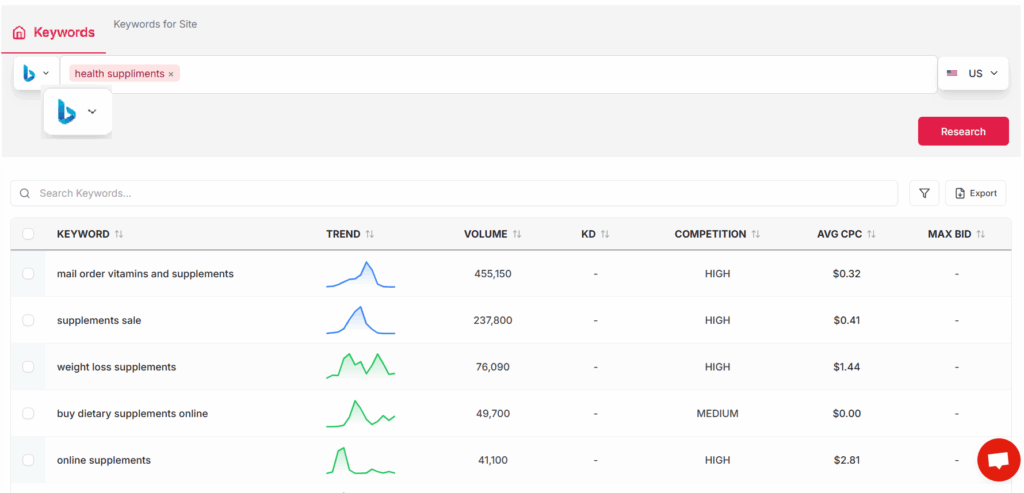
    Iterating your research for continuous improvement

    SEO is iterative, not static. Drawing insights from performance data allows you to fine-tune your keyword strategies and respond quickly to algorithm updates or shifts in user search behavior. Regular refinements may mean reprioritizing keywords, expanding semantically related clusters, or targeting new long-tail phrases based on actual user queries.

    Take the case of REI: after identifying increased search interest in “ultralight backpacking gear,” its content team adjusted their article and product targeting to address this trend, resulting in measurable organic growth. Staying agile is crucial for sustaining momentum and outpacing competitors as search landscapes evolve.

    Using Keywordly.ai for ongoing performance tracking and insights

    An all-in-one platform like Keywordly.ai simplifies continuous tracking and improvement. Its dashboard centralizes keyword ranking data, automatically aggregates traffic and engagement metrics, and delivers actionable reports on content gaps or declining phrases. Users can set up tailored alerts to flag significant changes, freeing up time for deeper strategic planning.

    For ongoing optimization, Keywordly.ai leverages AI to analyze market shifts, uncover new keywords with untapped potential, and recommend specific improvements for each piece of content. Agencies, such as Growth Gorilla, benefit from these insights by consistently delivering high-ROI content strategies to their clients. Effective use of these AI-powered features eliminates guesswork, making it easier to maintain a proactive approach to long-term SEO success.

    Reference: How to do Keyword Research in 2025 (8 Step Process)

    Conclusion

    Recap and Final Takeaways

    Effective keyword research forms the backbone of successful SEO and content strategies. From the initial phases of brainstorming primary search terms to the comprehensive analysis of search intent, mastering the fundamentals ensures you attract the right audience. The process typically starts by identifying broad topics relevant to your business and then narrowing these down into targeted keyword lists using data from industry tools.

    Take HubSpot, for instance: by regularly auditing and refining their keyword profiles, they’ve managed to grow their organic search traffic dramatically—leading to more than 7 million monthly visits. This underscores how a well-structured research process creates tangible results when implemented consistently.

    Aligning Keywords with Business and Audience Goals

    It’s crucial that the keywords you pursue closely match both your organization’s objectives and your audience’s needs. For example, an e-commerce brand like REI often tailors keyword strategies around seasonal outdoor gear, blending search volume data with their product calendars to capture intent-driven shoppers. This alignment ensures content not only ranks but also converts.
    Businesses that choose keywords primarily based on search volume, while overlooking user intent or relevance, often see poor engagement and high bounce rates. Targeting phrases that reflect authentic user needs delivers stronger ROI and builds lasting relationships.

    Ongoing Keyword Analysis is Vital

    SEO isn’t static. Trends evolve, algorithms change, and competitor strategies shift. Regular keyword audits help maintain relevance and capitalize on new opportunities. For example, Adobe saw significant organic growth by integrating quarterly keyword reviews as a core practice, empowering their teams to adapt quickly to industry trends.

    Failing to update keyword strategies can result in stagnant or declining search visibility—a risk even large companies have faced when neglecting ongoing analysis.

    The Benefits of Using AI-Powered Tools Like Keywordly.ai

    Platforms such as Keywordly.ai streamline keyword research, clustering, and analysis, enabling users to pinpoint high-potential keywords faster and with greater accuracy. The platform’s AI-driven insights help prioritize low-competition phrases and surface semantic opportunities that manual research might overlook.

    For example, marketing agencies leveraging Keywordly.ai have reported cutting their research time by over 50%, while increasing organic impressions for client sites. These capabilities empower teams to act on data in real time, optimizing content for both search engines and AI assistants.

    Begin Your Keyword Research Journey

    The first step to stronger organic growth starts with a well-structured keyword strategy. By applying the principles and practices shared here—and leveraging advanced tools like Keywordly.ai for support—you can position your content to succeed against both traditional search competitors and emerging AI-driven platforms.

    Start with a clear understanding of your audience, be intentional in your keyword selection, and commit to regular review. These efforts will amplify your visibility, drive consistent traffic, and unlock lasting results.

    Frequently Asked Questions

    Common questions about keyword research

    Keyword research is a foundational step in any search engine optimization strategy. Choosing the right target phrases can impact not only organic rankings but also user engagement and conversion rates. Despite the abundance of information available, businesses, marketers, and content creators often have nuanced questions about best practices and the latest tools they should be leveraging, particularly with the rise of AI-powered platforms like Keywordly.ai.

    What is the difference between keyword research and keyword analysis research?

    Keyword research identifies relevant phrases users search for within your industry, focusing on search volume, competitiveness, and potential intent. Keyword analysis research, on the other hand, dives deeper—evaluating performance, current ranking opportunities, and on-page keyword integration.

    For example, Moz’s Keyword Explorer helps users find new keyword ideas, while SEMrush’s Keyword Gap feature provides ongoing analysis of keyword strengths and weaknesses versus competitors. Keywordly.ai consolidates both processes, streamlining discovery and in-depth evaluation within one platform.

    How often should I update or audit my keyword list?

    Regular auditing ensures your content reflects current trends, user intent, and search engine algorithm changes. Most SEO specialists recommend quarterly reviews, but for highly competitive industries like travel or e-commerce, monthly updates are common.

    For instance, Ahrefs published a study showing that 15% of Google searches every day are entirely new. Tools like Keywordly.ai automate monitoring, flagging outdated or underperforming keywords and suggesting timely replacements or expansions to your list.

    Why does keyword intent matter when selecting target phrases?

    Keyword intent distinguishes whether users want information, to make a purchase, or to navigate to a specific site. Overlooking intent can result in traffic that doesn’t convert.

    Best Buy, for example, targets transactional queries like “buy Sony 4K TV online,” which differs from the informational intent behind “how to choose a 4K TV.” Keywordly.ai can evaluate intent using AI-driven classifiers, improving your match with ideal user queries.

    How do I conduct keyword research specifically for a new website or niche?

    Launching a new website can be challenging, as direct competitors and audience preferences are less familiar. Start with broad industry terms, then use keyword tools to find related long-tail variations with lower competition.

    An online fitness startup, for example, might use Google Trends and Keywordly.ai to identify breakout topics, such as “at-home HIIT routines for beginners.” This iterative process is vital to gaining traction in a new market.

    When should I use an AI-powered tool like Keywordly.ai as part of my process?

    AI-powered platforms add value throughout the research phase—especially for large websites, complex niches, or time-sensitive campaigns. They can automate clustering, analyze both user intent and competitive gaps, and suggest content optimizations based on real-time data.

    For example, agencies managing hundreds of client sites use Keywordly.ai to speed up discovery and to prioritize keywords by projected ROI rather than just volume or competition.

    How can I identify keyword opportunities my competitors are missing?

    Spotting overlooked keywords involves comparing your rankings to those of competitors and analyzing search gaps. Tools like SEMrush’s Keyword Gap, Ahrefs’ Content Gap, and Keywordly.ai’s AI-driven suggestions highlight phrases with search potential that are underutilized in your niche.

    In a real-world scenario, Glossier capitalized on keywords related to “dewy skin” not widely targeted by legacy beauty brands, helping them gain visibility among younger audiences. Keywordly.ai’s competitor analysis features can help uncover similar untapped opportunities.